buttons LINCOLN MKZ 2019 User Guide
[x] Cancel search | Manufacturer: LINCOLN, Model Year: 2019, Model line: MKZ, Model: LINCOLN MKZ 2019Pages: 595, PDF Size: 4.95 MB
Page 157 of 595
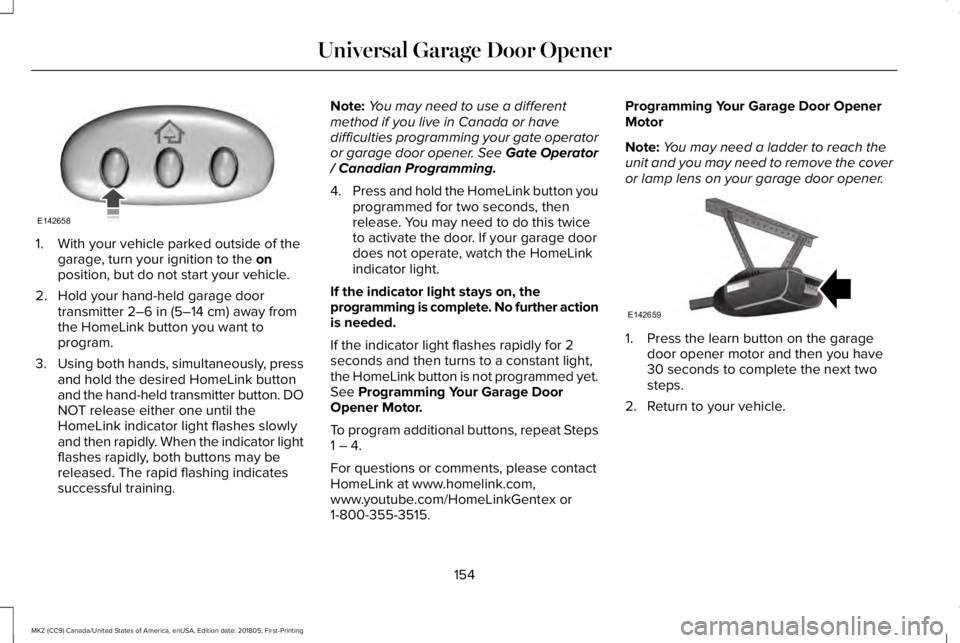
1. With your vehicle parked outside of thegarage, turn your ignition to the onposition, but do not start your vehicle.
2. Hold your hand-held garage doortransmitter 2–6 in (5–14 cm) away fromthe HomeLink button you want toprogram.
3.Using both hands, simultaneously, pressand hold the desired HomeLink buttonand the hand-held transmitter button. DONOT release either one until theHomeLink indicator light flashes slowlyand then rapidly. When the indicator lightflashes rapidly, both buttons may bereleased. The rapid flashing indicatessuccessful training.
Note:You may need to use a differentmethod if you live in Canada or havedifficulties programming your gate operatoror garage door opener. See Gate Operator/ Canadian Programming.
4.Press and hold the HomeLink button youprogrammed for two seconds, thenrelease. You may need to do this twiceto activate the door. If your garage doordoes not operate, watch the HomeLinkindicator light.
If the indicator light stays on, theprogramming is complete. No further actionis needed.
If the indicator light flashes rapidly for 2seconds and then turns to a constant light,the HomeLink button is not programmed yet.See Programming Your Garage DoorOpener Motor.
To program additional buttons, repeat Steps1 – 4.
For questions or comments, please contactHomeLink at www.homelink.com,www.youtube.com/HomeLinkGentex or1-800-355-3515.
Programming Your Garage Door OpenerMotor
Note:You may need a ladder to reach theunit and you may need to remove the coveror lamp lens on your garage door opener.
1. Press the learn button on the garagedoor opener motor and then you have30 seconds to complete the next twosteps.
2. Return to your vehicle.
154
MKZ (CC9) Canada/United States of America, enUSA, Edition date: 201805, First-Printing
Universal Garage Door OpenerE142658 E142659
Page 158 of 595
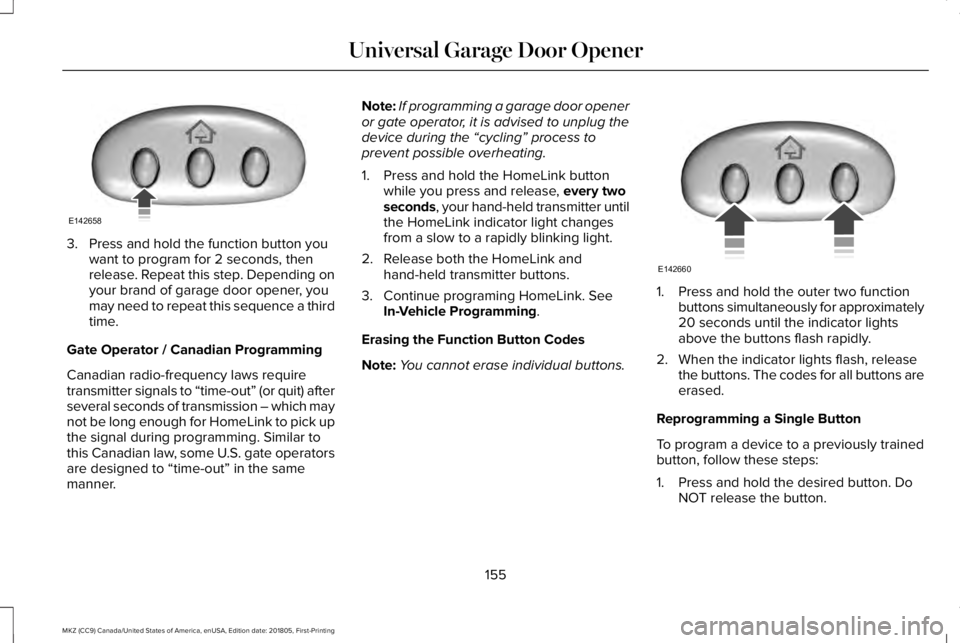
3. Press and hold the function button youwant to program for 2 seconds, thenrelease. Repeat this step. Depending onyour brand of garage door opener, youmay need to repeat this sequence a thirdtime.
Gate Operator / Canadian Programming
Canadian radio-frequency laws requiretransmitter signals to “time-out” (or quit) afterseveral seconds of transmission – which maynot be long enough for HomeLink to pick upthe signal during programming. Similar tothis Canadian law, some U.S. gate operatorsare designed to “time-out” in the samemanner.
Note:If programming a garage door openeror gate operator, it is advised to unplug thedevice during the “cycling” process toprevent possible overheating.
1. Press and hold the HomeLink buttonwhile you press and release, every twoseconds, your hand-held transmitter untilthe HomeLink indicator light changesfrom a slow to a rapidly blinking light.
2. Release both the HomeLink andhand-held transmitter buttons.
3. Continue programing HomeLink. SeeIn-Vehicle Programming.
Erasing the Function Button Codes
Note:You cannot erase individual buttons.
1. Press and hold the outer two functionbuttons simultaneously for approximately20 seconds until the indicator lightsabove the buttons flash rapidly.
2. When the indicator lights flash, releasethe buttons. The codes for all buttons areerased.
Reprogramming a Single Button
To program a device to a previously trainedbutton, follow these steps:
1. Press and hold the desired button. DoNOT release the button.
155
MKZ (CC9) Canada/United States of America, enUSA, Edition date: 201805, First-Printing
Universal Garage Door OpenerE142658 E142660
Page 159 of 595
2.The indicator light will begin to flash after20 seconds. Without releasing thebutton, follow Step 1 in the Programmingsection.
For questions or comments, contactHomeLink at www.homelink.com,www.youtube.com/HomeLinkGentex or1-800-355-3515.
Programming to a Genie Intellicode 2Garage Door Opener
Note:The Genie Intellicode 2 transmittermust already be programmed to operatewith the garage door opener.
Note:To program HomeLink to thetransmitter you must first put the transmitterinto programming mode.
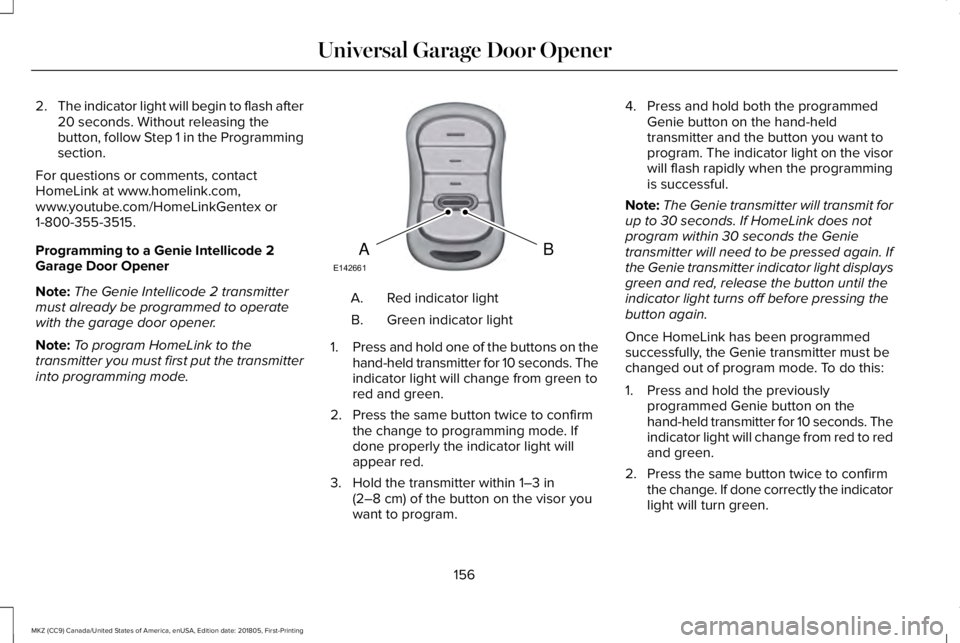
Red indicator lightA.
Green indicator lightB.
1.Press and hold one of the buttons on thehand-held transmitter for 10 seconds. Theindicator light will change from green tored and green.
2. Press the same button twice to confirmthe change to programming mode. Ifdone properly the indicator light willappear red.
3. Hold the transmitter within 1–3 in(2–8 cm) of the button on the visor youwant to program.
4. Press and hold both the programmedGenie button on the hand-heldtransmitter and the button you want toprogram. The indicator light on the visorwill flash rapidly when the programmingis successful.
Note:The Genie transmitter will transmit forup to 30 seconds. If HomeLink does notprogram within 30 seconds the Genietransmitter will need to be pressed again. Ifthe Genie transmitter indicator light displaysgreen and red, release the button until theindicator light turns off before pressing thebutton again.
Once HomeLink has been programmedsuccessfully, the Genie transmitter must bechanged out of program mode. To do this:
1. Press and hold the previouslyprogrammed Genie button on thehand-held transmitter for 10 seconds. Theindicator light will change from red to redand green.
2. Press the same button twice to confirmthe change. If done correctly the indicatorlight will turn green.
156
MKZ (CC9) Canada/United States of America, enUSA, Edition date: 201805, First-Printing
Universal Garage Door OpenerBAE142661
Page 160 of 595
Programming HomeLink to the GenieIntellicode Garage Door Opener Motor
Note:You may need a ladder to access thegarage door opener motor.
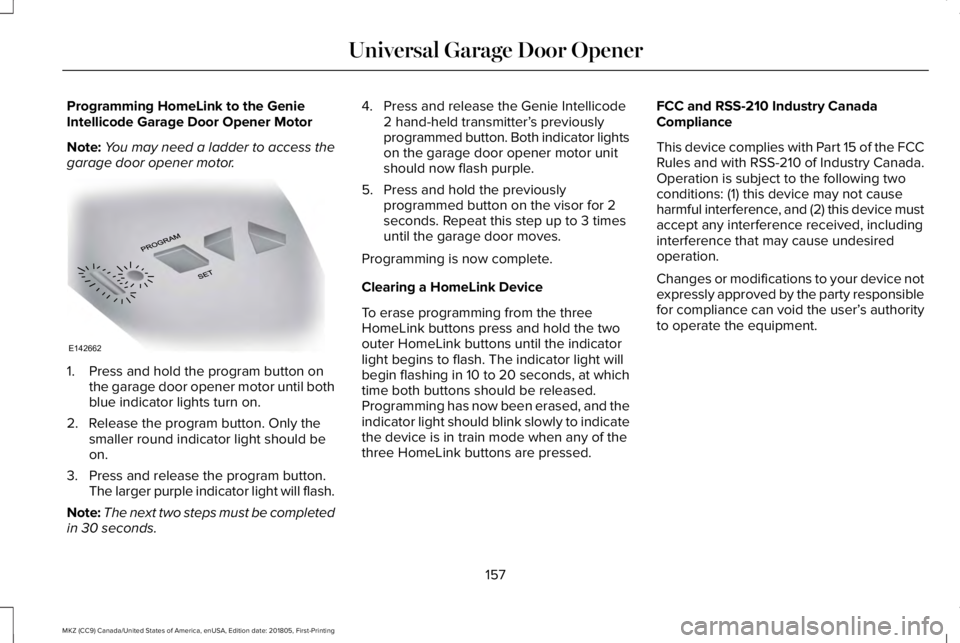
1. Press and hold the program button onthe garage door opener motor until bothblue indicator lights turn on.
2. Release the program button. Only thesmaller round indicator light should beon.
3. Press and release the program button.The larger purple indicator light will flash.
Note:The next two steps must be completedin 30 seconds.
4. Press and release the Genie Intellicode2 hand-held transmitter’s previouslyprogrammed button. Both indicator lightson the garage door opener motor unitshould now flash purple.
5. Press and hold the previouslyprogrammed button on the visor for 2seconds. Repeat this step up to 3 timesuntil the garage door moves.
Programming is now complete.
Clearing a HomeLink Device
To erase programming from the threeHomeLink buttons press and hold the twoouter HomeLink buttons until the indicatorlight begins to flash. The indicator light willbegin flashing in 10 to 20 seconds, at whichtime both buttons should be released.Programming has now been erased, and theindicator light should blink slowly to indicatethe device is in train mode when any of thethree HomeLink buttons are pressed.
FCC and RSS-210 Industry CanadaCompliance
This device complies with Part 15 of the FCCRules and with RSS-210 of Industry Canada.Operation is subject to the following twoconditions: (1) this device may not causeharmful interference, and (2) this device mustaccept any interference received, includinginterference that may cause undesiredoperation.
Changes or modifications to your device notexpressly approved by the party responsiblefor compliance can void the user’s authorityto operate the equipment.
157
MKZ (CC9) Canada/United States of America, enUSA, Edition date: 201805, First-Printing
Universal Garage Door OpenerE142662
Page 165 of 595
The keyless starting system has threemodes:
•Off: Turns the ignition off.
•Without applying the brake pedal,press and release the button oncewhen the ignition is in the on mode,or when the vehicle is running but isnot moving.
•On: All electrical circuits are operationaland the warning lamps and indicatorsilluminate.
•Without applying the brake pedal,press and release the button once.
•Start: Starts the vehicle. The engine maynot start when the vehicle starts.
•Press the brake pedal, and then pressthe button until the vehicle starts. Anindicator light on the buttonilluminates when the ignition is onand when the vehicle starts.
STARTING A GASOLINE ENGINE
When you start the engine, the idle speedincreases, this helps to warm up the engine.If the engine idle speed does not slow downautomatically, have your vehicle checked byan authorized dealer.
Before starting the engine, check thefollowing:
•Make sure all occupants have fastenedtheir safety belts.
•Make sure the headlamps and electricalaccessories are off.
•Make sure the parking brake is on.
•Put the transmission in P.
Note:Do not touch the accelerator pedal.
1. Fully press the brake pedal.
2. Press the button.
The system does not function if:
•The key frequencies are jammed.
•The key battery has no charge.
If you are unable to start the engine, do thefollowing:
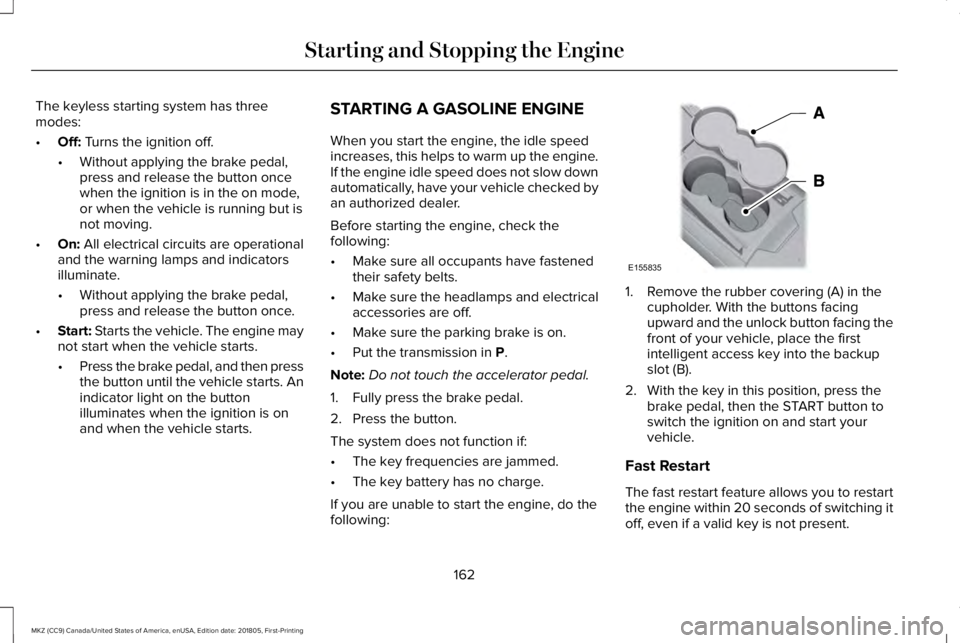
1. Remove the rubber covering (A) in thecupholder. With the buttons facingupward and the unlock button facing thefront of your vehicle, place the firstintelligent access key into the backupslot (B).
2. With the key in this position, press thebrake pedal, then the START button toswitch the ignition on and start yourvehicle.
Fast Restart
The fast restart feature allows you to restartthe engine within 20 seconds of switching itoff, even if a valid key is not present.
162
MKZ (CC9) Canada/United States of America, enUSA, Edition date: 201805, First-Printing
Starting and Stopping the EngineE155835
Page 180 of 595
AUTOMATIC TRANSMISSION
WARNING: Always fully apply theparking brake and make sure you shift intopark (P). Failure to follow this instructioncould result in personal injury or death.
WARNING: Do not apply the brakepedal and accelerator pedal simultaneously.Applying both pedals simultaneously formore than a few seconds will limit engineperformance, which may result in difficultymaintaining speed in traffic and could leadto serious injury.
Note:You may not be able to shift out ofpark (P) unless the intelligent access key isinside your vehicle.
Push Button Shift Transmission
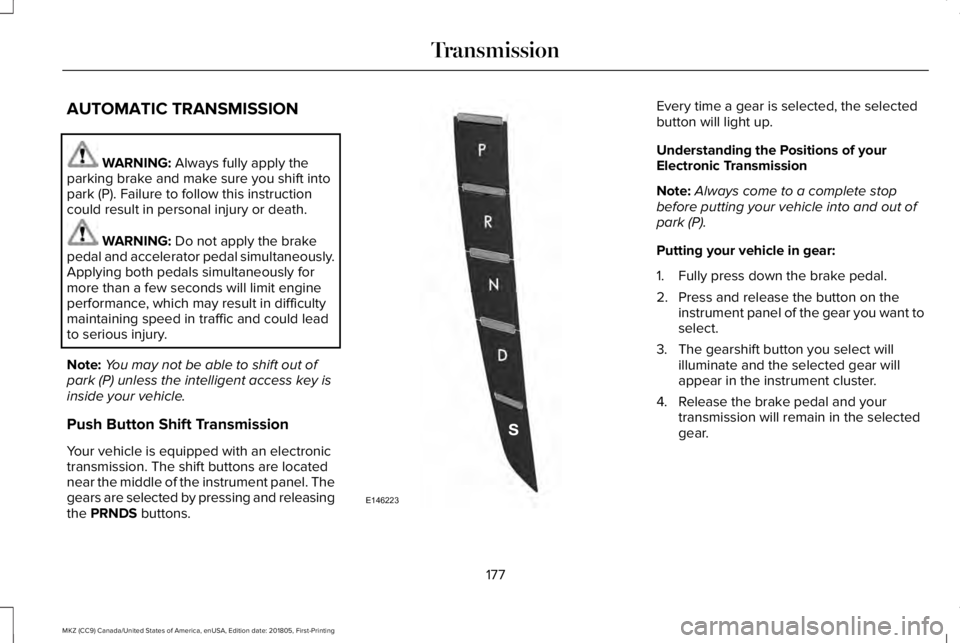
Your vehicle is equipped with an electronictransmission. The shift buttons are locatednear the middle of the instrument panel. Thegears are selected by pressing and releasingthe PRNDS buttons.
Every time a gear is selected, the selectedbutton will light up.
Understanding the Positions of yourElectronic Transmission
Note:Always come to a complete stopbefore putting your vehicle into and out ofpark (P).
Putting your vehicle in gear:
1. Fully press down the brake pedal.
2. Press and release the button on theinstrument panel of the gear you want toselect.
3. The gearshift button you select willilluminate and the selected gear willappear in the instrument cluster.
4. Release the brake pedal and yourtransmission will remain in the selectedgear.
177
MKZ (CC9) Canada/United States of America, enUSA, Edition date: 201805, First-Printing
TransmissionE146223
Page 184 of 595
WARNING: If the parking brake is fullyreleased, but the brake warning lampremains illuminated, the brakes may not beworking properly. Have your vehicle checkedas soon as possible.
Note:See your authorized dealer as soonas possible if this procedure is used.
Note:For some markets this feature isdisabled.
Note:This feature will only function if your12-volt battery has power. If vehicle batteryvoltage is not sufficient, an external 12-voltpower source (for example, jumper cables,battery charger or jump pack) may berequired to function the interlock overrideswitch.
Use the brake-shift interlock override tomove your transmission from the parkposition in the event of an electricalmalfunction. If your vehicle has a deadbattery, an external power source will berequired.
1. Apply the parking brake and turn yourignition off before performing thisprocedure.
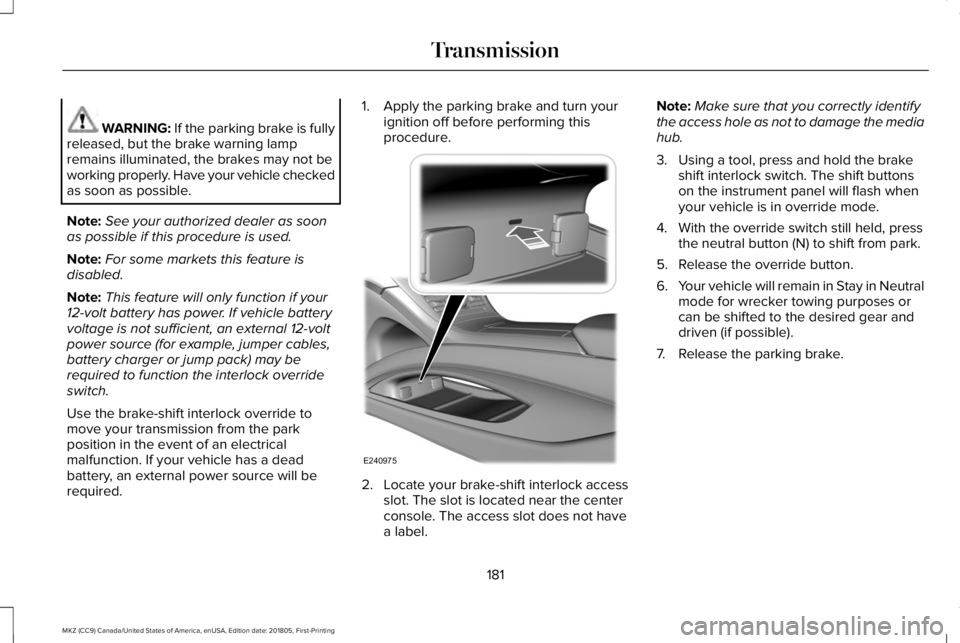
2. Locate your brake-shift interlock accessslot. The slot is located near the centerconsole. The access slot does not havea label.
Note:Make sure that you correctly identifythe access hole as not to damage the mediahub.
3. Using a tool, press and hold the brakeshift interlock switch. The shift buttonson the instrument panel will flash whenyour vehicle is in override mode.
4. With the override switch still held, pressthe neutral button (N) to shift from park.
5. Release the override button.
6.Your vehicle will remain in Stay in Neutralmode for wrecker towing purposes orcan be shifted to the desired gear anddriven (if possible).
7. Release the parking brake.
181
MKZ (CC9) Canada/United States of America, enUSA, Edition date: 201805, First-Printing
TransmissionE240975
Page 210 of 595
To toggle through the modes, use thebuttons on the information display to selectthe following:
•Parallel parking.
•Perpendicular parking.
•Parallel park out assist.
•Switch the system off.
Note:There is no time limit for togglingthrough the modes.
Parallel Parking
The system detects available parallel parkingspaces and steers your vehicle into thespace. You control the accelerator, gearshiftand brakes. The system visually and audiblyguides you into a parallel parking space.
Press the button once to searchfor a parking space.
Note:You can also switch the system onafter you have already driven partially orcompletely past a parking space. Press theactive park assist button and the systeminforms you if you have recently passed asuitable parking space.
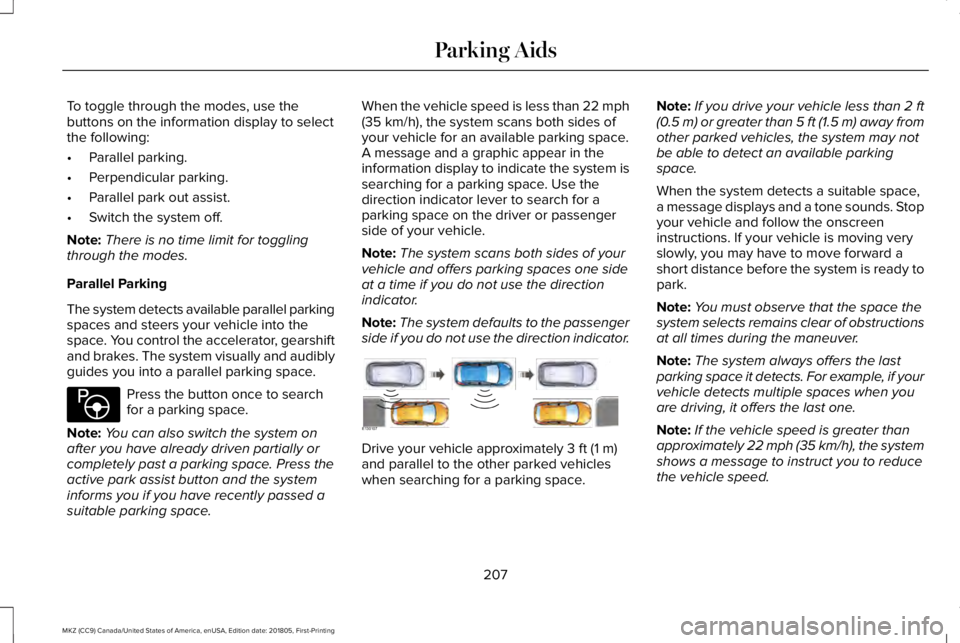
When the vehicle speed is less than 22 mph(35 km/h), the system scans both sides ofyour vehicle for an available parking space.A message and a graphic appear in theinformation display to indicate the system issearching for a parking space. Use thedirection indicator lever to search for aparking space on the driver or passengerside of your vehicle.
Note:The system scans both sides of yourvehicle and offers parking spaces one sideat a time if you do not use the directionindicator.
Note:The system defaults to the passengerside if you do not use the direction indicator.
Drive your vehicle approximately 3 ft (1 m)and parallel to the other parked vehicleswhen searching for a parking space.
Note:If you drive your vehicle less than 2 ft(0.5 m) or greater than 5 ft (1.5 m) away fromother parked vehicles, the system may notbe able to detect an available parkingspace.
When the system detects a suitable space,a message displays and a tone sounds. Stopyour vehicle and follow the onscreeninstructions. If your vehicle is moving veryslowly, you may have to move forward ashort distance before the system is ready topark.
Note:You must observe that the space thesystem selects remains clear of obstructionsat all times during the maneuver.
Note:The system always offers the lastparking space it detects. For example, if yourvehicle detects multiple spaces when youare driving, it offers the last one.
Note:If the vehicle speed is greater thanapproximately 22 mph (35 km/h), the systemshows a message to instruct you to reducethe vehicle speed.
207
MKZ (CC9) Canada/United States of America, enUSA, Edition date: 201805, First-Printing
Parking AidsE146186 E130107
Page 319 of 595
CHANGING THE WIPER BLADES
Replace the wiper blades at least annuallyfor optimum performance.
You can improve poor wiper quality bycleaning the wiper blades and thewindshield.
Note:Do not hold the wiper blade whenlifting the wiper arm.
Note:Make sure that the wiper arm doesnot spring back against the glass when thewiper blade is not attached.
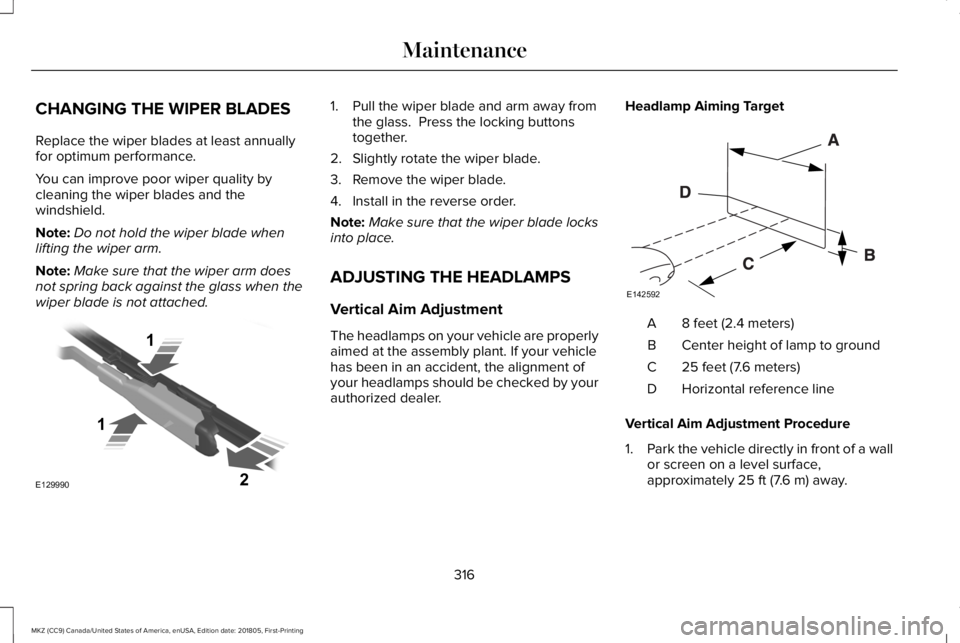
1. Pull the wiper blade and arm away fromthe glass. Press the locking buttonstogether.
2. Slightly rotate the wiper blade.
3. Remove the wiper blade.
4. Install in the reverse order.
Note:Make sure that the wiper blade locksinto place.
ADJUSTING THE HEADLAMPS
Vertical Aim Adjustment
The headlamps on your vehicle are properlyaimed at the assembly plant. If your vehiclehas been in an accident, the alignment ofyour headlamps should be checked by yourauthorized dealer.
Headlamp Aiming Target
8 feet (2.4 meters)A
Center height of lamp to groundB
25 feet (7.6 meters)C
Horizontal reference lineD
Vertical Aim Adjustment Procedure
1.Park the vehicle directly in front of a wallor screen on a level surface,approximately 25 ft (7.6 m) away.
316
MKZ (CC9) Canada/United States of America, enUSA, Edition date: 201805, First-Printing
MaintenanceE129990
1
1 2 E142592
Page 399 of 595
Action and DescriptionMenu ItemItem
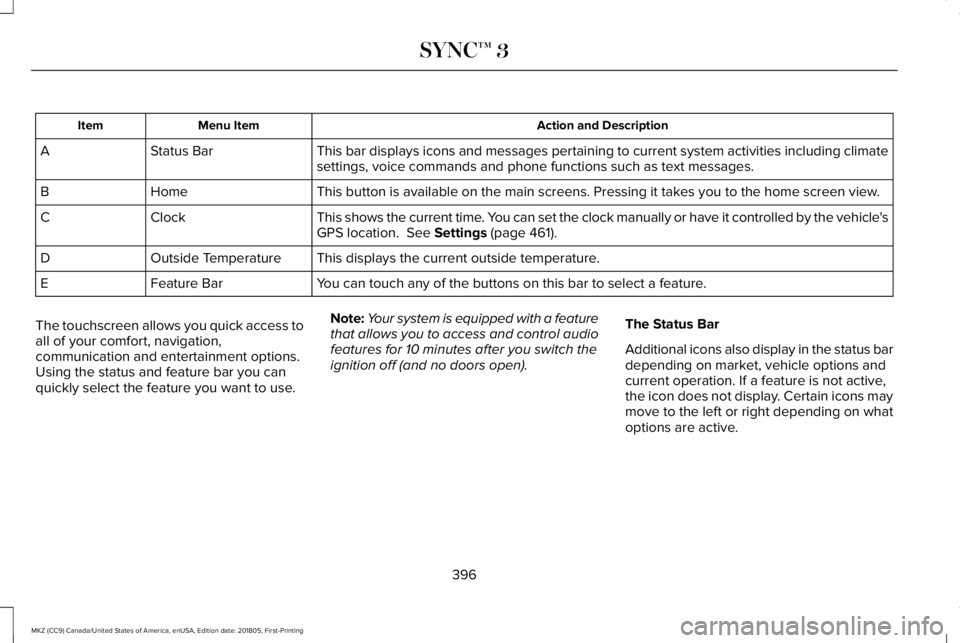
This bar displays icons and messages pertaining to current system activities including climatesettings, voice commands and phone functions such as text messages.Status BarA
This button is available on the main screens. Pressing it takes you to the home screen view.HomeB
This shows the current time. You can set the clock manually or have it controlled by the vehicle'sGPS location. See Settings (page 461).ClockC
This displays the current outside temperature.Outside TemperatureD
You can touch any of the buttons on this bar to select a feature.Feature BarE
The touchscreen allows you quick access toall of your comfort, navigation,communication and entertainment options.Using the status and feature bar you canquickly select the feature you want to use.
Note:Your system is equipped with a featurethat allows you to access and control audiofeatures for 10 minutes after you switch theignition off (and no doors open).
The Status Bar
Additional icons also display in the status bardepending on market, vehicle options andcurrent operation. If a feature is not active,the icon does not display. Certain icons maymove to the left or right depending on whatoptions are active.
396
MKZ (CC9) Canada/United States of America, enUSA, Edition date: 201805, First-Printing
SYNC™ 3