instrument panel LINCOLN MKZ 2019 Owner's Manual
[x] Cancel search | Manufacturer: LINCOLN, Model Year: 2019, Model line: MKZ, Model: LINCOLN MKZ 2019Pages: 595, PDF Size: 4.95 MB
Page 300 of 595
GENERAL INFORMATION
Have your vehicle serviced regularly to helpmaintain its roadworthiness and resale value.There is a large network of authorizeddealers that are there to help you with theirprofessional servicing expertise. We believethat their specially trained technicians arebest qualified to service your vehicle properlyand expertly. They are supported by a widerange of highly specialized tools developedspecifically for servicing your vehicle.
If your vehicle requires professional service,an authorized dealer can provide thenecessary parts and service. Check yourwarranty information to find out which partsand services are covered.
Use only recommended fuels, lubricants,fluids and service parts conforming tospecifications. Motorcraft® parts aredesigned and built to provide the bestperformance in your vehicle.
Precautions
•Do not work on a hot engine.
•Make sure that nothing gets caught inmoving parts.
•Do not work on a vehicle with the enginerunning in an enclosed space, unless youare sure you have enough ventilation.
•Keep all open flames and other burningmaterial (such as cigarettes) away fromthe battery and all fuel related parts.
Working with the Engine Off
1. Set the parking brake and shift thetransmission to park (P).
2. Switch off the engine.
3. Block the wheels.
Working with the Engine On
WARNING: To reduce the risk ofvehicle damage and personal burn injuries,do not start your engine with the air cleanerremoved and do not remove it while theengine is running.
1. Set the parking brake and shift thetransmission to park (P).
2. Block the wheels.
OPENING AND CLOSING THE
HOOD
Opening the Hood
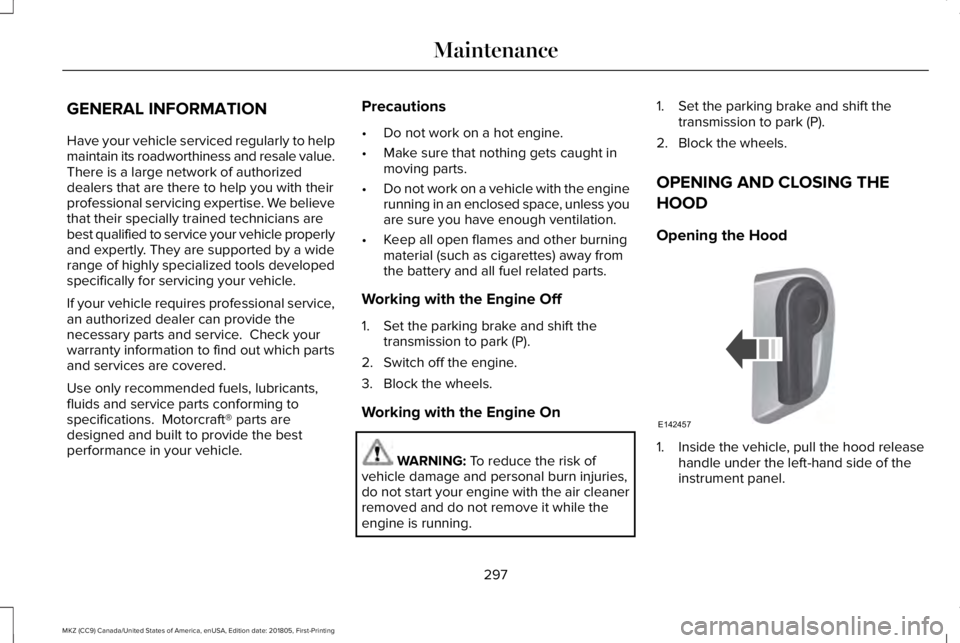
1. Inside the vehicle, pull the hood releasehandle under the left-hand side of theinstrument panel.
297
MKZ (CC9) Canada/United States of America, enUSA, Edition date: 201805, First-Printing
MaintenanceE142457
Page 325 of 595
•Do not allow wax to come in contact withany non-body (low-gloss black) coloredtrim. The wax will discolor or stain theparts over time.
•Roof racks.
•Bumpers.
•Grained door handles.
•Side moldings.
•Mirror housings.
•Windshield cowl area.
•Do not apply wax to glass areas.
•After waxing, your car's paint should feelsmooth, and be free of streaks andsmudges.
CLEANING THE ENGINE
Engines are more efficient when they areclean because grease and dirt buildup keepthe engine warmer than normal.
When washing:
•Take care when using a power washerto clean the engine. The high-pressurefluid could penetrate the sealed partsand cause damage.
•Do not spray a hot engine with cold waterto avoid cracking the engine block orother engine components.
•Spray Motorcraft Engine Shampoo andDegreaser on all parts that requirecleaning and pressure rinse clean. InCanada, use Motorcraft Engine Shampoo.
•Never wash or rinse the engine while itis hot or running; water in the runningengine may cause internal damage.
•Never wash or rinse any ignition coil,spark plug wire or spark plug well, or thearea in and around these locations.
•Cover the battery, power distribution box,and air filter assembly to prevent waterdamage when cleaning the engine.
CLEANING THE WINDOWS AND
WIPER BLADES
Car wash chemicals and environmentalfallout can result in windshield and wiperblade contamination. Dirty windshield andwipers will result in poor windshield wiperoperation. Keep the windshield and wiperblades clean to maintain windshield wiperperformance.
To clean the windshield and wiper blades:
•Clean the windshield with a non-abrasiveglass cleaner. When cleaning the interiorof the windshield, avoid getting any glasscleaner on the instrument panel or doorpanels. Wipe any glass cleaner off thesesurfaces immediately.
•For windshields contaminated with treesap, chemicals, wax or bugs, clean theentire windshield using steel wool (nogreater than 0000 grade) in a circularmotion and rinse with water.
•Clean the wiper blades with isopropylrubbing alcohol or windshield washerconcentrate.
322
MKZ (CC9) Canada/United States of America, enUSA, Edition date: 201805, First-Printing
Vehicle Care
Page 328 of 595
CLEANING THE INSTRUMENT
PANEL AND INSTRUMENT
CLUSTER LENS
WARNING: Do not use chemicalsolvents or strong detergents when cleaningthe steering wheel or instrument panel toavoid contamination of the airbag system.
Note:Follow the same procedure ascleaning leather seats for cleaning leatherinstrument panels and leather interior trimsurfaces. See Cleaning Leather Seats (page325).
Clean the instrument panel and cluster lenswith a clean, damp and soft cloth, then usea clean, dry and soft cloth to dry these areas.
•Avoid cleaners or polishes that increasethe gloss of the upper portion of theinstrument panel. The dull finish in thisarea helps protect you from undesirablewindshield reflection.
•Do not use any household cleaningproducts or glass cleaners as these maydamage the finish of the instrumentpanel, interior trim and cluster lens.
•Wash or wipe your hands clean if youhave been in contact with certainproducts such as insect repellent andsuntan lotion to avoid possible damageto the interior painted surfaces.
•Do not allow air fresheners and handsanitizers to spill onto interior surfaces.If a spill occurs, wipe off immediately.Your warranty may not cover thesedamages.
If a staining liquid like coffee or juice hasbeen spilled on the instrument panel or oninterior trim surfaces:
1.Wipe up spilled liquid using a clean, softcloth as quickly as possible.
2. Use Motorcraft Premium Leather andVinyl Cleaner or a commercially availableleather cleaning product for automotiveinteriors. Test any cleaner or stainremover on an inconspicuous area.
3. Alternatively, wipe the surface with aclean, soft cloth and a mild soap andwater solution. Dry the area with a clean,soft cloth.
4.If necessary, apply more soap and watersolution or cleaning product to a clean,soft cloth and press it onto the soiledarea. Allow this to set at roomtemperature for 30 minutes.
5. Remove the soaked cloth, then with aclean, damp cloth, use a rubbing motionfor 60 seconds on the soiled area.
6. Dry the area with a clean, soft cloth.
CLEANING LEATHER SEATS
Note:Follow the same procedure ascleaning leather seats for cleaning leatherinstrument panels and leather interior trimsurfaces.
325
MKZ (CC9) Canada/United States of America, enUSA, Edition date: 201805, First-Printing
Vehicle Care
Page 374 of 595
VEHICLE IDENTIFICATION
NUMBER
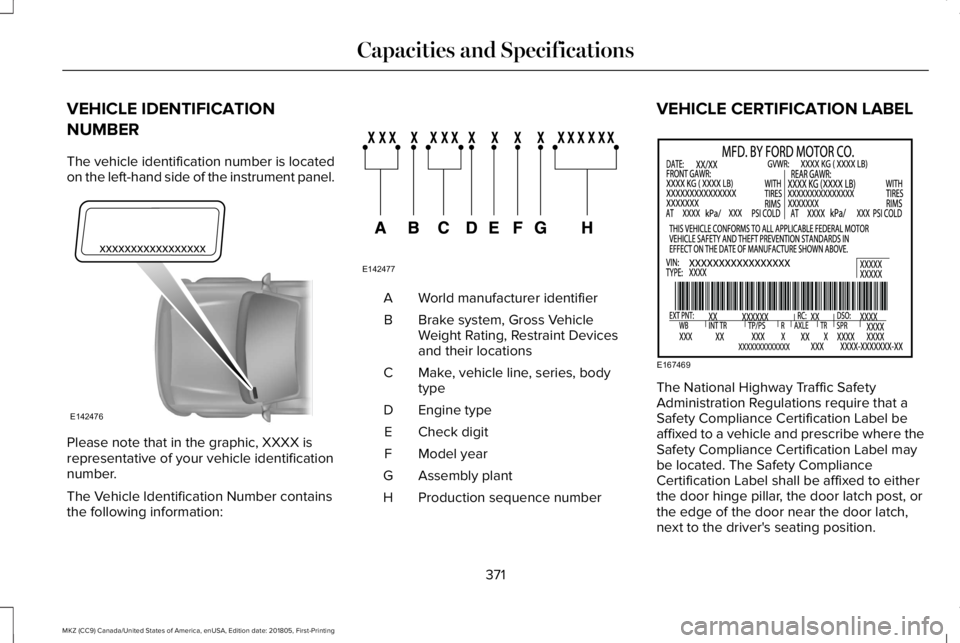
The vehicle identification number is locatedon the left-hand side of the instrument panel.
Please note that in the graphic, XXXX isrepresentative of your vehicle identificationnumber.
The Vehicle Identification Number containsthe following information:
World manufacturer identifierA
Brake system, Gross VehicleWeight Rating, Restraint Devicesand their locations
B
Make, vehicle line, series, bodytypeC
Engine typeD
Check digitE
Model yearF
Assembly plantG
Production sequence numberH
VEHICLE CERTIFICATION LABEL
The National Highway Traffic SafetyAdministration Regulations require that aSafety Compliance Certification Label beaffixed to a vehicle and prescribe where theSafety Compliance Certification Label maybe located. The Safety ComplianceCertification Label shall be affixed to eitherthe door hinge pillar, the door latch post, orthe edge of the door near the door latch,next to the driver's seating position.
371
MKZ (CC9) Canada/United States of America, enUSA, Edition date: 201805, First-Printing
Capacities and SpecificationsE142476 E142477 E167469
Page 396 of 595
use of any hand-held device while drivingand encourage the use of voice-operatedsystems when possible. Make sure you areaware of all applicable local laws that mayaffect the use of electronic devices whiledriving.
The media hub may be on the instrumentpanel or center console.
The media hub may contain one or more ofthe following inputs:
•USB ports. See USB Port (page 392).
•Audio input jack.
393
MKZ (CC9) Canada/United States of America, enUSA, Edition date: 201805, First-Printing
Audio System
Page 405 of 595
Note:If your vehicle is not equipped withnavigation, compass appears in the displayinstead of navigation. If you press the rightarrow to go into the compass menu, you cansee the compass graphic. The compassdisplays the direction in which the vehicle istraveling, not true direction (for example, ifthe vehicle is traveling west, the middle ofthe compass graphic displays west; northdisplays to the left of west though its truedirection is to the right of west).
Using the Controls on the SteeringWheel
Depending on your vehicle and optionpackage, you can use different controls onyour steering wheel to interact with thetouchscreen system in different ways.
VOL: Control the volume of audio output.
Mute: Mute the audio output.
Voice: Press to start a voice session. Pressagain to stop the voice prompt andimmediately begin speaking. Press and holdto end a voice session.
SEEK NEXT:
•While in radio mode, press to seekbetween memory presets.
•While in USB, Bluetooth Audio or CDmode, press to seek between songs orpress and hold to fast seek.
SEEK PREVIOUS:
•While in radio mode, press to seekbetween memory presets.
•While in USB, Bluetooth Audio or CDmode, press to seek between songs orpress and hold to fast seek.
PHONE ACCEPT: Press to answer a call orswitch between calls.
PHONE REJECT: Press to end a call or rejectan incoming call.
Note:On some models, SEEK NEXT may becombined with PHONE REJECT and SEEKPREVIOUS may be combined with PHONEACCEPT.
M: Touch the control repeatedly to switchbetween media sources (modes).
See Steering Wheel (page 80).
Using Your Bezel Controls
Depending on your vehicle and optionpackage, you may also have these controlson your instrument panel:
•Power: Switch the audio system on andoff.
•VOL: Control the volume of playingaudio.
•Seek and Tune: Use as you normallywould in audio modes.
•Eject: Eject a CD from the audio system.
•SOURCE or MEDIA: Press repeatedly toadvance through available media modes.
•SOUND: Press to access the Soundmenu where you can adjust sound andother audio settings.
•1-6: Press and hold to store or press toselect an AM, FM or SIRIUS memorypreset. See Audio System (page 389).
402
MKZ (CC9) Canada/United States of America, enUSA, Edition date: 201805, First-Printing
SYNC™ 3
Page 438 of 595
USB Ports
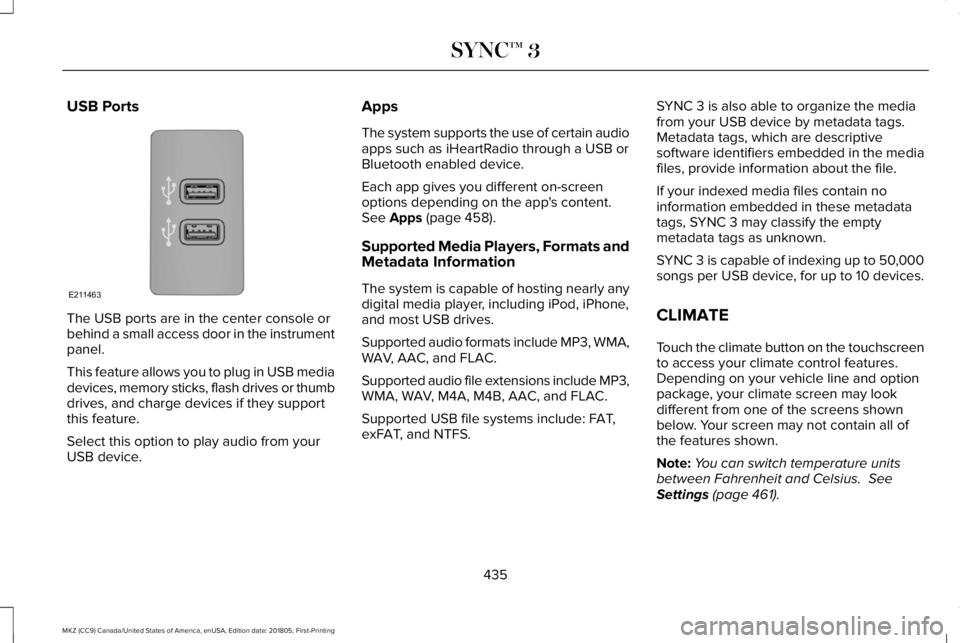
The USB ports are in the center console orbehind a small access door in the instrumentpanel.
This feature allows you to plug in USB mediadevices, memory sticks, flash drives or thumbdrives, and charge devices if they supportthis feature.
Select this option to play audio from yourUSB device.
Apps
The system supports the use of certain audioapps such as iHeartRadio through a USB orBluetooth enabled device.
Each app gives you different on-screenoptions depending on the app's content.See Apps (page 458).
Supported Media Players, Formats andMetadata Information
The system is capable of hosting nearly anydigital media player, including iPod, iPhone,and most USB drives.
Supported audio formats include MP3, WMA,WAV, AAC, and FLAC.
Supported audio file extensions include MP3,WMA, WAV, M4A, M4B, AAC, and FLAC.
Supported USB file systems include: FAT,exFAT, and NTFS.
SYNC 3 is also able to organize the mediafrom your USB device by metadata tags.Metadata tags, which are descriptivesoftware identifiers embedded in the mediafiles, provide information about the file.
If your indexed media files contain noinformation embedded in these metadatatags, SYNC 3 may classify the emptymetadata tags as unknown.
SYNC 3 is capable of indexing up to 50,000songs per USB device, for up to 10 devices.
CLIMATE
Touch the climate button on the touchscreento access your climate control features.Depending on your vehicle line and optionpackage, your climate screen may lookdifferent from one of the screens shownbelow. Your screen may not contain all ofthe features shown.
Note:You can switch temperature unitsbetween Fahrenheit and Celsius. SeeSettings (page 461).
435
MKZ (CC9) Canada/United States of America, enUSA, Edition date: 201805, First-Printing
SYNC™ 3E211463
Page 441 of 595
Note: the passenger sidetemperature and the DUALindication automatically turn onwhen you or your passenger adjustthe passenger temperature.
Passenger temperature: Touch upor down to adjust the temperature.G
Fan speed: Touch up or down toincrease or decrease the volumeof air that circulates in your vehicle.
H
Note: You cannot adjust the fanspeed when the system is set toAUTO, MAX A/C or MAX Defrost.
A/C: A pop-up appears on thescreen to display the airconditioning options.
I
MAX A/C: Touch the button toactivate and maximize cooling. Thedriver and passenger temperaturesare set to LO, recirculated air flowsthrough the instrument panelvents, air conditioningautomatically turns on and the fanautomatically adjusts to the highestspeed.
A/C: Touch to switch the airconditioning on or off. Use A/Cwith recirculated air to improvecooling performance andefficiency.
Note: In certain conditions (forexample, Max Defrost), the airconditioning compressor maycontinue to operate even whenyou switch the air conditioning A/Cbutton off.
Recirculated air: Touch to switchthe recirculated air on or off. Whenrecirculated air is on, it may reducethe amount of time needed to cooldown the interior (when used withA/C) and help reduce odors fromreaching the interior.
Note: Recirculated air may turn offautomatically (or the system mayprevent it from turning on) in allairflow modes except MAX A/C toreduce risk of fogging. It may alsoturn on and off automatically inPanel or Panel/Floor airflow modesduring hot weather in order toimprove cooling efficiency.
Manual airflow distributioncontrols: Select these controlsindividually, together, or withDefrost to direct the air flow to thearea you desire.
J
Panel: Distributes air through theinstrument panel vents.
Floor: Distributes air through thedemister vents, floor vents and rearseat floor vents.
438
MKZ (CC9) Canada/United States of America, enUSA, Edition date: 201805, First-Printing
SYNC™ 3
Page 584 of 595
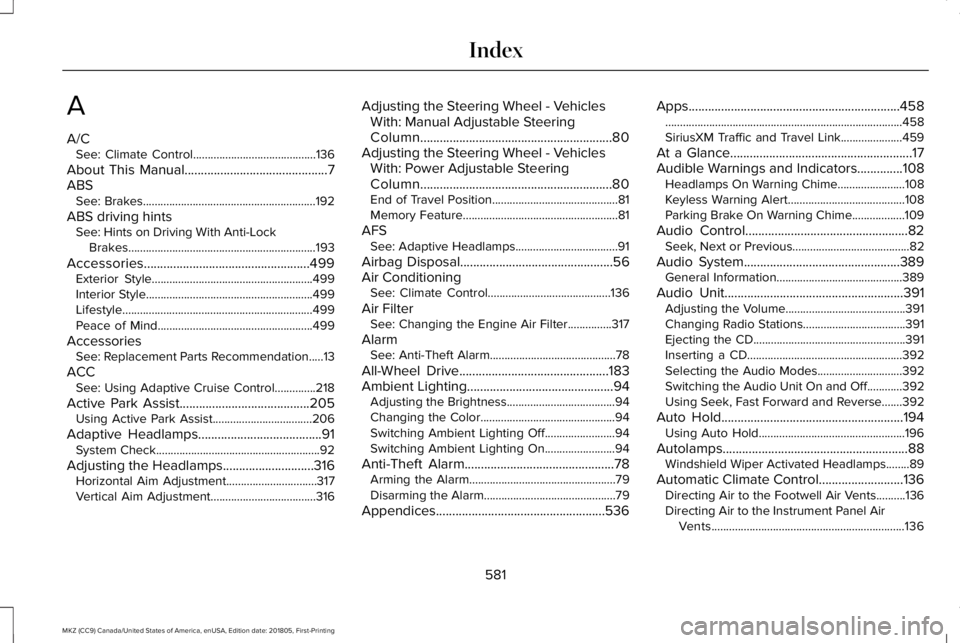
A
A/CSee: Climate Control..........................................136
About This Manual............................................7ABSSee: Brakes...........................................................192
ABS driving hintsSee: Hints on Driving With Anti-LockBrakes................................................................193
Accessories...................................................499Exterior Style.......................................................499Interior Style.........................................................499Lifestyle.................................................................499Peace of Mind.....................................................499
AccessoriesSee: Replacement Parts Recommendation.....13
ACCSee: Using Adaptive Cruise Control..............218
Active Park Assist........................................205Using Active Park Assist..................................206
Adaptive Headlamps......................................91System Check........................................................92
Adjusting the Headlamps............................316Horizontal Aim Adjustment...............................317Vertical Aim Adjustment....................................316
Adjusting the Steering Wheel - VehiclesWith: Manual Adjustable SteeringColumn...........................................................80Adjusting the Steering Wheel - VehiclesWith: Power Adjustable SteeringColumn...........................................................80End of Travel Position...........................................81Memory Feature.....................................................81
AFSSee: Adaptive Headlamps...................................91
Airbag Disposal...............................................56Air ConditioningSee: Climate Control..........................................136
Air FilterSee: Changing the Engine Air Filter...............317
AlarmSee: Anti-Theft Alarm...........................................78
All-Wheel Drive..............................................183Ambient Lighting.............................................94Adjusting the Brightness.....................................94Changing the Color..............................................94Switching Ambient Lighting Off........................94Switching Ambient Lighting On........................94
Anti-Theft Alarm..............................................78Arming the Alarm..................................................79Disarming the Alarm.............................................79
Appendices....................................................536
Apps.................................................................458.................................................................................458SiriusXM Traffic and Travel Link.....................459
At a Glance........................................................17Audible Warnings and Indicators..............108Headlamps On Warning Chime.......................108Keyless Warning Alert........................................108Parking Brake On Warning Chime..................109
Audio Control..................................................82Seek, Next or Previous........................................82
Audio System................................................389General Information...........................................389
Audio Unit.......................................................391Adjusting the Volume.........................................391Changing Radio Stations...................................391Ejecting the CD....................................................391Inserting a CD.....................................................392Selecting the Audio Modes.............................392Switching the Audio Unit On and Off............392Using Seek, Fast Forward and Reverse.......392
Auto Hold........................................................194Using Auto Hold..................................................196
Autolamps.........................................................88Windshield Wiper Activated Headlamps........89
Automatic Climate Control..........................136Directing Air to the Footwell Air Vents..........136Directing Air to the Instrument Panel AirVents..................................................................136
581
MKZ (CC9) Canada/United States of America, enUSA, Edition date: 201805, First-Printing
Index
Page 586 of 595
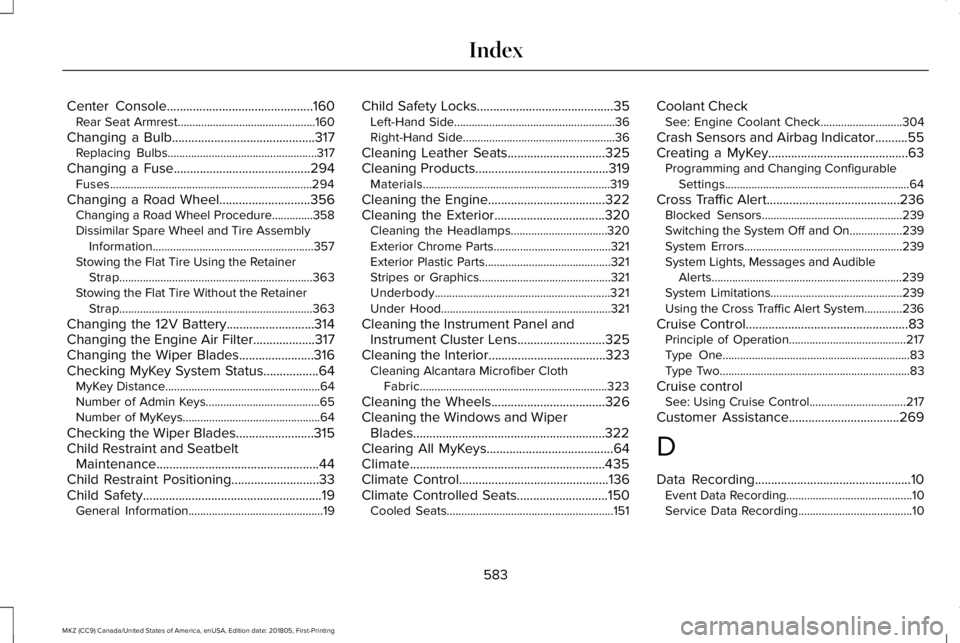
Center Console.............................................160Rear Seat Armrest...............................................160
Changing a Bulb............................................317Replacing Bulbs...................................................317
Changing a Fuse..........................................294Fuses.....................................................................294
Changing a Road Wheel............................356Changing a Road Wheel Procedure..............358Dissimilar Spare Wheel and Tire AssemblyInformation.......................................................357Stowing the Flat Tire Using the RetainerStrap..................................................................363Stowing the Flat Tire Without the RetainerStrap..................................................................363
Changing the 12V Battery...........................314Changing the Engine Air Filter...................317Changing the Wiper Blades.......................316Checking MyKey System Status.................64MyKey Distance.....................................................64Number of Admin Keys.......................................65Number of MyKeys...............................................64
Checking the Wiper Blades........................315Child Restraint and SeatbeltMaintenance..................................................44Child Restraint Positioning...........................33Child Safety.......................................................19General Information..............................................19
Child Safety Locks..........................................35Left-Hand Side.......................................................36Right-Hand Side....................................................36
Cleaning Leather Seats..............................325Cleaning Products.........................................319Materials................................................................319
Cleaning the Engine....................................322Cleaning the Exterior..................................320Cleaning the Headlamps.................................320Exterior Chrome Parts........................................321Exterior Plastic Parts...........................................321Stripes or Graphics.............................................321Underbody............................................................321Under Hood..........................................................321
Cleaning the Instrument Panel andInstrument Cluster Lens...........................325Cleaning the Interior....................................323Cleaning Alcantara Microfiber ClothFabric................................................................323
Cleaning the Wheels...................................326Cleaning the Windows and WiperBlades...........................................................322Clearing All MyKeys.......................................64Climate............................................................435Climate Control..............................................136Climate Controlled Seats............................150Cooled Seats.........................................................151
Coolant CheckSee: Engine Coolant Check............................304
Crash Sensors and Airbag Indicator..........55Creating a MyKey...........................................63Programming and Changing ConfigurableSettings...............................................................64
Cross Traffic Alert.........................................236Blocked Sensors................................................239Switching the System Off and On..................239System Errors......................................................239System Lights, Messages and AudibleAlerts.................................................................239System Limitations.............................................239Using the Cross Traffic Alert System.............236
Cruise Control..................................................83Principle of Operation........................................217Type One................................................................83Type Two.................................................................83
Cruise controlSee: Using Cruise Control.................................217
Customer Assistance..................................269
D
Data Recording................................................10Event Data Recording...........................................10Service Data Recording.......................................10
583
MKZ (CC9) Canada/United States of America, enUSA, Edition date: 201805, First-Printing
Index