ECO LINCOLN MKZ HYBRID 2011 User Guide
[x] Cancel search | Manufacturer: LINCOLN, Model Year: 2011, Model line: MKZ HYBRID, Model: LINCOLN MKZ HYBRID 2011Pages: 347, PDF Size: 2.38 MB
Page 18 of 347
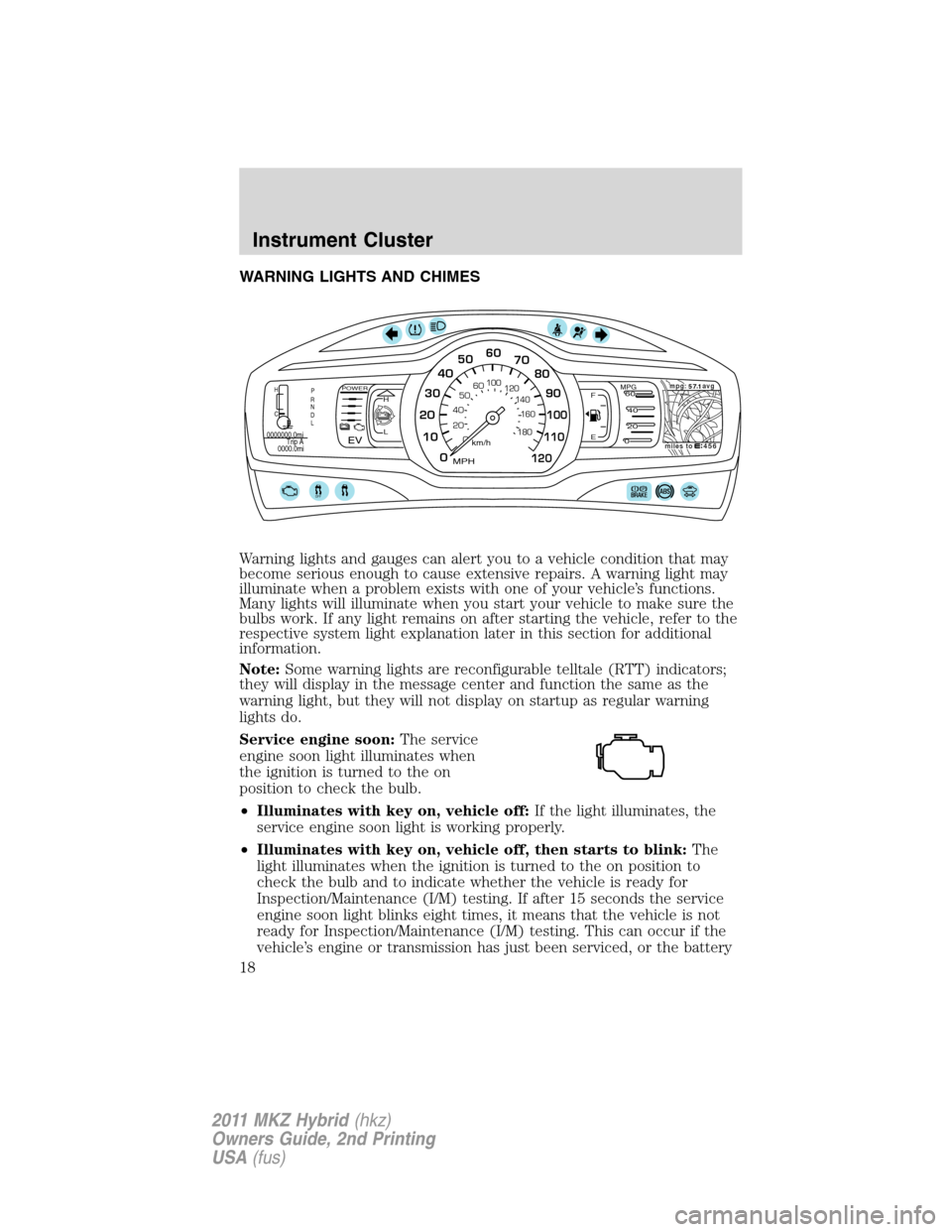
WARNING LIGHTS AND CHIMES
Warning lights and gauges can alert you to a vehicle condition that may
become serious enough to cause extensive repairs. A warning light may
illuminate when a problem exists with one of your vehicle’s functions.
Many lights will illuminate when you start your vehicle to make sure the
bulbs work. If any light remains on after starting the vehicle, refer to the
respective system light explanation later in this section for additional
information.
Note:Some warning lights are reconfigurable telltale (RTT) indicators;
they will display in the message center and function the same as the
warning light, but they will not display on startup as regular warning
lights do.
Service engine soon:The service
engine soon light illuminates when
the ignition is turned to the on
position to check the bulb.
•Illuminates with key on, vehicle off:If the light illuminates, the
service engine soon light is working properly.
•Illuminates with key on, vehicle off, then starts to blink:The
light illuminates when the ignition is turned to the on position to
check the bulb and to indicate whether the vehicle is ready for
Inspection/Maintenance (I/M) testing. If after 15 seconds the service
engine soon light blinks eight times, it means that the vehicle is not
ready for Inspection/Maintenance (I/M) testing. This can occur if the
vehicle’s engine or transmission has just been serviced, or the battery
OFF
456miles tompg:avg
57 1.H
C
0000000.0mi
0000.0miTrip A
P
R
N
D
L
0
0 20 405060
100
120
140
160
180
10 2030405060
70
80
90
100
110
120
km/h
MPH
F
EMPG60
40
20
0H
LPOWER
EV
Instrument Cluster
18
2011 MKZ Hybrid(hkz)
Owners Guide, 2nd Printing
USA(fus)
Page 24 of 347
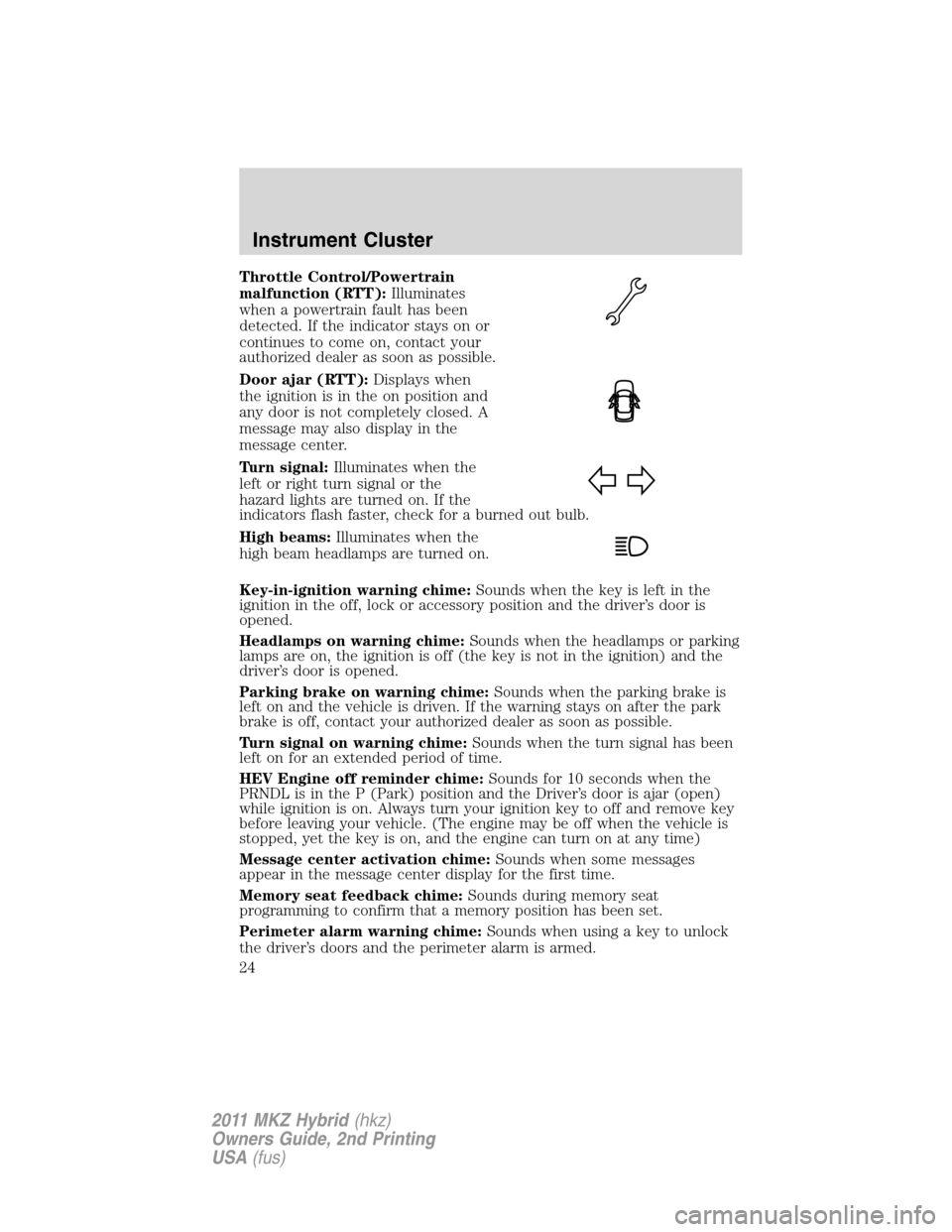
Throttle Control/Powertrain
malfunction (RTT):Illuminates
when a powertrain fault has been
detected. If the indicator stays on or
continues to come on, contact your
authorized dealer as soon as possible.
Door ajar (RTT):Displays when
the ignition is in the on position and
any door is not completely closed. A
message may also display in the
message center.
Turn signal:Illuminates when the
left or right turn signal or the
hazard lights are turned on. If the
indicators flash faster, check for a burned out bulb.
High beams:Illuminates when the
high beam headlamps are turned on.
Key-in-ignition warning chime:Sounds when the key is left in the
ignition in the off, lock or accessory position and the driver’s door is
opened.
Headlamps on warning chime:Sounds when the headlamps or parking
lamps are on, the ignition is off (the key is not in the ignition) and the
driver’s door is opened.
Parking brake on warning chime:Sounds when the parking brake is
left on and the vehicle is driven. If the warning stays on after the park
brake is off, contact your authorized dealer as soon as possible.
Turn signal on warning chime:Sounds when the turn signal has been
left on for an extended period of time.
HEV Engine off reminder chime:Sounds for 10 seconds when the
PRNDL is in the P (Park) position and the Driver’s door is ajar (open)
while ignition is on. Always turn your ignition key to off and remove key
before leaving your vehicle. (The engine may be off when the vehicle is
stopped, yet the key is on, and the engine can turn on at any time)
Message center activation chime:Sounds when some messages
appear in the message center display for the first time.
Memory seat feedback chime:Sounds during memory seat
programming to confirm that a memory position has been set.
Perimeter alarm warning chime:Sounds when using a key to unlock
the driver’s doors and the perimeter alarm is armed.
Instrument Cluster
24
2011 MKZ Hybrid(hkz)
Owners Guide, 2nd Printing
USA(fus)
Page 25 of 347
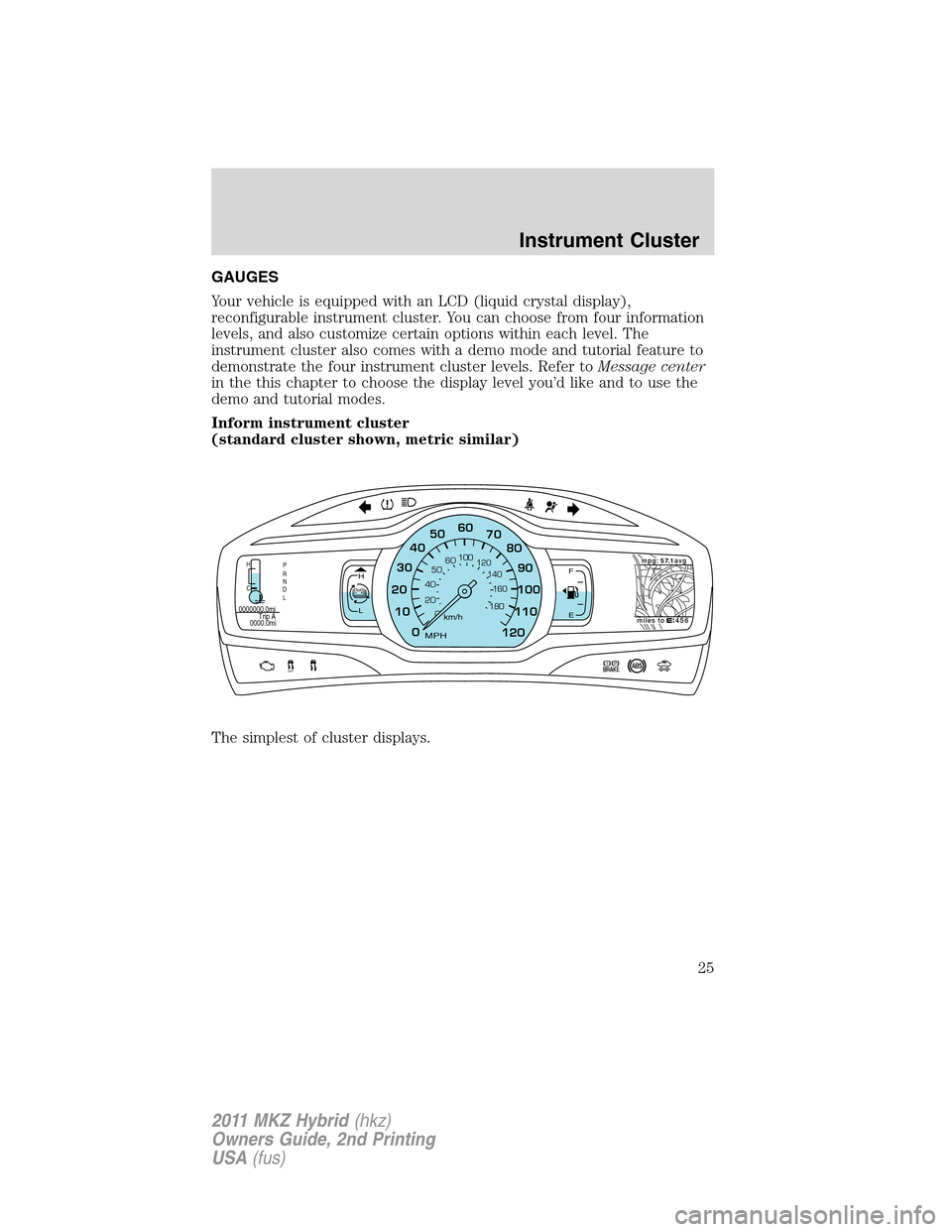
GAUGES
Your vehicle is equipped with an LCD (liquid crystal display),
reconfigurable instrument cluster. You can choose from four information
levels, and also customize certain options within each level. The
instrument cluster also comes with a demo mode and tutorial feature to
demonstrate the four instrument cluster levels. Refer toMessage center
in the this chapter to choose the display level you’d like and to use the
demo and tutorial modes.
Inform instrument cluster
(standard cluster shown, metric similar)
The simplest of cluster displays.
F
EH
L
OFF
456miles tompg:avg
57 1.H
C
0000000.0mi
0000.0miTrip A
P
R
N
D
L
0
0 20 405060
100
120
140
160
180
10 2030405060
70
80
90
100
110
120km/h
MPH
Instrument Cluster
25
2011 MKZ Hybrid(hkz)
Owners Guide, 2nd Printing
USA(fus)
Page 30 of 347
Enlighten, Engage and Empower instrument cluster levels only:The
up and down arrows provide information about the energy (both stored
and used) associated with the high voltage battery. The up arrow
indicates battery charging, such as when extra energy is stored in the
battery when coasting or braking. The down arrow indicates battery
discharging such as when the battery provides extra power to boost the
vehicle’s acceleration.
Engage and Empower instrument cluster levels only:A circular
symbol appears in the center of the gauge when energy is being
recaptured through the regenerative braking system. This indicates that
your hybrid vehicle is capturing and using energy that would have been
lost in a conventional vehicle. The regenerative braking system can be
activated by braking or coasting (i.e. even when you’re not pressing the
brake pedal).
Note:The up/down arrows include energy being used by accessories
(i.e. air conditioning, headlights, radio, etc.).
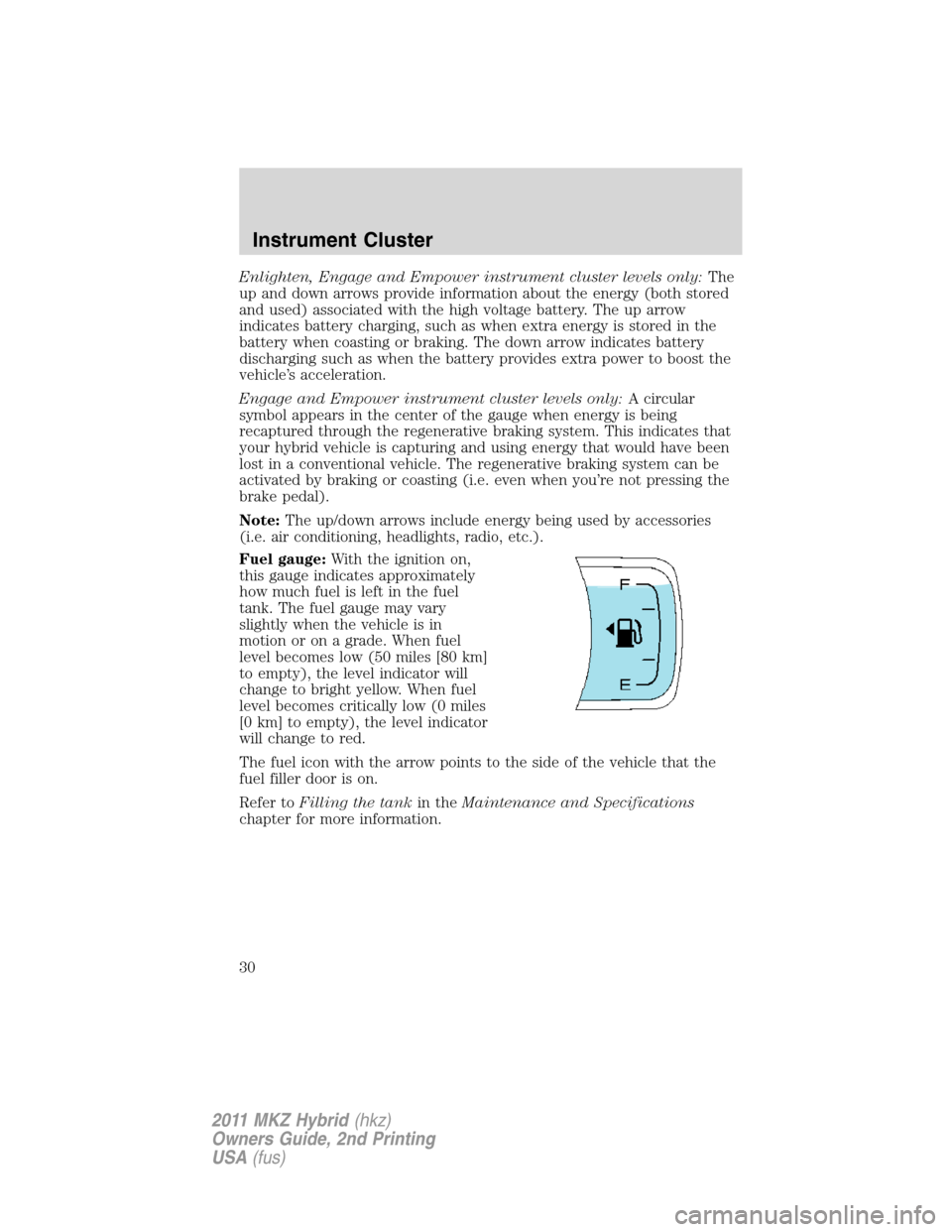
Fuel gauge:With the ignition on,
this gauge indicates approximately
how much fuel is left in the fuel
tank. The fuel gauge may vary
slightly when the vehicle is in
motion or on a grade. When fuel
level becomes low (50 miles [80 km]
to empty), the level indicator will
change to bright yellow. When fuel
level becomes critically low (0 miles
[0 km] to empty), the level indicator
will change to red.
The fuel icon with the arrow points to the side of the vehicle that the
fuel filler door is on.
Refer toFilling the tankin theMaintenance and Specifications
chapter for more information.
Instrument Cluster
30
2011 MKZ Hybrid(hkz)
Owners Guide, 2nd Printing
USA(fus)
Page 31 of 347
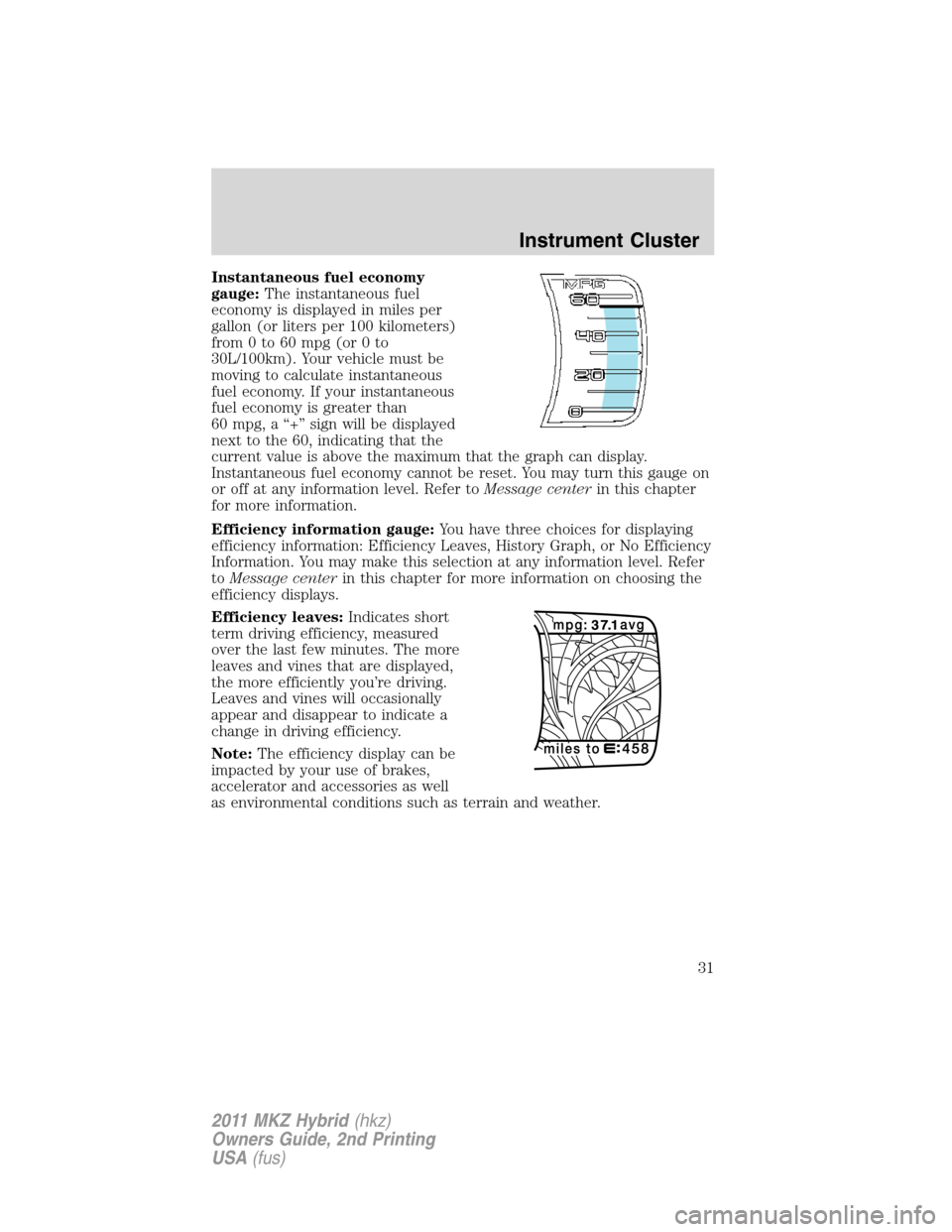
Instantaneous fuel economy
gauge:The instantaneous fuel
economy is displayed in miles per
gallon (or liters per 100 kilometers)
from 0 to 60 mpg (or 0 to
30L/100km). Your vehicle must be
moving to calculate instantaneous
fuel economy. If your instantaneous
fuel economy is greater than
60 mpg, a “+” sign will be displayed
next to the 60, indicating that the
current value is above the maximum that the graph can display.
Instantaneous fuel economy cannot be reset. You may turn this gauge on
or off at any information level. Refer toMessage centerin this chapter
for more information.
Efficiency information gauge:You have three choices for displaying
efficiency information: Efficiency Leaves, History Graph, or No Efficiency
Information. You may make this selection at any information level. Refer
toMessage centerin this chapter for more information on choosing the
efficiency displays.
Efficiency leaves:Indicates short
term driving efficiency, measured
over the last few minutes. The more
leaves and vines that are displayed,
the more efficiently you’re driving.
Leaves and vines will occasionally
appear and disappear to indicate a
change in driving efficiency.
Note:The efficiency display can be
impacted by your use of brakes,
accelerator and accessories as well
as environmental conditions such as terrain and weather.
Instrument Cluster
31
2011 MKZ Hybrid(hkz)
Owners Guide, 2nd Printing
USA(fus)
Page 32 of 347
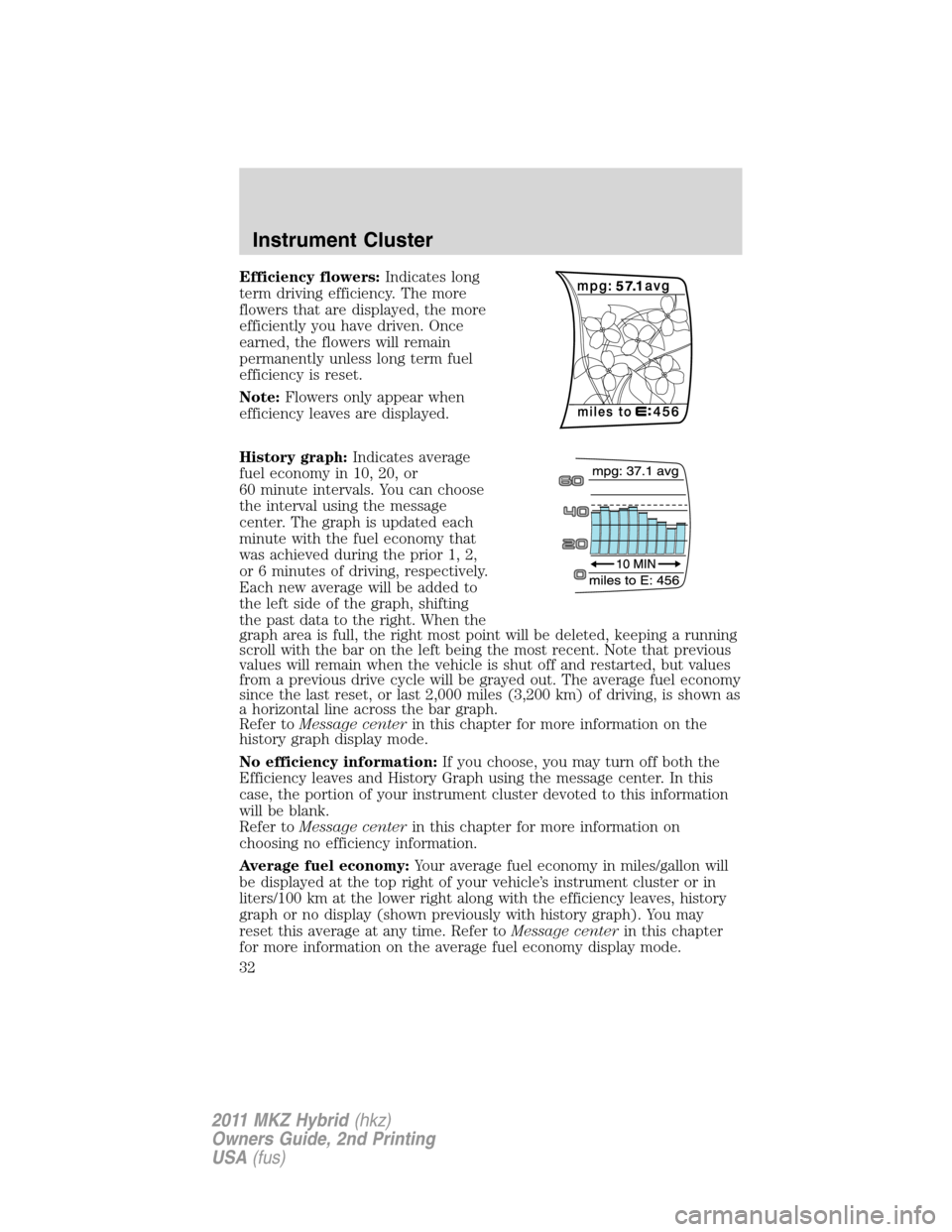
Efficiency flowers:Indicates long
term driving efficiency. The more
flowers that are displayed, the more
efficiently you have driven. Once
earned, the flowers will remain
permanently unless long term fuel
efficiency is reset.
Note:Flowers only appear when
efficiency leaves are displayed.
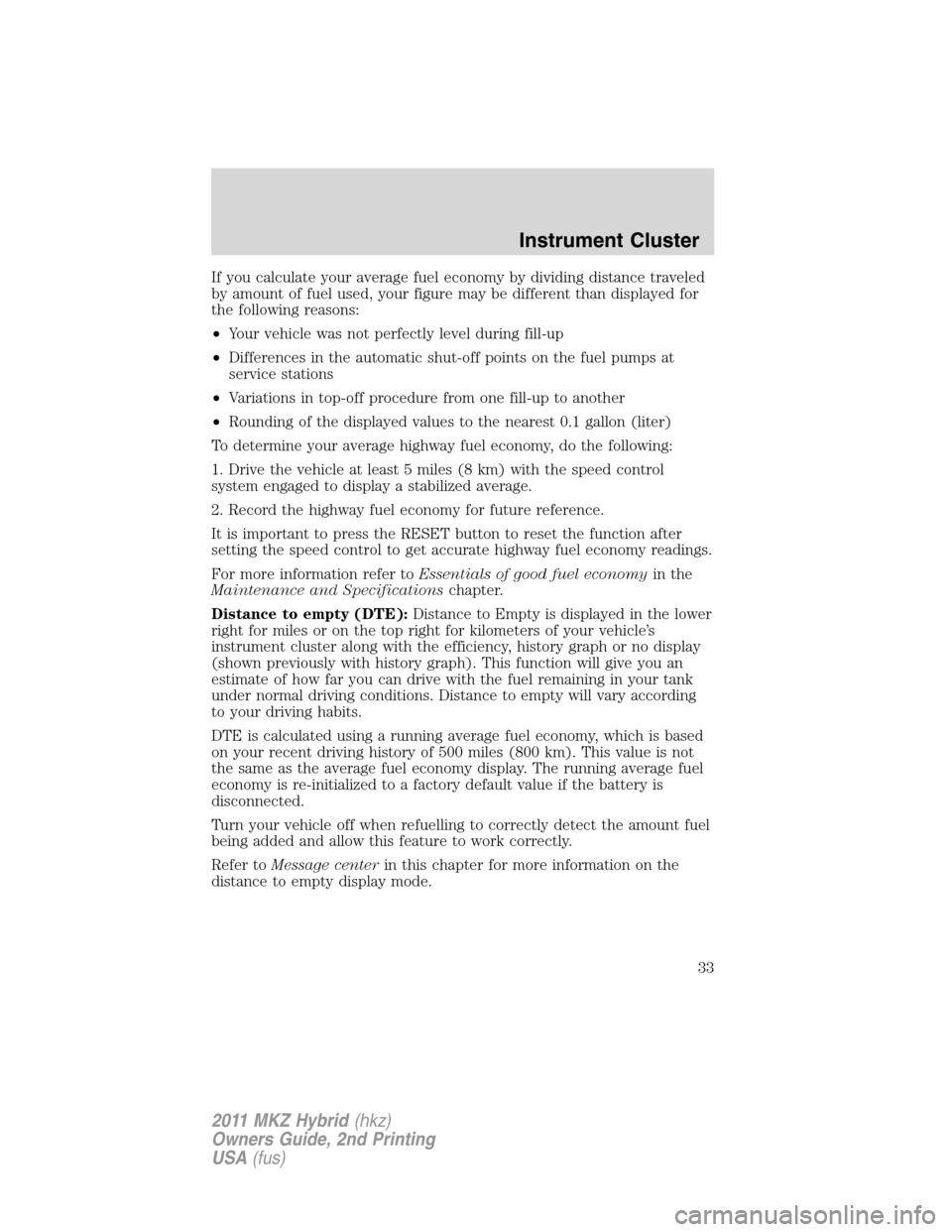
History graph:Indicates average
fuel economy in 10, 20, or
60 minute intervals. You can choose
the interval using the message
center. The graph is updated each
minute with the fuel economy that
was achieved during the prior 1, 2,
or 6 minutes of driving, respectively.
Each new average will be added to
the left side of the graph, shifting
the past data to the right. When the
graph area is full, the right most point will be deleted, keeping a running
scroll with the bar on the left being the most recent. Note that previous
values will remain when the vehicle is shut off and restarted, but values
from a previous drive cycle will be grayed out. The average fuel economy
since the last reset, or last 2,000 miles (3,200 km) of driving, is shown as
a horizontal line across the bar graph.
Refer toMessage centerin this chapter for more information on the
history graph display mode.
No efficiency information:If you choose, you may turn off both the
Efficiency leaves and History Graph using the message center. In this
case, the portion of your instrument cluster devoted to this information
will be blank.
Refer toMessage centerin this chapter for more information on
choosing no efficiency information.
Average fuel economy:Your average fuel economy in miles/gallon will
be displayed at the top right of your vehicle’s instrument cluster or in
liters/100 km at the lower right along with the efficiency leaves, history
graph or no display (shown previously with history graph). You may
reset this average at any time. Refer toMessage centerin this chapter
for more information on the average fuel economy display mode.
Instrument Cluster
32
2011 MKZ Hybrid(hkz)
Owners Guide, 2nd Printing
USA(fus)
Page 33 of 347
If you calculate your average fuel economy by dividing distance traveled
by amount of fuel used, your figure may be different than displayed for
the following reasons:
•Your vehicle was not perfectly level during fill-up
•Differences in the automatic shut-off points on the fuel pumps at
service stations
•Variations in top-off procedure from one fill-up to another
•Rounding of the displayed values to the nearest 0.1 gallon (liter)
To determine your average highway fuel economy, do the following:
1. Drive the vehicle at least 5 miles (8 km) with the speed control
system engaged to display a stabilized average.
2. Record the highway fuel economy for future reference.
It is important to press the RESET button to reset the function after
setting the speed control to get accurate highway fuel economy readings.
For more information refer toEssentials of good fuel economyin the
Maintenance and Specificationschapter.
Distance to empty (DTE):Distance to Empty is displayed in the lower
right for miles or on the top right for kilometers of your vehicle’s
instrument cluster along with the efficiency, history graph or no display
(shown previously with history graph). This function will give you an
estimate of how far you can drive with the fuel remaining in your tank
under normal driving conditions. Distance to empty will vary according
to your driving habits.
DTE is calculated using a running average fuel economy, which is based
on your recent driving history of 500 miles (800 km). This value is not
the same as the average fuel economy display. The running average fuel
economy is re-initialized to a factory default value if the battery is
disconnected.
Turn your vehicle off when refuelling to correctly detect the amount fuel
being added and allow this feature to work correctly.
Refer toMessage centerin this chapter for more information on the
distance to empty display mode.
Instrument Cluster
33
2011 MKZ Hybrid(hkz)
Owners Guide, 2nd Printing
USA(fus)
Page 36 of 347
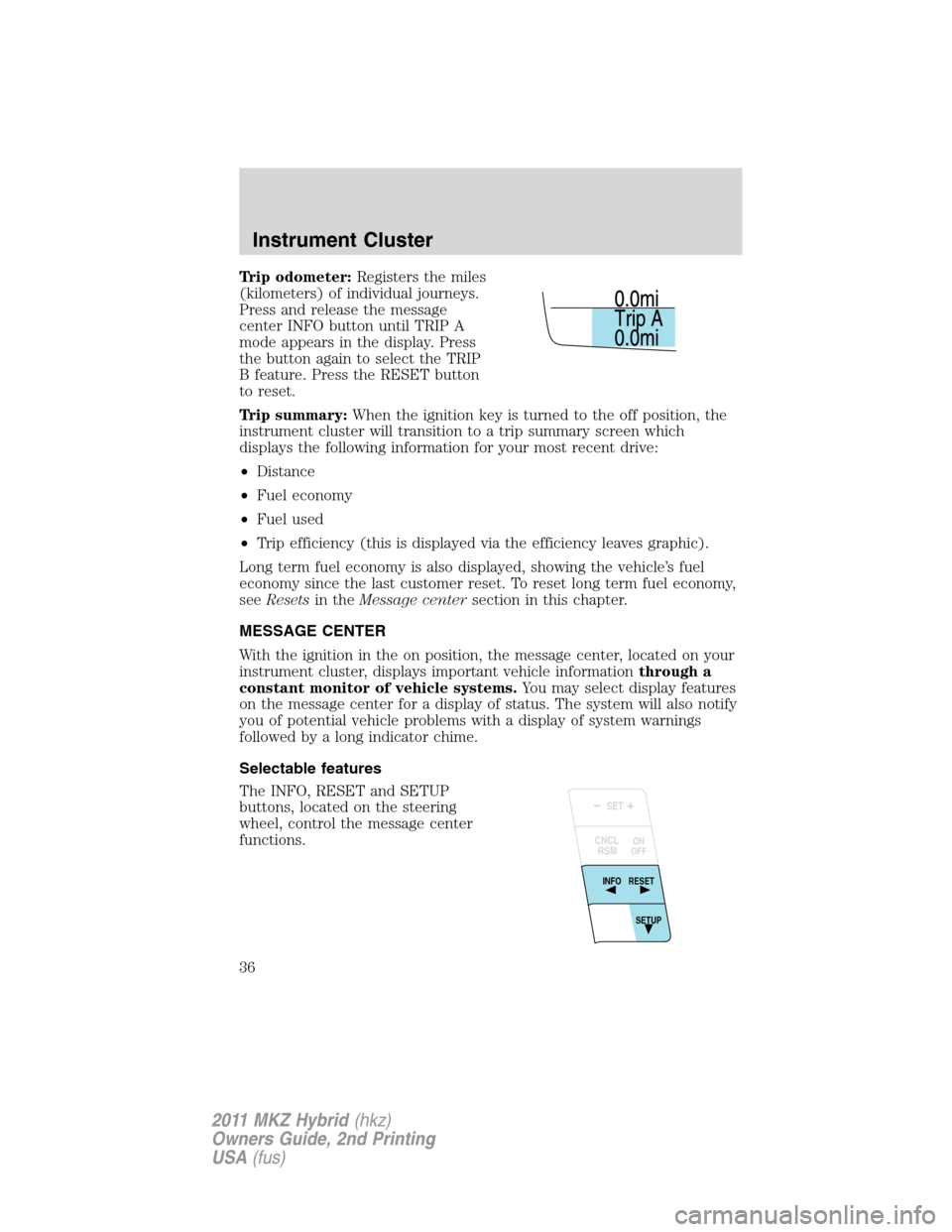
Trip odometer:Registers the miles
(kilometers) of individual journeys.
Press and release the message
center INFO button until TRIP A
mode appears in the display. Press
the button again to select the TRIP
B feature. Press the RESET button
to reset.
Trip summary:When the ignition key is turned to the off position, the
instrument cluster will transition to a trip summary screen which
displays the following information for your most recent drive:
•Distance
•Fuel economy
•Fuel used
•Trip efficiency (this is displayed via the efficiency leaves graphic).
Long term fuel economy is also displayed, showing the vehicle’s fuel
economy since the last customer reset. To reset long term fuel economy,
seeResetsin theMessage centersection in this chapter.
MESSAGE CENTER
With the ignition in the on position, the message center, located on your
instrument cluster, displays important vehicle informationthrough a
constant monitor of vehicle systems.You may select display features
on the message center for a display of status. The system will also notify
you of potential vehicle problems with a display of system warnings
followed by a long indicator chime.
Selectable features
The INFO, RESET and SETUP
buttons, located on the steering
wheel, control the message center
functions.
SET
RSM CNCL
RESET
INFO
SETUP ON
OFF
Instrument Cluster
36
2011 MKZ Hybrid(hkz)
Owners Guide, 2nd Printing
USA(fus)
Page 37 of 347
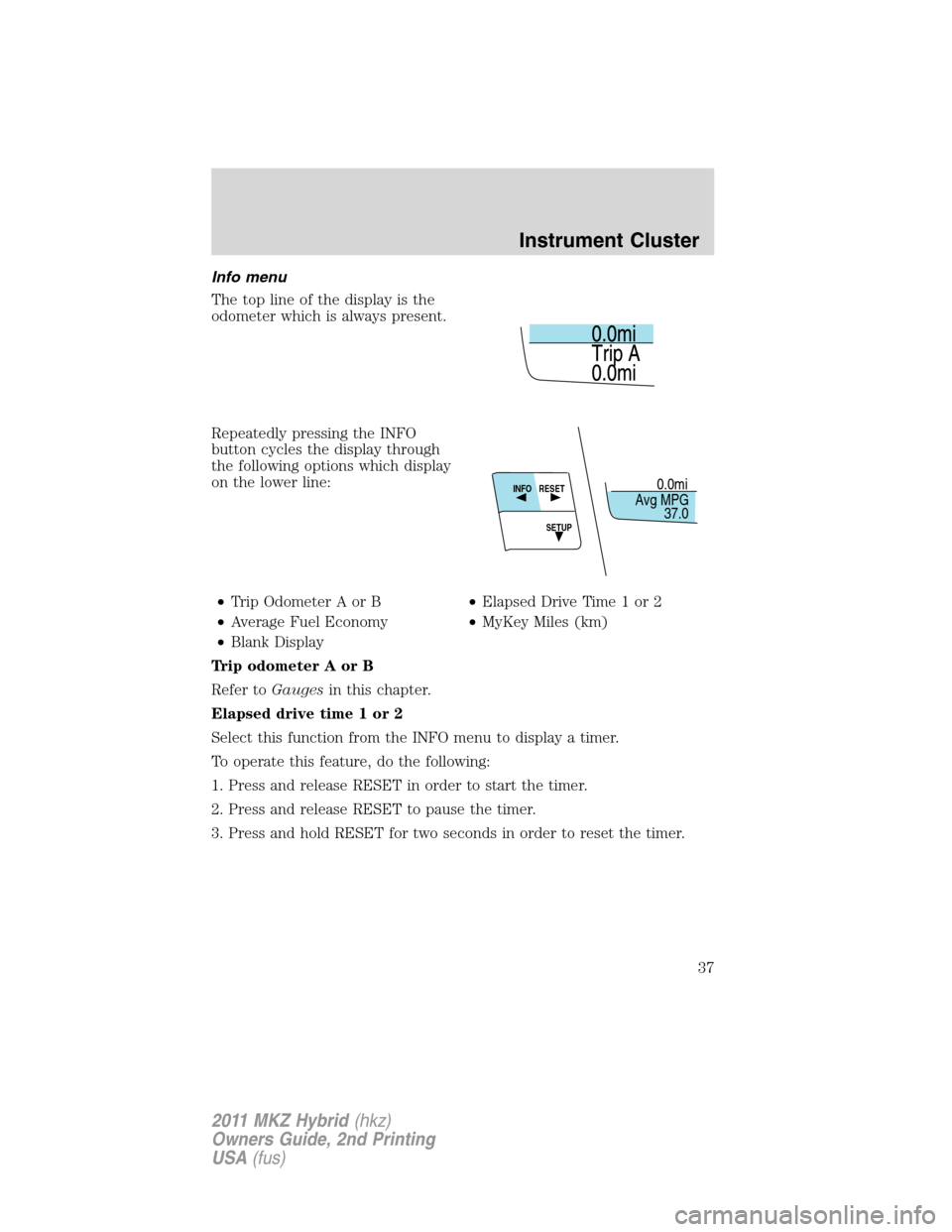
Info menu
The top line of the display is the
odometer which is always present.
Repeatedly pressing the INFO
button cycles the display through
the following options which display
on the lower line:
•Trip Odometer A or B•Elapsed Drive Time 1 or 2
•Average Fuel Economy•MyKey Miles (km)
•Blank Display
Trip odometer A or B
Refer toGaugesin this chapter.
Elapsed drive time 1 or 2
Select this function from the INFO menu to display a timer.
To operate this feature, do the following:
1. Press and release RESET in order to start the timer.
2. Press and release RESET to pause the timer.
3. Press and hold RESET for two seconds in order to reset the timer.
0.0mi
37.0 Avg MPGRESET
INFO
SETUP
Instrument Cluster
37
2011 MKZ Hybrid(hkz)
Owners Guide, 2nd Printing
USA(fus)
Page 38 of 347
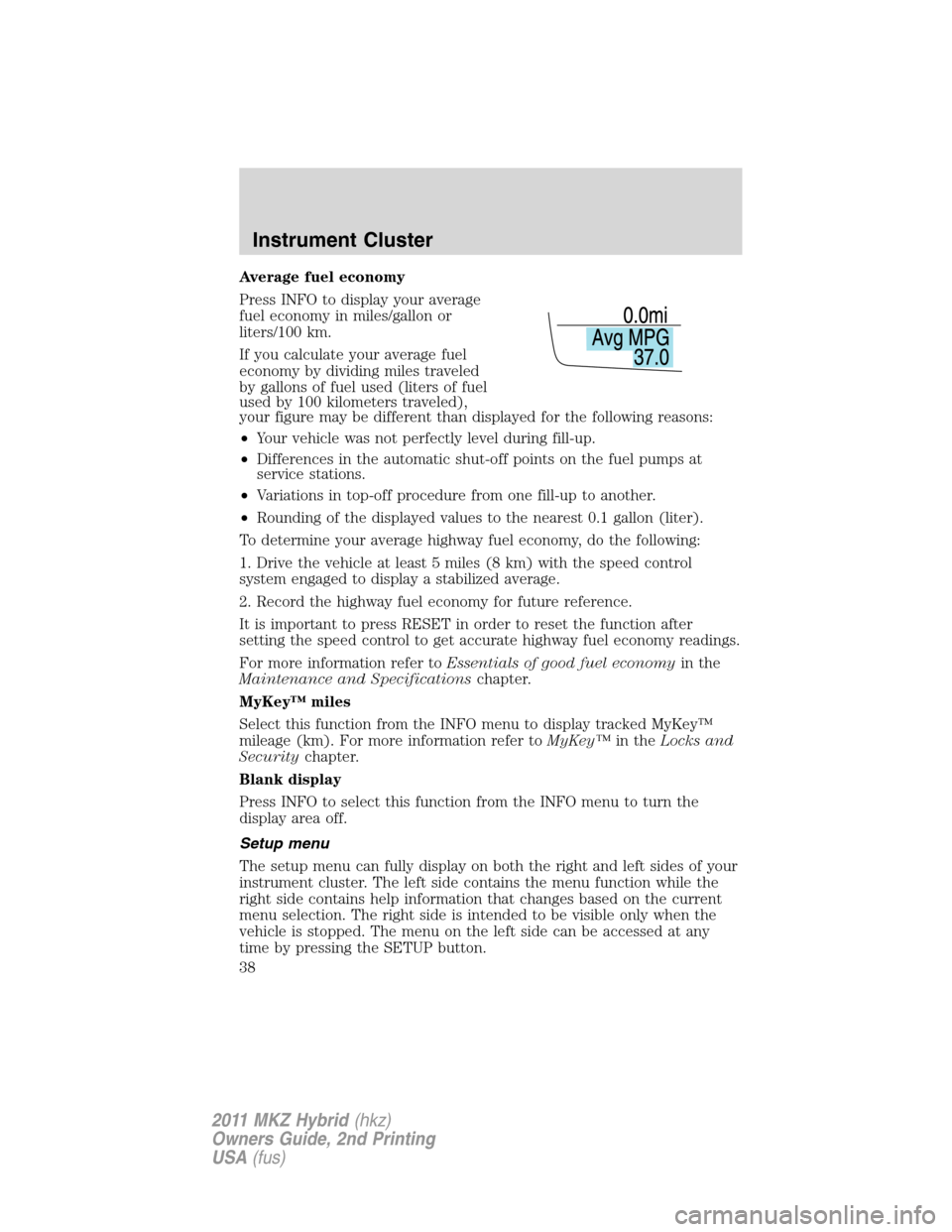
Average fuel economy
Press INFO to display your average
fuel economy in miles/gallon or
liters/100 km.
If you calculate your average fuel
economy by dividing miles traveled
by gallons of fuel used (liters of fuel
used by 100 kilometers traveled),
your figure may be different than displayed for the following reasons:
•Your vehicle was not perfectly level during fill-up.
•Differences in the automatic shut-off points on the fuel pumps at
service stations.
•Variations in top-off procedure from one fill-up to another.
•Rounding of the displayed values to the nearest 0.1 gallon (liter).
To determine your average highway fuel economy, do the following:
1. Drive the vehicle at least 5 miles (8 km) with the speed control
system engaged to display a stabilized average.
2. Record the highway fuel economy for future reference.
It is important to press RESET in order to reset the function after
setting the speed control to get accurate highway fuel economy readings.
For more information refer toEssentials of good fuel economyin the
Maintenance and Specificationschapter.
MyKey™ miles
Select this function from the INFO menu to display tracked MyKey™
mileage (km). For more information refer toMyKey™in theLocks and
Securitychapter.
Blank display
Press INFO to select this function from the INFO menu to turn the
display area off.
Setup menu
The setup menu can fully display on both the right and left sides of your
instrument cluster. The left side contains the menu function while the
right side contains help information that changes based on the current
menu selection. The right side is intended to be visible only when the
vehicle is stopped. The menu on the left side can be accessed at any
time by pressing the SETUP button.
Instrument Cluster
38
2011 MKZ Hybrid(hkz)
Owners Guide, 2nd Printing
USA(fus)