light LINCOLN MKZ HYBRID 2012 Service Manual
[x] Cancel search | Manufacturer: LINCOLN, Model Year: 2012, Model line: MKZ HYBRID, Model: LINCOLN MKZ HYBRID 2012Pages: 349, PDF Size: 2.28 MB
Page 84 of 349
3. Carefully pull/push the trunk side panel (dark grey, soft wheelhouse
side trim panel) outboard to expose the lamp assembly. The most
effective point to grasp the trunk side panel when pulling it out from the
luggage scuff plate is at it’s bottom edge where that edge meets the
exposed sheet metal of the trunk floor.
Note:Do not allow the trunk side panel to remain bent and untucked
from the luggage scuff plate (hard molding) for a long period of time.
Doing so may result in permanent deformation.
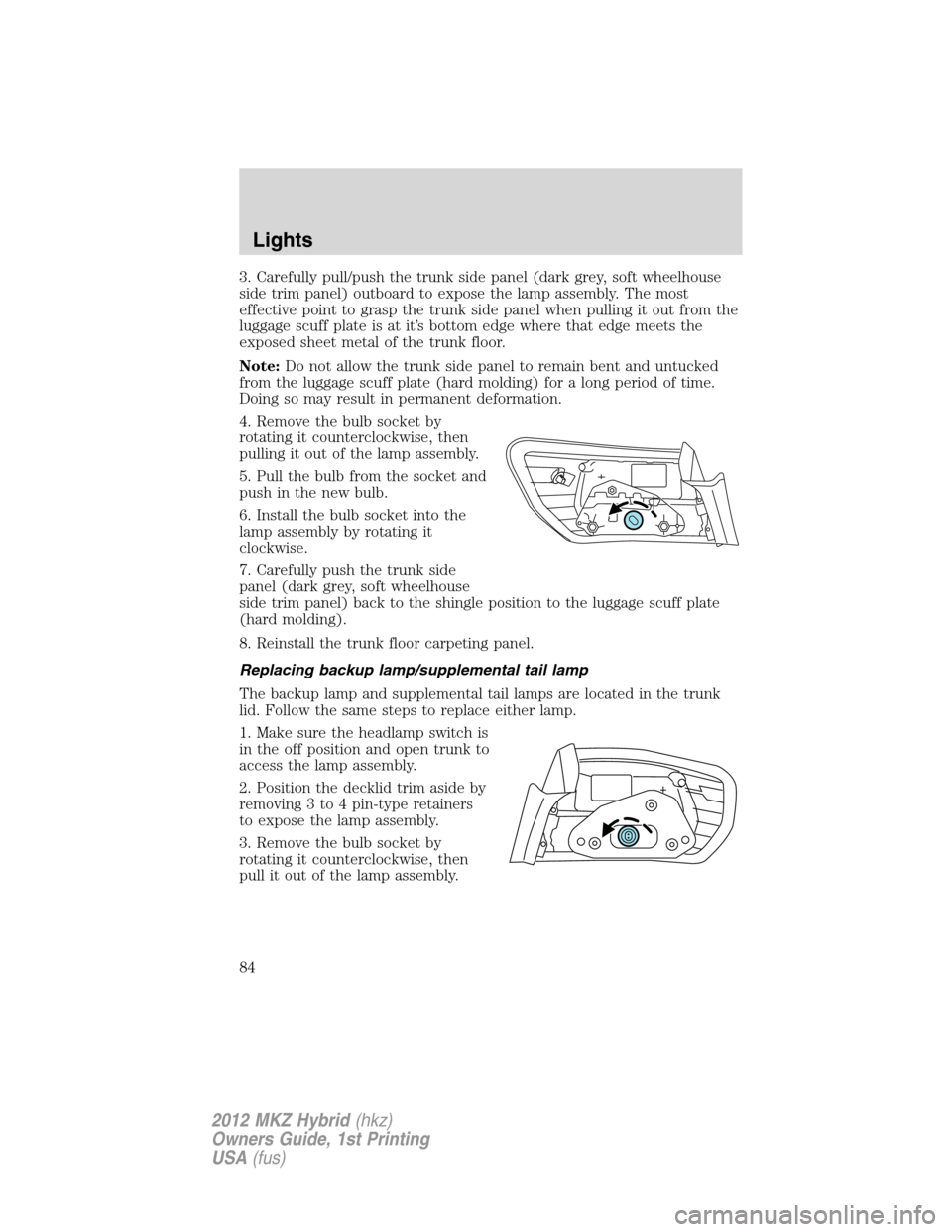
4. Remove the bulb socket by
rotating it counterclockwise, then
pulling it out of the lamp assembly.
5. Pull the bulb from the socket and
push in the new bulb.
6. Install the bulb socket into the
lamp assembly by rotating it
clockwise.
7. Carefully push the trunk side
panel (dark grey, soft wheelhouse
side trim panel) back to the shingle position to the luggage scuff plate
(hard molding).
8. Reinstall the trunk floor carpeting panel.
Replacing backup lamp/supplemental tail lamp
The backup lamp and supplemental tail lamps are located in the trunk
lid. Follow the same steps to replace either lamp.
1. Make sure the headlamp switch is
in the off position and open trunk to
access the lamp assembly.
2. Position the decklid trim aside by
removing 3 to 4 pin-type retainers
to expose the lamp assembly.
3. Remove the bulb socket by
rotating it counterclockwise, then
pull it out of the lamp assembly.
Lights
84
2012 MKZ Hybrid(hkz)
Owners Guide, 1st Printing
USA(fus)
Page 85 of 349
4. Pull the bulb from the socket and
push in the new bulb.
5. Install the bulb socket into the
lamp assembly by rotating it
clockwise.
6. Carefully reposition the trim back
to its original position and secure
the retainers.
Replacing high-mount brake lamp bulb
1. Make sure the ignition control is
in the off position.
2. Open the trunk and reach
underneath package tray to locate
lamp assembly.
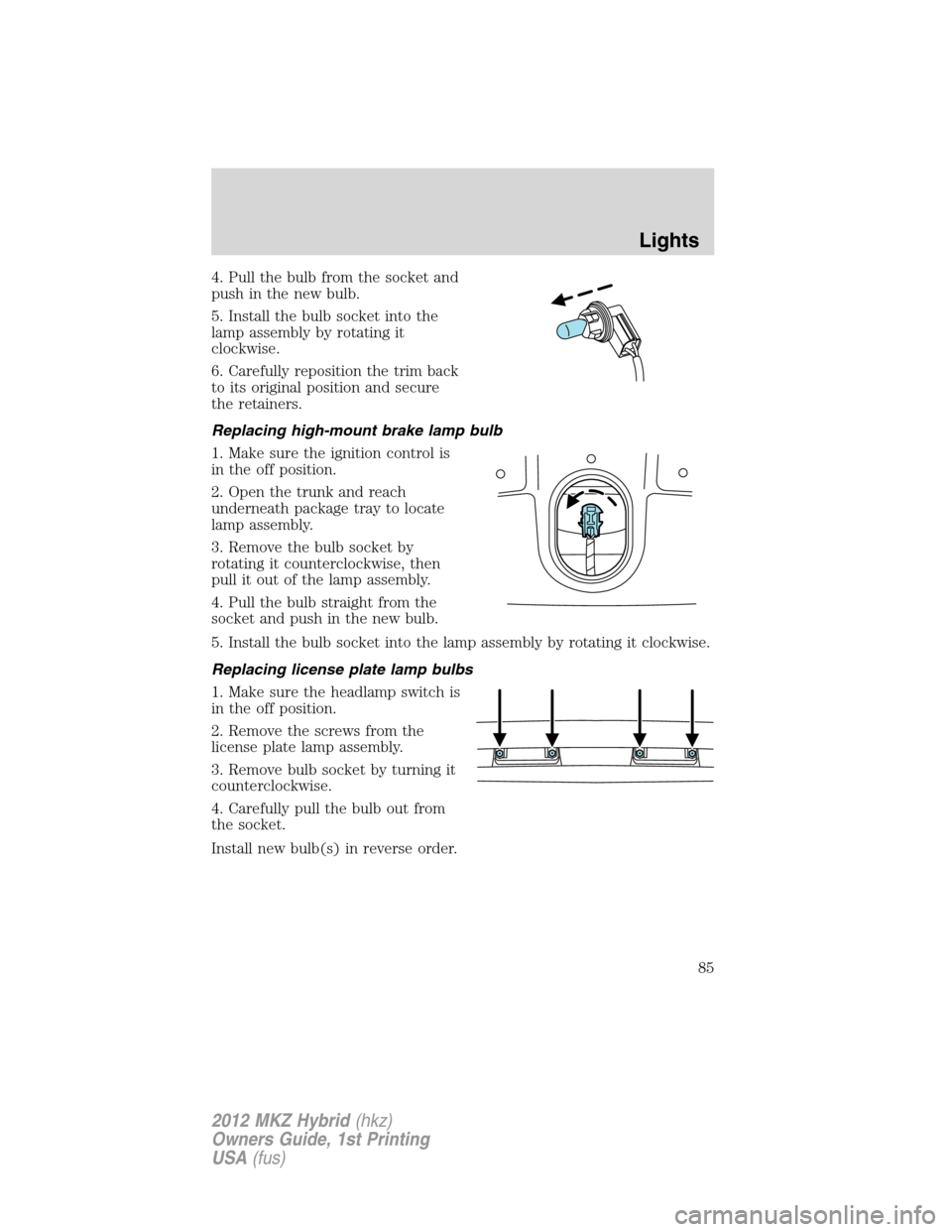
3. Remove the bulb socket by
rotating it counterclockwise, then
pull it out of the lamp assembly.
4. Pull the bulb straight from the
socket and push in the new bulb.
5. Install the bulb socket into the lamp assembly by rotating it clockwise.
Replacing license plate lamp bulbs
1. Make sure the headlamp switch is
in the off position.
2. Remove the screws from the
license plate lamp assembly.
3. Remove bulb socket by turning it
counterclockwise.
4. Carefully pull the bulb out from
the socket.
Install new bulb(s) in reverse order.
Lights
85
2012 MKZ Hybrid(hkz)
Owners Guide, 1st Printing
USA(fus)
Page 86 of 349

Replacing fog lamp bulbs
1. Make sure the fog lamp switch is
in the off position.
2. From underneath the vehicle,
partially remove the tire splash
shield by removing four drive
screws.
After removing to allow free access
to the front fog lamp bulb and
electrical wire harness, the splash shield flap can be repositioned.
3. Rotate the harness/bulb assembly
counterclockwise to remove from
the fog lamp.
4. Carefully disconnect the bulb
from the harness assembly via the
two snap clips.
Install the new bulb in reverse order.
Lights
86
2012 MKZ Hybrid(hkz)
Owners Guide, 1st Printing
USA(fus)
Page 87 of 349
MULTI-FUNCTION LEVER
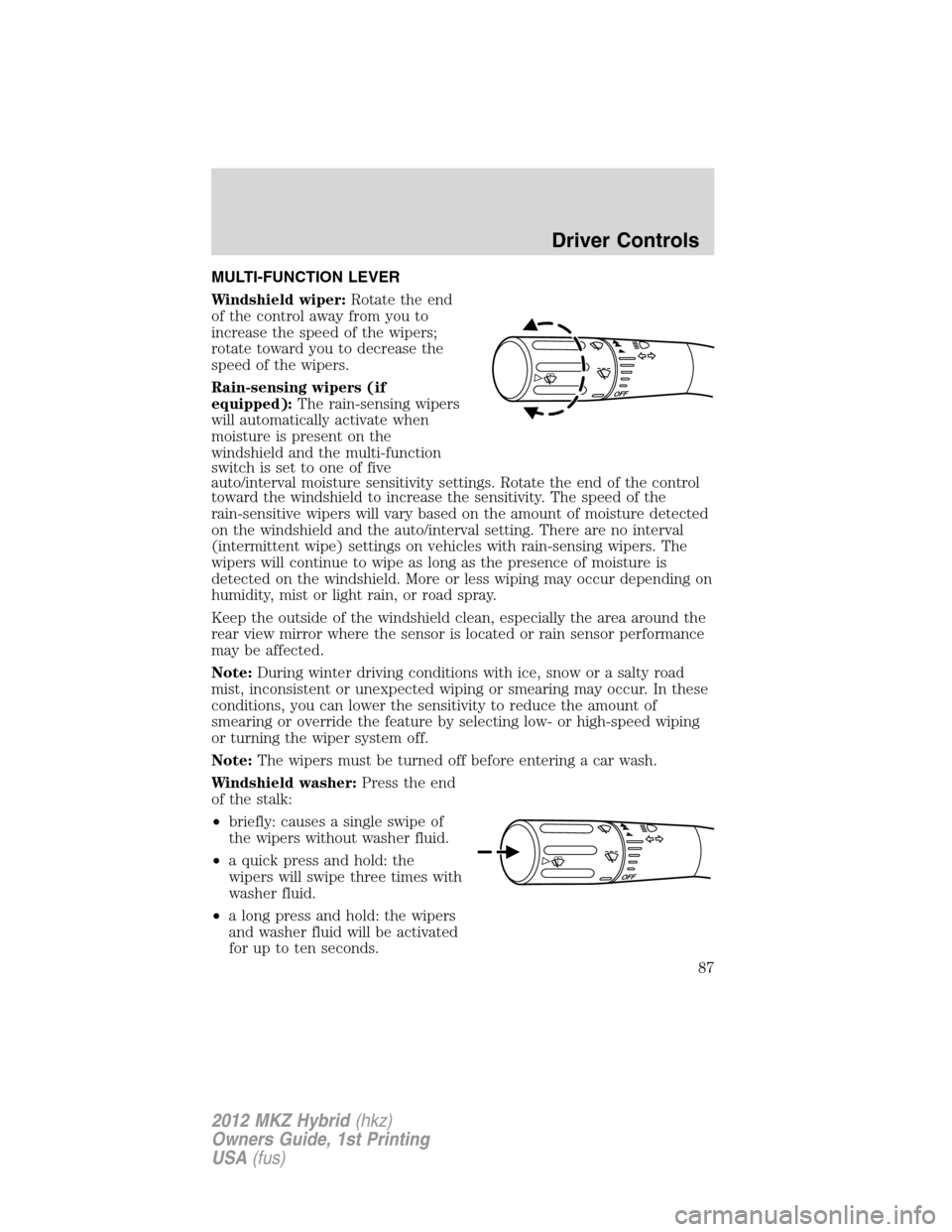
Windshield wiper:Rotate the end
of the control away from you to
increase the speed of the wipers;
rotate toward you to decrease the
speed of the wipers.
Rain-sensing wipers (if
equipped):The rain-sensing wipers
will automatically activate when
moisture is present on the
windshield and the multi-function
switch is set to one of five
auto/interval moisture sensitivity settings. Rotate the end of the control
toward the windshield to increase the sensitivity. The speed of the
rain-sensitive wipers will vary based on the amount of moisture detected
on the windshield and the auto/interval setting. There are no interval
(intermittent wipe) settings on vehicles with rain-sensing wipers. The
wipers will continue to wipe as long as the presence of moisture is
detected on the windshield. More or less wiping may occur depending on
humidity, mist or light rain, or road spray.
Keep the outside of the windshield clean, especially the area around the
rear view mirror where the sensor is located or rain sensor performance
may be affected.
Note:During winter driving conditions with ice, snow or a salty road
mist, inconsistent or unexpected wiping or smearing may occur. In these
conditions, you can lower the sensitivity to reduce the amount of
smearing or override the feature by selecting low- or high-speed wiping
or turning the wiper system off.
Note:The wipers must be turned off before entering a car wash.
Windshield washer:Press the end
of the stalk:
•briefly: causes a single swipe of
the wipers without washer fluid.
•a quick press and hold: the
wipers will swipe three times with
washer fluid.
•a long press and hold: the wipers
and washer fluid will be activated
for up to ten seconds.
Driver Controls
87
2012 MKZ Hybrid(hkz)
Owners Guide, 1st Printing
USA(fus)
Page 88 of 349
Courtesy wipe feature:One extra wipe will occur a few seconds after
washing the front window to clear any excess washer fluid remaining on
the windshield.
Note:Do not operate the washer when the washer reservoir is empty.
This may cause the washer pump to overheat. Check the washer fluid
level frequently. Do not operate the wipers when the windshield is dry.
This may scratch the glass, damage the wiper blades and cause the wiper
motor to burn out. Before operating the wiper on a dry windshield,
always use the windshield washer. In freezing weather, be sure the wiper
blades are not frozen to the windshield before operating the wipers.
Windshield wiper rainlamp feature
When the windshield wipers are turned on during daylight, and the
headlamp control is in the autolamp position, the exterior lamps will turn
on after a brief delay and will remain on until the wipers are turned off.
TILT/TELESCOPE STEERING WHEEL
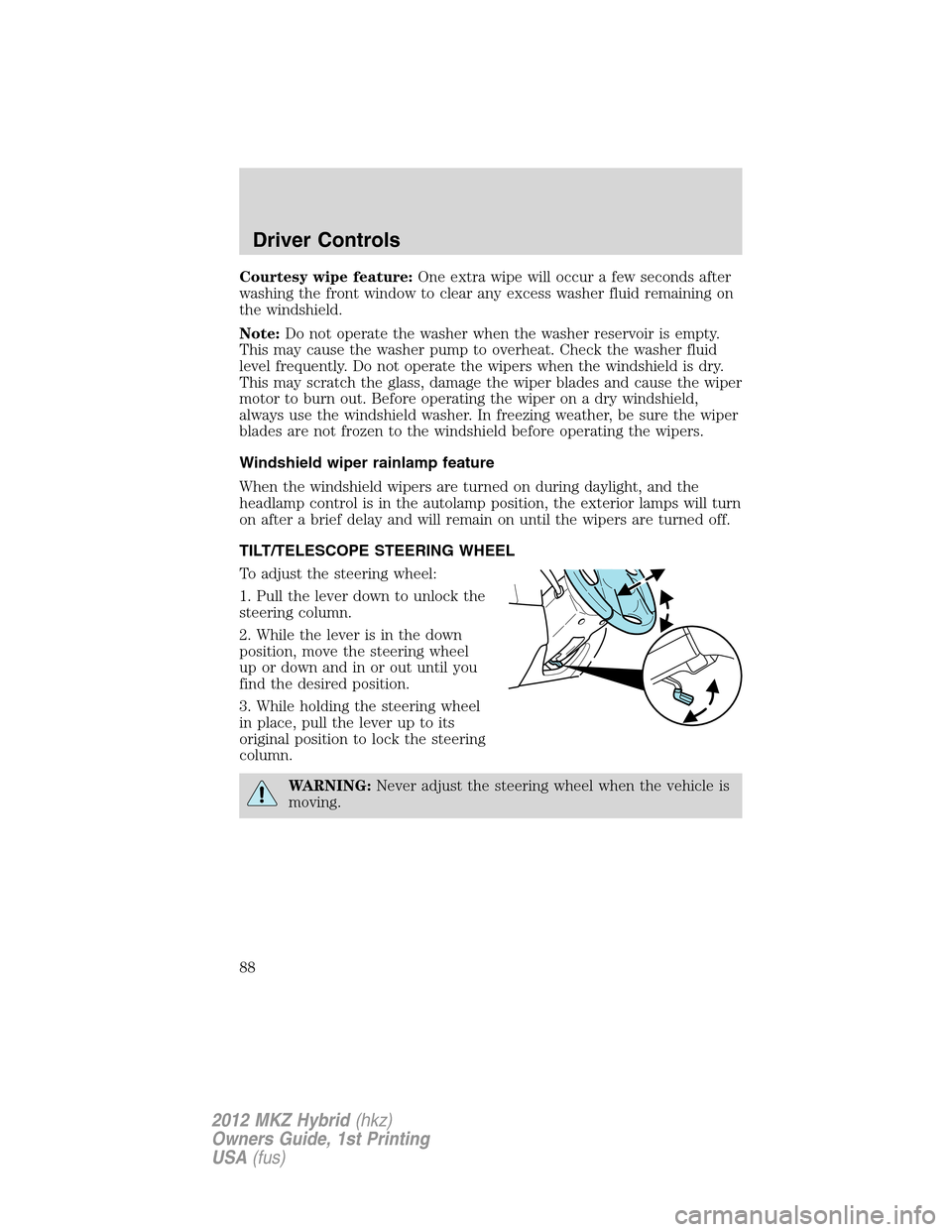
To adjust the steering wheel:
1. Pull the lever down to unlock the
steering column.
2. While the lever is in the down
position, move the steering wheel
up or down and in or out until you
find the desired position.
3. While holding the steering wheel
in place, pull the lever up to its
original position to lock the steering
column.
WARNING:Never adjust the steering wheel when the vehicle is
moving.
Driver Controls
88
2012 MKZ Hybrid(hkz)
Owners Guide, 1st Printing
USA(fus)
Page 89 of 349
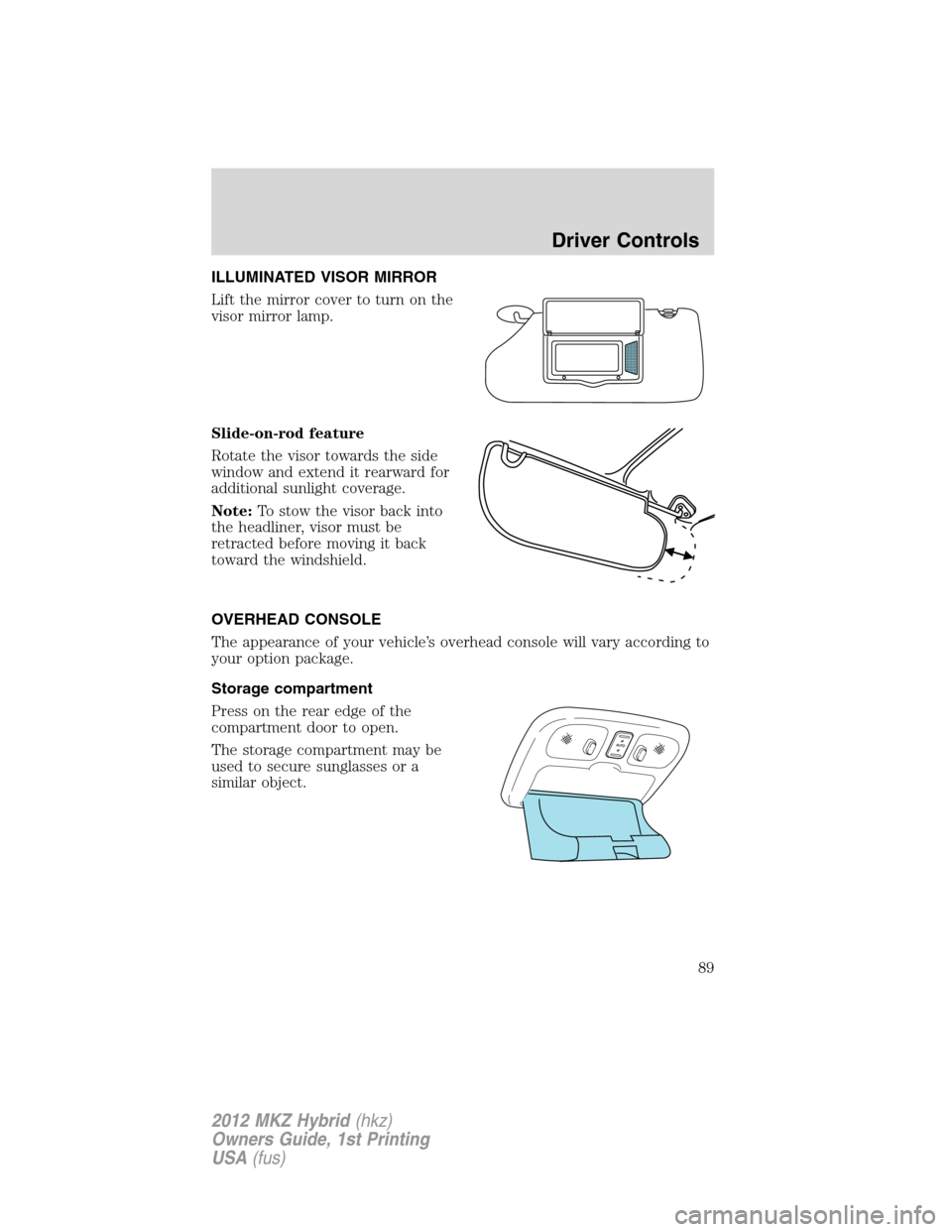
ILLUMINATED VISOR MIRROR
Lift the mirror cover to turn on the
visor mirror lamp.
Slide-on-rod feature
Rotate the visor towards the side
window and extend it rearward for
additional sunlight coverage.
Note:To stow the visor back into
the headliner, visor must be
retracted before moving it back
toward the windshield.
OVERHEAD CONSOLE
The appearance of your vehicle’s overhead console will vary according to
your option package.
Storage compartment
Press on the rear edge of the
compartment door to open.
The storage compartment may be
used to secure sunglasses or a
similar object.
Driver Controls
89
2012 MKZ Hybrid(hkz)
Owners Guide, 1st Printing
USA(fus)
Page 90 of 349
ELECTRONIC COMPASS
The compass heading is displayed in the center integrated display (CID).
The compass reading may be affected when you drive near large
buildings, bridges, power lines and powerful broadcast antenna. Magnetic
or metallic objects placed in, on or near the vehicle may also affect
compass accuracy.
Usually, when something affects the compass readings, the compass will
correct itself after a few days of operating your vehicle in normal
conditions. If the compass still appears to be inaccurate, a manual
calibration may be necessary. Refer toCompass calibration
adjustment.
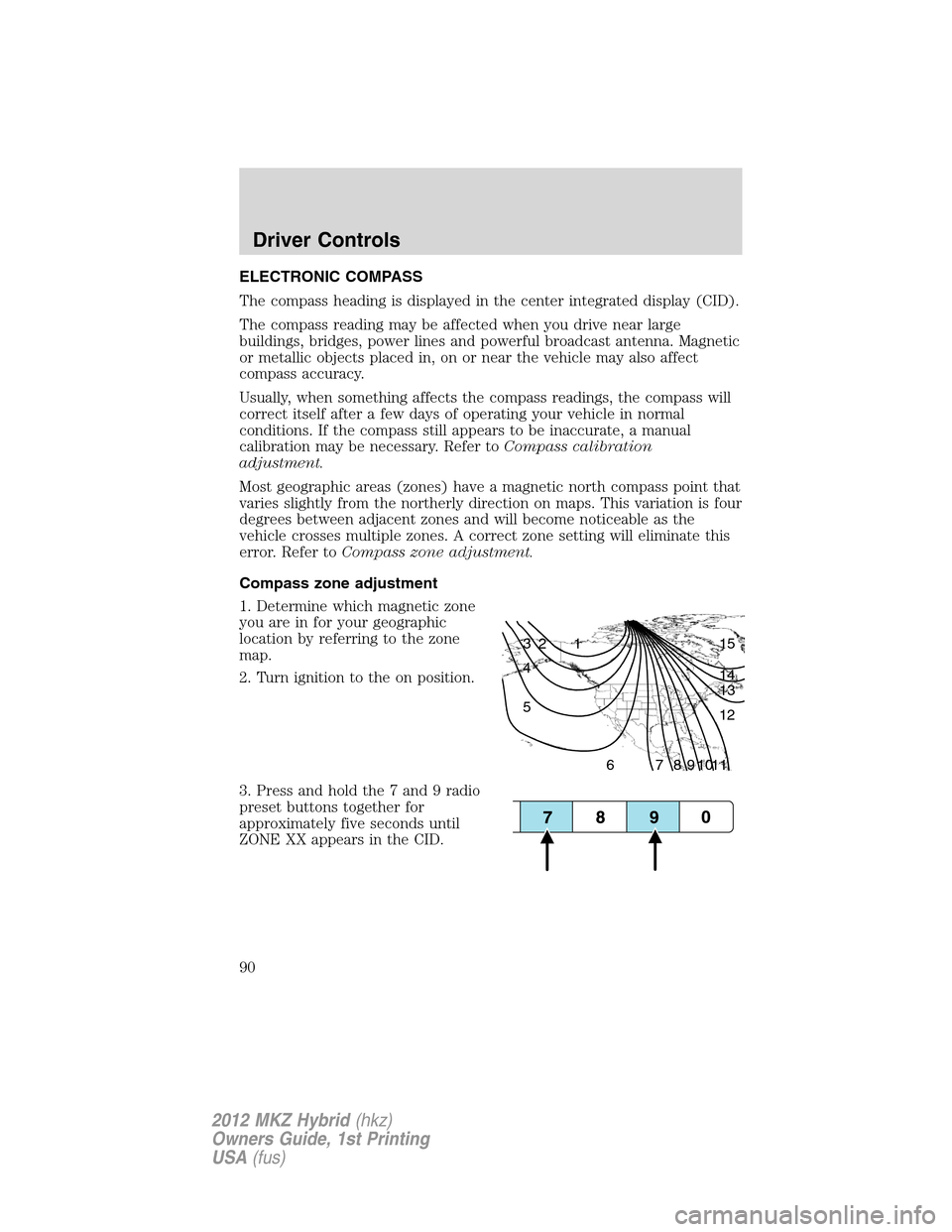
Most geographic areas (zones) have a magnetic north compass point that
varies slightly from the northerly direction on maps. This variation is four
degrees between adjacent zones and will become noticeable as the
vehicle crosses multiple zones. A correct zone setting will eliminate this
error. Refer toCompass zone adjustment.
Compass zone adjustment
1. Determine which magnetic zone
you are in for your geographic
location by referring to the zone
map.
2. Turn ignition to the on position.
3. Press and hold the 7 and 9 radio
preset buttons together for
approximately five seconds until
ZONE XX appears in the CID.
1 2 3
4
5
6 7 8 9 101112 13 14 15
Driver Controls
90
2012 MKZ Hybrid(hkz)
Owners Guide, 1st Printing
USA(fus)
Page 92 of 349
CENTER CONSOLE
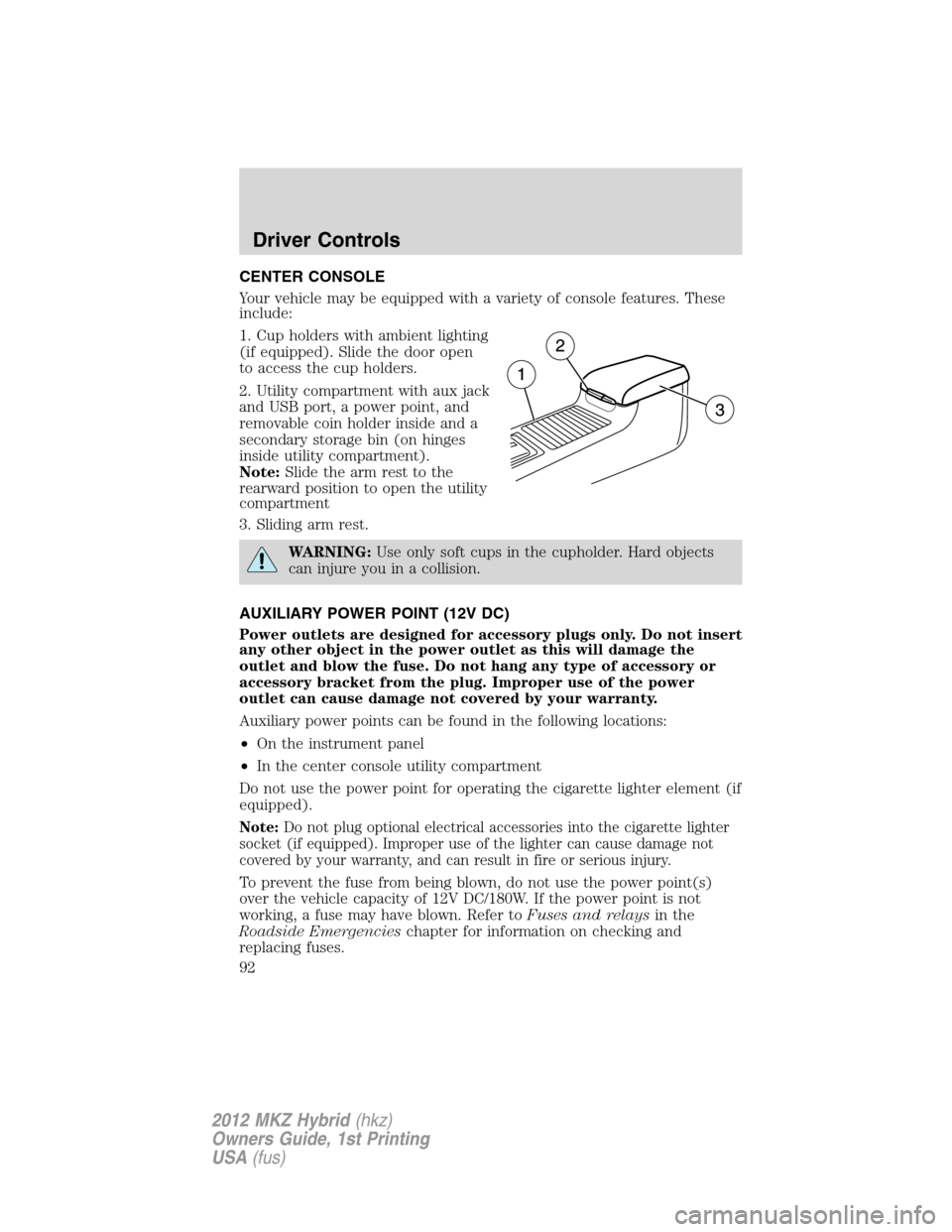
Your vehicle may be equipped with a variety of console features. These
include:
1. Cup holders with ambient lighting
(if equipped). Slide the door open
to access the cup holders.
2. Utility compartment with aux jack
and USB port, a power point, and
removable coin holder inside and a
secondary storage bin (on hinges
inside utility compartment).
Note:Slide the arm rest to the
rearward position to open the utility
compartment
3. Sliding arm rest.
WARNING:Use only soft cups in the cupholder. Hard objects
can injure you in a collision.
AUXILIARY POWER POINT (12V DC)
Power outlets are designed for accessory plugs only. Do not insert
any other object in the power outlet as this will damage the
outlet and blow the fuse. Do not hang any type of accessory or
accessory bracket from the plug. Improper use of the power
outlet can cause damage not covered by your warranty.
Auxiliary power points can be found in the following locations:
•On the instrument panel
•In the center console utility compartment
Do not use the power point for operating the cigarette lighter element (if
equipped).
Note:Do not plug optional electrical accessories into the cigarette lighter
socket (if equipped). Improper use of the lighter can cause damage not
covered by your warranty, and can result in fire or serious injury.
To prevent the fuse from being blown, do not use the power point(s)
over the vehicle capacity of 12V DC/180W. If the power point is not
working, a fuse may have blown. Refer toFuses and relaysin the
Roadside Emergencieschapter for information on checking and
replacing fuses.
Driver Controls
92
2012 MKZ Hybrid(hkz)
Owners Guide, 1st Printing
USA(fus)
Page 95 of 349
Accessory delay
With accessory delay, the window switches, audio system and moon roof
(if equipped) may be used for up to 10 minutes after the ignition is
turned off or until either front door is opened.
INTERIOR MIRROR
The interior rearview mirror has two pivot points on the support arm
which lets you adjust the mirror up or down and from side to side.
WARNING:Do not adjust the mirror while the vehicle is in
motion.
Automatic dimming interior rear view mirror
The interior rear view mirror and a driver’s side exterior mirror have an
auto-dimming function. The electronic day/night mirror will change from
the normal (high reflective) state to the non-glare (darkened) state
when bright lights (glare) reach the interior mirror. When the interior
mirror detects bright light from behind the vehicle, the interior rear view
mirror and the driver’s side exterior mirror will automatically adjust
(darken) to minimize glare.
The mirrors will automatically return to the normal state whenever the
vehicle is placed in R (Reverse) to ensure a bright clear view when
backing up.
Do not block the sensors on the front and back of the interior
rear view mirror since this may impair proper mirror
performance.
Note:A rear center passenger and/or raised rear center headrest (if
equipped) may also block the light from reaching the sensor.
Do not clean the housing or glass of any mirror with harsh
abrasives, fuel or other petroleum-based cleaning products.
Note:If equipped with a rearview camera system, a video image will
display in the mirror or the navigation system display (if equipped) when
the vehicle is put in R (Reverse). As you shift into any other gear from R
(Reverse), the image will remain for a few seconds and then turn off.
Refer toRearview camera systemin theDrivingchapter.
Driver Controls
95
2012 MKZ Hybrid(hkz)
Owners Guide, 1st Printing
USA(fus)
Page 97 of 349
SPEED CONTROL
With speed control set, you can maintain a set speed without keeping
your foot on the accelerator pedal.
WARNING:Do not use the speed control in heavy traffic or on
roads that are winding, slippery or unpaved.
Using speed control
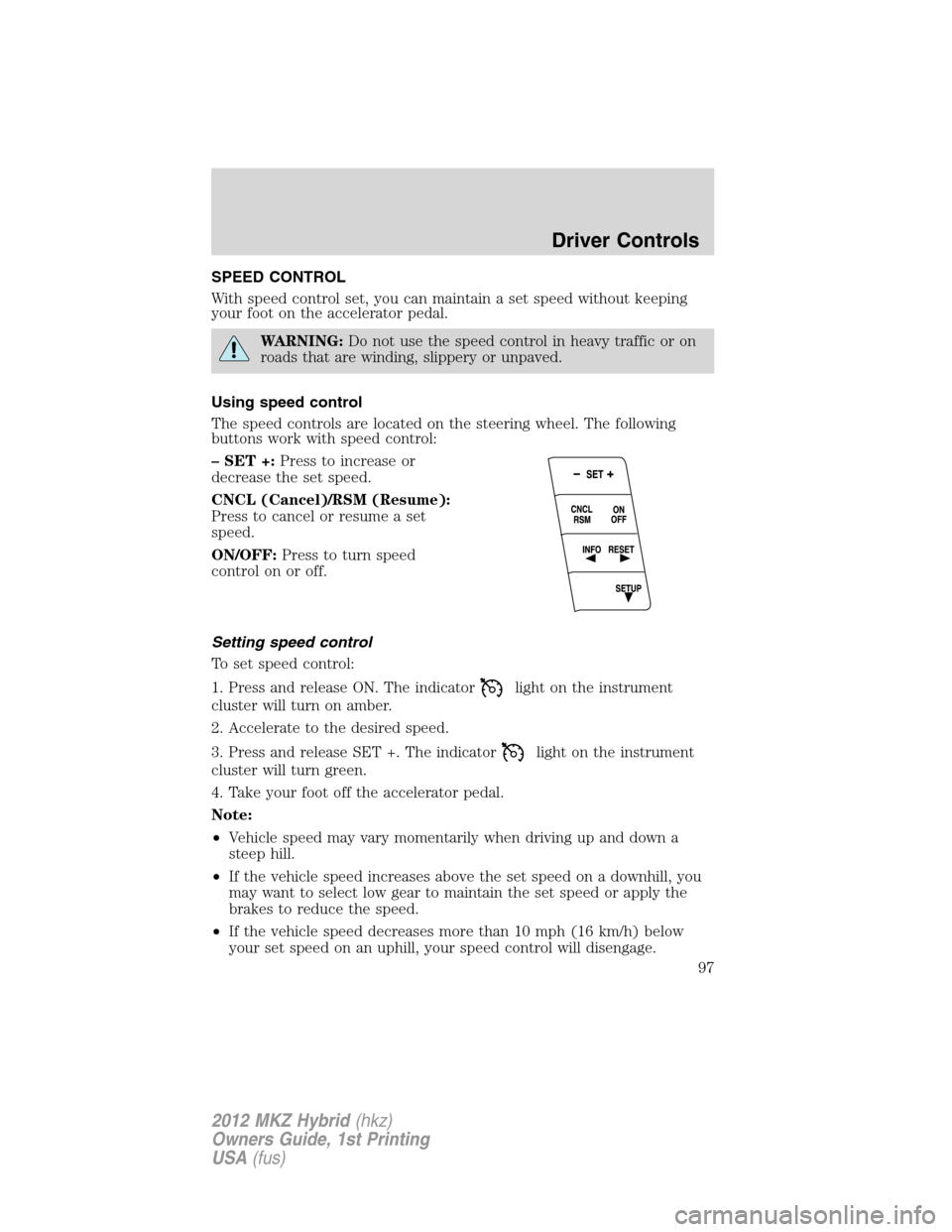
The speed controls are located on the steering wheel. The following
buttons work with speed control:
– SET +:Press to increase or
decrease the set speed.
CNCL (Cancel)/RSM (Resume):
Press to cancel or resume a set
speed.
ON/OFF:Press to turn speed
control on or off.
Setting speed control
To set speed control:
1. Press and release ON. The indicator
light on the instrument
cluster will turn on amber.
2. Accelerate to the desired speed.
3. Press and release SET +. The indicator
light on the instrument
cluster will turn green.
4. Take your foot off the accelerator pedal.
Note:
•Vehicle speed may vary momentarily when driving up and down a
steep hill.
•If the vehicle speed increases above the set speed on a downhill, you
may want to select low gear to maintain the set speed or apply the
brakes to reduce the speed.
•If the vehicle speed decreases more than 10 mph (16 km/h) below
your set speed on an uphill, your speed control will disengage.
Driver Controls
97
2012 MKZ Hybrid(hkz)
Owners Guide, 1st Printing
USA(fus)