warning light LINCOLN MKZ HYBRID 2013 Owner's Manual
[x] Cancel search | Manufacturer: LINCOLN, Model Year: 2013, Model line: MKZ HYBRID, Model: LINCOLN MKZ HYBRID 2013Pages: 475, PDF Size: 3.89 MB
Page 145 of 475
SITTING IN THE CORRECT
POSITION
WARNINGS
Sitting improperly, out of
position or with the seat back
reclined too far can take weight off
the seat cushion and affect the
decision of the passenger sensing
system, resulting in serious injury or
death in the event of a crash. Always
sit upright against your seat back, with
your feet on the floor. Do not recline the seat back as
this can cause the occupant to
slide under the safety belt, resulting
in serious injury in the event of a crash. Do not place objects higher than
the seat back to reduce the risk
of serious injury in the event of a crash
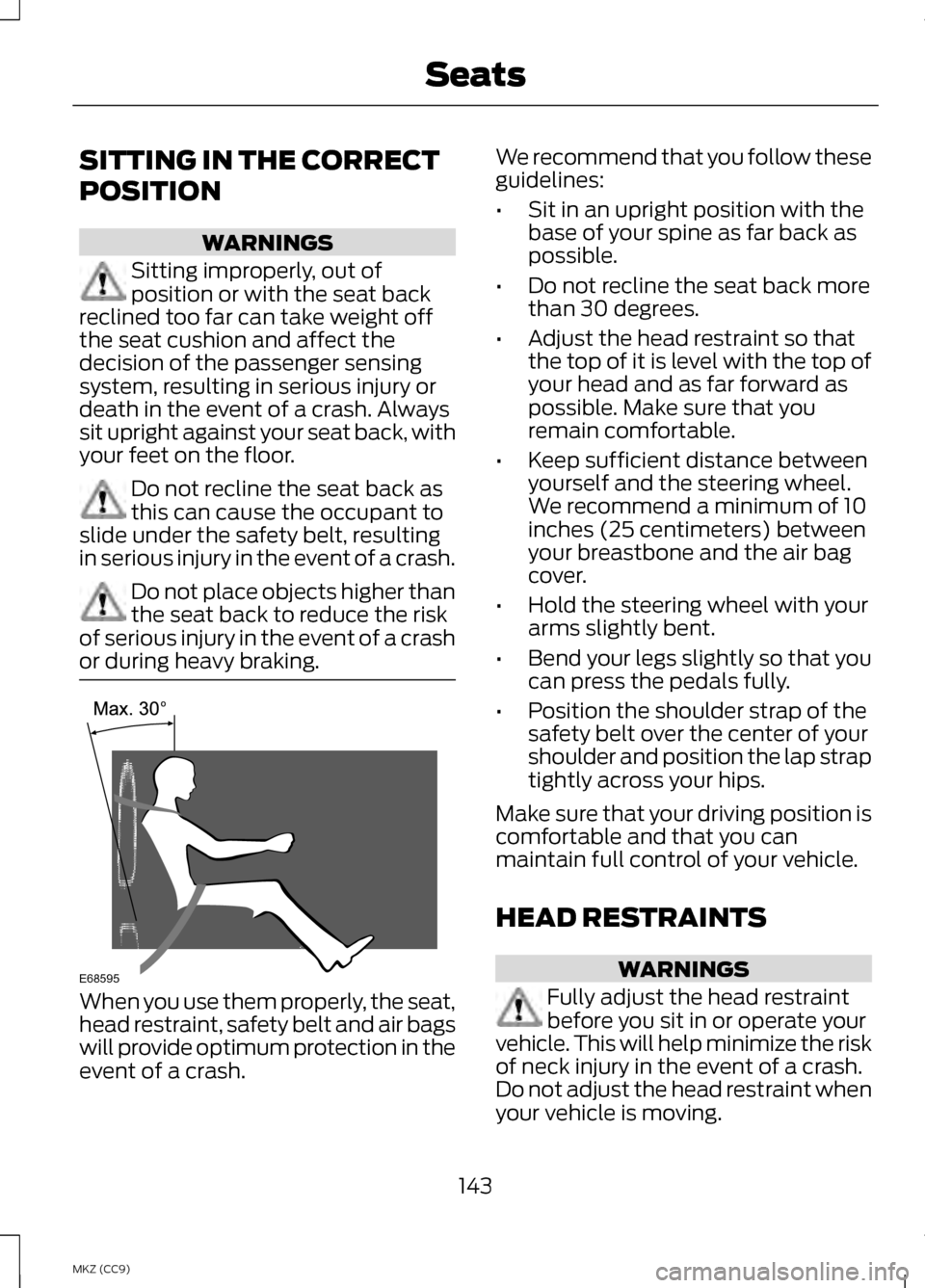
or during heavy braking. When you use them properly, the seat,
head restraint, safety belt and air bags
will provide optimum protection in the
event of a crash. We recommend that you follow these
guidelines:
•
Sit in an upright position with the
base of your spine as far back as
possible.
• Do not recline the seat back more
than 30 degrees.
• Adjust the head restraint so that
the top of it is level with the top of
your head and as far forward as
possible. Make sure that you
remain comfortable.
• Keep sufficient distance between
yourself and the steering wheel.
We recommend a minimum of 10
inches (25 centimeters) between
your breastbone and the air bag
cover.
• Hold the steering wheel with your
arms slightly bent.
• Bend your legs slightly so that you
can press the pedals fully.
• Position the shoulder strap of the
safety belt over the center of your
shoulder and position the lap strap
tightly across your hips.
Make sure that your driving position is
comfortable and that you can
maintain full control of your vehicle.
HEAD RESTRAINTS WARNINGS
Fully adjust the head restraint
before you sit in or operate your
vehicle. This will help minimize the risk
of neck injury in the event of a crash.
Do not adjust the head restraint when
your vehicle is moving.
143
MKZ (CC9) SeatsE68595
Page 153 of 475
Touch the heated seat symbol on the
touchscreen to cycle through the
various heat settings and off. Warmer
settings are indicated by more
indicator lights.
Rear Heated Seats (If Equipped)
WARNING
Persons who are unable to feel
pain to the skin because of
advanced age, chronic illness,
diabetes, spinal cord injury,
medication, alcohol use, exhaustion,
or other physical conditions, must
exercise care when using the seat
heater. The seat heater may cause
burns even at low temperatures,
especially if used for long periods of
time. Do not place anything on the
seat that insulates against heat, such
as a blanket or cushion, because this
may cause the seat heater to
overheat. Do not puncture the seat
with pins, needles, or other pointed
objects because this may damage the
heating element which may cause the
seat heater to overheat. An
overheated seat may cause serious
personal injury. Note:
Do not do the following:
• Place heavy objects on the seat.
• Operate the seat heater if water or
any other liquid is spilled on the
seat. Allow the seat to dry
thoroughly.
The rear seat heat controls are
located on the rear of the center
console. The heated seats only operate when
the ignition is on.
•
Press the heated seat symbol to
cycle through the various heat
settings and off. Warmer settings
are indicated by more indicator
lights.
• Press again to deactivate.
The heated seat module resets at
every ignition run cycle. While the
ignition is on, press the high or low
heated seat switch to enable heating
mode. When activated, they will turn
off automatically when you turn the
engine off.
VENTILATED SEATS
(IF
EQUIPPED)
The ventilated seats will only function
when the engine is running. To operate the ventilated seats:
151
MKZ (CC9) SeatsE146322 E146309
Page 155 of 475
HomeLink Wireless Control
System (If Equipped)
WARNING
Do not use the system with any
garage door opener that does
not have the safety stop and reverse
feature as required by U.S. Federal
Safety Standards (this includes any
garage door opener manufactured
before April 1, 1982). A garage door
opener which cannot detect an object,
signaling the door to stop and reverse,
does not meet current federal safety
standards. Using a garage door opener
without these features increases the
risk of serious injury or death. Note:
Make sure that the garage door
and security device are free from
obstruction when you are
programming. Do not program the
system with the vehicle in the garage.
Note: Make sure you keep the original
remote control transmitter for use in
other vehicles as well as for future
system programming.
Note: We recommend that upon the
sale or lease termination of your
vehicle, you erase the programmed
function buttons for security reasons.
See Erasing the function button codes
later in this section.
Note: You can program a maximum
of three devices. To change or replace
any of the three devices after it has
been initially programmed, you must
first erase the current settings. See
Erasing the function button codes later
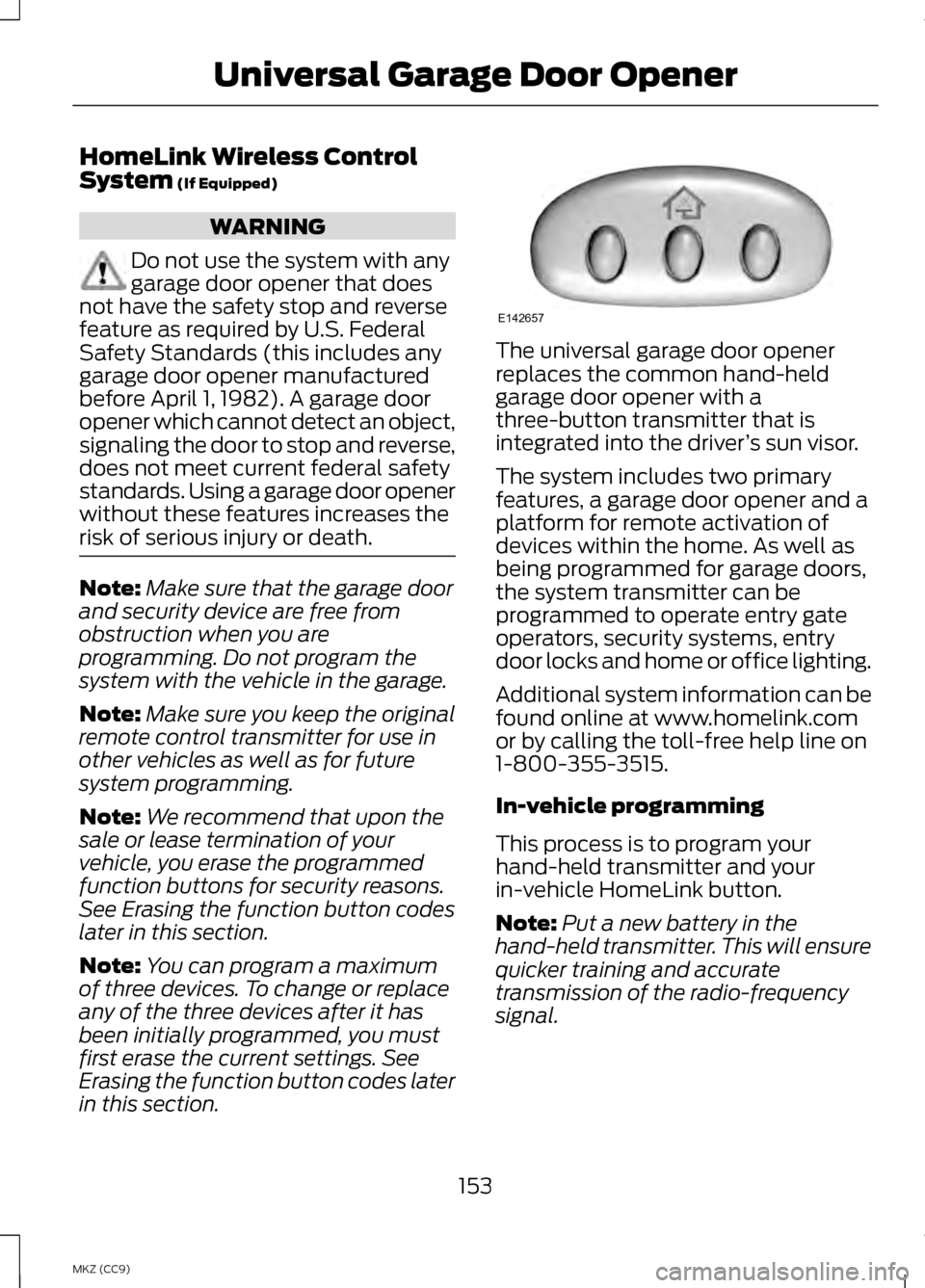
in this section. The universal garage door opener
replaces the common hand-held
garage door opener with a
three-button transmitter that is
integrated into the driver
’s sun visor.
The system includes two primary
features, a garage door opener and a
platform for remote activation of
devices within the home. As well as
being programmed for garage doors,
the system transmitter can be
programmed to operate entry gate
operators, security systems, entry
door locks and home or office lighting.
Additional system information can be
found online at www.homelink.com
or by calling the toll-free help line on
1-800-355-3515.
In-vehicle programming
This process is to program your
hand-held transmitter and your
in-vehicle HomeLink button.
Note: Put a new battery in the
hand-held transmitter. This will ensure
quicker training and accurate
transmission of the radio-frequency
signal.
153
MKZ (CC9) Universal Garage Door OpenerE142657
Page 160 of 475
12 Volt DC Power Point
WARNING
Do not plug optional electrical
accessories into the cigar lighter
socket (if equipped). Improper use of
the lighter can cause damage not
covered by your warranty, and can
result in fire or serious injury. Note:
If used when the vehicle is not
running, the battery will discharge.
There may be insufficient power to
restart your vehicle.
Note: Do not insert objects other than
an accessory plug into the power point.
This will damage the outlet and blow
the fuse.
Note: Do not hang any type of
accessory or accessory bracket from
the plug.
Note: Do not use the power point over
the vehicle capacity of 12 volt DC 180
watts or a fuse may blow.
Note: Do not use the power point for
operating a cigar lighter element.
Note: Improper use of the power point
can cause damage not covered by your
warranty.
Note: Always keep the power point
caps closed when not in use.
Run the vehicle for full capacity use
of the power point. To prevent the
battery from discharging accidentally: •
Do not use the power point longer
than necessary when the vehicle
is not running.
• Do not leave devices plugged in
overnight or when you park your
vehicle for extended periods.
Locations
Power points may be in the following
locations:
• in the front of the center console
• inside the center console storage
bin
• on the rear of the center console.
110 Volt AC Power Point (If
Equipped) WARNING
Do not keep electrical devices
plugged in the power point
whenever the device is not in use. Do
not use any extension cord with the
110 volt AC power point, since it will
defeat the safety protection design.
Doing so my cause the power point to
overload due to powering multiple
devices that can reach beyond the 150
watt load limit and could result in fire
or serious injury. Note:
Keep the vehicle running to use
the power point.
158
MKZ (CC9) Auxiliary Power Points
Page 164 of 475
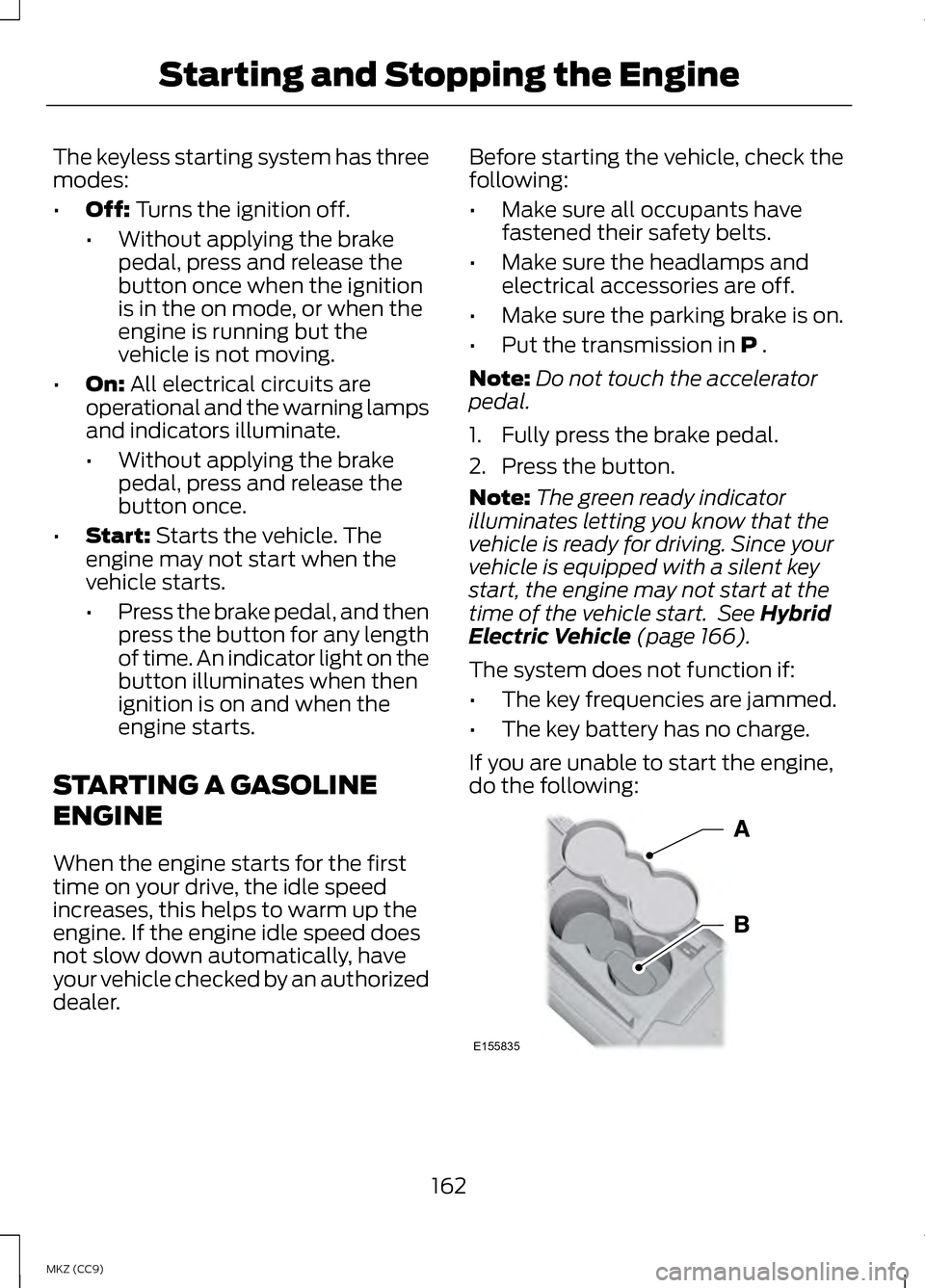
The keyless starting system has three
modes:
•
Off: Turns the ignition off.
• Without applying the brake
pedal, press and release the
button once when the ignition
is in the on mode, or when the
engine is running but the
vehicle is not moving.
• On:
All electrical circuits are
operational and the warning lamps
and indicators illuminate.
• Without applying the brake
pedal, press and release the
button once.
• Start:
Starts the vehicle. The
engine may not start when the
vehicle starts.
• Press the brake pedal, and then
press the button for any length
of time. An indicator light on the
button illuminates when then
ignition is on and when the
engine starts.
STARTING A GASOLINE
ENGINE
When the engine starts for the first
time on your drive, the idle speed
increases, this helps to warm up the
engine. If the engine idle speed does
not slow down automatically, have
your vehicle checked by an authorized
dealer. Before starting the vehicle, check the
following:
•
Make sure all occupants have
fastened their safety belts.
• Make sure the headlamps and
electrical accessories are off.
• Make sure the parking brake is on.
• Put the transmission in
P .
Note: Do not touch the accelerator
pedal.
1. Fully press the brake pedal.
2. Press the button.
Note: The green ready indicator
illuminates letting you know that the
vehicle is ready for driving. Since your
vehicle is equipped with a silent key
start, the engine may not start at the
time of the vehicle start. See
Hybrid
Electric Vehicle (page 166).
The system does not function if:
• The key frequencies are jammed.
• The key battery has no charge.
If you are unable to start the engine,
do the following: 162
MKZ (CC9) Starting and Stopping the EngineE155835
Page 181 of 475
EMISSION CONTROL
SYSTEM
WARNINGS
Do not park, idle, or drive your
vehicle in dry grass or other dry
ground cover. The emission system
heats up the engine compartment and
exhaust system, which can start a fire. Exhaust leaks may result in entry
of harmful and potentially lethal
fumes into the passenger
compartment. If you smell exhaust
fumes inside your vehicle, have your
dealer inspect your vehicle
immediately. Do not drive if you smell
exhaust fumes. Your vehicle is equipped with various
emission control components and a
catalytic converter that will enable
your vehicle to comply with applicable
exhaust emission standards. To make
sure that the catalytic converter and
other emission control components
continue to work properly:
To make sure that the catalytic
converter and other emission control
components continue to work
properly:
•
Use only the specified fuel listed.
• Avoid running out of fuel.
• Do not turn off the ignition while
your vehicle is moving, especially
at high speeds.
• Have the items listed in scheduled
maintenance information
performed according to the
specified schedule. The scheduled maintenance items
listed in scheduled maintenance
information are essential to the life
and performance of your vehicle and
to its emissions system.
If you use parts other than Ford,
Motorcraft or Ford-authorized parts
for maintenance replacements, or for
service of components affecting
emission control, such non-Ford parts
should be the equivalent to genuine
Ford Motor Company parts in
performance and durability.
Illumination of the service engine soon
indicator, charging system warning
light or the temperature warning light,
fluid leaks, strange odors, smoke or
loss of engine power could indicate
that the emission control system is
not working properly.
An improperly operating or damaged
exhaust system may allow exhaust to
enter the vehicle. Have a damaged or
improperly operating exhaust system
inspected and repaired immediately.
Do not make any unauthorized
changes to your vehicle or engine. By
law, vehicle owners and anyone who
manufactures, repairs, services, sells,
leases, trades vehicles, or supervises
a fleet of vehicles are not permitted
to intentionally remove an emission
control device or prevent it from
working. Information about your
vehicle
’s emission system is on the
Vehicle Emission Control Information
Decal located on or near the engine.
This decal also lists engine
displacement
179
MKZ (CC9) Fuel and Refueling
Page 187 of 475
AUTOMATIC
TRANSMISSION
WARNINGS
Always set the parking brake
fully and make sure the vehicle
is in P (Park). Turn the ignition off
whenever you leave your vehicle. Do not apply the brake pedal and
accelerator pedal
simultaneously. Applying both pedals
simultaneously for more than three
seconds will limit engine rpm, which
may result in difficulty maintaining
speed in traffic and could lead to
serious injury. Push Button Shift
Transmission
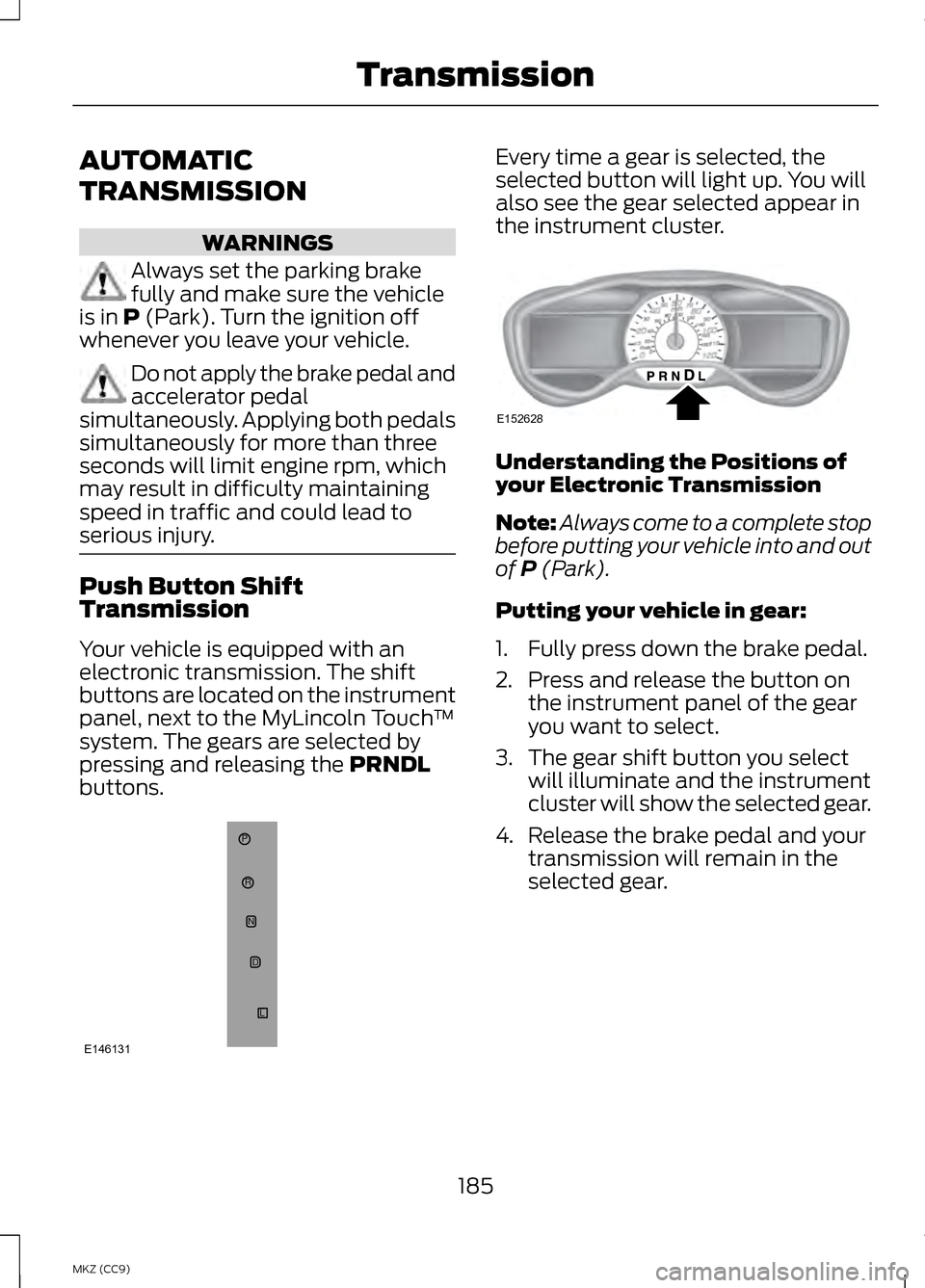
Your vehicle is equipped with an
electronic transmission. The shift
buttons are located on the instrument
panel, next to the MyLincoln Touch
™
system. The gears are selected by
pressing and releasing the
PRNDL
buttons. Every time a gear is selected, the
selected button will light up. You will
also see the gear selected appear in
the instrument cluster.
Understanding the Positions of
your Electronic Transmission
Note:
Always come to a complete stop
before putting your vehicle into and out
of
P (Park).
Putting your vehicle in gear:
1. Fully press down the brake pedal.
2. Press and release the button on the instrument panel of the gear
you want to select.
3. The gear shift button you select will illuminate and the instrument
cluster will show the selected gear.
4. Release the brake pedal and your transmission will remain in the
selected gear.
185
MKZ (CC9) TransmissionP
RN
D
L
E146131 E152628
Page 191 of 475
5. Release the override button.
6.
The vehicle will remain in Stay in
Neutral mode for wrecker towing
purposes or can be shifted to the
desired gear and driven (if the
vehicle can be driven).
7. Release the parking brake.
If Your Vehicle Gets Stuck In
Mud or Snow
Note: Do not rock the vehicle if the
engine is not at normal operating
temperature or damage to the
transmission may occur.
Note: Do not rock the vehicle for more
than a minute or damage to the
transmission and tires may occur, or
the engine may overheat.
If your vehicle gets stuck in mud or
snow, it may be rocked out by shifting
between forward and reverse gears,
stopping between shifts in a steady
pattern. Press lightly on the
accelerator in each gear.
HILL START ASSIST WARNINGS
The system does not replace the
parking brake. When you leave
your vehicle, always apply the parking
brake and put the vehicle in P (Park). You must remain in your vehicle
once you have activated the
system. WARNINGS
During all times, you are
responsible for controlling your
vehicle, supervising the system and
intervening, if required. If the engine is revved
excessively, or if a malfunction
is detected, the system will be
deactivated. The system makes it easier to pull
away when your vehicle is on a slope
without the need to use the parking
brake.
When the system is active, your
vehicle will remain stationary on the
slope for two to three seconds after
you release the brake pedal. This
allows you time to move your foot
from the brake to the accelerator
pedal. The brakes are released
automatically once the engine has
developed sufficient drive to prevent
your vehicle from rolling down the
slope. This is an advantage when
pulling away on a slope, (for example
from a car park ramp, traffic lights or
when reversing uphill into a parking
space).
The system will activate
automatically on any slope that will
cause significant vehicle rollback.
Using Hill Start Assist
1.
Press the brake pedal to bring your
vehicle to a complete standstill.
Keep the brake pedal pressed.
189
MKZ (CC9) Transmission
Page 193 of 475
GENERAL INFORMATION
Note:
Occasional brake noise is
normal. If a metal-to-metal,
continuous grinding or continuous
squeal sound is present, the brake
linings may be worn-out. Have the
system checked by an authorized
dealer. If the vehicle has continuous
vibration or shudder in the steering
wheel while braking, have it checked
by an authorized dealer.
Note: Brake dust may accumulate on
the wheels, even under normal driving
conditions. Some dust is inevitable as
the brakes wear and does not
contribute to brake noise. See
Cleaning the Alloy Wheels (page 299). See Warning Lamps and
Indicators (page 98).
Wet brakes result in reduced braking
efficiency. Gently press the brake
pedal a few times when driving from
a car wash or standing water to dry
the brakes.
Brake Over Accelerator
In the event the accelerator pedal
becomes stuck or entrapped, apply
steady and firm pressure to the brake
pedal to slow the vehicle and reduce
engine power. If you experience this
condition, apply the brakes and bring
your vehicle to a safe stop. Move the
transmission selector lever to position P,
switch the engine off and apply the
parking brake. Inspect the accelerator
pedal for any interference. If none are
found and the condition persists, have
your vehicle towed to the nearest
authorized dealer.
Brake Assist
Brake assist detects when you brake
heavily by measuring the rate at which
you press the brake pedal. It provides
maximum braking efficiency as long
as you press the pedal. Brake assist
can reduce stopping distances in
critical situations.
Anti-lock Brake System
This system helps you maintain
steering control during emergency
stops by keeping the brakes from
locking. This lamp momentarily
illuminates when you turn
the ignition on. If the light
does not illuminate during start up,
remains on or flashes, the anti-lock
braking system may be disabled. Have
the system checked by an authorized
dealer. If the system is disabled,
normal braking is still
effective. If the brake
warning lamp illuminates when you
release the parking brake, have your
system checked by an authorized
dealer.
191
MKZ (CC9) BrakesE144522 E144522
Page 196 of 475
Releasing the electric parking
brake
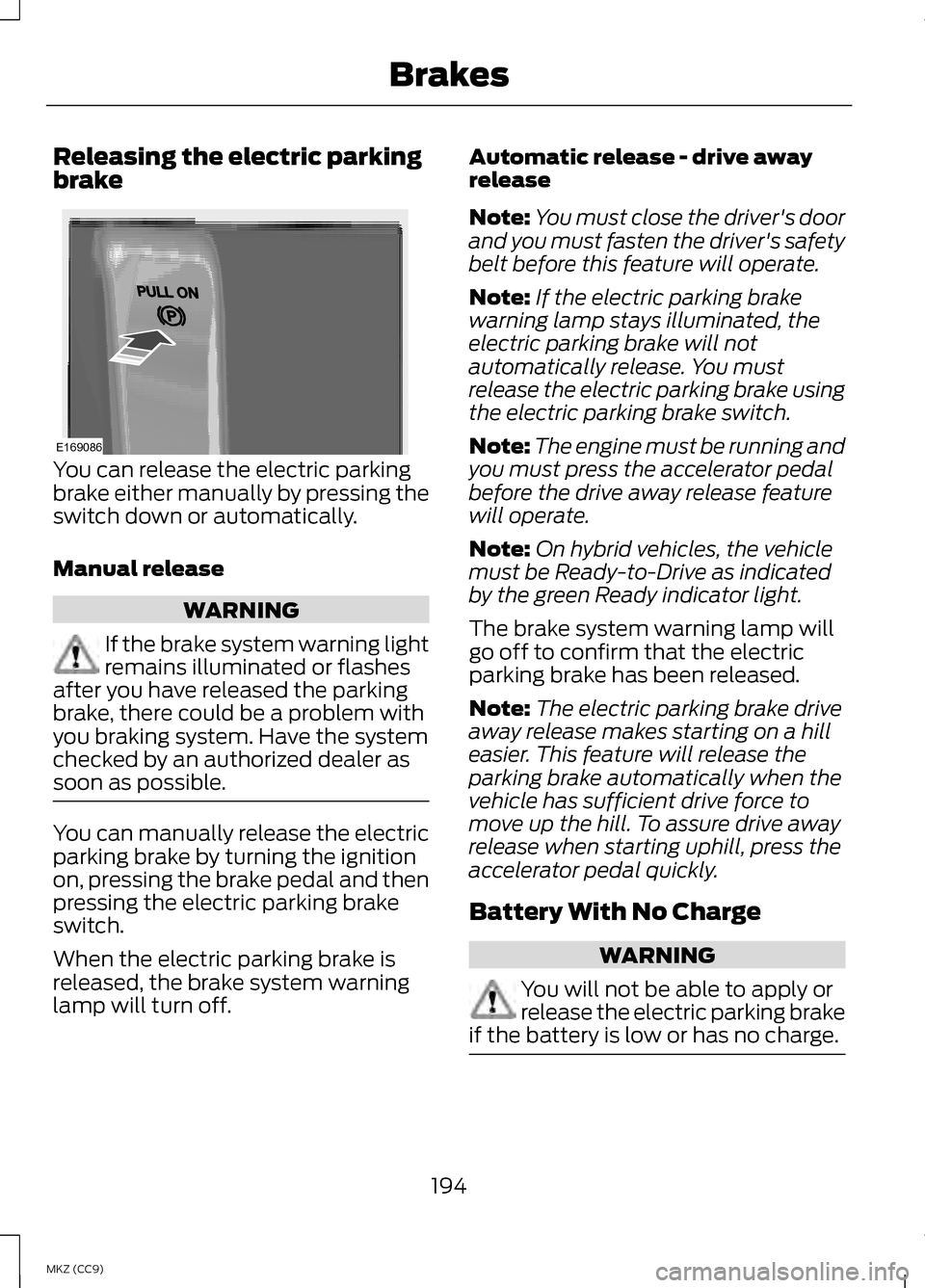
You can release the electric parking
brake either manually by pressing the
switch down or automatically.
Manual release
WARNING
If the brake system warning light
remains illuminated or flashes
after you have released the parking
brake, there could be a problem with
you braking system. Have the system
checked by an authorized dealer as
soon as possible. You can manually release the electric
parking brake by turning the ignition
on, pressing the brake pedal and then
pressing the electric parking brake
switch.
When the electric parking brake is
released, the brake system warning
lamp will turn off. Automatic release - drive away
release
Note:
You must close the driver's door
and you must fasten the driver's safety
belt before this feature will operate.
Note: If the electric parking brake
warning lamp stays illuminated, the
electric parking brake will not
automatically release. You must
release the electric parking brake using
the electric parking brake switch.
Note: The engine must be running and
you must press the accelerator pedal
before the drive away release feature
will operate.
Note: On hybrid vehicles, the vehicle
must be Ready-to-Drive as indicated
by the green Ready indicator light.
The brake system warning lamp will
go off to confirm that the electric
parking brake has been released.
Note: The electric parking brake drive
away release makes starting on a hill
easier. This feature will release the
parking brake automatically when the
vehicle has sufficient drive force to
move up the hill. To assure drive away
release when starting uphill, press the
accelerator pedal quickly.
Battery With No Charge WARNING
You will not be able to apply or
release the electric parking brake
if the battery is low or has no charge. 194
MKZ (CC9) BrakesE169086