ignition LINCOLN MKZ HYBRID 2013 Repair Manual
[x] Cancel search | Manufacturer: LINCOLN, Model Year: 2013, Model line: MKZ HYBRID, Model: LINCOLN MKZ HYBRID 2013Pages: 475, PDF Size: 3.89 MB
Page 231 of 475
The following are other situations that
may limit the BLIS:
•
Certain maneuvering of vehicles
entering and exiting the blind zone.
• Vehicles passing through the blind
zone at very fast rates.
• When several vehicles forming a
convoy pass through the blind
zone.
The following are other situations that
may limit the cross traffic alert
system:
• Adjacently parked vehicles or
objects obstructing the sensors.
• Approaching vehicles passing at
speeds greater than 15 mph (24
km/h).
• Driving in reverse faster than 5
mph (8 km/h).
• Backing out of an angled parking
spot.
False Alerts
Note: If a trailer is connected to the
vehicle the BLIS system may detect the
trailer causing a false alert. You may
want to turn the BLIS off manually.
There may be certain instances when
either the BLIS or cross traffic alert
systems illuminate the alert indicator
with no vehicle in the coverage zone;
this is known as a false alert. Some
amount of false alerts are normal;
they are temporary and self-correct. System Errors
If either system senses a problem with
the left or right sensor, the BLIS
telltale will illuminate and a message
will appear in the information display.
All other system faults will only be
displayed by a message in the
information display.
Switching the Systems Off and On
One or both systems can be switched
off temporarily by using the
information display control. See
General Information (page 103).
When the BLIS is switched off, you will
not receive alerts and a telltale
illuminates in the information display.
Note: The CTA system always
switches on whenever the ignition is
switched on. However, the BLIS system
will remember the last selected on or
off setting.
One or both systems cannot be
switched off when MyKey is used. See
General Information
(page 343).
One or both systems can also be
switched off permanently at your
authorized dealer. Once switched off,
switching it back on must also be
done at your authorized dealer.
229
MKZ (CC9) Driving Aids
Page 235 of 475
If the front end of the vehicle is hit or
damaged, the radar sensing zone may
be altered causing missed or false
collision warnings. See your
authorized dealer to have your
collision warning radar checked for
proper coverage and operation.
STEERING
Electric Power Steering
WARNINGS
The electric power steering
system has diagnostic checks
that continuously monitor the system
to ensure proper operation. When a
system error is detected a steering
message will appear in the
information display. The electric power steering
system has diagnostic checks
that continuously monitor the system
to ensure proper operation of the
electronic system. When an electronic
error is detected, a message will be
displayed in the information display.
If this happens, stop the vehicle in a
safe place, and turn off the engine.
After at least 10 seconds, reset the
system by restarting the engine, and
watch the information display for a
steering message. If a steering
message returns, or returns while
driving, take the vehicle to your dealer
to have it checked. WARNINGS
Obtain immediate service if a
system error is detected. You
may not notice any difference in the
feel of your steering, but a serious
condition may exist. Failure to do so
may result in loss of steering control. Your vehicle is equipped with an
electric power-assisted steering
system. There is no fluid reservoir to
check or fill.
If your vehicle loses electrical power
while you are driving (or if the ignition
is turned off), you can steer the
vehicle manually, but it takes more
effort. Extreme continuous steering
may increase the effort it takes for you
to steer. This occurs to prevent
internal overheating and permanent
damage to your steering system. If this
should occur, you will neither lose the
ability to steer the vehicle manually
nor will it cause permanent damage.
Typical steering and driving
maneuvers will allow the system to
cool and steering assist will return to
normal.
Steering Tips
If the steering wanders or pulls, check
for:
•
an improperly inflated tire
• uneven tire wear
• loose or worn suspension
components
• loose or worn steering
components
• improper vehicle alignment
233
MKZ (CC9) Driving Aids
Page 248 of 475
•
Place the vehicle in Neutral Tow
mode by doing the following:
•Put the ignition in accessory
mode (ignition on, engine off).
See Keyless Starting (page
161).
• Select
Neutral Tow in the
information display.
• When prompted by the
information display, press the
brake pedal and select Neutral
on the transmission. Make sure
the parking brake is off. If done
successfully, Neutral Tow
Engaged
appears in the
display.
• Shut the ignition off. See
Keyless Starting
(page 161).
If the process is completed
successfully, the
N on the
transmission slowly blinks and
"Neutral tow engaged" appears
in the information display.
• Do not exceed 70 mph (113 km/h).
• Start the engine and allow it to run
for one minute at the beginning of
each day. With the engine running
and your foot on the brake, shift
into position
D and then into
position R before shifting back into
position
N.
246
MKZ (CC9) Towing
Page 259 of 475
Post-Incident
•
Do not store a severely damaged
vehicle with a lithium-ion battery
inside a structure or within 50 feet
(15 meters) of any structure or
vehicle.
• Make sure that passenger and
cargo compartments remain
ventilated (i.e., open window, door,
or trunk).
• For vehicles in the United States,
notify Ford Motor Company
1-800-392-3673 (then follow the
prompts on the voice response
menu), an authorized Ford dealer
or service center as soon as
possible as there may be other
steps to secure and discharge the
high-voltage battery.
• For vehicles in Canada, notify Ford
Motor Company 1-800-565-3673
(then follow the prompts on the
voice response menu), an
authorized Ford dealer or service
center as soon as possible as there
may be other steps to secure and
discharge the high-voltage battery.
• Call 911 if you observe leaking
fluids, sparks, smoke or flames, or
hear gurgling or bubbling from the
high-voltage battery. POST-CRASH ALERT
SYSTEM
The system flashes the turn signal
lamps and sounds the horn
(intermittently) in the event of a
serious impact that deploys an airbag
(front, side, side curtain or Safety
Canopy) or the safety belt
pretensioners.
The horn and lamps will turn off when:
•
The hazard control button is
pressed
• The panic button (if equipped) is
pressed on the remote entry
transmitter
• Your vehicle runs out of power
Spinout Detection
If a spinout is detected, the vehicle
comes to a stop and the hazard
warning flashers come on. The
message Spinout Detected Hazards
Activated will also appear on the
instrument cluster. The message may
not appear if your vehicle runs out of
power.
Once the hazard warning flashers
have been activated, you can turn
them off by:
• Pressing the hazard warning
flasher button
• Pressing the remote control unlock
button
• Pressing the remote control panic
button
• Cycling the ignition on and off
twice
257
MKZ (CC9) Roadside Emergencies
Page 276 of 475
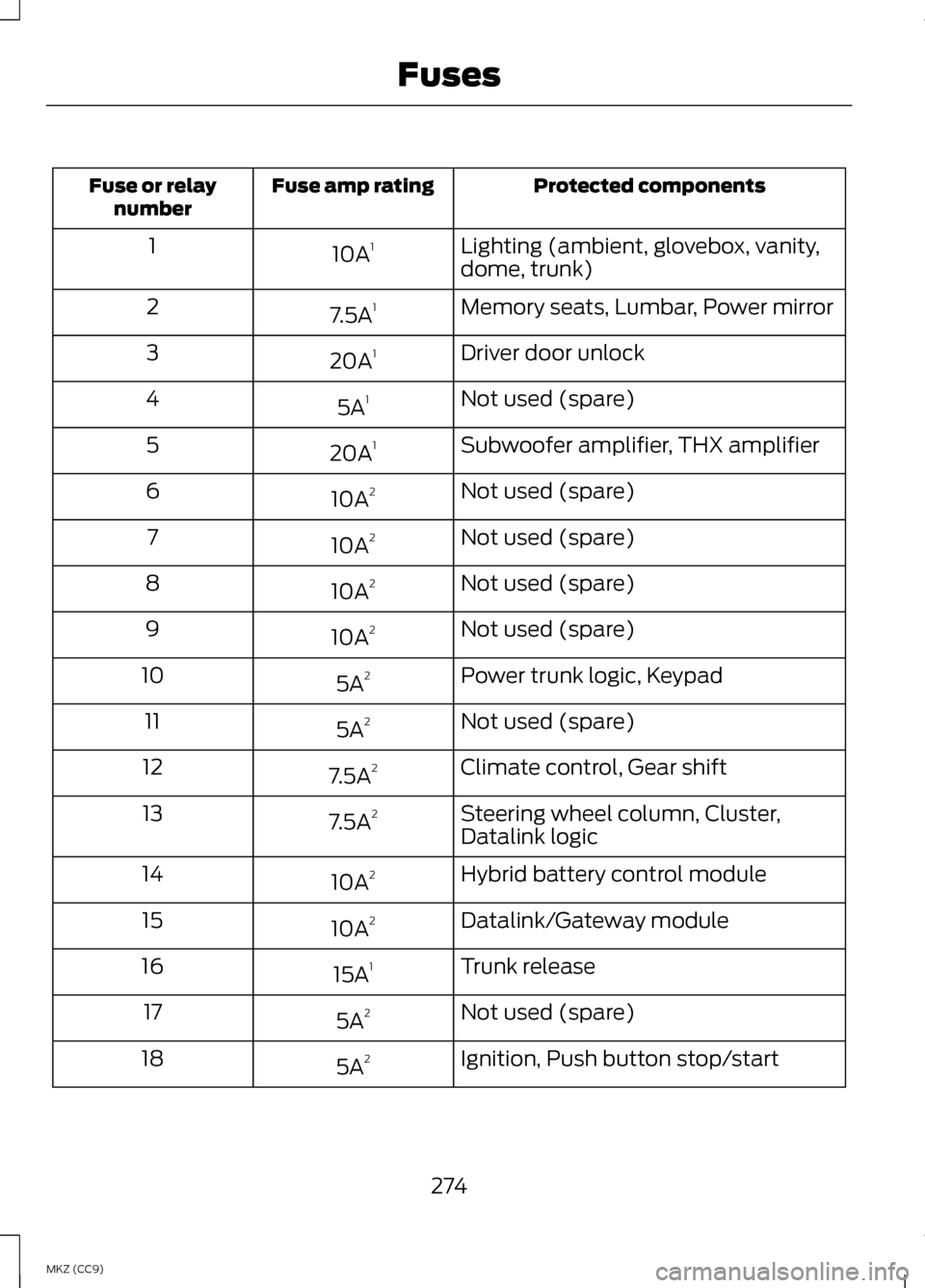
Protected components
Fuse amp rating
Fuse or relay
number
Lighting (ambient, glovebox, vanity,
dome, trunk)
10A
1
1
Memory seats, Lumbar, Power mirror
7.5A 1
2
Driver door unlock
20A 1
3
Not used (spare)
5A 1
4
Subwoofer amplifier, THX amplifier
20A 1
5
Not used (spare)
10A 2
6
Not used (spare)
10A 2
7
Not used (spare)
10A 2
8
Not used (spare)
10A 2
9
Power trunk logic, Keypad
5A 2
10
Not used (spare)
5A 2
11
Climate control, Gear shift
7.5A 2
12
Steering wheel column, Cluster,
Datalink logic
7.5A
2
13
Hybrid battery control module
10A 2
14
Datalink/Gateway module
10A 2
15
Trunk release
15A 1
16
Not used (spare)
5A 2
17
Ignition, Push button stop/start
5A 2
18
274
MKZ (CC9) Fuses
Page 291 of 475
5. Run the engine until it reaches
normal operating temperature.
While the engine is warming up,
complete the following: Reset the
clock. See Audio System (page
134). Reset the power windows
bounce-back feature. See
Windows and Mirrors (page 88).
Reset the radio station presets.
See
Audio System (page 134).
6. Allow the engine to idle for at least
one minute. If the engine turns off,
step on the accelerator to start the
engine.
7. While the engine is running, step on the brake pedal and shift the
transmission to N.
8. Allow the engine to run for at least
one minute by pressing on the
accelerator pedal.
9. Drive the vehicle at least 10 miles (16 kilometers) to completely
relearn the idle and fuel trim
strategy.
Note: If you do not allow the engine to
relearn the idle and fuel trim strategy,
the idle quality of your vehicle may be
adversely affected until the engine
computer eventually relearns the idle
trim and fuel trim strategy.
Note: Always dispose of automotive
batteries in a responsible manner.
Follow your local authorized standards
for disposal. Call your local authorized
recycling center to find out more about
recycling automotive batteries. Note:
It is recommended that the
negative battery cable terminal be
disconnected from the battery if you
plan to store your vehicle for an
extended period of time.
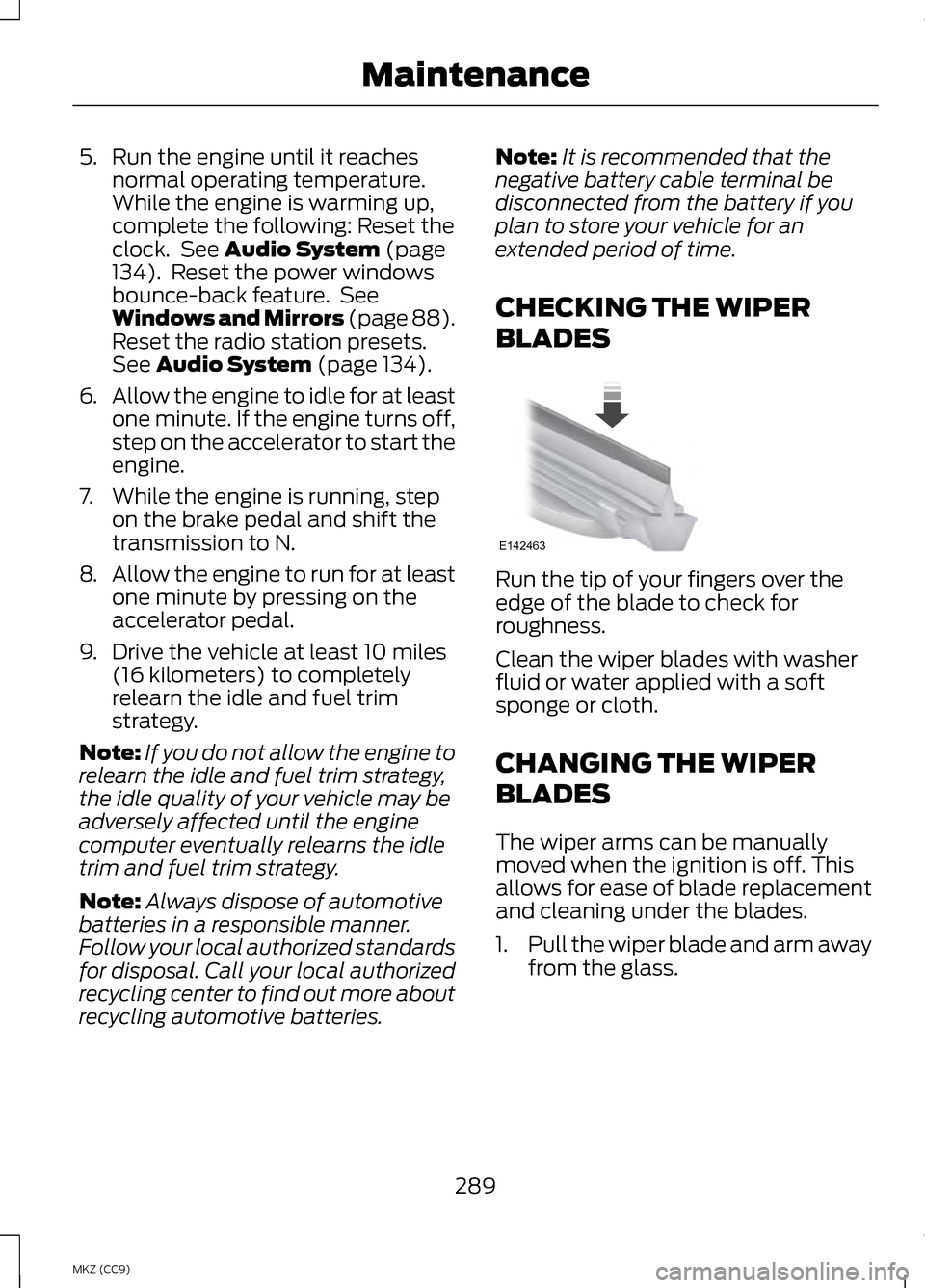
CHECKING THE WIPER
BLADES Run the tip of your fingers over the
edge of the blade to check for
roughness.
Clean the wiper blades with washer
fluid or water applied with a soft
sponge or cloth.
CHANGING THE WIPER
BLADES
The wiper arms can be manually
moved when the ignition is off. This
allows for ease of blade replacement
and cleaning under the blades.
1.
Pull the wiper blade and arm away
from the glass.
289
MKZ (CC9) MaintenanceE142463
Page 292 of 475
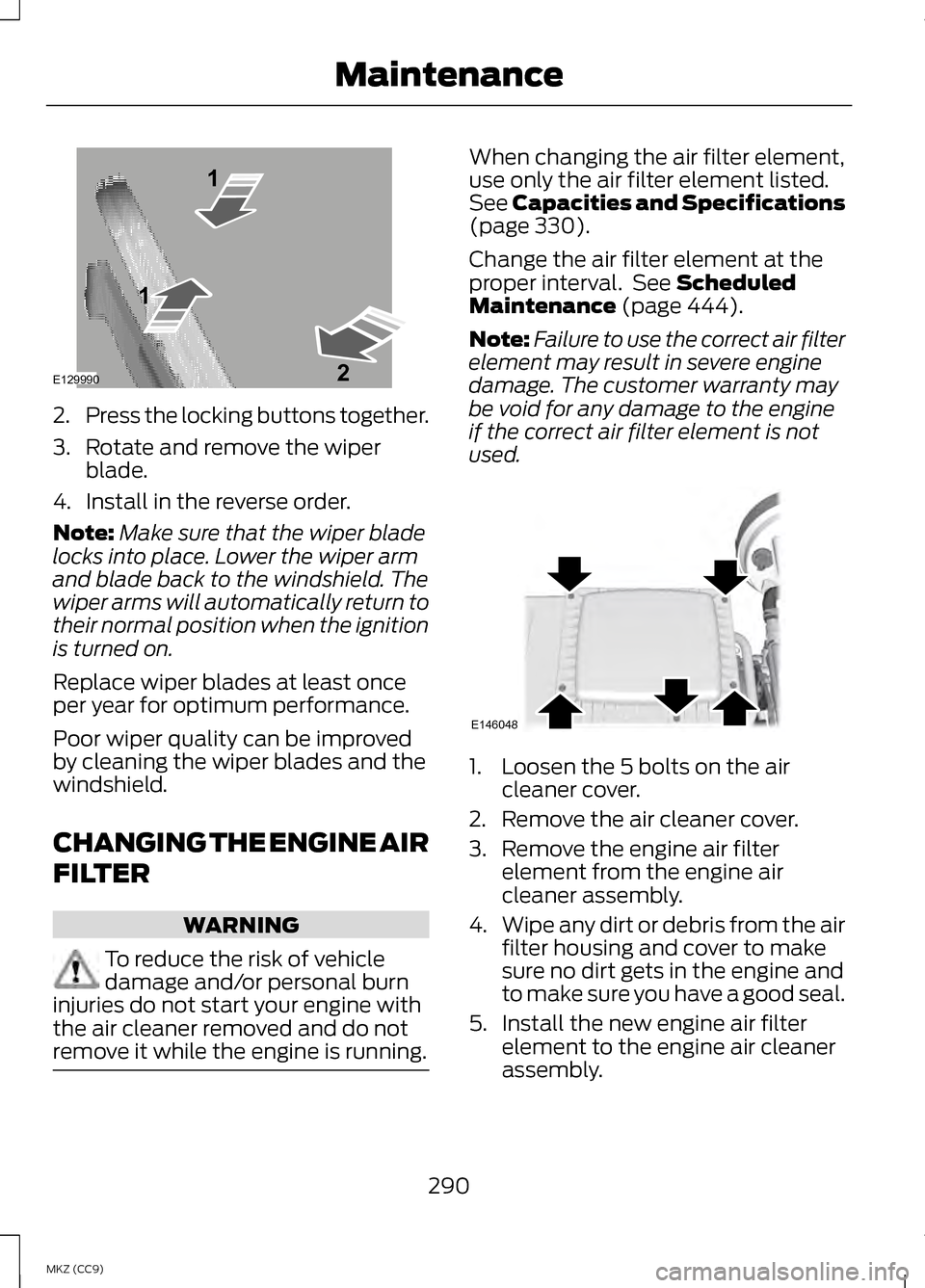
2.
Press the locking buttons together.
3. Rotate and remove the wiper blade.
4. Install in the reverse order.
Note: Make sure that the wiper blade
locks into place. Lower the wiper arm
and blade back to the windshield. The
wiper arms will automatically return to
their normal position when the ignition
is turned on.
Replace wiper blades at least once
per year for optimum performance.
Poor wiper quality can be improved
by cleaning the wiper blades and the
windshield.
CHANGING THE ENGINE AIR
FILTER WARNING
To reduce the risk of vehicle
damage and/or personal burn
injuries do not start your engine with
the air cleaner removed and do not
remove it while the engine is running. When changing the air filter element,
use only the air filter element listed.
See Capacities and Specifications
(page 330).
Change the air filter element at the
proper interval. See
Scheduled
Maintenance (page 444).
Note: Failure to use the correct air filter
element may result in severe engine
damage. The customer warranty may
be void for any damage to the engine
if the correct air filter element is not
used. 1. Loosen the 5 bolts on the air
cleaner cover.
2. Remove the air cleaner cover.
3. Remove the engine air filter element from the engine air
cleaner assembly.
4. Wipe any dirt or debris from the air
filter housing and cover to make
sure no dirt gets in the engine and
to make sure you have a good seal.
5. Install the new engine air filter element to the engine air cleaner
assembly.
290
MKZ (CC9) MaintenanceE129990
1
1 2 E146048
Page 298 of 475
When washing and waxing, park your
vehicle in a shaded area out of direct
sunlight. Always wash your vehicle
before applying wax.
•
Use a quality wax that does not
contain abrasives.
• Follow the manufacturer ’s
instructions to apply and remove
the wax.
• Apply a small amount of wax in a
back-and-forth motion, not in
circles.
• Do not allow wax to come in
contact with any non-body
(low-gloss black) colored trim.
The wax will discolor or stain the
parts over time.
•Roof racks.
• Bumpers.
• Grained door handles.
• Side mouldings.
• Mirror housings.
• Windshield cowl area.
• Do not apply wax to glass areas.
• After waxing, your car's paint
should feel smooth, and be free of
streaks and smudges.
CLEANING THE ENGINE
Engines are more efficient when they
are clean because grease and dirt
buildup keep the engine warmer than
normal. When washing:
•
Take care when using a power
washer to clean the engine. The
high-pressure fluid could penetrate
the sealed parts and cause
damage.
• Do not spray a hot engine with cold
water to avoid cracking the engine
block or other engine components.
• Spray Motorcraft® Engine
Shampoo and Degreaser on all
parts that require cleaning and
pressure rinse clean. In Canada,
use Motorcraft® Engine Shampoo.
• Never wash or rinse the engine
while it is hot or running; water in
the running engine may cause
internal damage.
• Never wash or rinse any ignition
coil, spark plug wire or spark plug
well, or the area in and around
these locations.
• Cover the battery, power
distribution box, and air filter
assembly to prevent water
damage when cleaning the engine.
CLEANING THE WINDOWS
AND WIPER BLADES
Clean your windows and wiper blades
regularly. If the wipers do not wipe
properly, substances on the vehicle ’s
glass or the wiper blades may cause
squeaking or chatter noise from the
blades, and streaking and smearing
of the windshield.
296
MKZ (CC9) Vehicle Care
Page 332 of 475
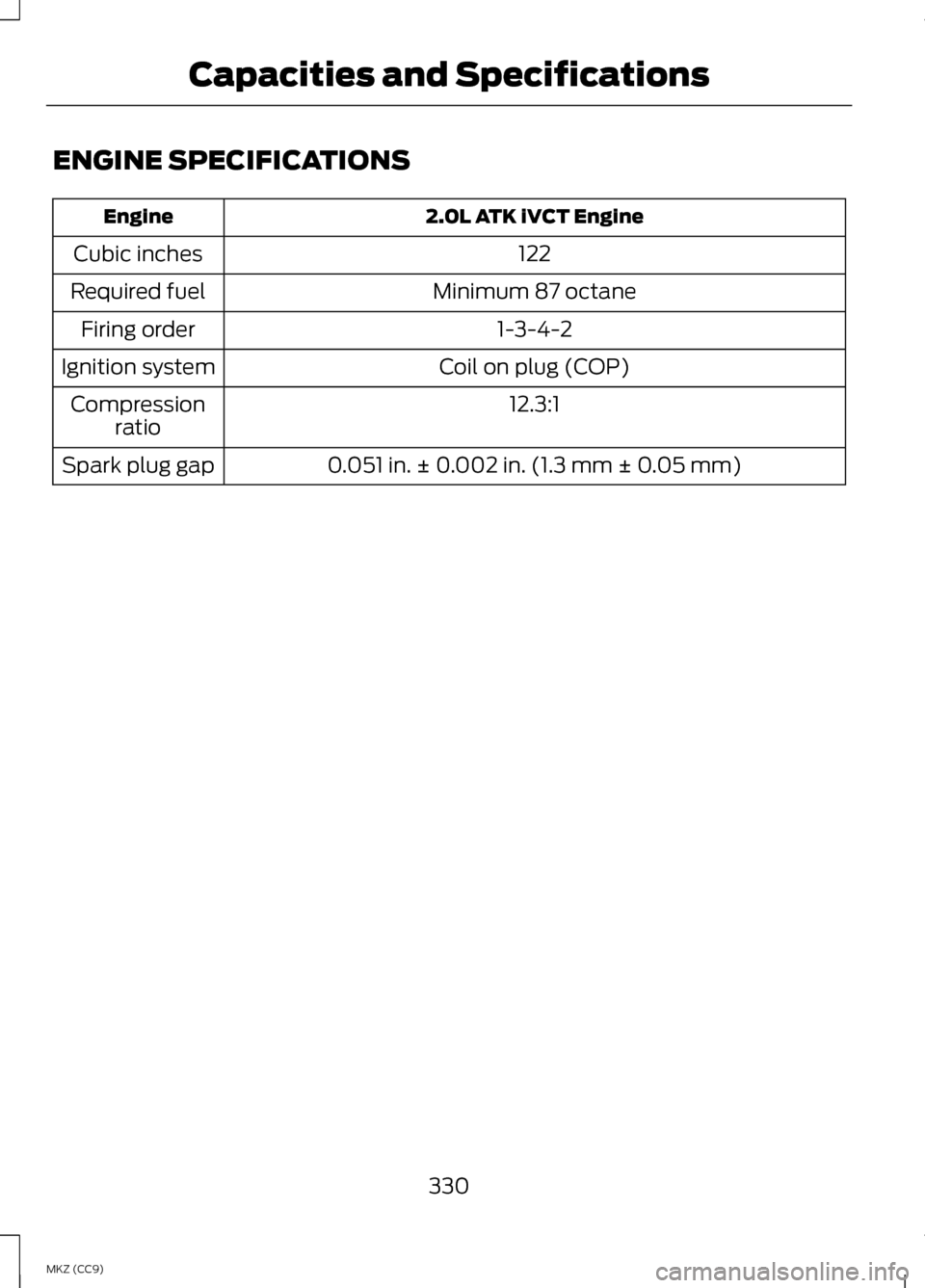
ENGINE SPECIFICATIONS
2.0L ATK iVCT Engine
Engine
122
Cubic inches
Minimum 87 octane
Required fuel
1-3-4-2
Firing order
Coil on plug (COP)
Ignition system
12.3:1
Compression
ratio
0.051 in. ± 0.002 in. (1.3 mm ± 0.05 mm)
Spark plug gap
330
MKZ (CC9) Capacities and Specifications
Page 346 of 475
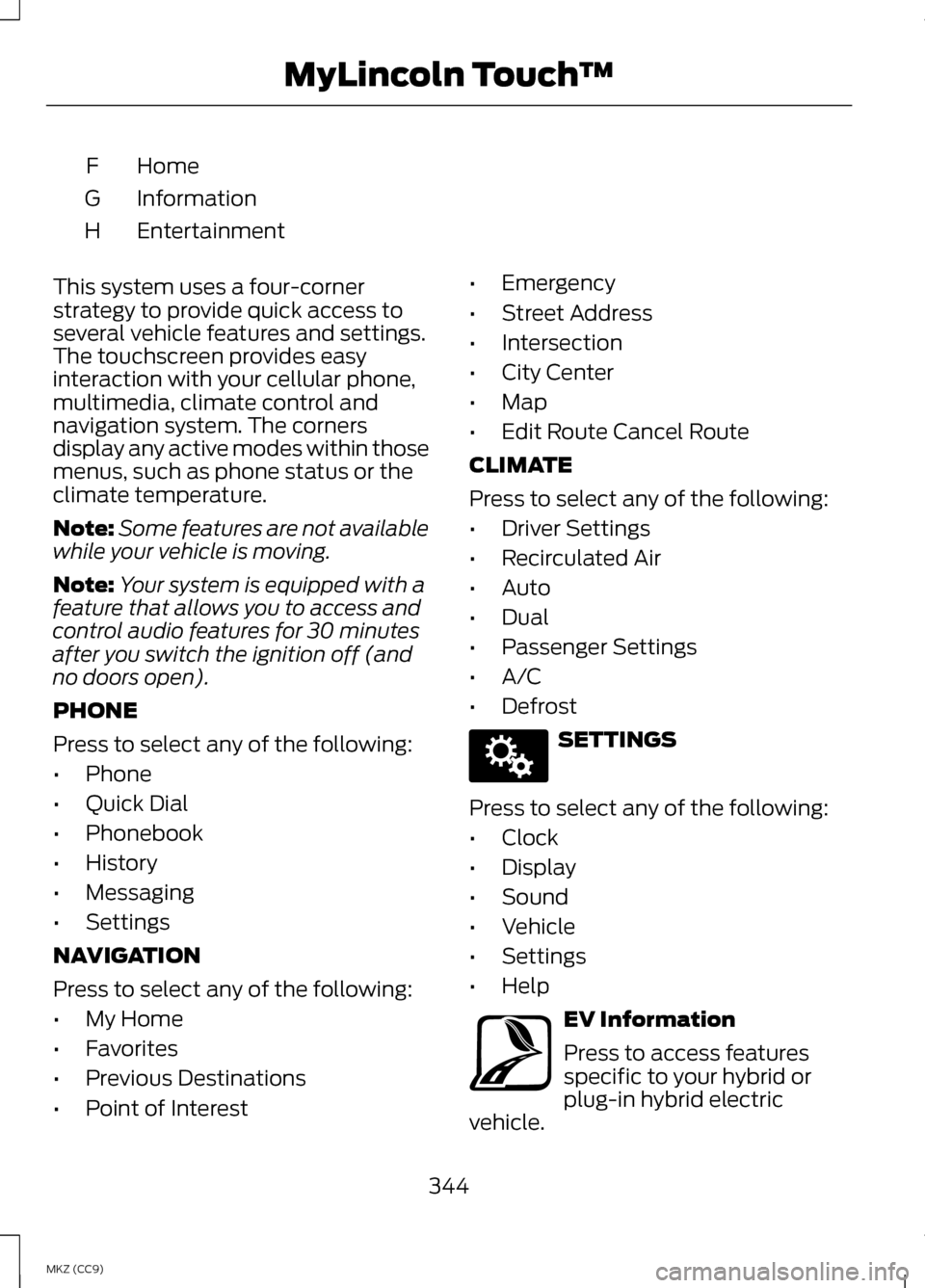
Home
F
Information
G
Entertainment
H
This system uses a four-corner
strategy to provide quick access to
several vehicle features and settings.
The touchscreen provides easy
interaction with your cellular phone,
multimedia, climate control and
navigation system. The corners
display any active modes within those
menus, such as phone status or the
climate temperature.
Note: Some features are not available
while your vehicle is moving.
Note: Your system is equipped with a
feature that allows you to access and
control audio features for 30 minutes
after you switch the ignition off (and
no doors open).
PHONE
Press to select any of the following:
• Phone
• Quick Dial
• Phonebook
• History
• Messaging
• Settings
NAVIGATION
Press to select any of the following:
• My Home
• Favorites
• Previous Destinations
• Point of Interest •
Emergency
• Street Address
• Intersection
• City Center
• Map
• Edit Route Cancel Route
CLIMATE
Press to select any of the following:
• Driver Settings
• Recirculated Air
• Auto
• Dual
• Passenger Settings
• A/C
• Defrost SETTINGS
Press to select any of the following:
• Clock
• Display
• Sound
• Vehicle
• Settings
• Help EV Information
Press to access features
specific to your hybrid or
plug-in hybrid electric
vehicle.
344
MKZ (CC9) MyLincoln Touch
™E142607 E161716