415 LINCOLN MKZ HYBRID 2013 Owners Manual
[x] Cancel search | Manufacturer: LINCOLN, Model Year: 2013, Model line: MKZ HYBRID, Model: LINCOLN MKZ HYBRID 2013Pages: 475, PDF Size: 3.89 MB
Page 7 of 475
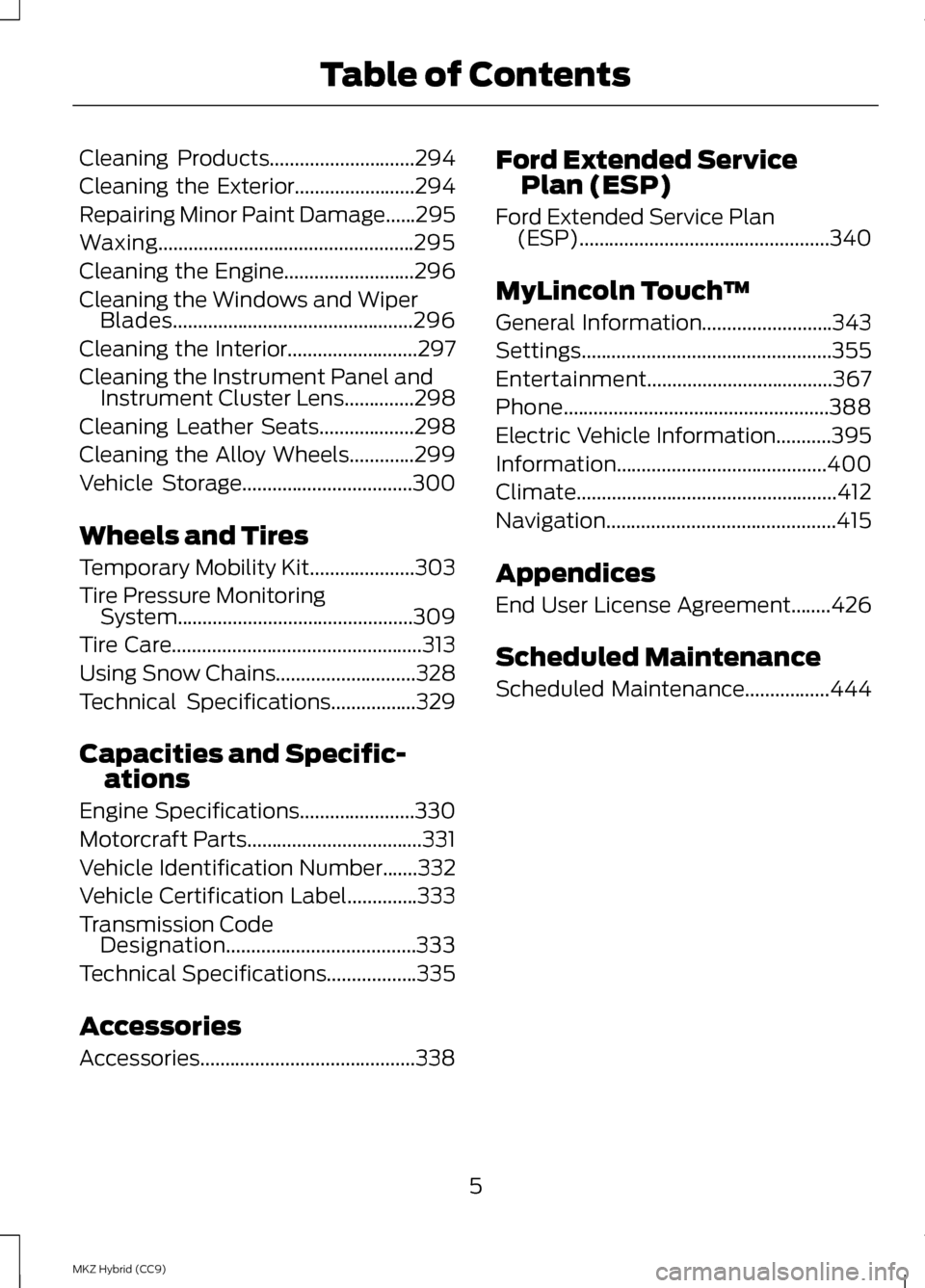
Cleaning Products.............................294
Cleaning the Exterior........................294
Repairing Minor Paint Damage
......295
Waxing...................................................295
Cleaning the Engine..........................296
Cleaning the Windows and Wiper Blades................................................296
Cleaning the Interior..........................297
Cleaning the Instrument Panel and Instrument Cluster Lens..............298
Cleaning Leather Seats...................298
Cleaning the Alloy Wheels.............299
Vehicle Storage
..................................300
Wheels and Tires
Temporary Mobility Kit
.....................303
Tire Pressure Monitoring System...............................................309
Tire Care..................................................313
Using Snow Chains............................328
Technical Specifications
.................329
Capacities and Specific- ations
Engine Specifications.......................330
Motorcraft Parts
...................................331
Vehicle Identification Number
.......332
Vehicle Certification Label
..............333
Transmission Code Designation......................................333
Technical Specifications..................335
Accessories
Accessories...........................................338 Ford Extended Service
Plan (ESP)
Ford Extended Service Plan (ESP)
..................................................340
MyLincoln Touch ™
General Information
..........................343
Settings..................................................355
Entertainment.....................................367
Phone.....................................................388
Electric Vehicle Information
...........395
Information..........................................400
Climate....................................................412
Navigation..............................................415
Appendices
End User License Agreement........426
Scheduled Maintenance
Scheduled Maintenance
.................444
5
MKZ Hybrid (CC9) Table of Contents
Page 383 of 475
Options
Sound Settings
Touch this button to adjust settings
for:
•
Bass
• Midrange
• Treble
• Balance and Fade
• THX Deep Note Demo
• DSP (Digital Signal processing)
• Occupancy Mode
• Speed Compensated Volume.
Note: Your vehicle may not have all
these sound settings.
Compression
Touch this button to turn the
compression feature off and on.
Browse
Touch this button to look through all
available CD tracks.
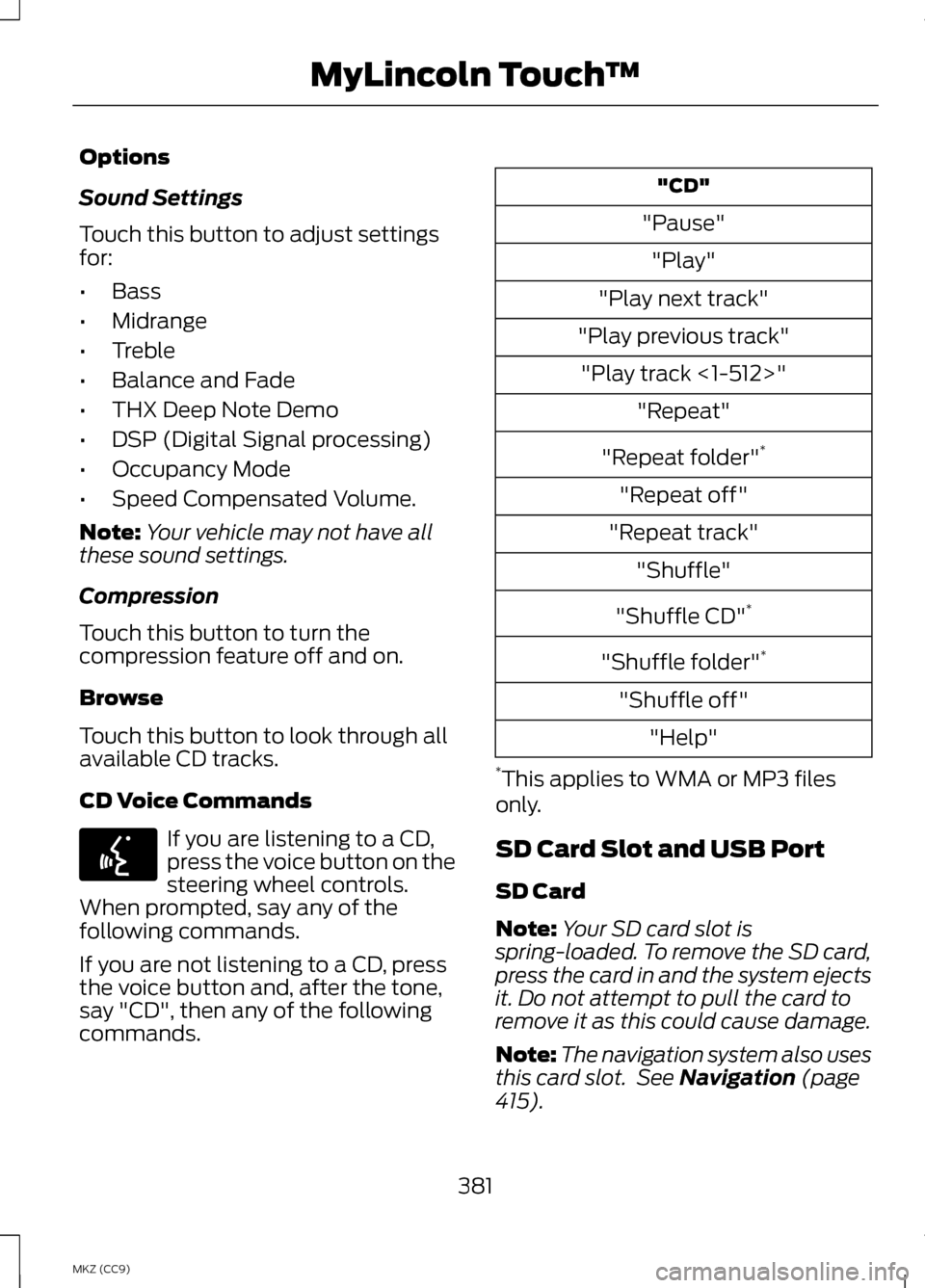
CD Voice Commands If you are listening to a CD,
press the voice button on the
steering wheel controls.
When prompted, say any of the
following commands.
If you are not listening to a CD, press
the voice button and, after the tone,
say "CD", then any of the following
commands. "CD"
"Pause" "Play"
"Play next track"
"Play previous track" "Play track <1-512>" "Repeat"
"Repeat folder" *
"Repeat off"
"Repeat track" "Shuffle"
"Shuffle CD" *
"Shuffle folder" *
"Shuffle off" "Help"
* This applies to WMA or MP3 files
only.
SD Card Slot and USB Port
SD Card
Note: Your SD card slot is
spring-loaded. To remove the SD card,
press the card in and the system ejects
it. Do not attempt to pull the card to
remove it as this could cause damage.
Note: The navigation system also uses
this card slot. See Navigation (page
415).
381
MKZ (CC9) MyLincoln Touch
™E142599
Page 405 of 475
If your vehicle is not equipped with
Navigation:
•
Turn-by-turn directions appear in
the information display, in the
status bar of your touchscreen
system and on the SYNC Services
screen. You also receive driving
instructions from audible prompts.
• When on an active route, you can
select Route Summary or Route
Status using the touchscreen
controls or voice commands to
view the
Route Summary Turn
List or the Route Status ETA.
You can also turn voice guidance
on or off, cancel the route or
update the route. If you miss a turn, SYNC automatically
asks if you want the route updated.
Just say, "Yes" when prompted and
the system delivers a new route to
your vehicle.
If your vehicle is equipped with
Navigation, SYNC Services downloads
your requested destination to the
navigation system. The navigation
system then calculates the route and
provides driving instructions. See
Navigation
(page 415).
Disconnecting from SYNC Services
1. Press and hold the hang-up phone
button on the steering wheel.
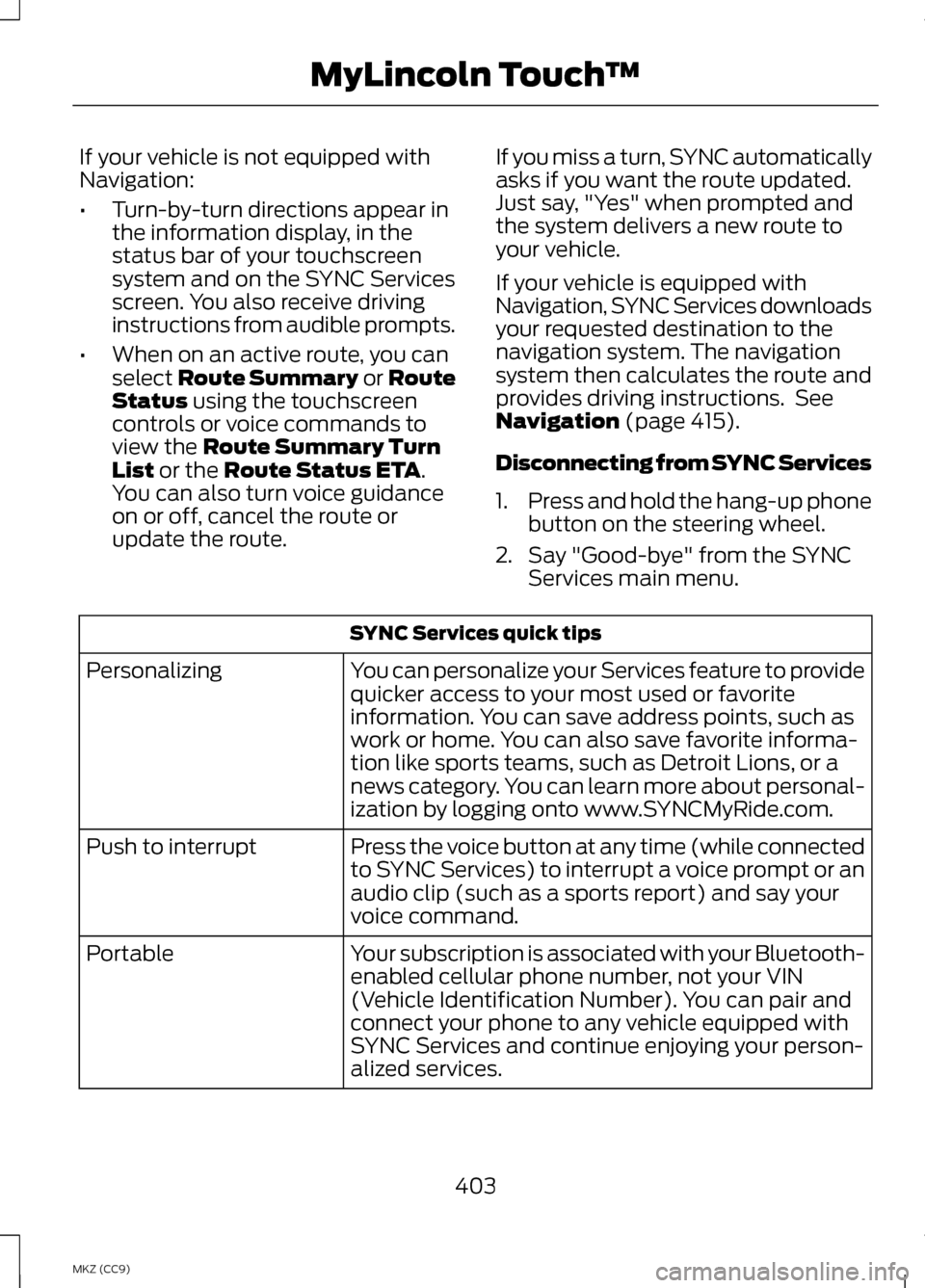
2. Say "Good-bye" from the SYNC Services main menu. SYNC Services quick tips
You can personalize your Services feature to provide
quicker access to your most used or favorite
information. You can save address points, such as
work or home. You can also save favorite informa-
tion like sports teams, such as Detroit Lions, or a
news category. You can learn more about personal-
ization by logging onto www.SYNCMyRide.com.
Personalizing
Press the voice button at any time (while connected
to SYNC Services) to interrupt a voice prompt or an
audio clip (such as a sports report) and say your
voice command.
Push to interrupt
Your subscription is associated with your Bluetooth-
enabled cellular phone number, not your VIN
(Vehicle Identification Number). You can pair and
connect your phone to any vehicle equipped with
SYNC Services and continue enjoying your person-
alized services.
Portable
403
MKZ (CC9) MyLincoln Touch
™
Page 417 of 475
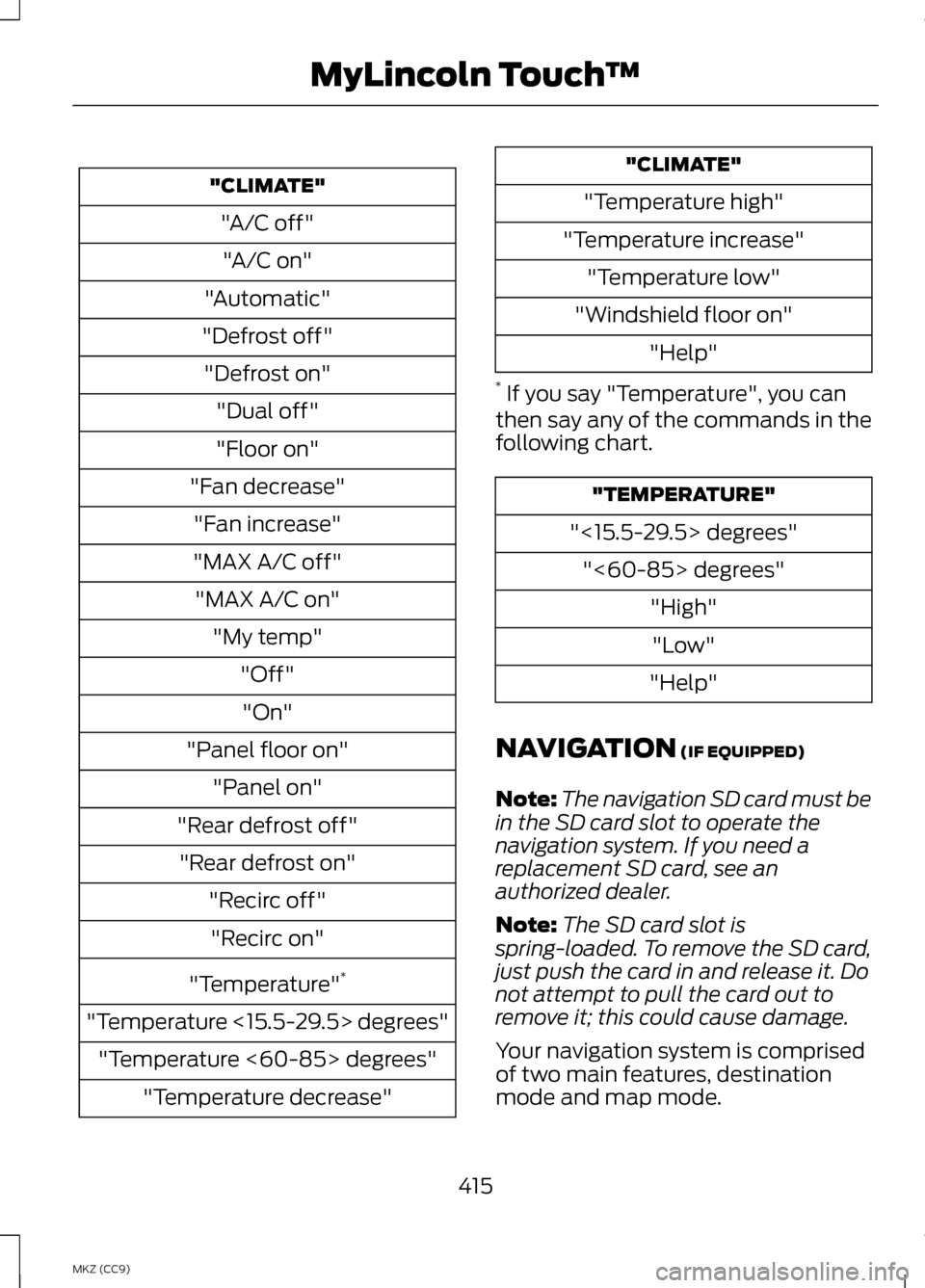
"CLIMATE"
"A/C off""A/C on"
"Automatic"
"Defrost off" "Defrost on" "Dual off"
"Floor on"
"Fan decrease" "Fan increase"
"MAX A/C off" "MAX A/C on" "My temp" "Off""On"
"Panel floor on" "Panel on"
"Rear defrost off" "Rear defrost on" "Recirc off""Recirc on"
"Temperature" *
"Temperature <15.5-29.5> degrees" "Temperature <60-85> degrees" "Temperature decrease" "CLIMATE"
"Temperature high"
"Temperature increase" "Temperature low"
"Windshield floor on" "Help"
* If you say "Temperature", you can
then say any of the commands in the
following chart. "TEMPERATURE"
"<15.5-29.5> degrees" "<60-85> degrees" "High""Low"
"Help"
NAVIGATION (IF EQUIPPED)
Note: The navigation SD card must be
in the SD card slot to operate the
navigation system. If you need a
replacement SD card, see an
authorized dealer.
Note: The SD card slot is
spring-loaded. To remove the SD card,
just push the card in and release it. Do
not attempt to pull the card out to
remove it; this could cause damage.
Your navigation system is comprised
of two main features, destination
mode and map mode.
415
MKZ (CC9) MyLincoln Touch
™
Page 469 of 475
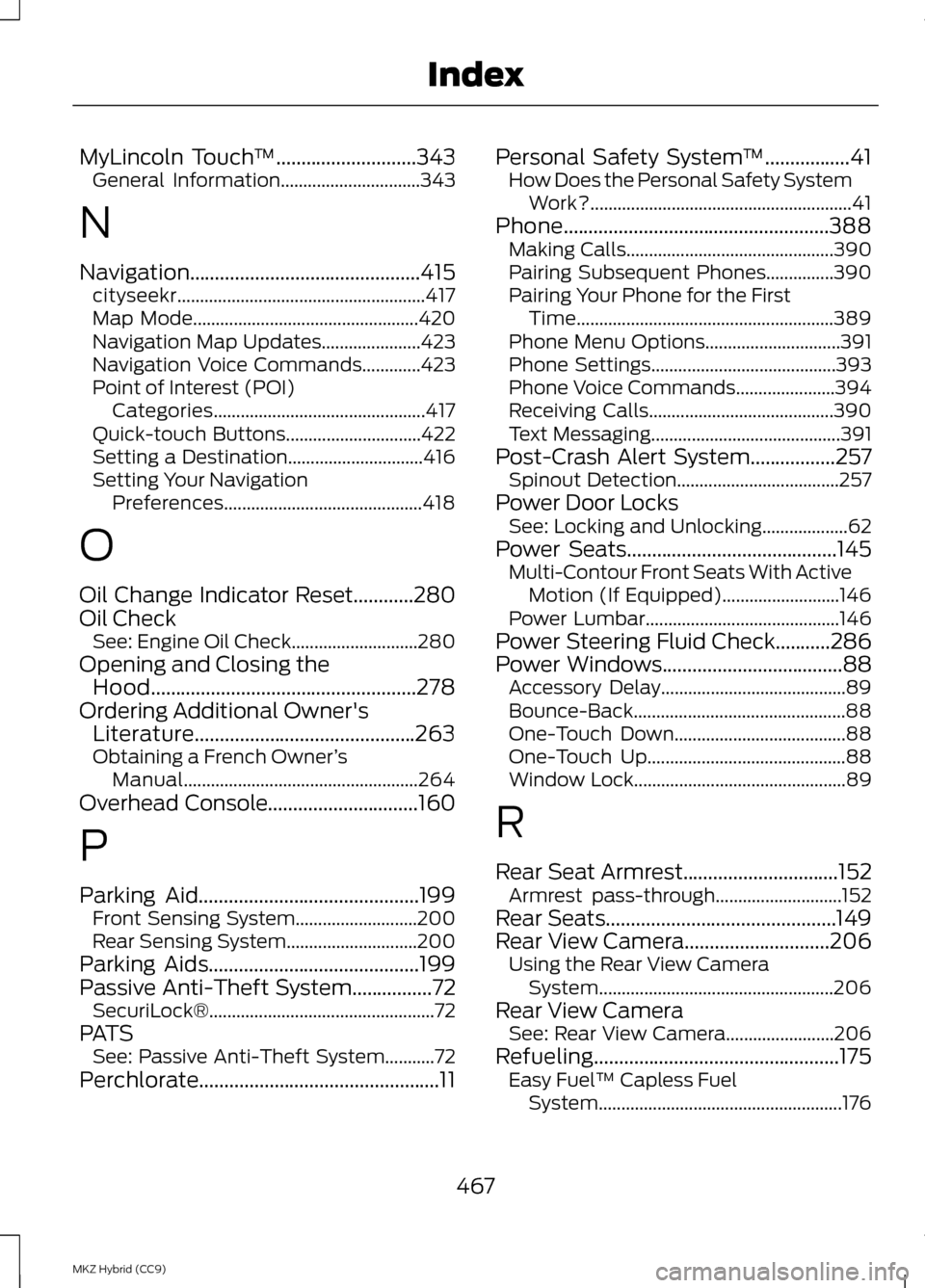
MyLincoln Touch
™............................343
General Information...............................343
N
Navigation..............................................415 cityseekr....................................................... 417
Map Mode.................................................. 420
Navigation Map Updates......................423
Navigation Voice Commands.............423
Point of Interest (POI) Categories............................................... 417
Quick-touch Buttons..............................422
Setting a Destination..............................416
Setting Your Navigation Preferences............................................ 418
O
Oil Change Indicator Reset............280
Oil Check See: Engine Oil Check............................280
Opening and Closing the Hood.....................................................278
Ordering Additional Owner's Literature............................................263
Obtaining a French Owner ’s
Manual.................................................... 264
Overhead Console
..............................160
P
Parking Aid............................................199 Front Sensing System...........................200
Rear Sensing System.............................200
Parking Aids
..........................................199
Passive Anti-Theft System................72
SecuriLock®.................................................. 72
PATS See: Passive Anti-Theft System...........72
Perchlorate................................................11 Personal Safety System
™
.................41
How Does the Personal Safety System
Work?.......................................................... 41
Phone.....................................................388 Making Calls.............................................. 390
Pairing Subsequent Phones...............390
Pairing Your Phone for the First Time......................................................... 389
Phone Menu Options..............................391
Phone Settings.........................................393
Phone Voice Commands......................394
Receiving Calls.........................................390
Text Messaging.......................................... 391
Post-Crash Alert System.................257 Spinout Detection....................................257
Power Door Locks See: Locking and Unlocking...................62
Power Seats
..........................................145
Multi-Contour Front Seats With Active
Motion (If Equipped)..........................146
Power Lumbar........................................... 146
Power Steering Fluid Check...........286
Power Windows
....................................88
Accessory Delay.........................................89
Bounce-Back............................................... 88
One-Touch Down......................................88
One-Touch Up............................................ 88
Window Lock............................................... 89
R
Rear Seat Armrest
...............................152
Armrest pass-through............................152
Rear Seats..............................................149
Rear View Camera.............................206 Using the Rear View Camera
System.................................................... 206
Rear View Camera See: Rear View Camera........................206
Refueling
.................................................175
Easy Fuel ™ Capless Fuel
System...................................................... 176
467
MKZ Hybrid (CC9) Index