brakes LINCOLN MKZ HYBRID 2014 Owners Manual
[x] Cancel search | Manufacturer: LINCOLN, Model Year: 2014, Model line: MKZ HYBRID, Model: LINCOLN MKZ HYBRID 2014Pages: 445, PDF Size: 3.8 MB
Page 5 of 445
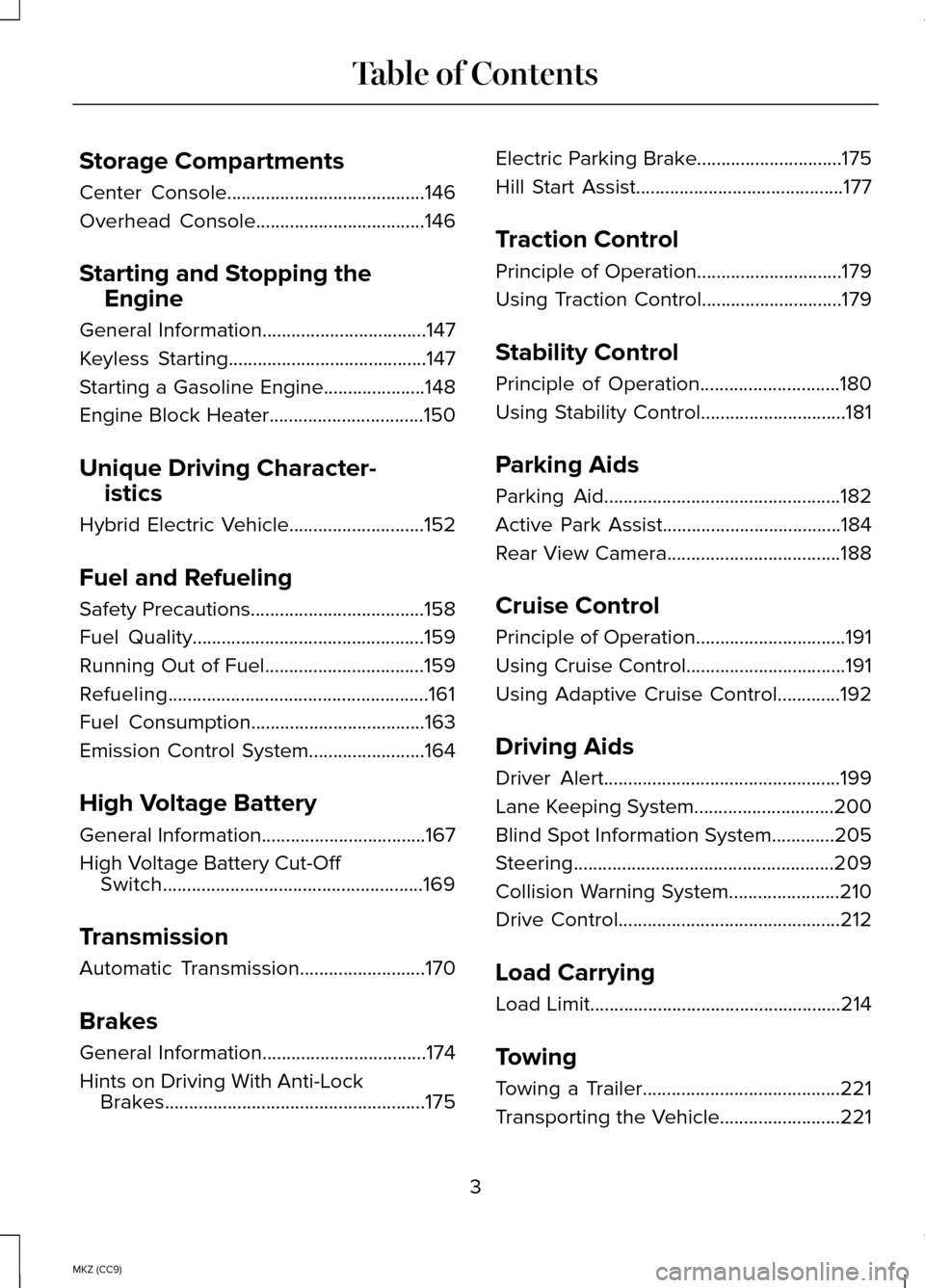
Storage Compartments
Center Console.........................................146
Overhead Console...................................146
Starting and Stopping the Engine
General Information..................................147
Keyless Starting
.........................................147
Starting a Gasoline Engine
.....................148
Engine Block Heater................................150
Unique Driving Character- istics
Hybrid Electric Vehicle............................152
Fuel and Refueling
Safety Precautions
....................................158
Fuel Quality................................................159
Running Out of Fuel.................................159
Refueling......................................................161
Fuel Consumption
....................................163
Emission Control System........................164
High Voltage Battery
General Information..................................167
High Voltage Battery Cut-Off Switch......................................................169
Transmission
Automatic Transmission
..........................170
Brakes
General Information..................................174
Hints on Driving With Anti-Lock Brakes......................................................175 Electric Parking Brake..............................175
Hill Start Assist...........................................177
Traction Control
Principle of Operation
..............................179
Using Traction Control.............................179
Stability Control
Principle of Operation.............................180
Using Stability Control..............................181
Parking Aids
Parking Aid
.................................................182
Active Park Assist
.....................................184
Rear View Camera....................................188
Cruise Control
Principle of Operation...............................191
Using Cruise Control.................................191
Using Adaptive Cruise Control.............192
Driving Aids
Driver Alert
.................................................199
Lane Keeping System.............................200
Blind Spot Information System.............205
Steering......................................................209
Collision Warning System.......................210
Drive Control
..............................................212
Load Carrying
Load Limit
....................................................214
Towing
Towing a Trailer.........................................221
Transporting the Vehicle
.........................221
3
MKZ (CC9) Table of Contents
Page 33 of 445
Restraint of Pregnant Women
WARNING
Always ride and drive with your
seatback upright and the safety belt
properly fastened. The lap portion of the
safety belt should fit snug and be
positioned low across the hips. The
shoulder portion of the safety belt should
be positioned across the chest. Pregnant
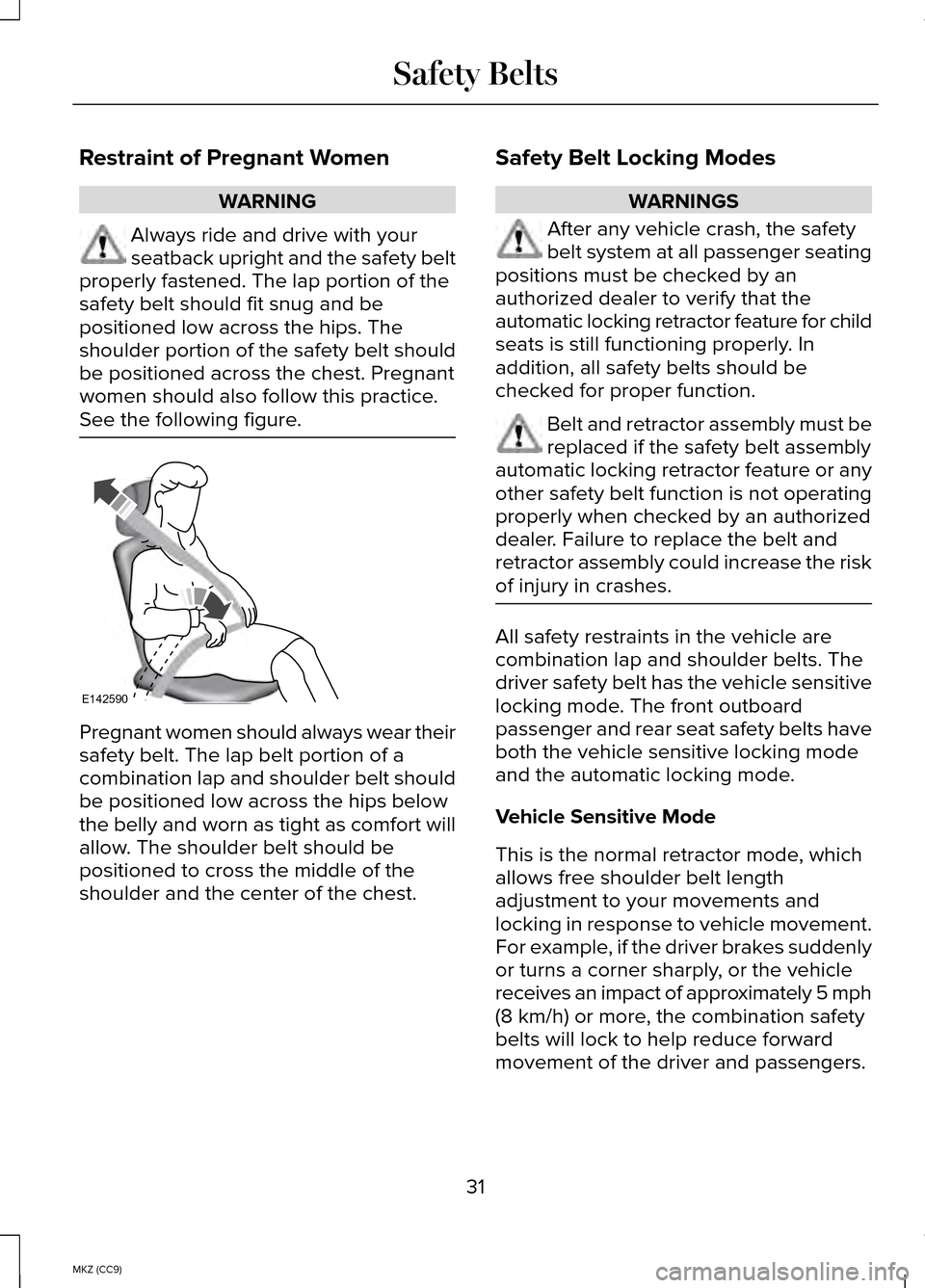
women should also follow this practice.
See the following figure. Pregnant women should always wear their
safety belt. The lap belt portion of a
combination lap and shoulder belt should
be positioned low across the hips below
the belly and worn as tight as comfort will
allow. The shoulder belt should be
positioned to cross the middle of the
shoulder and the center of the chest. Safety Belt Locking Modes WARNINGS
After any vehicle crash, the safety
belt system at all passenger seating
positions must be checked by an
authorized dealer to verify that the
automatic locking retractor feature for child
seats is still functioning properly. In
addition, all safety belts should be
checked for proper function. Belt and retractor assembly must be
replaced if the safety belt assembly
automatic locking retractor feature or any
other safety belt function is not operating
properly when checked by an authorized
dealer. Failure to replace the belt and
retractor assembly could increase the risk
of injury in crashes. All safety restraints in the vehicle are
combination lap and shoulder belts. The
driver safety belt has the vehicle sensitive
locking mode. The front outboard
passenger and rear seat safety belts have
both the vehicle sensitive locking mode
and the automatic locking mode.
Vehicle Sensitive Mode
This is the normal retractor mode, which
allows free shoulder belt length
adjustment to your movements and
locking in response to vehicle movement.
For example, if the driver brakes suddenly
or turns a corner sharply, or the vehicle
receives an impact of approximately 5 mph
(8 km/h) or more, the combination safety
belts will lock to help reduce forward
movement of the driver and passengers.
31
MKZ (CC9) Safety BeltsE142590
Page 92 of 445
Right Information Display
Efficiency Leaves
Efficiency leaves indicate short term
driving efficiency. The more leaves and
vines that are displayed, the better your
fuel economy. Leaves and vines will
occasionally appear and disappear to
indicate a change in driving efficiency.
Note:
The efficiency leaves display can
be impacted by your use of brakes,
accelerator and accessories, as well as
environmental conditions such as hills and
weather.
Flowers
Flowers appear on the efficiency leaves
screen in addition to the leaves and vines.
The flowers indicate long term driving
efficiency. The more flowers that are
displayed, the more efficiently you have
driven. Once earned, the flowers will
remain unless reset. The flowers can be
reset through the information display. See
General Information (page 97).
Common Displays
Fuel Economy Displays:
Displays your average and instantaneous
fuel economy on most Display Mode
screens.
Note: You can reset your average fuel
economy by pressing and holding the
OK
button on the left hand steering wheel
controls. Average fuel economy cannot
be reset while on the MyView screen. •
Average Fuel Economy - is
continuously averaged since the last
reset. You can reset your average fuel
economy by pressing and holding the
OK button on the left hand steering
wheel controls.
• Instantaneous Fuel Economy - If your
instantaneous fuel economy is greater
than the maximum value displayed, a
+ sign will be shown next to the
maximum scale number. When the
vehicle is operating on battery power
only, EV is displayed and the gauge fill
is shown in blue.
Battery Gauge:
Note: Battery gauge information can be
individually selected on or off through
Battery Display in the Options sub-menu.
From any main display a right arrow press
on the steering wheel controls will take
you to the options sub-menu.
The high-voltage battery gauge appears
on the right side of the left information
display screen. This provides Charge Fill
(State of Charge), Charge Assist and
Regen Display.
Charge Fill
The fill level, or State of Charge indicates
the amount of energy stored in the
high-voltage battery as a percent of total
energy capacity. The level will increase or
decrease as the battery charges and
discharges during normal operation.
90
MKZ (CC9) Instrument Cluster
Page 152 of 445
Switching Off the Vehicle When It Is
Moving
WARNING
Switching off the engine when the
vehicle is still moving will result in a
loss of brake and steering assistance. The
steering will not lock, but higher effort will
be required. When the ignition is switched
off, some electrical circuits, warning lamps
and indicators may also be off. 1.
Put the transmission in position N and
use the brakes to bring your vehicle to
a safe stop.
2. When your vehicle has stopped, put the transmission in position P.
3. Press and hold the button for one second, or press it three times within
two seconds.
4. Apply the parking brake.
Guarding Against Exhaust Fumes WARNING
If you smell exhaust fumes inside
your vehicle, have your vehicle
checked by your authorized dealer
immediately. Do not drive your vehicle if
you smell exhaust fumes. Carbon
monoxide is present in exhaust fumes.
Take precautions to avoid its dangerous
effects. Important Ventilating Information
If you stop your vehicle and the leave the
engine idling for long periods of time, we
recommend that you do one of the
following: •
Open the windows at least 1 inch (2.5
centimeters)
• Set your climate control to outside air.
ENGINE BLOCK HEATER (IF EQUIPPED) WARNINGS
Failure to follow engine block heater
instructions could result in property
damage or serious personal injury. Do not use your heater with
ungrounded electrical systems or
two-pronged adapters. There is a risk of
electrical shock. Note:
The heater is most effective when
outdoor temperatures are below 0°F
(-18°C).
The heater acts as a starting aid by
warming the engine coolant. This allows
the climate control system to respond
quickly. The equipment includes a heater
element (installed in the engine block) and
a wire harness. You can connect the
system to a grounded 120-volt AC
electrical source.
150
MKZ (CC9) Starting and Stopping the Engine
Page 174 of 445
The message Stay in Neutral mode
engaged will appear in the instrument
cluster when the vehicle has entered Stay
in Neutral mode.
Note: During this mode the
N button will
flash continuously and the instrument
cluster will display
N as the selected gear.
Exiting Stay in Neutral mode
To disable Stay in Neutral mode put the
vehicle in another gear. See the
Putting
the Vehicle in Gear section for instructions
on how to do this.
Entering a Carwash
Note: Always put the vehicle in Stay in
Neutral mode when entering an automatic
car wash. Failure to do this could result in
vehicle damage that may not be covered
by warranty.
D (Drive)
The normal driving position for the best
fuel economy.
D (Drive) with Grade Assist The grade assist button is
located on the instrument panel
next the MyLincoln Touch
™
system. Press the grade assist button to
activate and deactivate grade assist. Grade assist:
•
Provides additional grade braking with
a combination of engine motoring and
high-voltage battery charging to help
maintain vehicle speed when
descending a grade.
• As the vehicle determines the amount
of engine motoring and high-voltage
battery charging, you may notice the
engine speed increasing and
decreasing to help maintain your
vehicle speed when descending a
grade. The grade assist lamp will
appear in the instrument cluster
when grade assist is turned on.
L (Low)
• Provides maximum engine braking.
• The transmission may be put into
L
(Low) at any vehicle speed.
Brake-Shift Interlock Override WARNINGS
Do not drive your vehicle until you
verify that the brake lamps are
working. When doing this procedure, you will
be taking the vehicle out of park
which means the vehicle can roll freely.
To avoid unwanted vehicle movement,
always fully set the parking brake prior to
doing this procedure. Use wheel chocks
if appropriate. If the parking brake is fully released,
but the brake warning lamp remains
illuminated, the brakes may not be working
properly. See your authorized dealer. 172
MKZ (CC9) TransmissionE144523 E144523
Page 176 of 445
GENERAL INFORMATION
Note:
Occasional brake noise is normal.
If a metal-to-metal, continuous grinding or
continuous squeal sound is present, the
brake linings may be worn-out. Have the
system checked by an authorized dealer.
If the vehicle has continuous vibration or
shudder in the steering wheel while
braking, have it checked by an authorized
dealer.
Note: Brake dust may accumulate on the
wheels, even under normal driving
conditions. Some dust is inevitable as the
brakes wear and does not contribute to
brake noise. See Cleaning the Alloy
Wheels (page 272). See
Warning Lamps and
Indicators (page 91).
Wet brakes result in reduced braking
efficiency. Gently press the brake pedal a
few times when driving from a car wash
or standing water to dry the brakes.
Brake Over Accelerator
In the event the accelerator pedal
becomes stuck or entrapped, apply steady
and firm pressure to the brake pedal to
slow the vehicle and reduce engine power.
If you experience this condition, apply the
brakes and bring your vehicle to a safe
stop. Move the transmission selector lever
to position
P, switch the engine off and
apply the parking brake. Inspect the
accelerator pedal for any interference. If
none are found and the condition persists,
have your vehicle towed to the nearest
authorized dealer. Brake Assist
Brake assist detects when you brake
heavily by measuring the rate at which you
press the brake pedal. It provides
maximum braking efficiency as long as you
press the pedal. Brake assist can reduce
stopping distances in critical situations.
Anti-lock Brake System
This system helps you maintain steering
control during emergency stops by
keeping the brakes from locking.
This lamp momentarily
illuminates when you turn the
ignition on. If the light does not
illuminate during start up, remains on or
flashes, the anti-lock braking system may
be disabled. Have the system checked by
an authorized dealer. If the system is disabled, normal
braking is still effective. If the
brake warning lamp illuminates
when you release the parking brake, have
your system checked by an authorized
dealer.
Regenerative Braking System
This feature is used to simulate the engine
braking of an internal combustion engine
and assist the standard brake system while
recovering some of the energy of motion
and storing it in the battery to improve fuel
economy. The standard brake system is
designed to fully stop the car if
regenerative braking is not available.
During regenerative braking, the motor is
174
MKZ (CC9) BrakesE144522 E144522
Page 177 of 445
spun as a generator to create electrical
current. This recharges the battery and
slows the vehicle. In effect, once the
accelerator pedal is released, the motor
changes from an energy user to an energy
producer.
When you release the accelerator pedal
or press the brake pedal, the brake
controller automatically detects the
amount of deceleration requested and
optimizes how much of the deceleration
will be produced by regenerative braking.
The remaining portion is generated by
standard friction braking. When the battery
is almost fully charged, the amount of
regenerative braking is limited to avoid
overcharging, and the requested
deceleration is produced by standard
friction braking alone.
Regenerative braking does not take the
place of the standard friction brakes; it only
assists them. Regenerative braking has
also been designed to interact with the
anti-lock brake system. Regenerative
braking is disabled when the anti-lock
brake system is activated or the battery is
fully charged.
HINTS ON DRIVING WITH ANTI-
LOCK BRAKES
Note:
When the system is operating, the
brake pedal will pulse and may travel
further. Maintain pressure on the brake
pedal. You may also hear a noise from the
system. This is normal. The anti-lock braking system will not
eliminate the risks when:
•
you drive too closely to the vehicle in
front of you
• your vehicle is hydroplaning
• you take corners too fast
• the road surface is poor.
ELECTRIC PARKING BRAKE
The electric parking brake replaces the
conventional handbrake. The operating
switch is located on the instrument panel
to the left of the steering wheel. WARNING
Always set the parking brake and
leave your vehicle with the
transmission selector in position P. Note:
When you apply the electric parking
brake in certain conditions, for example
on a steep hill, the electric parking brake
may reapply the brakes within three to ten
minutes.
Note: You may notice various noises when
you apply and release the electric parking
brake. This is normal and no cause for
concern.
Applying the electric parking brake WARNING
If the brake system warning lamp
does not illuminate or flashes, there
could be a problem with your electric
parking brake. Have the system checked
by an authorized dealer as soon as
possible. 175
MKZ (CC9) Brakes
Page 178 of 445
Note:
The brake system warning lamp will
illuminate for ten seconds, if the ignition
is turned off after the electric parking
brake has been applied, or the electric
parking brake has been applied after the
ignition has been turned off.
Note: The electric parking brake will not
automatically apply. You must apply the
electric parking brake using the electric
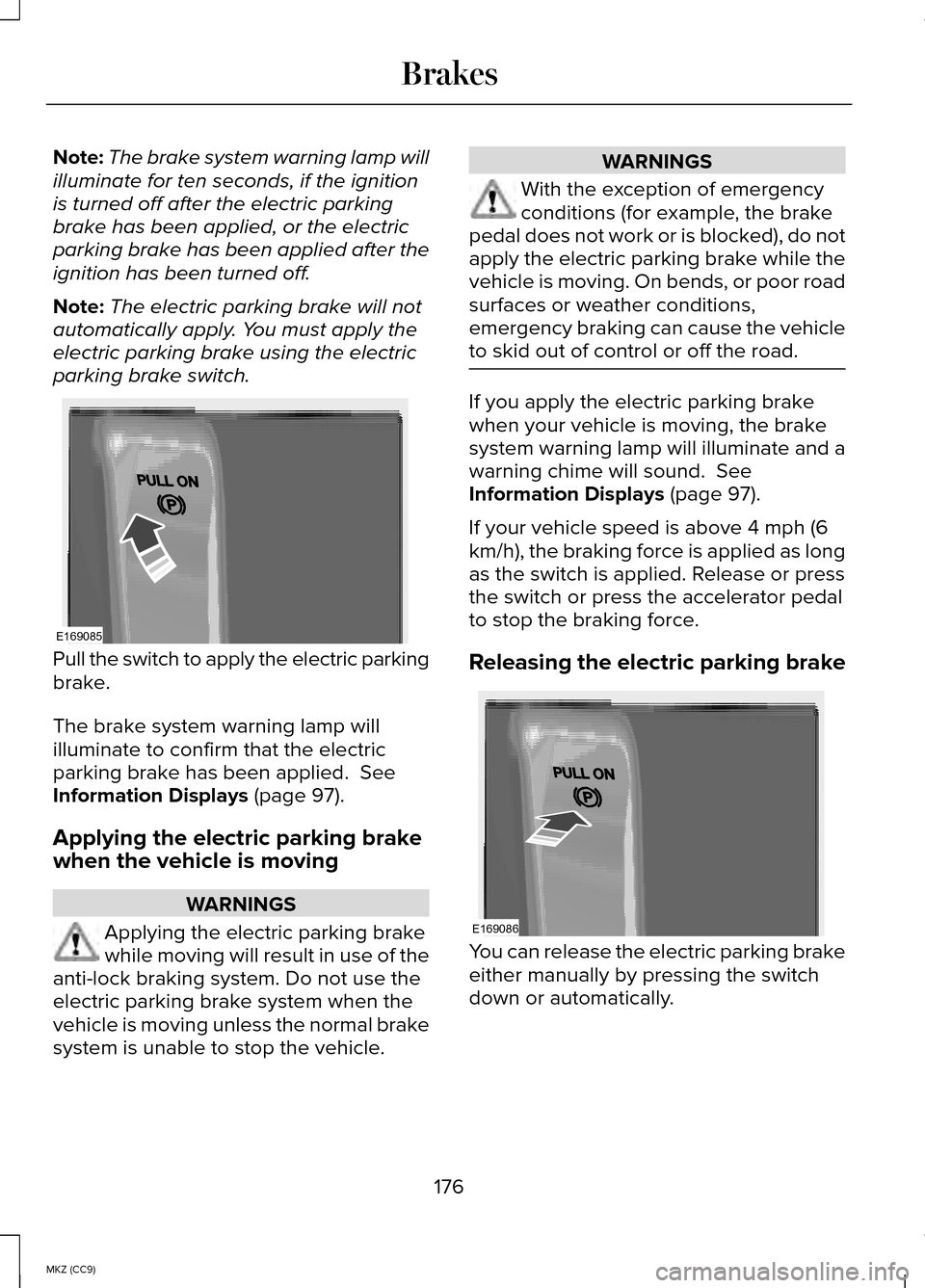
parking brake switch. Pull the switch to apply the electric parking
brake.
The brake system warning lamp will
illuminate to confirm that the electric
parking brake has been applied. See
Information Displays (page 97).
Applying the electric parking brake
when the vehicle is moving WARNINGS
Applying the electric parking brake
while moving will result in use of the
anti-lock braking system. Do not use the
electric parking brake system when the
vehicle is moving unless the normal brake
system is unable to stop the vehicle. WARNINGS
With the exception of emergency
conditions (for example, the brake
pedal does not work or is blocked), do not
apply the electric parking brake while the
vehicle is moving. On bends, or poor road
surfaces or weather conditions,
emergency braking can cause the vehicle
to skid out of control or off the road. If you apply the electric parking brake
when your vehicle is moving, the brake
system warning lamp will illuminate and a
warning chime will sound.
See
Information Displays (page 97).
If your vehicle speed is above 4 mph (6
km/h), the braking force is applied as long
as the switch is applied. Release or press
the switch or press the accelerator pedal
to stop the braking force.
Releasing the electric parking brake You can release the electric parking brake
either manually by pressing the switch
down or automatically.
176
MKZ (CC9) BrakesE169085 E169086
Page 179 of 445
Manual release
WARNING
If the brake system warning light
remains illuminated or flashes after
you have released the parking brake, there
could be a problem with you braking
system. Have the system checked by an
authorized dealer as soon as possible. You can manually release the electric
parking brake by turning the ignition on,
pressing the brake pedal and then
pressing the electric parking brake switch.
When the electric parking brake is
released, the brake system warning lamp
will turn off.
Automatic release - drive away release
Note:
You must close the driver's door and
you must fasten the driver's safety belt
before this feature will operate.
Note: If the electric parking brake warning
lamp stays illuminated, the electric parking
brake will not automatically release. You
must release the electric parking brake
using the electric parking brake switch.
Note: The engine must be running and
you must press the accelerator pedal
before the drive away release feature will
operate.
Note: On hybrid vehicles, the vehicle must
be Ready-to-Drive as indicated by the
green Ready indicator light.
The brake system warning lamp will go off
to confirm that the electric parking brake
has been released. Note:
The electric parking brake drive
away release makes starting on a hill
easier. This feature will release the
parking brake automatically when the
vehicle has sufficient drive force to move
up the hill. To assure drive away release
when starting uphill, press the accelerator
pedal quickly.
Battery With No Charge WARNING
You will not be able to apply or
release the electric parking brake if
the battery is low or has no charge. If the battery is low or has no charge, use
jumper cables and a booster battery.
HILL START ASSIST
WARNINGS
The system does not replace the
parking brake. When you leave your
vehicle, always apply the parking brake
and put the transmission in park (P). You must remain in your vehicle
once you have activated the system.
During all times, you are responsible
for controlling your vehicle,
supervising the system and intervening, if
required. If the engine is revved excessively,
or if a malfunction is detected, the
system will be deactivated. The system makes it easier to pull away
when your vehicle is on a slope without
the need to use the parking brake.
177
MKZ (CC9) Brakes
Page 180 of 445
When the system is active, your vehicle
will remain stationary on the slope for two
to three seconds after you release the
brake pedal. This allows you time to move
your foot from the brake to the accelerator
pedal. The brakes are released
automatically once the engine has
developed sufficient drive to prevent your
vehicle from rolling down the slope. This
is an advantage when pulling away on a
slope, (for example from a car park ramp,
traffic lights or when reversing uphill into
a parking space).
The system will activate automatically on
any slope that will cause significant vehicle
rollback.
Using Hill Start Assist
1. Press the brake pedal to bring your
vehicle to a complete standstill. Keep
the brake pedal pressed.
2. If the sensors detect that your vehicle is on a slope, the system will activate
automatically.
3. When you remove your foot from the brake pedal, your vehicle will remain
on the slope without rolling away for
about two or three seconds. This hold
time will automatically be extended if
you are in the process of driving off.
4. Drive off in the normal manner. The brakes will release automatically.
178
MKZ (CC9) Brakes