ad blue LINCOLN MKZ HYBRID 2016 User Guide
[x] Cancel search | Manufacturer: LINCOLN, Model Year: 2016, Model line: MKZ HYBRID, Model: LINCOLN MKZ HYBRID 2016Pages: 543, PDF Size: 5.04 MB
Page 422 of 543
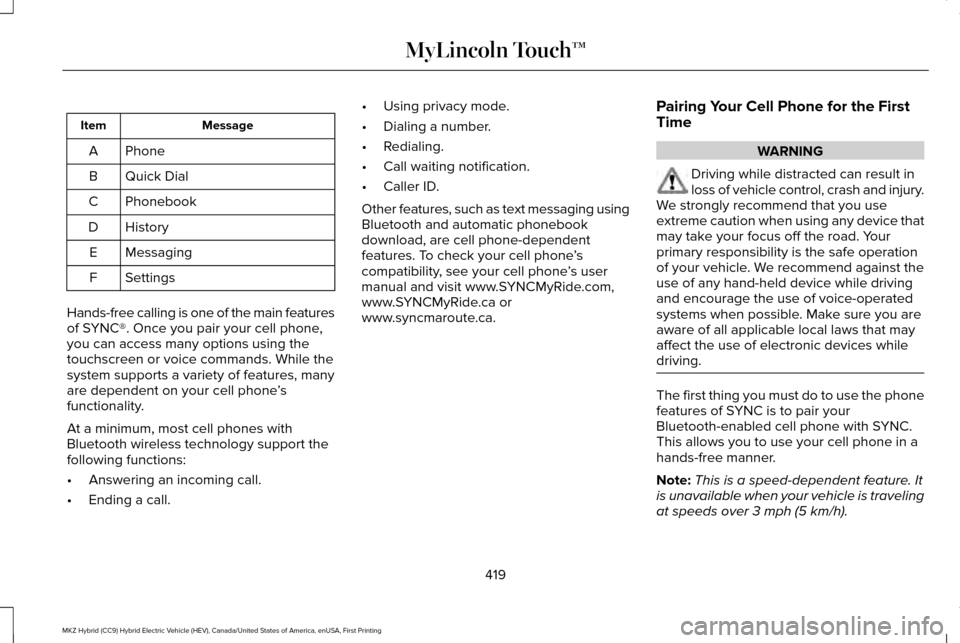
Message
Item
Phone
A
Quick Dial
B
Phonebook
C
History
D
Messaging
E
Settings
F
Hands-free calling is one of the main features
of SYNC®. Once you pair your cell phone,
you can access many options using the
touchscreen or voice commands. While the
system supports a variety of features, many
are dependent on your cell phone ’s
functionality.
At a minimum, most cell phones with
Bluetooth wireless technology support the
following functions:
• Answering an incoming call.
• Ending a call. •
Using privacy mode.
• Dialing a number.
• Redialing.
• Call waiting notification.
• Caller ID.
Other features, such as text messaging using
Bluetooth and automatic phonebook
download, are cell phone-dependent
features. To check your cell phone ’s
compatibility, see your cell phone ’s user
manual and visit www.SYNCMyRide.com,
www.SYNCMyRide.ca or
www.syncmaroute.ca. Pairing Your Cell Phone for the First
Time WARNING
Driving while distracted can result in
loss of vehicle control, crash and injury.
We strongly recommend that you use
extreme caution when using any device that
may take your focus off the road. Your
primary responsibility is the safe operation
of your vehicle. We recommend against the
use of any hand-held device while driving
and encourage the use of voice-operated
systems when possible. Make sure you are
aware of all applicable local laws that may
affect the use of electronic devices while
driving. The first thing you must do to use the phone
features of SYNC is to pair your
Bluetooth-enabled cell phone with SYNC.
This allows you to use your cell phone in a
hands-free manner.
Note:
This is a speed-dependent feature. It
is unavailable when your vehicle is traveling
at speeds over 3 mph (5 km/h).
419
MKZ Hybrid (CC9) Hybrid Electric Vehicle (HEV), Canada/United States of America, enUSA, First Printing MyLincoln Touch™
Page 423 of 543
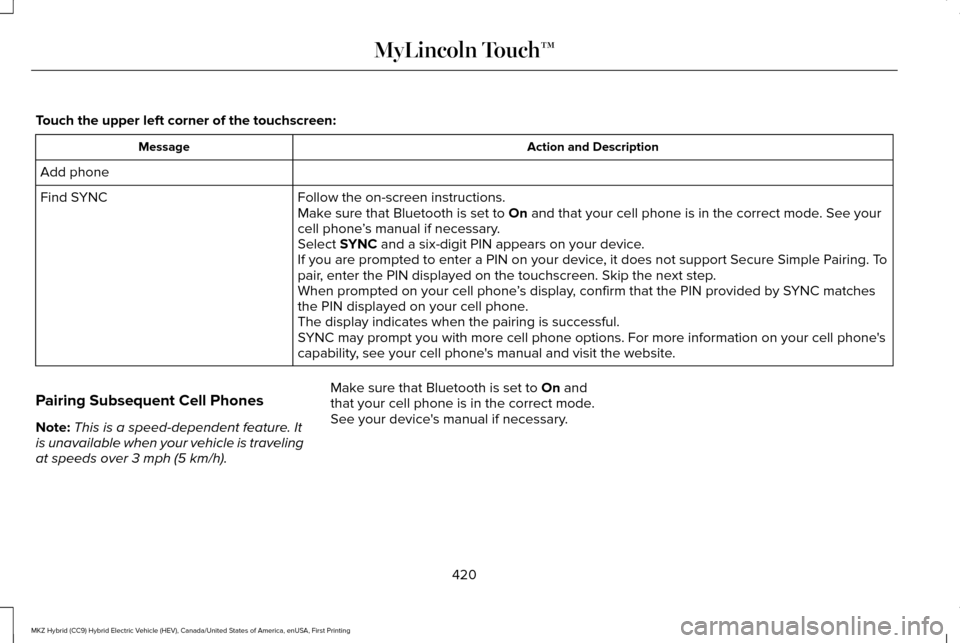
Touch the upper left corner of the touchscreen:
Action and Description
Message
Add phone Follow the on-screen instructions.
Find SYNC
Make sure that Bluetooth is set to On and that your cell phone is in the correct mode. See your
cell phone ’s manual if necessary.
Select
SYNC and a six-digit PIN appears on your device.
If you are prompted to enter a PIN on your device, it does not support Secure Simple Pairing. To
pair, enter the PIN displayed on the touchscreen. Skip the next step.
When prompted on your cell phone ’s display, confirm that the PIN provided by SYNC matches
the PIN displayed on your cell phone.
The display indicates when the pairing is successful.
SYNC may prompt you with more cell phone options. For more information on\
your cell phone's
capability, see your cell phone's manual and visit the website.
Pairing Subsequent Cell Phones
Note: This is a speed-dependent feature. It
is unavailable when your vehicle is traveling
at speeds over
3 mph (5 km/h). Make sure that Bluetooth is set to
On and
that your cell phone is in the correct mode.
See your device's manual if necessary.
420
MKZ Hybrid (CC9) Hybrid Electric Vehicle (HEV), Canada/United States of America, enUSA, First Printing MyLincoln Touch™
Page 424 of 543
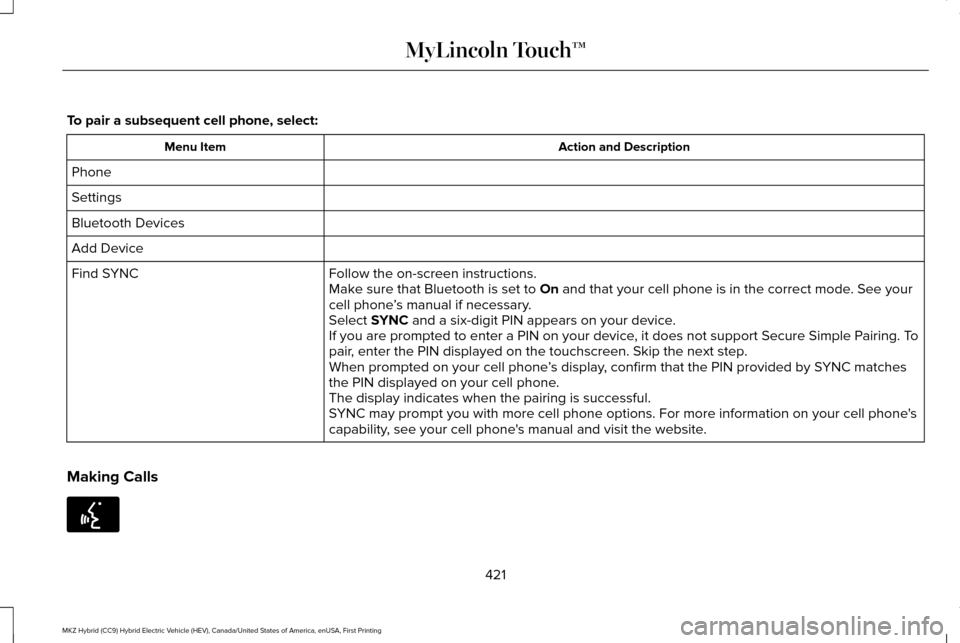
To pair a subsequent cell phone, select:
Action and Description
Menu Item
Phone
Settings
Bluetooth Devices
Add Device Follow the on-screen instructions.
Find SYNC
Make sure that Bluetooth is set to On and that your cell phone is in the correct mode. See your
cell phone ’s manual if necessary.
Select
SYNC and a six-digit PIN appears on your device.
If you are prompted to enter a PIN on your device, it does not support Secure Simple Pairing. To
pair, enter the PIN displayed on the touchscreen. Skip the next step.
When prompted on your cell phone ’s display, confirm that the PIN provided by SYNC matches
the PIN displayed on your cell phone.
The display indicates when the pairing is successful.
SYNC may prompt you with more cell phone options. For more information on\
your cell phone's
capability, see your cell phone's manual and visit the website.
Making Calls 421
MKZ Hybrid (CC9) Hybrid Electric Vehicle (HEV), Canada/United States of America, enUSA, First Printing MyLincoln Touch™E142599
Page 426 of 543

Action and Description
Menu Item
Privacy
Join Calls
End
Select to call stored contacts.
Quick Dial
Touch this button to access and call any contacts in your previously down\
loaded phonebook. The
system places the entries in alphabetical categories summarized at the t\
op of the screen
Phonebook
To turn on contact picture settings, if your device supports this feature\
, select:
Phone
Settings
Manage Phonebook
Display Photos from Phonebook
Certain smartphones may support transferring street addresses when liste\
d with phonebook contact
information. If your cell phone supports this feature, you can select and use these addresses as
destinations and save them as favorites.
Note: This is a cell phone-dependent feature. If your cell phone does not support downloading call
history using Bluetooth, SYNC keeps track of calls made with the SYNC system.
Call History
After you connect your Bluetooth-enabled cell phone to SYNC, you can access any previously
dialed, received or missed calls. You can also choose to save these to:
423
MKZ Hybrid (CC9) Hybrid Electric Vehicle (HEV), Canada/United States of America, enUSA, First Printing MyLincoln Touch™
Page 427 of 543
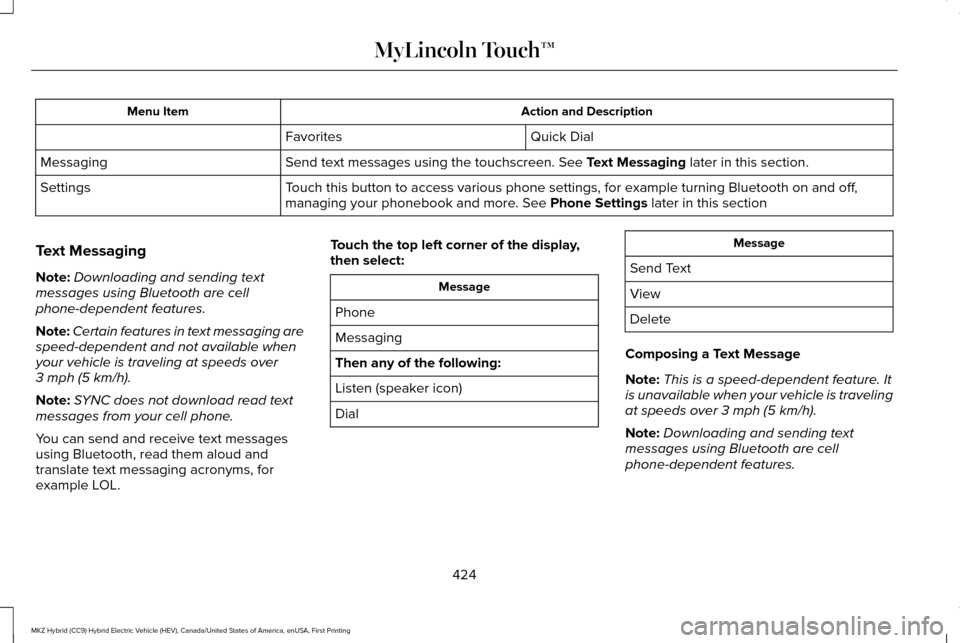
Action and Description
Menu Item
Quick Dial
Favorites
Send text messages using the touchscreen. See Text Messaging later in this section.
Messaging
Touch this button to access various phone settings, for example turning B\
luetooth on and off,
managing your phonebook and more. See
Phone Settings later in this section
Settings
Text Messaging
Note: Downloading and sending text
messages using Bluetooth are cell
phone-dependent features.
Note: Certain features in text messaging are
speed-dependent and not available when
your vehicle is traveling at speeds over
3 mph (5 km/h)
.
Note: SYNC does not download read text
messages from your cell phone.
You can send and receive text messages
using Bluetooth, read them aloud and
translate text messaging acronyms, for
example LOL. Touch the top left corner of the display,
then select: Message
Phone
Messaging
Then any of the following:
Listen (speaker icon)
Dial Message
Send Text
View
Delete
Composing a Text Message
Note: This is a speed-dependent feature. It
is unavailable when your vehicle is traveling
at speeds over
3 mph (5 km/h).
Note: Downloading and sending text
messages using Bluetooth are cell
phone-dependent features.
424
MKZ Hybrid (CC9) Hybrid Electric Vehicle (HEV), Canada/United States of America, enUSA, First Printing MyLincoln Touch™
Page 429 of 543
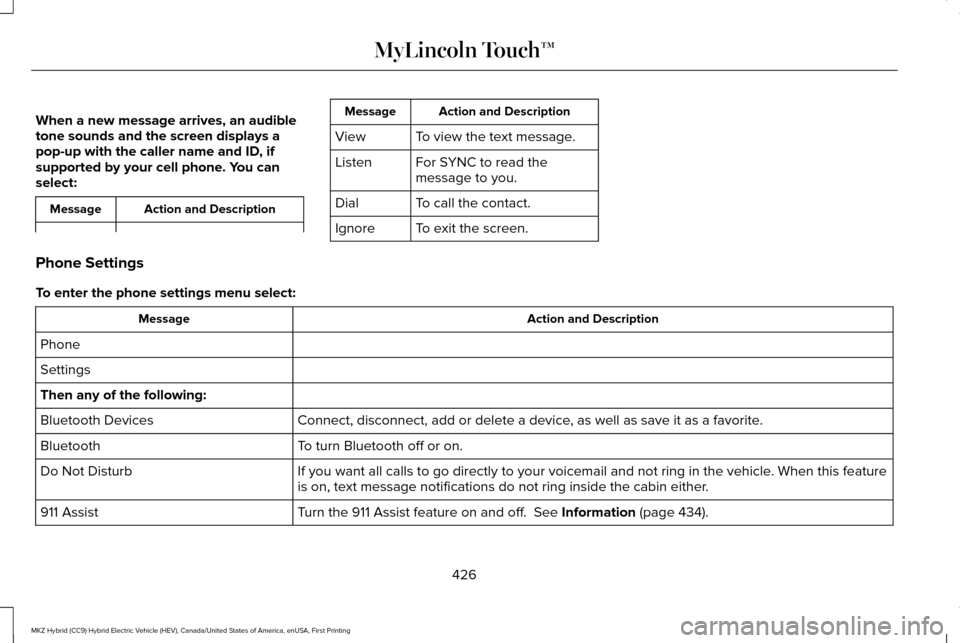
When a new message arrives, an audible
tone sounds and the screen displays a
pop-up with the caller name and ID, if
supported by your cell phone. You can
select:
Action and Description
Message Action and Description
Message
To view the text message.
View
For SYNC to read the
message to you.
Listen
To call the contact.
Dial
To exit the screen.
Ignore
Phone Settings
To enter the phone settings menu select: Action and Description
Message
Phone
Settings
Then any of the following: Connect, disconnect, add or delete a device, as well as save it as a favorite.
Bluetooth Devices
To turn Bluetooth off or on.
Bluetooth
If you want all calls to go directly to your voicemail and not ring in t\
he vehicle. When this feature
is on, text message notifications do not ring inside the cabin either.
Do Not Disturb
Turn the 911 Assist feature on and off. See Information (page 434).
911 Assist
426
MKZ Hybrid (CC9) Hybrid Electric Vehicle (HEV), Canada/United States of America, enUSA, First Printing MyLincoln Touch™
Page 434 of 543
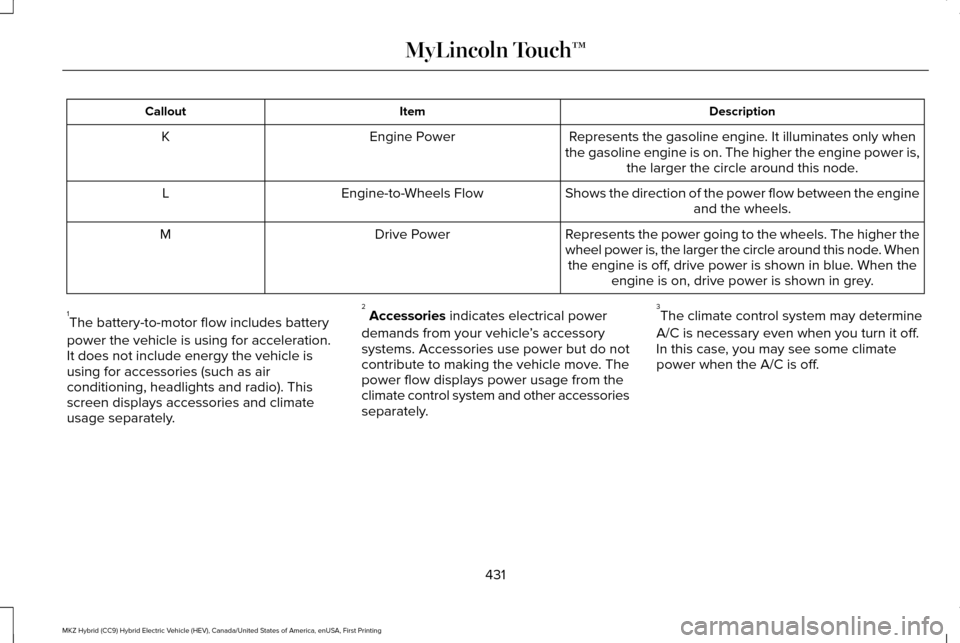
Description
Item
Callout
Represents the gasoline engine. It illuminates only when
the gasoline engine is on. The higher the engine power is, the larger the circle around this node.
Engine Power
K
Shows the direction of the power flow between the engineand the wheels.
Engine-to-Wheels Flow
L
Represents the power going to the wheels. The higher the
wheel power is, the larger the circle around this node. Whenthe engine is off, drive power is shown in blue. When the engine is on, drive power is shown in grey.
Drive Power
M
1 The battery-to-motor flow includes battery
power the vehicle is using for acceleration.
It does not include energy the vehicle is
using for accessories (such as air
conditioning, headlights and radio). This
screen displays accessories and climate
usage separately. 2
Accessories indicates electrical power
demands from your vehicle ’s accessory
systems. Accessories use power but do not
contribute to making the vehicle move. The
power flow displays power usage from the
climate control system and other accessories
separately. 3
The climate control system may determine
A/C is necessary even when you turn it off.
In this case, you may see some climate
power when the A/C is off.
431
MKZ Hybrid (CC9) Hybrid Electric Vehicle (HEV), Canada/United States of America, enUSA, First Printing MyLincoln Touch™
Page 438 of 543
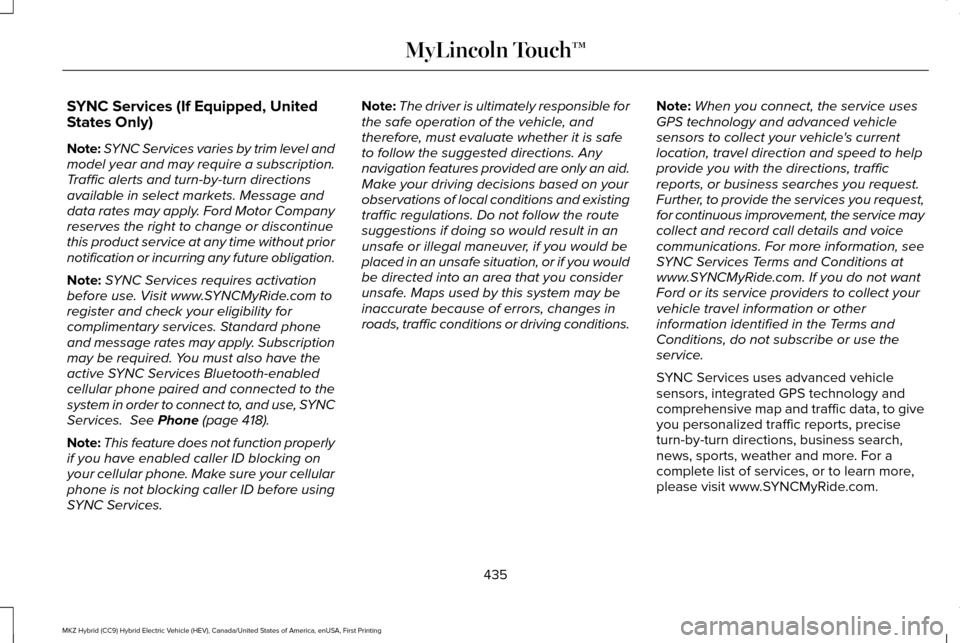
SYNC Services (If Equipped, United
States Only)
Note:
SYNC Services varies by trim level and
model year and may require a subscription.
Traffic alerts and turn-by-turn directions
available in select markets. Message and
data rates may apply. Ford Motor Company
reserves the right to change or discontinue
this product service at any time without prior
notification or incurring any future obligation.
Note: SYNC Services requires activation
before use. Visit www.SYNCMyRide.com to
register and check your eligibility for
complimentary services. Standard phone
and message rates may apply. Subscription
may be required. You must also have the
active SYNC Services Bluetooth-enabled
cellular phone paired and connected to the
system in order to connect to, and use, SYNC
Services. See Phone (page 418).
Note: This feature does not function properly
if you have enabled caller ID blocking on
your cellular phone. Make sure your cellular
phone is not blocking caller ID before using
SYNC Services. Note:
The driver is ultimately responsible for
the safe operation of the vehicle, and
therefore, must evaluate whether it is safe
to follow the suggested directions. Any
navigation features provided are only an aid.
Make your driving decisions based on your
observations of local conditions and existing
traffic regulations. Do not follow the route
suggestions if doing so would result in an
unsafe or illegal maneuver, if you would be
placed in an unsafe situation, or if you would
be directed into an area that you consider
unsafe. Maps used by this system may be
inaccurate because of errors, changes in
roads, traffic conditions or driving conditions. Note:
When you connect, the service uses
GPS technology and advanced vehicle
sensors to collect your vehicle's current
location, travel direction and speed to help
provide you with the directions, traffic
reports, or business searches you request.
Further, to provide the services you request,
for continuous improvement, the service may
collect and record call details and voice
communications. For more information, see
SYNC Services Terms and Conditions at
www.SYNCMyRide.com. If you do not want
Ford or its service providers to collect your
vehicle travel information or other
information identified in the Terms and
Conditions, do not subscribe or use the
service.
SYNC Services uses advanced vehicle
sensors, integrated GPS technology and
comprehensive map and traffic data, to give
you personalized traffic reports, precise
turn-by-turn directions, business search,
news, sports, weather and more. For a
complete list of services, or to learn more,
please visit www.SYNCMyRide.com.
435
MKZ Hybrid (CC9) Hybrid Electric Vehicle (HEV), Canada/United States of America, enUSA, First Printing MyLincoln Touch™
Page 439 of 543
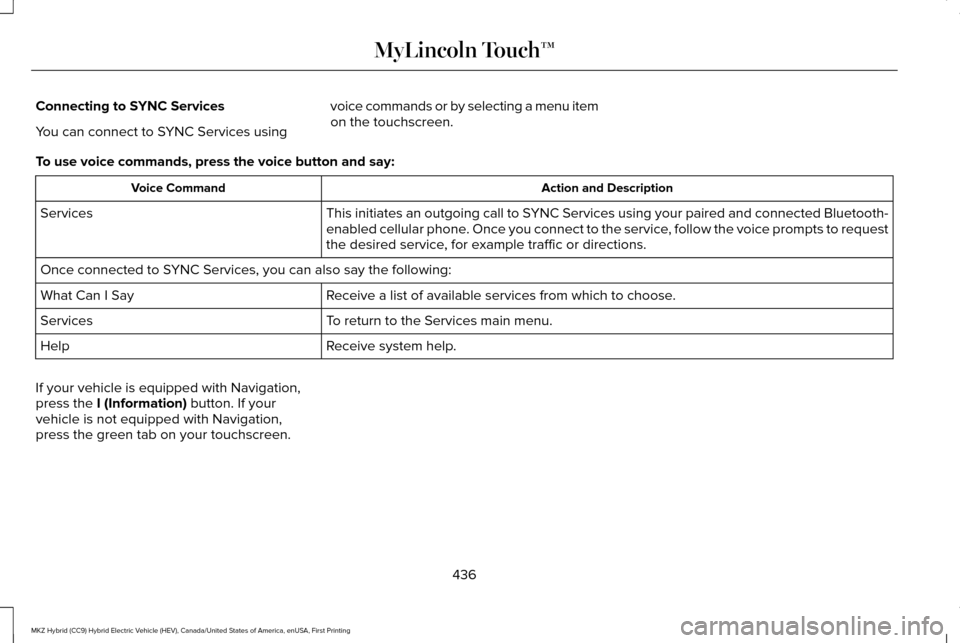
Connecting to SYNC Services
You can connect to SYNC Services using
voice commands or by selecting a menu item
on the touchscreen.
To use voice commands, press the voice button and say: Action and Description
Voice Command
This initiates an outgoing call to SYNC Services using your paired and connected Bluetooth-
enabled cellular phone. Once you connect to the service, follow the voice prompts to request
the desired service, for example traffic or directions.
Services
Once connected to SYNC Services, you can also say the following:
Receive a list of available services from which to choose.
What Can I Say
To return to the Services main menu.
Services
Receive system help.
Help
If your vehicle is equipped with Navigation,
press the I (Information) button. If your
vehicle is not equipped with Navigation,
press the green tab on your touchscreen.
436
MKZ Hybrid (CC9) Hybrid Electric Vehicle (HEV), Canada/United States of America, enUSA, First Printing MyLincoln Touch™
Page 440 of 543
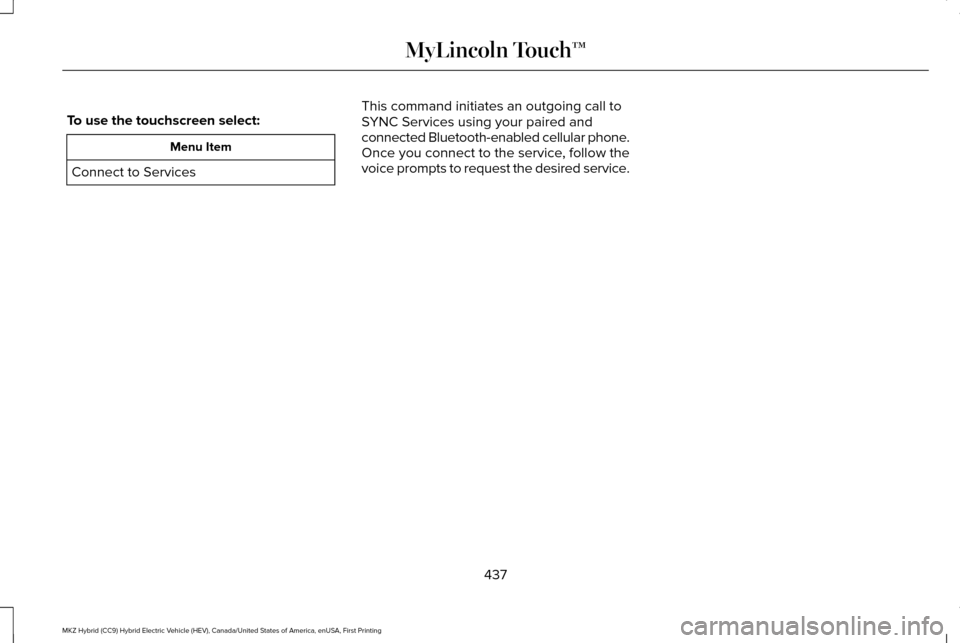
To use the touchscreen select:
Menu Item
Connect to Services This command initiates an outgoing call to
SYNC Services using your paired and
connected Bluetooth-enabled cellular phone.
Once you connect to the service, follow the
voice prompts to request the desired service.
437
MKZ Hybrid (CC9) Hybrid Electric Vehicle (HEV), Canada/United States of America, enUSA, First Printing MyLincoln Touch™