warning lights LINCOLN MKZ HYBRID 2017 User Guide
[x] Cancel search | Manufacturer: LINCOLN, Model Year: 2017, Model line: MKZ HYBRID, Model: LINCOLN MKZ HYBRID 2017Pages: 546, PDF Size: 5.12 MB
Page 202 of 546
AUTO HOLD
WARNINGS
The system does not replace the
parking brake. When you leave your
vehicle, always apply the parking brake. You must remain in your vehicle when
the system turns on. At all times, you
are responsible for controlling your vehicle,
supervising the system and intervening, if
required. Failure to take care may result in
the loss of control of your vehicle, serious
personal injury or death. The system will turn off if a malfunction
is apparent. Failure to take care may
result in the loss of control of your vehicle,
serious personal injury or death. Auto Hold is a feature that uses your
vehicle's brake to hold your vehicle at a stop
once your vehicle has reached a standstill
condition. For example, Auto Hold can assist
you while stopping at traffic lights or while
in traffic jams by holding the brake pressure
for you once you bring your vehicle to a stop. Switch Auto Hold off during vehicle or trailer
towing.
Note:
In case of a malfunction in the system
while Auto Hold actively holds the vehicle
(for example, low power supply), a message
appears in the information display. If you see
this message, press the brake pedal
immediately.
Note: Auto Hold only activates if the system
recognizes it is applying enough brake
pressure. On a steep hill or incline, you may
need to press the brake pedal to activate
the Auto Hold system.
Note: When the parking brake automatically
applies, the red brake lamp appears. This is
normal. When you press the accelerator
pedal, the drive away release feature
automatically releases the parking brake.
Note: Auto Hold works on all road gradients
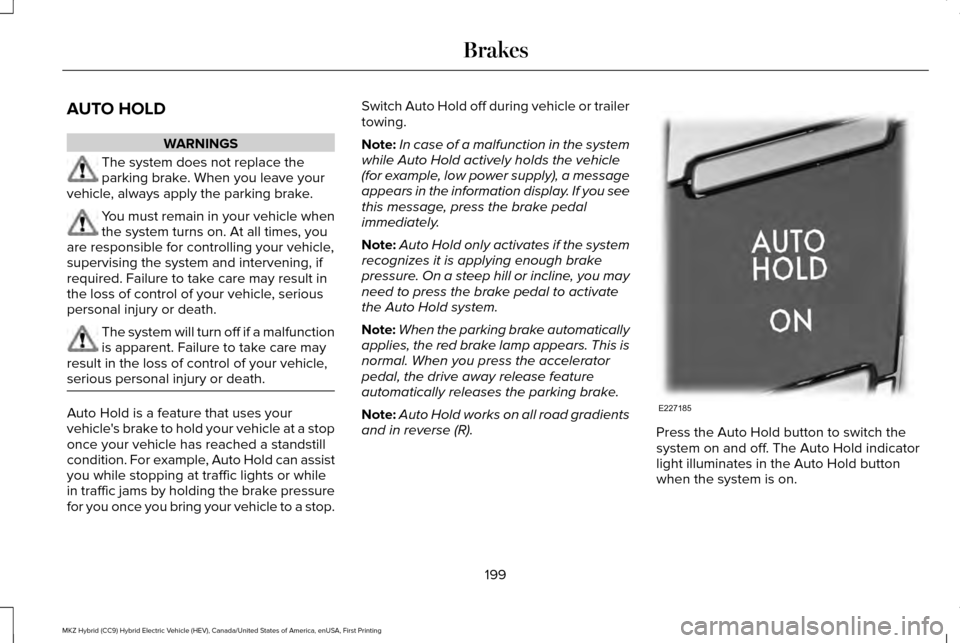
and in reverse (R). Press the Auto Hold button to switch the
system on and off. The Auto Hold indicator
light illuminates in the Auto Hold button
when the system is on.
199
MKZ Hybrid (CC9) Hybrid Electric Vehicle (HEV), Canada/United States of America, enUSA, First Printing BrakesE227185
Page 204 of 546
PRINCIPLE OF OPERATION
The traction control system helps avoid drive
wheel spin and loss of traction.
If your vehicle begins to slide, the system
applies the brakes to individual wheels and,
when needed, reduces engine power at the
same time. If the wheels spin when
accelerating on slippery or loose surfaces,
the system reduces engine power in order
to increase traction.
USING TRACTION CONTROL WARNING
The stability and traction control light
illuminates steadily if the system
detects a failure. Make sure you did not
manually disable the traction control system
using the information display controls or the
switch. If the stability control and traction
control light is still illuminating steadily, have
the system serviced by an authorized dealer
immediately. Operating your vehicle with the
traction control disabled could lead to an
increased risk of loss of vehicle control,
vehicle rollover, personal injury and death. The system automatically turns on each time
you switch the ignition on.
If your vehicle is stuck in mud or snow,
switching traction control off may be
beneficial as this allows the wheels to spin.
Note:
When you switch traction control off,
stability control remains fully active. Switching the System Off
When you switch the system off or on, a
message appears in the information display
showing system status.
You can switch the system off by either using
the information display controls or the switch.
Using the Information Display Controls
You can switch this feature off or on in the
information display. See General Information
(page 108).
Using a Switch
(If Equipped)
Use the traction control switch on the
instrument panel to switch the system off or
on.
System Indicator Lights and Messages The stability and traction control
light:
201
MKZ Hybrid (CC9) Hybrid Electric Vehicle (HEV), Canada/United States of America, enUSA, First Printing Traction ControlE138639
Page 222 of 546
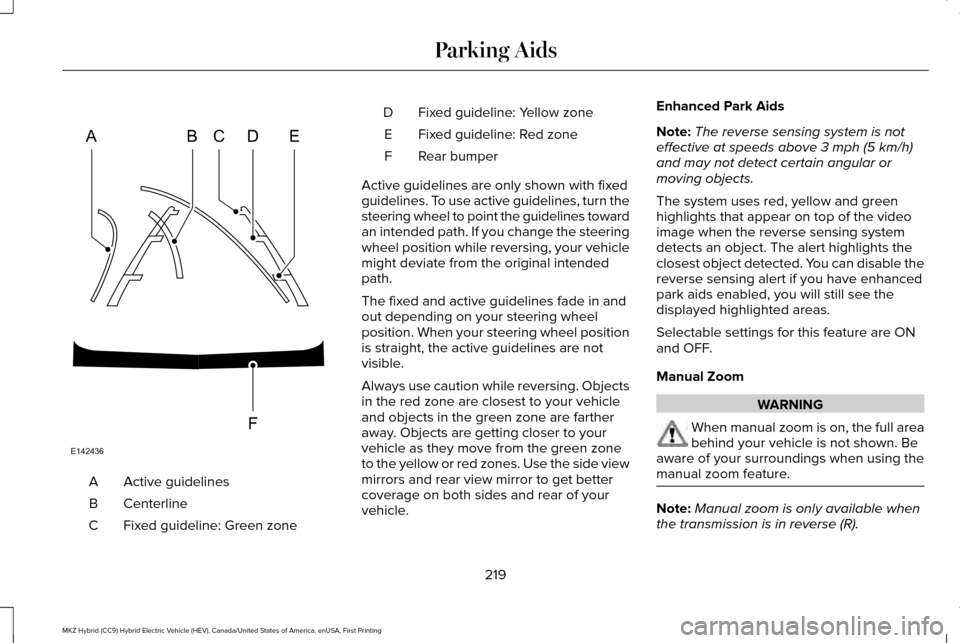
Active guidelines
A
Centerline
B
Fixed guideline: Green zone
C Fixed guideline: Yellow zone
D
Fixed guideline: Red zone
E
Rear bumper
F
Active guidelines are only shown with fixed
guidelines. To use active guidelines, turn the
steering wheel to point the guidelines toward
an intended path. If you change the steering
wheel position while reversing, your vehicle
might deviate from the original intended
path.
The fixed and active guidelines fade in and
out depending on your steering wheel
position. When your steering wheel position
is straight, the active guidelines are not
visible.
Always use caution while reversing. Objects
in the red zone are closest to your vehicle
and objects in the green zone are farther
away. Objects are getting closer to your
vehicle as they move from the green zone
to the yellow or red zones. Use the side view
mirrors and rear view mirror to get better
coverage on both sides and rear of your
vehicle. Enhanced Park Aids
Note:
The reverse sensing system is not
effective at speeds above 3 mph (5 km/h)
and may not detect certain angular or
moving objects.
The system uses red, yellow and green
highlights that appear on top of the video
image when the reverse sensing system
detects an object. The alert highlights the
closest object detected. You can disable the
reverse sensing alert if you have enhanced
park aids enabled, you will still see the
displayed highlighted areas.
Selectable settings for this feature are ON
and OFF.
Manual Zoom WARNING
When manual zoom is on, the full area
behind your vehicle is not shown. Be
aware of your surroundings when using the
manual zoom feature. Note:
Manual zoom is only available when
the transmission is in reverse (R).
219
MKZ Hybrid (CC9) Hybrid Electric Vehicle (HEV), Canada/United States of America, enUSA, First Printing Parking AidsABCD
F
E
E142436
Page 240 of 546
BLIND SPOT INFORMATION
SYSTEM
WARNING
To help avoid injuries, NEVER use the
Blind Spot Information System as a
replacement for using the interior and
exterior mirrors or looking over your shoulder
before changing lanes. The Blind Spot
Information System is not a replacement for
careful driving. The Blind Spot Information System is
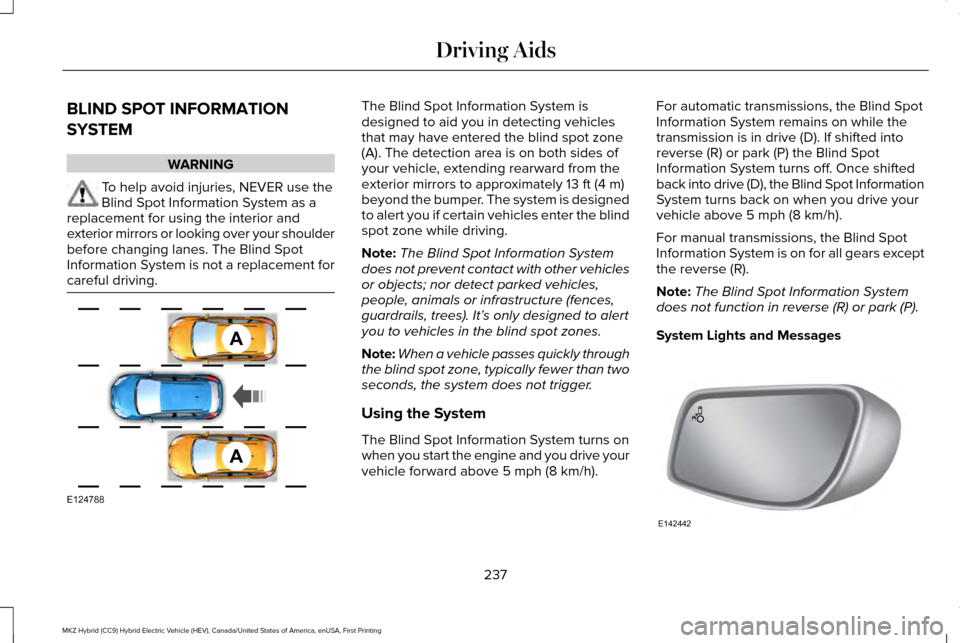
designed to aid you in detecting vehicles
that may have entered the blind spot zone
(A). The detection area is on both sides of
your vehicle, extending rearward from the
exterior mirrors to approximately 13 ft (4 m)
beyond the bumper. The system is designed
to alert you if certain vehicles enter the blind
spot zone while driving.
Note: The Blind Spot Information System
does not prevent contact with other vehicles
or objects; nor detect parked vehicles,
people, animals or infrastructure (fences,
guardrails, trees). It’ s only designed to alert
you to vehicles in the blind spot zones.
Note: When a vehicle passes quickly through
the blind spot zone, typically fewer than two
seconds, the system does not trigger.
Using the System
The Blind Spot Information System turns on
when you start the engine and you drive your
vehicle forward above
5 mph (8 km/h). For automatic transmissions, the Blind Spot
Information System remains on while the
transmission is in drive (D). If shifted into
reverse (R) or park (P) the Blind Spot
Information System turns off. Once shifted
back into drive (D), the Blind Spot Information
System turns back on when you drive your
vehicle above
5 mph (8 km/h).
For manual transmissions, the Blind Spot
Information System is on for all gears except
the reverse (R).
Note: The Blind Spot Information System
does not function in reverse (R) or park (P).
System Lights and Messages 237
MKZ Hybrid (CC9) Hybrid Electric Vehicle (HEV), Canada/United States of America, enUSA, First Printing Driving AidsA
A
E124788 E142442
Page 247 of 546
If your vehicle loses electrical power while
you are driving, electric power steering
assistance is lost. The steering system still
operates and you can steer your vehicle
manually. Manually steering your vehicle
requires more effort.
Extreme continuous steering may increase
the effort required for you to steer your
vehicle. This increased effort prevents
overheating and permanent damage to the
steering system. You do not lose the ability
to steer your vehicle manually. Typical
steering and driving maneuvers allow the
system to cool and return to normal
operation.
Steering Tips
If the steering wanders or pulls, check for:
•
Correct tire pressures.
• Uneven tire wear.
• Loose or worn suspension components.
• Loose or worn steering components.
• Improper vehicle alignment. Note:
A high crown in the road or high
crosswinds may also make the steering
seem to wander or pull.
Adaptive Learning
The electronic power steering system
adaptive learning helps correct road
irregularities and improves overall handling
and steering feel. It communicates with the
brake system to help operate advanced
stability control and accident avoidance
systems. Additionally, whenever the battery
is disconnected or a new battery installed,
you must drive your vehicle a short distance
before the system relearns the strategy and
reactivates all systems.
PRE-COLLISION ASSIST WARNINGS
At all times, you are responsible for
controlling your vehicle, supervising
the system and intervening, if required.
Failure to take care may result in the loss of
control of your vehicle, serious personal
injury or death. WARNINGS
The system does not detect cyclists,
animals, pedestrians at night or
vehicles that are driving in a different
direction. Failure to take care may result in
the loss of control of your vehicle, serious
personal injury or death. The system does not operate during
hard acceleration or steering. Failure
to take care may lead to a crash or personal
injury. The system may fail or operate with
reduced function during cold and
severe weather conditions. Snow, ice, rain,
spray and fog can adversely affect the
system. Keep the front camera and radar free
of snow and ice. Failure to take care may
result in the loss of control of your vehicle,
serious personal injury or death. In situations where the vehicle camera
has limited detection capability, this
may reduce system performance. These
situations include but are not limited to direct
or low sunlight, vehicles at night without tail
lights, unconventional vehicle types,
244
MKZ Hybrid (CC9) Hybrid Electric Vehicle (HEV), Canada/United States of America, enUSA, First Printing Driving Aids
Page 260 of 546
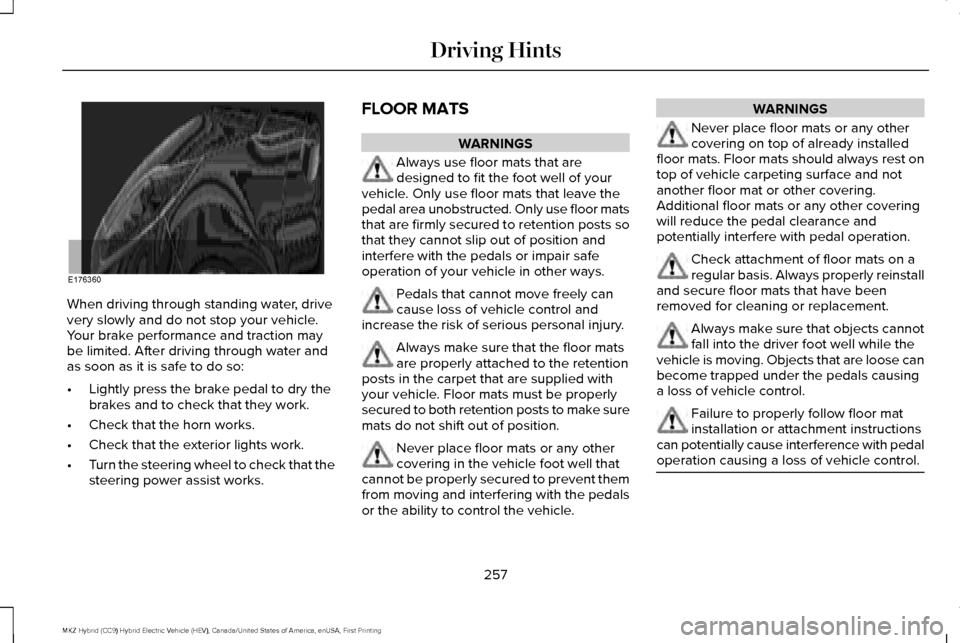
When driving through standing water, drive
very slowly and do not stop your vehicle.
Your brake performance and traction may
be limited. After driving through water and
as soon as it is safe to do so:
•
Lightly press the brake pedal to dry the
brakes and to check that they work.
• Check that the horn works.
• Check that the exterior lights work.
• Turn the steering wheel to check that the
steering power assist works. FLOOR MATS WARNINGS
Always use floor mats that are
designed to fit the foot well of your
vehicle. Only use floor mats that leave the
pedal area unobstructed. Only use floor mats
that are firmly secured to retention posts so
that they cannot slip out of position and
interfere with the pedals or impair safe
operation of your vehicle in other ways. Pedals that cannot move freely can
cause loss of vehicle control and
increase the risk of serious personal injury. Always make sure that the floor mats
are properly attached to the retention
posts in the carpet that are supplied with
your vehicle. Floor mats must be properly
secured to both retention posts to make sure
mats do not shift out of position. Never place floor mats or any other
covering in the vehicle foot well that
cannot be properly secured to prevent them
from moving and interfering with the pedals
or the ability to control the vehicle. WARNINGS
Never place floor mats or any other
covering on top of already installed
floor mats. Floor mats should always rest on
top of vehicle carpeting surface and not
another floor mat or other covering.
Additional floor mats or any other covering
will reduce the pedal clearance and
potentially interfere with pedal operation. Check attachment of floor mats on a
regular basis. Always properly reinstall
and secure floor mats that have been
removed for cleaning or replacement. Always make sure that objects cannot
fall into the driver foot well while the
vehicle is moving. Objects that are loose can
become trapped under the pedals causing
a loss of vehicle control. Failure to properly follow floor mat
installation or attachment instructions
can potentially cause interference with pedal
operation causing a loss of vehicle control. 257
MKZ Hybrid (CC9) Hybrid Electric Vehicle (HEV), Canada/United States of America, enUSA, First Printing Driving HintsE176360
Page 329 of 546
What to do when a Tire Is Punctured
A tire puncture within the tire's tread area
can be repaired in two stages with the kit:
•
In the first stage, the tire will be reinflated
with a sealing compound and air. After
the tire has been inflated, you will need
to drive the vehicle about 3.7 mi (6 km)
to distribute the sealant in the tire.
• In the second stage, you will need to
check the tire pressure and adjust, if
necessary, to the vehicle's specified tire
inflation pressure.
First Stage: Reinflating the Tire with
Sealing Compound and Air WARNING
Do not stand directly beside the tire
while the compressor is operating. This
could cause personal injury if the tire bursts. Note:
If the tire does not inflate to the
recommended tire pressure within 15
minutes, stop and call roadside assistance. WARNINGS
Watch the sidewall of the tire when
inflating. If any cracks, bumps or similar
damage appears, switch the compressor off
and let the air out by means of the pressure
relief valve. Do not continue driving with this
tire. This could cause loss of vehicle control. Do not run the engine when operating
the air compressor unless the vehicle
is outdoors or in a well-ventilated area. Preparation: Park the vehicle in a safe, level
and secure area, away from moving traffic.
Turn the hazard lights on. Apply the parking
brake and turn the engine off. Inspect the
flat tire for visible damage.
Sealant compound contains latex. Use
appropriate precautions to avoid any allergic
reactions.
Do not remove any foreign object that has
pierced the tire. If a puncture is located in
the tire sidewall, stop and call roadside
assistance.
1.
Remove the valve cap from the tire valve. 2. Unwrap the dual purpose hose (black
tube) from the back of the compressor
housing.
3. Fasten the hose to the tire valve by turning the connector clockwise. Tighten
the connection securely.
326
MKZ Hybrid (CC9) Hybrid Electric Vehicle (HEV), Canada/United States of America, enUSA, First Printing Wheels and Tires
Page 545 of 546
U
Under Hood Overview................................297
Unique Driving Characteristics..................168
Universal Garage Door Opener................155
HomeLink Wireless Control System...............155
Using Adaptive Cruise Control.................222 Automatic Cancellation.....................................227
Blocked Sensor..................................................229
Canceling the Set Speed.................................227
Changing the Set Speed..................................226
Detection Issues.................................................227
Following a Vehicle............................................224
Following a Vehicle to a Complete
Stop...................................................................225
Hilly Condition Usage........................................227
Overriding the System......................................226
Resuming the Set Speed..................................227
Setting the Adaptive Cruise Speed...............224
Setting the Adaptive Cruise Speed When Your Vehicle is Stationary......................................224
Setting the Gap Distance.................................225
Switching Adaptive Cruise Control Off.........227
Switching Adaptive Cruise Control On.........223
Switching to Normal Cruise Control..............230
System Not Available........................................229
Using Cruise Control....................................221 Switching Cruise Control Off...........................222 Switching Cruise Control On............................221
Using MyKey With Remote Start Systems..........................................................62
Using Snow Chains
......................................346
Using Stability Control................................204
Using Summer Tires....................................345
Using Traction Control
.................................201
Switching the System Off..................................201
System Indicator Lights and Messages.........201
Using a Switch.....................................................201
Using the Information Display Controls........201
Using Voice Recognition............................385 Audio Voice Commands...................................387
Climate Voice Commands................................388
Mobile App Voice Commands........................392
Navigation Voice Commands...........................
391
Phone Voice Commands..................................388
SiriusXM Traffic and Travel Link Voice Commands......................................................393
Voice Settings Commands...............................394
Utilizing the Mediation/Arbitration Program (Canada Only)..............................................271
V
Vehicle Care
...................................................314
General Information............................................314
Vehicle Certification Label
.........................356 Vehicle Identification Number..................356
Vehicle Storage
.............................................321
Battery...................................................................322
Body........................................................................\
321
Brakes...................................................................322
Cooling system...................................................322
Engine...................................................................322
Fuel system..........................................................322
General..................................................................321
Miscellaneous.....................................................322
Removing Vehicle From Storage
...................322
Tires.......................................................................322
Ventilation See: Climate Control..........................................138
VIN See: Vehicle Identification Number...............356
Voice Control...................................................79
W
Warning Lamps and Indicators..................103 Adaptive Cruise Control....................................103
Anti-Lock Braking System.................................
103
Autohold Active...................................................103
Autohold Unavailable.........................................103
Battery....................................................................103
Blind Spot Monitor..............................................103
Brake System.......................................................104
542
MKZ Hybrid (CC9) Hybrid Electric Vehicle (HEV), Canada/United States of America, enUSA, First Printing Index