ESP LINCOLN MKZ HYBRID 2018 User Guide
[x] Cancel search | Manufacturer: LINCOLN, Model Year: 2018, Model line: MKZ HYBRID, Model: LINCOLN MKZ HYBRID 2018Pages: 572, PDF Size: 4.49 MB
Page 92 of 572
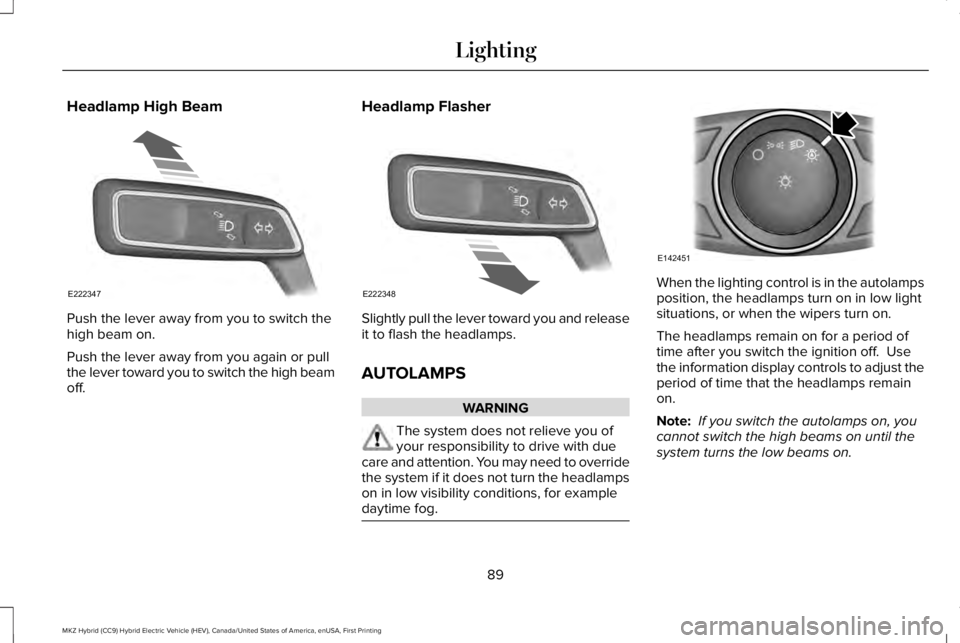
Headlamp High Beam
Push the lever away from you to switch thehigh beam on.
Push the lever away from you again or pullthe lever toward you to switch the high beamoff.
Headlamp Flasher
Slightly pull the lever toward you and releaseit to flash the headlamps.
AUTOLAMPS
WARNING
The system does not relieve you ofyour responsibility to drive with duecare and attention. You may need to overridethe system if it does not turn the headlampson in low visibility conditions, for exampledaytime fog.
When the lighting control is in the autolampsposition, the headlamps turn on in low lightsituations, or when the wipers turn on.
The headlamps remain on for a period oftime after you switch the ignition off. Usethe information display controls to adjust theperiod of time that the headlamps remainon.
Note: If you switch the autolamps on, youcannot switch the high beams on until thesystem turns the low beams on.
89
MKZ Hybrid (CC9) Hybrid Electric Vehicle (HEV), Canada/United States of America, enUSA, First Printing
LightingE222347 E222348 E142451
Page 94 of 572
Type One - Conventional (Non-Configurable)
The daytime running lamps turn on when:
1. Switching the ignition on.
2. The transmission is not in park (P) forvehicles with automatic transmissions, orreleasing the parking brake for vehicleswith manual transmissions.
3. The lighting control is in the off, parkinglamp or autolamps positions.
4. The headlamps are off.
Type Two - Configurable
Switch the daytime running lamps on or offusing the information display. SeeInformation Displays (page 112).
The daytime running lamps turn on when:
1. The lamps are on in the informationdisplay.
2. Switching the ignition on.
3. The transmission is not in park (P) forvehicles with automatic transmissions, orreleasing the parking brake for vehicleswith manual transmissions.
4. The lighting control is in the autolampsposition.
5. The headlamps are off.
The other lighting control switch positionsdo not turn on the daytime running lamps.
If the daytime running lamps are off in theinformation display, the lamps stay off in allswitch positions.
AUTOMATIC HIGH BEAM
CONTROL (If Equipped)
WARNING
The system does not relieve you ofyour responsibility to drive with duecare and attention. You may need to overridethe system if it does not turn the high beamson or off.
The system turns on high beams if it is darkenough and no other traffic is present. If itdetects an approaching vehicle’s headlampsor tail lamps, or street lighting ahead, thesystem turns off high beams before they candistract other road users. Low beams remainon.
Note:The system may not operate properlyif the sensor is blocked. Keep the windshieldfree from obstruction or damage.
Note:The system may not operate properlyin cold or inclement conditions. You canswitch on the high beams by overriding thesystem.
Note:If the system detects a blockage, forexample bird droppings, bug splatter, snowor ice, the system goes into low beam modeuntil you clear the blockage. A message mayappear in the information display if thecamera is blocked.
Note:Using much larger tires or equippingvehicle accessories such as snowplows canmodify your vehicle's ride height anddegrade automatic high beam controlperformance.
91
MKZ Hybrid (CC9) Hybrid Electric Vehicle (HEV), Canada/United States of America, enUSA, First Printing
Lighting
Page 109 of 572
Low Fuel Reminder
A low fuel reminder displays and sounds at75 mi (120 km) to empty for MyKey, and at50 mi (80 km), 25 mi (40 km), 12 mi (20 km)and 0 mi (0 km) to empty for all vehicle keys.
Variations:
Note:The low fuel reminder can appear atdifferent fuel gauge positions depending onfuel economy conditions. This variation isnormal.
Vehicle Settings and Personalization
Display/Trip
See General Information (page 112).
Information
See General Information (page 112).
Settings
See General Information (page 112).
Brake Coach Display
The Brake Coach appears after your vehiclehas come to a stop. It coaches you to brakein a manner which maximizes the amount ofenergy returned through the regenerativebraking system. The percent displayed is anindication of the regenerative brakingefficiency with 100% representing themaximum amount of energy recovery.
This feature can be switched on or off in theinformation displays settings menu. SeeGeneral Information (page 112).
Trip Summary
Trip Summary displays upon shutting off yourvehicle. The information is cumulative overthe last trip. A new trip begins each time yourstart your vehicle (when the Ready to Drivemessage comes on). Corresponding tripefficiency leaves appear on the rightinformation display.
•Distance - Displays the total distancetraveled, distance traveled on batterypower only (EV distance) and Regendistance. Regen distance is the estimatedrange gained from energy recapturedthrough regenerative braking.
•Energy Use - Displays the average fueleconomy.
•Brake Score - The percent displayed isan indication of the regenerative brakingefficiency for the trip.
Right Information Display
Entertainment
See General Information (page 372).
Phone
See General Information (page 372).
Navigation or Compass
See General Information (page 372).
Fuel Economy
See General Information (page 112).
106
MKZ Hybrid (CC9) Hybrid Electric Vehicle (HEV), Canada/United States of America, enUSA, First Printing
Instrument Cluster
Page 110 of 572
Vehicle Range
Located at the bottom of the display. Itindicates the estimated distance to emptybased on the fuel remaining in the tank.Changes in your driving pattern and climatecontrol use may cause the value to vary.
Trip Efficiency Leaves
Trip Efficiency Leaves display upon shuttingoff your vehicle. The number of leavesrepresent the average for the last trip. A newtrip begins each time you start your vehicle(when the Ready to Drive message comeson). Corresponding Trip Summary datadisplays on the left information display.
WARNING LAMPS AND
INDICATORS
The following warning lamps and indicatorsalert you to a vehicle condition that maybecome serious. Some lamps illuminatewhen you start your vehicle to make surethey work. If any lamps remain on afterstarting your vehicle, refer to the respectivesystem warning lamp for further information.
Note:Some warning indicators appear inthe information display and operate thesame as a warning lamp but do notilluminate when you start your vehicle.
Adaptive Cruise Control Indicator (If
Equipped)
The speed control system indicatorlight changes color to indicatewhat mode the system is in: SeeUsing Adaptive Cruise Control (page 227).
On (white light): Lights when you turn theadaptive cruise control system on. Turns offwhen you turn the speed control system off.
Engaged (green light): Lights when theadaptive cruise control system engages.Turns off when the speed control systemdisengages.
Anti-Lock Brake System Warning Lamp
If it lights when you are driving, thisindicates a malfunction. You willcontinue to have the normalbraking system (without Anti-lock brakingsystem) unless the brake system warninglamp also lights. Have an authorized dealercheck the system.
Auto Hold Active
It illuminates when the systemholds your vehicle stationary.
Auto Hold Unavailable
It illuminates when the system ison, but unavailable to hold yourvehicle stationary.
Automatic Headlamp High BeamIndicator (If Equipped)
It illuminates when the systemautomatically turns the headlamphigh beam on.
107
MKZ Hybrid (CC9) Hybrid Electric Vehicle (HEV), Canada/United States of America, enUSA, First Printing
Instrument ClusterE144524 E197933 E197934
Page 113 of 572
It also illuminates momentarily when youswitch the ignition on to confirm the lamp isfunctional. If it does not illuminate when youswitch the ignition on, or begins to flash atany time, have the system checked by yourauthorized dealer.
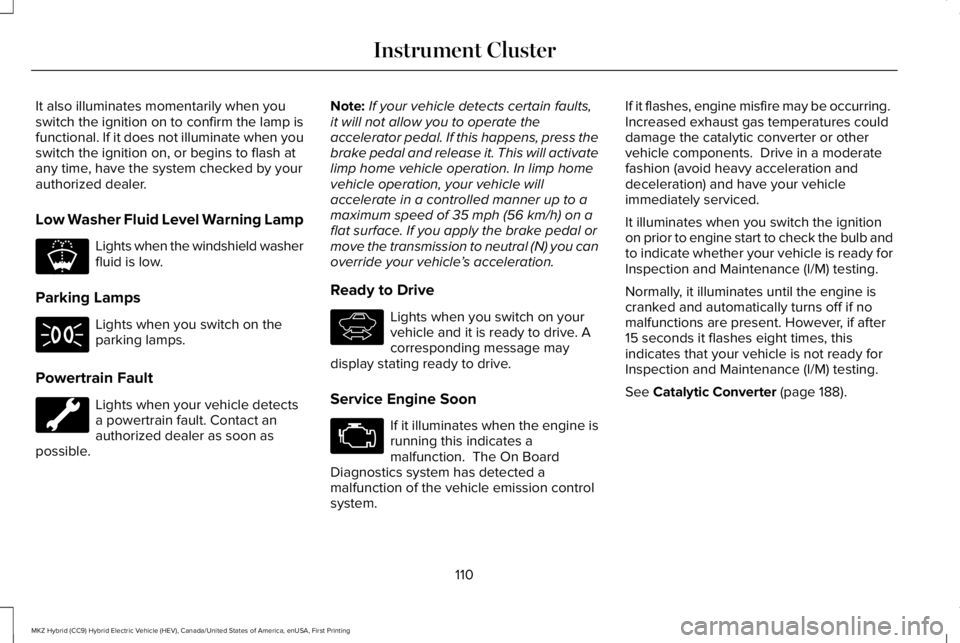
Low Washer Fluid Level Warning Lamp
Lights when the windshield washerfluid is low.
Parking Lamps
Lights when you switch on theparking lamps.
Powertrain Fault
Lights when your vehicle detectsa powertrain fault. Contact anauthorized dealer as soon aspossible.
Note:If your vehicle detects certain faults,it will not allow you to operate theaccelerator pedal. If this happens, press thebrake pedal and release it. This will activatelimp home vehicle operation. In limp homevehicle operation, your vehicle willaccelerate in a controlled manner up to amaximum speed of 35 mph (56 km/h) on aflat surface. If you apply the brake pedal ormove the transmission to neutral (N) you canoverride your vehicle’s acceleration.
Ready to Drive
Lights when you switch on yourvehicle and it is ready to drive. Acorresponding message maydisplay stating ready to drive.
Service Engine Soon
If it illuminates when the engine isrunning this indicates amalfunction. The On BoardDiagnostics system has detected amalfunction of the vehicle emission controlsystem.
If it flashes, engine misfire may be occurring. Increased exhaust gas temperatures coulddamage the catalytic converter or othervehicle components. Drive in a moderatefashion (avoid heavy acceleration anddeceleration) and have your vehicleimmediately serviced.
It illuminates when you switch the ignitionon prior to engine start to check the bulb andto indicate whether your vehicle is ready forInspection and Maintenance (I/M) testing.
Normally, it illuminates until the engine iscranked and automatically turns off if nomalfunctions are present. However, if after15 seconds it flashes eight times, thisindicates that your vehicle is not ready forInspection and Maintenance (I/M) testing.
See Catalytic Converter (page 188).
110
MKZ Hybrid (CC9) Hybrid Electric Vehicle (HEV), Canada/United States of America, enUSA, First Printing
Instrument ClusterE178202 E144692
Page 115 of 572
GENERAL INFORMATION
WARNING
Driving while distracted can result inloss of vehicle control, crash and injury.We strongly recommend that you useextreme caution when using any device thatmay take your focus off the road. Yourprimary responsibility is the safe operationof your vehicle. We recommend against theuse of any hand-held device while drivingand encourage the use of voice-operatedsystems when possible. Make sure you areaware of all applicable local laws that mayaffect the use of electronic devices whiledriving.
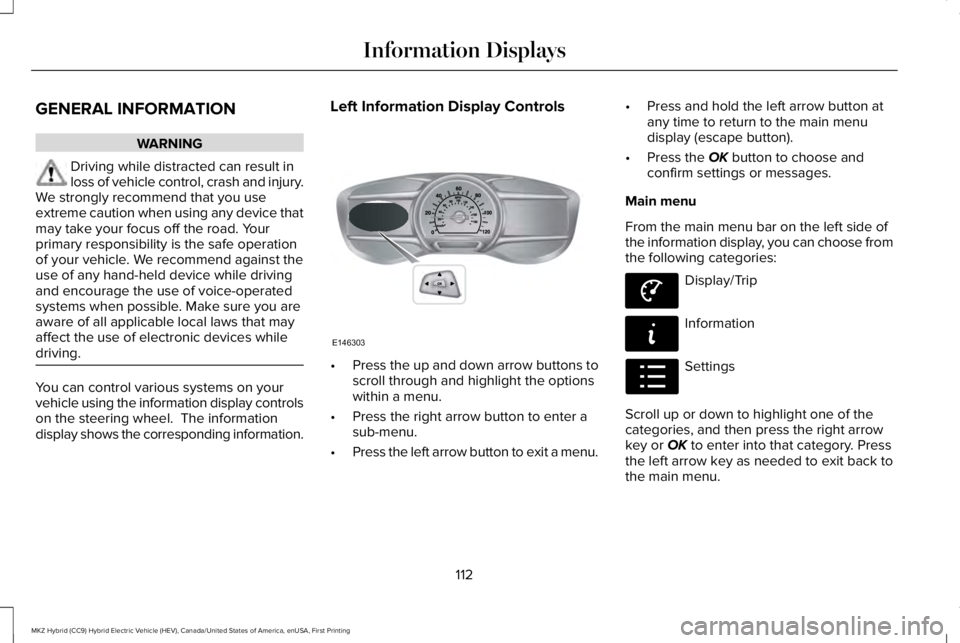
You can control various systems on yourvehicle using the information display controlson the steering wheel. The informationdisplay shows the corresponding information.
Left Information Display Controls
•Press the up and down arrow buttons toscroll through and highlight the optionswithin a menu.
•Press the right arrow button to enter asub-menu.
•Press the left arrow button to exit a menu.
•Press and hold the left arrow button atany time to return to the main menudisplay (escape button).
•Press the OK button to choose andconfirm settings or messages.
Main menu
From the main menu bar on the left side ofthe information display, you can choose fromthe following categories:
Display/Trip
Information
Settings
Scroll up or down to highlight one of thecategories, and then press the right arrowkey or OK to enter into that category. Pressthe left arrow key as needed to exit back tothe main menu.
112
MKZ Hybrid (CC9) Hybrid Electric Vehicle (HEV), Canada/United States of America, enUSA, First Printing
Information DisplaysE146303 E144639 E144642 E100023
Page 116 of 572
Display/Trip
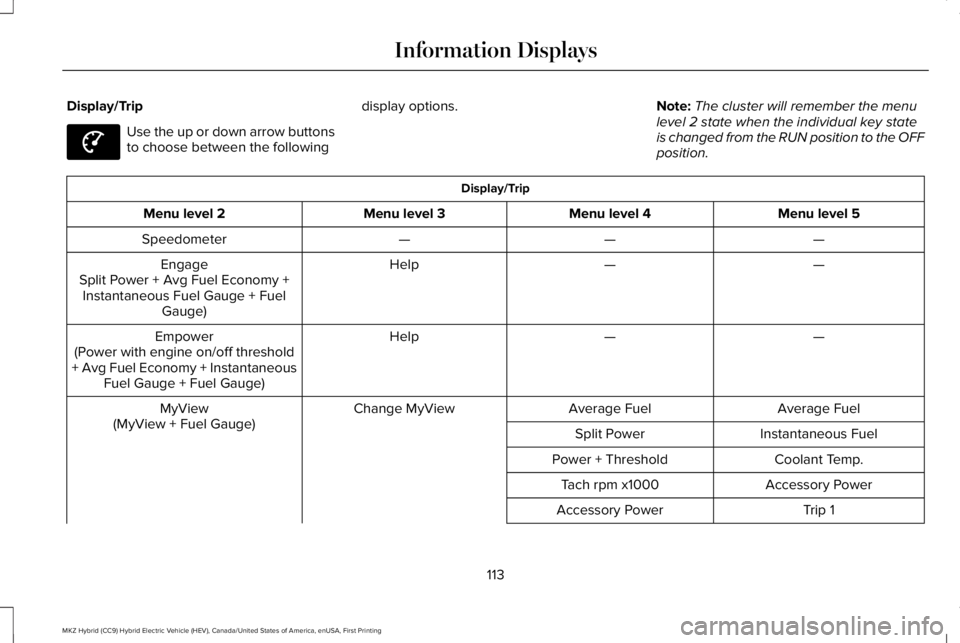
Use the up or down arrow buttonsto choose between the following
display options.Note:The cluster will remember the menulevel 2 state when the individual key stateis changed from the RUN position to the OFFposition.
Display/Trip
Menu level 5Menu level 4Menu level 3Menu level 2
———Speedometer
——HelpEngageSplit Power + Avg Fuel Economy +Instantaneous Fuel Gauge + FuelGauge)
——HelpEmpower(Power with engine on/off threshold+ Avg Fuel Economy + InstantaneousFuel Gauge + Fuel Gauge)
Average FuelAverage FuelChange MyViewMyView(MyView + Fuel Gauge)Instantaneous FuelSplit Power
Coolant Temp.Power + Threshold
Accessory PowerTach rpm x1000
Trip 1Accessory Power
113
MKZ Hybrid (CC9) Hybrid Electric Vehicle (HEV), Canada/United States of America, enUSA, First Printing
Information DisplaysE144639
Page 126 of 572
view is the total time duration for the 5intervals. You can select total duration in theoptions menu. Intervals shown in grey colorare from the previous drive. The bluehorizontal line represents the average fueleconomy value shown to the right.
Note:Hold OK to reset fuel history andaverage fuel economy.
Coach
This view provides a comparison of yourrecent acceleration, braking and cruisingbehavior, then recommends the mostefficient use of energy under presentconditions. The horizontal bars fill from leftto right with best behavior and appear bluewhen at least half full. When the bars are lessthan half full, the color is amber, suggestingthat you need a change in your drivingbehavior to achieve better energy efficiency.
Note:Fuel Economy will be impacted by youruse of brakes, accelerator and accessories,as well as environmental conditions such ashills and weather.
Note:Fuel economy is not always a measureof appropriate driving behavior. For example,when driving uphill and maintaining anappropriate speed, your instant fueleconomy may not be good (losing leaves)but the Coach may show a blue bar forAcceleration and Cruising.
Common Displays
Both Average fuel economy and aninstantaneous fuel economy gauge areincluded in Engage, Empower and MyView(if selected) on the left information display.They are also included in Fuel History on theright information display.
Average Fuel Economy
Average Fuel Economy is continuouslyaveraged since the last reset. You can resetyour average fuel economy by pressing andholding the OK button on the correspondingsteering wheel controls.
Note:Average fuel economy cannot be resetin MyView.
Instantaneous Fuel Economy
If your instantaneous fuel economy is greaterthan the maximum value displayed, a + signwill be shown next to the maximum scalenumber. When your vehicle is operating onbattery power only, EV will display and thegauge fill will show in blue.
INFORMATION MESSAGES
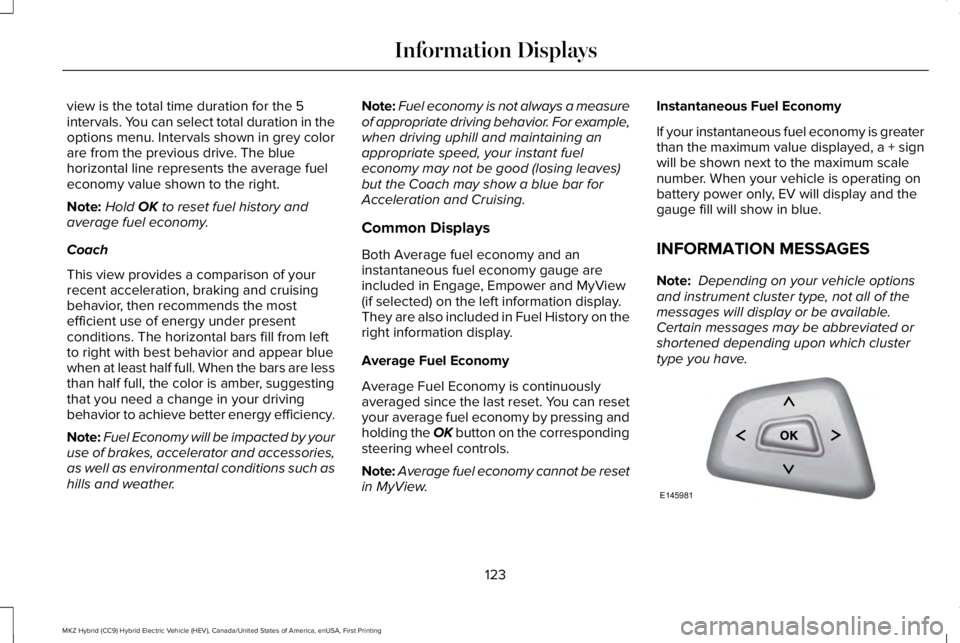
Note: Depending on your vehicle optionsand instrument cluster type, not all of themessages will display or be available. Certain messages may be abbreviated orshortened depending upon which clustertype you have.
123
MKZ Hybrid (CC9) Hybrid Electric Vehicle (HEV), Canada/United States of America, enUSA, First Printing
Information DisplaysE145981
Page 160 of 572
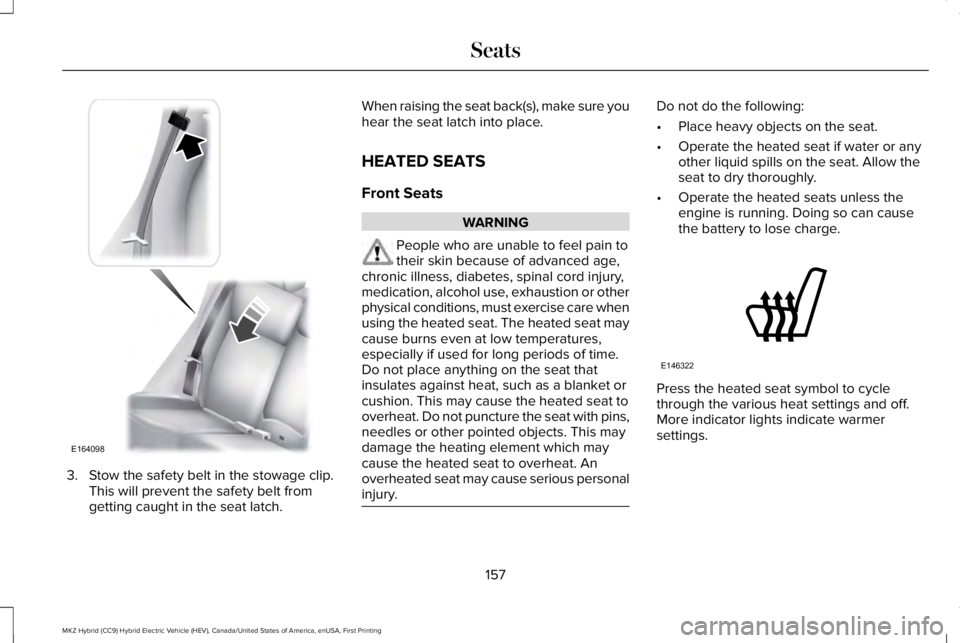
3. Stow the safety belt in the stowage clip.This will prevent the safety belt fromgetting caught in the seat latch.
When raising the seat back(s), make sure youhear the seat latch into place.
HEATED SEATS
Front Seats
WARNING
People who are unable to feel pain totheir skin because of advanced age,chronic illness, diabetes, spinal cord injury,medication, alcohol use, exhaustion or otherphysical conditions, must exercise care whenusing the heated seat. The heated seat maycause burns even at low temperatures,especially if used for long periods of time.Do not place anything on the seat thatinsulates against heat, such as a blanket orcushion. This may cause the heated seat tooverheat. Do not puncture the seat with pins,needles or other pointed objects. This maydamage the heating element which maycause the heated seat to overheat. Anoverheated seat may cause serious personalinjury.
Do not do the following:
•Place heavy objects on the seat.
•Operate the heated seat if water or anyother liquid spills on the seat. Allow theseat to dry thoroughly.
•Operate the heated seats unless theengine is running. Doing so can causethe battery to lose charge.
Press the heated seat symbol to cyclethrough the various heat settings and off.More indicator lights indicate warmersettings.
157
MKZ Hybrid (CC9) Hybrid Electric Vehicle (HEV), Canada/United States of America, enUSA, First Printing
SeatsE164098 E146322
Page 161 of 572
Rear Seats
WARNING
Persons who are unable to feel pain tothe skin because of advanced age,chronic illness, diabetes, spinal cord injury,medication, alcohol use, exhaustion, or otherphysical conditions, must exercise care whenusing the seat heater. The seat heater maycause burns even at low temperatures,especially if used for long periods of time.Do not place anything on the seat thatinsulates against heat, such as a blanket orcushion, because this may cause the seatheater to overheat. Do not puncture the seatwith pins, needles, or other pointed objectsbecause this may damage the heatingelement which may cause the seat heater tooverheat. An overheated seat may causeserious personal injury.
Do not do the following:
•Place heavy objects on the seat.
•Operate the seat heater if water or anyother liquid is spilled on the seat. Allowthe seat to dry thoroughly.
•Operate the heated seats unless theengine is running. Doing so can causethe battery to lose charge.
The rear seat heat controls are located onthe rear of the center console.
Press the heated seat symbol to cyclethrough the various heat settings and off.More indicator lights indicate warmersettings.
The heated seat module resets at everyignition run cycle. While the ignition is on,press the high or low heated seat switch toenable heating mode. When activated, theywill turn off automatically when you turn theengine off.
CLIMATE CONTROLLED SEATS (If
Equipped)
Heated Seats
158
MKZ Hybrid (CC9) Hybrid Electric Vehicle (HEV), Canada/United States of America, enUSA, First Printing
SeatsE146322