tire pressure LINCOLN MKZ HYBRID 2018 Owner's Guide
[x] Cancel search | Manufacturer: LINCOLN, Model Year: 2018, Model line: MKZ HYBRID, Model: LINCOLN MKZ HYBRID 2018Pages: 572, PDF Size: 4.49 MB
Page 355 of 572
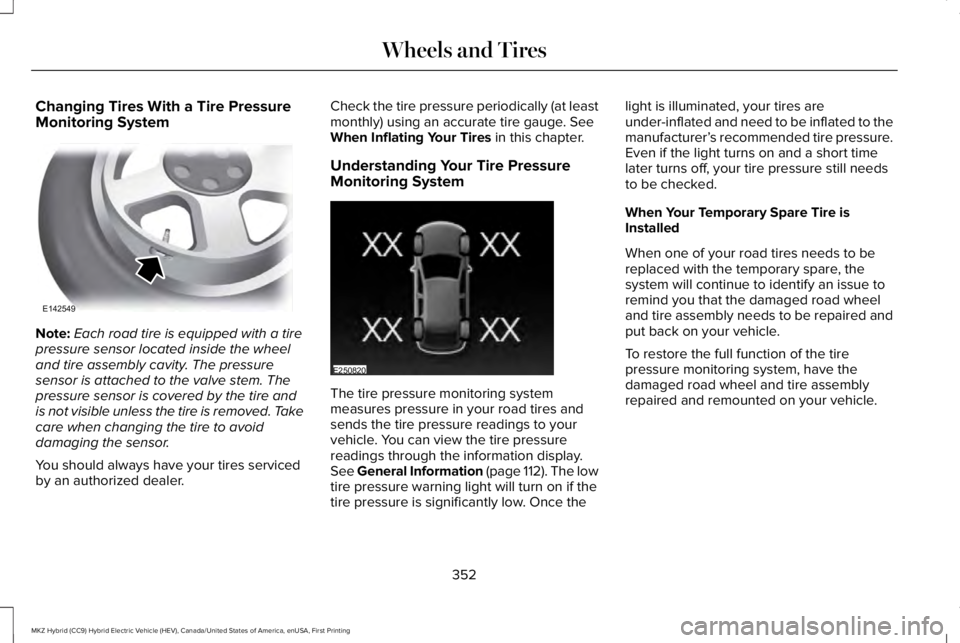
Changing Tires With a Tire PressureMonitoring System
Note:Each road tire is equipped with a tirepressure sensor located inside the wheeland tire assembly cavity. The pressuresensor is attached to the valve stem. Thepressure sensor is covered by the tire andis not visible unless the tire is removed. Takecare when changing the tire to avoiddamaging the sensor.
You should always have your tires servicedby an authorized dealer.
Check the tire pressure periodically (at leastmonthly) using an accurate tire gauge. SeeWhen Inflating Your Tires in this chapter.
Understanding Your Tire PressureMonitoring System
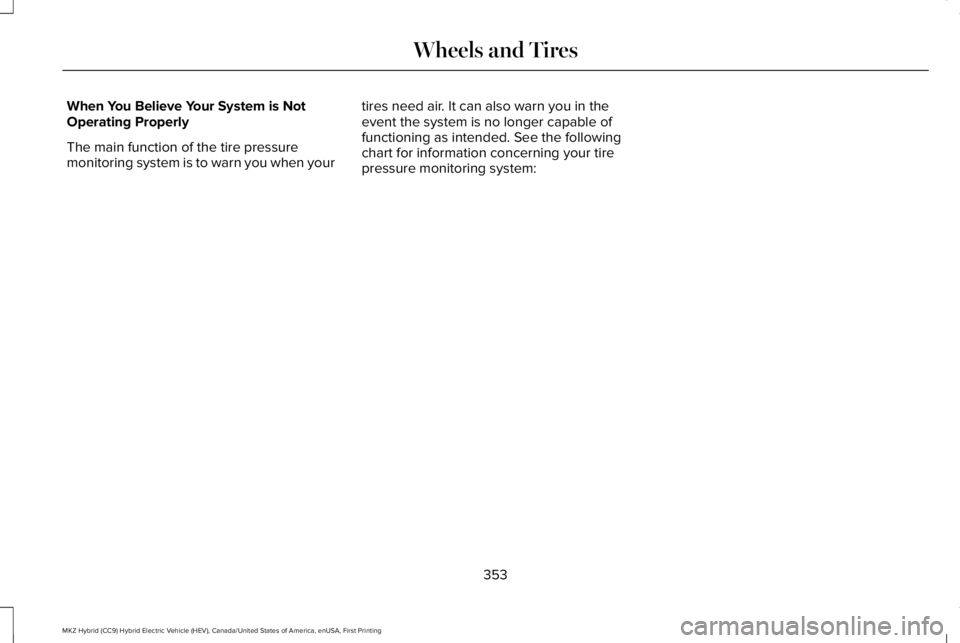
The tire pressure monitoring systemmeasures pressure in your road tires andsends the tire pressure readings to yourvehicle. You can view the tire pressurereadings through the information display.See General Information (page 112). The lowtire pressure warning light will turn on if thetire pressure is significantly low. Once the
light is illuminated, your tires areunder-inflated and need to be inflated to themanufacturer’s recommended tire pressure.Even if the light turns on and a short timelater turns off, your tire pressure still needsto be checked.
When Your Temporary Spare Tire isInstalled
When one of your road tires needs to bereplaced with the temporary spare, thesystem will continue to identify an issue toremind you that the damaged road wheeland tire assembly needs to be repaired andput back on your vehicle.
To restore the full function of the tirepressure monitoring system, have thedamaged road wheel and tire assemblyrepaired and remounted on your vehicle.
352
MKZ Hybrid (CC9) Hybrid Electric Vehicle (HEV), Canada/United States of America, enUSA, First Printing
Wheels and TiresE142549 E250820
Page 356 of 572
When You Believe Your System is NotOperating Properly
The main function of the tire pressuremonitoring system is to warn you when your
tires need air. It can also warn you in theevent the system is no longer capable offunctioning as intended. See the followingchart for information concerning your tirepressure monitoring system:
353
MKZ Hybrid (CC9) Hybrid Electric Vehicle (HEV), Canada/United States of America, enUSA, First Printing
Wheels and Tires
Page 357 of 572
Customer action requiredPossible causeLow tire pressure warning light
Make sure tires are at the proper pressure. See Inflating your tiresin this chapter. After inflating your tires to the manufacturer’srecommended pressure as shown on the Tire Label (located onthe edge of driver’s door or the B-Pillar), the vehicle must be drivenfor at least two minutes over 20 mph (32 km/h) before the lightturns off.
Tire(s) under-inflated
Solid warning lightRepair the damaged road wheel and tire assembly and reinstallit on the vehicle to restore system function. For a description onhow the system functions, see When Your Temporary Spare Tireis Installed in this section.
Spare tire in use
If the tires are properly inflated and the spare tire is not in use butthe light remains on, contact your authorized dealer as soon aspossible.TPMS malfunction
Repair the damaged road wheel and tire assembly and reinstallit on the vehicle to restore system function. For a description onhow the system functions, see When Your Temporary Spare Tireis Installed in this section.
Spare tire in use
Flashing warning light
If the tires are properly inflated and the spare tire is not in use butthe light remains on, contact your authorized dealer as soon aspossible.TPMS malfunction
354
MKZ Hybrid (CC9) Hybrid Electric Vehicle (HEV), Canada/United States of America, enUSA, First Printing
Wheels and Tires
Page 358 of 572
When Inflating Your Tires
WARNING
Do not use the tire pressure displayedin the information display as a tirepressure gauge. Failure to follow thisinstruction could result in personal injury ordeath.
When putting air into your tires (such as at agas station or in your garage), the tirepressure monitoring system may not respondimmediately to the air added to your tires.
It may take up to two minutes of driving over20 mph (32 km/h) for the light to turn off afteryou have filled your tires to therecommended inflation pressure.
How Temperature Affects Your TirePressure
The tire pressure monitoring system monitorstire pressure in each pneumatic tire. Whiledriving in a normal manner, a typicalpassenger tire inflation pressure mayincrease about 2–4 psi (14–28 kPa) from acold start situation. If the vehicle is stationaryovernight with the outside temperaturesignificantly lower than the daytime
temperature, the tire pressure may decreaseabout 3 psi (21 kPa) for a drop of 30°F (17°C)in ambient temperature. This lower pressurevalue may be detected by the tire pressuremonitoring system as being significantlylower than the recommended inflationpressure and activate the system warninglight for low tire pressure. If the low tirepressure warning light is on, visually checkeach tire to verify that no tire is flat. If one ormore tires are flat, repair as necessary.Check the air pressure in the road tires. Ifany tire is under-inflated, carefully drive thevehicle to the nearest location where air canbe added to the tires. Inflate all the tires tothe recommended inflation pressure.
355
MKZ Hybrid (CC9) Hybrid Electric Vehicle (HEV), Canada/United States of America, enUSA, First Printing
Wheels and Tires
Page 494 of 572
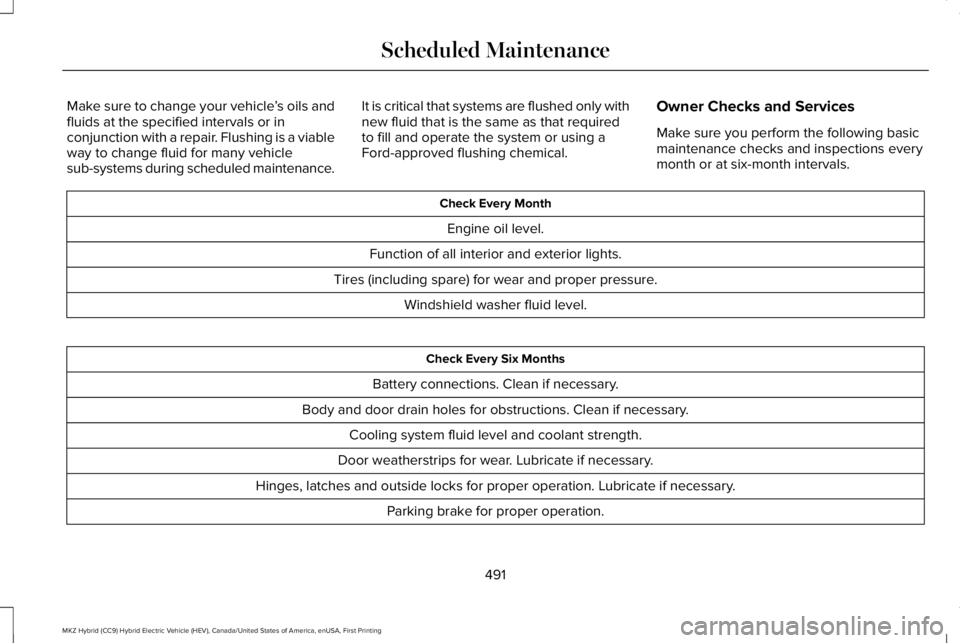
Make sure to change your vehicle’s oils andfluids at the specified intervals or inconjunction with a repair. Flushing is a viableway to change fluid for many vehiclesub-systems during scheduled maintenance.
It is critical that systems are flushed only withnew fluid that is the same as that requiredto fill and operate the system or using aFord-approved flushing chemical.
Owner Checks and Services
Make sure you perform the following basicmaintenance checks and inspections everymonth or at six-month intervals.
Check Every Month
Engine oil level.
Function of all interior and exterior lights.
Tires (including spare) for wear and proper pressure.
Windshield washer fluid level.
Check Every Six Months
Battery connections. Clean if necessary.
Body and door drain holes for obstructions. Clean if necessary.
Cooling system fluid level and coolant strength.
Door weatherstrips for wear. Lubricate if necessary.
Hinges, latches and outside locks for proper operation. Lubricate if necessary.
Parking brake for proper operation.
491
MKZ Hybrid (CC9) Hybrid Electric Vehicle (HEV), Canada/United States of America, enUSA, First Printing
Scheduled Maintenance
Page 496 of 572
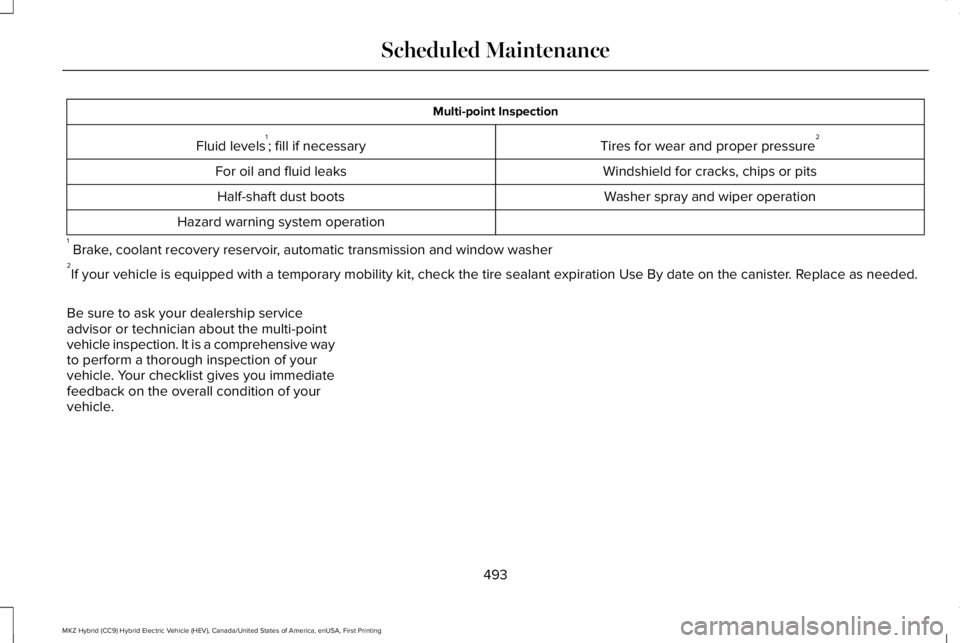
Multi-point Inspection
Tires for wear and proper pressure2Fluid levels1; fill if necessary
Windshield for cracks, chips or pitsFor oil and fluid leaks
Washer spray and wiper operationHalf-shaft dust boots
Hazard warning system operation
1 Brake, coolant recovery reservoir, automatic transmission and window washer2If your vehicle is equipped with a temporary mobility kit, check the tire sealant expiration Use By date on the canister. Replace as needed.
Be sure to ask your dealership serviceadvisor or technician about the multi-pointvehicle inspection. It is a comprehensive wayto perform a thorough inspection of yourvehicle. Your checklist gives you immediatefeedback on the overall condition of yourvehicle.
493
MKZ Hybrid (CC9) Hybrid Electric Vehicle (HEV), Canada/United States of America, enUSA, First Printing
Scheduled Maintenance
Page 558 of 572
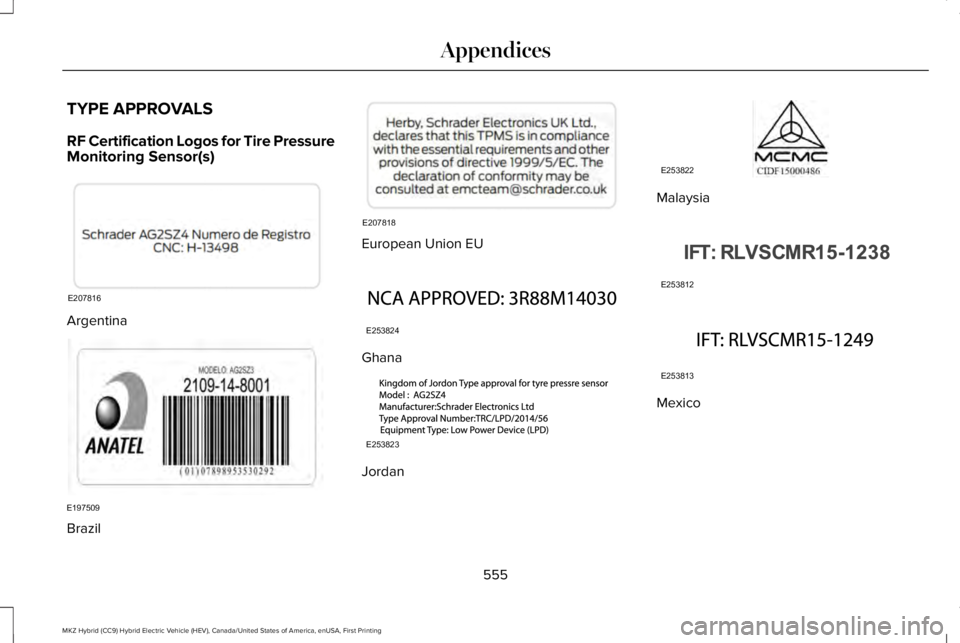
TYPE APPROVALS
RF Certification Logos for Tire PressureMonitoring Sensor(s)
Argentina
Brazil
European Union EU
Ghana
Jordan
Malaysia
Mexico
555
MKZ Hybrid (CC9) Hybrid Electric Vehicle (HEV), Canada/United States of America, enUSA, First Printing
AppendicesE207816 E197509 E207818 E253824 E253823 E253822 E253812 E253813
Page 567 of 572
Park Brake.............................................................135Power Steering....................................................136Pre-Collision Assist..............................................137Remote Start.........................................................137Seats.......................................................................138Starting System ...................................................138Tire Pressure Monitoring System....................139Traction Control...................................................139Transmission.........................................................140
Installing Child Restraints..............................21Child Seats..............................................................21Using Lap and Shoulder Belts............................21Using Lower Anchors and Tethers forCHildren (LATCH).............................................27Using Tether Straps..............................................29
Instrument Cluster.........................................104Instrument Lighting Dimmer........................90Instrument Panel Overview...........................17Interior Lamps..................................................94Front Interior Lamp...............................................94Rear Interior Lamp................................................95
Interior Luggage CompartmentRelease............................................................77Interior Mirror.................................................100Auto-Dimming Mirror..........................................100
Introduction.........................................................7
J
Jump Starting the Vehicle..........................266Connecting the Jumper Cables.....................266Jump Starting......................................................268Preparing Your Vehicle.....................................266Removing the Jumper Cables........................268
K
Keyless Entry....................................................74SECURICODE™ KEYLESS ENTRYKEYPAD...............................................................74
Keyless Starting.............................................168Ignition Modes.....................................................168
Keys and Remote Controls...........................57
L
Lane Keeping System..................................237Switching the System On and Off..................238
Lighting Control...............................................88Headlamp Flasher................................................89Headlamp High Beam.........................................89
Lighting..............................................................88General Information.............................................88
Lincoln Automotive Financial Services......12
Lincoln Protect..............................................486Lincoln Protect (CANADA ONLY)....................487Lincoln Protect Extended Service Plans (U.S.Only)..................................................................486
Load Carrying................................................255Load Limit.......................................................255Special Loading Instructions for Owners ofPick-up Trucks and Utility-typeVehicles............................................................259Vehicle Loading - with and without aTrailer................................................................255
Locking and Unlocking.................................68Activating Intelligent Access.............................69Autolock...................................................................71Battery Saver..........................................................72Illuminated Entry....................................................72Illuminated Exit......................................................72Locking and Unlocking the Doors with theKey Blade...........................................................70Luggage Compartment.......................................72Power Door Locks................................................68Remote Control.....................................................68Smart Unlocks for Intelligent AccessKeys.......................................................................71
564
MKZ Hybrid (CC9) Hybrid Electric Vehicle (HEV), Canada/United States of America, enUSA, First Printing
Index
Page 570 of 572
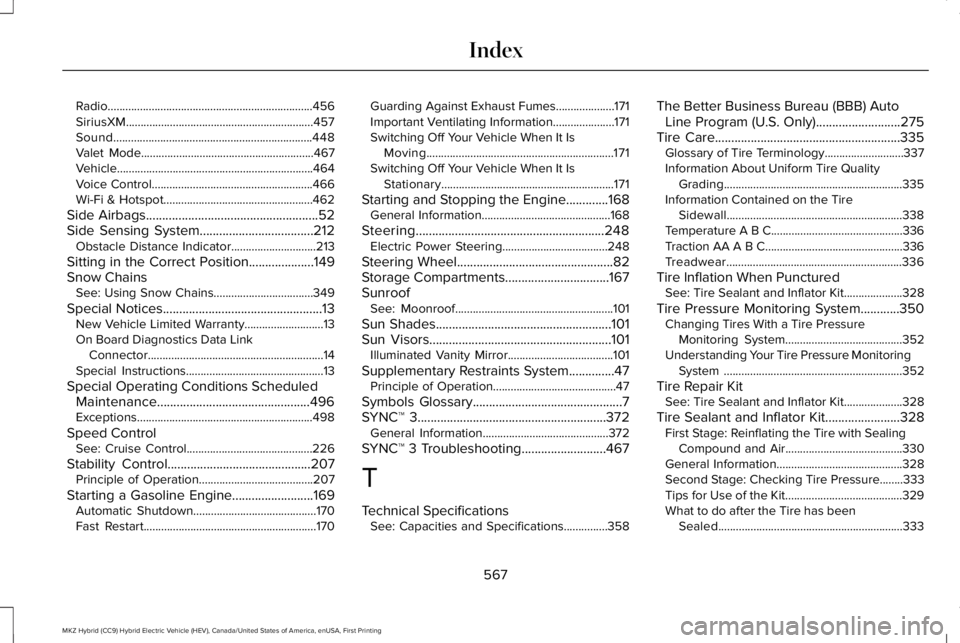
Radio......................................................................456SiriusXM................................................................457Sound....................................................................448Valet Mode...........................................................467Vehicle...................................................................464Voice Control.......................................................466Wi-Fi & Hotspot...................................................462
Side Airbags.....................................................52Side Sensing System...................................212Obstacle Distance Indicator.............................213
Sitting in the Correct Position....................149Snow ChainsSee: Using Snow Chains..................................349
Special Notices.................................................13New Vehicle Limited Warranty...........................13On Board Diagnostics Data LinkConnector............................................................14Special Instructions...............................................13
Special Operating Conditions ScheduledMaintenance...............................................496Exceptions............................................................498
Speed ControlSee: Cruise Control...........................................226
Stability Control............................................207Principle of Operation.......................................207
Starting a Gasoline Engine.........................169Automatic Shutdown..........................................170Fast Restart...........................................................170
Guarding Against Exhaust Fumes....................171Important Ventilating Information.....................171Switching Off Your Vehicle When It IsMoving................................................................171Switching Off Your Vehicle When It IsStationary...........................................................171
Starting and Stopping the Engine.............168General Information............................................168
Steering..........................................................248Electric Power Steering....................................248
Steering Wheel................................................82Storage Compartments................................167SunroofSee: Moonroof......................................................101
Sun Shades......................................................101Sun Visors........................................................101Illuminated Vanity Mirror....................................101
Supplementary Restraints System..............47Principle of Operation..........................................47
Symbols Glossary..............................................7SYNC™ 3..........................................................372General Information...........................................372
SYNC™ 3 Troubleshooting..........................467
T
Technical SpecificationsSee: Capacities and Specifications...............358
The Better Business Bureau (BBB) AutoLine Program (U.S. Only)..........................275Tire Care.........................................................335Glossary of Tire Terminology...........................337Information About Uniform Tire QualityGrading.............................................................335Information Contained on the TireSidewall............................................................338Temperature A B C.............................................336Traction AA A B C...............................................336Treadwear............................................................336
Tire Inflation When PuncturedSee: Tire Sealant and Inflator Kit....................328
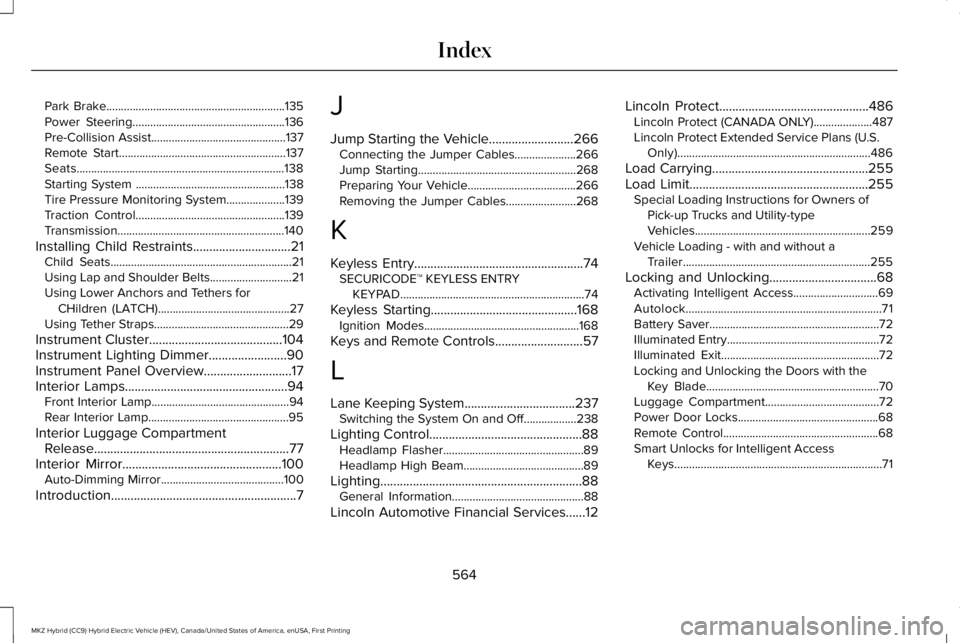
Tire Pressure Monitoring System............350Changing Tires With a Tire PressureMonitoring System........................................352Understanding Your Tire Pressure MonitoringSystem .............................................................352
Tire Repair KitSee: Tire Sealant and Inflator Kit....................328
Tire Sealant and Inflator Kit.......................328First Stage: Reinflating the Tire with SealingCompound and Air........................................330General Information...........................................328Second Stage: Checking Tire Pressure........333Tips for Use of the Kit........................................329What to do after the Tire has beenSealed...............................................................333
567
MKZ Hybrid (CC9) Hybrid Electric Vehicle (HEV), Canada/United States of America, enUSA, First Printing
Index
Page 571 of 572
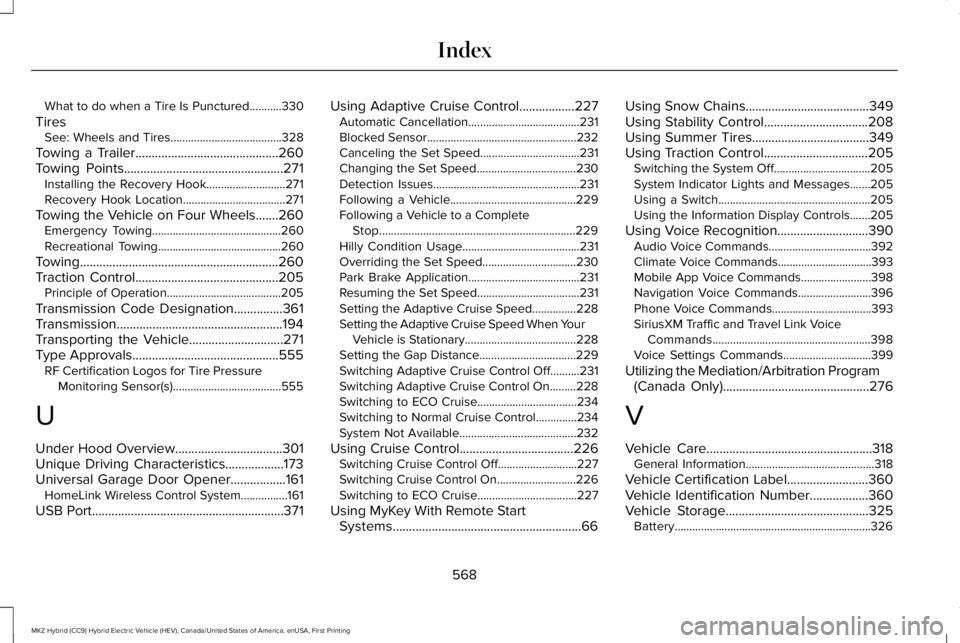
What to do when a Tire Is Punctured...........330
TiresSee: Wheels and Tires......................................328
Towing a Trailer............................................260Towing Points.................................................271Installing the Recovery Hook...........................271Recovery Hook Location...................................271
Towing the Vehicle on Four Wheels.......260Emergency Towing............................................260Recreational Towing..........................................260
Towing.............................................................260Traction Control............................................205Principle of Operation.......................................205
Transmission Code Designation...............361Transmission...................................................194Transporting the Vehicle.............................271Type Approvals.............................................555RF Certification Logos for Tire PressureMonitoring Sensor(s).....................................555
U
Under Hood Overview.................................301Unique Driving Characteristics..................173Universal Garage Door Opener.................161HomeLink Wireless Control System................161
USB Port...........................................................371
Using Adaptive Cruise Control.................227Automatic Cancellation......................................231Blocked Sensor...................................................232Canceling the Set Speed..................................231Changing the Set Speed..................................230Detection Issues..................................................231Following a Vehicle...........................................229Following a Vehicle to a CompleteStop...................................................................229Hilly Condition Usage........................................231Overriding the Set Speed................................230Park Brake Application......................................231Resuming the Set Speed...................................231Setting the Adaptive Cruise Speed...............228Setting the Adaptive Cruise Speed When YourVehicle is Stationary......................................228Setting the Gap Distance.................................229Switching Adaptive Cruise Control Off..........231Switching Adaptive Cruise Control On.........228Switching to ECO Cruise..................................234Switching to Normal Cruise Control..............234System Not Available........................................232
Using Cruise Control...................................226Switching Cruise Control Off...........................227Switching Cruise Control On...........................226Switching to ECO Cruise..................................227
Using MyKey With Remote StartSystems..........................................................66
Using Snow Chains......................................349Using Stability Control................................208Using Summer Tires....................................349Using Traction Control................................205Switching the System Off.................................205System Indicator Lights and Messages.......205Using a Switch....................................................205Using the Information Display Controls.......205
Using Voice Recognition............................390Audio Voice Commands...................................392Climate Voice Commands................................393Mobile App Voice Commands........................398Navigation Voice Commands.........................396Phone Voice Commands..................................393SiriusXM Traffic and Travel Link VoiceCommands......................................................398Voice Settings Commands..............................399
Utilizing the Mediation/Arbitration Program(Canada Only).............................................276
V
Vehicle Care...................................................318General Information............................................318
Vehicle Certification Label.........................360Vehicle Identification Number..................360Vehicle Storage............................................325Battery...................................................................326
568
MKZ Hybrid (CC9) Hybrid Electric Vehicle (HEV), Canada/United States of America, enUSA, First Printing
Index