instrument cluster LINCOLN MKZ HYBRID 2019 User Guide
[x] Cancel search | Manufacturer: LINCOLN, Model Year: 2019, Model line: MKZ HYBRID, Model: LINCOLN MKZ HYBRID 2019Pages: 575, PDF Size: 4.77 MB
Page 110 of 575
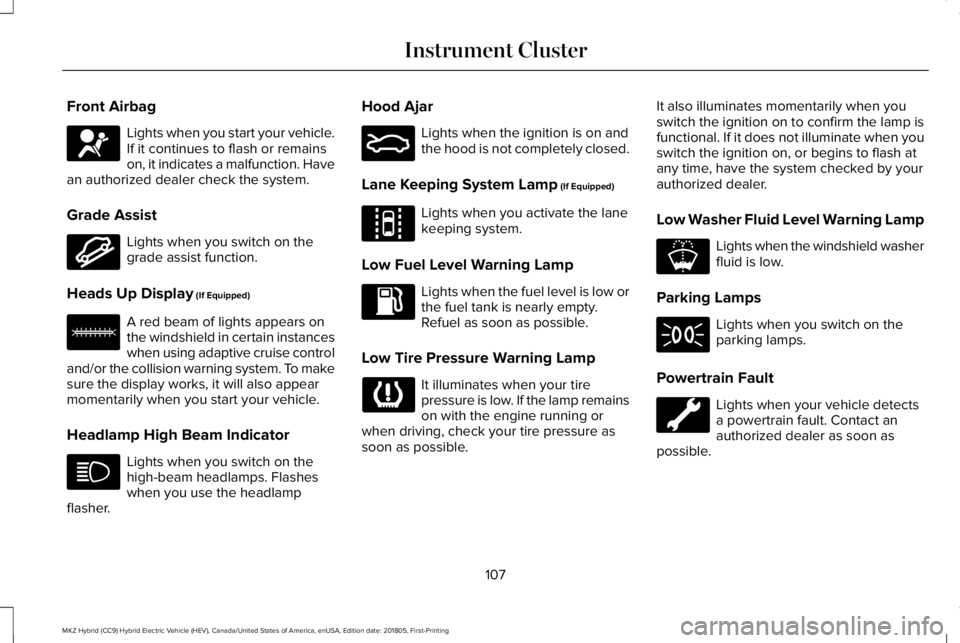
Front Airbag
Lights when you start your vehicle.If it continues to flash or remainson, it indicates a malfunction. Havean authorized dealer check the system.
Grade Assist
Lights when you switch on thegrade assist function.
Heads Up Display (If Equipped)
A red beam of lights appears onthe windshield in certain instanceswhen using adaptive cruise controland/or the collision warning system. To makesure the display works, it will also appearmomentarily when you start your vehicle.
Headlamp High Beam Indicator
Lights when you switch on thehigh-beam headlamps. Flasheswhen you use the headlampflasher.
Hood Ajar
Lights when the ignition is on andthe hood is not completely closed.
Lane Keeping System Lamp (If Equipped)
Lights when you activate the lanekeeping system.
Low Fuel Level Warning Lamp
Lights when the fuel level is low orthe fuel tank is nearly empty. Refuel as soon as possible.
Low Tire Pressure Warning Lamp
It illuminates when your tirepressure is low. If the lamp remainson with the engine running orwhen driving, check your tire pressure assoon as possible.
It also illuminates momentarily when youswitch the ignition on to confirm the lamp isfunctional. If it does not illuminate when youswitch the ignition on, or begins to flash atany time, have the system checked by yourauthorized dealer.
Low Washer Fluid Level Warning Lamp
Lights when the windshield washerfluid is low.
Parking Lamps
Lights when you switch on theparking lamps.
Powertrain Fault
Lights when your vehicle detectsa powertrain fault. Contact anauthorized dealer as soon aspossible.
107
MKZ Hybrid (CC9) Hybrid Electric Vehicle (HEV), Canada/United States of America, enUSA, Edition date: 201805, First-Printing
Instrument ClusterE67017 E144523 E156133 E159324 E144813 E178202
Page 111 of 575
Note:If your vehicle detects certain faults,it will not allow you to operate theaccelerator pedal. If this happens, press thebrake pedal and release it. This will activatelimp home vehicle operation. In limp homevehicle operation, your vehicle willaccelerate in a controlled manner up to amaximum speed of 35 mph (56 km/h) on aflat surface. If you apply the brake pedal ormove the transmission to neutral (N) you canoverride your vehicle’s acceleration.
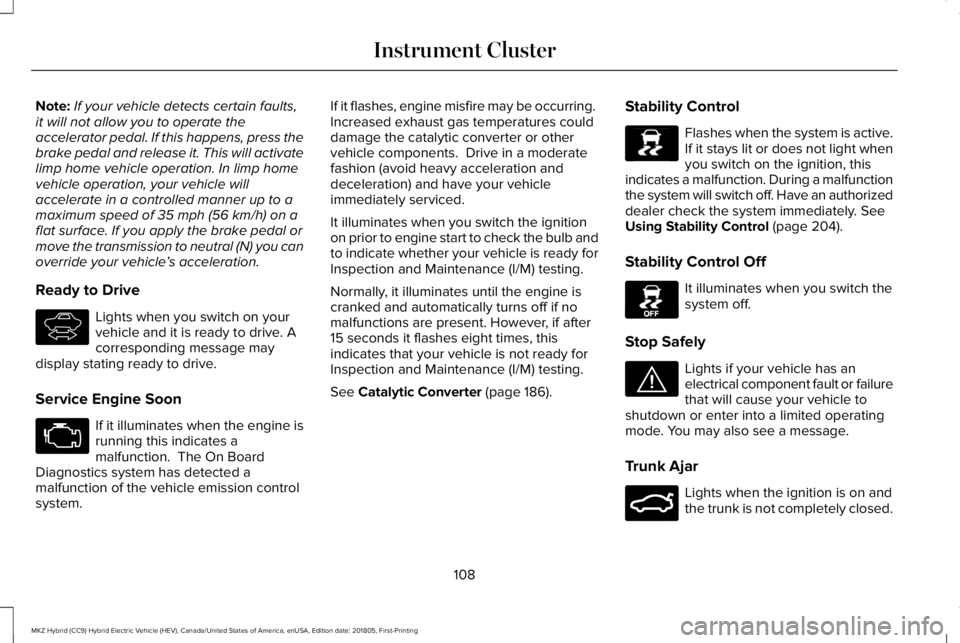
Ready to Drive
Lights when you switch on yourvehicle and it is ready to drive. Acorresponding message maydisplay stating ready to drive.
Service Engine Soon
If it illuminates when the engine isrunning this indicates amalfunction. The On BoardDiagnostics system has detected amalfunction of the vehicle emission controlsystem.
If it flashes, engine misfire may be occurring. Increased exhaust gas temperatures coulddamage the catalytic converter or othervehicle components. Drive in a moderatefashion (avoid heavy acceleration anddeceleration) and have your vehicleimmediately serviced.
It illuminates when you switch the ignitionon prior to engine start to check the bulb andto indicate whether your vehicle is ready forInspection and Maintenance (I/M) testing.
Normally, it illuminates until the engine iscranked and automatically turns off if nomalfunctions are present. However, if after15 seconds it flashes eight times, thisindicates that your vehicle is not ready forInspection and Maintenance (I/M) testing.
See Catalytic Converter (page 186).
Stability Control
Flashes when the system is active.If it stays lit or does not light whenyou switch on the ignition, thisindicates a malfunction. During a malfunctionthe system will switch off. Have an authorizeddealer check the system immediately. SeeUsing Stability Control (page 204).
Stability Control Off
It illuminates when you switch thesystem off.
Stop Safely
Lights if your vehicle has anelectrical component fault or failurethat will cause your vehicle toshutdown or enter into a limited operatingmode. You may also see a message.
Trunk Ajar
Lights when the ignition is on andthe trunk is not completely closed.
108
MKZ Hybrid (CC9) Hybrid Electric Vehicle (HEV), Canada/United States of America, enUSA, Edition date: 201805, First-Printing
Instrument ClusterE144692 E138639 E130458 E144693 E159323
Page 112 of 575
AUDIBLE WARNINGS AND
INDICATORS
Keyless Warning Alert
The horn will sound twice when you exit yourvehicle with the intelligent access key andyour vehicle is in RUN, indicating your vehicleis still on.
Headlamps On Warning Chime
Sounds when you remove the key from theignition and open the driver's door and youhave left the headlamps or parking lampson.
Parking Brake On Warning Chime
Sounds when you have left the parking brakeon and drive your vehicle. If the warningchime remains on after you have releasedthe parking brake, have the system checkedby your authorized dealer immediately.
109
MKZ Hybrid (CC9) Hybrid Electric Vehicle (HEV), Canada/United States of America, enUSA, Edition date: 201805, First-Printing
Instrument Cluster
Page 124 of 575
Note:Fuel economy is not always a measureof appropriate driving behavior. For example,when driving uphill and maintaining anappropriate speed, your instant fueleconomy may not be good (losing leaves)but the Coach may show a blue bar forAcceleration and Cruising.
Common Displays
Both Average fuel economy and aninstantaneous fuel economy gauge areincluded in Engage, Empower and MyView(if selected) on the left information display.They are also included in Fuel History on theright information display.
Average Fuel Economy
Average Fuel Economy is continuouslyaveraged since the last reset. You can resetyour average fuel economy by pressing andholding the OK button on the correspondingsteering wheel controls.
Note:Average fuel economy cannot be resetin MyView.
Instantaneous Fuel Economy
If your instantaneous fuel economy is greaterthan the maximum value displayed, a + signwill be shown next to the maximum scalenumber. When your vehicle is operating onbattery power only, EV will display and thegauge fill will show in blue.
INFORMATION MESSAGES
Note: Depending on your vehicle optionsand instrument cluster type, not all of themessages will display or be available. Certain messages may be abbreviated orshortened depending upon which clustertype you have.
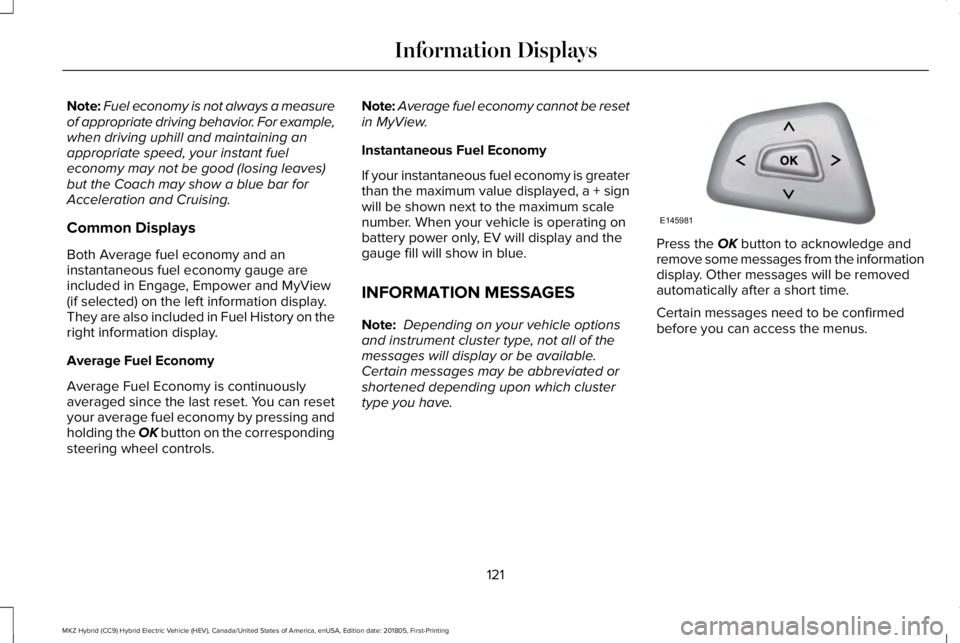
Press the OK button to acknowledge andremove some messages from the informationdisplay. Other messages will be removedautomatically after a short time.
Certain messages need to be confirmedbefore you can access the menus.
121
MKZ Hybrid (CC9) Hybrid Electric Vehicle (HEV), Canada/United States of America, enUSA, Edition date: 201805, First-Printing
Information DisplaysE145981
Page 174 of 575
HYBRID VEHICLE OPERATION
This hybrid vehicle combines electric andgasoline propulsion to provide breakthroughperformance and improved efficiency.
Familiarizing yourself with these uniquecharacteristics will provide an optimal drivingexperience from your new vehicle.
Note:You may notice higher engine speedsupon start-up. This temporary condition isnormal and necessary to heat up the cabinand minimize emissions.
Starting:
When you start your vehicle, agreen ready indicator light willappear in the lower right portionof the instrument cluster and a ready to drivemessage will appear in the middle of the leftcluster screen, letting you know that yourvehicle is ready for driving.
The engine may not start because thisvehicle is equipped with silent key start. Thisfuel saving feature allows your vehicle to beready–to–drive without requiring the gasengine to be running. This indicator willremain on while your vehicle is on, whetherthe engine is running or not to indicate yourvehicle is capable of movement (using itselectric motor, engine, or both). Typically, theengine will not start unless the vehicle iscold, a climate control change is requested,or the accelerator is pressed.
Driving:
The gas engine automatically starts andstops to provide power when needed andto save fuel when not needed. Whilecoasting at low speeds, coming to a stop, orstanding, the gas engine normally shutsdown and your vehicle operates inelectric-only mode.
Conditions that may cause the engine to startup or remain running include:
•Considerable vehicle acceleration.
•Vehicle speed above 85 mph (137 km/h).However, the maximum speed forelectric-only operation may be lowerwhile driving in hot temperatures or onhilly terrain.
•Ascending a hill.
•Charge level of high voltage battery islow.
•Very high or low outside temperature (toprovide system cooling or heating).
•Engine not warm enough to providepassenger requested cabin temperature.
Stopping:
The gas engine may shut off to conserve fuelas you come to a stop. Restarting yourvehicle is not required. Simply step on theaccelerator when you are ready to drive.
171
MKZ Hybrid (CC9) Hybrid Electric Vehicle (HEV), Canada/United States of America, enUSA, Edition date: 201805, First-Printing
Unique Driving CharacteristicsE144692
Page 195 of 575
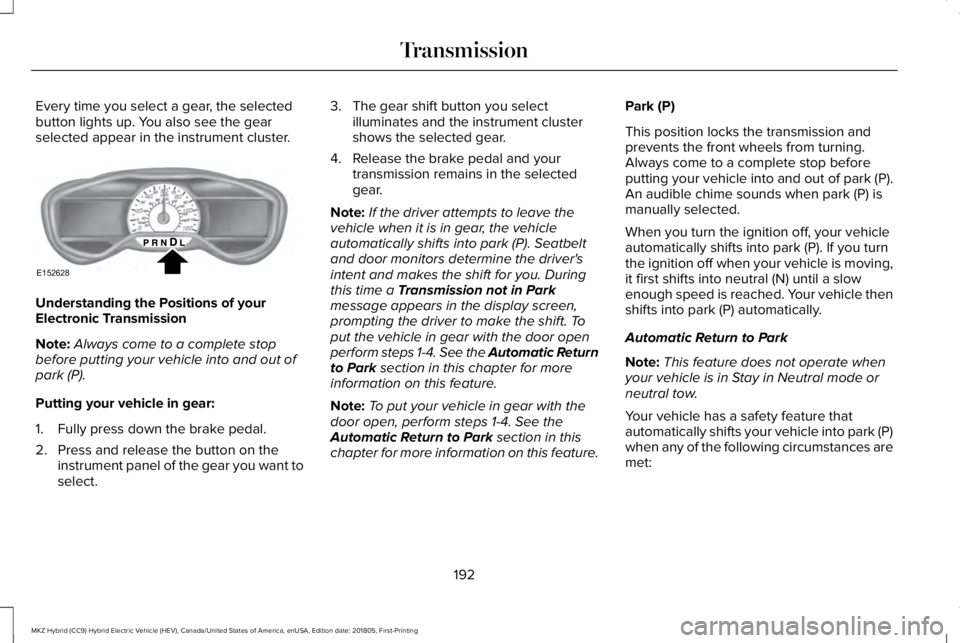
Every time you select a gear, the selectedbutton lights up. You also see the gearselected appear in the instrument cluster.
Understanding the Positions of yourElectronic Transmission
Note:Always come to a complete stopbefore putting your vehicle into and out ofpark (P).
Putting your vehicle in gear:
1. Fully press down the brake pedal.
2. Press and release the button on theinstrument panel of the gear you want toselect.
3. The gear shift button you selectilluminates and the instrument clustershows the selected gear.
4. Release the brake pedal and yourtransmission remains in the selectedgear.
Note:If the driver attempts to leave thevehicle when it is in gear, the vehicleautomatically shifts into park (P). Seatbeltand door monitors determine the driver'sintent and makes the shift for you. Duringthis time a Transmission not in Parkmessage appears in the display screen,prompting the driver to make the shift. Toput the vehicle in gear with the door openperform steps 1-4. See the Automatic Returnto Park section in this chapter for moreinformation on this feature.
Note:To put your vehicle in gear with thedoor open, perform steps 1-4. See theAutomatic Return to Park section in thischapter for more information on this feature.
Park (P)
This position locks the transmission andprevents the front wheels from turning.Always come to a complete stop beforeputting your vehicle into and out of park (P).An audible chime sounds when park (P) ismanually selected.
When you turn the ignition off, your vehicleautomatically shifts into park (P). If you turnthe ignition off when your vehicle is moving,it first shifts into neutral (N) until a slowenough speed is reached. Your vehicle thenshifts into park (P) automatically.
Automatic Return to Park
Note:This feature does not operate whenyour vehicle is in Stay in Neutral mode orneutral tow.
Your vehicle has a safety feature thatautomatically shifts your vehicle into park (P)when any of the following circumstances aremet:
192
MKZ Hybrid (CC9) Hybrid Electric Vehicle (HEV), Canada/United States of America, enUSA, Edition date: 201805, First-Printing
TransmissionE152628
Page 196 of 575
•Turn the ignition off.
•Open the driver's door with your seat beltunlatched.
•Unlatching your seatbelt when thedriver's door is open.
If you turn the ignition off when your vehicleis moving, your vehicle first shifts into neutral(N) until it slows down enough to shift intopark (P) automatically.
Note:If you have waited an extended periodof time, (2-15 minutes) before starting yourvehicle, unlatching your safety belt doescause this feature to activate, even with thedriver's door closed.
Note:This feature may not work properly ifthe door ajar switch is malfunctioning. If yourdoor ajar indicator does not illuminate whenyou open the driver’s door or the indicatorilluminates with the driver’s door closed, seeyour authorized dealer.
Reverse (R)
With the transmission in reverse (R), yourvehicle moves backward. Always come to acomplete stop before shifting into and outof reverse (R).
Neutral (N)
Press the neutral (N) button to put yourvehicle in neutral. In neutral, your vehicle canstart and is free to roll. Hold the brake pedaldown when in this position.
Stay in Neutral mode
Stay in Neutral mode allows your vehicle tostay in neutral when you exit your vehicle.Your vehicle must be stationary to enter thismode.
To enter Stay in Neutral mode:
1.Press the neutral (N) button on the shifterassembly.
2. The message Select N Again to EnterStay in Neutral mode appears in theinformation display screen.
3. Press the neutral (N) button again toenter Stay in Neutral mode.
The message Stay in Neutral modeengaged appears in the instrument clusterwhen your vehicle has entered Stay inNeutral mode.
Note:During this mode the neutral (N) buttonflashes continuously and the instrumentcluster displays neutral as the selected gear.
Exiting Stay in Neutral mode
To disable Stay in Neutral mode put yourvehicle in another gear. See the Putting theVehicle in Gear section for instructions onhow to do this.
Entering a Carwash
Note:Always put your vehicle in Stay inNeutral mode when entering an automaticcar wash. Failure to do this could result invehicle damage that may not be covered bywarranty.
Drive (D)
The normal driving position for the best fueleconomy.
193
MKZ Hybrid (CC9) Hybrid Electric Vehicle (HEV), Canada/United States of America, enUSA, Edition date: 201805, First-Printing
Transmission
Page 203 of 575
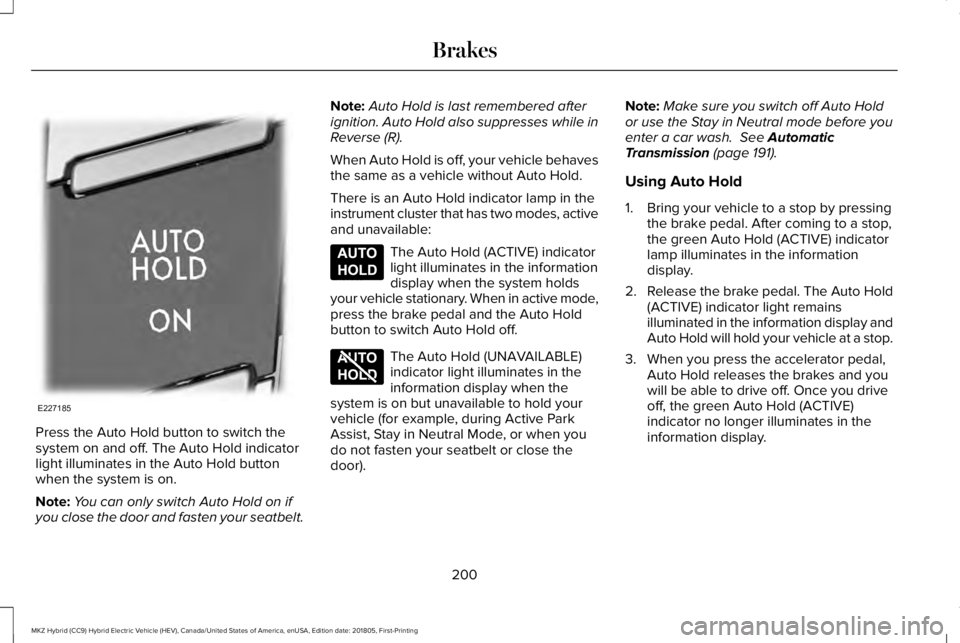
Press the Auto Hold button to switch thesystem on and off. The Auto Hold indicatorlight illuminates in the Auto Hold buttonwhen the system is on.
Note:You can only switch Auto Hold on ifyou close the door and fasten your seatbelt.
Note:Auto Hold is last remembered afterignition. Auto Hold also suppresses while inReverse (R).
When Auto Hold is off, your vehicle behavesthe same as a vehicle without Auto Hold.
There is an Auto Hold indicator lamp in theinstrument cluster that has two modes, activeand unavailable:
The Auto Hold (ACTIVE) indicatorlight illuminates in the informationdisplay when the system holdsyour vehicle stationary. When in active mode,press the brake pedal and the Auto Holdbutton to switch Auto Hold off.
The Auto Hold (UNAVAILABLE)indicator light illuminates in theinformation display when thesystem is on but unavailable to hold yourvehicle (for example, during Active ParkAssist, Stay in Neutral Mode, or when youdo not fasten your seatbelt or close thedoor).
Note:Make sure you switch off Auto Holdor use the Stay in Neutral mode before youenter a car wash. See AutomaticTransmission (page 191).
Using Auto Hold
1. Bring your vehicle to a stop by pressingthe brake pedal. After coming to a stop,the green Auto Hold (ACTIVE) indicatorlamp illuminates in the informationdisplay.
2.Release the brake pedal. The Auto Hold(ACTIVE) indicator light remainsilluminated in the information display andAuto Hold will hold your vehicle at a stop.
3. When you press the accelerator pedal,Auto Hold releases the brakes and youwill be able to drive off. Once you driveoff, the green Auto Hold (ACTIVE)indicator no longer illuminates in theinformation display.
200
MKZ Hybrid (CC9) Hybrid Electric Vehicle (HEV), Canada/United States of America, enUSA, Edition date: 201805, First-Printing
BrakesE227185 E197933 E197934
Page 228 of 575
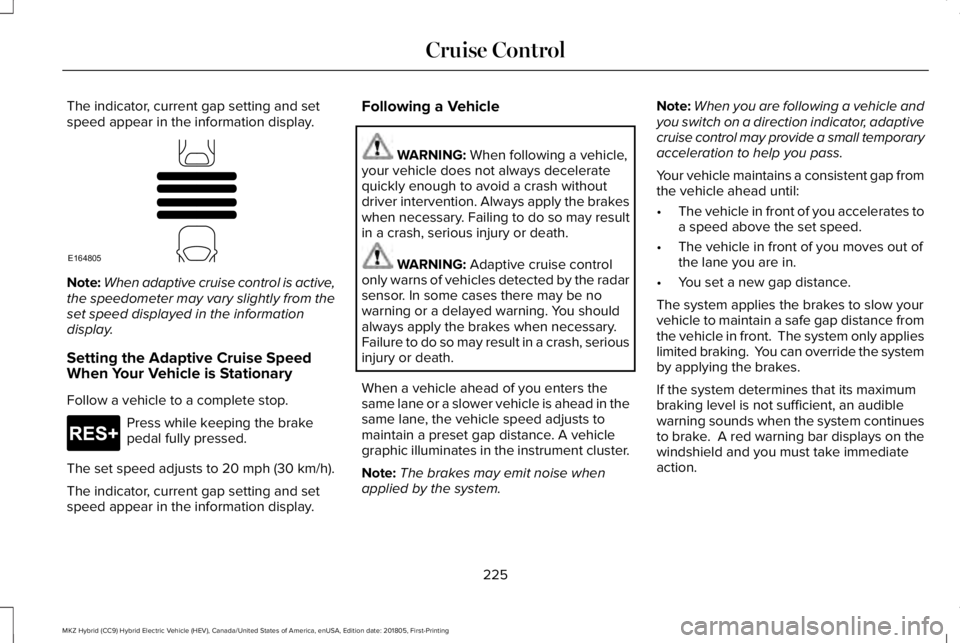
The indicator, current gap setting and setspeed appear in the information display.
Note:When adaptive cruise control is active,the speedometer may vary slightly from theset speed displayed in the informationdisplay.
Setting the Adaptive Cruise SpeedWhen Your Vehicle is Stationary
Follow a vehicle to a complete stop.
Press while keeping the brakepedal fully pressed.
The set speed adjusts to 20 mph (30 km/h).
The indicator, current gap setting and setspeed appear in the information display.
Following a Vehicle
WARNING: When following a vehicle,your vehicle does not always deceleratequickly enough to avoid a crash withoutdriver intervention. Always apply the brakeswhen necessary. Failing to do so may resultin a crash, serious injury or death.
WARNING: Adaptive cruise controlonly warns of vehicles detected by the radarsensor. In some cases there may be nowarning or a delayed warning. You shouldalways apply the brakes when necessary.Failure to do so may result in a crash, seriousinjury or death.
When a vehicle ahead of you enters thesame lane or a slower vehicle is ahead in thesame lane, the vehicle speed adjusts tomaintain a preset gap distance. A vehiclegraphic illuminates in the instrument cluster.
Note:The brakes may emit noise whenapplied by the system.
Note:When you are following a vehicle andyou switch on a direction indicator, adaptivecruise control may provide a small temporaryacceleration to help you pass.
Your vehicle maintains a consistent gap fromthe vehicle ahead until:
•The vehicle in front of you accelerates toa speed above the set speed.
•The vehicle in front of you moves out ofthe lane you are in.
•You set a new gap distance.
The system applies the brakes to slow yourvehicle to maintain a safe gap distance fromthe vehicle in front. The system only applieslimited braking. You can override the systemby applying the brakes.
If the system determines that its maximumbraking level is not sufficient, an audiblewarning sounds when the system continuesto brake. A red warning bar displays on thewindshield and you must take immediateaction.
225
MKZ Hybrid (CC9) Hybrid Electric Vehicle (HEV), Canada/United States of America, enUSA, Edition date: 201805, First-Printing
Cruise ControlE164805 E265299
Page 269 of 575
2. Start the disabled vehicle.
3. Check the instrument cluster for theReady to Drive light as the gasolineengine may not start, but the electricmotor may be running.
4. Once you start the disabled vehicle, runboth vehicles for an additional threeminutes before disconnecting the jumpercables.
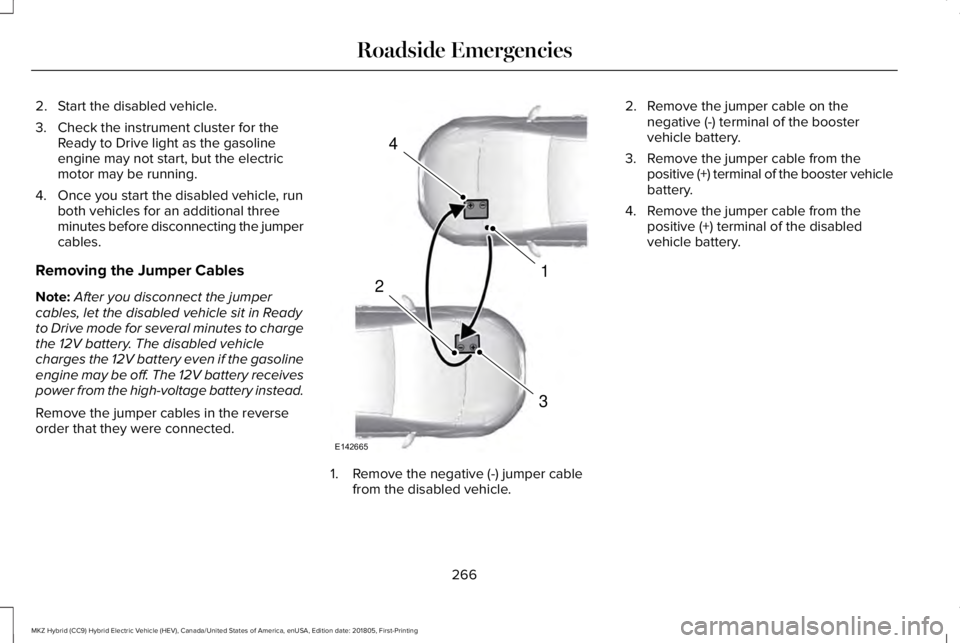
Removing the Jumper Cables
Note:After you disconnect the jumpercables, let the disabled vehicle sit in Readyto Drive mode for several minutes to chargethe 12V battery. The disabled vehiclecharges the 12V battery even if the gasolineengine may be off. The 12V battery receivespower from the high-voltage battery instead.
Remove the jumper cables in the reverseorder that they were connected.
1. Remove the negative (-) jumper cablefrom the disabled vehicle.
2. Remove the jumper cable on thenegative (-) terminal of the boostervehicle battery.
3. Remove the jumper cable from thepositive (+) terminal of the booster vehiclebattery.
4. Remove the jumper cable from thepositive (+) terminal of the disabledvehicle battery.
266
MKZ Hybrid (CC9) Hybrid Electric Vehicle (HEV), Canada/United States of America, enUSA, Edition date: 201805, First-Printing
Roadside Emergencies4
1
3
2
E142665