air condition LINCOLN NAUTILUS 2020 User Guide
[x] Cancel search | Manufacturer: LINCOLN, Model Year: 2020, Model line: NAUTILUS, Model: LINCOLN NAUTILUS 2020Pages: 596, PDF Size: 5.88 MB
Page 113 of 596
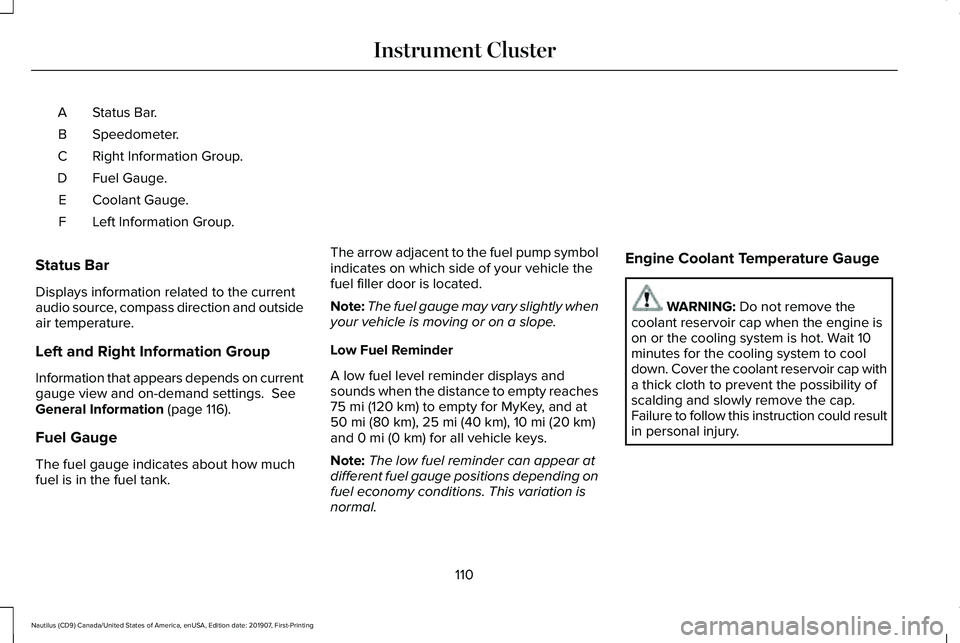
Status Bar.
A
Speedometer.
B
Right Information Group.
C
Fuel Gauge.
D
Coolant Gauge.
E
Left Information Group.
F
Status Bar
Displays information related to the current
audio source, compass direction and outside
air temperature.
Left and Right Information Group
Information that appears depends on current
gauge view and on-demand settings. See
General Information (page 116).
Fuel Gauge
The fuel gauge indicates about how much
fuel is in the fuel tank. The arrow adjacent to the fuel pump symbol
indicates on which side of your vehicle the
fuel filler door is located.
Note:
The fuel gauge may vary slightly when
your vehicle is moving or on a slope.
Low Fuel Reminder
A low fuel level reminder displays and
sounds when the distance to empty reaches
75 mi (120 km) to empty for MyKey, and at
50 mi (80 km), 25 mi (40 km), 10 mi (20 km)
and 0 mi (0 km) for all vehicle keys.
Note: The low fuel reminder can appear at
different fuel gauge positions depending on
fuel economy conditions. This variation is
normal. Engine Coolant Temperature Gauge WARNING:
Do not remove the
coolant reservoir cap when the engine is
on or the cooling system is hot. Wait 10
minutes for the cooling system to cool
down. Cover the coolant reservoir cap with
a thick cloth to prevent the possibility of
scalding and slowly remove the cap.
Failure to follow this instruction could result
in personal injury.
110
Nautilus (CD9) Canada/United States of America, enUSA, Edition date: 201907, First-Printing Instrument Cluster
Page 114 of 596
Indicates engine coolant temperature. At
normal operating temperature, the level
indicator will be in the normal range. If the
engine coolant temperature exceeds the
normal range, stop your vehicle as soon as
safely possible, switch off the engine and let
the engine cool.
WARNING LAMPS AND
INDICATORS
The following warning lamps and indicators
alert you to a vehicle condition that may
become serious. Some lamps illuminate
when you start your vehicle to make sure
they work. If any lamps remain on after
starting your vehicle, refer to the respective
system warning lamp for further information.
Note:
Some warning indicators appear in
the information display and operate the
same as a warning lamp but do not
illuminate when you start your vehicle. Adaptive Cruise Control Indicator (If
Equipped) It illuminates when you switch the
system on.
It illuminates white when the
system is in standby mode. It illuminates
green when you set the adaptive cruise
speed.
See
Using Adaptive Cruise Control (page
235).
Adaptive Steering
(If Equipped) The adaptive steering system
indicator illuminates if the system
detects a fault during the
continuous diagnostic checks.
Adaptive Steering Initialization (yellow,
flashing): The adaptive steering system has
detected a difference between steering
wheel angle and the desired road wheel
angle. The steering wheel adjusts itself to
correct this difference. This adjustment is
part of normal system operation. Adaptive Steering Off (yellow, solid): The
adaptive steering system is off. It is possible
that the steering wheel may not be straight
when the vehicle is driving straight ahead. If
this message persists, see an authorized
dealer.
Adaptive Steering Loss (red, solid): The
adaptive steering system integrity cannot be
verified. Do not drive the vehicle and contact
an authorized dealer immediately.
See
Steering (page 260).
Airbag Warning Lamp If it does not illuminate when you
switch the ignition on, continues
to flash or remains on when the
engine is running, this indicates a
malfunction. Have your vehicle checked as
soon as possible.
111
Nautilus (CD9) Canada/United States of America, enUSA, Edition date: 201907, First-Printing Instrument ClusterE144524 E223375 E67017
Page 145 of 596
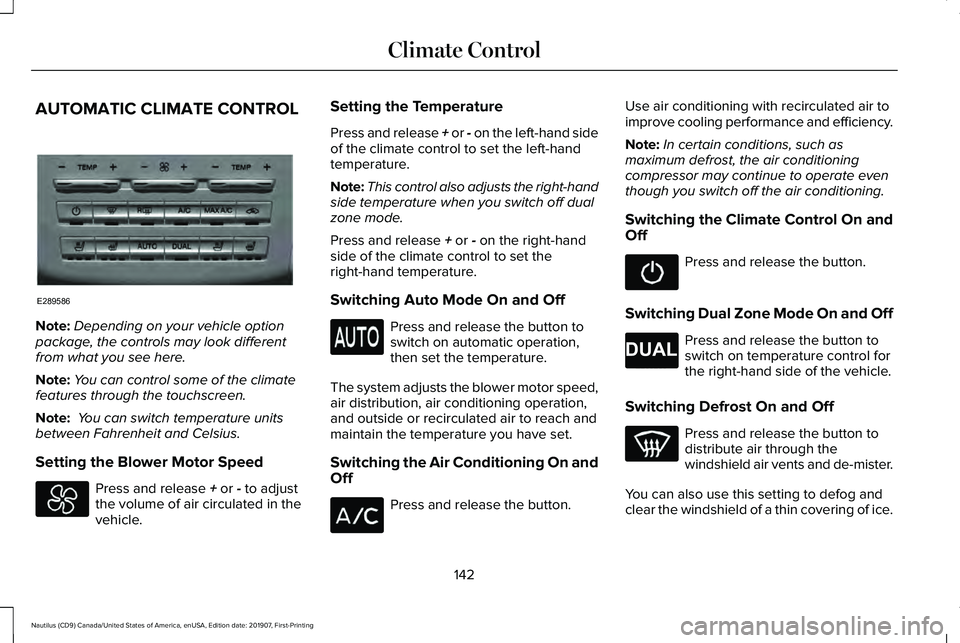
AUTOMATIC CLIMATE CONTROL
Note:
Depending on your vehicle option
package, the controls may look different
from what you see here.
Note: You can control some of the climate
features through the touchscreen.
Note: You can switch temperature units
between Fahrenheit and Celsius.
Setting the Blower Motor Speed Press and release + or - to adjust
the volume of air circulated in the
vehicle. Setting the Temperature
Press and release + or - on the left-hand side
of the climate control to set the left-hand
temperature.
Note:
This control also adjusts the right-hand
side temperature when you switch off dual
zone mode.
Press and release
+ or - on the right-hand
side of the climate control to set the
right-hand temperature.
Switching Auto Mode On and Off Press and release the button to
switch on automatic operation,
then set the temperature.
The system adjusts the blower motor speed,
air distribution, air conditioning operation,
and outside or recirculated air to reach and
maintain the temperature you have set.
Switching the Air Conditioning On and
Off Press and release the button.Use air conditioning with recirculated air to
improve cooling performance and efficiency.
Note:
In certain conditions, such as
maximum defrost, the air conditioning
compressor may continue to operate even
though you switch off the air conditioning.
Switching the Climate Control On and
Off Press and release the button.
Switching Dual Zone Mode On and Off Press and release the button to
switch on temperature control for
the right-hand side of the vehicle.
Switching Defrost On and Off Press and release the button to
distribute air through the
windshield air vents and de-mister.
You can also use this setting to defog and
clear the windshield of a thin covering of ice.
142
Nautilus (CD9) Canada/United States of America, enUSA, Edition date: 201907, First-Printing Climate ControlE289586 E265280
Page 146 of 596
Switching Maximum Air Conditioning
On and Off
Press and release the button for
maximum cooling.
The driver and passenger temperatures are
set to LO, recirculated air flows through the
instrument panel air vents, air conditioning
turns on and the blower motor adjusts to the
highest speed.
Switching Recirculated Air On and Off Press and release the button to
switch between outside air and
recirculated air.
The air currently in the passenger
compartment recirculates. This may reduce
the time needed to cool the interior, when
used with A/C, and reduce unwanted odors
from entering your vehicle. Note:
Recirculated air may turn off, or
prevent you from switching on, in all air flow
modes except MAX A/C to reduce the risk
of fogging. Recirculation may also turn on
and off in various air distribution control
combinations during hot weather to improve
cooling efficiency.
Switching the Rear Heated Seats On
and Off
(If Equipped) See
Heated Seats (page 159).
Switching the Rear Ventilated Seats
On and Off
(If Equipped) See
Climate Controlled Seats
(page 160).
HINTS ON CONTROLLING THE
INTERIOR CLIMATE
General Hints
Note: Prolonged use of recirculated air may
cause the windows to fog up. Note:
You may feel a small amount of air
from the footwell air vents regardless of the
air distribution setting.
Note: To reduce humidity build-up inside
your vehicle, do not drive with the system
switched off or with recirculated air always
switched on.
Note: Do not place objects under the front
seats as this may interfere with the airflow
to the rear seats.
Note: Remove any snow, ice or leaves from
the air intake area at the base of the
windshield.
Note: To improve the time to reach a
comfortable temperature in hot weather,
drive with the windows open until you feel
cold air through the air vents.
Automatic Climate Control
Note: Adjusting the settings when your
vehicle interior is extremely hot or cold is not
necessary. Automatic mode is best
recommended to maintain set temperature.
143
Nautilus (CD9) Canada/United States of America, enUSA, Edition date: 201907, First-Printing Climate Control E268558
Page 182 of 596
•
The engine coolant is at operating
temperature.
• Elevation is below about 10,000 ft
(3,048 m).
• Ambient temperature is moderate. The green Auto-Start-Stop
indicator light on the instrument
cluster will illuminate to indicate
when the automatic engine stop occurs. If the instrument cluster is
equipped with a grey
Auto-Start-Stop indicator light, it is
illuminated when automatic engine stop is
not available due to one of the above noted
conditions not being met.
Automatic Engine Restart
Any of the following conditions will result in
an automatic restart of the engine:
• You have removed your foot from the
brake pedal in drive (D) unless AutoHold
has been engaged.
• You press the accelerator pedal. •
The driver safety belt becomes
unfastened or the driver door is ajar.
• You have moved the transmission from
drive (D).
• Your vehicle is moving.
• The interior compartment does not meet
customer climate control comfort settings
when air conditioning or heat is on.
• Fogging of the windows could occur and
the air conditioning is on.
• The battery is not within optimal
operating conditions.
• You have exceeded the maximum engine
off time.
• When you press the Auto-Start-Stop
button while the engine is stopped.
• Either the front or rear defroster is turned
on.
Any of the following conditions may result in
an automatic restart of the engine:
• The blower fan speed is increased or the
climate control temperature is changed.
• You have an electrical accessory turned
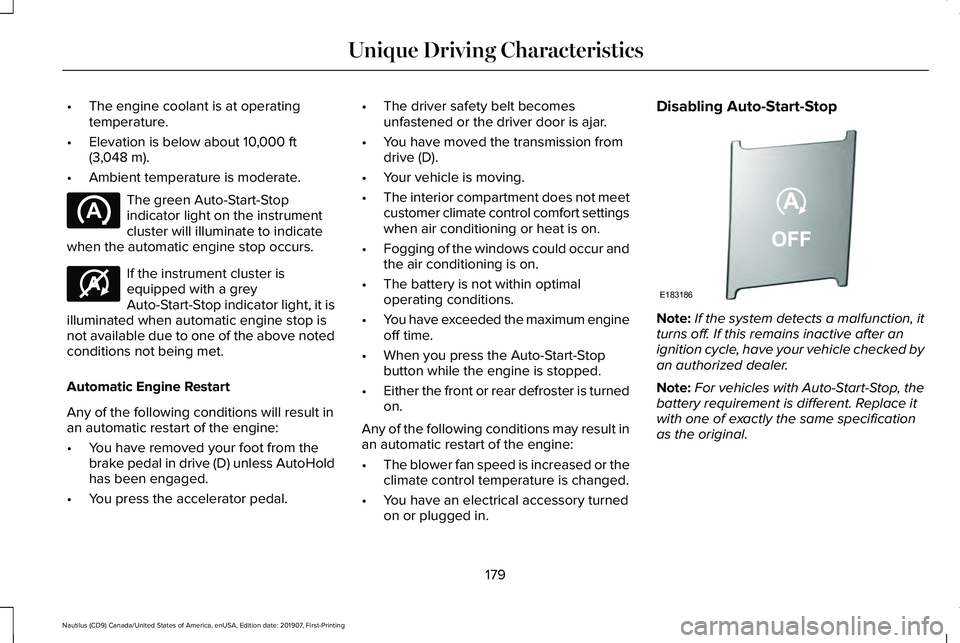
on or plugged in. Disabling Auto-Start-Stop
Note:
If the system detects a malfunction, it
turns off. If this remains inactive after an
ignition cycle, have your vehicle checked by
an authorized dealer.
Note: For vehicles with Auto-Start-Stop, the
battery requirement is different. Replace it
with one of exactly the same specification
as the original.
179
Nautilus (CD9) Canada/United States of America, enUSA, Edition date: 201907, First-Printing Unique Driving Characteristics E146361 E183186
Page 185 of 596
FUEL QUALITY
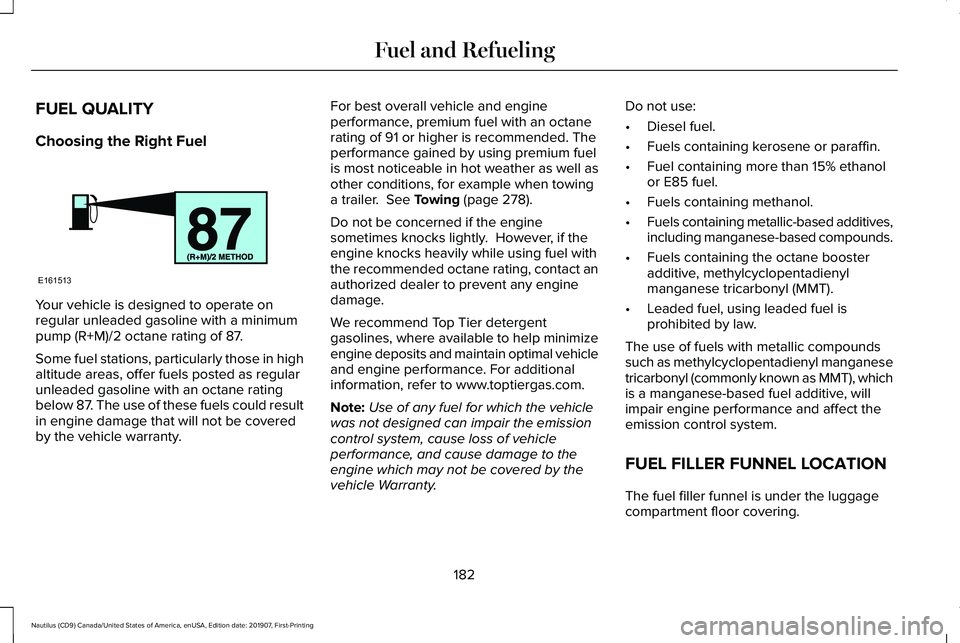
Choosing the Right Fuel
Your vehicle is designed to operate on
regular unleaded gasoline with a minimum
pump (R+M)/2 octane rating of 87.
Some fuel stations, particularly those in high
altitude areas, offer fuels posted as regular
unleaded gasoline with an octane rating
below 87. The use of these fuels could result
in engine damage that will not be covered
by the vehicle warranty. For best overall vehicle and engine
performance, premium fuel with an octane
rating of 91 or higher is recommended. The
performance gained by using premium fuel
is most noticeable in hot weather as well as
other conditions, for example when towing
a trailer. See Towing (page 278).
Do not be concerned if the engine
sometimes knocks lightly. However, if the
engine knocks heavily while using fuel with
the recommended octane rating, contact an
authorized dealer to prevent any engine
damage.
We recommend Top Tier detergent
gasolines, where available to help minimize
engine deposits and maintain optimal vehicle
and engine performance. For additional
information, refer to www.toptiergas.com.
Note: Use of any fuel for which the vehicle
was not designed can impair the emission
control system, cause loss of vehicle
performance, and cause damage to the
engine which may not be covered by the
vehicle Warranty. Do not use:
•
Diesel fuel.
• Fuels containing kerosene or paraffin.
• Fuel containing more than 15% ethanol
or E85 fuel.
• Fuels containing methanol.
• Fuels containing metallic-based additives,
including manganese-based compounds.
• Fuels containing the octane booster
additive, methylcyclopentadienyl
manganese tricarbonyl (MMT).
• Leaded fuel, using leaded fuel is
prohibited by law.
The use of fuels with metallic compounds
such as methylcyclopentadienyl manganese
tricarbonyl (commonly known as MMT), which
is a manganese-based fuel additive, will
impair engine performance and affect the
emission control system.
FUEL FILLER FUNNEL LOCATION
The fuel filler funnel is under the luggage
compartment floor covering.
182
Nautilus (CD9) Canada/United States of America, enUSA, Edition date: 201907, First-Printing Fuel and RefuelingE161513
Page 192 of 596
•
An open or pinched sensor hose.
• Incorrect engine oil level.
• Incorrect fuel for climatic conditions.
• Incorrect engine oil viscosity for climactic
conditions.
Note: Some vehicles have a lifetime fuel filter
that is integrated with the fuel tank. Regular
maintenance or replacement is not needed.
Note: If these checks do not help you correct
the concern, have your vehicle checked as
soon as possible.
Noise Emissions Warranty, Prohibited
Tampering Acts and Maintenance
On January 1, 1978, Federal regulation
became effective governing the noise
emission on trucks over 10,000 lb (4,536 kg)
Gross Vehicle Weight Rating (GVWR). The
preceding statements concerning prohibited
tampering acts and maintenance, and the
noise warranty found in the Warranty Guide,
are applicable to complete chassis cabs over
10,000 lb (4,536 kg)
GVWR. CATALYTIC CONVERTER WARNING: Do not park, idle or drive
your vehicle on dry grass or other dry
ground cover. The emission system heats
up the engine compartment and exhaust
system, creating the risk of fire. WARNING:
The normal operating
temperature of the exhaust system is very
high. Never work around or attempt to
repair any part of the exhaust system until
it has cooled. Use special care when
working around the catalytic converter.
The catalytic converter heats up to a very
high temperature after only a short period
of engine operation and stays hot after the
engine is switched off. WARNING:
Exhaust leaks may result
in entry of harmful and potentially lethal
fumes into the passenger compartment. If
you smell exhaust fumes inside your
vehicle, have your vehicle inspected
immediately. Do not drive if you smell
exhaust fumes. Your vehicle has various emission control
components and a catalytic converter that
enables it to comply with applicable exhaust
emission standards.
To make sure that the catalytic converter and
other emission control components continue
to work properly:
•
Do not crank the engine for more than
10 seconds at a time.
• Do not run the engine with a spark plug
lead disconnected.
• Do not push-start or tow-start your
vehicle. Use booster cables.
See Jump
Starting the Vehicle (page 290).
• Use only the specified fuel listed.
• Do not switch the ignition off when your
vehicle is moving.
• Avoid running out of fuel.
• Have the items listed in scheduled
maintenance information performed
according to the specified schedule.
Note: Resulting component damage may
not be covered by the vehicle Warranty.
189
Nautilus (CD9) Canada/United States of America, enUSA, Edition date: 201907, First-Printing Engine Emission Control
Page 202 of 596
USING ALL-WHEEL DRIVE
All-wheel drive uses all four wheels to power
the vehicle. This increases traction, enabling
you to drive over terrain and road conditions
that a conventional two-wheel drive vehicle
cannot. The AWD system turns on when
needed and does not require input from you.
Note:
The AWD feature gives your vehicle
some limited off-road capabilities in which
driving surfaces are relatively level,
obstruction-free and otherwise similar to
normal on-road driving conditions. Operating
your vehicle under other than those
conditions could subject the vehicle to
excessive stress that might result in damage
that your vehicle warranty does not cover.
Note: A warning message appears in the
information display when an AWD system
fault is present. See Information Messages
(page 122). An AWD system fault causes the
AWD system to default to front-wheel drive
only mode. When this warning message
displays, have your vehicle serviced at an
authorized dealer Note:
A warning message appears in the
information display if the AWD system has
overheated. See Information Messages
(page 122). This condition may occur if you
operate the vehicle in extreme conditions
with excessive wheel slip, such as deep
sand. To resume normal AWD function as
soon as possible, stop the vehicle in a safe
location and stop the engine for at least 10
minutes. After you restart the engine and the
AWD system adequately cools, the warning
message turns off and normal AWD function
returns.
Do not use a spare tire of a different size
other than the tire provided. If the mini-spare
tire is installed, the AWD system may disable
automatically and enter front-wheel drive
only mode to protect driveline components.
A warning in the information display appears,
indicating that the system is in front-wheel
drive only mode. See Information Messages
(page
122). If there is a warning message in
the information display from using the spare
tire, this indicator should turn off after
reinstalling the repaired or replaced normal
road tire and cycling the ignition off and on.
We recommend that you reinstall the repaired or replaced road tire as soon as
possible. Major dissimilar tire sizes between
the front and rear axles could cause the AWD
system to stop functioning and default to
front-wheel drive or damage the AWD
system.
Driving in Special Conditions with All-
Wheel Drive (AWD)
AWD vehicles are ready to drive on sand,
snow, mud and rough roads and have
operating characteristics that are somewhat
different from conventional vehicles, both on
and off the highway.
Under severe operating conditions, the A/C
may cycle on and off to protect overheating
of the engine.
Basic operating principles in special
conditions
•
Drive slower in strong crosswinds which
can affect the normal steering
characteristics of your vehicle.
• Be extremely careful when driving on
pavement made slippery by loose sand,
water, gravel, snow or ice.
199
Nautilus (CD9) Canada/United States of America, enUSA, Edition date: 201907, First-Printing All-Wheel Drive
(If Equipped)
Page 206 of 596
Your vehicle has anti-lock brakes, therefore
apply the brakes steadily. Do not “pump
” the
brakes.
Driving on Snow and Ice WARNING: If you are driving in
slippery conditions that require tire chains
or cables, then it is critical that you drive
cautiously. Keep speeds down, allow for
longer stopping distances and avoid
aggressive steering to reduce the chances
of a loss of vehicle control which can lead
to serious injury or death. If the rear end
of your vehicle slides while cornering, steer
in the direction of the slide until you regain
control of your vehicle.
Note: Excessive tire slippage can cause
driveline damage.
AWD vehicles have advantages over 2WD
vehicles in snow and ice but can skid like
any other vehicle. Should you start to slide when driving on
snowy or icy roads, turn the steering wheel
in the direction of the slide until you regain
control.
Avoid sudden applications of power and
quick changes of direction on snow and ice.
Apply the accelerator slowly and steadily
when starting from a full stop.
Avoid sudden braking as well. Although an
AWD vehicle may accelerate better than a
two-wheel drive vehicle in snow and ice, it
does not stop any faster, because as in other
vehicles, braking occurs at all four wheels.
Do not become overconfident as to road
conditions.
Make sure you allow sufficient distance
between you and other vehicles for stopping.
Drive slower than usual and consider using
one of the lower gears. In emergency
stopping situations, apply the brake steadily.
Since your vehicle comes with a four wheel
(ABS), do not “pump
” the brakes. See Hints
on Driving With Anti-Lock Brakes (page 205). Maintenance and Modifications
The suspension and steering systems on
your vehicle have been designed and tested
to provide predictable performance whether
loaded or empty and durable load carrying
capability. For this reason, we strongly
recommend that you do not make
modifications, such as, adding or removing
parts, for example, lowering kits or stabilizer
bars, or by using replacement parts not
equivalent to the original factory equipment.
Any modifications to a vehicle that raise the
center of gravity can make it more likely the
vehicle may rollover as a result of a loss of
control. We recommend that you use caution
with any vehicle equipped with a high load
or device, such as ladder or luggage racks.
Failure to maintain your vehicle properly may
void the warranty, increase your repair cost,
reduce vehicle performance and operational
capabilities and adversely affect driver and
passenger safety. Frequent inspection of
vehicle chassis components is recommended
if the vehicle is subjected to off-highway
usage.
203
Nautilus (CD9) Canada/United States of America, enUSA, Edition date: 201907, First-Printing All-Wheel Drive
(If Equipped)
Page 223 of 596
•
As the distance to the object decreases,
the indicator blocks illuminate and move
toward the vehicle icon.
• If there is no object detected, the
distance indicator blocks are gray.
When you shift into reverse (R), the system
provides audible warnings and visual
indication when detected objects are within
24 in (60 cm) and are inside the driving path
of your vehicle. When you stop your vehicle,
the audible warnings turn off after two
seconds.
When you shift into any forward gear, the
system provides audible warnings and visual
indication when your vehicle is moving at a
speed of approximately
5 mph (8 km/h) or
below and the system detects an object
within the detection zone. When you stop
your vehicle, the audible warnings turn off
after two seconds and visual indication turns
off after four seconds. When you shift into neutral (N), the system
only provides visual indication if your vehicle
is moving at a speed of approximately 5 mph
(8 km/h)
or below. For example, your vehicle
is moving on a slope, and the system detects
an object moving toward your vehicle. When
you stop your vehicle, visual indication turns
off after four seconds.
If the system is not available, the side
distance indicator blocks do not display.
ACTIVE PARK ASSIST
(IF EQUIPPED) WARNING: You must remain in your
vehicle when the system turns on. At all
times, you are responsible for controlling
your vehicle, supervising the system and
intervening, if required. Failure to take care
may result in the loss of control of your
vehicle, serious personal injury or death. WARNING:
The sensors may not
detect objects in heavy rain or other
conditions that cause interference. WARNING:
Active park assist does
not apply the brakes under any
circumstances. WARNING:
You are responsible for
controlling your vehicle at all times. The
system is designed to be an aid and does
not relieve you of your responsibility to
drive with due care and attention. Failure
to follow this instruction could result in the
loss of control of your vehicle, personal
injury or death.
Note: Keep the sensors free from snow, ice
and large accumulations of dirt.
Note: Do not cover up the sensors.
Note: Do not clean the sensors with sharp
objects.
Note: The sensors may not detect objects
with surfaces that absorb ultrasonic waves.
The sensors may falsely detect objects due
to ultrasonic interference caused by
motorcycle exhausts, truck air brakes or
horns, for example.
220
Nautilus (CD9) Canada/United States of America, enUSA, Edition date: 201907, First-Printing Parking Aids