instrument cluster LINCOLN NAUTILUS 2020 User Guide
[x] Cancel search | Manufacturer: LINCOLN, Model Year: 2020, Model line: NAUTILUS, Model: LINCOLN NAUTILUS 2020Pages: 596, PDF Size: 5.88 MB
Page 117 of 596
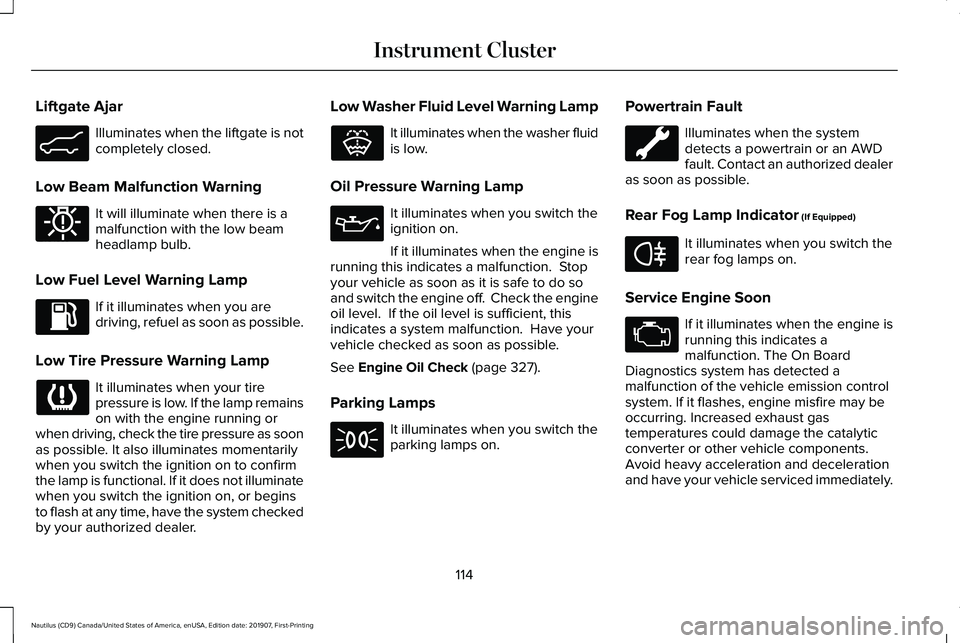
Liftgate Ajar
Illuminates when the liftgate is not
completely closed.
Low Beam Malfunction Warning It will illuminate when there is a
malfunction with the low beam
headlamp bulb.
Low Fuel Level Warning Lamp If it illuminates when you are
driving, refuel as soon as possible.
Low Tire Pressure Warning Lamp It illuminates when your tire
pressure is low. If the lamp remains
on with the engine running or
when driving, check the tire pressure as soon
as possible. It also illuminates momentarily
when you switch the ignition on to confirm
the lamp is functional. If it does not illuminate
when you switch the ignition on, or begins
to flash at any time, have the system checked
by your authorized dealer. Low Washer Fluid Level Warning Lamp It illuminates when the washer fluid
is low.
Oil Pressure Warning Lamp It illuminates when you switch the
ignition on.
If it illuminates when the engine is
running this indicates a malfunction. Stop
your vehicle as soon as it is safe to do so
and switch the engine off. Check the engine
oil level. If the oil level is sufficient, this
indicates a system malfunction. Have your
vehicle checked as soon as possible.
See Engine Oil Check (page 327).
Parking Lamps It illuminates when you switch the
parking lamps on.Powertrain Fault Illuminates when the system
detects a powertrain or an AWD
fault. Contact an authorized dealer
as soon as possible.
Rear Fog Lamp Indicator
(If Equipped) It illuminates when you switch the
rear fog lamps on.
Service Engine Soon If it illuminates when the engine is
running this indicates a
malfunction. The On Board
Diagnostics system has detected a
malfunction of the vehicle emission control
system. If it flashes, engine misfire may be
occurring. Increased exhaust gas
temperatures could damage the catalytic
converter or other vehicle components.
Avoid heavy acceleration and deceleration
and have your vehicle serviced immediately.
114
Nautilus (CD9) Canada/United States of America, enUSA, Edition date: 201907, First-Printing Instrument ClusterE162453 E181350 E132353 E67040
Page 118 of 596
It illuminates when you switch the ignition
on prior to engine start to check the bulb and
to indicate whether your vehicle is ready for
Inspection and Maintenance (I/M) testing.
Normally, it illuminates until the engine is
cranked and automatically turns off if no
malfunctions are present. However, if after
15 seconds it flashes eight times, this
indicates that your vehicle is not ready for
Inspection and Maintenance (I/M) testing.
See Catalytic Converter (page 189).
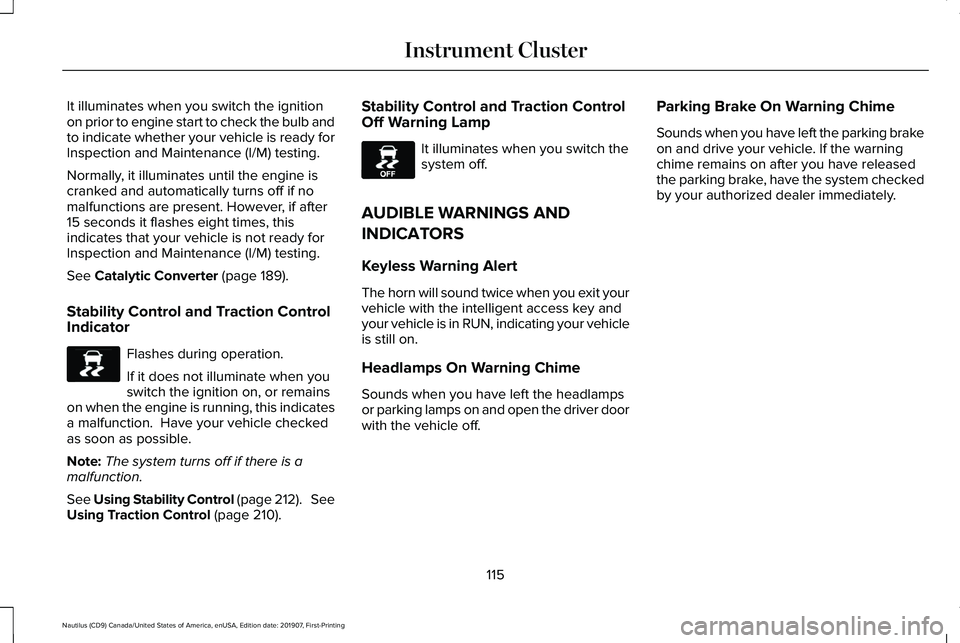
Stability Control and Traction Control
Indicator Flashes during operation.
If it does not illuminate when you
switch the ignition on, or remains
on when the engine is running, this indicates
a malfunction. Have your vehicle checked
as soon as possible.
Note: The system turns off if there is a
malfunction.
See Using Stability Control (page 212). See
Using Traction Control
(page 210). Stability Control and Traction Control
Off Warning Lamp It illuminates when you switch the
system off.
AUDIBLE WARNINGS AND
INDICATORS
Keyless Warning Alert
The horn will sound twice when you exit your
vehicle with the intelligent access key and
your vehicle is in RUN, indicating your vehicle
is still on.
Headlamps On Warning Chime
Sounds when you have left the headlamps
or parking lamps on and open the driver door
with the vehicle off. Parking Brake On Warning Chime
Sounds when you have left the parking brake
on and drive your vehicle. If the warning
chime remains on after you have released
the parking brake, have the system checked
by your authorized dealer immediately.
115
Nautilus (CD9) Canada/United States of America, enUSA, Edition date: 201907, First-Printing Instrument ClusterE138639 E130458
Page 125 of 596
Display
Tire Pressure
Language
• Trip 1 - Displays distance traveled, average fuel economy, and time spent for trip. Press and hold OK to reset.
• Trip 2
information is the same as Trip 1.
• Fuel Economy
- Displays instantaneous and average fuel economy.
• Eco Behavior
- Displays information about your Acceleration, Deceleration and speed.\
• Auto StartStop
- Displays engine information.
• Tire Pressure
- Displays a graphic of current vehicle tire pressures.
• Power Distribution
(if equipped) - Displays a graphic of the power distribution between \
the front and rear wheels.
• Seatbelts
- Displays the buckle status for the rear seats.
Phone
See
General Information (page 429).
Audio
See
General Information (page 429).
Navigation
(If Equipped)
See
General Information (page 429). INFORMATION MESSAGES
Note:
Depending on your vehicle options
and instrument cluster type, not all of these
messages may be available and certain
messages may be abbreviated or shortened. 122
Nautilus (CD9) Canada/United States of America, enUSA, Edition date: 201907, First-Printing Information DisplaysE222314
Page 182 of 596
•
The engine coolant is at operating
temperature.
• Elevation is below about 10,000 ft
(3,048 m).
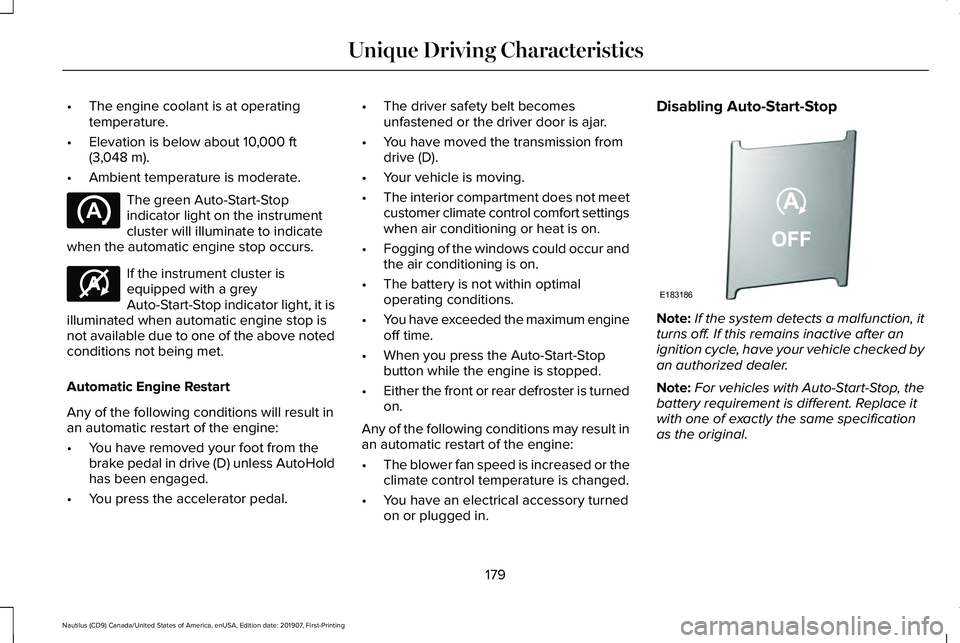
• Ambient temperature is moderate. The green Auto-Start-Stop
indicator light on the instrument
cluster will illuminate to indicate
when the automatic engine stop occurs. If the instrument cluster is
equipped with a grey
Auto-Start-Stop indicator light, it is
illuminated when automatic engine stop is
not available due to one of the above noted
conditions not being met.
Automatic Engine Restart
Any of the following conditions will result in
an automatic restart of the engine:
• You have removed your foot from the
brake pedal in drive (D) unless AutoHold
has been engaged.
• You press the accelerator pedal. •
The driver safety belt becomes
unfastened or the driver door is ajar.
• You have moved the transmission from
drive (D).
• Your vehicle is moving.
• The interior compartment does not meet
customer climate control comfort settings
when air conditioning or heat is on.
• Fogging of the windows could occur and
the air conditioning is on.
• The battery is not within optimal
operating conditions.
• You have exceeded the maximum engine
off time.
• When you press the Auto-Start-Stop
button while the engine is stopped.
• Either the front or rear defroster is turned
on.
Any of the following conditions may result in
an automatic restart of the engine:
• The blower fan speed is increased or the
climate control temperature is changed.
• You have an electrical accessory turned
on or plugged in. Disabling Auto-Start-Stop
Note:
If the system detects a malfunction, it
turns off. If this remains inactive after an
ignition cycle, have your vehicle checked by
an authorized dealer.
Note: For vehicles with Auto-Start-Stop, the
battery requirement is different. Replace it
with one of exactly the same specification
as the original.
179
Nautilus (CD9) Canada/United States of America, enUSA, Edition date: 201907, First-Printing Unique Driving Characteristics E146361 E183186
Page 196 of 596
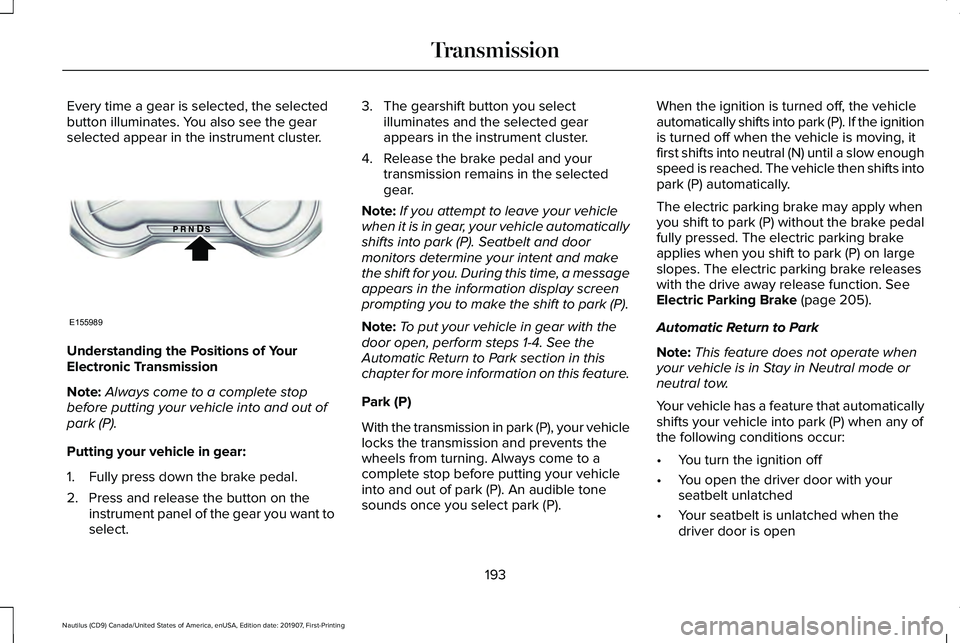
Every time a gear is selected, the selected
button illuminates. You also see the gear
selected appear in the instrument cluster.
Understanding the Positions of Your
Electronic Transmission
Note:
Always come to a complete stop
before putting your vehicle into and out of
park (P).
Putting your vehicle in gear:
1. Fully press down the brake pedal.
2. Press and release the button on the instrument panel of the gear you want to
select. 3. The gearshift button you select
illuminates and the selected gear
appears in the instrument cluster.
4. Release the brake pedal and your transmission remains in the selected
gear.
Note: If you attempt to leave your vehicle
when it is in gear, your vehicle automatically
shifts into park (P). Seatbelt and door
monitors determine your intent and make
the shift for you. During this time, a message
appears in the information display screen
prompting you to make the shift to park (P).
Note: To put your vehicle in gear with the
door open, perform steps 1-4. See the
Automatic Return to Park section in this
chapter for more information on this feature.
Park (P)
With the transmission in park (P), your vehicle
locks the transmission and prevents the
wheels from turning. Always come to a
complete stop before putting your vehicle
into and out of park (P). An audible tone
sounds once you select park (P). When the ignition is turned off, the vehicle
automatically shifts into park (P). If the ignition
is turned off when the vehicle is moving, it
first shifts into neutral (N) until a slow enough
speed is reached. The vehicle then shifts into
park (P) automatically.
The electric parking brake may apply when
you shift to park (P) without the brake pedal
fully pressed. The electric parking brake
applies when you shift to park (P) on large
slopes. The electric parking brake releases
with the drive away release function. See
Electric Parking Brake (page 205).
Automatic Return to Park
Note: This feature does not operate when
your vehicle is in Stay in Neutral mode or
neutral tow.
Your vehicle has a feature that automatically
shifts your vehicle into park (P) when any of
the following conditions occur:
• You turn the ignition off
• You open the driver door with your
seatbelt unlatched
• Your seatbelt is unlatched when the
driver door is open
193
Nautilus (CD9) Canada/United States of America, enUSA, Edition date: 201907, First-Printing TransmissionE155989
Page 198 of 596
•
Provides additional engine braking and
extends lower gear operation to enhance
performance for uphill climbs, hilly terrain
or mountainous areas. This increases
engine RPM during engine braking.
• Provides additional lower gear operation
through the automatic transmission shift
strategy.
• Provides gear selection more quickly and
at higher engine speeds.
SelectShift Automatic ™ Transmission
Your SelectShift Automatic transmission
gives you the ability to change gears
manually.
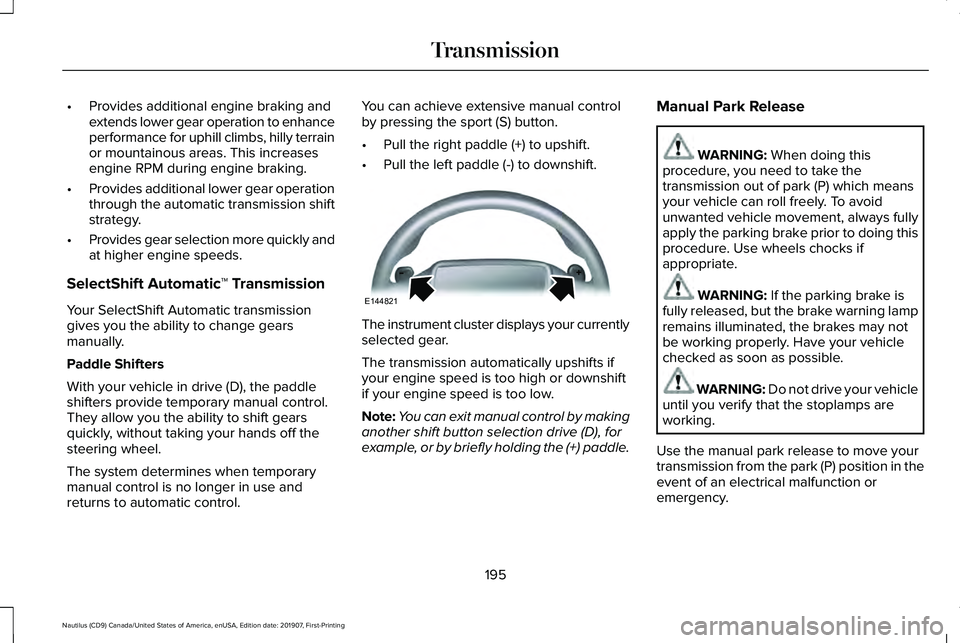
Paddle Shifters
With your vehicle in drive (D), the paddle
shifters provide temporary manual control.
They allow you the ability to shift gears
quickly, without taking your hands off the
steering wheel.
The system determines when temporary
manual control is no longer in use and
returns to automatic control. You can achieve extensive manual control
by pressing the sport (S) button.
•
Pull the right paddle (+) to upshift.
• Pull the left paddle (-) to downshift. The instrument cluster displays your currently
selected gear.
The transmission automatically upshifts if
your engine speed is too high or downshift
if your engine speed is too low.
Note:
You can exit manual control by making
another shift button selection drive (D), for
example, or by briefly holding the (+) paddle. Manual Park Release WARNING: When doing this
procedure, you need to take the
transmission out of park (P) which means
your vehicle can roll freely. To avoid
unwanted vehicle movement, always fully
apply the parking brake prior to doing this
procedure. Use wheels chocks if
appropriate. WARNING:
If the parking brake is
fully released, but the brake warning lamp
remains illuminated, the brakes may not
be working properly. Have your vehicle
checked as soon as possible. WARNING:
Do not drive your vehicle
until you verify that the stoplamps are
working.
Use the manual park release to move your
transmission from the park (P) position in the
event of an electrical malfunction or
emergency.
195
Nautilus (CD9) Canada/United States of America, enUSA, Edition date: 201907, First-Printing TransmissionE144821
Page 200 of 596
5.
Once in driver seat, fully apply the brake
pedal and hold. Do not release. Pull the
orange tether outward towards the driver,
move the tether to the lower right-hand
corner to seat the metal bead in the
pocket, locking it in the override position.
If done correctly, a message on the
instrument cluster displays Park Not
Available, Transmission Not In Park or
Shift System Fault.
Note: Your vehicle is now out of the park (P)
position and is free to roll.
6. With your foot still fully applied on the brake pedal, disengage the parking
brake. See Electric Parking Brake (page
205).
7. Your vehicle remains in neutral (N) for emergency towing purposes.
8. Switch off the ignition.
9. Once safe to do so, and there is no risk that your vehicle will roll, disconnect the
negative (black) battery cable from the
battery. Returning Your Vehicle to Normal Mode
1. Once it is safe to do so, reconnect the
negative (black) battery cable to the
battery.
2. Apply the parking brake.
See Electric
Parking Brake (page 205).
Note: If vehicle battery is dead, for example,
no electrical power available, an external
power may be required to apply the parking
brake.
Note: Do not pull the tether until you are in
the driver seat.
3. Once in the driver seat, fully apply the brake pedal and hold. Do not release.
Pull the orange tether outward towards
the driver seat.
4. Move the tether towards the left and release to return it to the rest position.
5. Stow the manual park release cable tether, install the access cover and
replace the screw. 6.
With your foot fully applied on the brake
pedal, start your vehicle. Confirm that
your vehicle is in the park (P) position and
that the instrument cluster indicates park
(P).
7. If the instrument cluster is not displaying
the park (P) position or there is a
message stating Park Not Available,
Transmission Not In Park or Shift System
Fault, apply the parking brake before
exiting your vehicle. Contact an
authorized dealer for service.
Automatic Transmission Adaptive
Learning
This feature increases durability and provides
consistent shift feel over the life of your
vehicle. A new vehicle or transmission may
have firm or soft shifts. This operation does
not affect function or durability of your
transmission and is normal. Over time, the
adaptive learning process can fully update
transmission operation. Additionally, the
strategy must be relearned whenever the
battery is disconnected or a new battery is
installed.
197
Nautilus (CD9) Canada/United States of America, enUSA, Edition date: 201907, First-Printing Transmission
Page 240 of 596
Following a Vehicle
WARNING: When following a vehicle
that is braking, your vehicle does not
always decelerate quickly enough to avoid
a crash without driver intervention. Apply
the brakes when necessary. Failure to
follow this instruction could result in
personal injury or death. WARNING: The system only warns
of vehicles detected by the radar sensor.
In some cases there may be no warning
or a delayed warning. Apply the brakes
when necessary. Failure to follow this
instruction could result in personal injury
or death.
When a vehicle ahead of you enters the
same lane or a slower vehicle is ahead in the
same lane, the vehicle speed adjusts to
maintain a preset gap distance. A vehicle
graphic illuminates in the instrument cluster.
Note: The brakes may emit noise when
applied by the system. Note:
When you are following a vehicle and
you switch on a direction indicator, adaptive
cruise control may provide a small temporary
acceleration to help you pass.
Your vehicle maintains a consistent gap from
the vehicle ahead until:
• The vehicle in front of you accelerates to
a speed above the set speed.
• The vehicle in front of you moves out of
the lane you are in.
• You set a new gap distance.
The system applies the brakes to slow your
vehicle to maintain a safe gap distance from
the vehicle in front. The system only applies
limited braking. You can override the system
by applying the brakes.
If the system determines that its maximum
braking level is not sufficient, an audible
warning sounds, a message appears in the
information display and an indicator flashes
when the system continues to brake. Take
immediate action. Following a Vehicle to a Complete Stop
If your vehicle follows a vehicle to a complete
stop and remains stationary for less than
three seconds, your vehicle accelerates from
a stationary position to follow the vehicle
ahead. If your vehicle follows a vehicle to
a complete stop and remains
stationary for more than three
seconds, press and release the button to
follow the vehicle ahead. Or press the
accelerator pedal.
Setting the Gap Distance
You can decrease or increase the distance
between your vehicle and the vehicle in front
by pressing the gap control. Press and release the button to
cycle through the four gap settings.
237
Nautilus (CD9) Canada/United States of America, enUSA, Edition date: 201907, First-Printing Cruise ControlE265299
Page 262 of 596
Cross Traffic Alert Indicator
When the system detects an
approaching vehicle, a tone
sounds, a warning lamp illuminates
in the relevant exterior mirror and arrows
appear in the information display to show
which side the approaching vehicle is coming
from. Note:
If arrows do not display, a message
appears in the information display.
If the system malfunctions, a warning lamp
illuminates in the instrument cluster and a
message appears in the information display.
Have your vehicle checked as soon as
possible. Note:
In exceptional conditions, the system
could alert you, even when there is nothing
in the detection zone, for example a vehicle
passing further away from your vehicle.
Cross Traffic Alert Information Messages Action
Message
Displays instead of indication arrows when the system detects a vehicle. Check for approaching
traffic.
Cross Traffic Alert
Indicates blocked cross traffic alert system sensors. Clean the sensors. If the message\
continues
to appear, have your vehicle checked as soon as possible.
Cross Traffic Not Available Sensor
Blocked See Manual
The system has malfunctioned. Have your vehicle checked as soon as possible.
Cross Traffic System Fault
Displays if you attach a trailer to your vehicle.
Cross Traffic Alert Deactivated Trailer
Attached
259
Nautilus (CD9) Canada/United States of America, enUSA, Edition date: 201907, First-Printing Driving AidsE268294
Page 331 of 596
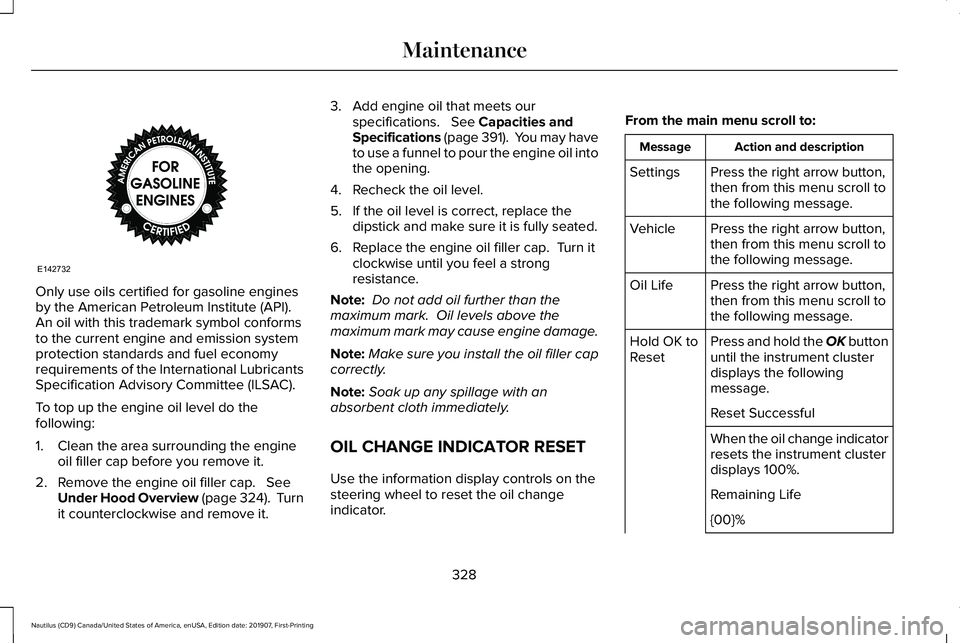
Only use oils certified for gasoline engines
by the American Petroleum Institute (API).
An oil with this trademark symbol conforms
to the current engine and emission system
protection standards and fuel economy
requirements of the International Lubricants
Specification Advisory Committee (ILSAC).
To top up the engine oil level do the
following:
1. Clean the area surrounding the engine
oil filler cap before you remove it.
2. Remove the engine oil filler cap. See
Under Hood Overview (page 324). Turn
it counterclockwise and remove it. 3. Add engine oil that meets our
specifications.
See Capacities and
Specifications (page 391). You may have
to use a funnel to pour the engine oil into
the opening.
4. Recheck the oil level.
5. If the oil level is correct, replace the dipstick and make sure it is fully seated.
6. Replace the engine oil filler cap. Turn it clockwise until you feel a strong
resistance.
Note: Do not add oil further than the
maximum mark. Oil levels above the
maximum mark may cause engine damage.
Note: Make sure you install the oil filler cap
correctly.
Note: Soak up any spillage with an
absorbent cloth immediately.
OIL CHANGE INDICATOR RESET
Use the information display controls on the
steering wheel to reset the oil change
indicator. From the main menu scroll to: Action and description
Message
Press the right arrow button,
then from this menu scroll to
the following message.
Settings
Press the right arrow button,
then from this menu scroll to
the following message.
Vehicle
Press the right arrow button,
then from this menu scroll to
the following message.
Oil Life
Press and hold the OK button
until the instrument cluster
displays the following
message.
Hold OK to
Reset
Reset Successful
When the oil change indicator
resets the instrument cluster
displays 100%.
Remaining Life
{00}%
328
Nautilus (CD9) Canada/United States of America, enUSA, Edition date: 201907, First-Printing MaintenanceE142732