key battery LINCOLN NAUTILUS 2020 User Guide
[x] Cancel search | Manufacturer: LINCOLN, Model Year: 2020, Model line: NAUTILUS, Model: LINCOLN NAUTILUS 2020Pages: 596, PDF Size: 5.88 MB
Page 175 of 596
GENERAL INFORMATION
WARNING: Extended idling at high
engine speeds can produce very high
temperatures in the engine and exhaust
system, creating the risk of fire or other
damage. WARNING: Do not park, idle or drive
your vehicle on dry grass or other dry
ground cover. The emission system heats
up the engine compartment and exhaust
system, creating the risk of fire. WARNING:
Do not start the engine
in a closed garage or in other enclosed
areas. Exhaust fumes can be toxic. Always
open the garage door before you start the
engine. WARNING:
Exhaust leaks may result
in entry of harmful and potentially lethal
fumes into the passenger compartment. If
you smell exhaust fumes inside your
vehicle, have your vehicle inspected
immediately. Do not drive if you smell
exhaust fumes.
If you disconnect the battery, your vehicle
may exhibit some unusual driving
characteristics for approximately 5 mi (8 km)
after you reconnect it. This is because the
engine management system must realign
itself with the engine. You can disregard any
unusual driving characteristics during this
period.
The powertrain control system meets all
Canadian interference-causing equipment
standard requirements regulating the
impulse electrical field or radio noise.
When you start the engine, avoid pressing
the accelerator pedal before and during
operation. Only use the accelerator pedal
when you have difficulty starting the engine. KEYLESS STARTING
Note:
The keyless starting system may not
function if the key is close to metal objects
or electronic devices such as cellular
phones.
Note: A valid key must be located inside
your vehicle to switch the ignition on and
start the engine.
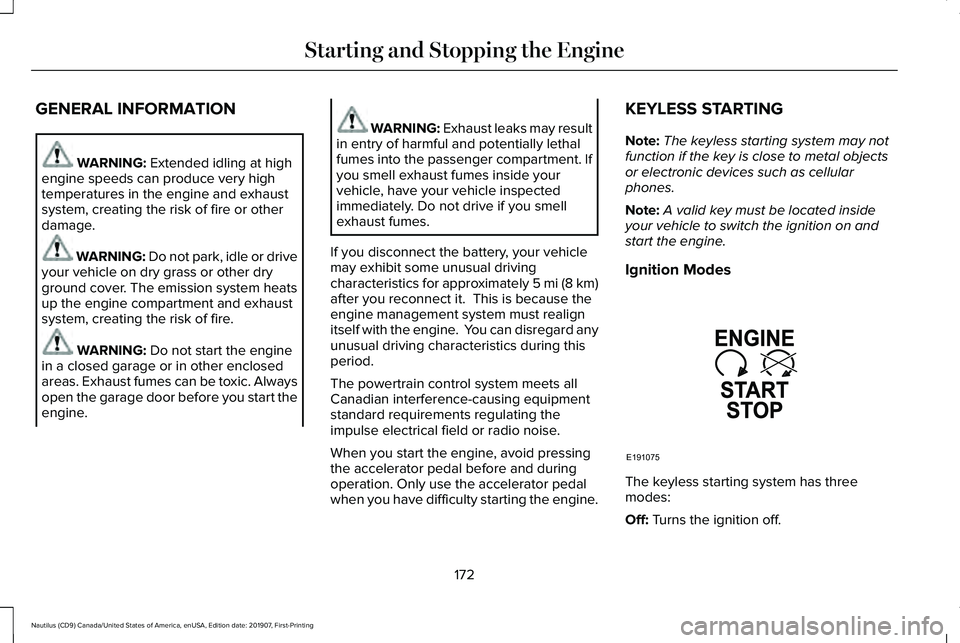
Ignition Modes The keyless starting system has three
modes:
Off:
Turns the ignition off.
172
Nautilus (CD9) Canada/United States of America, enUSA, Edition date: 201907, First-Printing Starting and Stopping the EngineE191075
Page 176 of 596
•
Without applying the brake pedal, press
and release the button once when the
ignition is in the on mode, or when the
engine is running but the vehicle is not
moving.
On: All electrical circuits are operational and
the warning lamps and indicators illuminate.
• Without applying the brake pedal, press
and release the button once.
Note: You may have to press the push
button ignition switch twice to switch the
ignition on.
Start:
Starts the engine.
• Press the brake pedal, and then press
the button for any length of time. An
indicator light on the button illuminates
when then ignition is on and when the
engine starts. STARTING A GASOLINE ENGINE
When you start the engine, the idle speed
increases. This helps to warm up the
engine. If the engine idle speed does not
slow down automatically, have your vehicle
checked by an authorized dealer.
Note:
You can crank the engine for a total
of 60 seconds without the engine starting
before the starting system temporarily
disables. The 60 seconds does not have to
be all at once. For example, if you crank the
engine three times for 20 seconds each time,
without the engine starting, you reached the
60-second time limit. A message appears
in the information display alerting you that
you exceeded the cranking time. You
cannot attempt to start the engine for at
least 15 minutes. After 15 minutes, you are
limited to a 15-second engine cranking time.
You need to wait 60 minutes before you can
crank the engine for 60 seconds again. Before starting the engine check the
following:
•
Make sure all occupants have fastened
their seatbelts.
• Make sure the headlamps and electrical
accessories are off.
• Make sure the parking brake is on.
• Make sure the transmission is in park (P)
or neutral (N).
Keyless Starting
Note: Do not touch the accelerator pedal.
Note: A valid passive key must be located
inside your vehicle to switch the power on
and start your vehicle.
1. Fully depress the brake pedal.
2. Briefly press the push button ignition switch.
The system does not function if:
• The passive key frequencies are jammed.
• The key battery has no charge.
If you are unable to start the engine, do the
following:
173
Nautilus (CD9) Canada/United States of America, enUSA, Edition date: 201907, First-Printing Starting and Stopping the Engine
Page 181 of 596
AUTO-START-STOP
WARNING: Always fully apply the
parking brake. Make sure you shift into
park (P) for vehicles with an automatic
transmission. Switch the ignition off and
remove the key whenever you leave your
vehicle. WARNING: Before opening the hood
or performing any maintenance, fully apply
the parking brake, shift into park (P) or
neutral (N) and switch the ignition off. WARNING: Always switch the ignition
off before leaving the vehicle. If the ignition
is switched on an automatic restart may
occur at any time. WARNING:
The system may require
the engine to automatically restart when
the auto-start-stop indicator illuminates
green or flashes amber. Failure to follow
this instruction could result in personal
injury. The system helps reduce fuel consumption
by automatically shutting off and restarting
the engine while stopped. Auto-Start-Stop
engine shutdown only occurs when you
place the transmission in drive (D) and press
the brake pedal. The engine will restart
automatically when you release the brake
pedal and place the transmission in drive (D).
In some situations, your vehicle may restart
automatically, for example:
•
To maintain interior comfort.
• To recharge the battery.
Note: Power assist steering turns off when
the engine is off.
The Auto-Start-Stop system status is
available at a glance within the information
display.
See Information Displays (page
116). Enabling Auto-Start-Stop
The system automatically enables every time
you start your vehicle if:
•
You do not press the Auto-Start-Stop
button (not illuminated).
• Your vehicle exceeds an initial speed of
2.5 mph (4 km/h)
after you have initially
started the vehicle.
• You have stopped your vehicle.
• The transmission is in drive (D) and you
press the brake pedal.
• The driver door is closed.
• There is adequate brake vacuum.
• The interior compartment has cooled or
warmed to an acceptable level.
• You have not turned the steering wheel
rapidly or you do not have it at a sharp
angle.
• The vehicle is not on a steep uphill road
slope.
• The battery is within optimal operating
conditions (battery state of charge and
temperature in range).
178
Nautilus (CD9) Canada/United States of America, enUSA, Edition date: 201907, First-Printing Unique Driving Characteristics
Page 194 of 596
If the service engine soon indicator remains
on, have your vehicle serviced at the first
available opportunity. Although some
malfunctions detected by the OBD-II may not
have symptoms that are apparent, continued
driving with the service engine soon indicator
on can result in increased emissions, lower
fuel economy, reduced engine and
transmission smoothness and lead to more
costly repairs.
Readiness for Inspection and
Maintenance (I/M) Testing
Some state and provincial and local
governments may have
Inspection/Maintenance (I/M) programs to
inspect the emission control equipment on
your vehicle. Failure to pass this inspection
could prevent you from getting a vehicle
registration.
If the service engine soon indicator
is on or the bulb does not work,
your vehicle may need service.
See On-Board Diagnostics. Your vehicle may not pass the I/M test if the
service engine soon indicator is on or not
working properly (bulb is burned out), or if
the OBD-II system has determined that some
of the emission control systems have not
been properly checked. In this case, the
vehicle is not ready for I/M testing.
If the vehicle
’s engine or transmission has
just been serviced, or the battery has
recently run down or been replaced, the
OBD-II system may indicate that the vehicle
is not ready for I/M testing. To determine if
the vehicle is ready for I/M testing, turn the
ignition key to the on position for 15 seconds
without cranking the engine. If the service
engine soon indicator blinks eight times, it
means that the vehicle is not ready for I/M
testing; if the service engine soon indicator
stays on solid, it means that your vehicle is
ready for I/M testing.
The OBD-II system checks the emission
control system during normal driving. A
complete check may take several days.
If the vehicle is not ready for I/M testing, you
can perform the following driving cycle
consisting of mixed city and highway driving: 1. 15 minutes of steady driving on an
expressway or highway followed by 20
minutes of stop-and-go driving with at
least four 30-second idle periods.
2. Allow your vehicle to sit for at least eight
hours with the ignition off. Then, start the
vehicle and complete the above driving
cycle. The vehicle must warm up to its
normal operating temperature. Once
started, do not turn off the vehicle until
the above driving cycle is complete.
If the vehicle is still not ready for I/M testing,
you need to repeat the above driving cycle.
191
Nautilus (CD9) Canada/United States of America, enUSA, Edition date: 201907, First-Printing Engine Emission Control
Page 291 of 596
ROADSIDE ASSISTANCE
Vehicles sold in the United States:
Getting Roadside Assistance
To fully assist you should you have a vehicle
concern, Lincoln Motor Company offers a
complimentary roadside assistance program.
This program is separate from the New
Vehicle Limited Warranty.
The service is available:
•
Throughout the life of the vehicle for
original owners.
• For six years or 70,000 mi (110,000 km)
(whichever comes first) for subsequent
owners.
Roadside Assistance covers:
• A flat tire change with a good spare
(except vehicles supplied with a tire
inflation kit).
• Battery jump start.
• Lock-out assistance (key replacement
cost is the client's responsibility). •
Fuel delivery — independent service
contractors, if not prohibited by state,
local or municipal law shall deliver up to
2 gal (8 L)
of gasoline fuel to a disabled
vehicle. Roadside Assistance limits fuel
delivery service to two no-charge
occurrences within a 12-month period.
• Winch out — available within 100 ft (30 m)
of a paved or county maintained road,
no recoveries. •
Towing — independent service
contractors, if not prohibited by state,
local or municipal law shall tow Lincoln
eligible vehicles to the client's selling or
preferred dealer within 100 mi (160 km)
of the disablement location or to the
nearest Lincoln dealer. If a client requests
a tow to a selling or preferred dealer that
is more than
100 mi (160 km) from the
disablement location, the client is
responsible for any mileage costs in
excess of
100 mi (160 km).
• Roadside Assistance includes up to $200
for a towed trailer if the disabled eligible
vehicle requires service at the nearest
authorized dealer. If the towing vehicle
is operational but the trailer is not, then
the trailer does not qualify for any
roadside services.
Vehicles Sold in the United States:
Using Roadside Assistance
United States clients who require roadside
assistance, call 1-800-521-4140 or contact
Roadside Assistance using the Lincoln Way
mobile app.
288
Nautilus (CD9) Canada/United States of America, enUSA, Edition date: 201907, First-Printing Roadside Emergencies
Page 292 of 596
If you need to arrange roadside assistance
for yourself, Lincoln Motor Company
reimburses a reasonable amount for towing
to the nearest Lincoln dealership within
100 mi (160 km). To obtain reimbursement
information, United States clients, call
1-800-521-4140. Clients need to submit their
original receipts.
Vehicles Sold in Canada: Getting
Roadside Assistance
To fully assist you should you have a vehicle
concern, Lincoln Motor Company offers a
complimentary roadside assistance program.
This program is eligible within Canada or the
continental United States.
The service is available 24 hours a day,
seven days a week.
This program is separate from the New
Vehicle Limited Warranty, beginning from
the original warranty start date and lasts the
life of the vehicle for the original owner.
Subsequent owners receive coverage that
is concurrent with the 6 years or
70,000 mi
(110,000 km) (whichever occurs first)
powertrain warranty coverage period. Note:
Canadian roadside coverage and
benefits may differ from the U.S. coverage.
For complete program coverage details,
review your warranty guide, contact your
dealer, call us in Canada at 1-800-387-9333,
or visit our website at
www.lincolncanada.com.
If you purchased your vehicle in Canada and
require roadside assistance, please call
1-800-387-9333 or contact Roadside
Assistance using the Lincoln Way mobile
app.
Note: For quick reference, complete the
roadside assistance identification card found
in the glove compartment of your vehicle
and place it in your wallet.
HAZARD FLASHERS
Note: The hazard flashers operate when the
ignition is in any position, or if the key is not
in the ignition. If used when the vehicle is not
running, the battery loses charge. As a result,
there may be insufficient power to restart
your vehicle. The flasher control is on the
instrument panel. Use your hazard
flashers when your vehicle is
creating a safety hazard for other motorists.
• Press the flasher control and all front and
rear direction indicators flash.
• Press the button again to switch them off.
FUEL SHUTOFF WARNING:
If your vehicle has been
involved in a crash, have the fuel system
checked. Failure to follow this instruction
could result in fire, personal injury or death.
Note: When you try to restart your vehicle
after a fuel shutoff, the vehicle makes sure
that various systems are safe to restart.
Once the vehicle determines the systems
are safe, then the vehicle allows you to
restart.
Note: In the event that your vehicle does not
restart after your third attempt, contact a
qualified technician.
289
Nautilus (CD9) Canada/United States of America, enUSA, Edition date: 201907, First-Printing Roadside Emergencies
Page 584 of 596
Engine Oil.............................................................394
Fuel Tank..............................................................397
Grease...................................................................397
Hydraulic Brake System...................................398
Locks.....................................................................398
Power Transfer Unit...........................................399
Rear Axle..............................................................400
Washer Reservoir...............................................400
Capacities and Specifications - 2.7L........401
Air Conditioning System....................................401
Alternative Engine Oil for Extremely Cold
Climates...........................................................405
Automatic Transmission...................................402
Engine Coolant...................................................403
Engine Oil.............................................................404
Fuel Tank..............................................................407
Grease...................................................................407
Hydraulic Brake System...................................408
Locks.....................................................................408
Power Transfer Unit...........................................409
Rear Axle...............................................................410
Washer Reservoir................................................410
Capacities and Specifications...................385
Cargo Nets
.....................................................270
Car Wash See: Cleaning the Exterior...............................344
Catalytic Converter
.......................................189
On-Board Diagnostics (OBD-II)........................190 Readiness for Inspection and Maintenance
(I/M) Testing.......................................................191
Center Console
..............................................170
Changing a Bulb...........................................340 LED Lamps...........................................................340
Changing a Fuse
...........................................319
Fuses......................................................................319
Changing a Road Wheel.............................376 Dissimilar Spare Wheel and Tire Assembly
Information.......................................................377
Stowing the flat tire ............................................381
Tire Change Procedure....................................378
Changing the 12V Battery..........................335
Changing the Engine Air Filter - 2.0L...............................................................340
Changing the Engine Air Filter - 2.7L
.......341
Changing the Wi-Fi Hotspot Name or Password......................................................416
Changing the Wiper Blades.......................337 Front Wiper Blades.............................................337
Rear Window Wiper Blade...............................
338
Checking MyKey System Status.................67 MyKey Distance.....................................................67
Number of Admin Keys.......................................68
Number of MyKeys...............................................67
Checking the Wiper Blades.......................337
Child Restraint and Seatbelt Maintenance..................................................42 Child Restraint Positioning
...........................32
Child Safety.......................................................21
General Information..............................................21
Child Safety Locks..........................................34 Left-Hand Side.......................................................35
Right-Hand Side....................................................35
Cleaning Leather Seats
..............................349
Cleaning Products........................................343 Materials................................................................343
Cleaning the Engine....................................346
Cleaning the Exterior...................................344 Cleaning the Headlamps..................................
344
Exterior Chrome Parts.......................................345
Exterior Plastic Parts..........................................345
Stripes or Graphics............................................345
Underbody...........................................................345
Under Hood.........................................................345
Cleaning the Instrument Panel and Instrument Cluster Lens...........................349
Cleaning the Interior....................................347 Cleaning Black Label or Presidential
Interior...............................................................347
Cleaning the Wheels...................................350
Cleaning the Windows and Wiper Blades...........................................................346
Clearing All MyKeys
.......................................67
Climate............................................................455 Accessing Rear Climate Controls..................458
581
Nautilus (CD9) Canada/United States of America, enUSA, Edition date: 201907, First-Printing Index
Page 588 of 596
Protecting Your Investment.............................495
Why Maintain Your Vehicle?............................495
Why Maintain Your Vehicle at Your Dealership?......................................................495
Getting Assistance Outside the U.S. and Canada.........................................................298
Getting the Services You Need
................294
Away From Home..............................................294
Global Opening and Closing......................104 Closing the Windows.........................................104
Opening the Windows.......................................104
Glove Compartment
.....................................170
Manual Entry.........................................................170
H
Hazard Flashers...........................................289
Headlamp Adjusting See: Adjusting the Headlamps.......................338
Headlamp Exit Delay.....................................96
Headrest See: Head Restraints..........................................148
Head Restraints.............................................148 Front Seat Manual Head Restraints................
148
Rear Seat Center Head Restraint....................149
Rear Seat Outermost Head Restraints...........149
Heated Exterior Mirrors...............................144
Heated Rear Window...................................144 Heated Seats
..................................................159
Front Seats............................................................159
Rear Seats.............................................................159
Heated Steering Wheel................................89
Heated Windshield.......................................144 Windshield Wiper De-Icer.................................144
Heating See: Climate Control..........................................142
Hill Start Assist..............................................207 Switching the System On and Off..................207
Using Hill Start Assist........................................207
Hints on Controlling the Interior Climate..........................................................143
Defogging the Side Windows in Cold Weather.............................................................144
General Hints........................................................143
Quickly Cooling the Interior..............................144
Quickly Heating the Interior..............................144
Recommended Settings for Cooling..............144
Recommended Settings for Heating..............144
Hints on Driving With Anti-Lock Brakes..........................................................205
Hood Lock See: Opening and Closing the Hood............
322
Horn...................................................................89 I
In California (U.S. Only)...............................295
Information Display Control
.........................88
Information Displays......................................116
General Information.............................................116
Information Messages
.................................122
Active Park............................................................123
Adaptive Cruise Control....................................123
Adaptive Headlamps..........................................124
Adaptive Steering...............................................125
Airbag.....................................................................125
Alarm......................................................................125
Automatic Engine Shutdown............................126
AWD........................................................................\
126
Battery and Charging System..........................127
Blind Spot Information and Cross Traffic Alert
System...............................................................128
Doors and Locks..................................................128
Driver Alert............................................................129
Fuel........................................................................\
.130
Hill Start Assist.....................................................130
Keys and Intelligent Access.............................130
Lane Keeping System........................................132
Maintenance.........................................................132
MyKey.....................................................................134
Park Aid..................................................................135
Park Brake.............................................................135
585
Nautilus (CD9) Canada/United States of America, enUSA, Edition date: 201907, First-Printing Index
Page 589 of 596
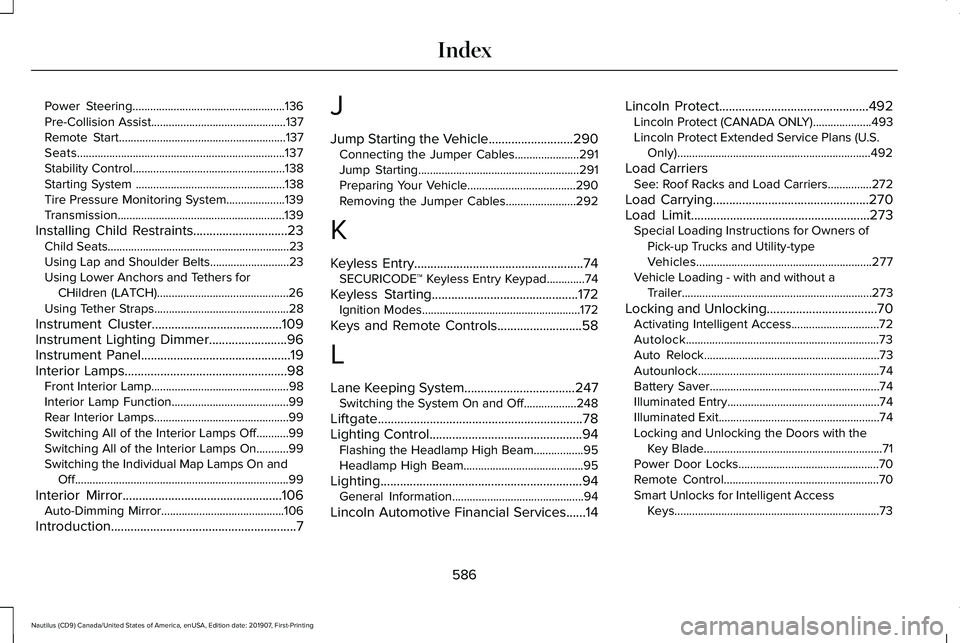
Power Steering....................................................136
Pre-Collision Assist..............................................137
Remote Start.........................................................137
Seats.......................................................................137
Stability Control....................................................138
Starting System ...................................................138
Tire Pressure Monitoring System....................139
Transmission.........................................................139
Installing Child Restraints.............................23 Child Seats..............................................................23
Using Lap and Shoulder Belts...........................23
Using Lower Anchors and Tethers for
CHildren (LATCH).............................................26
Using Tether Straps..............................................28
Instrument Cluster........................................109
Instrument Lighting Dimmer........................96
Instrument Panel..............................................19
Interior Lamps
..................................................98
Front Interior Lamp...............................................98
Interior Lamp Function........................................99
Rear Interior Lamps..............................................99
Switching All of the Interior Lamps Off...........99
Switching All of the Interior Lamps On...........99
Switching the Individual Map Lamps On and
Off........................................................................\
.99
Interior Mirror
.................................................106
Auto-Dimming Mirror..........................................106
Introduction
.........................................................7 J
Jump Starting the Vehicle..........................290
Connecting the Jumper Cables......................
291
Jump Starting.......................................................291
Preparing Your Vehicle.....................................290
Removing the Jumper Cables........................292
K
Keyless Entry....................................................74 SECURICODE™ Keyless Entry Keypad.............
74
Keyless Starting
.............................................172
Ignition Modes......................................................172
Keys and Remote Controls..........................58
L
Lane Keeping System
..................................247
Switching the System On and Off..................248
Liftgate...............................................................78
Lighting Control
...............................................94
Flashing the Headlamp High Beam.................95
Headlamp High Beam.........................................95
Lighting..............................................................94 General Information.............................................94
Lincoln Automotive Financial Services......14 Lincoln Protect
..............................................492
Lincoln Protect (CANADA ONLY)....................493
Lincoln Protect Extended Service Plans (U.S.
Only)..................................................................492
Load Carriers See: Roof Racks and Load Carriers...............272
Load Carrying
................................................270
Load Limit.......................................................273
Special Loading Instructions for Owners of
Pick-up Trucks and Utility-type
Vehicles............................................................277
Vehicle Loading - with and without a Trailer.................................................................273
Locking and Unlocking..................................70 Activating Intelligent Access..............................
72
Autolock..................................................................73
Auto Relock............................................................73
Autounlock..............................................................74
Battery Saver..........................................................74
Illuminated Entry....................................................74
Illuminated Exit.......................................................74
Locking and Unlocking the Doors with the Key Blade.............................................................71
Power Door Locks................................................70
Remote Control.....................................................70
Smart Unlocks for Intelligent Access Keys......................................................................73
586
Nautilus (CD9) Canada/United States of America, enUSA, Edition date: 201907, First-Printing Index
Page 591 of 596
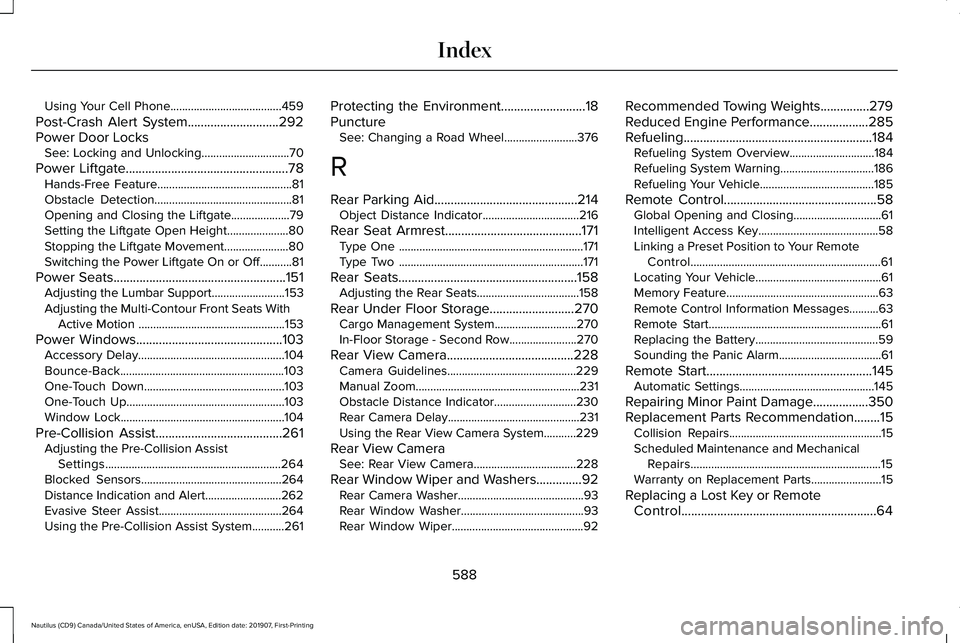
Using Your Cell Phone......................................459
Post-Crash Alert System............................292
Power Door Locks See: Locking and Unlocking..............................
70
Power Liftgate..................................................78 Hands-Free Feature..............................................81
Obstacle Detection...............................................81
Opening and Closing the Liftgate....................79
Setting the Liftgate Open Height.....................80
Stopping the Liftgate Movement......................
80
Switching the Power Liftgate On or Off...........81
Power Seats
.....................................................151
Adjusting the Lumbar Support.........................153
Adjusting the Multi-Contour Front Seats With Active Motion ..................................................153
Power Windows
.............................................103
Accessory Delay..................................................104
Bounce-Back........................................................103
One-Touch Down................................................103
One-Touch Up......................................................103
Window Lock........................................................104
Pre-Collision Assist
.......................................261
Adjusting the Pre-Collision Assist
Settings............................................................264
Blocked Sensors................................................264
Distance Indication and Alert..........................262
Evasive Steer Assist..........................................264
Using the Pre-Collision Assist System...........261 Protecting the Environment
..........................18
Puncture See: Changing a Road Wheel.........................376
R
Rear Parking Aid............................................214 Object Distance Indicator.................................216
Rear Seat Armrest..........................................171 Type One ...............................................................171
Type Two ...............................................................171
Rear Seats
.......................................................158
Adjusting the Rear Seats...................................158
Rear Under Floor Storage..........................270 Cargo Management System............................270
In-Floor Storage - Second Row.......................270
Rear View Camera.......................................228 Camera Guidelines............................................229
Manual Zoom........................................................231
Obstacle Distance Indicator............................230
Rear Camera Delay.............................................231
Using the Rear View Camera System...........229
Rear View Camera See: Rear View Camera...................................228
Rear Window Wiper and Washers..............92 Rear Camera Washer...........................................93
Rear Window Washer..........................................93
Rear Window Wiper.............................................92 Recommended Towing Weights...............279
Reduced Engine Performance..................285
Refueling..........................................................184
Refueling System Overview.............................184
Refueling System Warning................................186
Refueling Your Vehicle.......................................185
Remote Control
...............................................58
Global Opening and Closing..............................61
Intelligent Access Key.........................................58
Linking a Preset Position to Your Remote Control.................................................................61
Locating Your Vehicle...........................................61
Memory Feature....................................................63
Remote Control Information Messages..........
63
Remote Start...........................................................61
Replacing the Battery..........................................59
Sounding the Panic Alarm...................................61
Remote Start
...................................................145
Automatic Settings..............................................145
Repairing Minor Paint Damage.................350
Replacement Parts Recommendation........15 Collision Repairs....................................................15
Scheduled Maintenance and Mechanical
Repairs.................................................................15
Warranty on Replacement Parts........................15
Replacing a Lost Key or Remote Control............................................................64
588
Nautilus (CD9) Canada/United States of America, enUSA, Edition date: 201907, First-Printing Index