washer fluid LINCOLN NAUTILUS 2020 User Guide
[x] Cancel search | Manufacturer: LINCOLN, Model Year: 2020, Model line: NAUTILUS, Model: LINCOLN NAUTILUS 2020Pages: 596, PDF Size: 5.88 MB
Page 349 of 596
•
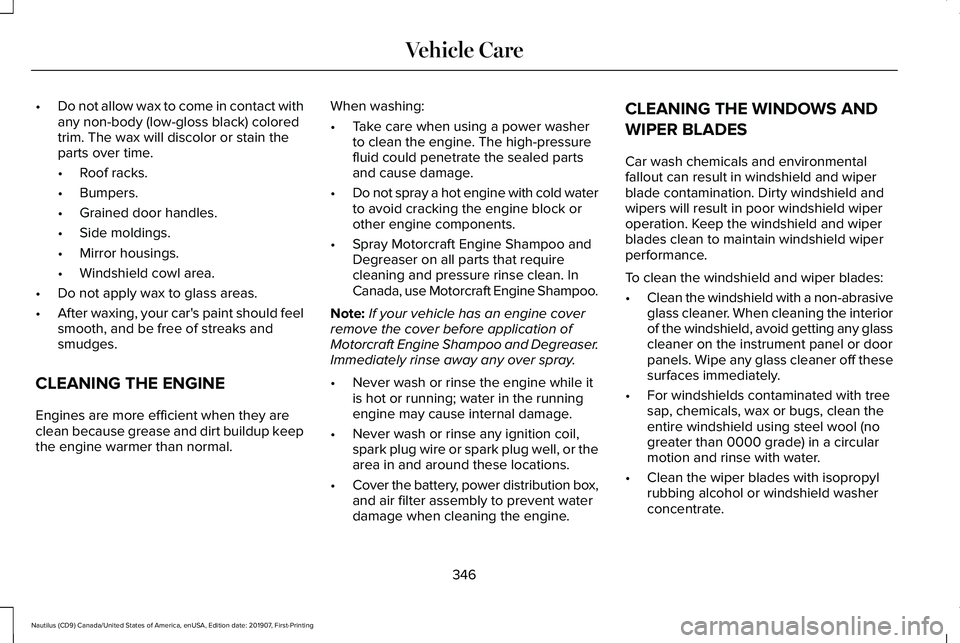
Do not allow wax to come in contact with
any non-body (low-gloss black) colored
trim. The wax will discolor or stain the
parts over time.
•Roof racks.
• Bumpers.
• Grained door handles.
• Side moldings.
• Mirror housings.
• Windshield cowl area.
• Do not apply wax to glass areas.
• After waxing, your car's paint should feel
smooth, and be free of streaks and
smudges.
CLEANING THE ENGINE
Engines are more efficient when they are
clean because grease and dirt buildup keep
the engine warmer than normal. When washing:
•
Take care when using a power washer
to clean the engine. The high-pressure
fluid could penetrate the sealed parts
and cause damage.
• Do not spray a hot engine with cold water
to avoid cracking the engine block or
other engine components.
• Spray Motorcraft Engine Shampoo and
Degreaser on all parts that require
cleaning and pressure rinse clean. In
Canada, use Motorcraft Engine Shampoo.
Note: If your vehicle has an engine cover
remove the cover before application of
Motorcraft Engine Shampoo and Degreaser.
Immediately rinse away any over spray.
• Never wash or rinse the engine while it
is hot or running; water in the running
engine may cause internal damage.
• Never wash or rinse any ignition coil,
spark plug wire or spark plug well, or the
area in and around these locations.
• Cover the battery, power distribution box,
and air filter assembly to prevent water
damage when cleaning the engine. CLEANING THE WINDOWS AND
WIPER BLADES
Car wash chemicals and environmental
fallout can result in windshield and wiper
blade contamination. Dirty windshield and
wipers will result in poor windshield wiper
operation. Keep the windshield and wiper
blades clean to maintain windshield wiper
performance.
To clean the windshield and wiper blades:
•
Clean the windshield with a non-abrasive
glass cleaner. When cleaning the interior
of the windshield, avoid getting any glass
cleaner on the instrument panel or door
panels. Wipe any glass cleaner off these
surfaces immediately.
• For windshields contaminated with tree
sap, chemicals, wax or bugs, clean the
entire windshield using steel wool (no
greater than 0000 grade) in a circular
motion and rinse with water.
• Clean the wiper blades with isopropyl
rubbing alcohol or windshield washer
concentrate.
346
Nautilus (CD9) Canada/United States of America, enUSA, Edition date: 201907, First-Printing Vehicle Care
Page 403 of 596
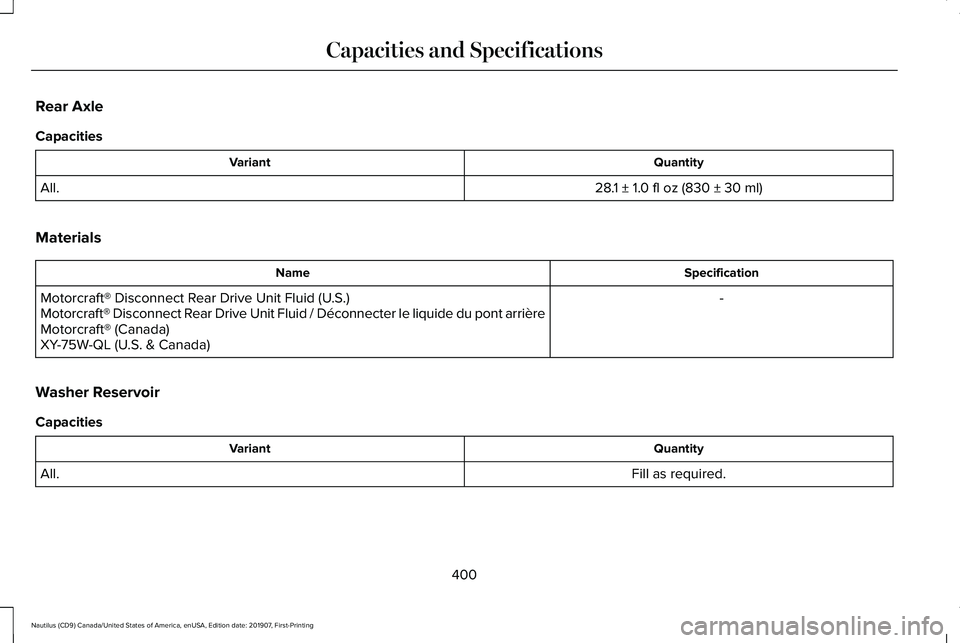
Rear Axle
Capacities
Quantity
Variant
28.1 ± 1.0 fl oz (830 ± 30 ml)
All.
Materials Specification
Name
-
Motorcraft® Disconnect Rear Drive Unit Fluid (U.S.)
Motorcraft® Disconnect Rear Drive Unit Fluid / Déconnecter le liquide du pont arrière
Motorcraft® (Canada)
XY-75W-QL (U.S. & Canada)
Washer Reservoir
Capacities Quantity
Variant
Fill as required.
All.
400
Nautilus (CD9) Canada/United States of America, enUSA, Edition date: 201907, First-Printing Capacities and Specifications
Page 404 of 596
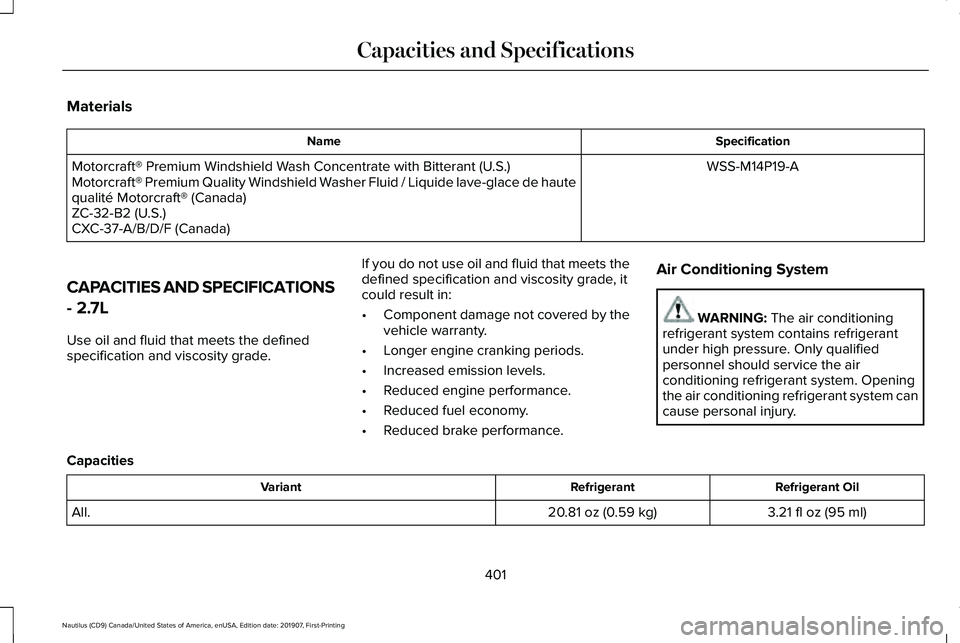
Materials
Specification
Name
WSS-M14P19-A
Motorcraft® Premium Windshield Wash Concentrate with Bitterant (U.S.)
Motorcraft® Premium Quality Windshield Washer Fluid / Liquide lave-glace de haute
qualité Motorcraft® (Canada)
ZC-32-B2 (U.S.)
CXC-37-A/B/D/F (Canada)
CAPACITIES AND SPECIFICATIONS
- 2.7L
Use oil and fluid that meets the defined
specification and viscosity grade. If you do not use oil and fluid that meets the
defined specification and viscosity grade, it
could result in:
•
Component damage not covered by the
vehicle warranty.
• Longer engine cranking periods.
• Increased emission levels.
• Reduced engine performance.
• Reduced fuel economy.
• Reduced brake performance. Air Conditioning System WARNING: The air conditioning
refrigerant system contains refrigerant
under high pressure. Only qualified
personnel should service the air
conditioning refrigerant system. Opening
the air conditioning refrigerant system can
cause personal injury.
Capacities Refrigerant Oil
Refrigerant
Variant
3.21 fl oz (95 ml)
20.81 oz (0.59 kg)
All.
401
Nautilus (CD9) Canada/United States of America, enUSA, Edition date: 201907, First-Printing Capacities and Specifications
Page 413 of 596
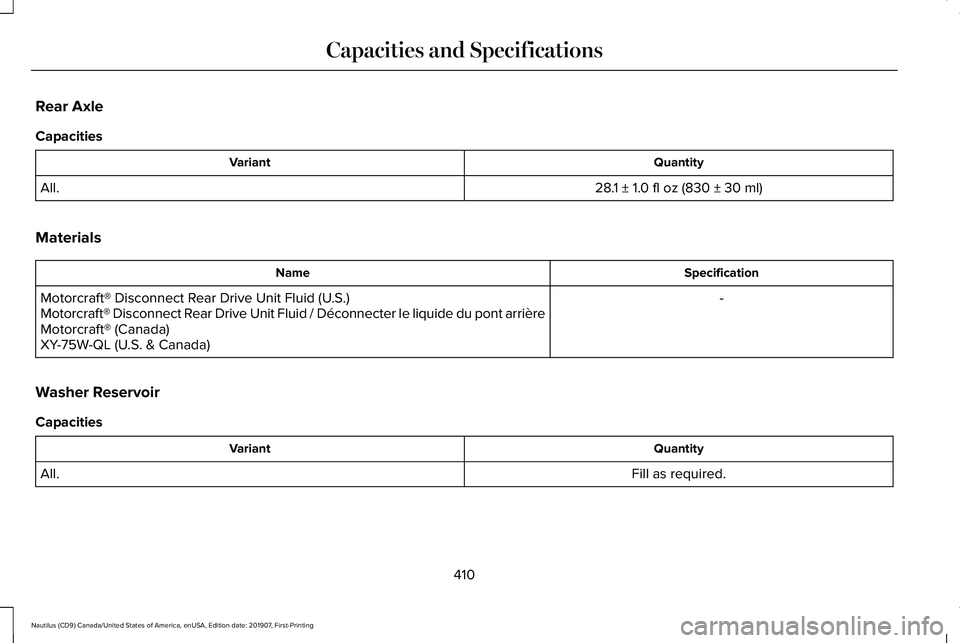
Rear Axle
Capacities
Quantity
Variant
28.1 ± 1.0 fl oz (830 ± 30 ml)
All.
Materials Specification
Name
-
Motorcraft® Disconnect Rear Drive Unit Fluid (U.S.)
Motorcraft® Disconnect Rear Drive Unit Fluid / Déconnecter le liquide du pont arrière
Motorcraft® (Canada)
XY-75W-QL (U.S. & Canada)
Washer Reservoir
Capacities Quantity
Variant
Fill as required.
All.
410
Nautilus (CD9) Canada/United States of America, enUSA, Edition date: 201907, First-Printing Capacities and Specifications
Page 414 of 596
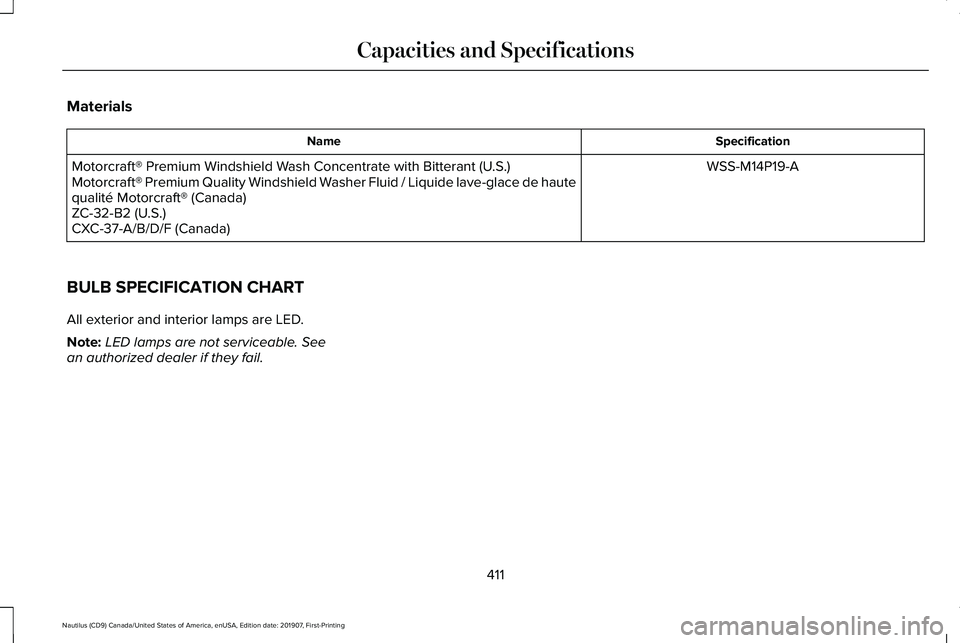
Materials
Specification
Name
WSS-M14P19-A
Motorcraft® Premium Windshield Wash Concentrate with Bitterant (U.S.)
Motorcraft® Premium Quality Windshield Washer Fluid / Liquide lave-glace de haute
qualité Motorcraft® (Canada)
ZC-32-B2 (U.S.)
CXC-37-A/B/D/F (Canada)
BULB SPECIFICATION CHART
All exterior and interior lamps are LED.
Note: LED lamps are not serviceable. See
an authorized dealer if they fail.
411
Nautilus (CD9) Canada/United States of America, enUSA, Edition date: 201907, First-Printing Capacities and Specifications
Page 500 of 596
Make sure to change your vehicle
’s oils and
fluids at the specified intervals or in
conjunction with a repair. Flushing is a viable
way to change fluid for many vehicle
sub-systems during scheduled maintenance. It is critical that systems are flushed only with
new fluid that is the same as that required
to fill and operate the system or using a
Ford-approved flushing chemical.
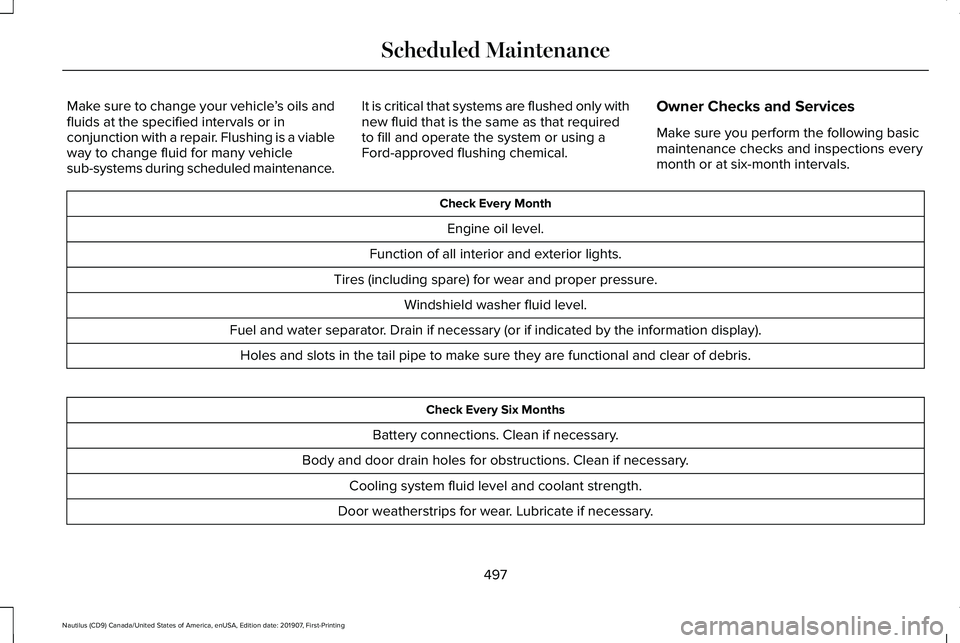
Owner Checks and Services
Make sure you perform the following basic
maintenance checks and inspections every
month or at six-month intervals. Check Every Month
Engine oil level.
Function of all interior and exterior lights.
Tires (including spare) for wear and proper pressure. Windshield washer fluid level.
Fuel and water separator. Drain if necessary (or if indicated by the information display). Holes and slots in the tail pipe to make sure they are functional and clear of debris. Check Every Six Months
Battery connections. Clean if necessary.
Body and door drain holes for obstructions. Clean if necessary. Cooling system fluid level and coolant strength.
Door weatherstrips for wear. Lubricate if necessary.
497
Nautilus (CD9) Canada/United States of America, enUSA, Edition date: 201907, First-Printing Scheduled Maintenance
Page 502 of 596
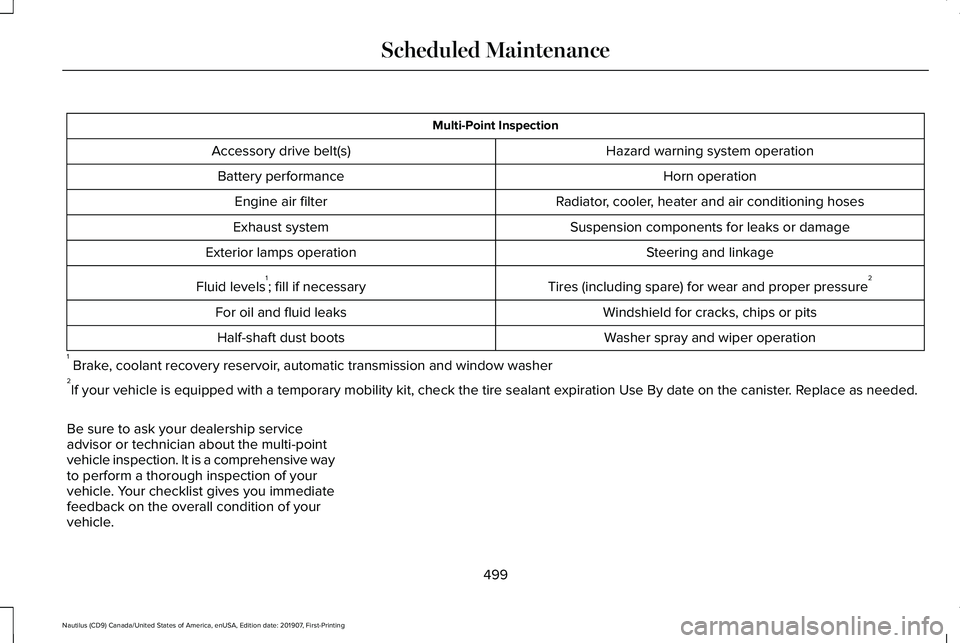
Multi-Point Inspection
Hazard warning system operation
Accessory drive belt(s)
Horn operation
Battery performance
Radiator, cooler, heater and air conditioning hoses
Engine air filter
Suspension components for leaks or damage
Exhaust system
Steering and linkage
Exterior lamps operation
Tires (including spare) for wear and proper pressure2
Fluid levels 1
; fill if necessary
Windshield for cracks, chips or pits
For oil and fluid leaks
Washer spray and wiper operation
Half-shaft dust boots
1 Brake, coolant recovery reservoir, automatic transmission and window washer
2 If your vehicle is equipped with a temporary mobility kit, check the tir\
e sealant expiration Use By date on the canister. Replace as needed.
Be sure to ask your dealership service
advisor or technician about the multi-point
vehicle inspection. It is a comprehensive way
to perform a thorough inspection of your
vehicle. Your checklist gives you immediate
feedback on the overall condition of your
vehicle.
499
Nautilus (CD9) Canada/United States of America, enUSA, Edition date: 201907, First-Printing Scheduled Maintenance
Page 595 of 596
Using Traction Control.................................210
Switching the System Off..................................210
System Indicator Lights and Messages.........210
Using a Switch.....................................................210
Using Voice Recognition.............................431 Apps.......................................................................440
Automatic Blower Motor Speed
Reduction.........................................................442
Climate..................................................................435
Entertainment
......................................................433
General..................................................................432
Navigation............................................................438
Phone....................................................................436
SiriusXM Traffic and Travel Link.......................441
Voice Settings......................................................441
Utilizing the Mediation/Arbitration Program (Canada Only)
.............................................297
V
Vehicle Care
..................................................343
General Information...........................................343
Vehicle Certification Label
.........................389
Vehicle Identification Number..................389
Vehicle Storage.............................................351 Body........................................................................\
351
Brakes...................................................................352
Cooling system...................................................352 Disconnecting Your 12 Volt Battery...............
352
Engine....................................................................351
Fuel system..........................................................352
General..................................................................351
Miscellaneous.....................................................352
Removing Vehicle From Storage...................352
Tires.......................................................................352
Ventilation See: Climate Control..........................................142
VIN See: Vehicle Identification Number...............
389
Voice Control
...................................................87
W
Warning Lamps and Indicators....................111 Adaptive Cruise Control Indicator....................111
Adaptive Steering..................................................111
Airbag Warning Lamp...........................................111
Anti-Lock Brake System Warning Lamp.........112
Auto Hold Active..................................................112
Auto Hold Unavailable........................................112
Automatic High Beam Control..........................
112
Auto Start-Stop......................................................112
Battery.....................................................................112
Blind Spot Information System Indicator........112
Brake System Warning Lamp............................
112
Cruise Control Indicator......................................113 Direction Indicator................................................113
Door Ajar.................................................................113
Electric Park Brake...............................................113
Engine Coolant Temperature Warning
Lamp....................................................................113
Fasten Rear Seatbelt...........................................113
Fasten Seatbelt Warning Lamp.........................113
Front Fog Lamp Indicator...................................113
Headlamp High Beam Indicator.......................113
Hill Start Assist......................................................113
Hood Ajar...............................................................113
Liftgate Ajar............................................................114
Low Beam Malfunction Warning.......................114
Low Fuel Level Warning Lamp..........................114
Low Tire Pressure Warning Lamp....................114
Low Washer Fluid Level Warning Lamp..........114
Oil Pressure Warning Lamp...............................114
Parking Lamps.......................................................114
Powertrain Fault....................................................114
Rear Fog Lamp Indicator....................................114
Service Engine Soon...........................................114
Stability Control and Traction Control Indicator.............................................................115
Stability Control and Traction Control Off Warning Lamp...................................................115
Washer Fluid Check.....................................335
592
Nautilus (CD9) Canada/United States of America, enUSA, Edition date: 201907, First-Printing Index