battery LINCOLN NAUTILUS 2020 Owner's Manual
[x] Cancel search | Manufacturer: LINCOLN, Model Year: 2020, Model line: NAUTILUS, Model: LINCOLN NAUTILUS 2020Pages: 596, PDF Size: 5.88 MB
Page 169 of 596
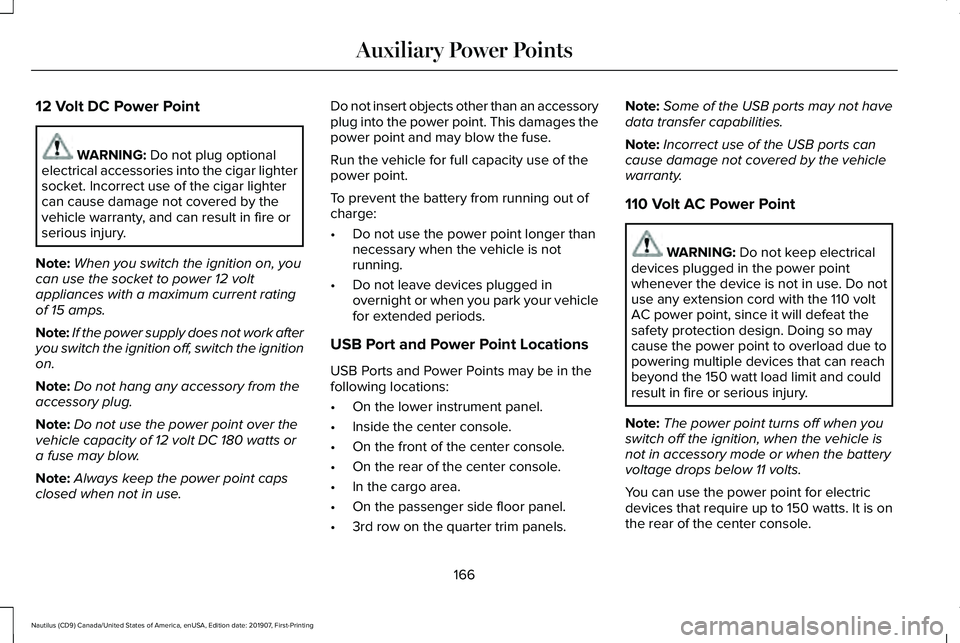
12 Volt DC Power Point
WARNING: Do not plug optional
electrical accessories into the cigar lighter
socket. Incorrect use of the cigar lighter
can cause damage not covered by the
vehicle warranty, and can result in fire or
serious injury.
Note: When you switch the ignition on, you
can use the socket to power 12 volt
appliances with a maximum current rating
of 15 amps.
Note: If the power supply does not work after
you switch the ignition off, switch the ignition
on.
Note: Do not hang any accessory from the
accessory plug.
Note: Do not use the power point over the
vehicle capacity of 12 volt DC 180 watts or
a fuse may blow.
Note: Always keep the power point caps
closed when not in use. Do not insert objects other than an accessory
plug into the power point. This damages the
power point and may blow the fuse.
Run the vehicle for full capacity use of the
power point.
To prevent the battery from running out of
charge:
•
Do not use the power point longer than
necessary when the vehicle is not
running.
• Do not leave devices plugged in
overnight or when you park your vehicle
for extended periods.
USB Port and Power Point Locations
USB Ports and Power Points may be in the
following locations:
• On the lower instrument panel.
• Inside the center console.
• On the front of the center console.
• On the rear of the center console.
• In the cargo area.
• On the passenger side floor panel.
• 3rd row on the quarter trim panels. Note:
Some of the USB ports may not have
data transfer capabilities.
Note: Incorrect use of the USB ports can
cause damage not covered by the vehicle
warranty.
110 Volt AC Power Point WARNING:
Do not keep electrical
devices plugged in the power point
whenever the device is not in use. Do not
use any extension cord with the 110 volt
AC power point, since it will defeat the
safety protection design. Doing so may
cause the power point to overload due to
powering multiple devices that can reach
beyond the 150 watt load limit and could
result in fire or serious injury.
Note: The power point turns off when you
switch off the ignition, when the vehicle is
not in accessory mode or when the battery
voltage drops below 11 volts.
You can use the power point for electric
devices that require up to 150 watts. It is on
the rear of the center console.
166
Nautilus (CD9) Canada/United States of America, enUSA, Edition date: 201907, First-Printing Auxiliary Power Points
Page 171 of 596
Note:
For compatible devices with built-in
Qi wireless charging capability, the charging
performance may be affected if your device
is in a case. It may be necessary to remove
the case to wirelessly charge your device.
The system supports one Qi wireless
charging compatible device on the charging
area.
Keep the charging area clean and remove
foreign objects prior to charging a device.
Do not place items with a magnetic strip, for
example passports, parking tickets or credit
cards, near the charging area when charging
a device. Damage may occur to the magnetic
strip. Do not place metal objects, for example
remote controls, coins and candy wrappers,
on or near the charging area when charging
a device. Metal objects may heat up and
degrade the charging performance.
Note:
The device controls the rate of charge,
or charging power. During charging, the
device and the charger may heat up, this is
normal. If the battery gets hotter than usual,
the charger may stop charging. The charging area is on the center
console or lower instrument panel.
See Center Console (page 170).
You can charge a device if the vehicle is on,
when in accessory mode, or anytime SYNC
is on.
To begin charging, place the device on the
center of the charging surface with the
charging side down. The charging stops after
your device reaches a full charge.
Note:
If the system detects a foreign object
or if the device is misaligned on the charging
area, a message appears in the display.
Note: Software and firmware updates may
affect device compatibility, including the use
of unofficial software or firmware. You should
verify charging functionality with your
specific devices when in your vehicle. Description
Behavior
Message
This message appears when wireless chargingbegins.
Message on screen display or pop-up window.
Wireless Charger Active
The system stops charging your device if thesystem detects the phone is misaligned, or a foreign metal object is on the charging surface.
Pop-up window.
Charging Terminated
Phone misaligned or object between phone
and charger detected. Correct the condition to resume charging.
168
Nautilus (CD9) Canada/United States of America, enUSA, Edition date: 201907, First-Printing Auxiliary Power PointsE297549
Page 173 of 596
GLOVE COMPARTMENT
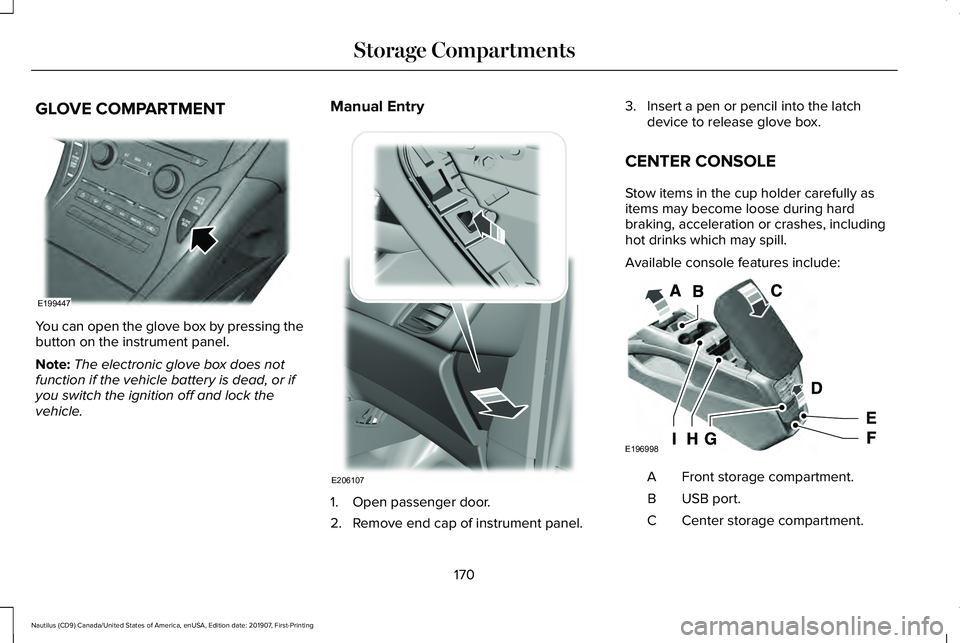
You can open the glove box by pressing the
button on the instrument panel.
Note:
The electronic glove box does not
function if the vehicle battery is dead, or if
you switch the ignition off and lock the
vehicle. Manual Entry
1. Open passenger door.
2. Remove end cap of instrument panel.3. Insert a pen or pencil into the latch
device to release glove box.
CENTER CONSOLE
Stow items in the cup holder carefully as
items may become loose during hard
braking, acceleration or crashes, including
hot drinks which may spill.
Available console features include: Front storage compartment.
A
USB port.
B
Center storage compartment.
C
170
Nautilus (CD9) Canada/United States of America, enUSA, Edition date: 201907, First-Printing Storage CompartmentsE199447 E206107 E196998
Page 175 of 596
GENERAL INFORMATION
WARNING: Extended idling at high
engine speeds can produce very high
temperatures in the engine and exhaust
system, creating the risk of fire or other
damage. WARNING: Do not park, idle or drive
your vehicle on dry grass or other dry
ground cover. The emission system heats
up the engine compartment and exhaust
system, creating the risk of fire. WARNING:
Do not start the engine
in a closed garage or in other enclosed
areas. Exhaust fumes can be toxic. Always
open the garage door before you start the
engine. WARNING:
Exhaust leaks may result
in entry of harmful and potentially lethal
fumes into the passenger compartment. If
you smell exhaust fumes inside your
vehicle, have your vehicle inspected
immediately. Do not drive if you smell
exhaust fumes.
If you disconnect the battery, your vehicle
may exhibit some unusual driving
characteristics for approximately 5 mi (8 km)
after you reconnect it. This is because the
engine management system must realign
itself with the engine. You can disregard any
unusual driving characteristics during this
period.
The powertrain control system meets all
Canadian interference-causing equipment
standard requirements regulating the
impulse electrical field or radio noise.
When you start the engine, avoid pressing
the accelerator pedal before and during
operation. Only use the accelerator pedal
when you have difficulty starting the engine. KEYLESS STARTING
Note:
The keyless starting system may not
function if the key is close to metal objects
or electronic devices such as cellular
phones.
Note: A valid key must be located inside
your vehicle to switch the ignition on and
start the engine.
Ignition Modes The keyless starting system has three
modes:
Off:
Turns the ignition off.
172
Nautilus (CD9) Canada/United States of America, enUSA, Edition date: 201907, First-Printing Starting and Stopping the EngineE191075
Page 176 of 596
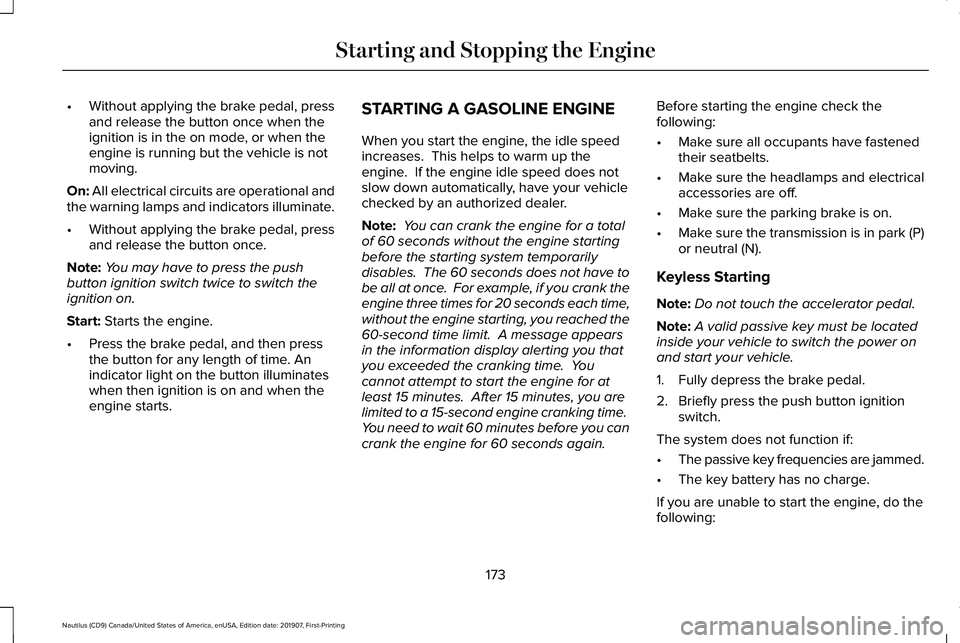
•
Without applying the brake pedal, press
and release the button once when the
ignition is in the on mode, or when the
engine is running but the vehicle is not
moving.
On: All electrical circuits are operational and
the warning lamps and indicators illuminate.
• Without applying the brake pedal, press
and release the button once.
Note: You may have to press the push
button ignition switch twice to switch the
ignition on.
Start:
Starts the engine.
• Press the brake pedal, and then press
the button for any length of time. An
indicator light on the button illuminates
when then ignition is on and when the
engine starts. STARTING A GASOLINE ENGINE
When you start the engine, the idle speed
increases. This helps to warm up the
engine. If the engine idle speed does not
slow down automatically, have your vehicle
checked by an authorized dealer.
Note:
You can crank the engine for a total
of 60 seconds without the engine starting
before the starting system temporarily
disables. The 60 seconds does not have to
be all at once. For example, if you crank the
engine three times for 20 seconds each time,
without the engine starting, you reached the
60-second time limit. A message appears
in the information display alerting you that
you exceeded the cranking time. You
cannot attempt to start the engine for at
least 15 minutes. After 15 minutes, you are
limited to a 15-second engine cranking time.
You need to wait 60 minutes before you can
crank the engine for 60 seconds again. Before starting the engine check the
following:
•
Make sure all occupants have fastened
their seatbelts.
• Make sure the headlamps and electrical
accessories are off.
• Make sure the parking brake is on.
• Make sure the transmission is in park (P)
or neutral (N).
Keyless Starting
Note: Do not touch the accelerator pedal.
Note: A valid passive key must be located
inside your vehicle to switch the power on
and start your vehicle.
1. Fully depress the brake pedal.
2. Briefly press the push button ignition switch.
The system does not function if:
• The passive key frequencies are jammed.
• The key battery has no charge.
If you are unable to start the engine, do the
following:
173
Nautilus (CD9) Canada/United States of America, enUSA, Edition date: 201907, First-Printing Starting and Stopping the Engine
Page 178 of 596
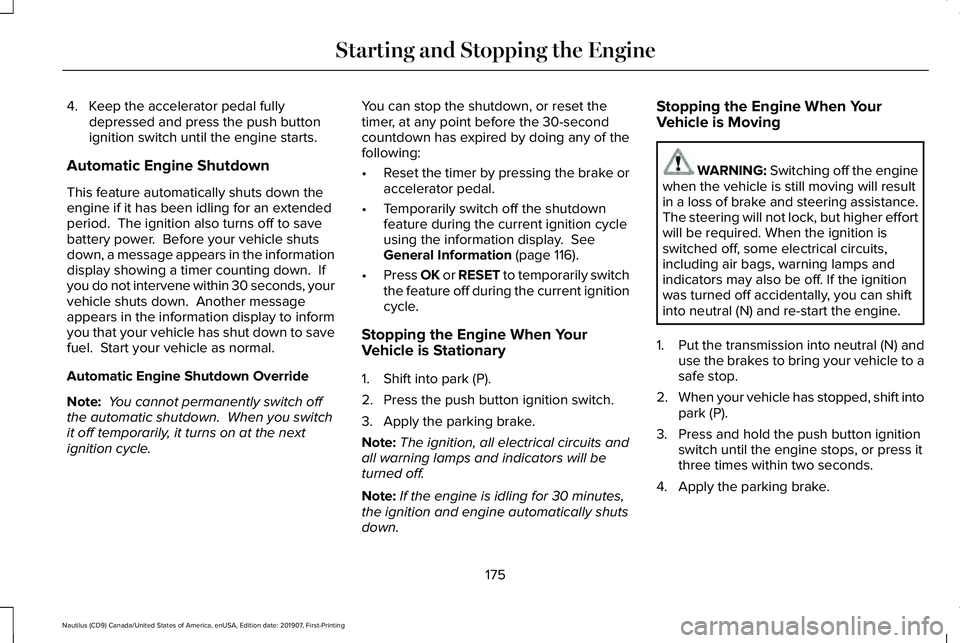
4. Keep the accelerator pedal fully
depressed and press the push button
ignition switch until the engine starts.
Automatic Engine Shutdown
This feature automatically shuts down the
engine if it has been idling for an extended
period. The ignition also turns off to save
battery power. Before your vehicle shuts
down, a message appears in the information
display showing a timer counting down. If
you do not intervene within 30 seconds, your
vehicle shuts down. Another message
appears in the information display to inform
you that your vehicle has shut down to save
fuel. Start your vehicle as normal.
Automatic Engine Shutdown Override
Note: You cannot permanently switch off
the automatic shutdown. When you switch
it off temporarily, it turns on at the next
ignition cycle. You can stop the shutdown, or reset the
timer, at any point before the 30-second
countdown has expired by doing any of the
following:
•
Reset the timer by pressing the brake or
accelerator pedal.
• Temporarily switch off the shutdown
feature during the current ignition cycle
using the information display. See
General Information (page 116).
• Press OK or RESET to temporarily switch
the feature off during the current ignition
cycle.
Stopping the Engine When Your
Vehicle is Stationary
1. Shift into park (P).
2. Press the push button ignition switch.
3. Apply the parking brake.
Note: The ignition, all electrical circuits and
all warning lamps and indicators will be
turned off.
Note: If the engine is idling for 30 minutes,
the ignition and engine automatically shuts
down. Stopping the Engine When Your
Vehicle is Moving WARNING:
Switching off the engine
when the vehicle is still moving will result
in a loss of brake and steering assistance.
The steering will not lock, but higher effort
will be required. When the ignition is
switched off, some electrical circuits,
including air bags, warning lamps and
indicators may also be off. If the ignition
was turned off accidentally, you can shift
into neutral (N) and re-start the engine.
1. Put the transmission into neutral (N) and
use the brakes to bring your vehicle to a
safe stop.
2. When your vehicle has stopped, shift into
park (P).
3. Press and hold the push button ignition switch until the engine stops, or press it
three times within two seconds.
4. Apply the parking brake.
175
Nautilus (CD9) Canada/United States of America, enUSA, Edition date: 201907, First-Printing Starting and Stopping the Engine
Page 181 of 596
AUTO-START-STOP
WARNING: Always fully apply the
parking brake. Make sure you shift into
park (P) for vehicles with an automatic
transmission. Switch the ignition off and
remove the key whenever you leave your
vehicle. WARNING: Before opening the hood
or performing any maintenance, fully apply
the parking brake, shift into park (P) or
neutral (N) and switch the ignition off. WARNING: Always switch the ignition
off before leaving the vehicle. If the ignition
is switched on an automatic restart may
occur at any time. WARNING:
The system may require
the engine to automatically restart when
the auto-start-stop indicator illuminates
green or flashes amber. Failure to follow
this instruction could result in personal
injury. The system helps reduce fuel consumption
by automatically shutting off and restarting
the engine while stopped. Auto-Start-Stop
engine shutdown only occurs when you
place the transmission in drive (D) and press
the brake pedal. The engine will restart
automatically when you release the brake
pedal and place the transmission in drive (D).
In some situations, your vehicle may restart
automatically, for example:
•
To maintain interior comfort.
• To recharge the battery.
Note: Power assist steering turns off when
the engine is off.
The Auto-Start-Stop system status is
available at a glance within the information
display.
See Information Displays (page
116). Enabling Auto-Start-Stop
The system automatically enables every time
you start your vehicle if:
•
You do not press the Auto-Start-Stop
button (not illuminated).
• Your vehicle exceeds an initial speed of
2.5 mph (4 km/h)
after you have initially
started the vehicle.
• You have stopped your vehicle.
• The transmission is in drive (D) and you
press the brake pedal.
• The driver door is closed.
• There is adequate brake vacuum.
• The interior compartment has cooled or
warmed to an acceptable level.
• You have not turned the steering wheel
rapidly or you do not have it at a sharp
angle.
• The vehicle is not on a steep uphill road
slope.
• The battery is within optimal operating
conditions (battery state of charge and
temperature in range).
178
Nautilus (CD9) Canada/United States of America, enUSA, Edition date: 201907, First-Printing Unique Driving Characteristics
Page 182 of 596
•
The engine coolant is at operating
temperature.
• Elevation is below about 10,000 ft
(3,048 m).
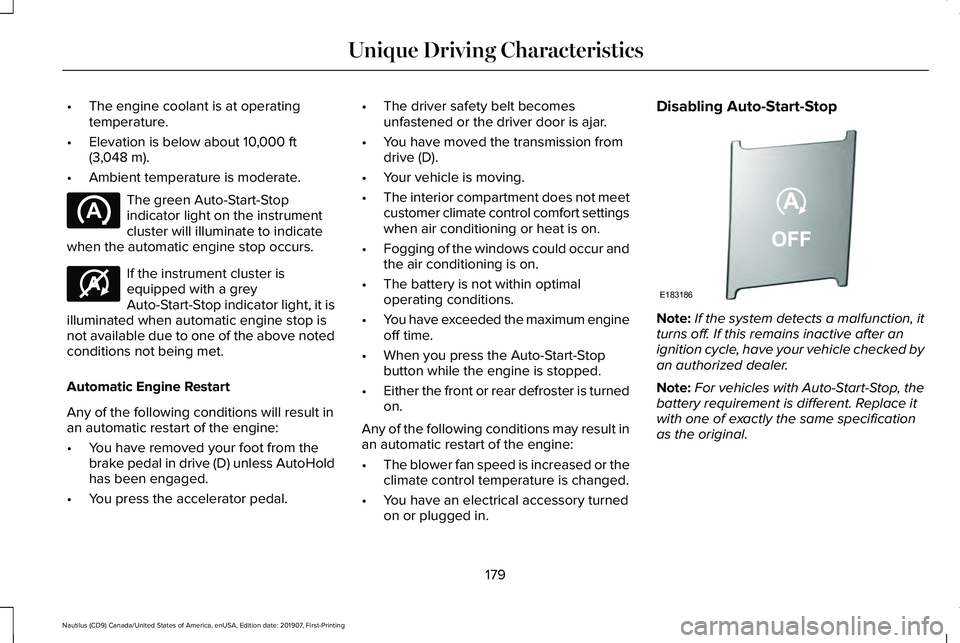
• Ambient temperature is moderate. The green Auto-Start-Stop
indicator light on the instrument
cluster will illuminate to indicate
when the automatic engine stop occurs. If the instrument cluster is
equipped with a grey
Auto-Start-Stop indicator light, it is
illuminated when automatic engine stop is
not available due to one of the above noted
conditions not being met.
Automatic Engine Restart
Any of the following conditions will result in
an automatic restart of the engine:
• You have removed your foot from the
brake pedal in drive (D) unless AutoHold
has been engaged.
• You press the accelerator pedal. •
The driver safety belt becomes
unfastened or the driver door is ajar.
• You have moved the transmission from
drive (D).
• Your vehicle is moving.
• The interior compartment does not meet
customer climate control comfort settings
when air conditioning or heat is on.
• Fogging of the windows could occur and
the air conditioning is on.
• The battery is not within optimal
operating conditions.
• You have exceeded the maximum engine
off time.
• When you press the Auto-Start-Stop
button while the engine is stopped.
• Either the front or rear defroster is turned
on.
Any of the following conditions may result in
an automatic restart of the engine:
• The blower fan speed is increased or the
climate control temperature is changed.
• You have an electrical accessory turned
on or plugged in. Disabling Auto-Start-Stop
Note:
If the system detects a malfunction, it
turns off. If this remains inactive after an
ignition cycle, have your vehicle checked by
an authorized dealer.
Note: For vehicles with Auto-Start-Stop, the
battery requirement is different. Replace it
with one of exactly the same specification
as the original.
179
Nautilus (CD9) Canada/United States of America, enUSA, Edition date: 201907, First-Printing Unique Driving Characteristics E146361 E183186
Page 194 of 596
If the service engine soon indicator remains
on, have your vehicle serviced at the first
available opportunity. Although some
malfunctions detected by the OBD-II may not
have symptoms that are apparent, continued
driving with the service engine soon indicator
on can result in increased emissions, lower
fuel economy, reduced engine and
transmission smoothness and lead to more
costly repairs.
Readiness for Inspection and
Maintenance (I/M) Testing
Some state and provincial and local
governments may have
Inspection/Maintenance (I/M) programs to
inspect the emission control equipment on
your vehicle. Failure to pass this inspection
could prevent you from getting a vehicle
registration.
If the service engine soon indicator
is on or the bulb does not work,
your vehicle may need service.
See On-Board Diagnostics. Your vehicle may not pass the I/M test if the
service engine soon indicator is on or not
working properly (bulb is burned out), or if
the OBD-II system has determined that some
of the emission control systems have not
been properly checked. In this case, the
vehicle is not ready for I/M testing.
If the vehicle
’s engine or transmission has
just been serviced, or the battery has
recently run down or been replaced, the
OBD-II system may indicate that the vehicle
is not ready for I/M testing. To determine if
the vehicle is ready for I/M testing, turn the
ignition key to the on position for 15 seconds
without cranking the engine. If the service
engine soon indicator blinks eight times, it
means that the vehicle is not ready for I/M
testing; if the service engine soon indicator
stays on solid, it means that your vehicle is
ready for I/M testing.
The OBD-II system checks the emission
control system during normal driving. A
complete check may take several days.
If the vehicle is not ready for I/M testing, you
can perform the following driving cycle
consisting of mixed city and highway driving: 1. 15 minutes of steady driving on an
expressway or highway followed by 20
minutes of stop-and-go driving with at
least four 30-second idle periods.
2. Allow your vehicle to sit for at least eight
hours with the ignition off. Then, start the
vehicle and complete the above driving
cycle. The vehicle must warm up to its
normal operating temperature. Once
started, do not turn off the vehicle until
the above driving cycle is complete.
If the vehicle is still not ready for I/M testing,
you need to repeat the above driving cycle.
191
Nautilus (CD9) Canada/United States of America, enUSA, Edition date: 201907, First-Printing Engine Emission Control
Page 197 of 596
If you turn the ignition off when your vehicle
is moving, your vehicle first shifts into neutral
(N) until it slows down enough to shift into
park (P) automatically.
Note:
If you have waited an extended period
of time, 2-15 minutes before starting your
vehicle, unlatching your seatbelt causes this
feature to activate, even with the driver door
closed.
Note: This feature may not work properly if
the door ajar switch is malfunctioning. If your
door ajar indicator does not illuminate when
you open the driver door or the indicator
illuminates with the driver door closed, see
your authorized dealer.
Reverse (R)
With the transmission in reverse (R), your
vehicle moves backward. Always come to a
complete stop before shifting into and out
of reverse (R). Neutral (N) WARNING: In neutral (N) your vehicle
has the ability to roll freely. If you intend to
leave your vehicle, make sure you apply
the parking brake.
With the transmission in neutral (N), you can
start your vehicle and it is free to roll. Hold
the brake pedal down when in this position.
Stay in Neutral Mode
Note: Stay in neutral mode is a temporary
vehicle state with the ignition off. Once in
this mode, the battery must maintain
sufficient voltage or your vehicle returns to
park.
Note: When entering an automatic car wash,
always shift to Neutral (N). If you are exiting
the vehicle before the car wash, Stay in
Neutral Mode is available.
Extended usage of Stay in Neutral mode may
result in a battery voltage reduction to a level
where the vehicle may no longer start.
Do not tow your vehicle in this mode. Failure to follow this instruction could result
in vehicle damage not covered by the vehicle
Warranty.
To enter Stay in Neutral mode, do the
following:
1. Bring your vehicle to a complete stop.
2. Shift into neutral (N).
Note:
A message appears in the information
display.
3. Press the neutral (N) button.
Note: A confirmation message appears in
the information display when your vehicle
has entered Stay in Neutral mode and the
neutral (N) button on the transmission
selector blinks slowly.
To exit Stay in Neutral mode, press the brake
pedal and shift into another gear.
Drive (D)
The normal driving position for the best fuel
economy.
Sport (S)
Putting the vehicle in sport (S):
194
Nautilus (CD9) Canada/United States of America, enUSA, Edition date: 201907, First-Printing Transmission