instrument panel LINCOLN NAUTILUS 2020 Owner's Manual
[x] Cancel search | Manufacturer: LINCOLN, Model Year: 2020, Model line: NAUTILUS, Model: LINCOLN NAUTILUS 2020Pages: 596, PDF Size: 5.88 MB
Page 325 of 596
GENERAL INFORMATION
Have your vehicle serviced regularly to help
maintain its roadworthiness and resale value.
There is a large network of authorized
dealers that are there to help you with their
professional servicing expertise. We believe
that their specially trained technicians are
best qualified to service your vehicle properly
and expertly. They are supported by a wide
range of highly specialized tools developed
specifically for servicing your vehicle.
If your vehicle requires professional service,
an authorized dealer can provide the
necessary parts and service. Check your
warranty information to find out which parts
and services are covered.
Use only recommended fuels, lubricants,
fluids and service parts conforming to
specifications. Motorcraft® parts are
designed and built to provide the best
performance in your vehicle.
Precautions
•
Do not work on a hot engine.
• Make sure that nothing gets caught in
moving parts.
• Do not work on a vehicle with the engine
running in an enclosed space, unless you
are sure you have enough ventilation.
• Keep all open flames and other burning
material (such as cigarettes) away from
the battery and all fuel related parts.
Working with the Engine Off
1. Set the parking brake and shift the transmission to park (P).
2. Switch off the engine.
3. Block the wheels.
Working with the Engine On WARNING: To reduce the risk of
vehicle damage and personal burn injuries,
do not start your engine with the air
cleaner removed and do not remove it
while the engine is running. 1. Set the parking brake and shift the
transmission to park (P).
2. Block the wheels.
OPENING AND CLOSING THE
HOOD
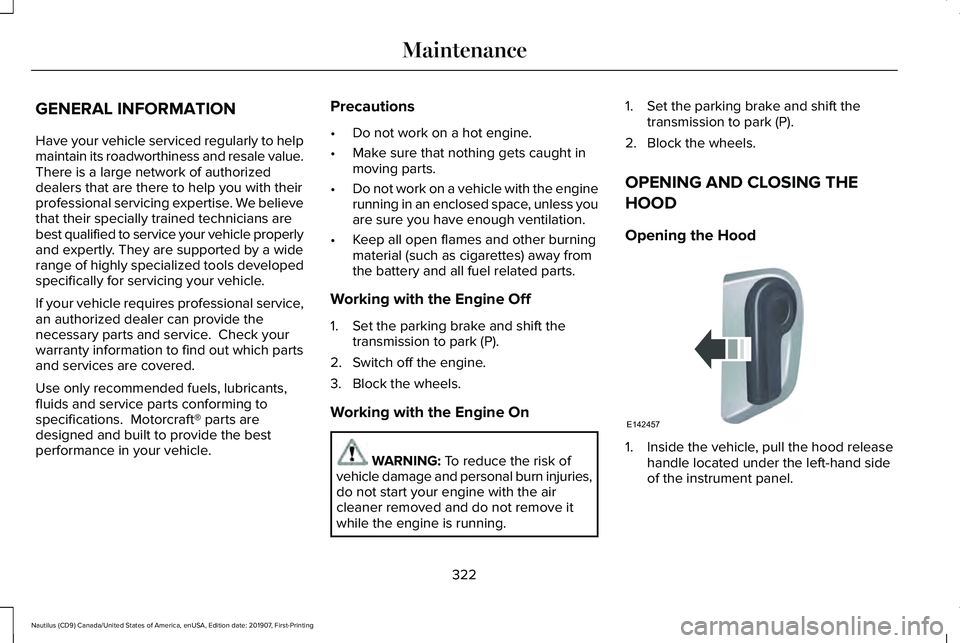
Opening the Hood 1. Inside the vehicle, pull the hood release
handle located under the left-hand side
of the instrument panel.
322
Nautilus (CD9) Canada/United States of America, enUSA, Edition date: 201907, First-Printing MaintenanceE142457
Page 349 of 596
•
Do not allow wax to come in contact with
any non-body (low-gloss black) colored
trim. The wax will discolor or stain the
parts over time.
•Roof racks.
• Bumpers.
• Grained door handles.
• Side moldings.
• Mirror housings.
• Windshield cowl area.
• Do not apply wax to glass areas.
• After waxing, your car's paint should feel
smooth, and be free of streaks and
smudges.
CLEANING THE ENGINE
Engines are more efficient when they are
clean because grease and dirt buildup keep
the engine warmer than normal. When washing:
•
Take care when using a power washer
to clean the engine. The high-pressure
fluid could penetrate the sealed parts
and cause damage.
• Do not spray a hot engine with cold water
to avoid cracking the engine block or
other engine components.
• Spray Motorcraft Engine Shampoo and
Degreaser on all parts that require
cleaning and pressure rinse clean. In
Canada, use Motorcraft Engine Shampoo.
Note: If your vehicle has an engine cover
remove the cover before application of
Motorcraft Engine Shampoo and Degreaser.
Immediately rinse away any over spray.
• Never wash or rinse the engine while it
is hot or running; water in the running
engine may cause internal damage.
• Never wash or rinse any ignition coil,
spark plug wire or spark plug well, or the
area in and around these locations.
• Cover the battery, power distribution box,
and air filter assembly to prevent water
damage when cleaning the engine. CLEANING THE WINDOWS AND
WIPER BLADES
Car wash chemicals and environmental
fallout can result in windshield and wiper
blade contamination. Dirty windshield and
wipers will result in poor windshield wiper
operation. Keep the windshield and wiper
blades clean to maintain windshield wiper
performance.
To clean the windshield and wiper blades:
•
Clean the windshield with a non-abrasive
glass cleaner. When cleaning the interior
of the windshield, avoid getting any glass
cleaner on the instrument panel or door
panels. Wipe any glass cleaner off these
surfaces immediately.
• For windshields contaminated with tree
sap, chemicals, wax or bugs, clean the
entire windshield using steel wool (no
greater than 0000 grade) in a circular
motion and rinse with water.
• Clean the wiper blades with isopropyl
rubbing alcohol or windshield washer
concentrate.
346
Nautilus (CD9) Canada/United States of America, enUSA, Edition date: 201907, First-Printing Vehicle Care
Page 352 of 596
CLEANING THE INSTRUMENT
PANEL AND INSTRUMENT
CLUSTER LENS
WARNING: Do not use chemical
solvents or strong detergents when
cleaning the steering wheel or instrument
panel to avoid contamination of the airbag
system.
Note: Follow the same procedure as
cleaning leather seats for cleaning leather
instrument panels and leather interior trim
surfaces. See Cleaning Leather Seats
(page
349).
Clean the instrument panel and cluster lens
with a clean, damp and soft cloth, then use
a clean, dry and soft cloth to dry these areas. •
Avoid cleaners or polishes that increase
the gloss of the upper portion of the
instrument panel. The dull finish in this
area helps protect you from undesirable
windshield reflection.
• Do not use any household cleaning
products or glass cleaners as these may
damage the finish of the instrument
panel, interior trim and cluster lens.
• Wash or wipe your hands clean if you
have been in contact with certain
products such as insect repellent and
suntan lotion to avoid possible damage
to the interior painted surfaces.
• Do not allow air fresheners and hand
sanitizers to spill onto interior surfaces.
If a spill occurs, wipe off immediately.
Your warranty may not cover these
damages.
If a staining liquid like coffee or juice has
been spilled on the instrument panel or on
interior trim surfaces:
1. Wipe up spilled liquid using a clean, soft
cloth as quickly as possible. 2. Use Motorcraft Premium Leather and
Vinyl Cleaner or a commercially available
leather cleaning product for automotive
interiors. Test any cleaner or stain
remover on an inconspicuous area.
3. Alternatively, wipe the surface with a clean, soft cloth and a mild soap and
water solution. Dry the area with a clean,
soft cloth.
4. If necessary, apply more soap and water
solution or cleaning product to a clean,
soft cloth and press it onto the soiled
area. Allow this to set at room
temperature for 30 minutes.
5. Remove the soaked cloth, then with a clean, damp cloth, use a rubbing motion
for 60 seconds on the soiled area.
6. Dry the area with a clean, soft cloth.
CLEANING LEATHER SEATS
Note: Follow the same procedure as
cleaning leather seats for cleaning leather
instrument panels and leather interior trim
surfaces.
349
Nautilus (CD9) Canada/United States of America, enUSA, Edition date: 201907, First-Printing Vehicle Care
Page 392 of 596
VEHICLE IDENTIFICATION
NUMBER
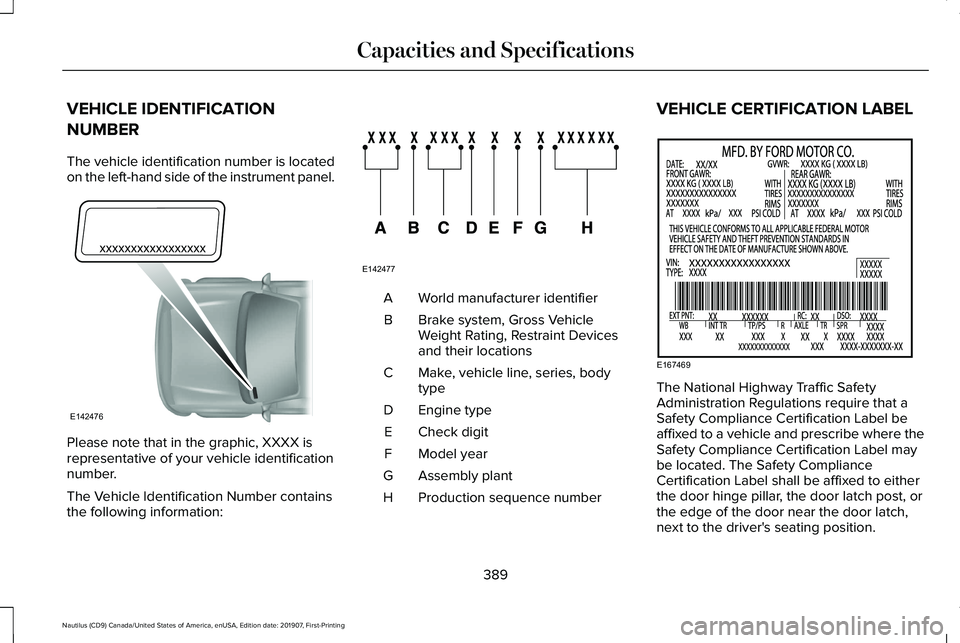
The vehicle identification number is located
on the left-hand side of the instrument panel.
Please note that in the graphic, XXXX is
representative of your vehicle identification
number.
The Vehicle Identification Number contains
the following information: World manufacturer identifier
A
Brake system, Gross Vehicle
Weight Rating, Restraint Devices
and their locations
B
Make, vehicle line, series, body
type
C
Engine type
D
Check digit
E
Model year
F
Assembly plant
G
Production sequence number
H VEHICLE CERTIFICATION LABEL
The National Highway Traffic Safety
Administration Regulations require that a
Safety Compliance Certification Label be
affixed to a vehicle and prescribe where the
Safety Compliance Certification Label may
be located. The Safety Compliance
Certification Label shall be affixed to either
the door hinge pillar, the door latch post, or
the edge of the door near the door latch,
next to the driver's seating position.
389
Nautilus (CD9) Canada/United States of America, enUSA, Edition date: 201907, First-Printing Capacities and SpecificationsE142476 E142477 E167469
Page 431 of 596
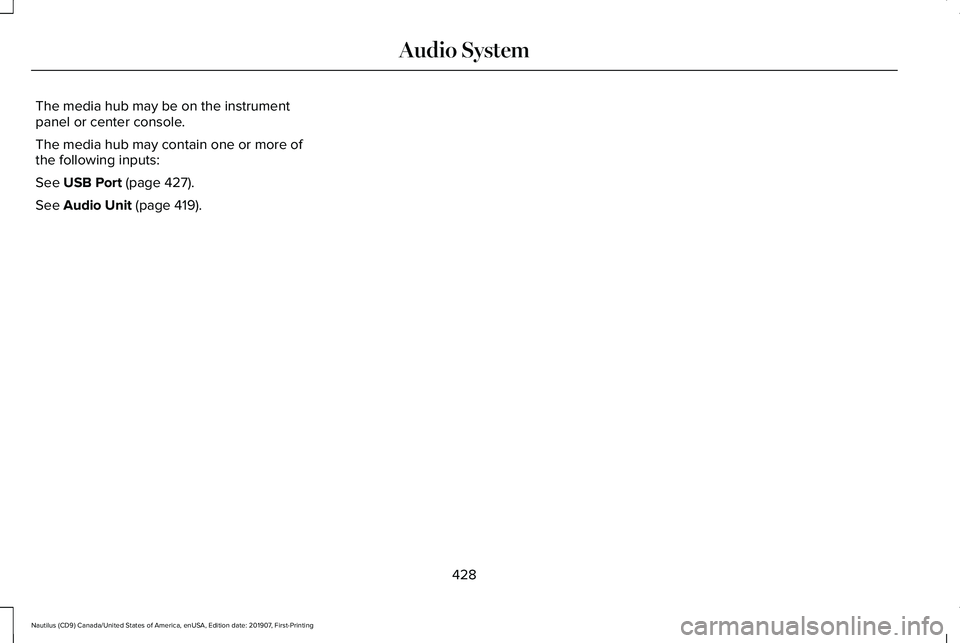
The media hub may be on the instrument
panel or center console.
The media hub may contain one or more of
the following inputs:
See USB Port (page 427).
See
Audio Unit (page 419).
428
Nautilus (CD9) Canada/United States of America, enUSA, Edition date: 201907, First-Printing Audio System
Page 458 of 596
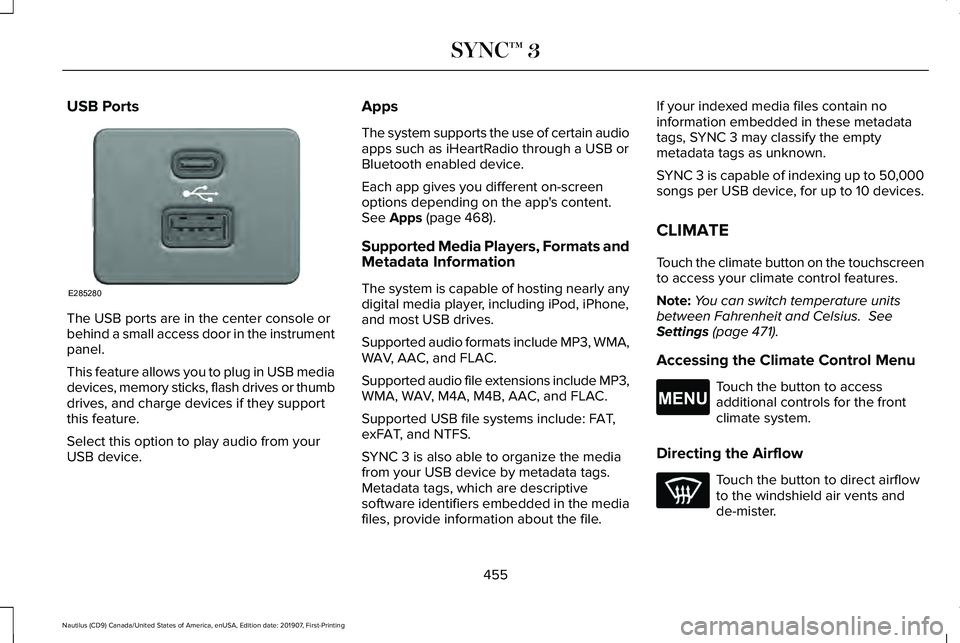
USB Ports
The USB ports are in the center console or
behind a small access door in the instrument
panel.
This feature allows you to plug in USB media
devices, memory sticks, flash drives or thumb
drives, and charge devices if they support
this feature.
Select this option to play audio from your
USB device. Apps
The system supports the use of certain audio
apps such as iHeartRadio through a USB or
Bluetooth enabled device.
Each app gives you different on-screen
options depending on the app's content.
See Apps (page 468).
Supported Media Players, Formats and
Metadata Information
The system is capable of hosting nearly any
digital media player, including iPod, iPhone,
and most USB drives.
Supported audio formats include MP3, WMA,
WAV, AAC, and FLAC.
Supported audio file extensions include MP3,
WMA, WAV, M4A, M4B, AAC, and FLAC.
Supported USB file systems include: FAT,
exFAT, and NTFS.
SYNC 3 is also able to organize the media
from your USB device by metadata tags.
Metadata tags, which are descriptive
software identifiers embedded in the media
files, provide information about the file. If your indexed media files contain no
information embedded in these metadata
tags, SYNC 3 may classify the empty
metadata tags as unknown.
SYNC 3 is capable of indexing up to 50,000
songs per USB device, for up to 10 devices.
CLIMATE
Touch the climate button on the touchscreen
to access your climate control features.
Note:
You can switch temperature units
between Fahrenheit and Celsius.
See
Settings (page 471).
Accessing the Climate Control Menu Touch the button to access
additional controls for the front
climate system.
Directing the Airflow Touch the button to direct airflow
to the windshield air vents and
de-mister.
455
Nautilus (CD9) Canada/United States of America, enUSA, Edition date: 201907, First-Printing SYNC™ 3E285280 E265038
Page 459 of 596
Touch the button to direct airflow
to the instrument panel air vents.
Touch the button to direct airflow
to the footwell air vents.
You can direct air through any combination
of these air vents.
Setting the Blower Motor Speed Touch up or down to increase or
decrease the volume of air that
circulates in your vehicle.
Setting the Temperature
Touch up or down on the left-hand
temperature control to set the left-hand
temperature.
Note: This control also adjusts the right-hand
side temperature when you switch off dual
zone mode.
Touch up or down on the right-hand
temperature control to set the right-hand
temperature. Switching Auto Mode On and Off Touch the button to switch on
automatic operation, then set the
temperature.
The system adjusts the blower motor speed,
air distribution, air conditioning operation,
and outside or recirculated air to reach and
maintain the temperature you have set.
Switching the Air Conditioning On and
Off A pop-up appears on the screen
to display the air conditioning
options.
MAX A/C: Touch the button to activate and
maximize cooling. The driver and passenger
temperatures are set to LO, recirculated air
flows through the instrument panel vents, air
conditioning automatically turns on and the
fan automatically adjusts to the highest
speed.
A/C: Touch to switch the air conditioning on
or off. Use A/C with recirculated air to
improve cooling performance and efficiency. Note:
In certain conditions, such as
maximum defrost, the air conditioning
compressor may continue to operate even
though you switch off the air conditioning.
Switching the Climate Control On and
Off Touch the button.
Switching the Climate Controlled Seats
On and Off Touch the button to cycle through
the various climate controlled seat
settings.
Switching Dual Zone Mode On and Off Touch the button to switch on
temperature control for the
right-hand side of the vehicle.
456
Nautilus (CD9) Canada/United States of America, enUSA, Edition date: 201907, First-Printing SYNC™ 3 E265282 E265280
Page 460 of 596
Switching the Heated Exterior Mirrors
On and Off
Touch the button.
Switching the Heated Windshield On
and Off Touch the button to clear the
windshield of thin ice and fog. The
heated windshield turns off after a
short period of time.
Switching the Heated Rear Window On
and Off Touch the button to clear the rear
window of thin ice and fog.
Switching the Heated Seats On and Off Touch the button to cycle through
the various heat settings. Switching the Heated Steering Wheel
On and Off Touch the button.
Switching Maximum Air Conditioning
On and Off Touch the button for maximum
cooling.
Recirculated air flows through the instrument
panel air vents, air conditioning turns on and
the blower motor adjusts to the highest
speed.
Switching Maximum Defrost On and
Off Touch the button for maximum
defrosting.
Air flows through the windshield air vents,
and the blower motor adjusts to the highest
speed.
You can also use this setting to defog and
clear the windshield of a thin covering of ice. Note:
To prevent window fogging, you
cannot select recirculated air when
maximum defrost is on.
Note: The heated rear window also turns on
when you select maximum defrost.
Switching Recirculated Air On and Off Touch the button to switch
between outside air and
recirculated air.
The air currently in the passenger
compartment recirculates. This may reduce
the time needed to cool the interior, when
used with A/C, and reduce unwanted odors
from entering your vehicle.
Note: Recirculated air may turn off, or
prevent you from switching on, in all air flow
modes except MAX A/C to reduce the risk
of fogging. Recirculation may also turn on
and off in various air distribution control
combinations during hot weather to improve
cooling efficiency.
457
Nautilus (CD9) Canada/United States of America, enUSA, Edition date: 201907, First-Printing SYNC™ 3E266189 E184884
Page 584 of 596
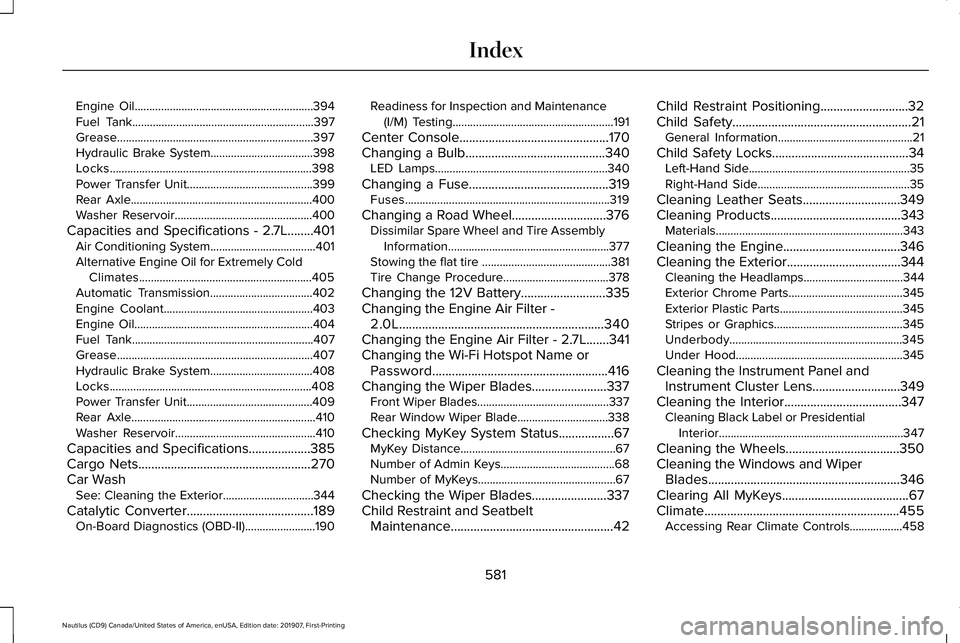
Engine Oil.............................................................394
Fuel Tank..............................................................397
Grease...................................................................397
Hydraulic Brake System...................................398
Locks.....................................................................398
Power Transfer Unit...........................................399
Rear Axle..............................................................400
Washer Reservoir...............................................400
Capacities and Specifications - 2.7L........401
Air Conditioning System....................................401
Alternative Engine Oil for Extremely Cold
Climates...........................................................405
Automatic Transmission...................................402
Engine Coolant...................................................403
Engine Oil.............................................................404
Fuel Tank..............................................................407
Grease...................................................................407
Hydraulic Brake System...................................408
Locks.....................................................................408
Power Transfer Unit...........................................409
Rear Axle...............................................................410
Washer Reservoir................................................410
Capacities and Specifications...................385
Cargo Nets
.....................................................270
Car Wash See: Cleaning the Exterior...............................344
Catalytic Converter
.......................................189
On-Board Diagnostics (OBD-II)........................190 Readiness for Inspection and Maintenance
(I/M) Testing.......................................................191
Center Console
..............................................170
Changing a Bulb...........................................340 LED Lamps...........................................................340
Changing a Fuse
...........................................319
Fuses......................................................................319
Changing a Road Wheel.............................376 Dissimilar Spare Wheel and Tire Assembly
Information.......................................................377
Stowing the flat tire ............................................381
Tire Change Procedure....................................378
Changing the 12V Battery..........................335
Changing the Engine Air Filter - 2.0L...............................................................340
Changing the Engine Air Filter - 2.7L
.......341
Changing the Wi-Fi Hotspot Name or Password......................................................416
Changing the Wiper Blades.......................337 Front Wiper Blades.............................................337
Rear Window Wiper Blade...............................
338
Checking MyKey System Status.................67 MyKey Distance.....................................................67
Number of Admin Keys.......................................68
Number of MyKeys...............................................67
Checking the Wiper Blades.......................337
Child Restraint and Seatbelt Maintenance..................................................42 Child Restraint Positioning
...........................32
Child Safety.......................................................21
General Information..............................................21
Child Safety Locks..........................................34 Left-Hand Side.......................................................35
Right-Hand Side....................................................35
Cleaning Leather Seats
..............................349
Cleaning Products........................................343 Materials................................................................343
Cleaning the Engine....................................346
Cleaning the Exterior...................................344 Cleaning the Headlamps..................................
344
Exterior Chrome Parts.......................................345
Exterior Plastic Parts..........................................345
Stripes or Graphics............................................345
Underbody...........................................................345
Under Hood.........................................................345
Cleaning the Instrument Panel and Instrument Cluster Lens...........................349
Cleaning the Interior....................................347 Cleaning Black Label or Presidential
Interior...............................................................347
Cleaning the Wheels...................................350
Cleaning the Windows and Wiper Blades...........................................................346
Clearing All MyKeys
.......................................67
Climate............................................................455 Accessing Rear Climate Controls..................458
581
Nautilus (CD9) Canada/United States of America, enUSA, Edition date: 201907, First-Printing Index
Page 589 of 596
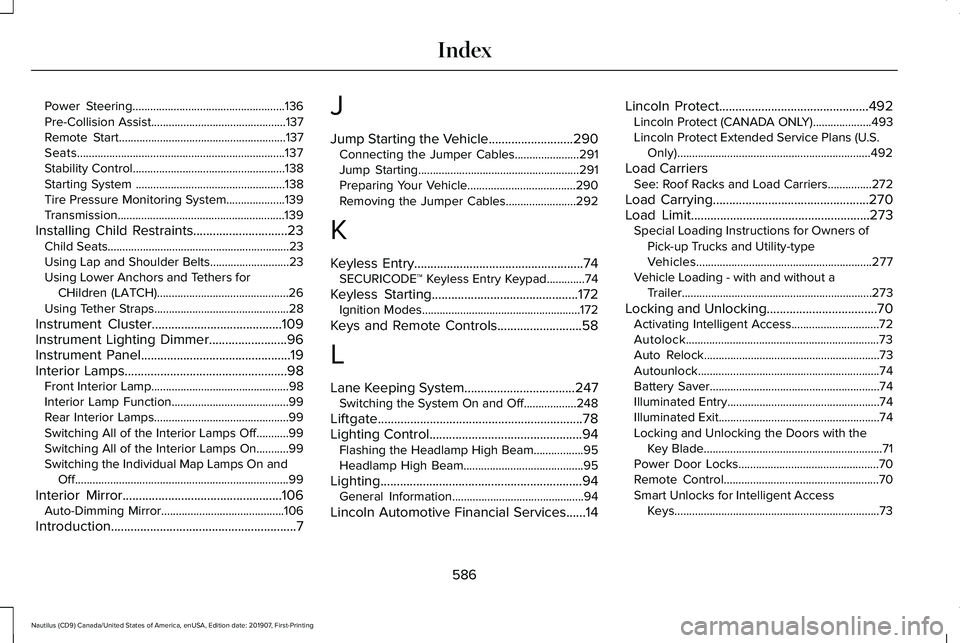
Power Steering....................................................136
Pre-Collision Assist..............................................137
Remote Start.........................................................137
Seats.......................................................................137
Stability Control....................................................138
Starting System ...................................................138
Tire Pressure Monitoring System....................139
Transmission.........................................................139
Installing Child Restraints.............................23 Child Seats..............................................................23
Using Lap and Shoulder Belts...........................23
Using Lower Anchors and Tethers for
CHildren (LATCH).............................................26
Using Tether Straps..............................................28
Instrument Cluster........................................109
Instrument Lighting Dimmer........................96
Instrument Panel..............................................19
Interior Lamps
..................................................98
Front Interior Lamp...............................................98
Interior Lamp Function........................................99
Rear Interior Lamps..............................................99
Switching All of the Interior Lamps Off...........99
Switching All of the Interior Lamps On...........99
Switching the Individual Map Lamps On and
Off........................................................................\
.99
Interior Mirror
.................................................106
Auto-Dimming Mirror..........................................106
Introduction
.........................................................7 J
Jump Starting the Vehicle..........................290
Connecting the Jumper Cables......................
291
Jump Starting.......................................................291
Preparing Your Vehicle.....................................290
Removing the Jumper Cables........................292
K
Keyless Entry....................................................74 SECURICODE™ Keyless Entry Keypad.............
74
Keyless Starting
.............................................172
Ignition Modes......................................................172
Keys and Remote Controls..........................58
L
Lane Keeping System
..................................247
Switching the System On and Off..................248
Liftgate...............................................................78
Lighting Control
...............................................94
Flashing the Headlamp High Beam.................95
Headlamp High Beam.........................................95
Lighting..............................................................94 General Information.............................................94
Lincoln Automotive Financial Services......14 Lincoln Protect
..............................................492
Lincoln Protect (CANADA ONLY)....................493
Lincoln Protect Extended Service Plans (U.S.
Only)..................................................................492
Load Carriers See: Roof Racks and Load Carriers...............272
Load Carrying
................................................270
Load Limit.......................................................273
Special Loading Instructions for Owners of
Pick-up Trucks and Utility-type
Vehicles............................................................277
Vehicle Loading - with and without a Trailer.................................................................273
Locking and Unlocking..................................70 Activating Intelligent Access..............................
72
Autolock..................................................................73
Auto Relock............................................................73
Autounlock..............................................................74
Battery Saver..........................................................74
Illuminated Entry....................................................74
Illuminated Exit.......................................................74
Locking and Unlocking the Doors with the Key Blade.............................................................71
Power Door Locks................................................70
Remote Control.....................................................70
Smart Unlocks for Intelligent Access Keys......................................................................73
586
Nautilus (CD9) Canada/United States of America, enUSA, Edition date: 201907, First-Printing Index