air condition LINCOLN NAUTILUS 2021 User Guide
[x] Cancel search | Manufacturer: LINCOLN, Model Year: 2021, Model line: NAUTILUS, Model: LINCOLN NAUTILUS 2021Pages: 579, PDF Size: 6.9 MB
Page 75 of 579
CRASH SENSORS AND AIRBAG
INDICATOR
WARNING: Modifying or adding
equipment to the front end of your vehicle
(including hood, bumper system, frame,
front end body structure, tow hooks and
hood pins) may affect the performance of
the airbag system, increasing the risk of
injury. Do not modify or add equipment to
the front end of your vehicle.
Your vehicle has a collection of crash and
occupant sensors. These sensors provide
information to the restraints control module
which activates the following:
• Front and rear seatbelt pretensioners.
• Driver airbag.
• Passenger airbag.
• Knee airbag(s).
• Seat mounted side airbags.
• Safety Canopy. Based on the type of crash, the restraints
control module deploys the appropriate
safety devices.
The restraints control module also monitors
the readiness of the above safety devices
plus the crash and occupant sensors. The
readiness of the safety system is indicated
by a warning indicator light in the instrument
cluster or by a backup tone if the warning
light is not working. Routine maintenance of
the airbag is not required.
A difficulty with the system is indicated by
one or more of the following:
The readiness light will not
illuminate immediately after you
switch the ignition on.
• The readiness light either flashes or stays
on.
• You hear a series of five tones. The tone
pattern repeats periodically until the
problem, the light or both are repaired. If any of these things happen, even
intermittently, have the supplemental
restraint system serviced immediately.
Unless serviced, the system may not function
properly in the event of a crash.
The fact that the seatbelt pretensioners or
front airbags did not activate for both front
seat occupants in a crash does not mean
that something is wrong with the system.
Rather, it means the restraints control module
determined the accident conditions (crash
severity, seatbelt usage) were not
appropriate to activate these safety devices.
•
The front airbags activate only in frontal
and near-frontal crashes. Front airbags
may activate in rollovers, side impacts or
rear impacts if the crash causes sufficient
frontal deceleration.
• The seatbelt pretensioners activate in
frontal, near-frontal and side crashes, and
in rollovers.
• The knee airbag(s) deploy based on
crash severity and occupant conditions.
71
2021 Nautilus (CD9) Canada/United States of America, enUSA, Edition date: 202011, First-Printing AirbagsE67017
Page 124 of 579
HEADLAMPS – TROUBLESHOOTING
Headlamps – Frequently Asked
Questions
Why is there condensation in the
headlamps?
Headlamps have vents to accommodate
normal changes in air pressure.
Condensation can be a natural
by-product of this design. When moist
air enters the lamp assembly through
the vents, there is a possibility that
condensation can occur when the
temperature is cold. When normal
condensation occurs, a fine mist can
form on the interior of the lens. The fine
mist eventually clears and exits through
the vents during normal operation.
How much condensation is acceptable? The presence of a fine mist, for example
no streaks, drip marks or large droplets.
A fine mist covers less than 50% of the
lens. How long may it take for the acceptable
condensation to be cleared?
Clearing time may take as long as 48
hours under dry weather conditions.
How much condensation is unacceptable? A water puddle inside the lamp. Streaks,
drip marks or large droplets present on
the interior of the lens.
What should I do if unacceptable
condensation is present? Have your vehicle checked as soon as
possible.
Why do my headlamps turn off when I have
them switched on when I switch my vehicle
off ? The battery saver turns the headlamps
off after a short period of time after you
switch your vehicle off. AUTOLAMPS
What Are Autolamps WARNING: The system does not
relieve you of your responsibility to drive
with due care and attention. You may need
to override the system if it does not turn
the headlamps on in low visibility
conditions, for example daytime fog.
Autolamps turn the headlamps on in low light
situations or when the windshield wipers
operate.
Autolamp Settings
1. Using the instrument cluster controls on the steering wheel, select
Settings.
2. Select
Vehicle.
3. Select
Lighting.
4. Select
Autolamp Delay.
5. Select a setting and press the OK button.
120
2021 Nautilus (CD9) Canada/United States of America, enUSA, Edition date: 202011, First-Printing Exterior Lighting
Page 158 of 579
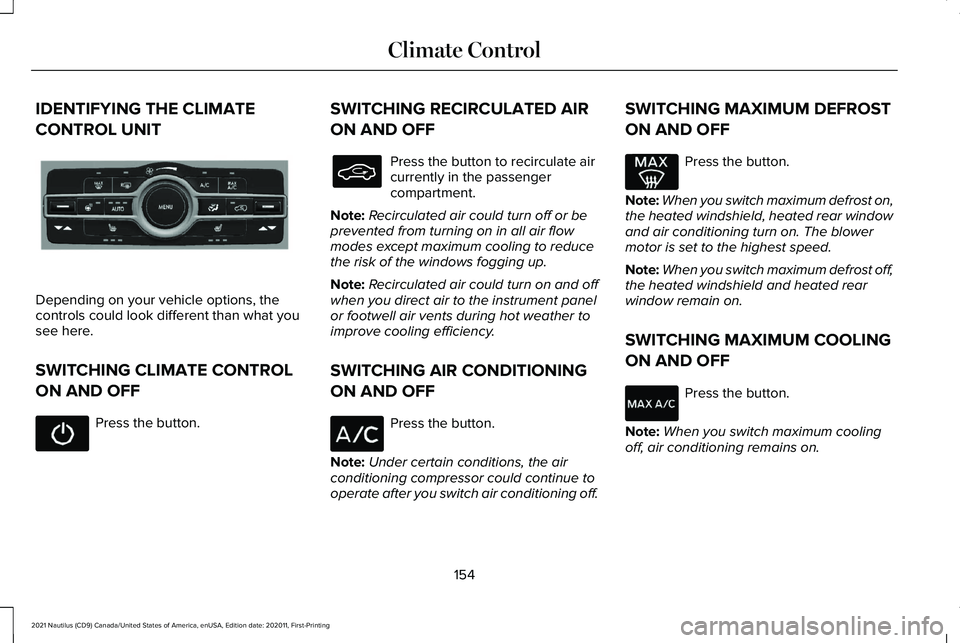
IDENTIFYING THE CLIMATE
CONTROL UNIT
Depending on your vehicle options, the
controls could look different than what you
see here.
SWITCHING CLIMATE CONTROL
ON AND OFF
Press the button. SWITCHING RECIRCULATED AIR
ON AND OFF Press the button to recirculate air
currently in the passenger
compartment.
Note: Recirculated air could turn off or be
prevented from turning on in all air flow
modes except maximum cooling to reduce
the risk of the windows fogging up.
Note: Recirculated air could turn on and off
when you direct air to the instrument panel
or footwell air vents during hot weather to
improve cooling efficiency.
SWITCHING AIR CONDITIONING
ON AND OFF Press the button.
Note: Under certain conditions, the air
conditioning compressor could continue to
operate after you switch air conditioning off. SWITCHING MAXIMUM DEFROST
ON AND OFF Press the button.
Note: When you switch maximum defrost on,
the heated windshield, heated rear window
and air conditioning turn on. The blower
motor is set to the highest speed.
Note: When you switch maximum defrost off,
the heated windshield and heated rear
window remain on.
SWITCHING MAXIMUM COOLING
ON AND OFF Press the button.
Note: When you switch maximum cooling
off, air conditioning remains on.
154
2021 Nautilus (CD9) Canada/United States of America, enUSA, Edition date: 202011, First-Printing Climate ControlE287616
Page 160 of 579
Directing Air to the Footwell Air Vents
Press the button to activate the
selection screen.
Press the button on the
touchscreen.
AUTO MODE
Switching Auto Mode On and Off Press the button to switch auto
mode on. Repeatedly press the
button to adjust auto mode.
The system adjusts the blower motor speed,
air distribution, air conditioning operation,
and outside or recirculated air to reach and
maintain the temperature you have set. Adjust the blower motor control to switch
auto mode off.
Note:
The system starts at the previous
setting when you switch on auto mode.
Note: You can also switch off the dual zone
mode by pressing and holding the button for
more than two seconds.
Auto Mode Indicators
The indicators are on the Auto Mode button. Description
Auto Mode Indicator Status
The blower motor speed is reduced. Use this setting to minimize the amou\
nt of noise from the
blower motor. This setting increases the time taken to cool the interior.
One indicator illuminated.
The blower motor speed is moderate.
Two indicators illuminated.
The blower motor speed is increased. Use this setting to reduce the time\
taken to cool the interior.
This setting increases the amount of noise from the blower motor.
Three indicators illuminated.
156
2021 Nautilus (CD9) Canada/United States of America, enUSA, Edition date: 202011, First-Printing Climate ControlE265283
Page 202 of 579
FUEL QUALITY
Selecting the Correct Fuel
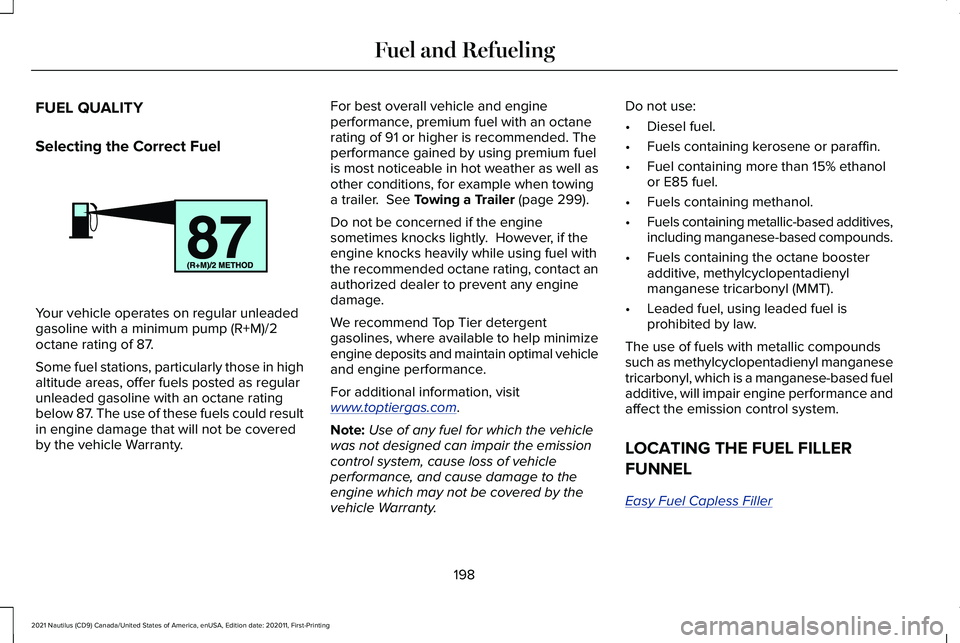
Your vehicle operates on regular unleaded
gasoline with a minimum pump (R+M)/2
octane rating of 87.
Some fuel stations, particularly those in high
altitude areas, offer fuels posted as regular
unleaded gasoline with an octane rating
below 87. The use of these fuels could result
in engine damage that will not be covered
by the vehicle Warranty. For best overall vehicle and engine
performance, premium fuel with an octane
rating of 91 or higher is recommended. The
performance gained by using premium fuel
is most noticeable in hot weather as well as
other conditions, for example when towing
a trailer. See Towing a Trailer (page 299).
Do not be concerned if the engine
sometimes knocks lightly. However, if the
engine knocks heavily while using fuel with
the recommended octane rating, contact an
authorized dealer to prevent any engine
damage.
We recommend Top Tier detergent
gasolines, where available to help minimize
engine deposits and maintain optimal vehicle
and engine performance.
For additional information, visit
www . toptiergas. com .
Note: Use of any fuel for which the vehicle
was not designed can impair the emission
control system, cause loss of vehicle
performance, and cause damage to the
engine which may not be covered by the
vehicle Warranty. Do not use:
•
Diesel fuel.
• Fuels containing kerosene or paraffin.
• Fuel containing more than 15% ethanol
or E85 fuel.
• Fuels containing methanol.
• Fuels containing metallic-based additives,
including manganese-based compounds.
• Fuels containing the octane booster
additive, methylcyclopentadienyl
manganese tricarbonyl (MMT).
• Leaded fuel, using leaded fuel is
prohibited by law.
The use of fuels with metallic compounds
such as methylcyclopentadienyl manganese
tricarbonyl, which is a manganese-based fuel
additive, will impair engine performance and
affect the emission control system.
LOCATING THE FUEL FILLER
FUNNEL
Easy Fuel Capless Filler 198
2021 Nautilus (CD9) Canada/United States of America, enUSA, Edition date: 202011, First-Printing Fuel and RefuelingE161513
Page 238 of 579
PARKING AID PRECAUTIONS
WARNING: To help avoid personal
injury, always use caution when in reverse
(R) and when using the sensing system. WARNING:
The system may not
detect objects with surfaces that absorb
reflection. Always drive with due care and
attention. Failure to take care may result
in a crash. WARNING:
Traffic control systems,
fluorescent lamps, inclement weather, air
brakes, external motors and fans may
affect the correct operation of the sensing
system. This may cause reduced
performance or false alerts. WARNING:
The system may not
detect small or moving objects, particularly
those close to the ground. WARNING:
The parking aid system
can only assist you to detect objects when
your vehicle is moving at parking speeds.
To help avoid personal injury you must
take care when using the parking aid
system. WARNING:
The system may not
function if the sensor is blocked. WARNING:
In cold and severe
weather conditions the system may not
function. Rain, snow and spray can all limit
sensor performance. WARNING:
If damage occurs in the
immediate area surrounding the sensor,
have your vehicle checked as soon as
possible.
Note: If your vehicle sustains damage
leaving the sensors misaligned, this will
cause inaccurate measurements or false
alerts. When you connect a trailer to your vehicle,
the rear parking aid detects the trailer and
provides an alert. Disable the parking aid
when you connect a trailer to prevent the
alert.
Note:
Certain add-on devices installed
around the bumper or fascia may create
false alerts, for example, large trailer hitches,
bike or surfboard racks, license plate
brackets, bumper covers or any other device
that could block the normal detection zone
of the parking aid system. Aftermarket spare
tires or spare tire covers mounted to the rear
tailgate could cause false alerts from the
park aid system. Remove the add-on device
to prevent false alerts.
Note: Keep the sensors free from snow, ice
and large accumulations of dirt. If the
sensors are covered, the system's accuracy
can be affected.
Do not clean the sensors with sharp objects.
Note: When using a programmed MyKey
you cannot switch this off.
See MyKey™
(page 84).
234
2021 Nautilus (CD9) Canada/United States of America, enUSA, Edition date: 202011, First-Printing Parking Aids
Page 281 of 579
CROSS TRAFFIC ALERT
LIMITATIONS
Cross Traffic Alert may not correctly operate
when any of the following occur:
•
Something is blocking the sensors.
• Adjacently parked vehicles or objects are
obstructing the sensors.
• Vehicles approach at speeds less than
4 mph (6 km/h) or greater than 37 mph
(60 km/h).
• Your vehicle speed is greater than 7 mph
(12 km/h)
.
• You reverse out of an angled parking
space.
SWITCHING CROSS TRAFFIC
ALERT ON AND OFF
To switch cross traffic alert on or off use the
instrument cluster display:
1. Using the instrument cluster display controls on the steering wheel, select
SETTINGS
. 2. Select
Driver assistance.
3. Switch
Cross traffic alert on or off.
LOCATING THE CROSS TRAFFIC
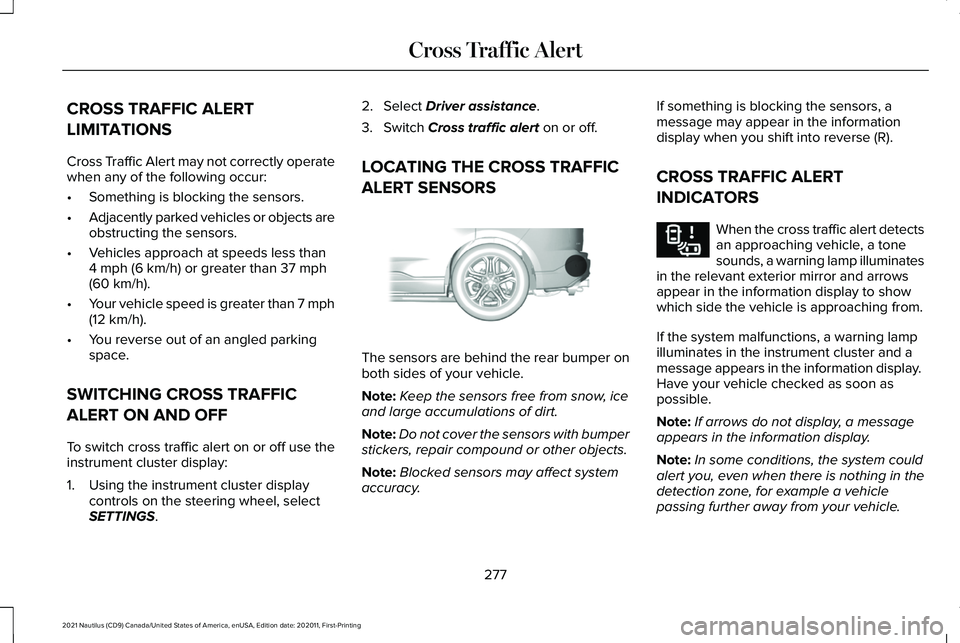
ALERT SENSORS The sensors are behind the rear bumper on
both sides of your vehicle.
Note:
Keep the sensors free from snow, ice
and large accumulations of dirt.
Note: Do not cover the sensors with bumper
stickers, repair compound or other objects.
Note: Blocked sensors may affect system
accuracy. If something is blocking the sensors, a
message may appear in the information
display when you shift into reverse (R).
CROSS TRAFFIC ALERT
INDICATORS
When the cross traffic alert detects
an approaching vehicle, a tone
sounds, a warning lamp illuminates
in the relevant exterior mirror and arrows
appear in the information display to show
which side the vehicle is approaching from.
If the system malfunctions, a warning lamp
illuminates in the instrument cluster and a
message appears in the information display.
Have your vehicle checked as soon as
possible.
Note: If arrows do not display, a message
appears in the information display.
Note: In some conditions, the system could
alert you, even when there is nothing in the
detection zone, for example a vehicle
passing further away from your vehicle.
277
2021 Nautilus (CD9) Canada/United States of America, enUSA, Edition date: 202011, First-Printing Cross Traffic AlertE205199 E268294
Page 285 of 579
Note:
Brake support and automatic
emergency braking are active at speeds up
to 75 mph (120 km/h). If the vehicle has a
radar sensor included with adaptive cruise
control, then brake support and automatic
emergency braking are active up to the
maximum speed of the vehicle.
Pedestrian Detection Limitations
Pedestrian detection is active at speeds up
to
50 mph (80 km/h).
Pedestrian detection functions optimally
when detected hazards are clearly
identifiable. System performance may reduce
in situations where pedestrians are running,
partly obscured, have a complex
background, or cannot be distinguished from
a group. LOCATING THE PRE-COLLISION
ASSIST SENSORS
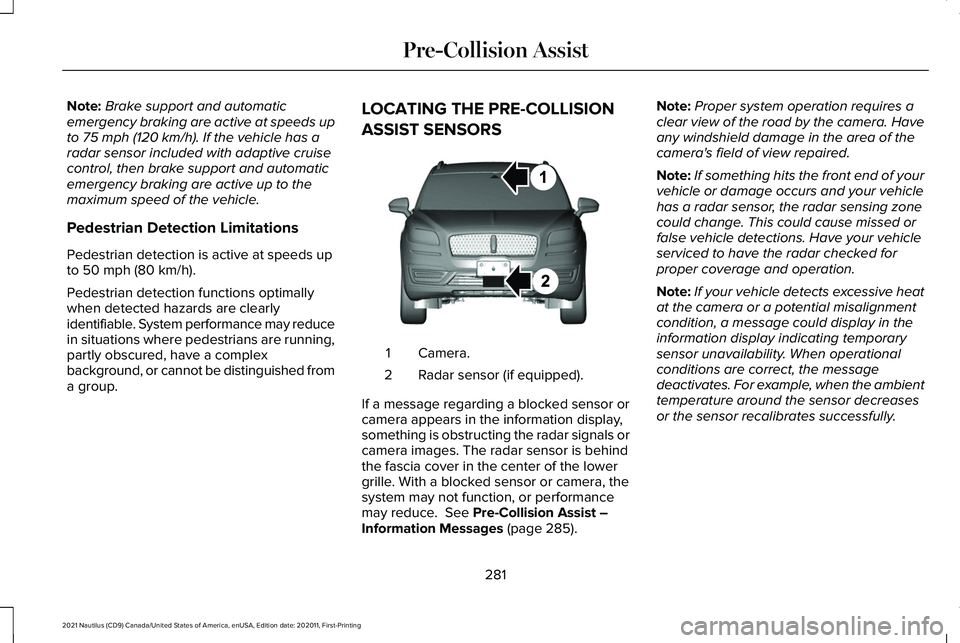
Camera.
1
Radar sensor (if equipped).
2
If a message regarding a blocked sensor or
camera appears in the information display,
something is obstructing the radar signals or
camera images. The radar sensor is behind
the fascia cover in the center of the lower
grille. With a blocked sensor or camera, the
system may not function, or performance
may reduce.
See Pre-Collision Assist –
Information Messages (page 285). Note:
Proper system operation requires a
clear view of the road by the camera. Have
any windshield damage in the area of the
camera's field of view repaired.
Note: If something hits the front end of your
vehicle or damage occurs and your vehicle
has a radar sensor, the radar sensing zone
could change. This could cause missed or
false vehicle detections. Have your vehicle
serviced to have the radar checked for
proper coverage and operation.
Note: If your vehicle detects excessive heat
at the camera or a potential misalignment
condition, a message could display in the
information display indicating temporary
sensor unavailability. When operational
conditions are correct, the message
deactivates. For example, when the ambient
temperature around the sensor decreases
or the sensor recalibrates successfully.
281
2021 Nautilus (CD9) Canada/United States of America, enUSA, Edition date: 202011, First-Printing Pre-Collision AssistE268024
Page 309 of 579
REDUCED ENGINE PERFORMANCE
WARNING: If you continue to drive
your vehicle when the engine is
overheating, the engine could stop without
warning. Failure to follow this instruction
could result in the loss of control of your
vehicle.
If the engine coolant temperature gauge
needle moves to the upper limit position, the
engine is overheating.
See What Is the
Engine Coolant Temperature Gauge (page
139).
You must only drive your vehicle for a short
distance if the engine overheats. The
distance you can travel depends on ambient
temperature, vehicle load and terrain. The
engine continues to operate with limited
power for a short period of time.
If the engine temperature continues to rise,
the fuel supply to the engine reduces. The
air conditioning switches off and the engine
cooling fan operates continually. 1. Gradually reduce your speed and stop
your vehicle as soon as it is safe to do
so.
2. Immediately switch the engine off to prevent severe engine damage.
3. Wait for the engine to cool down.
4. Check the coolant level.
See Checking
the Coolant (page 340).
5. Have your vehicle checked as soon as possible.
COLD WEATHER PRECAUTIONS
The functional operation of some
components and systems can be affected at
temperatures below approximately
-13°F
(-25°C).
BREAKING-IN
You need to break in new tires for
approximately
300 mi (480 km). During this
time, your vehicle may exhibit some unusual
driving characteristics. DRIVING THROUGH WATER WARNING:
Do not drive through
flowing or deep water as you may lose
control of your vehicle.
Note: Driving through standing water can
cause vehicle damage.
Note: Engine damage can occur if water
enters the air filter.
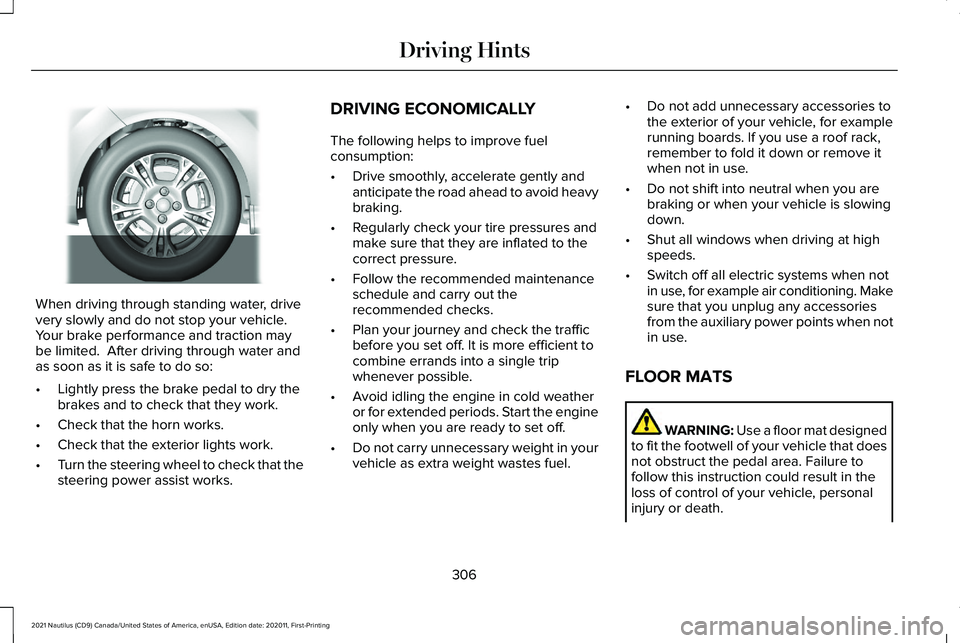
Before driving through standing water, check
the depth. Never drive through water that is
higher than the bottom of the front rocker
area of your vehicle.
305
2021 Nautilus (CD9) Canada/United States of America, enUSA, Edition date: 202011, First-Printing Driving Hints
Page 310 of 579
When driving through standing water, drive
very slowly and do not stop your vehicle.
Your brake performance and traction may
be limited. After driving through water and
as soon as it is safe to do so:
•
Lightly press the brake pedal to dry the
brakes and to check that they work.
• Check that the horn works.
• Check that the exterior lights work.
• Turn the steering wheel to check that the
steering power assist works. DRIVING ECONOMICALLY
The following helps to improve fuel
consumption:
•
Drive smoothly, accelerate gently and
anticipate the road ahead to avoid heavy
braking.
• Regularly check your tire pressures and
make sure that they are inflated to the
correct pressure.
• Follow the recommended maintenance
schedule and carry out the
recommended checks.
• Plan your journey and check the traffic
before you set off. It is more efficient to
combine errands into a single trip
whenever possible.
• Avoid idling the engine in cold weather
or for extended periods. Start the engine
only when you are ready to set off.
• Do not carry unnecessary weight in your
vehicle as extra weight wastes fuel. •
Do not add unnecessary accessories to
the exterior of your vehicle, for example
running boards. If you use a roof rack,
remember to fold it down or remove it
when not in use.
• Do not shift into neutral when you are
braking or when your vehicle is slowing
down.
• Shut all windows when driving at high
speeds.
• Switch off all electric systems when not
in use, for example air conditioning. Make
sure that you unplug any accessories
from the auxiliary power points when not
in use.
FLOOR MATS WARNING: Use a floor mat designed
to fit the footwell of your vehicle that does
not obstruct the pedal area. Failure to
follow this instruction could result in the
loss of control of your vehicle, personal
injury or death.
306
2021 Nautilus (CD9) Canada/United States of America, enUSA, Edition date: 202011, First-Printing Driving HintsE259345