remove seats LINCOLN NAUTILUS 2021 Owners Manual
[x] Cancel search | Manufacturer: LINCOLN, Model Year: 2021, Model line: NAUTILUS, Model: LINCOLN NAUTILUS 2021Pages: 579, PDF Size: 6.9 MB
Page 49 of 579
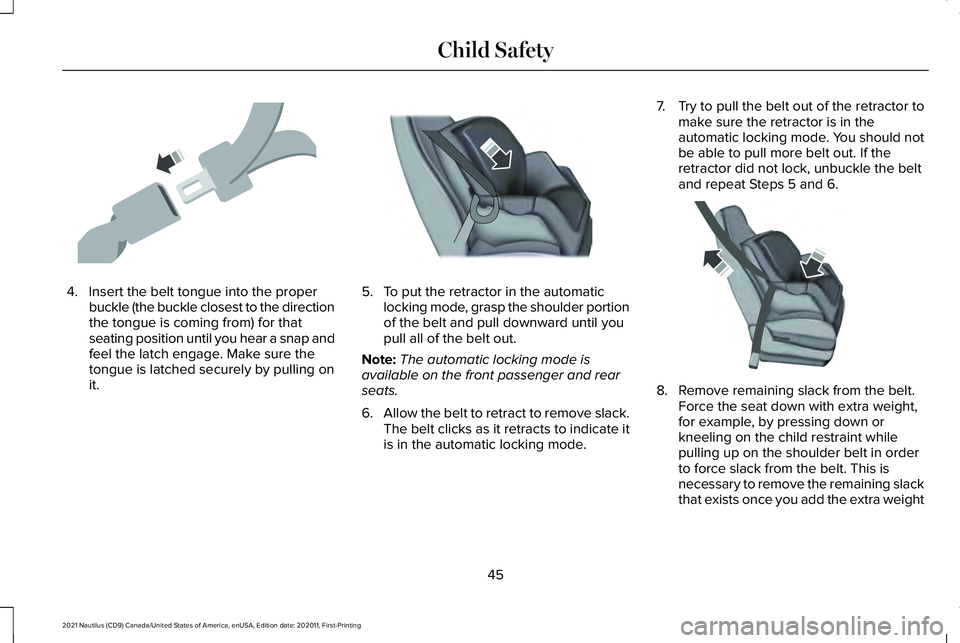
4. Insert the belt tongue into the proper
buckle (the buckle closest to the direction
the tongue is coming from) for that
seating position until you hear a snap and
feel the latch engage. Make sure the
tongue is latched securely by pulling on
it. 5. To put the retractor in the automatic
locking mode, grasp the shoulder portion
of the belt and pull downward until you
pull all of the belt out.
Note: The automatic locking mode is
available on the front passenger and rear
seats.
6. Allow the belt to retract to remove slack.
The belt clicks as it retracts to indicate it
is in the automatic locking mode. 7.
Try to pull the belt out of the retractor to
make sure the retractor is in the
automatic locking mode. You should not
be able to pull more belt out. If the
retractor did not lock, unbuckle the belt
and repeat Steps 5 and 6. 8. Remove remaining slack from the belt.
Force the seat down with extra weight,
for example, by pressing down or
kneeling on the child restraint while
pulling up on the shoulder belt in order
to force slack from the belt. This is
necessary to remove the remaining slack
that exists once you add the extra weight
45
2021 Nautilus (CD9) Canada/United States of America, enUSA, Edition date: 202011, First-Printing Child SafetyE142531 E142875 E142533
Page 53 of 579
4. Tighten the child restraint tether strap
according to the manufacturer's
instructions.
If your child restraint system has a tether
strap, and the child restraint manufacturer
recommends its use, we also recommend its
use.
BOOSTER SEATS
Use a belt-positioning booster seat for
children who have outgrown or no longer
properly fit in a child restraint and meet the
following criteria.
• Generally children who are less than
57 in (1.45 m) tall.
• Are greater than age four (4) and less
than age twelve (12).
• Are between
40 lb (18 kg) and 80 lb
(36 kg) and upward to 100 lb (45 kg).
Many state and provincial laws require that
children use approved booster seats until
they reach age eight, a height of
57 in
(1.45 m) tall, or 80 lb (36 kg). Booster seats should be used until you can
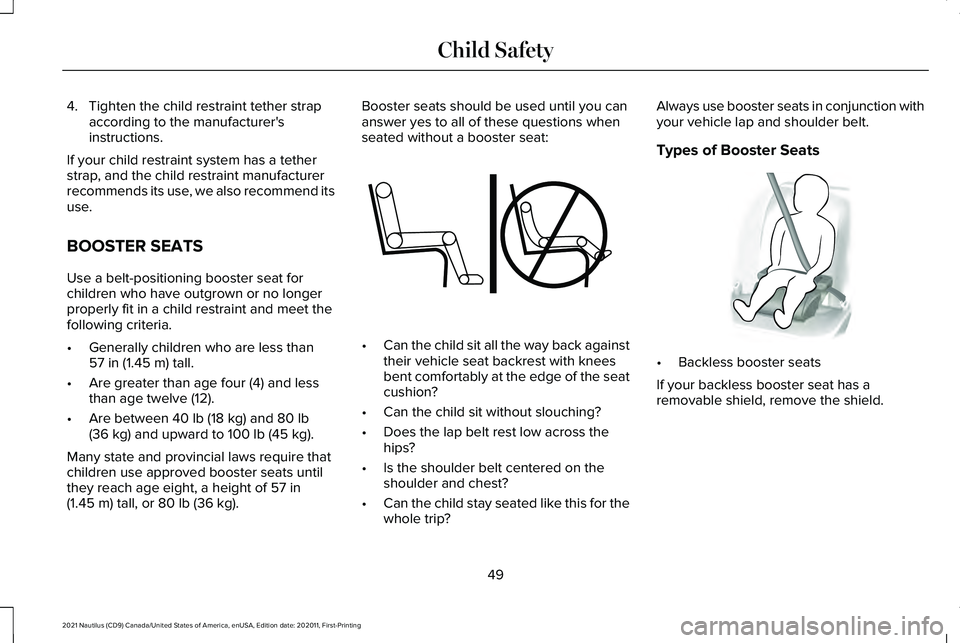
answer yes to all of these questions when
seated without a booster seat:
•
Can the child sit all the way back against
their vehicle seat backrest with knees
bent comfortably at the edge of the seat
cushion?
• Can the child sit without slouching?
• Does the lap belt rest low across the
hips?
• Is the shoulder belt centered on the
shoulder and chest?
• Can the child stay seated like this for the
whole trip? Always use booster seats in conjunction with
your vehicle lap and shoulder belt.
Types of Booster Seats
•
Backless booster seats
If your backless booster seat has a
removable shield, remove the shield.
49
2021 Nautilus (CD9) Canada/United States of America, enUSA, Edition date: 202011, First-Printing Child SafetyE142595 E68924
Page 72 of 579
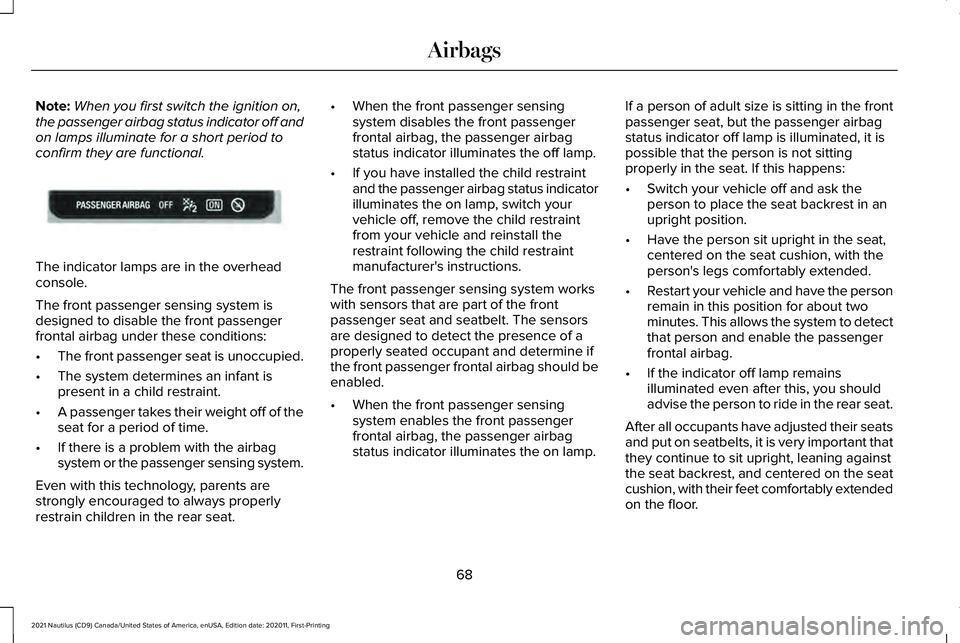
Note:
When you first switch the ignition on,
the passenger airbag status indicator off and
on lamps illuminate for a short period to
confirm they are functional. The indicator lamps are in the overhead
console.
The front passenger sensing system is
designed to disable the front passenger
frontal airbag under these conditions:
•
The front passenger seat is unoccupied.
• The system determines an infant is
present in a child restraint.
• A passenger takes their weight off of the
seat for a period of time.
• If there is a problem with the airbag
system or the passenger sensing system.
Even with this technology, parents are
strongly encouraged to always properly
restrain children in the rear seat. •
When the front passenger sensing
system disables the front passenger
frontal airbag, the passenger airbag
status indicator illuminates the off lamp.
• If you have installed the child restraint
and the passenger airbag status indicator
illuminates the on lamp, switch your
vehicle off, remove the child restraint
from your vehicle and reinstall the
restraint following the child restraint
manufacturer's instructions.
The front passenger sensing system works
with sensors that are part of the front
passenger seat and seatbelt. The sensors
are designed to detect the presence of a
properly seated occupant and determine if
the front passenger frontal airbag should be
enabled.
• When the front passenger sensing
system enables the front passenger
frontal airbag, the passenger airbag
status indicator illuminates the on lamp. If a person of adult size is sitting in the front
passenger seat, but the passenger airbag
status indicator off lamp is illuminated, it is
possible that the person is not sitting
properly in the seat. If this happens:
•
Switch your vehicle off and ask the
person to place the seat backrest in an
upright position.
• Have the person sit upright in the seat,
centered on the seat cushion, with the
person's legs comfortably extended.
• Restart your vehicle and have the person
remain in this position for about two
minutes. This allows the system to detect
that person and enable the passenger
frontal airbag.
• If the indicator off lamp remains
illuminated even after this, you should
advise the person to ride in the rear seat.
After all occupants have adjusted their seats
and put on seatbelts, it is very important that
they continue to sit upright, leaning against
the seat backrest, and centered on the seat
cushion, with their feet comfortably extended
on the floor.
68
2021 Nautilus (CD9) Canada/United States of America, enUSA, Edition date: 202011, First-Printing AirbagsE181984
Page 164 of 579
•
Bend your legs slightly so that you can
press the pedals fully.
• Position the shoulder strap of the seatbelt
over the center of your shoulder and
position the lap strap tightly across your
hips.
Make sure that your driving position is
comfortable and that you can maintain full
control of your vehicle.
POWER SEATS
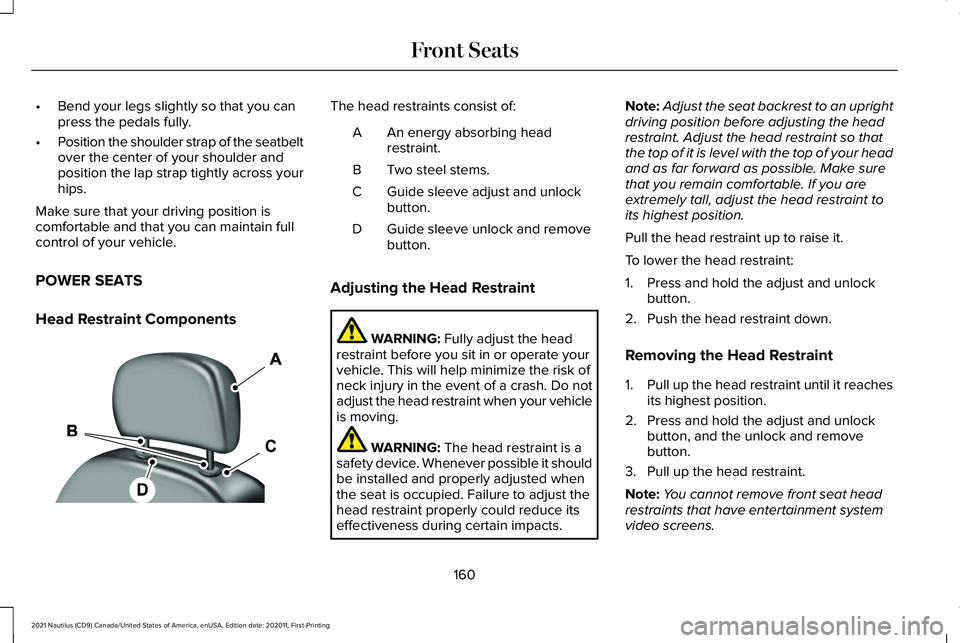
Head Restraint Components The head restraints consist of:
An energy absorbing head
restraint.
A
Two steel stems.
B
Guide sleeve adjust and unlock
button.
C
Guide sleeve unlock and remove
button.
D
Adjusting the Head Restraint WARNING: Fully adjust the head
restraint before you sit in or operate your
vehicle. This will help minimize the risk of
neck injury in the event of a crash. Do not
adjust the head restraint when your vehicle
is moving. WARNING:
The head restraint is a
safety device. Whenever possible it should
be installed and properly adjusted when
the seat is occupied. Failure to adjust the
head restraint properly could reduce its
effectiveness during certain impacts. Note:
Adjust the seat backrest to an upright
driving position before adjusting the head
restraint. Adjust the head restraint so that
the top of it is level with the top of your head
and as far forward as possible. Make sure
that you remain comfortable. If you are
extremely tall, adjust the head restraint to
its highest position.
Pull the head restraint up to raise it.
To lower the head restraint:
1. Press and hold the adjust and unlock button.
2. Push the head restraint down.
Removing the Head Restraint
1. Pull up the head restraint until it reaches
its highest position.
2. Press and hold the adjust and unlock button, and the unlock and remove
button.
3. Pull up the head restraint.
Note: You cannot remove front seat head
restraints that have entertainment system
video screens.
160
2021 Nautilus (CD9) Canada/United States of America, enUSA, Edition date: 202011, First-Printing Front SeatsE138642
Page 169 of 579
MANUAL SEATS
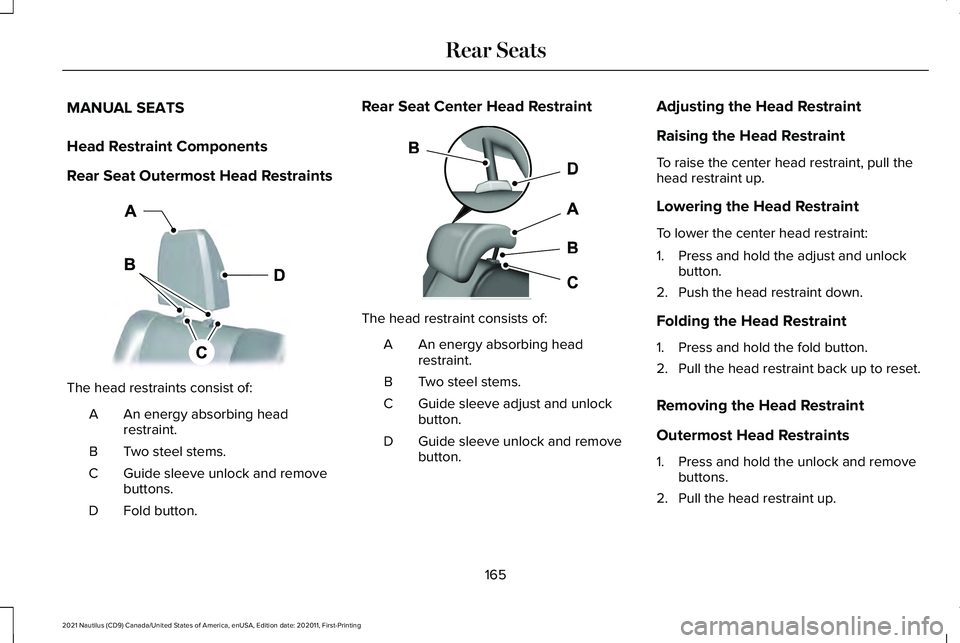
Head Restraint Components
Rear Seat Outermost Head Restraints
The head restraints consist of:
An energy absorbing head
restraint.
A
Two steel stems.
B
Guide sleeve unlock and remove
buttons.
C
Fold button.
D Rear Seat Center Head Restraint
The head restraint consists of:
An energy absorbing head
restraint.
A
Two steel stems.
B
Guide sleeve adjust and unlock
button.
C
Guide sleeve unlock and remove
button.
D Adjusting the Head Restraint
Raising the Head Restraint
To raise the center head restraint, pull the
head restraint up.
Lowering the Head Restraint
To lower the center head restraint:
1. Press and hold the adjust and unlock
button.
2. Push the head restraint down.
Folding the Head Restraint
1. Press and hold the fold button.
2. Pull the head restraint back up to reset.
Removing the Head Restraint
Outermost Head Restraints
1. Press and hold the unlock and remove buttons.
2. Pull the head restraint up.
165
2021 Nautilus (CD9) Canada/United States of America, enUSA, Edition date: 202011, First-Printing Rear SeatsE201128 E138645
Page 170 of 579
Center Head Restraint
1.
Pull the head restraint up until it reaches
its highest position.
2. Press and hold the adjust and unlock button, and the unlock and remove
button.
3. Pull the head restraint up.
Installing the Head Restraint
Align the steel stems into the guide sleeves
and push the head restraint down until it
locks.
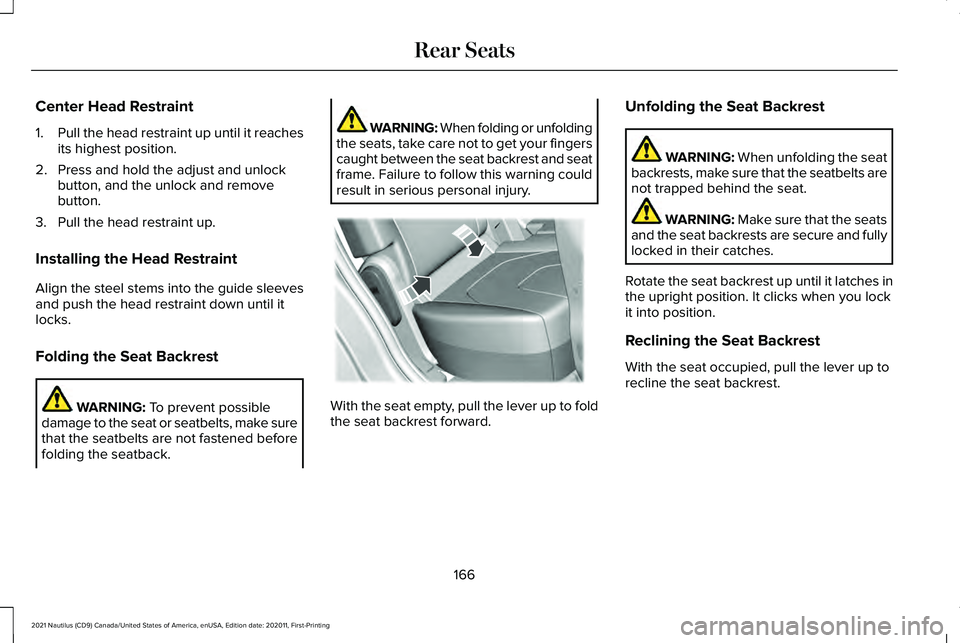
Folding the Seat Backrest WARNING: To prevent possible
damage to the seat or seatbelts, make sure
that the seatbelts are not fastened before
folding the seatback. WARNING: When folding or unfolding
the seats, take care not to get your fingers
caught between the seat backrest and seat
frame. Failure to follow this warning could
result in serious personal injury. With the seat empty, pull the lever up to fold
the seat backrest forward.Unfolding the Seat Backrest WARNING: When unfolding the seat
backrests, make sure that the seatbelts are
not trapped behind the seat. WARNING:
Make sure that the seats
and the seat backrests are secure and fully
locked in their catches.
Rotate the seat backrest up until it latches in
the upright position. It clicks when you lock
it into position.
Reclining the Seat Backrest
With the seat occupied, pull the lever up to
recline the seat backrest.
166
2021 Nautilus (CD9) Canada/United States of America, enUSA, Edition date: 202011, First-Printing Rear SeatsE186789
Page 174 of 579
SWITCHING REAR OCCUPANT
ALERT SYSTEM ON AND OFF
1. Press Settings on the touchscreen.
2. Press
Vehicle.
3. Switch
Rear Occupant Alert on or off.
Note: The default setting is on.
Note: Performing a master reset causes the
system to switch on again.
Semiannual Reminder
(If Equipped)
When you switch the system off, a message
appears every six months as a reminder that
the system is off. You can switch the system
back on or leave it off. REAR OCCUPANT ALERT SYSTEM
INDICATORS
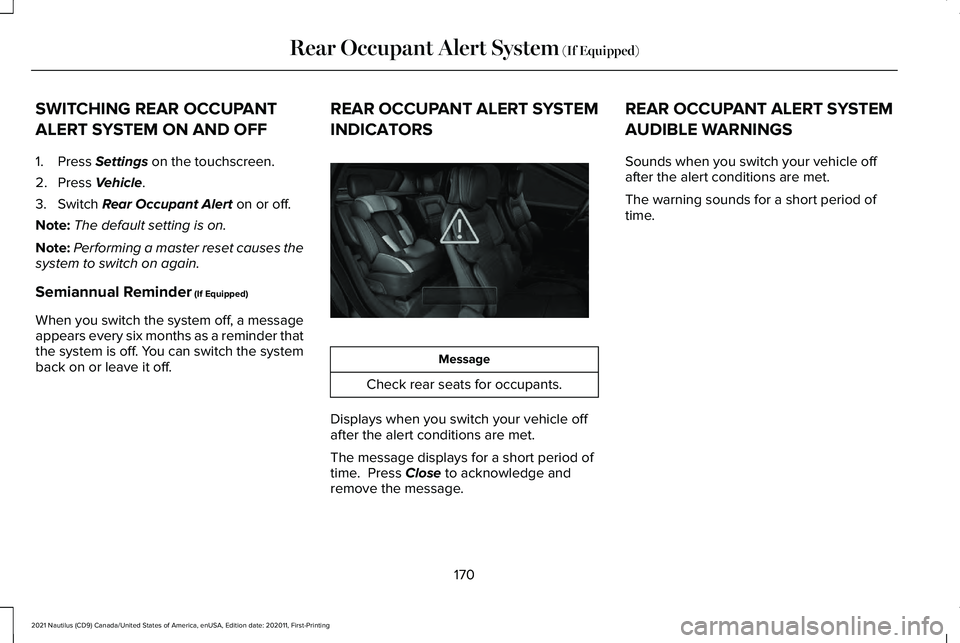
Message
Check rear seats for occupants.
Displays when you switch your vehicle off
after the alert conditions are met.
The message displays for a short period of
time. Press
Close to acknowledge and
remove the message. REAR OCCUPANT ALERT SYSTEM
AUDIBLE WARNINGS
Sounds when you switch your vehicle off
after the alert conditions are met.
The warning sounds for a short period of
time.
170
2021 Nautilus (CD9) Canada/United States of America, enUSA, Edition date: 202011, First-Printing Rear Occupant Alert System
(If Equipped)E325002
Page 351 of 579
If you disconnect or replace the battery and
your vehicle has an automatic transmission,
it must relearn its adaptive strategy. Because
of this, the transmission may shift firmly when
first driven. This is normal operation while
the transmission fully updates its operation
to optimum shift feel.
Remove and Reinstall the Battery
To disconnect or remove the battery, do the
following:
1. Apply the parking brake and switch the
ignition off.
2. Switch all electrical equipment off, for example lights and radio.
3. Wait a minimum of two minutes before disconnecting the battery.
Note: The engine management system has
a power hold function and remains powered
for a period of time after you switch the
ignition off. This is to allow diagnostic and
adaptive tables to be stored. Disconnecting
the battery without waiting can cause
damage not covered by the vehicle
Warranty. 4. Disconnect the negative battery cable
terminal.
5. Disconnect the positive battery cable terminal.
6. Remove the battery securing clamp.
7. Remove the battery.
8. To install, reverse the removal procedure.
Note: Before reconnecting the battery, make
sure the ignition remains switched off.
Note: Make sure the battery cable terminals
are fully tightened.
Note: After cleaning or replacing the battery,
make sure you reinstall the battery cover or
shield.
If you disconnect or replace the vehicle
battery, you must reset the following
features:
• Window bounce-back. See Windows
(page 130).
• Clock Settings.
• Pre-set radio stations.
• Steering Angle Sensor. Note:
To calibrate the steering angle sensor,
drive the vehicle above
30 mph (50 km/h)
for a minimum of 1.2 mi (2 km). Make sure to
drive straight ahead for a minimum of 30
seconds. Several vehicle functions are
disabled and a warning light could appear
until the sensor is calibrated.
Battery Management System
The battery management system monitors
battery conditions and takes actions to
extend battery life. If excessive battery drain
is detected, the system temporarily disables
some of the following features:
• Heated rear window.
• Heated seats.
• Climate control.
• Heated steering wheel.
• Audio unit.
• Navigation system.
A message may appear in the information
display to alert you that battery protection
actions are active.
347
2021 Nautilus (CD9) Canada/United States of America, enUSA, Edition date: 202011, First-Printing Maintenance
Page 362 of 579
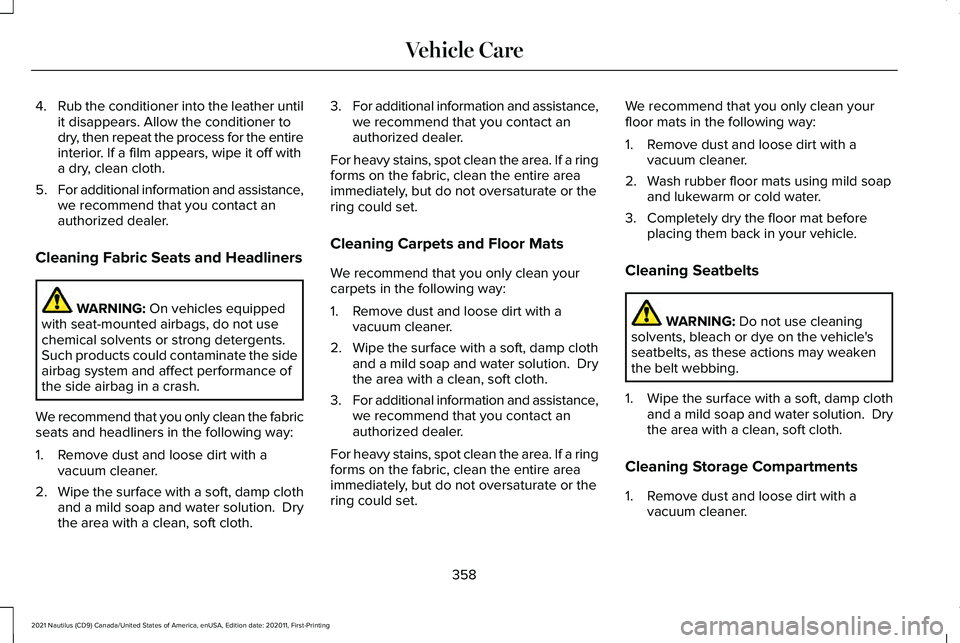
4.
Rub the conditioner into the leather until
it disappears. Allow the conditioner to
dry, then repeat the process for the entire
interior. If a film appears, wipe it off with
a dry, clean cloth.
5. For additional information and assistance,
we recommend that you contact an
authorized dealer.
Cleaning Fabric Seats and Headliners WARNING: On vehicles equipped
with seat-mounted airbags, do not use
chemical solvents or strong detergents.
Such products could contaminate the side
airbag system and affect performance of
the side airbag in a crash.
We recommend that you only clean the fabric
seats and headliners in the following way:
1. Remove dust and loose dirt with a vacuum cleaner.
2. Wipe the surface with a soft, damp cloth
and a mild soap and water solution. Dry
the area with a clean, soft cloth. 3.
For additional information and assistance,
we recommend that you contact an
authorized dealer.
For heavy stains, spot clean the area. If a ring
forms on the fabric, clean the entire area
immediately, but do not oversaturate or the
ring could set.
Cleaning Carpets and Floor Mats
We recommend that you only clean your
carpets in the following way:
1. Remove dust and loose dirt with a vacuum cleaner.
2. Wipe the surface with a soft, damp cloth
and a mild soap and water solution. Dry
the area with a clean, soft cloth.
3. For additional information and assistance,
we recommend that you contact an
authorized dealer.
For heavy stains, spot clean the area. If a ring
forms on the fabric, clean the entire area
immediately, but do not oversaturate or the
ring could set. We recommend that you only clean your
floor mats in the following way:
1. Remove dust and loose dirt with a
vacuum cleaner.
2. Wash rubber floor mats using mild soap and lukewarm or cold water.
3. Completely dry the floor mat before placing them back in your vehicle.
Cleaning Seatbelts WARNING: Do not use cleaning
solvents, bleach or dye on the vehicle's
seatbelts, as these actions may weaken
the belt webbing.
1. Wipe the surface with a soft, damp cloth
and a mild soap and water solution. Dry
the area with a clean, soft cloth.
Cleaning Storage Compartments
1. Remove dust and loose dirt with a vacuum cleaner.
358
2021 Nautilus (CD9) Canada/United States of America, enUSA, Edition date: 202011, First-Printing Vehicle Care
Page 561 of 579
Catalytic Converter –
Troubleshooting.........................................204
Catalytic Converter – Warning Lamps..........204
Center Console................................................31
Changing a Flat Tire.....................................391 ........................................................................\
........396
Dissimilar Spare Wheel and Tire Assembly
Information.......................................................391
Stowing the flat tire ...........................................396
Tire Change Procedure....................................392
Changing a Road Wheel.............................391
Changing the 12V Battery..........................345 Remove and Reinstall the Battery..................347
Changing the Engine Air Filter..................344
Changing the Fuel Filter.............................344
Changing the Remote Control Battery.............................................................76
Changing the Vehicle Wi-Fi Hotspot Name or Password.................................................421
Changing the Wi-Fi Hotspot Frequency.......422
Charging a Device .........................................178
Charging a Wireless Device.......................183
Checking MyKey System Status.................87 MyKey Distance.....................................................87
Number of Admin Keys.......................................87
Number of MyKeys...............................................87
Checking the Brake Fluid
...........................218 Checking the Coolant.................................340
Adding Coolant...................................................340
Coolant Change...................................................341
Engine Coolant Temperature
Management...................................................343
Fail-Safe Cooling................................................342
Severe Climates...................................................341
Checking the Seatbelts................................60
Checking the Tire Pressures.....................374
Checking the Wiper Blades.........................116
Children and Airbags.....................................67
Child Restraint Anchor Points
......................40
Locating the Child Restraint Lower Anchor
Points....................................................................41
Locating the Child Restraint Top Tether Anchor Points.....................................................41
What Are the Child Restraint Anchor Points...................................................................40
Child Restraints
................................................41
Child Restraint Position Information..................41
Child Restraints Recommendation...................43
Child Safety
......................................................39
Child Restraint Anchor Points............................40
Child Restraints.......................................................41
Installing Child Restraints....................................44
Child Safety Locks..........................................52 Left-Hand Side.......................................................52
Right-Hand Side....................................................52 Child Safety Precautions
...............................39
Cleaning Products........................................354
Materials...............................................................354
Cleaning the Exterior
..................................355
Cleaning Camera Lenses and Sensors........356
Cleaning Chrome, Aluminium or Stainless
Steel..................................................................355
Cleaning Headlamps and Rear Lamps.........355
Cleaning Stripes or Graphics..........................356
Cleaning the Engine Compartment...............356
Cleaning Wheels................................................356
Cleaning Windows and Wiper Blades
..........355
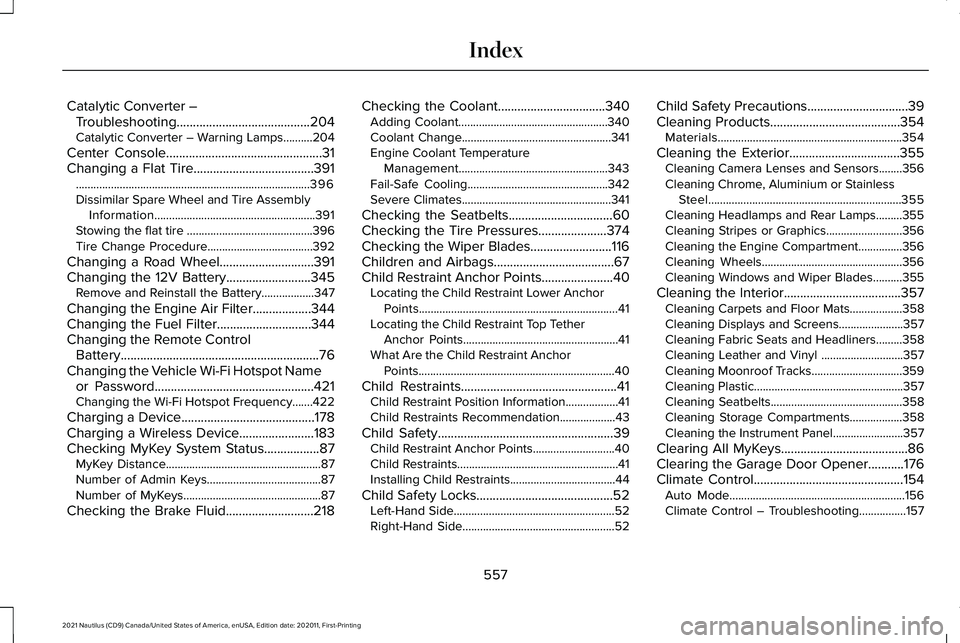
Cleaning the Interior....................................357 Cleaning Carpets and Floor Mats..................358
Cleaning Displays and Screens......................357
Cleaning Fabric Seats and Headliners.........358
Cleaning Leather and Vinyl ............................357
Cleaning Moonroof Tracks...............................359
Cleaning Plastic...................................................357
Cleaning Seatbelts.............................................358
Cleaning Storage Compartments..................358
Cleaning the Instrument Panel........................357
Clearing All MyKeys.......................................86
Clearing the Garage Door Opener...........176
Climate Control..............................................154 Auto Mode............................................................156
Climate Control – Troubleshooting................157
557
2021 Nautilus (CD9) Canada/United States of America, enUSA, Edition date: 202011, First-Printing Index