battery LINCOLN NAUTILUS 2022 Owners Manual
[x] Cancel search | Manufacturer: LINCOLN, Model Year: 2022, Model line: NAUTILUS, Model: LINCOLN NAUTILUS 2022Pages: 586, PDF Size: 13.97 MB
Page 3 of 586
The information contained in this publication was correct at the time of going to print. In the interest of continuous development, we reserve the right to change specifications,design or equipment at any time without notice or obligation. No part of this publication may be reproduced, transmitted, stored in a retrieval system or translated into any languagein any form by any means without our written permission. Errors and omissions excepted.
© Ford Motor Company 2021
All rights reserved.
Part Number: 202108 20210915184308
California Proposition 65
WARNING: Operating, servicing and maintaining a passenger vehicle or off-highway motor
vehicle can expose you to chemicals including engine exhaust, carbon monoxide, phthalates,
and lead, which are known to the State of California to cause cancer and birth defects or other
reproductive harm. To minimize exposure, avoid breathing exhaust, do not idle the engine except
as necessary, service your vehicle in a well-ventilated area and wear gloves or wash your hands
frequently when servicing your vehicle. For more information go to
www.P65Warnings.ca.gov/passenger-vehicle.
WARNING: Battery posts, terminals and related accessories contain lead and lead
compounds, chemicals known to the State of California to cause cancer and reproductive harm.
Wash your hands after handling.
Page 6 of 586
How Does 911 Assist Work..........................74
Emergency Call Requirements...................74
Emergency Call Limitations.........................75
Keys and Remote Controls
Remote Control Limitations.........................76
Using the Remote Control...........................76
Sounding the Panic Alarm...........................77
Locating Your Vehicle...................................77
Changing the Remote Control Battery.........................................................................77
Replacing a Lost Key or Remote Control.........................................................................78
Programming the Remote Control............78
Keys and Remote Controls –Troubleshooting........................................80
Phone as a Key
What Is Phone As a Key................................81
Phone as a Key Limitations..........................81
Programming Your Phone............................81
Using the Valet Mode...................................82
Using the Backup Start Passcode.............82
Phone as a Key – Troubleshooting...........83
MyKey™
Principle of Operation..................................85
Creating a MyKey..........................................86
Clearing All MyKeys......................................87
Checking MyKey System Status................88
Using MyKey With Remote Start Systems.........................................................................88
MyKey – Troubleshooting...........................88
Doors and Locks
Operating the Doors From Outside YourVehicle.........................................................90
Operating the Doors From Inside YourVehicle..........................................................91
Autounlock.......................................................91
Autolock...........................................................92
Mislock.............................................................92
Doors and Locks Audible Warnings.........92
Doors and Locks – Troubleshooting........93
Keyless Entry
Locating the Keyless Entry Keypad..........94
Keyless Entry Limitations.............................94
Keyless Entry Settings..................................94
Using Keyless Entry......................................94
Locking and Unlocking the Doors UsingKeyless Entry..............................................95
Keyless Entry – Troubleshooting...............96
Keyless Entry Keypad
What Is the Keyless Entry Keypad.............97
Keyless Entry Keypad Limitations..............97
Locating the Keyless Entry Keypad...........97
Keyless Entry Keypad Master Access Code.........................................................................97
Keyless Entry Keypad Personal AccessCodes...........................................................98
Using the Keyless Entry Keypad................99
Keyless Entry Keypad – Troubleshooting.......................................................................100
Easy Entry and Exit
How Does Easy Entry and Exit Work.......101
Switching Easy Entry and Exit On and Off........................................................................101
2
2022 Nautilus (CD9) Canada/United States of America, enUSA, Edition date: 202108, First-PrintingTable of Contents
Page 8 of 586
Locking the Rear Window Controls.........133
Interior Mirror
Interior Mirror Precautions.........................134
Auto-Dimming Interior Mirror....................134
Exterior Mirrors
Adjusting the Exterior Mirrors...................135
Folding the Exterior Mirrors - VehiclesWith: Manual Folding Mirrors................135
Folding the Exterior Mirrors - VehiclesWith: Power Folding Mirrors..................135
Auto-Dimming Exterior Mirror...................136
Moonroof
Opening and Closing the Sun Shade......137
Opening and Closing the Moonroof........137
Venting the Moonroof.................................138
Moonroof Bounce-Back.............................138
Instrument Cluster
Instrument Cluster Overview....................139
Tachometer....................................................140
Speedometer................................................140
Fuel Gauge....................................................140
Engine Coolant Temperature Gauge.......141
Engine Oil Pressure Gauge........................141
Transmission Fluid Temperature Gauge........................................................................141
12V Battery Gauge........................................141
What Are the Instrument Cluster WarningLamps...........................................................141
Instrument Cluster Warning Lamps..........141
What Are the Instrument Cluster Indicators.......................................................................143
Instrument Cluster Indicators....................143
Instrument Cluster Display
Using the Instrument Cluster DisplayControls......................................................145
Instrument Cluster Display Main Menu.......................................................................146
Trip Computer................................................147
Customizing the Instrument Cluster Display.......................................................................149
Personalized Settings.................................150
Remote Start
What Is Remote Start...................................153
Remote Start Precautions..........................153
Remote Start Limitations............................153
Enabling Remote Start................................153
Remotely Starting and Stopping theVehicle........................................................153
Extending the Remote Start Duration.......................................................................154
Remote Start Remote Control Indicators.......................................................................154
Remote Start Settings.................................154
Climate Control
Identifying the Climate Control Unit........156
Switching Climate Control On and Off.......................................................................156
Switching Recirculated Air On and Off.......................................................................156
Switching Air Conditioning On and Off.......................................................................156
Switching Maximum Defrost On and Off.......................................................................156
Switching Maximum Cooling On and Off.......................................................................156
4
2022 Nautilus (CD9) Canada/United States of America, enUSA, Edition date: 202108, First-PrintingTable of Contents
Page 11 of 586
Automatic Transmission Positions...........210
Shifting Your Vehicle Into Gear..................211
Automatic Transmission Position Indicators........................................................................211
Manually Shifting Gears.............................212
Temporary Neutral Mode...........................212
Automatic Return to Park (P).....................213
Manual Park Release...................................214
Automatic Transmission Audible Warnings.......................................................................216
Automatic Transmission – Troubleshooting.......................................................................216
All-Wheel Drive
How Does All-Wheel Drive Work.............218
All-Wheel Drive Precautions.....................218
All-Wheel Drive Limitations.......................218
All-Wheel Drive – Troubleshooting.........219
Brakes
Brake Precautions......................................220
Anti-Lock Braking System........................220
Brake Over Accelerator............................220
Locating the Brake Fluid Reservoir........220
Checking the Brake Fluid.........................220
Brake Fluid Specification...........................221
Brakes – Troubleshooting.........................221
Electric Parking Brake
What Is the Electric Parking Brake.........223
Applying the Electric Parking Brake.......223
Applying the Electric Parking Brake in anEmergency...............................................223
Manually Releasing the Electric ParkingBrake..........................................................223
Automatically Releasing the ElectricParking Brake..........................................224
Electric Parking Brake Audible Warning......................................................................224
Releasing the Electric Parking Brake if theVehicle Battery Has Run Out of Charge......................................................................224
Electric Parking Brake – Troubleshooting......................................................................224
Hill Start Assist
What Is Hill Start Assist..............................227
How Does Hill Start Assist Work.............227
Hill Start Assist Precautions......................227
Hill Start Assist – Troubleshooting..........227
Auto Hold
How Does Auto Hold Work......................228
Switching Auto Hold On and Off............228
Using Auto Hold..........................................228
Auto Hold Indicators..................................229
Traction Control
How Does Traction Control Work...........230
Switching Traction Control On and Off......................................................................230
Traction Control Indicator.........................230
Traction Control – Troubleshooting.......230
Stability Control
How Does Stability Control Work............231
Switching Stability Control On and Off......................................................................232
Stability Control Indicator..........................232
Stability Control – Troubleshooting........233
7
2022 Nautilus (CD9) Canada/United States of America, enUSA, Edition date: 202108, First-PrintingTable of Contents
Page 15 of 586
Post-Crash Alert System.............................318
Automatic Crash Shutoff............................319
Transporting the Vehicle............................319
Towing Your Vehicle
Towing Your Vehicle Precautions.............321
Recreationally Towing Your Vehicle - 2.0L,AWD............................................................321
Recreationally Towing Your Vehicle - 2.0L,FWD.............................................................321
Recreationally Towing Your Vehicle - 2.7L.......................................................................321
Emergency Towing.....................................322
Fuses
Fuse Precautions.........................................323
Under Hood Fuse Box...............................323
Body Control Module Fuse Box..............333
Identifying Fuse Types...............................338
Fuses – Troubleshooting..........................338
Maintenance
Maintenance Precautions.........................339
Opening and Closing the Hood..............339
Under Hood Overview - 2.0L....................341
Under Hood Overview - 2.7L....................343
Engine Oil......................................................345
Checking the Coolant................................347
Changing the Engine Air Filter.................351
Changing the Fuel Filter............................352
Drive Belt Routing Overview - 2.0L........352
Drive Belt Routing Overview - 2.7L.........352
Changing the 12V Battery.........................353
Adjusting the Headlamps.........................355
Exterior Bulbs...............................................358
Interior Bulbs.................................................361
Vehicle Care
Cleaning Products......................................362
Cleaning the Exterior.................................363
Waxing...........................................................365
Cleaning the Interior..................................365
Repairing Minor Paint Damage................367
Body Styling Kits
Body Styling Kit Precautions....................368
Storing Your Vehicle
Preparing Your Vehicle for Storage........369
Removing Your Vehicle From Storage......................................................................370
Wheel and Tire Information
Locating the Tire label................................371
Department of Transportation Uniform TireQuality Grades..........................................371
Information on the Tire Sidewall.............372
Glossary of Tire Terminology....................377
Tire Replacement Requirements.............377
Using Snow Chains....................................380
Tire Care
Checking the Tire Pressures....................382
Inflating the Tires........................................382
Inspecting the Tire for Wear.....................382
Inspecting the Tire for Damage...............383
Inspecting the Wheel Valve Stems.........384
Tire Rotation.................................................384
11
2022 Nautilus (CD9) Canada/United States of America, enUSA, Edition date: 202108, First-PrintingTable of Contents
Page 23 of 586
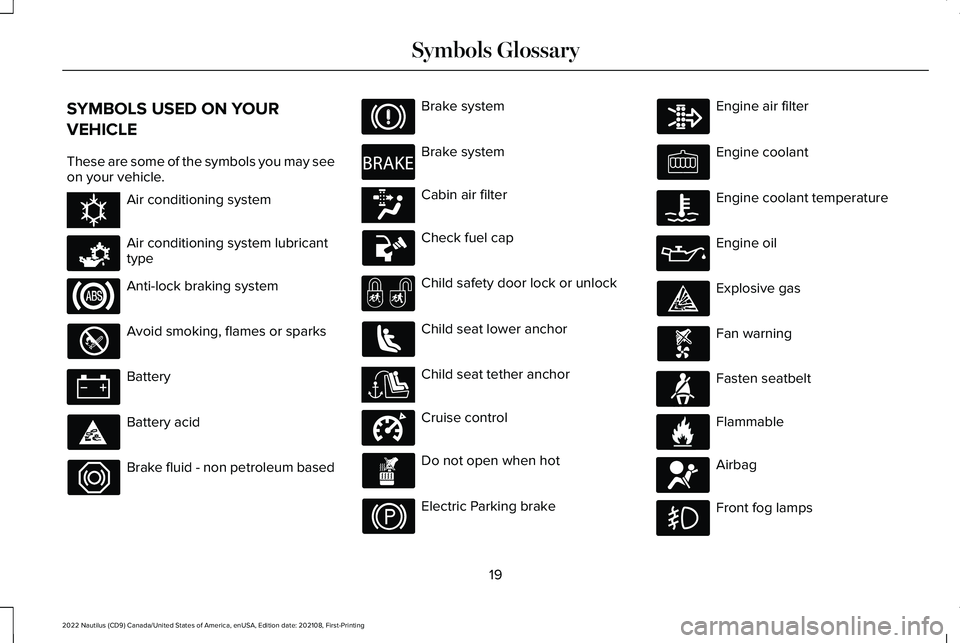
SYMBOLS USED ON YOUR
VEHICLE
These are some of the symbols you may seeon your vehicle.
Air conditioning system
Air conditioning system lubricanttype
Anti-lock braking system
Avoid smoking, flames or sparks
Battery
Battery acid
Brake fluid - non petroleum based
Brake system
Brake system
Cabin air filter
Check fuel cap
Child safety door lock or unlock
Child seat lower anchor
Child seat tether anchor
Cruise control
Do not open when hot
Electric Parking brake
Engine air filter
Engine coolant
Engine coolant temperature
Engine oil
Explosive gas
Fan warning
Fasten seatbelt
Flammable
Airbag
Front fog lamps
19
2022 Nautilus (CD9) Canada/United States of America, enUSA, Edition date: 202108, First-PrintingSymbols GlossaryE162384 E231157 E270480 E139223 E141128 E332905 E71880 E231160 E67017
Page 26 of 586
WARNING: Do not connect wirelessplug-in devices to the data link connector.Unauthorized third parties could gainaccess to vehicle data and impair theperformance of safety related systems.Only allow repair facilities that follow ourservice and repair instructions to connecttheir equipment to the data link connector.
We respect your privacy and are committedto protecting it. The information containedin this manual was correct at the time ofpublication but as technology rapidlychanges, we recommend that you visit thelocal Lincoln website for the latestinformation.
Your vehicle has electronic control units thathave data recording functionality and theability to permanently or temporarily storedata. This data could include information onthe condition and status of your vehicle,vehicle maintenance requirements, eventsand malfunctions. The types of data that canbe recorded are described in this section.Some of the data recorded is stored in eventlogs or error logs.
Note:Error logs are reset following a serviceor repair.
Note:We may provide information inresponse to requests from law enforcement,other government authorities and thirdparties acting with lawful authority or througha legal process. Such information could beused by them in legal proceedings.
Data recorded includes, for example:
•Operating states of system components,for example fuel level, tire pressure andbattery charge level.
•Vehicle and component status, forexample wheel speed, deceleration,lateral acceleration and seatbelt status.
•Events or errors in essential systems, forexample headlamps and brakes.
•System responses to driving situations,for example airbag deployment andstability control.
•Environmental conditions, for exampletemperature.
Some of this data, when used in combinationwith other information, for example anaccident report, damage to a vehicle oreyewitness statements, could be associatedwith a specific person.
Services That We Provide
If you use our services, we collect and usedata, for example account information,vehicle location and driving characteristics,that could identify you. We transmit this datathrough a dedicated, protected connection.We only collect and use data to enable youruse of our services to which you havesubscribed, with your consent or wherepermitted by law. For additional information,see the terms and conditions of the servicesto which you have subscribed.
For additional information about our privacypolicy, refer to the local Lincoln website.
22
2022 Nautilus (CD9) Canada/United States of America, enUSA, Edition date: 202108, First-PrintingData Privacy
Page 79 of 586
•SYNC must be powered and workingproperly at the time of the incident andthroughout feature activation and use.
•The 911 Assist feature must be set onbefore the incident.
•You must pair and connect a Bluetooth®enabled and compatible cell phone toSYNC.
•A connected Bluetooth® enabled phonemust have the ability to make andmaintain an outgoing call at the time ofthe incident.
•A connected Bluetooth® enabled phonemust have adequate network coverage,battery power and signal strength.
•The vehicle must have battery power andbe located in the U.S., Canada or in aterritory in which 911 is the emergencynumber.
Note:If any user sets 911 Assist to on or off,that setting applies for all paired phones. If911 Assist is switched off and the phone isconnected to SYNC, an icon displays on thestatus bar.
Note:Every phone operates differently.While SYNC 911 Assist works with mostcellular phones, some may have troubleusing this feature.
EMERGENCY CALL LIMITATIONS
The SYNC 911 Assist feature only operatesin the U.S., Canada or in a territory in which911 is the emergency number.
•Your cellular phone or 911 Assisthardware sustains damage in a crash.
•The vehicle's battery or the SYNC systemhas no power.
•The phone(s) thrown from your vehicleare the ones paired and connected tothe system.
75
2022 Nautilus (CD9) Canada/United States of America, enUSA, Edition date: 202108, First-Printing911 Assist
Page 80 of 586
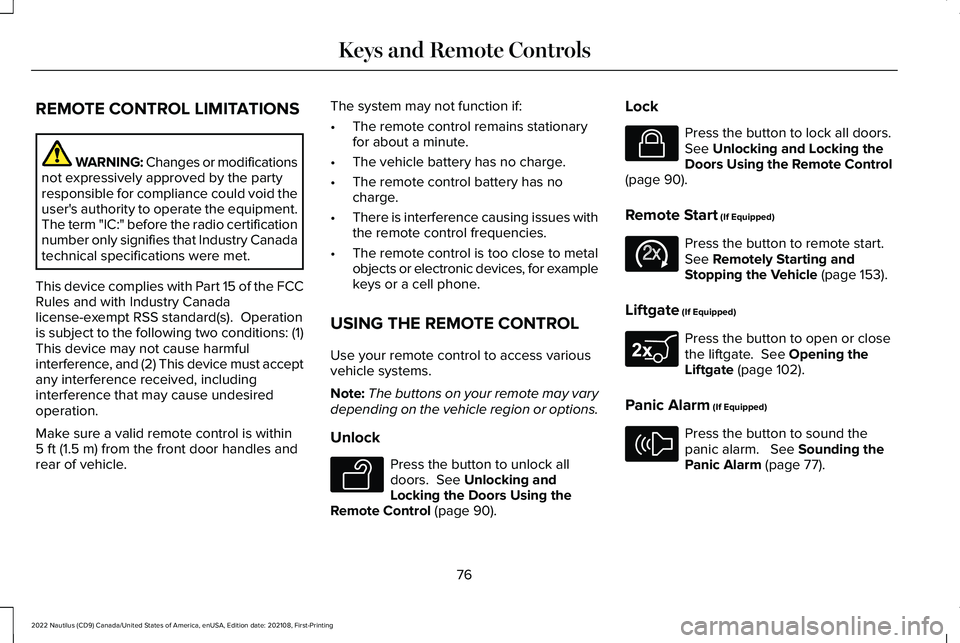
REMOTE CONTROL LIMITATIONS
WARNING: Changes or modificationsnot expressively approved by the partyresponsible for compliance could void theuser's authority to operate the equipment.The term "IC:" before the radio certificationnumber only signifies that Industry Canadatechnical specifications were met.
This device complies with Part 15 of the FCCRules and with Industry Canadalicense-exempt RSS standard(s). Operationis subject to the following two conditions: (1)This device may not cause harmfulinterference, and (2) This device must acceptany interference received, includinginterference that may cause undesiredoperation.
Make sure a valid remote control is within5 ft (1.5 m) from the front door handles andrear of vehicle.
The system may not function if:
•The remote control remains stationaryfor about a minute.
•The vehicle battery has no charge.
•The remote control battery has nocharge.
•There is interference causing issues withthe remote control frequencies.
•The remote control is too close to metalobjects or electronic devices, for examplekeys or a cell phone.
USING THE REMOTE CONTROL
Use your remote control to access variousvehicle systems.
Note:The buttons on your remote may varydepending on the vehicle region or options.
Unlock
Press the button to unlock alldoors. See Unlocking andLocking the Doors Using theRemote Control (page 90).
Lock
Press the button to lock all doors.See Unlocking and Locking theDoors Using the Remote Control(page 90).
Remote Start (If Equipped)
Press the button to remote start.See Remotely Starting andStopping the Vehicle (page 153).
Liftgate (If Equipped)
Press the button to open or closethe liftgate. See Opening theLiftgate (page 102).
Panic Alarm (If Equipped)
Press the button to sound thepanic alarm. See Sounding thePanic Alarm (page 77).
76
2022 Nautilus (CD9) Canada/United States of America, enUSA, Edition date: 202108, First-PrintingKeys and Remote ControlsE138629 E138623 E138625 E267940 E138624
Page 81 of 586
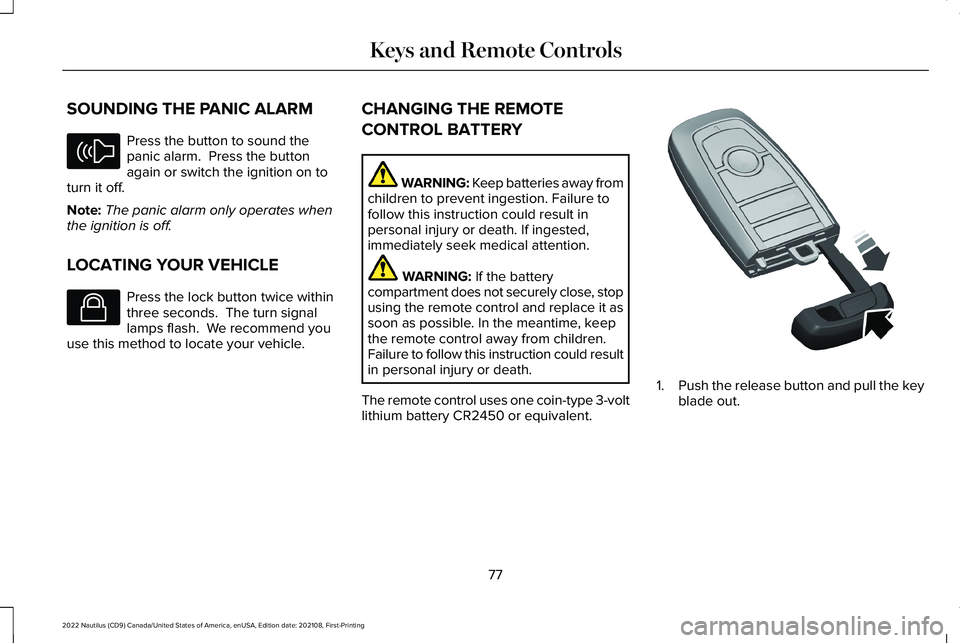
SOUNDING THE PANIC ALARM
Press the button to sound thepanic alarm. Press the buttonagain or switch the ignition on toturn it off.
Note:The panic alarm only operates whenthe ignition is off.
LOCATING YOUR VEHICLE
Press the lock button twice withinthree seconds. The turn signallamps flash. We recommend youuse this method to locate your vehicle.
CHANGING THE REMOTE
CONTROL BATTERY
WARNING: Keep batteries away fromchildren to prevent ingestion. Failure tofollow this instruction could result inpersonal injury or death. If ingested,immediately seek medical attention.
WARNING: If the batterycompartment does not securely close, stopusing the remote control and replace it assoon as possible. In the meantime, keepthe remote control away from children.Failure to follow this instruction could resultin personal injury or death.
The remote control uses one coin-type 3-voltlithium battery CR2450 or equivalent.
1.Push the release button and pull the keyblade out.
77
2022 Nautilus (CD9) Canada/United States of America, enUSA, Edition date: 202108, First-PrintingKeys and Remote ControlsE138624 E138623 E322866