air temperature LINCOLN NAUTILUS 2023 Owners Manual
[x] Cancel search | Manufacturer: LINCOLN, Model Year: 2023, Model line: NAUTILUS, Model: LINCOLN NAUTILUS 2023Pages: 606, PDF Size: 13.57 MB
Page 8 of 606
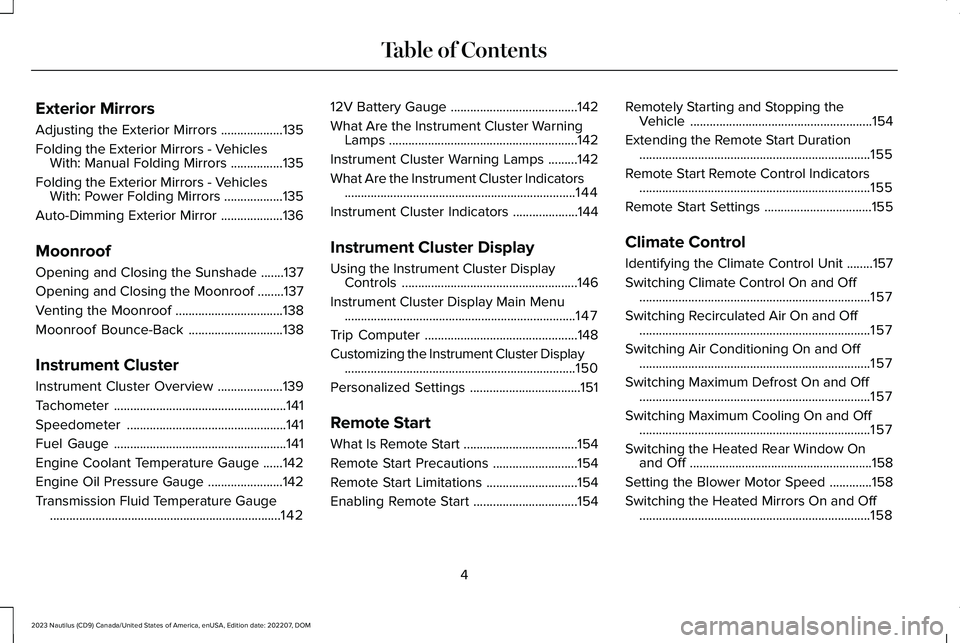
Exterior Mirrors
Adjusting the Exterior Mirrors...................135
Folding the Exterior Mirrors - VehiclesWith: Manual Folding Mirrors................135
Folding the Exterior Mirrors - VehiclesWith: Power Folding Mirrors..................135
Auto-Dimming Exterior Mirror...................136
Moonroof
Opening and Closing the Sunshade.......137
Opening and Closing the Moonroof........137
Venting the Moonroof.................................138
Moonroof Bounce-Back.............................138
Instrument Cluster
Instrument Cluster Overview....................139
Tachometer.....................................................141
Speedometer.................................................141
Fuel Gauge.....................................................141
Engine Coolant Temperature Gauge......142
Engine Oil Pressure Gauge.......................142
Transmission Fluid Temperature Gauge.......................................................................142
12V Battery Gauge.......................................142
What Are the Instrument Cluster WarningLamps..........................................................142
Instrument Cluster Warning Lamps.........142
What Are the Instrument Cluster Indicators.......................................................................144
Instrument Cluster Indicators....................144
Instrument Cluster Display
Using the Instrument Cluster DisplayControls......................................................146
Instrument Cluster Display Main Menu.......................................................................147
Trip Computer...............................................148
Customizing the Instrument Cluster Display.......................................................................150
Personalized Settings..................................151
Remote Start
What Is Remote Start...................................154
Remote Start Precautions..........................154
Remote Start Limitations............................154
Enabling Remote Start................................154
Remotely Starting and Stopping theVehicle........................................................154
Extending the Remote Start Duration.......................................................................155
Remote Start Remote Control Indicators.......................................................................155
Remote Start Settings.................................155
Climate Control
Identifying the Climate Control Unit........157
Switching Climate Control On and Off.......................................................................157
Switching Recirculated Air On and Off.......................................................................157
Switching Air Conditioning On and Off.......................................................................157
Switching Maximum Defrost On and Off.......................................................................157
Switching Maximum Cooling On and Off.......................................................................157
Switching the Heated Rear Window Onand Off........................................................158
Setting the Blower Motor Speed.............158
Switching the Heated Mirrors On and Off.......................................................................158
4
2023 Nautilus (CD9) Canada/United States of America, enUSA, Edition date: 202207, DOMTable of Contents
Page 9 of 606
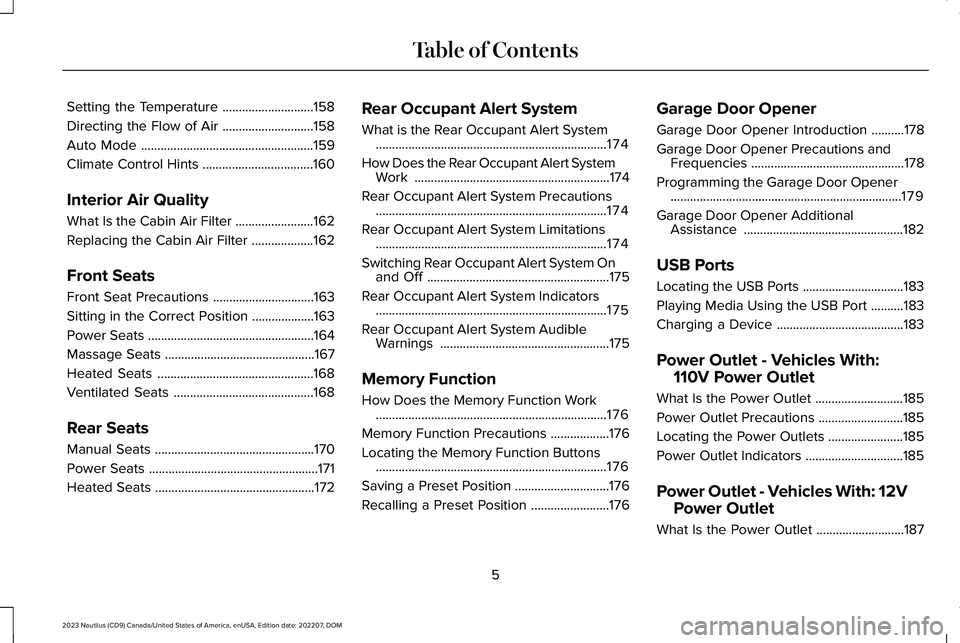
Setting the Temperature............................158
Directing the Flow of Air............................158
Auto Mode.....................................................159
Climate Control Hints..................................160
Interior Air Quality
What Is the Cabin Air Filter........................162
Replacing the Cabin Air Filter...................162
Front Seats
Front Seat Precautions...............................163
Sitting in the Correct Position...................163
Power Seats...................................................164
Massage Seats..............................................167
Heated Seats................................................168
Ventilated Seats...........................................168
Rear Seats
Manual Seats.................................................170
Power Seats....................................................171
Heated Seats.................................................172
Rear Occupant Alert System
What is the Rear Occupant Alert System.......................................................................174
How Does the Rear Occupant Alert SystemWork............................................................174
Rear Occupant Alert System Precautions.......................................................................174
Rear Occupant Alert System Limitations.......................................................................174
Switching Rear Occupant Alert System Onand Off........................................................175
Rear Occupant Alert System Indicators.......................................................................175
Rear Occupant Alert System AudibleWarnings....................................................175
Memory Function
How Does the Memory Function Work.......................................................................176
Memory Function Precautions..................176
Locating the Memory Function Buttons.......................................................................176
Saving a Preset Position.............................176
Recalling a Preset Position........................176
Garage Door Opener
Garage Door Opener Introduction..........178
Garage Door Opener Precautions andFrequencies...............................................178
Programming the Garage Door Opener.......................................................................179
Garage Door Opener AdditionalAssistance.................................................182
USB Ports
Locating the USB Ports...............................183
Playing Media Using the USB Port..........183
Charging a Device.......................................183
Power Outlet - Vehicles With:
110V Power Outlet
What Is the Power Outlet...........................185
Power Outlet Precautions..........................185
Locating the Power Outlets.......................185
Power Outlet Indicators..............................185
Power Outlet - Vehicles With: 12V
Power Outlet
What Is the Power Outlet...........................187
5
2023 Nautilus (CD9) Canada/United States of America, enUSA, Edition date: 202207, DOMTable of Contents
Page 23 of 606
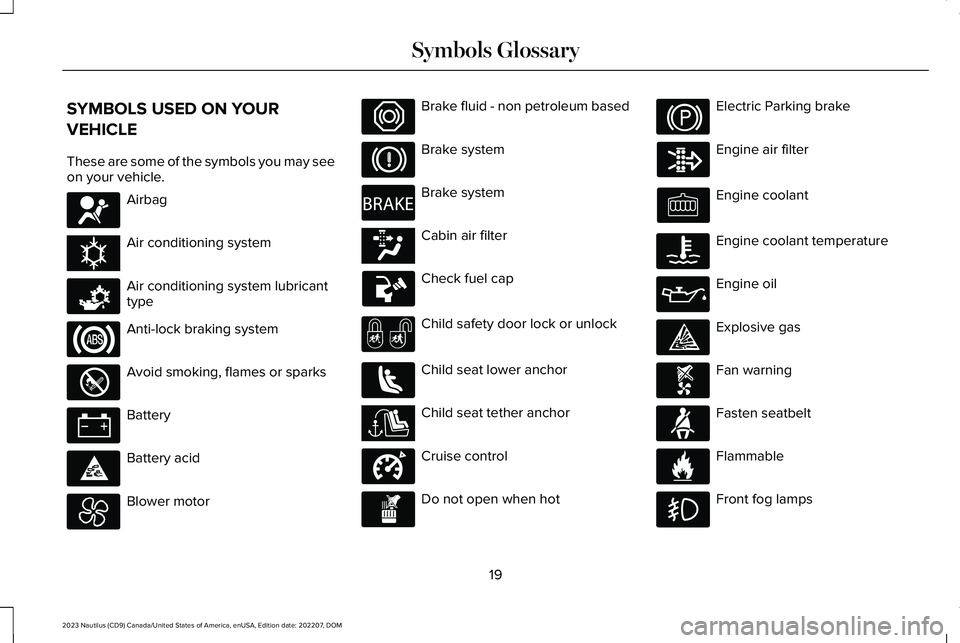
SYMBOLS USED ON YOUR
VEHICLE
These are some of the symbols you may seeon your vehicle.
Airbag
Air conditioning system
Air conditioning system lubricanttype
Anti-lock braking system
Avoid smoking, flames or sparks
Battery
Battery acid
Blower motor
Brake fluid - non petroleum based
Brake system
Brake system
Cabin air filter
Check fuel cap
Child safety door lock or unlock
Child seat lower anchor
Child seat tether anchor
Cruise control
Do not open when hot
Electric Parking brake
Engine air filter
Engine coolant
Engine coolant temperature
Engine oil
Explosive gas
Fan warning
Fasten seatbelt
Flammable
Front fog lamps
19
2023 Nautilus (CD9) Canada/United States of America, enUSA, Edition date: 202207, DOMSymbols GlossaryE67017 E162384 E231157 E67020 E139220 E67021 E139227 E139209 E67024 E270480 E139223 E139211 E141128 E332905 E139219 E139212 E103308 E67022 E139221 E139228 E71880 E231160
Page 26 of 606
WARNING: Do not connect wirelessplug-in devices to the data link connector.Unauthorized third parties could gainaccess to vehicle data and impair theperformance of safety related systems.Only allow repair facilities that follow ourservice and repair instructions to connecttheir equipment to the data link connector.
We respect your privacy and are committedto protecting it. The information containedin this publication was correct at the time ofrelease, but as technology rapidly changes,we recommend that you visit the localLincoln website for the latest information.
Your vehicle has electronic control units thathave data recording functionality and theability to permanently or temporarily storedata. This data could include information onthe condition and status of your vehicle,vehicle maintenance requirements, eventsand malfunctions. The types of data that canbe recorded are described in this section.Some of the data recorded is stored in eventlogs or error logs.
Note:Error logs are reset following a serviceor repair.
Note:We may provide information inresponse to requests from law enforcement,other government authorities and thirdparties acting with lawful authority or througha legal process. Such information could beused by them in legal proceedings.
Data recorded includes, for example:
•Operating states of system components,for example fuel level, tire pressure andbattery charge level.
•Vehicle and component status, forexample wheel speed, deceleration,lateral acceleration and seatbelt status.
•Events or errors in essential systems, forexample headlamps and brakes.
•System responses to driving situations,for example airbag deployment andstability control.
•Environmental conditions, for exampletemperature.
Some of this data, when used in combinationwith other information, for example anaccident report, damage to a vehicle oreyewitness statements, could be associatedwith a specific person.
Services That We Provide
If you use our services, we collect and usedata, for example account information,vehicle location and driving characteristics,that could identify you. We transmit this datathrough a dedicated, protected connection.We only collect and use data to enable youruse of our services to which you havesubscribed, with your consent or wherepermitted by law. For additional information,see the terms and conditions of the servicesto which you have subscribed.
For additional information about our privacypolicy, refer to the local Lincoln website.
22
2023 Nautilus (CD9) Canada/United States of America, enUSA, Edition date: 202207, DOMData Privacy
Page 43 of 606
CHILD SAFETY PRECAUTIONS
WARNING: Always make sure yourchild is secured properly in a device thatis appropriate for their height, age andweight. Child safety restraints must bebought separately from your vehicle.Failure to follow these instructions andguidelines may result in an increased riskof serious injury or death to your child.
WARNING: All children are shapeddifferently. The National Highway TrafficSafety Administration and other safetyorganizations, base their recommendationsfor child restraints on probable child height,age and weight thresholds, or on theminimum requirements of the law. Werecommend that you check with a NHTSACertified Child Passenger SafetyTechnician (CPST) to make sure that youproperly install the child restraint in yourvehicle and that you consult yourpediatrician to make sure you have a childrestraint appropriate for your child. Tolocate a child restraint fitting station and
CPST, contact NHTSA toll free at1-888-327-4236 or go towww.nhtsa.dot.gov. In Canada, contactTransport Canada toll free at1-800-333-0371 or go to www.tc.gc.ca tofind a Child Car Seat Clinic in your area.Failure to properly restrain children in childrestraints made especially for their height,age and weight, may result in an increasedrisk of serious injury or death to your child.
WARNING: On hot days, thetemperature inside the vehicle can risevery quickly. Exposure of people or animalsto these high temperatures for even a shorttime can cause death or serious heatrelated injuries, including brain damage.Small children are particularly at risk.
WARNING: Do not place a rearwardfacing child restraint in front of an activeairbag. Failure to follow this instructioncould result in personal injury or death.
WARNING: Properly secure children12 years old and under in a rear seatingposition whenever possible. If you areunable to properly secure all children in arear seating position, properly secure thelargest child on the front seat. If you mustuse a forward facing child restraint on thefront seat, move the seat as far back aspossible. Failure to follow theseinstructions could result in personal injuryor death.
WARNING: Always carefully followthe instructions and warnings provided bythe manufacturer of any child restraint todetermine if the restraint device isappropriate for your child's size, height,weight, or age. Follow the child restraintmanufacturer's instructions and warningsprovided for installation and use inconjunction with the instructions andwarnings provided by your vehicle
39
2023 Nautilus (CD9) Canada/United States of America, enUSA, Edition date: 202207, DOMChild Safety
Page 122 of 606
Note:Make sure that the wiper arm doesnot spring back against the glass when thewiper blade is not attached.
3.To install, reverse the removal procedure.
Note:Make sure that the wiper blade locksinto place.
WASHERS
WASHER PRECAUTIONS
WARNING: If you operate yourvehicle in temperatures below 41°F (5°C),use washer fluid with antifreeze protection.Failure to use washer fluid with antifreezeprotection in cold weather could result inimpaired windshield vision and increasethe risk of injury or accident.
Do not operate the washers when thewasher reservoir is empty. This could causethe washer pump to overheat.
Keep the outside of the windshield clean. The rain sensor is very sensitive and thewipers may operate if dirt, mist or insects hitthe windshield.
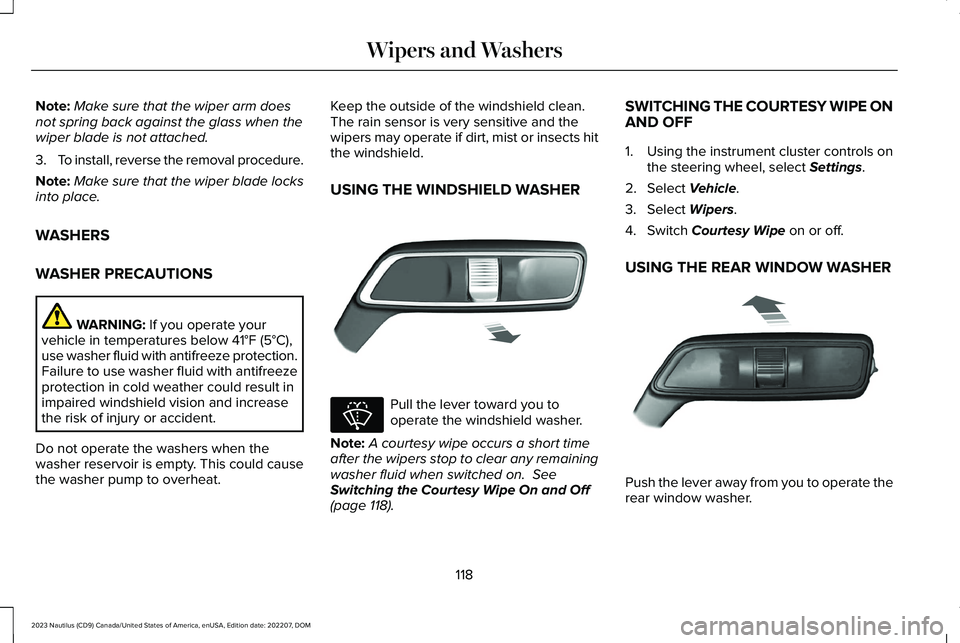
USING THE WINDSHIELD WASHER
Pull the lever toward you tooperate the windshield washer.
Note:A courtesy wipe occurs a short timeafter the wipers stop to clear any remainingwasher fluid when switched on. SeeSwitching the Courtesy Wipe On and Off(page 118).
SWITCHING THE COURTESY WIPE ONAND OFF
1.Using the instrument cluster controls onthe steering wheel, select Settings.
2.Select Vehicle.
3.Select Wipers.
4.Switch Courtesy Wipe on or off.
USING THE REAR WINDOW WASHER
Push the lever away from you to operate therear window washer.
118
2023 Nautilus (CD9) Canada/United States of America, enUSA, Edition date: 202207, DOMWipers and WashersE269412 E270967 E269727
Page 125 of 606
HEADLAMPS – TROUBLESHOOTING
HEADLAMPS – FREQUENTLY ASKEDQUESTIONS
Why is there condensation in the
headlamps?
•Headlamps have vents to accommodatenormal changes in air pressure.Condensation can be a naturalby-product of this design. When moist airenters the lamp assembly through thevents, there is a possibility thatcondensation can occur when thetemperature is cold. When normalcondensation occurs, a fine mist can formon the interior of the lens. The fine misteventually clears and exits through thevents during normal operation.
How much condensation is acceptable?
•The presence of a fine mist, for exampleno streaks, drip marks or large droplets.A fine mist covers less than 50% of thelens.
How long may it take for theacceptable condensation to becleared?
•Clearing time may take as long as 48hours under dry weather conditions.
How much condensation isunacceptable?
•A water puddle inside the lamp. Streaks,drip marks or large droplets present onthe interior of the lens.
What should I do if unacceptablecondensation is present?
•Have your vehicle checked as soon aspossible.
Why do my headlamps turn off when Ihave them switched on when I switchmy vehicle off?
•The battery saver turns the headlampsoff after a short period of time after youswitch your vehicle off.
AUTOLAMPS
WHAT ARE AUTOLAMPS
WARNING: The system does notrelieve you of your responsibility to drivewith due care and attention. You may needto override the system if it does not turnthe headlamps on in low visibilityconditions, for example daytime fog.
Autolamps turn the headlamps on in low lightsituations or when the windshield wipersoperate.
AUTOLAMP SETTINGS
1.Using the instrument cluster controls onthe steering wheel, select Settings.
2.Select Vehicle.
3.Select Lighting.
4.Select Autolamp Delay.
5.Select a setting and press the OK button.
121
2023 Nautilus (CD9) Canada/United States of America, enUSA, Edition date: 202207, DOMExterior Lighting
Page 162 of 606
Note:When you switch maximum coolingoff, air conditioning remains on.
SWITCHING THE HEATED REAR
WINDOW ON AND OFF
Press the button to clear the rearwindow of thin ice and fog. Theheated rear window turns off aftera short period of time.
Note:Do not use harsh chemicals, razorblades or other sharp objects to clean orremove decals from the inside of the heatedrear window as this could cause damage tothe heated rear window grid lines notcovered by the vehicle warranty.
Note:Make sure the engine is on beforeoperating the heated windows.
SETTING THE BLOWER MOTOR
SPEED
Turn the control to adjust thevolume of air circulated in thevehicle.
SWITCHING THE HEATED
MIRRORS ON AND OFF
When you switch the heated rear windowon, the heated exterior mirrors turn on.
Note:Do not remove ice from the mirrorswith a scraper or adjust the mirror glasswhen it is frozen in place.
Note:Do not clean the mirror housing orglass with harsh abrasives, fuel or otherpetroleum-based cleaning products. Thevehicle warranty may not cover damagecaused to the mirror housing or glass.
SETTING THE TEMPERATURE
Press the toggle button on the left-hand sideof the climate control upward or downwardto set the left-hand temperature.
Note:This control also adjusts the right-handside temperature when you switch off dualzone mode.
Press the toggle button on the right-handside of the climate control upward ordownward to set the right-hand temperature.
DIRECTING THE FLOW OF AIR
Directing Air to the Windshield AirVents
Press the button to activate theselection screen.
Press the button on thetouchscreen.
Directing Air to the Instrument Panel
Air Vents
Press the button to activate theselection screen.
Press the button on thetouchscreen.
158
2023 Nautilus (CD9) Canada/United States of America, enUSA, Edition date: 202207, DOMClimate Control E266187 E266186 E265283 E265283 E244097
Page 163 of 606
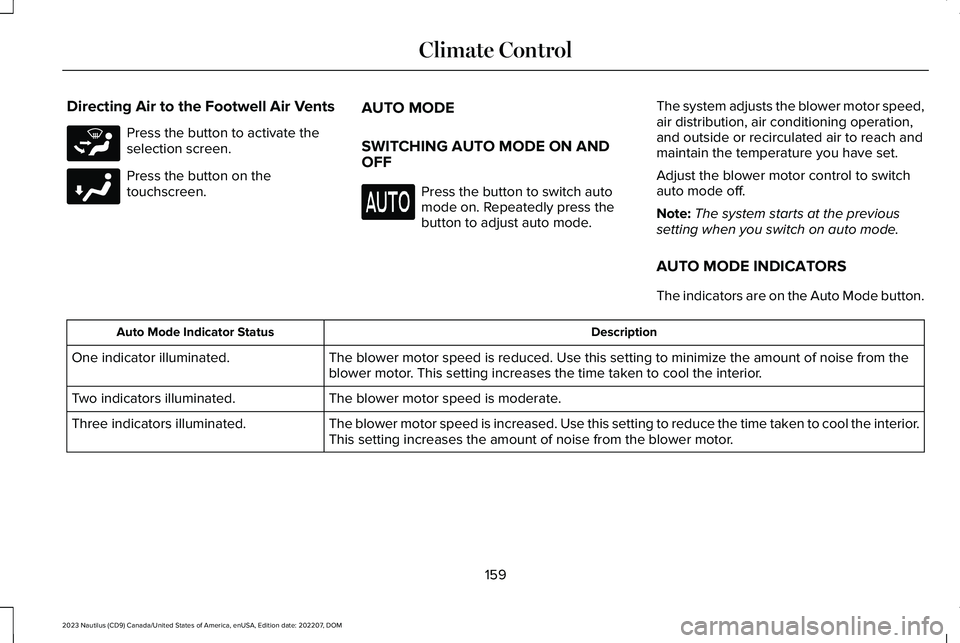
Directing Air to the Footwell Air Vents
Press the button to activate theselection screen.
Press the button on thetouchscreen.
AUTO MODE
SWITCHING AUTO MODE ON ANDOFF
Press the button to switch automode on. Repeatedly press thebutton to adjust auto mode.
The system adjusts the blower motor speed,air distribution, air conditioning operation,and outside or recirculated air to reach andmaintain the temperature you have set.
Adjust the blower motor control to switchauto mode off.
Note:The system starts at the previoussetting when you switch on auto mode.
AUTO MODE INDICATORS
The indicators are on the Auto Mode button.
DescriptionAuto Mode Indicator Status
The blower motor speed is reduced. Use this setting to minimize the amount of noise from theblower motor. This setting increases the time taken to cool the interior.One indicator illuminated.
The blower motor speed is moderate.Two indicators illuminated.
The blower motor speed is increased. Use this setting to reduce the time taken to cool the interior.This setting increases the amount of noise from the blower motor.Three indicators illuminated.
159
2023 Nautilus (CD9) Canada/United States of America, enUSA, Edition date: 202207, DOMClimate ControlE265283 E244098
Page 164 of 606
CLIMATE CONTROL HINTS
General Hints
•Prolonged use of recirculated air maycause the windows to fog up.
•You may feel a small amount of air fromthe footwell air vents regardless of theair distribution setting.
•To reduce humidity build-up inside yourvehicle, do not drive with the systemswitched off or with recirculated airalways switched on.
•Do not place objects under the frontseats as this may interfere with theairflow to the rear seats.
•Remove any snow, ice or leaves from theair intake area at the base of thewindshield.
•To improve the time to reach acomfortable temperature in hot weather,drive with the windows open until youfeel cold air through the air vents.
Automatic Climate Control
•Adjusting the settings when your vehicleinterior is extremely hot or cold is notnecessary. Automatic mode is bestrecommended to maintain settemperature.
•The system adjusts to heat or cool theinterior to the temperature you select asquickly as possible.
•For the system to function efficiently, theinstrument panel and side air ventsshould be fully open.
•If you press AUTO during cold outsidetemperatures, the system directs air flowto the windshield and side window airvents.In addition, the blower motor mayrun at a slower speed until the enginewarms up.
•If you press AUTO during hottemperatures and the inside of thevehicle is hot, the system usesrecirculated air to maximize interiorcooling. Blower motor speed may alsoreduce until the air cools.
Quickly Heating the Interior
1.Press AUTO.
2.Adjust the temperature function to thesetting you prefer.
Recommended Settings for Heating
1.Press AUTO.
2.Adjust the temperature function to thesetting you prefer. Use 72°F (22°C) as astarting point, then adjust the setting asnecessary.
Quickly Cooling the Interior
1.Press MAX A/C.
2.Drive with the windows open for a shortperiod of time.
Recommended Settings for Cooling
1.Press AUTO.
2.Adjust the temperature function to thesetting you prefer. Use 72°F (22°C) as astarting point, then adjust the setting asnecessary.
160
2023 Nautilus (CD9) Canada/United States of America, enUSA, Edition date: 202207, DOMClimate Control