door lock LINCOLN NAVIGATOR 2004 User Guide
[x] Cancel search | Manufacturer: LINCOLN, Model Year: 2004, Model line: NAVIGATOR, Model: LINCOLN NAVIGATOR 2004Pages: 368, PDF Size: 8.21 MB
Page 154 of 368
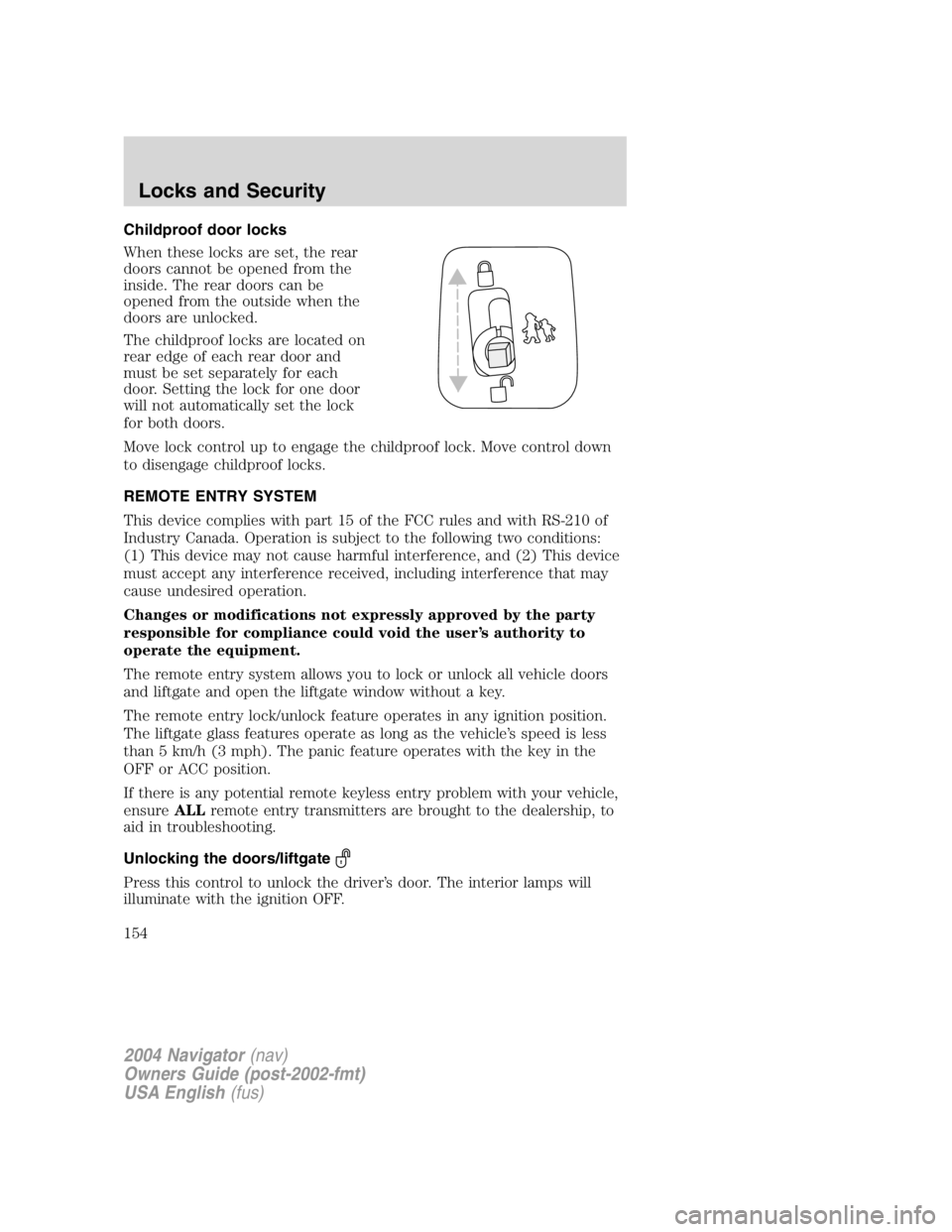
Childproof door locks
When these locks are set, the rear
doors cannot be opened from the
inside. The rear doors can be
opened from the outside when the
doors are unlocked.
The childproof locks are located on
rear edge of each rear door and
must be set separately for each
door. Setting the lock for one door
will not automatically set the lock
for both doors.
Move lock control up to engage the childproof lock. Move control down
to disengage childproof locks.
REMOTE ENTRY SYSTEM
This device complies with part 15 of the FCC rules and with RS-210 of
Industry Canada. Operation is subject to the following two conditions:
(1) This device may not cause harmful interference, and (2) This device
must accept any interference received, including interference that may
cause undesired operation.
Changes or modifications not expressly approved by the party
responsible for compliance could void the user ’ s authority to
operate the equipment.
The remote entry system allows you to lock or unlock all vehicle doors
and liftgate and open the liftgate window without a key.
The remote entry lock/unlock feature operates in any ignition position.
The liftgate glass features operate as long as the vehicle ’ s speed is less
than 5 km/h (3 mph). The panic feature operates with the key in the
OFF or ACC position.
If there is any potential remote keyless entry problem with your vehicle,
ensure ALL remote entry transmitters are brought to the dealership, to
aid in troubleshooting.
Unlocking the doors/liftgate
Press this control to unlock the driver ’ s door. The interior lamps will
illuminate with the ignition OFF.
2004 Navigator (nav)
Owners Guide (post-2002-fmt)
USA English (fus)Locks and Security
154
Page 155 of 368
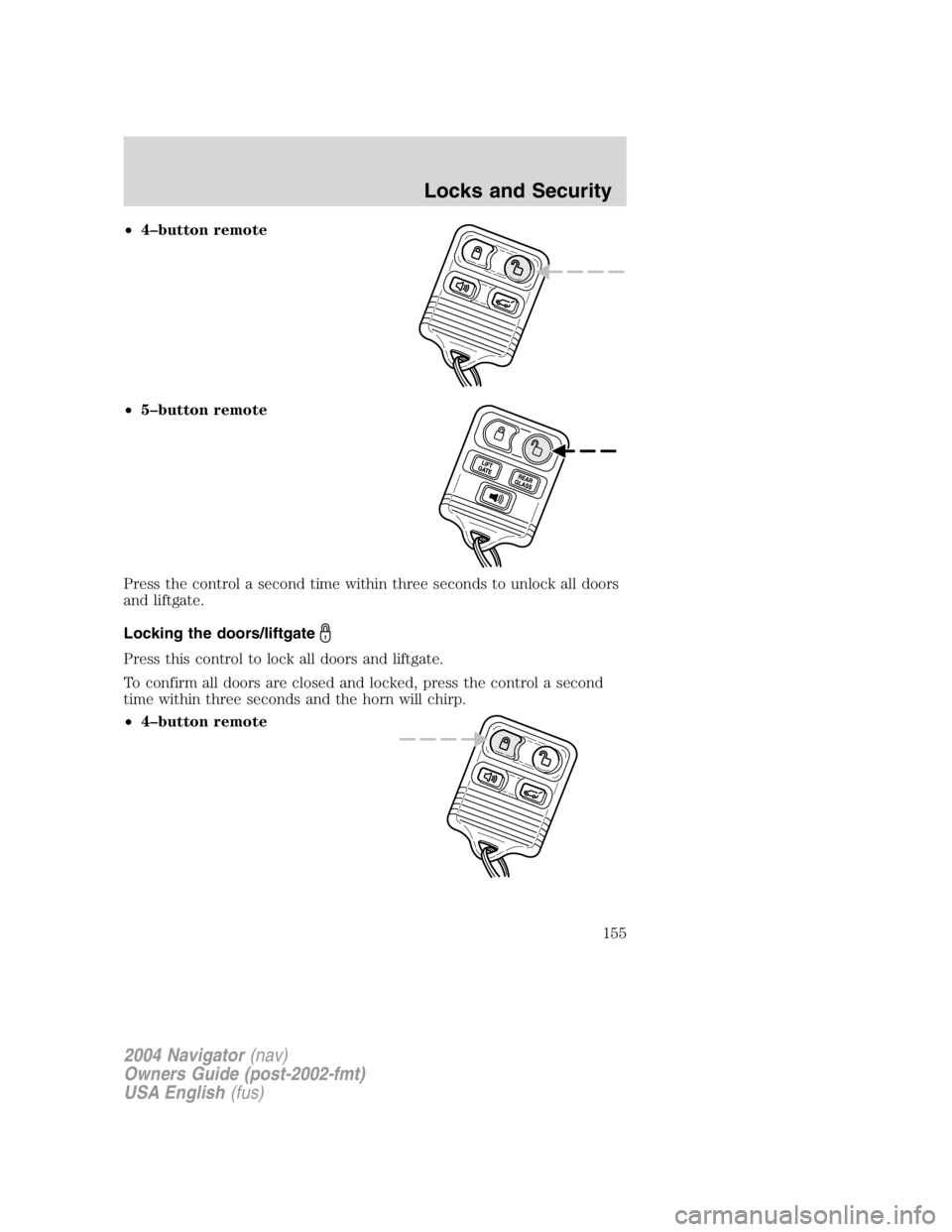
• 4 – button remote
• 5 – button remote
Press the control a second time within three seconds to unlock all doors
and liftgate.
Locking the doors/liftgate
Press this control to lock all doors and liftgate.
To confirm all doors are closed and locked, press the control a second
time within three seconds and the horn will chirp.
• 4 – button remote
2004 Navigator (nav)
Owners Guide (post-2002-fmt)
USA English (fus) Locks and Security
155
Page 156 of 368
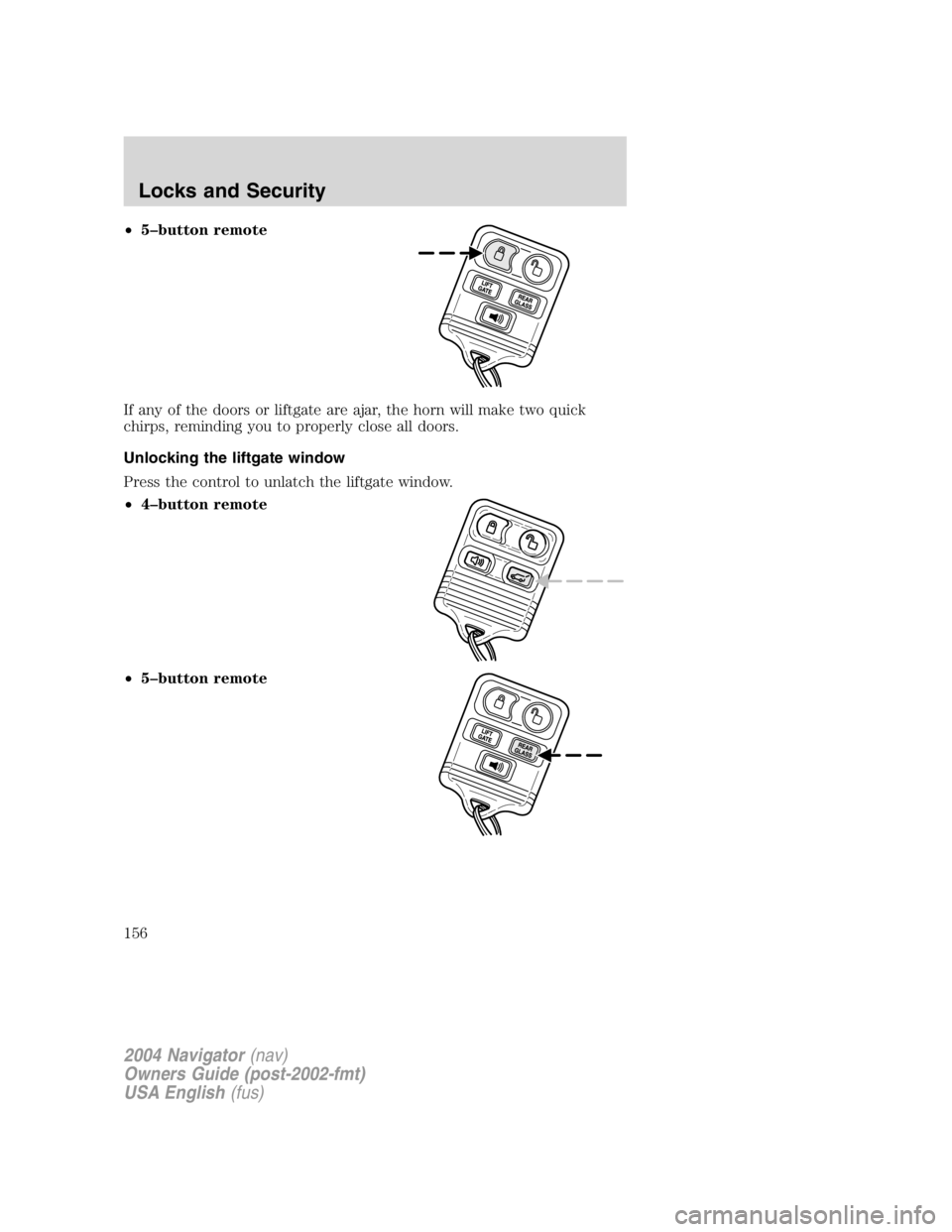
• 5 – button remote
If any of the doors or liftgate are ajar, the horn will make two quick
chirps, reminding you to properly close all doors.
Unlocking the liftgate window
Press the control to unlatch the liftgate window.
• 4 – button remote
• 5 – button remote
2004 Navigator (nav)
Owners Guide (post-2002-fmt)
USA English (fus)Locks and Security
156
Page 158 of 368
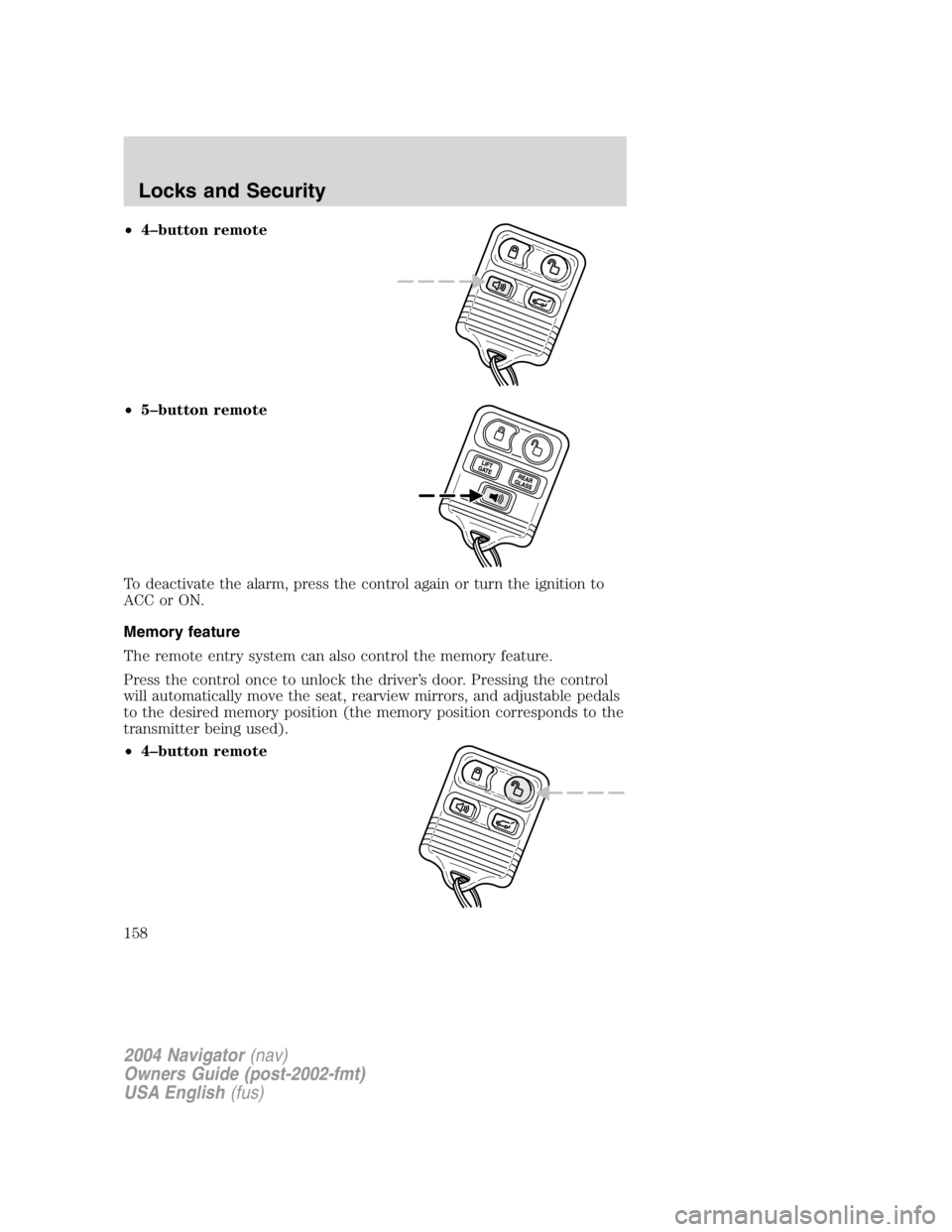
• 4 – button remote
• 5 – button remote
To deactivate the alarm, press the control again or turn the ignition to
ACC or ON.
Memory feature
The remote entry system can also control the memory feature.
Press the control once to unlock the driver ’ s door. Pressing the control
will automatically move the seat, rearview mirrors, and adjustable pedals
to the desired memory position (the memory position corresponds to the
transmitter being used).
• 4 – button remote
2004 Navigator (nav)
Owners Guide (post-2002-fmt)
USA English (fus)Locks and Security
158
Page 159 of 368
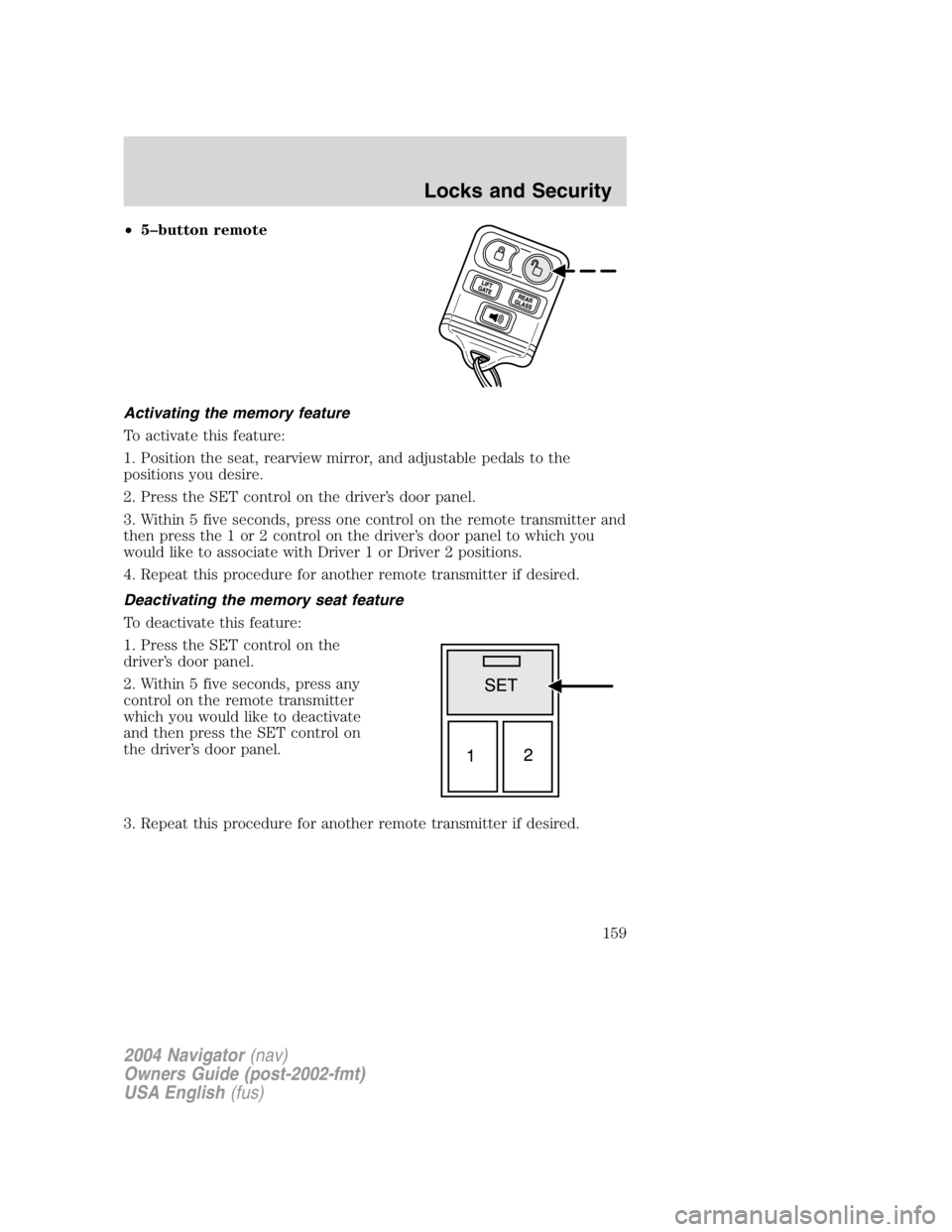
• 5 – button remote
Activating the memory feature
To activate this feature:
1. Position the seat, rearview mirror, and adjustable pedals to the
positions you desire.
2. Press the SET control on the driver ’ s door panel.
3. Within 5 five seconds, press one control on the remote transmitter and
then press the 1 or 2 control on the driver ’ s door panel to which you
would like to associate with Driver 1 or Driver 2 positions.
4. Repeat this procedure for another remote transmitter if desired.
Deactivating the memory seat feature
To deactivate this feature:
1. Press the SET control on the
driver ’ s door panel.
2. Within 5 five seconds, press any
control on the remote transmitter
which you would like to deactivate
and then press the SET control on
the driver ’ s door panel.
3. Repeat this procedure for another remote transmitter if desired.
2004 Navigator (nav)
Owners Guide (post-2002-fmt)
USA English (fus) Locks and Security
159
Page 162 of 368
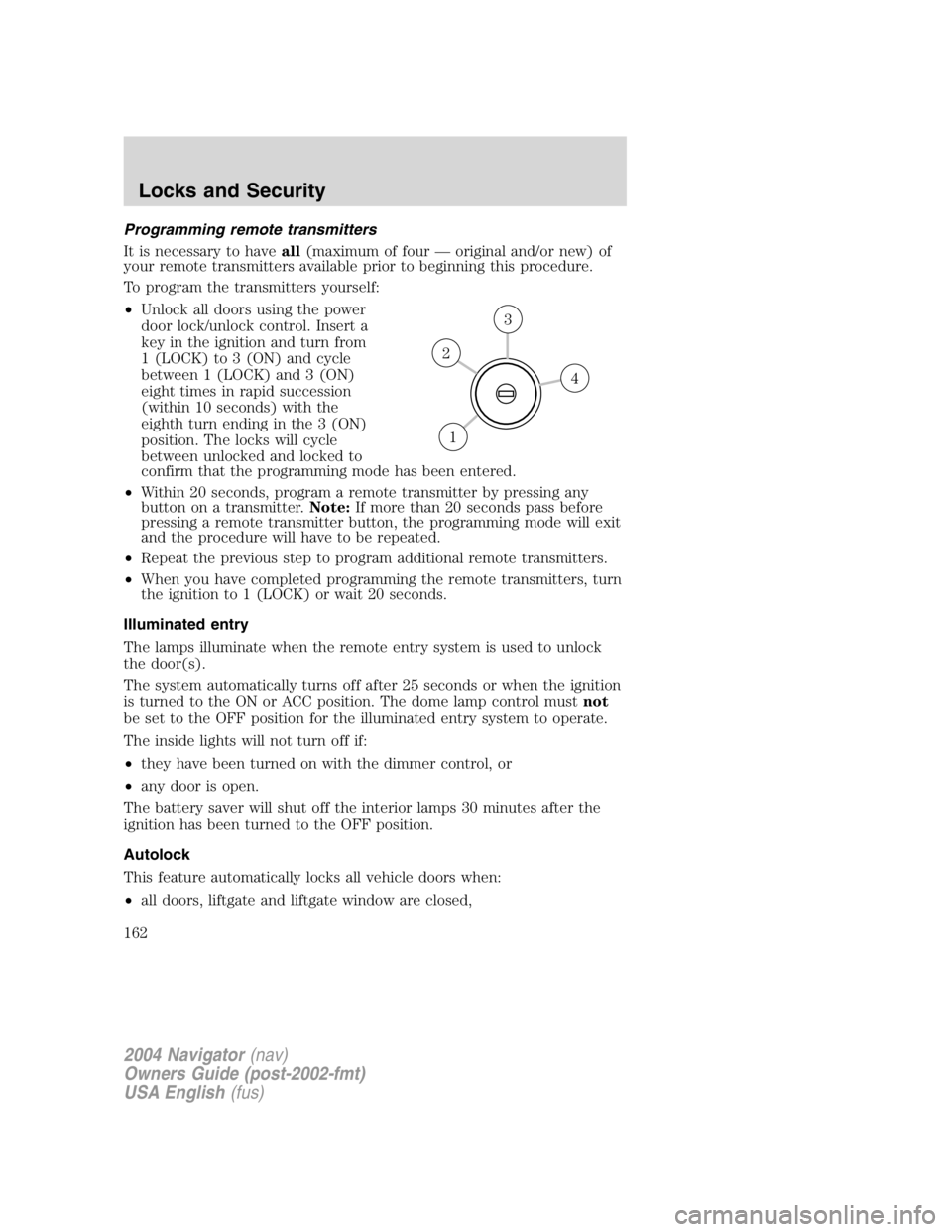
Programming remote transmitters
It is necessary to have all (maximum of four — original and/or new) of
your remote transmitters available prior to beginning this procedure.
To program the transmitters yourself:
• Unlock all doors using the power
door lock/unlock control. Insert a
key in the ignition and turn from
1 (LOCK) to 3 (ON) and cycle
between 1 (LOCK) and 3 (ON)
eight times in rapid succession
(within 10 seconds) with the
eighth turn ending in the 3 (ON)
position. The locks will cycle
between unlocked and locked to
confirm that the programming mode has been entered.
• Within 20 seconds, program a remote transmitter by pressing any
button on a transmitter. Note: If more than 20 seconds pass before
pressing a remote transmitter button, the programming mode will exit
and the procedure will have to be repeated.
• Repeat the previous step to program additional remote transmitters.
• When you have completed programming the remote transmitters, turn
the ignition to 1 (LOCK) or wait 20 seconds.
Illuminated entry
The lamps illuminate when the remote entry system is used to unlock
the door(s).
The system automatically turns off after 25 seconds or when the ignition
is turned to the ON or ACC position. The dome lamp control must not
be set to the OFF position for the illuminated entry system to operate.
The inside lights will not turn off if:
• they have been turned on with the dimmer control, or
• any door is open.
The battery saver will shut off the interior lamps 30 minutes after the
ignition has been turned to the OFF position.
Autolock
This feature automatically locks all vehicle doors when:
• all doors, liftgate and liftgate window are closed, 43
2
1
2004 Navigator (nav)
Owners Guide (post-2002-fmt)
USA English (fus)Locks and Security
162
Page 163 of 368
• the engine is running and
• you shift into any gear putting the vehicle in motion.
Relock
The autolock feature repeats when:
• any door (except the drivers) is opened then closed while the engine
is running, and
• you put the vehicle in motion.
Deactivating/activating the autolock feature
For vehicles equipped with a message center, the autolock feature may
be deactivated/activated by selecting the autolock function (accessed by
pressing the SETUP control). Press the RESET control to turn the
autolock function ON or OFF. Refer to Message center in the Driver
controls chapter for additional information.
For vehicles not equipped with a message center, the feature may be
deactivated by taking your vehicle to an authorized Ford dealer.
Power door lock disable feature
This feature will help protect your vehicle from unauthorized entry.
The UNLOCK function on the power door control will not operate with
the ignition OFF and twenty seconds after the doors are closed and
electronically locked by the remote entry transmitter, key pad, or power
door control (if pressed while the door was open).
The UNLOCK function will operate again after you unlock the vehicle
using the remote entry transmitter or key pad, turn the ignition to ON,
or open the door from inside of the vehicle.
Deactivating/activating power door lock disable feature
This feature may be deactivated/activated by an authorized dealer.
KEYLESS ENTRY SYSTEM
With the keyless entry keypad, you can:
• lock or unlock the vehicle doors without using the key,
• release the liftgate glass,
• enable or disable the autolock function, and
• add or delete a 5 – digit personal user code.
Your vehicle has a factory set 5 – digit code that operates the keyless
entry system. You can also program your own 5 – digit personal entry
code. The factory-set code is located:
2004 Navigator (nav)
Owners Guide (post-2002-fmt)
USA English (fus) Locks and Security
163
Page 165 of 368
Your personal code does not replace the permanent code that the
dealership gave you. You can use either code to unlock your vehicle. If a
second personal code is entered, the module will erase the first personal
code in favor of the new code.
If you wish to erase your personal code, use the following instructions:
1. Enter factory set code.
2. Press 1/2 control and release.
The system will now only respond to the factory set code.
Anti-scan feature
If the wrong code has been entered 7 times (35 consecutive button
presses), the keypad is disabled for one minute and the keypad lamp will
flash during this time. Note: Pressing 7 • 8 and the 9 • 0 simultaneously
during this one minute period will still lock the vehicle.
The anti-scan feature will turn off after one minute of keypad inactivity.
Unlocking and locking the doors, liftgate and liftgate window using
keyless entry
To unlock the driver ’ s door, enter the factory set 5-digit code or your
personal code. Each number must be pressed within five seconds of each
other. The interior lamps will illuminate.
To unlock all doors and liftgate, press the 3 • 4 control within five
seconds.
To open the liftgate window, press the 5 • 6 control within five
seconds.
To lock all doors, liftgate and liftgate window, press the 7 • 8 and
the 9 • 0 at the same time. Note: The driver ’ s door must be closed. You
do not need to enter the keypad code first.
Activating/deactivating autolock with the keyless entry system
1. Turn the ignition to the OFF position.
2. Close all the doors, the liftgate and liftgate window.
3. Enter 5 – digit entry code
4. Press and hold the 7 • 8. While holding the 7 • 8 press the 3 • 4.
5. Release the 3 • 4.
6. Release the 7 • 8.
The user should receive a horn chirp to indicate the system has been
disabled or a chirp followed by a honk to indicate the system has been
enabled.
2004 Navigator (nav)
Owners Guide (post-2002-fmt)
USA English (fus) Locks and Security
165
Page 171 of 368
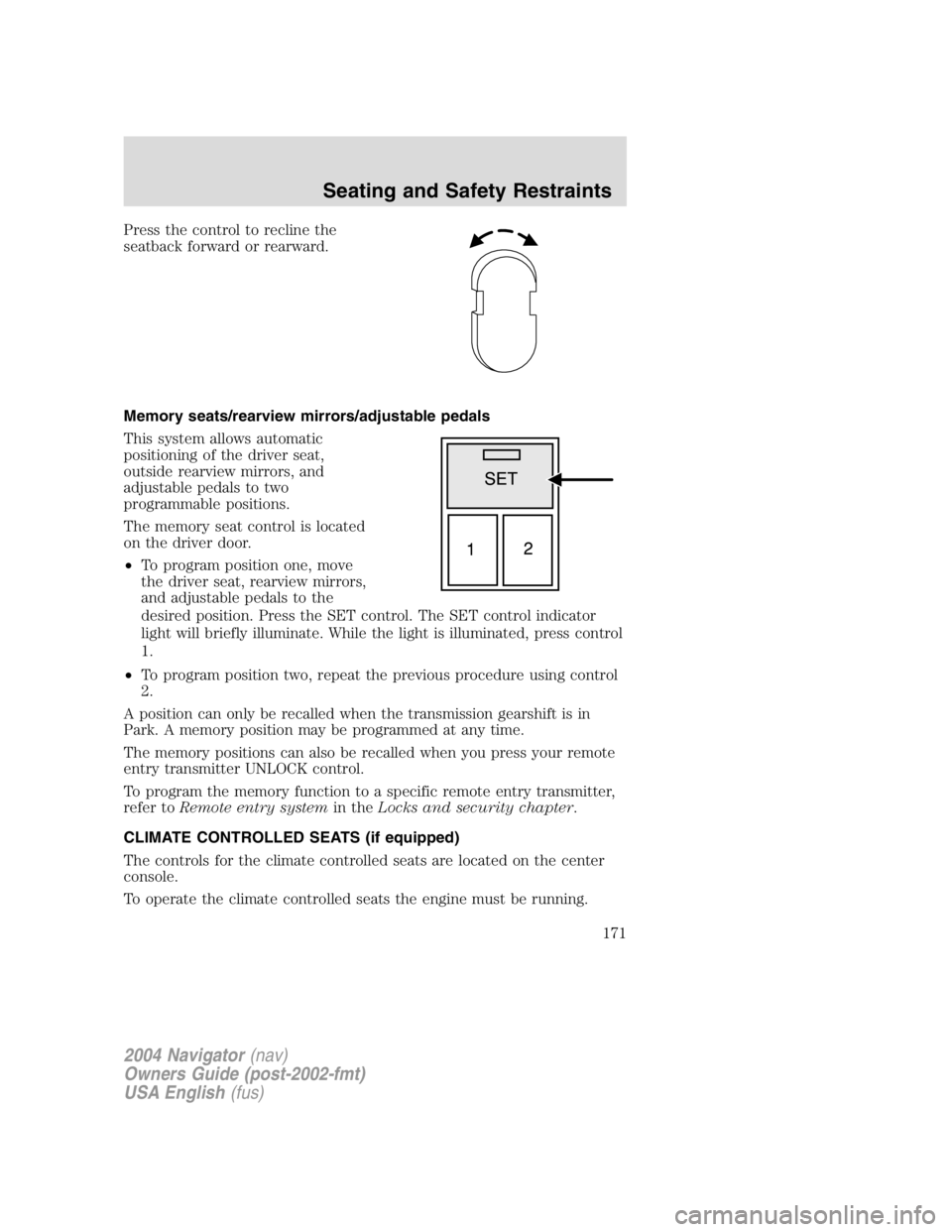
Press the control to recline the
seatback forward or rearward.
Memory seats/rearview mirrors/adjustable pedals
This system allows automatic
positioning of the driver seat,
outside rearview mirrors, and
adjustable pedals to two
programmable positions.
The memory seat control is located
on the driver door.
• To program position one, move
the driver seat, rearview mirrors,
and adjustable pedals to the
desired position. Press the SET control. The SET control indicator
light will briefly illuminate. While the light is illuminated, press control
1.
• To program position two, repeat the previous procedure using control
2.
A position can only be recalled when the transmission gearshift is in
Park. A memory position may be programmed at any time.
The memory positions can also be recalled when you press your remote
entry transmitter UNLOCK control.
To program the memory function to a specific remote entry transmitter,
refer to Remote entry system in the Locks and security chapter .
CLIMATE CONTROLLED SEATS (if equipped)
The controls for the climate controlled seats are located on the center
console.
To operate the climate controlled seats the engine must be running.
2004 Navigator (nav)
Owners Guide (post-2002-fmt)
USA English (fus) Seating and Safety Restraints
171
Page 183 of 368
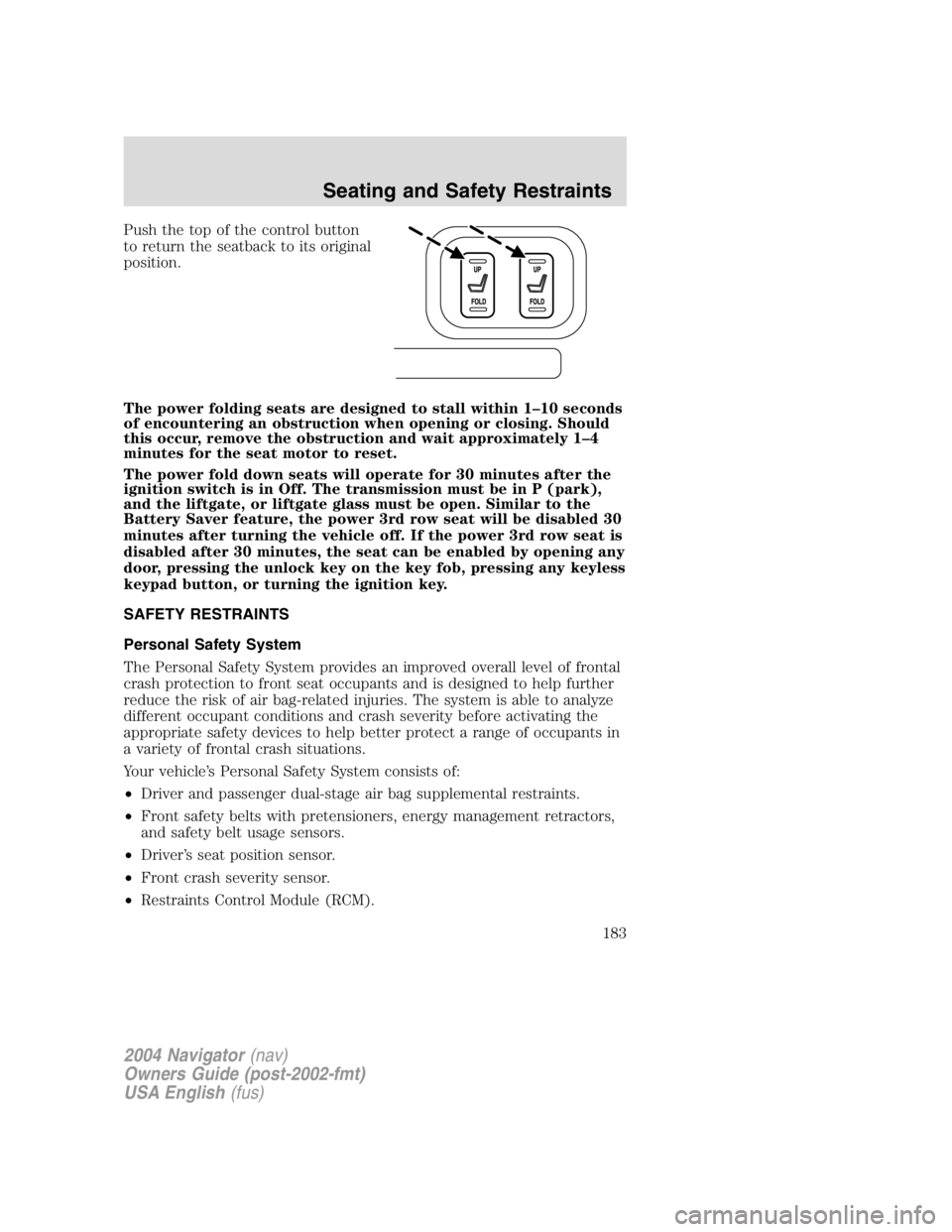
Push the top of the control button
to return the seatback to its original
position.
The power folding seats are designed to stall within 1 – 10 seconds
of encountering an obstruction when opening or closing. Should
this occur, remove the obstruction and wait approximately 1 – 4
minutes for the seat motor to reset.
The power fold down seats will operate for 30 minutes after the
ignition switch is in Off. The transmission must be in P (park),
and the liftgate, or liftgate glass must be open. Similar to the
Battery Saver feature, the power 3rd row seat will be disabled 30
minutes after turning the vehicle off. If the power 3rd row seat is
disabled after 30 minutes, the seat can be enabled by opening any
door, pressing the unlock key on the key fob, pressing any keyless
keypad button, or turning the ignition key.
SAFETY RESTRAINTS
Personal Safety System
The Personal Safety System provides an improved overall level of frontal
crash protection to front seat occupants and is designed to help further
reduce the risk of air bag-related injuries. The system is able to analyze
different occupant conditions and crash severity before activating the
appropriate safety devices to help better protect a range of occupants in
a variety of frontal crash situations.
Your vehicle ’ s Personal Safety System consists of:
• Driver and passenger dual-stage air bag supplemental restraints.
• Front safety belts with pretensioners, energy management retractors,
and safety belt usage sensors.
• Driver ’ s seat position sensor.
• Front crash severity sensor.
• Restraints Control Module (RCM).
2004 Navigator (nav)
Owners Guide (post-2002-fmt)
USA English (fus) Seating and Safety Restraints
183