lights LINCOLN NAVIGATOR 2004 User Guide
[x] Cancel search | Manufacturer: LINCOLN, Model Year: 2004, Model line: NAVIGATOR, Model: LINCOLN NAVIGATOR 2004Pages: 368, PDF Size: 8.21 MB
Page 103 of 368
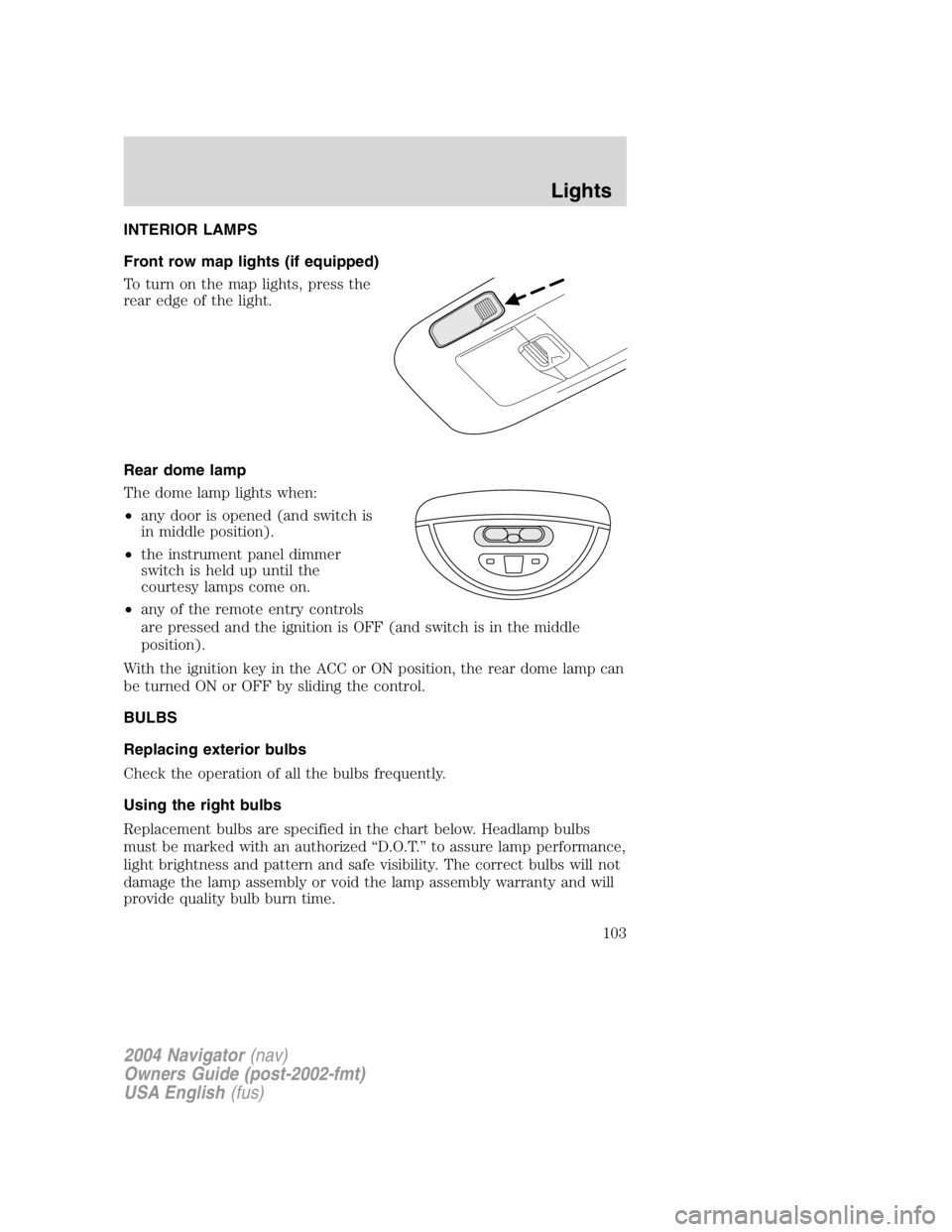
INTERIOR LAMPS
Front row map lights (if equipped)
To turn on the map lights, press the
rear edge of the light.
Rear dome lamp
The dome lamp lights when:
• any door is opened (and switch is
in middle position).
• the instrument panel dimmer
switch is held up until the
courtesy lamps come on.
• any of the remote entry controls
are pressed and the ignition is OFF (and switch is in the middle
position).
With the ignition key in the ACC or ON position, the rear dome lamp can
be turned ON or OFF by sliding the control.
BULBS
Replacing exterior bulbs
Check the operation of all the bulbs frequently.
Using the right bulbs
Replacement bulbs are specified in the chart below. Headlamp bulbs
must be marked with an authorized “ D.O.T. ” to assure lamp performance,
light brightness and pattern and safe visibility. The correct bulbs will not
damage the lamp assembly or void the lamp assembly warranty and will
provide quality bulb burn time.
2004 Navigator (nav)
Owners Guide (post-2002-fmt)
USA English (fus) Lights
103
Page 104 of 368
Function Number of bulbs Trade number
Headlamps
(low-beams) 2 9006
Headlamps (hi-beam) 2 9005
Front park/turn lamps 2 3157 AK (amber)
Front sidemarker 2 194 AK (amber)
Foglamps 2 800
Dome/map lamps 2 579
Turn/tail/brake lamps 2 3157K
Approach lamps 2 906
Mirror turn signal
lamps 2 906 (amber)
Liftgate lamp 2 916
Backup lamp 2 3157K
License lamp 2 168
High-mount brake
lamp 5 W5W
All replacement bulbs are clear in color except where noted.
To replace all instrument panel lights - see your dealer
* For vehicles with HID (high intensity discharge) lamps, see your dealer
for service.
Replacing the interior bulbs
Check the operation of all bulbs frequently.
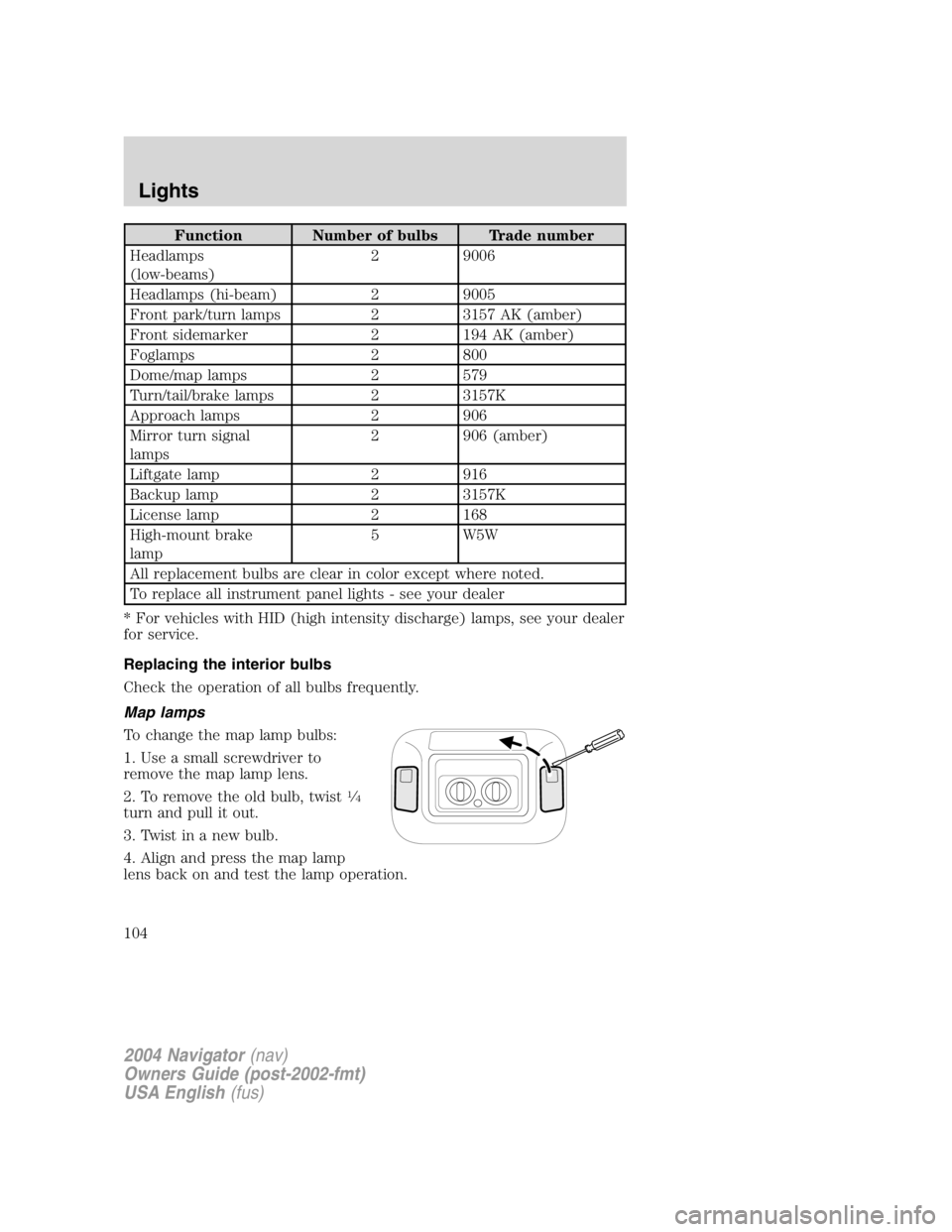
Map lamps
To change the map lamp bulbs:
1. Use a small screwdriver to
remove the map lamp lens.
2. To remove the old bulb, twist 1
⁄ 4
turn and pull it out.
3. Twist in a new bulb.
4. Align and press the map lamp
lens back on and test the lamp operation.
2004 Navigator (nav)
Owners Guide (post-2002-fmt)
USA English (fus)Lights
104
Page 105 of 368
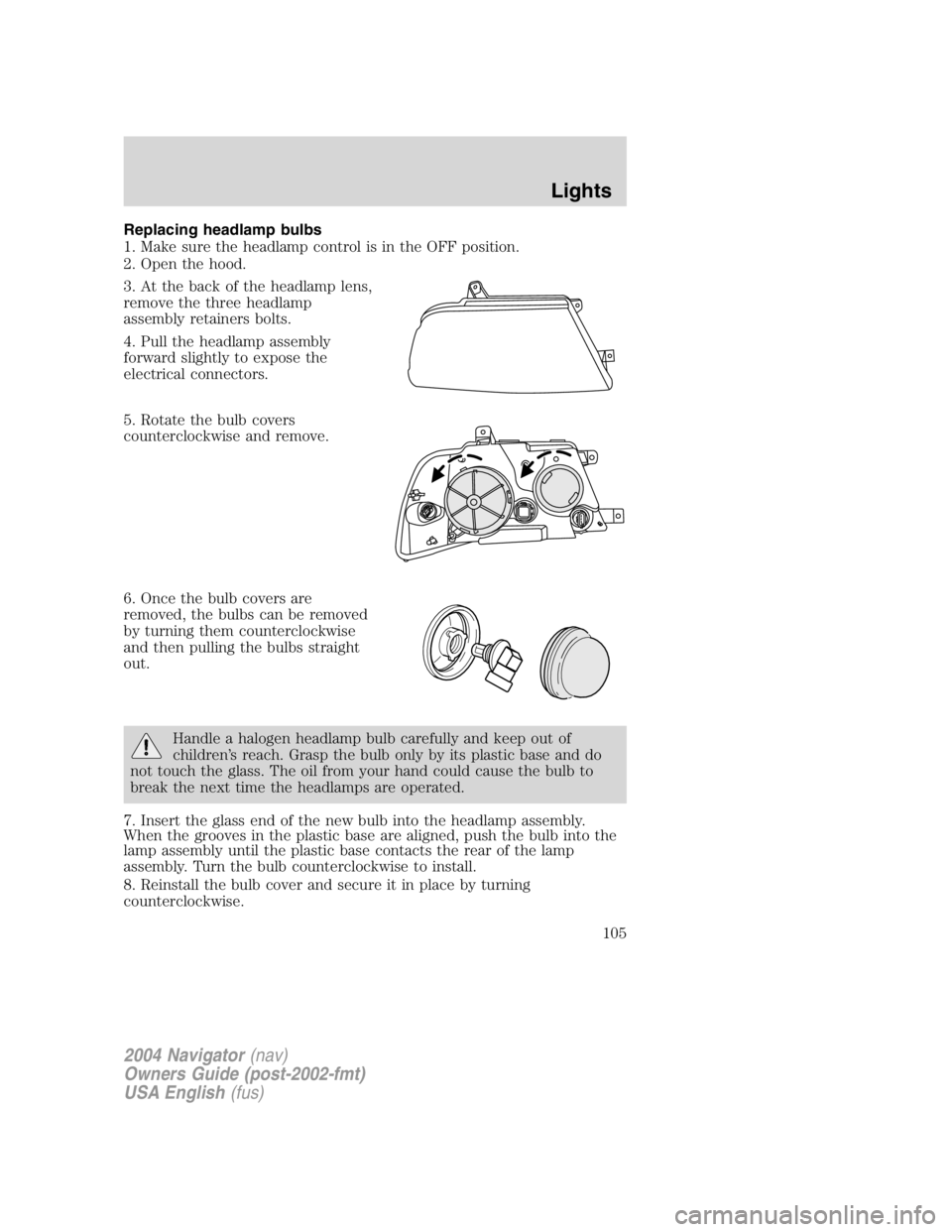
Replacing headlamp bulbs
1. Make sure the headlamp control is in the OFF position.
2. Open the hood.
3. At the back of the headlamp lens,
remove the three headlamp
assembly retainers bolts.
4. Pull the headlamp assembly
forward slightly to expose the
electrical connectors.
5. Rotate the bulb covers
counterclockwise and remove.
6. Once the bulb covers are
removed, the bulbs can be removed
by turning them counterclockwise
and then pulling the bulbs straight
out.
Handle a halogen headlamp bulb carefully and keep out of
children ’ s reach. Grasp the bulb only by its plastic base and do
not touch the glass. The oil from your hand could cause the bulb to
break the next time the headlamps are operated.
7. Insert the glass end of the new bulb into the headlamp assembly.
When the grooves in the plastic base are aligned, push the bulb into the
lamp assembly until the plastic base contacts the rear of the lamp
assembly. Turn the bulb counterclockwise to install.
8. Reinstall the bulb cover and secure it in place by turning
counterclockwise.
2004 Navigator (nav)
Owners Guide (post-2002-fmt)
USA English (fus) Lights
105
Page 106 of 368
Replacing HID headlamp bulbs (if equipped)
The low beam headlamps on your vehicle use a “ high intensity discharge ”
source. These lamps operate at a high voltage. The bulb is NOT
replaceable. When the bulb is burned out, the lamp assembly must be
replaced by your dealer or a qualified technician.
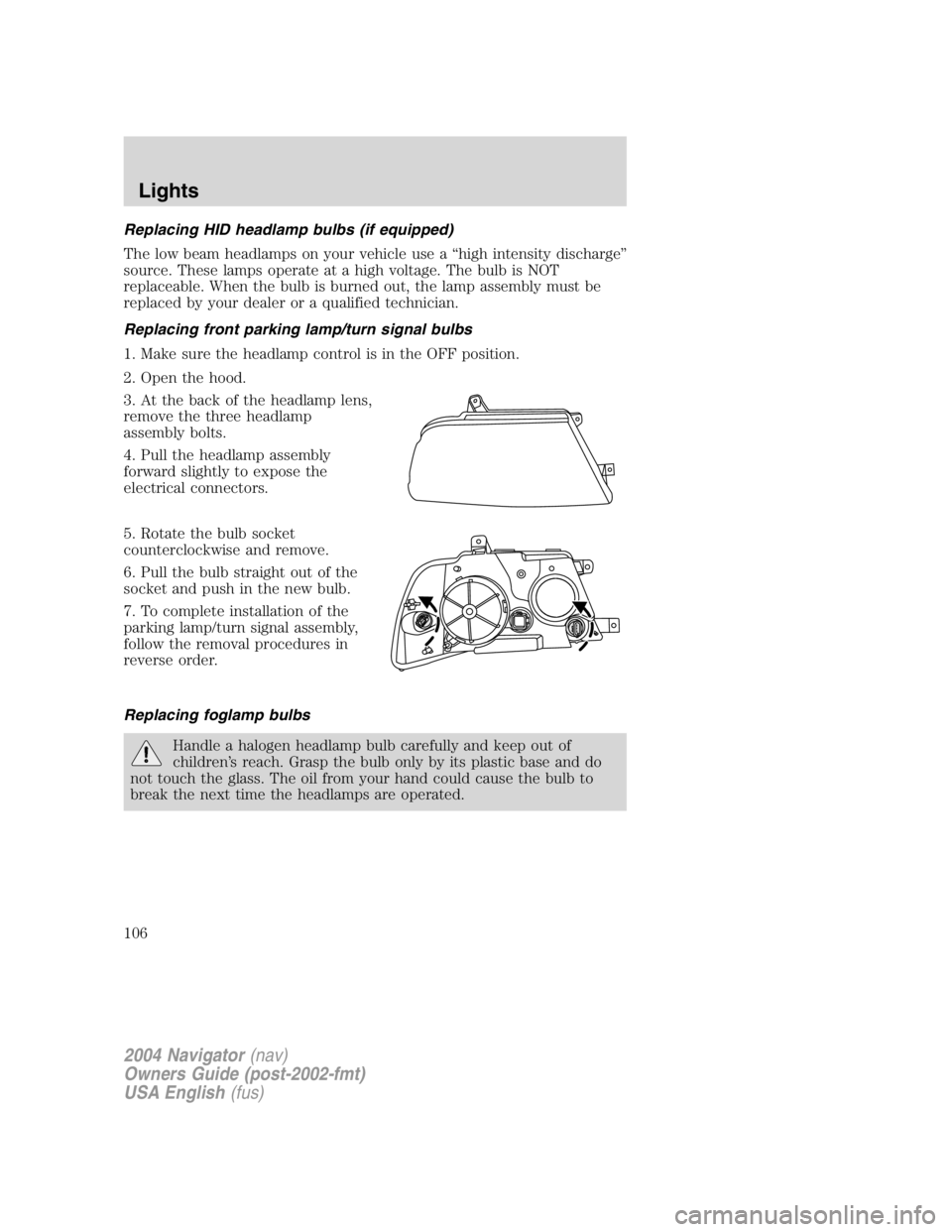
Replacing front parking lamp/turn signal bulbs
1. Make sure the headlamp control is in the OFF position.
2. Open the hood.
3. At the back of the headlamp lens,
remove the three headlamp
assembly bolts.
4. Pull the headlamp assembly
forward slightly to expose the
electrical connectors.
5. Rotate the bulb socket
counterclockwise and remove.
6. Pull the bulb straight out of the
socket and push in the new bulb.
7. To complete installation of the
parking lamp/turn signal assembly,
follow the removal procedures in
reverse order.
Replacing foglamp bulbs
Handle a halogen headlamp bulb carefully and keep out of
children ’ s reach. Grasp the bulb only by its plastic base and do
not touch the glass. The oil from your hand could cause the bulb to
break the next time the headlamps are operated.
2004 Navigator (nav)
Owners Guide (post-2002-fmt)
USA English (fus)Lights
106
Page 107 of 368
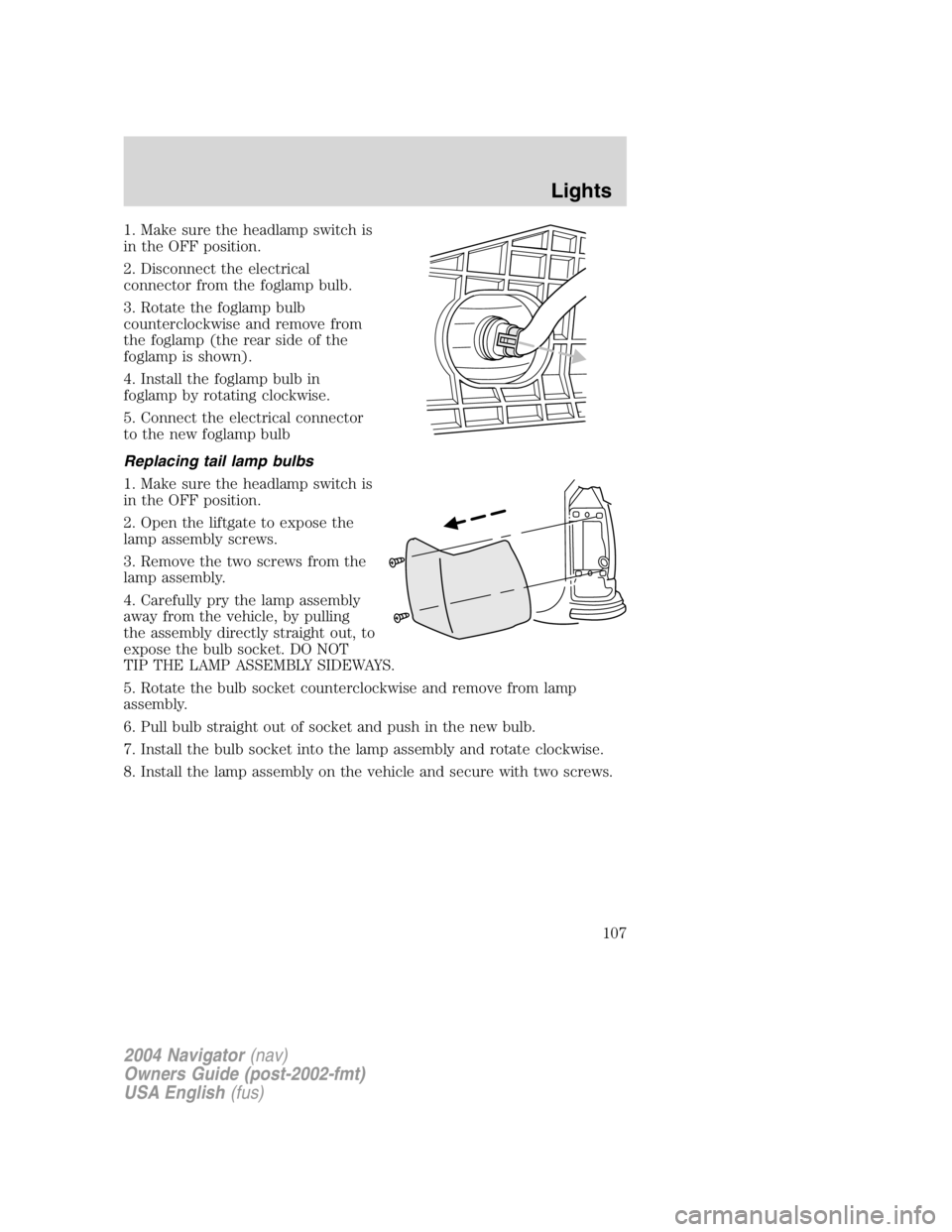
1. Make sure the headlamp switch is
in the OFF position.
2. Disconnect the electrical
connector from the foglamp bulb.
3. Rotate the foglamp bulb
counterclockwise and remove from
the foglamp (the rear side of the
foglamp is shown).
4. Install the foglamp bulb in
foglamp by rotating clockwise.
5. Connect the electrical connector
to the new foglamp bulb
Replacing tail lamp bulbs
1. Make sure the headlamp switch is
in the OFF position.
2. Open the liftgate to expose the
lamp assembly screws.
3. Remove the two screws from the
lamp assembly.
4. Carefully pry the lamp assembly
away from the vehicle, by pulling
the assembly directly straight out, to
expose the bulb socket. DO NOT
TIP THE LAMP ASSEMBLY SIDEWAYS.
5. Rotate the bulb socket counterclockwise and remove from lamp
assembly.
6. Pull bulb straight out of socket and push in the new bulb.
7. Install the bulb socket into the lamp assembly and rotate clockwise.
8. Install the lamp assembly on the vehicle and secure with two screws.
2004 Navigator (nav)
Owners Guide (post-2002-fmt)
USA English (fus) Lights
107
Page 108 of 368
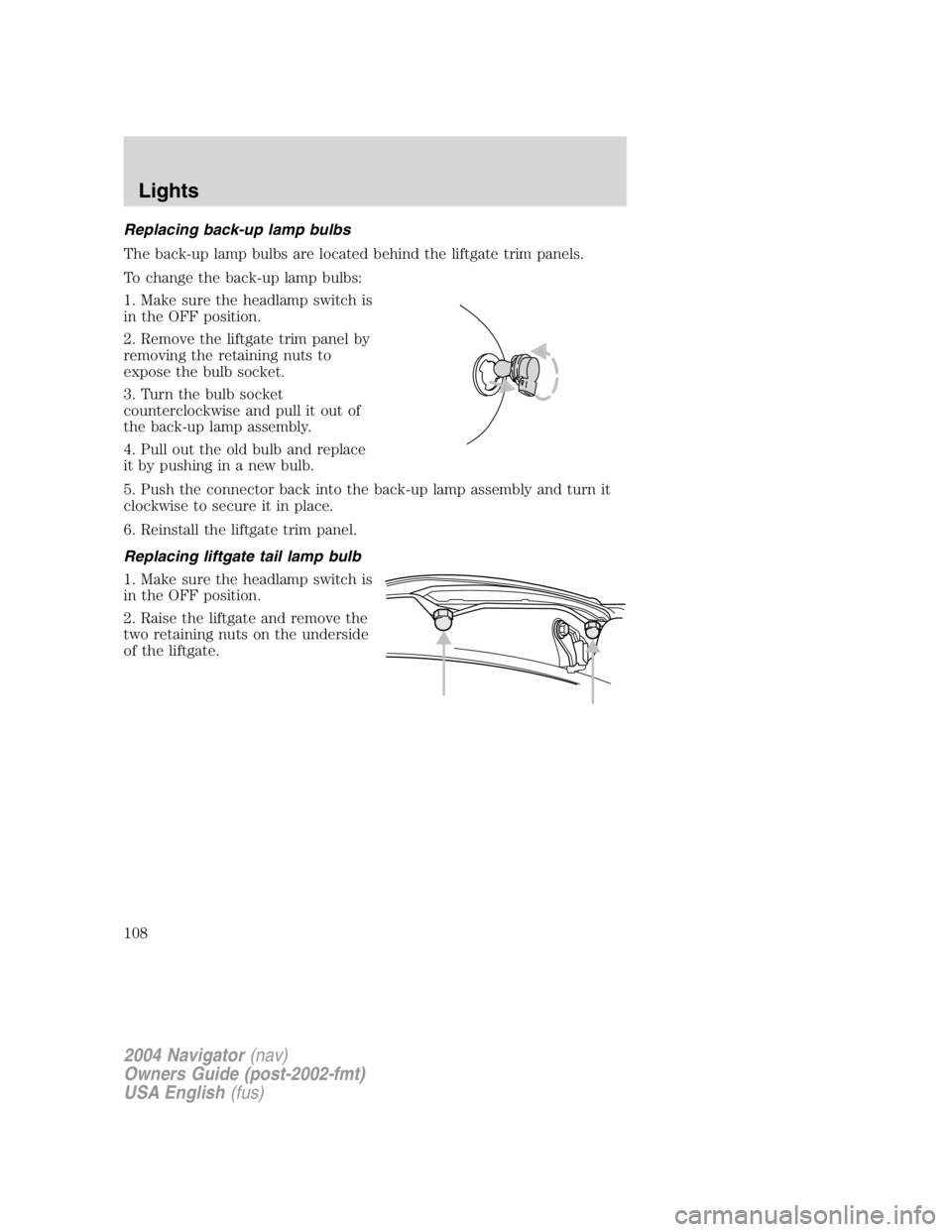
Replacing back-up lamp bulbs
The back-up lamp bulbs are located behind the liftgate trim panels.
To change the back-up lamp bulbs:
1. Make sure the headlamp switch is
in the OFF position.
2. Remove the liftgate trim panel by
removing the retaining nuts to
expose the bulb socket.
3. Turn the bulb socket
counterclockwise and pull it out of
the back-up lamp assembly.
4. Pull out the old bulb and replace
it by pushing in a new bulb.
5. Push the connector back into the back-up lamp assembly and turn it
clockwise to secure it in place.
6. Reinstall the liftgate trim panel.
Replacing liftgate tail lamp bulb
1. Make sure the headlamp switch is
in the OFF position.
2. Raise the liftgate and remove the
two retaining nuts on the underside
of the liftgate.
2004 Navigator (nav)
Owners Guide (post-2002-fmt)
USA English (fus)Lights
108
Page 109 of 368
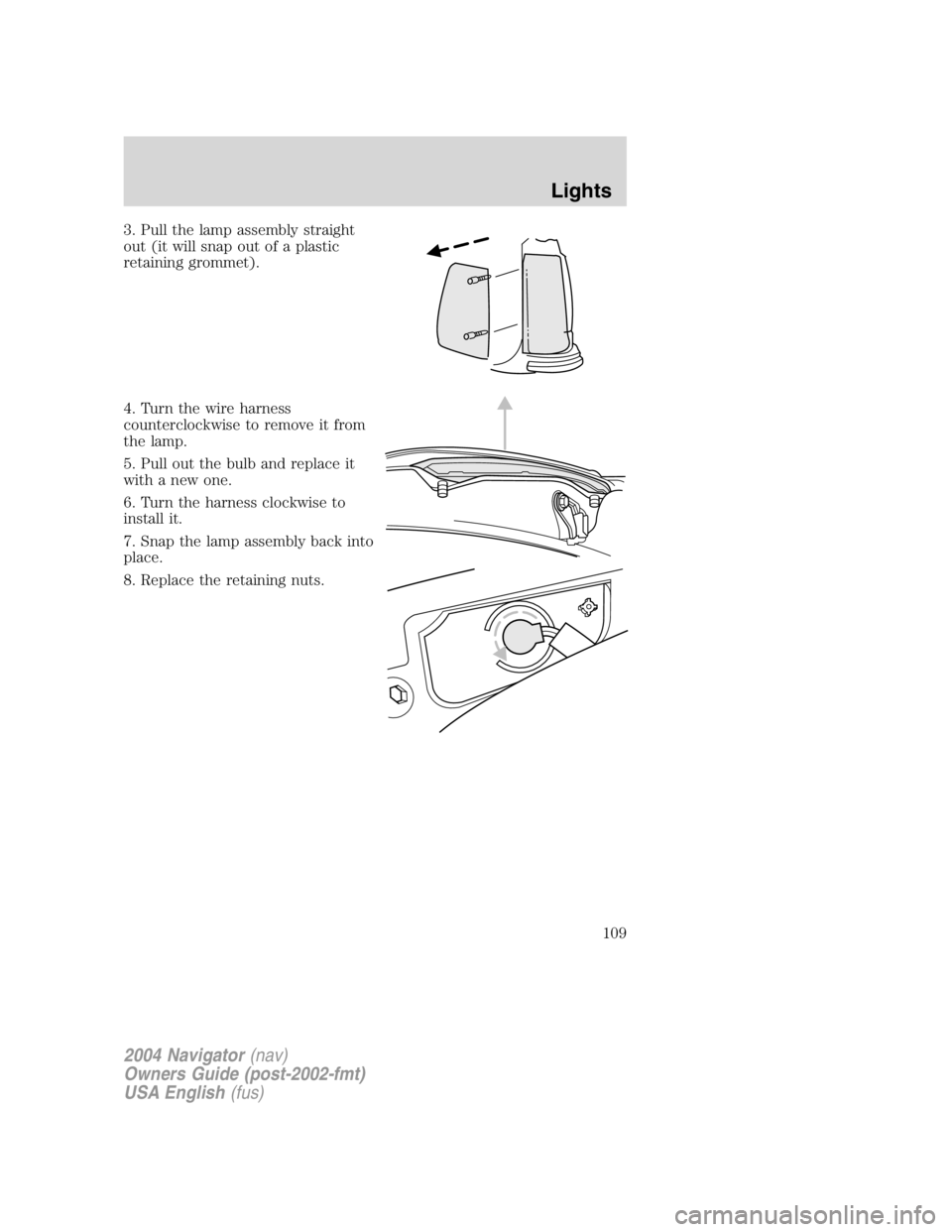
3. Pull the lamp assembly straight
out (it will snap out of a plastic
retaining grommet).
4. Turn the wire harness
counterclockwise to remove it from
the lamp.
5. Pull out the bulb and replace it
with a new one.
6. Turn the harness clockwise to
install it.
7. Snap the lamp assembly back into
place.
8. Replace the retaining nuts.
2004 Navigator (nav)
Owners Guide (post-2002-fmt)
USA English (fus) Lights
109
Page 110 of 368
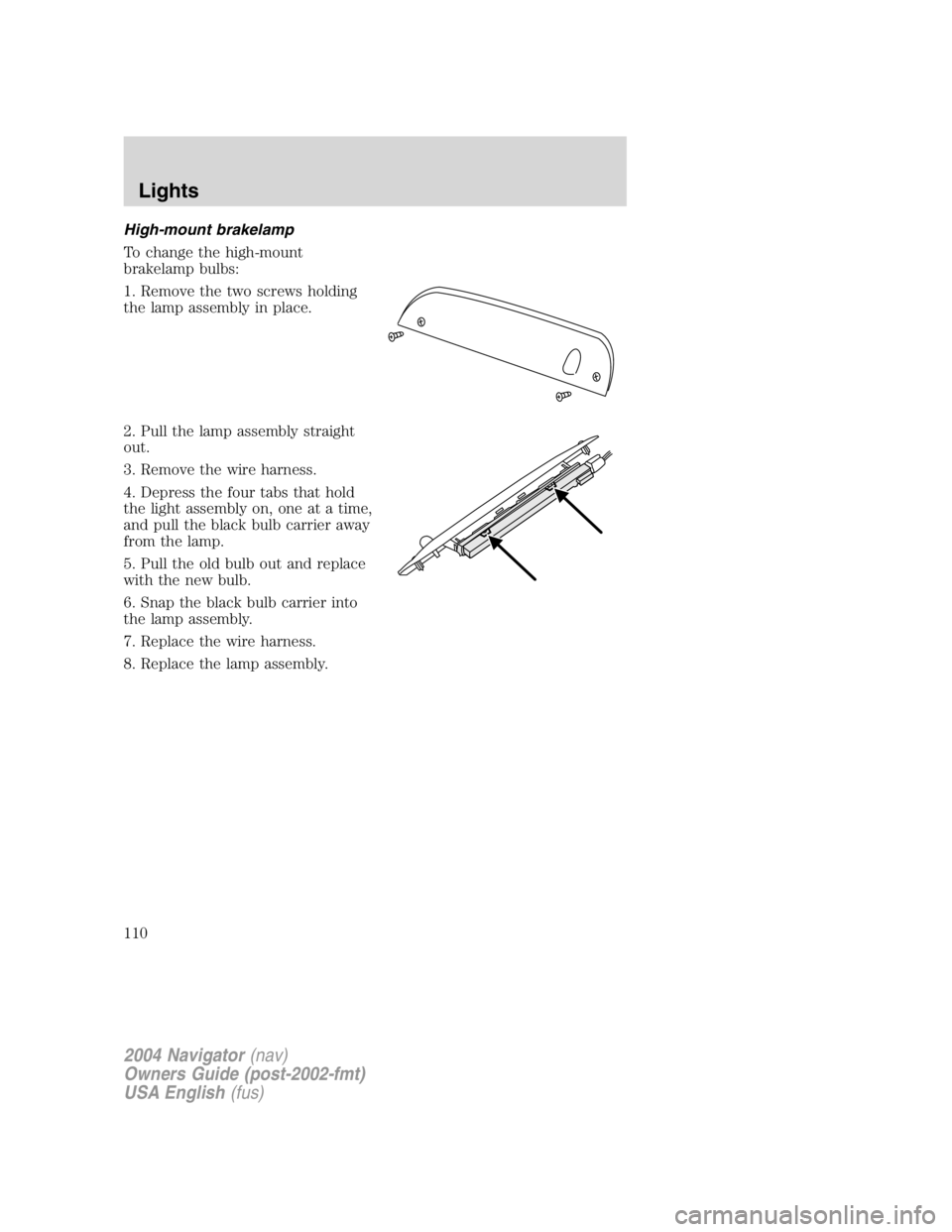
High-mount brakelamp
To change the high-mount
brakelamp bulbs:
1. Remove the two screws holding
the lamp assembly in place.
2. Pull the lamp assembly straight
out.
3. Remove the wire harness.
4. Depress the four tabs that hold
the light assembly on, one at a time,
and pull the black bulb carrier away
from the lamp.
5. Pull the old bulb out and replace
with the new bulb.
6. Snap the black bulb carrier into
the lamp assembly.
7. Replace the wire harness.
8. Replace the lamp assembly.
2004 Navigator (nav)
Owners Guide (post-2002-fmt)
USA English (fus)Lights
110
Page 111 of 368
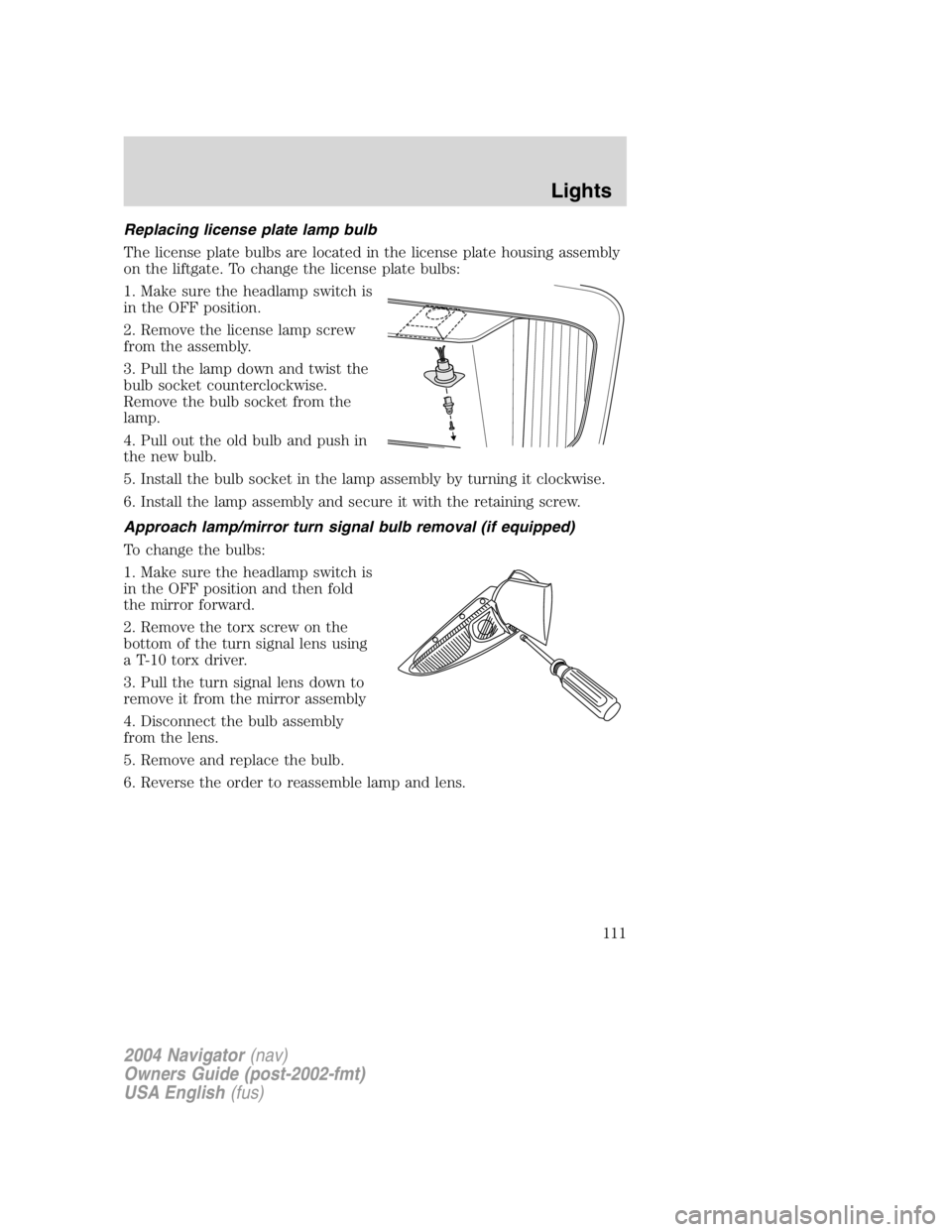
Replacing license plate lamp bulb
The license plate bulbs are located in the license plate housing assembly
on the liftgate. To change the license plate bulbs:
1. Make sure the headlamp switch is
in the OFF position.
2. Remove the license lamp screw
from the assembly.
3. Pull the lamp down and twist the
bulb socket counterclockwise.
Remove the bulb socket from the
lamp.
4. Pull out the old bulb and push in
the new bulb.
5. Install the bulb socket in the lamp assembly by turning it clockwise.
6. Install the lamp assembly and secure it with the retaining screw.
Approach lamp/mirror turn signal bulb removal (if equipped)
To change the bulbs:
1. Make sure the headlamp switch is
in the OFF position and then fold
the mirror forward.
2. Remove the torx screw on the
bottom of the turn signal lens using
a T-10 torx driver.
3. Pull the turn signal lens down to
remove it from the mirror assembly
4. Disconnect the bulb assembly
from the lens.
5. Remove and replace the bulb.
6. Reverse the order to reassemble lamp and lens.
2004 Navigator (nav)
Owners Guide (post-2002-fmt)
USA English (fus) Lights
111
Page 122 of 368
Security Override
If during a bounce-back condition, the switch is released to the neutral
position, then held in the one touch up position within two seconds after
the window reaches the bounce-back position, the window will travel
up with no bounce-back protection. If the switch is released before
the window reaches fully closed or the ignition is turned OFF (without
accessory delay being active), the window will stop. Security override
can be used if there is ice on the window or seals, causing a restriction.
Window lock
The window lock feature allows only
the driver to operate the rear power
windows.
To lock out the rear window
controls push the control down. To
restore the rear window controls,
push the control down. The control
will spring back up to the neutral
position.
Accessory delay
With accessory delay, the radio, windows, and moonroof operate for up
to ten minutes after the ignition switch is turned from the ON to the
OFF position or until any door is opened.
MIRRORS
Automatic dimming rear view mirror
Your vehicle is equipped with an inside rear view mirror with an
auto-dimming function. The electronic day/night mirror will change from
the normal state to the non-glare state when bright lights (glare) reach
the inside rear view mirror. When the inside rear view mirror detects
bright light from in front of or behind the vehicle, the inside rear view
mirror will automatically adjust (darken) to minimize glare.
Do not block the sensor on the backside of the inside rear view mirror
since this may impair proper system performance.
2004 Navigator (nav)
Owners Guide (post-2002-fmt)
USA English (fus)Driver Controls
122