oil LINCOLN NAVIGATOR 2011 Owners Manual
[x] Cancel search | Manufacturer: LINCOLN, Model Year: 2011, Model line: NAVIGATOR, Model: LINCOLN NAVIGATOR 2011Pages: 370, PDF Size: 2.6 MB
Page 3 of 370
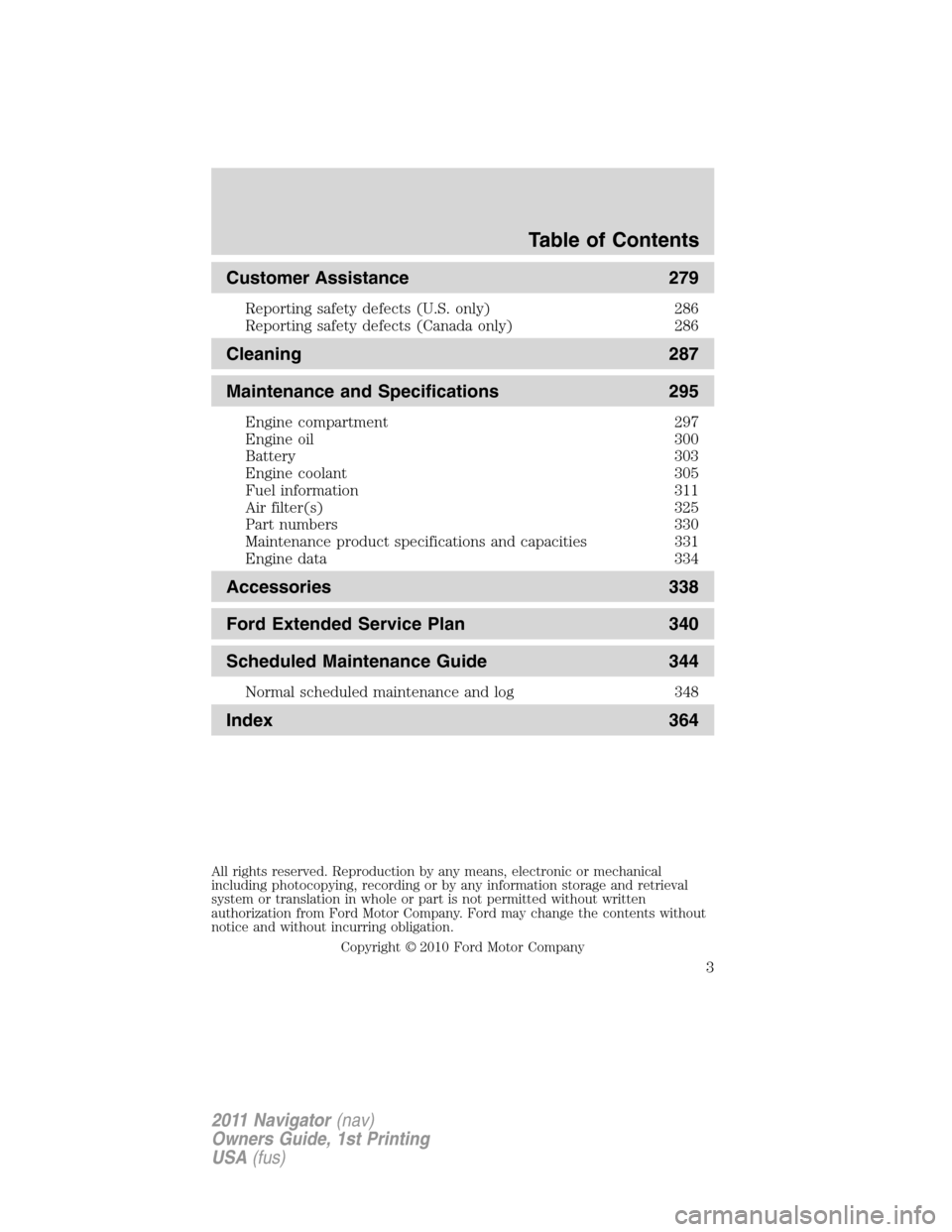
Customer Assistance 279
Reporting safety defects (U.S. only) 286
Reporting safety defects (Canada only) 286
Cleaning 287
Maintenance and Specifications 295
Engine compartment 297
Engine oil 300
Battery 303
Engine coolant 305
Fuel information 311
Air filter(s) 325
Part numbers 330
Maintenance product specifications and capacities 331
Engine data 334
Accessories 338
Ford Extended Service Plan 340
Scheduled Maintenance Guide 344
Normal scheduled maintenance and log 348
Index 364
All rights reserved. Reproduction by any means, electronic or mechanical
including photocopying, recording or by any information storage and retrieval
system or translation in whole or part is not permitted without written
authorization from Ford Motor Company. Ford may change the contents without
notice and without incurring obligation.
Copyright © 2010 Ford Motor Company
Table of Contents
3
2011 Navigator(nav)
Owners Guide, 1st Printing
USA(fus)
Page 6 of 370
Do not add friction modifier compounds or special break-in oils since
these additives may prevent piston ring seating. SeeEngine oilin the
Maintenance and Specificationschapter for more information on oil
usage.
SPECIAL NOTICES
New Vehicle Limited Warranty
For a detailed description of what is covered and what is not covered by
your vehicle’s New Vehicle Limited Warranty, refer to theWarranty
Guidethat is provided to you along with your Owner’s Guide.
Special instructions
For your added safety, your vehicle is fitted with sophisticated electronic
controls.
WARNING:Please read the sectionAirbag Supplemental
Restraint System (SRS)in theSeating and Safety Restraints
chapter. Failure to follow the specific warnings and instructions could
result in personal injury.
WARNING:Front seat mounted rear-facing child or infant seats
shouldNEVERbe placed in front of an active passenger airbag.
Notice to owners of pickup trucks and utility type vehicles
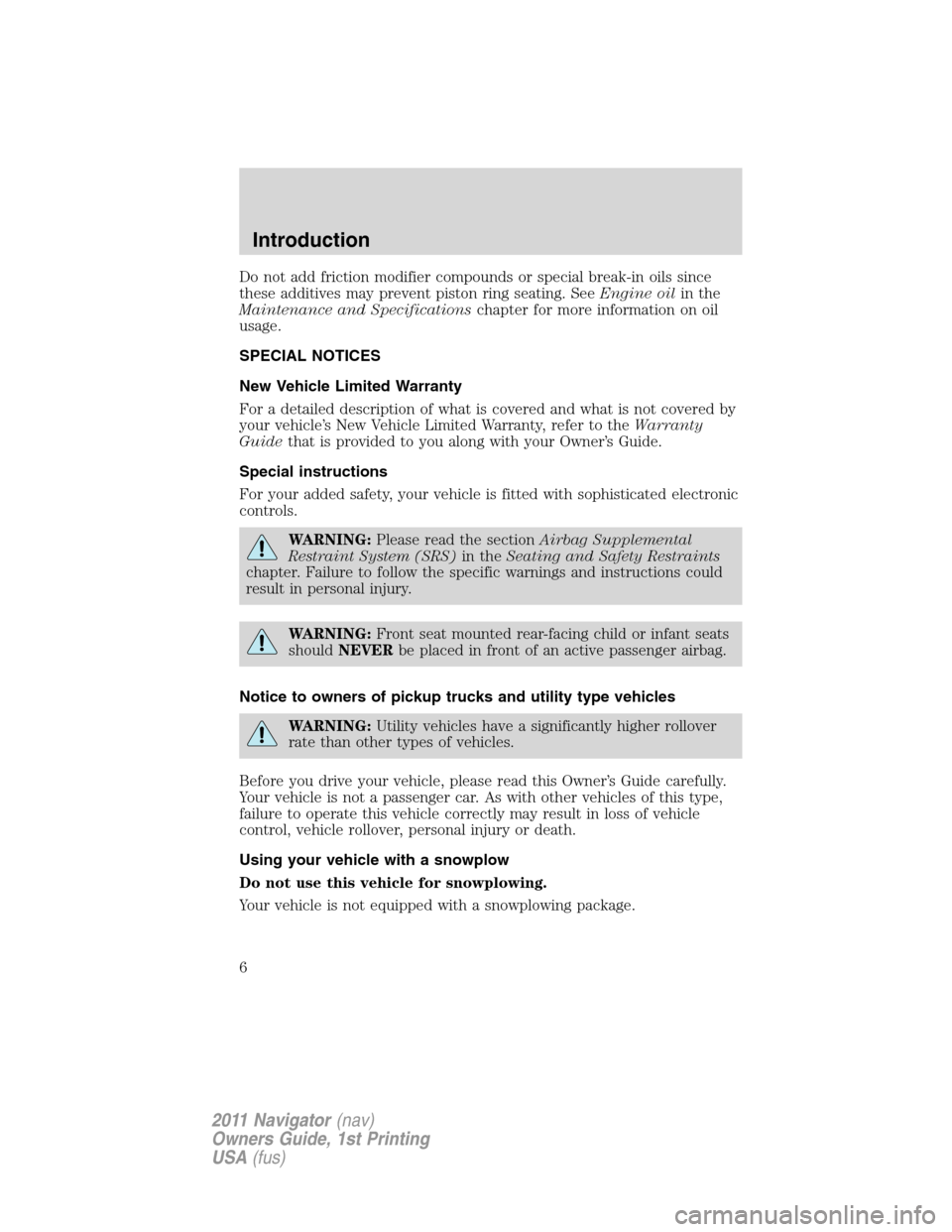
WARNING:Utility vehicles have a significantly higher rollover
rate than other types of vehicles.
Before you drive your vehicle, please read this Owner’s Guide carefully.
Your vehicle is not a passenger car. As with other vehicles of this type,
failure to operate this vehicle correctly may result in loss of vehicle
control, vehicle rollover, personal injury or death.
Using your vehicle with a snowplow
Do not use this vehicle for snowplowing.
Your vehicle is not equipped with a snowplowing package.
Introduction
6
2011 Navigator(nav)
Owners Guide, 1st Printing
USA(fus)
Page 11 of 370
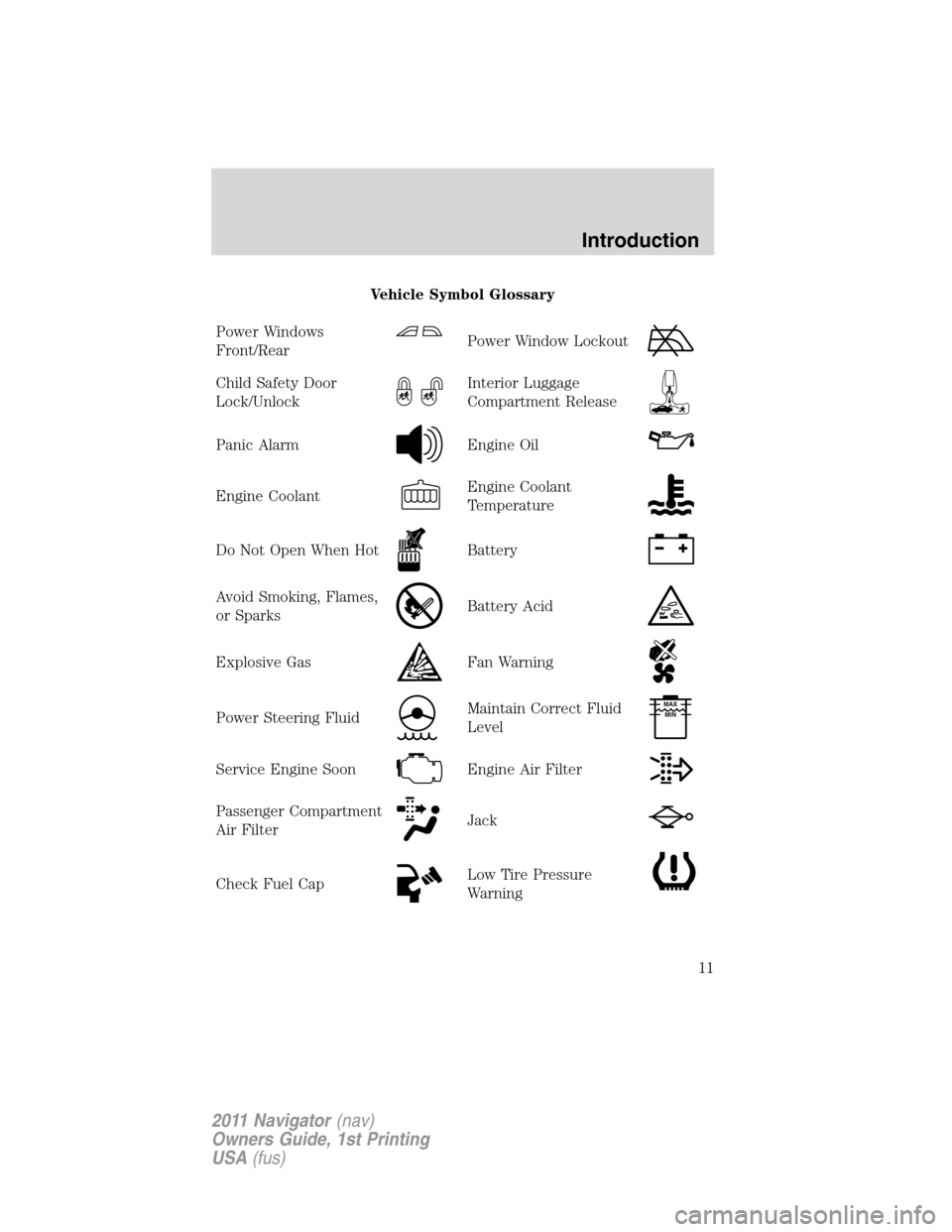
Vehicle Symbol Glossary
Power Windows
Front/Rear
Power Window Lockout
Child Safety Door
Lock/UnlockInterior Luggage
Compartment Release
Panic AlarmEngine Oil
Engine CoolantEngine Coolant
Temperature
Do Not Open When HotBattery
Avoid Smoking, Flames,
or SparksBattery Acid
Explosive GasFan Warning
Power Steering FluidMaintain Correct Fluid
LevelMAX
MIN
Service Engine SoonEngine Air Filter
Passenger Compartment
Air FilterJack
Check Fuel CapLow Tire Pressure
Warning
Introduction
11
2011 Navigator(nav)
Owners Guide, 1st Printing
USA(fus)
Page 15 of 370
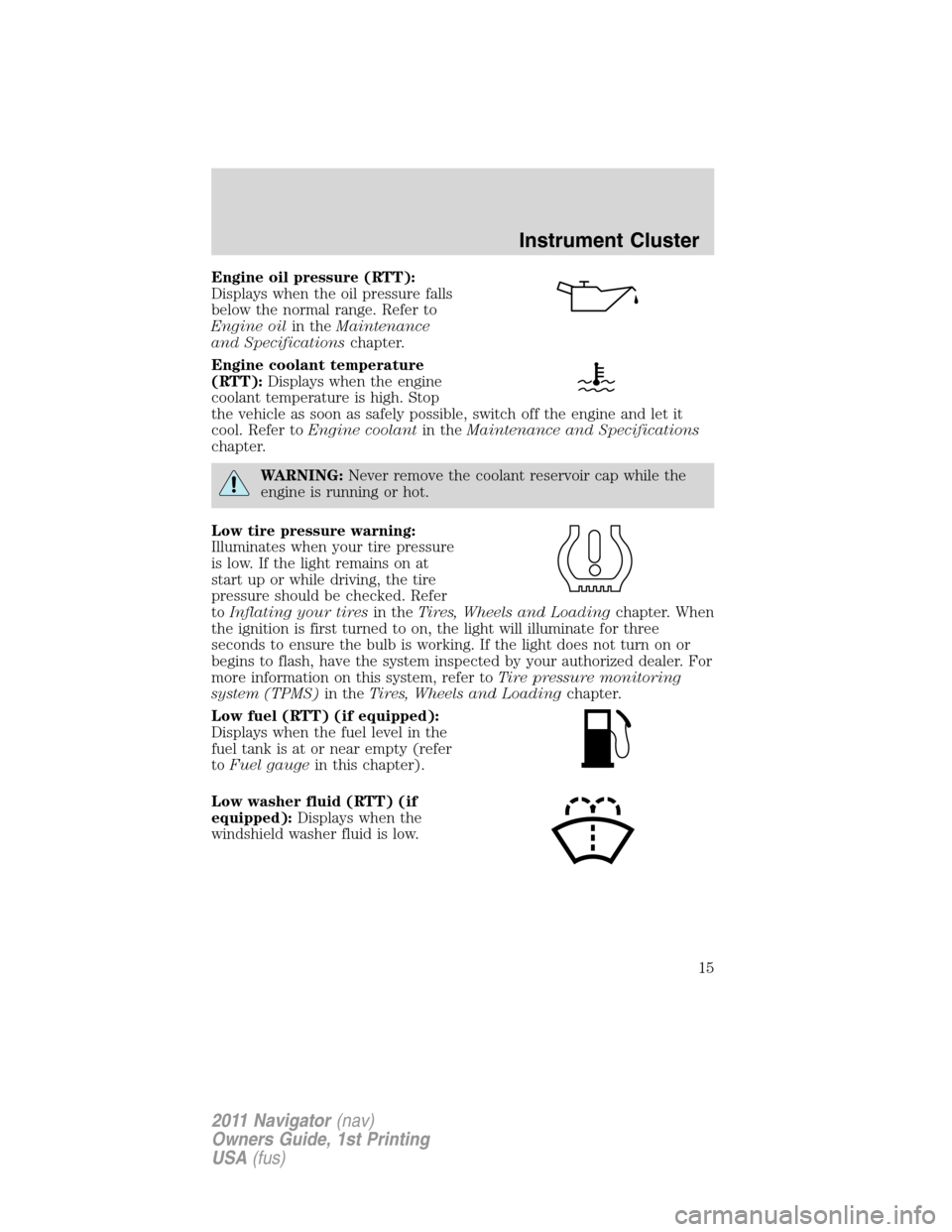
Engine oil pressure (RTT):
Displays when the oil pressure falls
below the normal range. Refer to
Engine oilin theMaintenance
and Specificationschapter.
Engine coolant temperature
(RTT):Displays when the engine
coolant temperature is high. Stop
the vehicle as soon as safely possible, switch off the engine and let it
cool. Refer toEngine coolantin theMaintenance and Specifications
chapter.
WARNING:Never remove the coolant reservoir cap while the
engine is running or hot.
Low tire pressure warning:
Illuminates when your tire pressure
is low. If the light remains on at
start up or while driving, the tire
pressure should be checked. Refer
toInflating your tiresin theTires, Wheels and Loadingchapter. When
the ignition is first turned to on, the light will illuminate for three
seconds to ensure the bulb is working. If the light does not turn on or
begins to flash, have the system inspected by your authorized dealer. For
more information on this system, refer toTire pressure monitoring
system (TPMS)in theTires, Wheels and Loadingchapter.
Low fuel (RTT) (if equipped):
Displays when the fuel level in the
fuel tank is at or near empty (refer
toFuel gaugein this chapter).
Low washer fluid (RTT) (if
equipped):Displays when the
windshield washer fluid is low.
Instrument Cluster
15
2011 Navigator(nav)
Owners Guide, 1st Printing
USA(fus)
Page 19 of 370
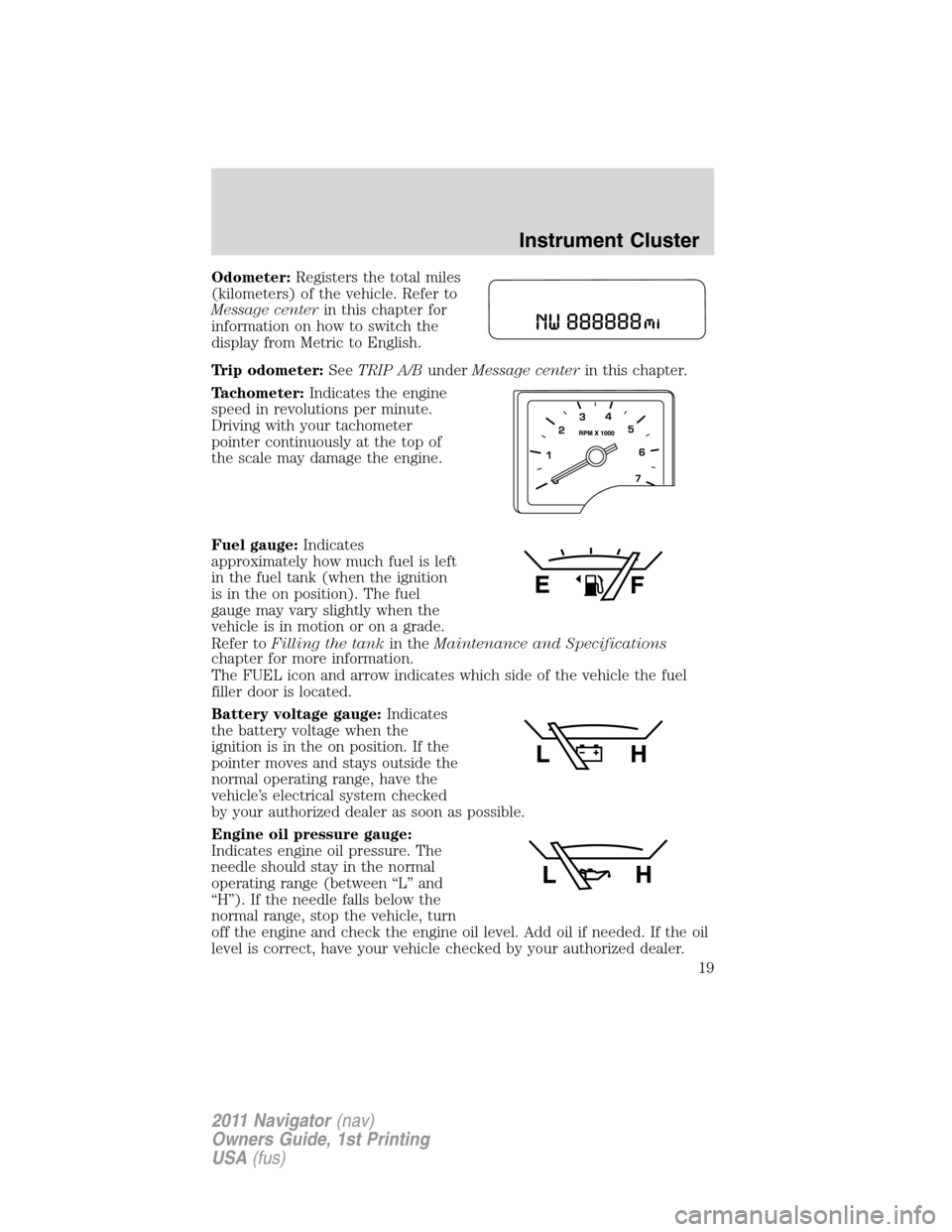
Odometer:Registers the total miles
(kilometers) of the vehicle. Refer to
Message centerin this chapter for
information on how to switch the
display from Metric to English.
Trip odometer:SeeTRIP A/BunderMessage centerin this chapter.
Tachometer:Indicates the engine
speed in revolutions per minute.
Driving with your tachometer
pointer continuously at the top of
the scale may damage the engine.
Fuel gauge:Indicates
approximately how much fuel is left
in the fuel tank (when the ignition
is in the on position). The fuel
gauge may vary slightly when the
vehicle is in motion or on a grade.
Refer toFilling the tankin theMaintenance and Specifications
chapter for more information.
The FUEL icon and arrow indicates which side of the vehicle the fuel
filler door is located.
Battery voltage gauge:Indicates
the battery voltage when the
ignition is in the on position. If the
pointer moves and stays outside the
normal operating range, have the
vehicle’s electrical system checked
by your authorized dealer as soon as possible.
Engine oil pressure gauge:
Indicates engine oil pressure. The
needle should stay in the normal
operating range (between “L” and
“H”). If the needle falls below the
normal range, stop the vehicle, turn
off the engine and check the engine oil level. Add oil if needed. If the oil
level is correct, have your vehicle checked by your authorized dealer.
Instrument Cluster
19
2011 Navigator(nav)
Owners Guide, 1st Printing
USA(fus)
Page 22 of 370
2. Press and release RESET to pause the timer.
3. Press and hold RESET until the timer resets.
System check and vehicle feature customization
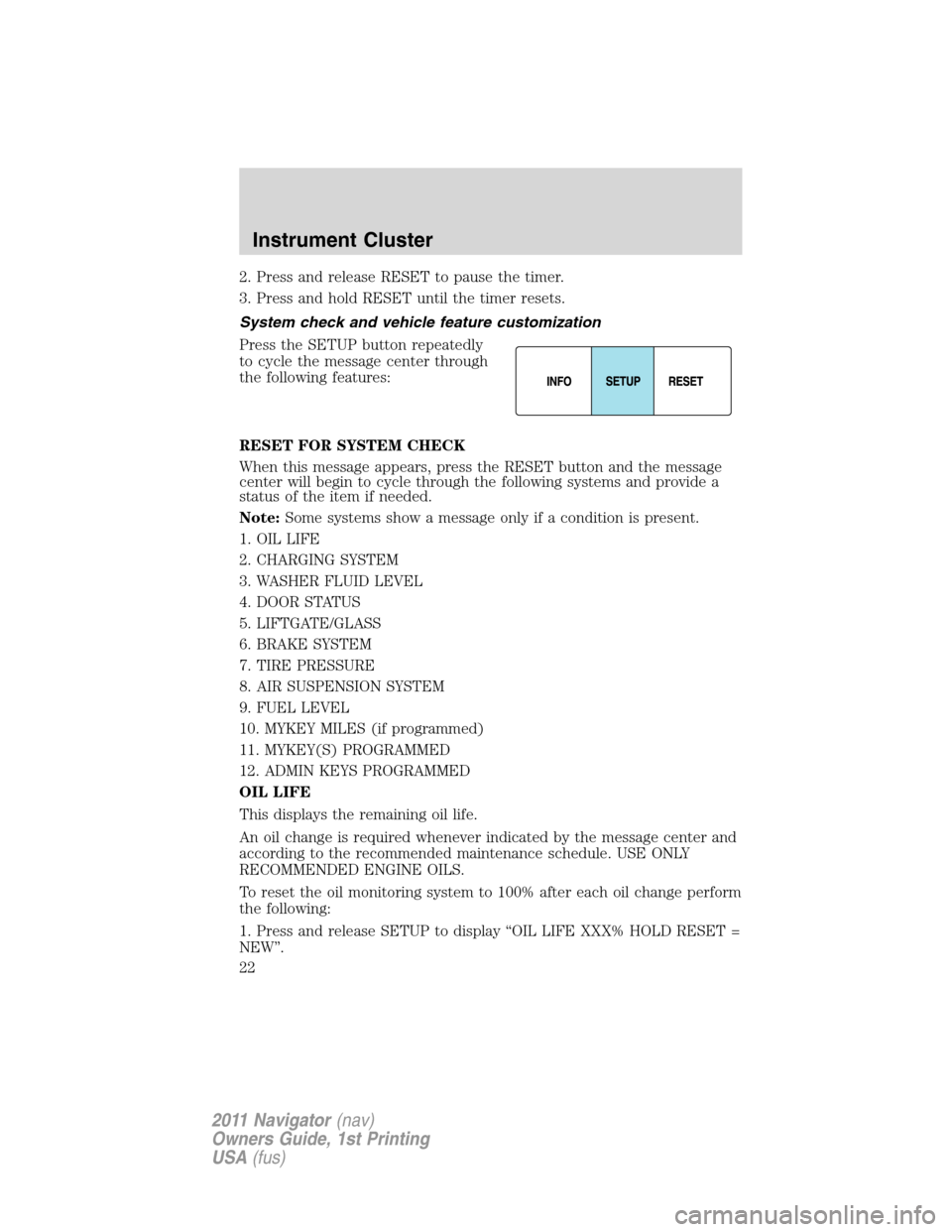
Press the SETUP button repeatedly
to cycle the message center through
the following features:
RESET FOR SYSTEM CHECK
When this message appears, press the RESET button and the message
center will begin to cycle through the following systems and provide a
status of the item if needed.
Note:Some systems show a message only if a condition is present.
1. OIL LIFE
2. CHARGING SYSTEM
3. WASHER FLUID LEVEL
4. DOOR STATUS
5. LIFTGATE/GLASS
6. BRAKE SYSTEM
7. TIRE PRESSURE
8. AIR SUSPENSION SYSTEM
9. FUEL LEVEL
10. MYKEY MILES (if programmed)
11. MYKEY(S) PROGRAMMED
12. ADMIN KEYS PROGRAMMED
OIL LIFE
This displays the remaining oil life.
An oil change is required whenever indicated by the message center and
according to the recommended maintenance schedule. USE ONLY
RECOMMENDED ENGINE OILS.
To reset the oil monitoring system to 100% after each oil change perform
the following:
1. Press and release SETUP to display “OIL LIFE XXX% HOLD RESET =
NEW”.
Instrument Cluster
22
2011 Navigator(nav)
Owners Guide, 1st Printing
USA(fus)
Page 23 of 370
2. Press and hold RESET for two seconds and release to reset the oil life
to 100%.
Note:To change oil life 100% value to another value, proceed to Step 3.
3. Once “OIL LIFE SET TO XXX%” is displayed, release and press
RESET to change the Oil Life Start Value. Each release and press will
reduce the value by 10%.
UNITS
Displays the current units English or Metric.
Press the RESET button to change from English to Metric.
AUTOLAMP (SEC)
This feature keeps your headlights on for up to three minutes after the
ignition is switched off.
Press the RESET button to select the new Autolamp delay values of 0,
10, 20, 30, 60, 90, 120 or 180 seconds.
AUTOLOCK
This feature automatically locks all vehicle doors when the vehicle is
shifted into any gear, putting the vehicle in motion.
Press the RESET button to turn autolock on or off.
AUTOUNLOCK
This feature automatically unlocks all vehicle doors when the driver’s
door is opened within 10 minutes of the ignition being turned off.
Press the RESET button to turn autounlock on or off.
RUNNING BOARDS (if equipped)
This feature automatically deploys the side running boards for easy
entry/exit from the vehicle or for cleaning.
Press the RESET button to select the running boards setting as follows:
•AUTO: the running boards will automatically deploy when a door is
opened and automatically retract when the door is closed,
•OUT: the running boards will remain deployed regardless of the doors
being open/closed. This setting can be used when washing the vehicle, or
accessing the roof rack. The running boards will stow and enter AUTO
mode when the vehicle speed exceeds 5 mph (8 km/h),
•OFF: the running boards will remain IN regardless of the doors being
open/closed.
Instrument Cluster
23
2011 Navigator(nav)
Owners Guide, 1st Printing
USA(fus)
Page 28 of 370
ENGINE OIL CHANGE SOON— Displayed when the engine oil life
remaining is 10% or less. When oil life left is between 10% and 0%, the
XX% OIL LIFE CHANGE SOON message will be displayed.
OIL CHANGE REQUIRED— Displayed when the oil life left reaches 0%.
CHECK AIR SUSPENSION (if equipped)— Displayed when the air
suspension system is not operating properly. If this message is displayed
while driving, pull off the road as soon as safely possible. For more
information, refer toAir suspension systemin theDrivingchapter.
CHECK BRAKE SYSTEM— Displayed when the braking system is not
operating properly. If the warning stays on or continues to come on,
contact your authorized dealer as soon as possible.
XXX MILES TO E FUEL LEVEL LOW— Displayed as an early
reminder of a low fuel condition.
PARK BRAKE ENGAGED— Displayed when the parking brake is set,
the engine is running and the vehicle is driven more than 3 mph
(5 km/h). If the warning stays on after the parking brake is released,
contact your authorized dealer as soon as possible.
TRAILER SWAY REDUCE SPEED (if equipped)— Displayed when
the trailer sway control has detected trailer sway. For more information,
refer to theDrivingchapter for more information.
4X4 SHIFT IN PROGRESS— Displayed when the 4X4 system is
making a shift. For more information, refer toControl trac four-wheel
drive (4X4) operationin theDrivingchapter.
FOR 4X4 LOW SLOW TO 3 MPH (if equipped)— Displayed when
4X4 LOW is selected while the vehicle is moving. For more information,
refer toControl trac four-wheel drive (4X4) operationin theDriving
chapter.
FOR 4X4 LOW SHIFT TO N (if equipped)— Displayed when 4X4 LOW
is selected and the vehicle is stopped. For more information, refer to
Control trac four-wheel drive (4X4) operationin theDrivingchapter.
TO EXIT 4X4 LOW SLOW TO 3 MPH (if equipped)— Displayed
when 2WD is selected while the vehicle is operating in 4X4 LOW. For
more information, refer toControl trac four-wheel drive (4X4)
operationin theDrivingchapter.
TO EXIT 4X4 LOW SHIFT TO N (if equipped)— Displayed when
2WD is selected while the vehicle has been stopped in 4X4 LOW. For
more information, refer toControl trac four-wheel drive (4X4)
operationin theDrivingchapter.
Instrument Cluster
28
2011 Navigator(nav)
Owners Guide, 1st Printing
USA(fus)
Page 180 of 370
Follow all instructions provided by the manufacturer of the booster seat.
WARNING:Never place, or allow a child to place, the shoulder
belt under a child’s arm or behind the back because it reduces
the protection for the upper part of the body and may increase the risk
of injury or death in a collision.
Child restraints and safety belt maintenance
Inspect the vehicle safety belts and child safety seat systems periodically
to make sure they work properly and are not damaged. Inspect the
vehicle and child seat safety belts to make sure there are no nicks, tears
or cuts. Replace if necessary. All vehicle safety belt assemblies, including
retractors, buckles, front safety belt buckle assemblies, buckle support
assemblies (slide bar-if equipped), shoulder belt height adjusters (if
equipped), shoulder belt guide on seatback (if equipped), child safety
seat LATCH and tether anchors, and attaching hardware, should be
inspected after a collision. Refer to the child restraint manufacturer’s
instructions for additional inspection and maintenance information
specific to the child restraint. Ford Motor Company recommends that all
safety belt assemblies in use in vehicles involved in a collision be
replaced. However, if the collision was minor and an authorized dealer
finds that the belts do not show damage and continue to operate
properly, they do not need to be replaced. Safety belt assemblies not in
use during a collision should also be inspected and replaced if either
damage or improper operation is noted.
For proper care of soiled safety belts, refer toInteriorin theCleaning
chapter.
WARNING:Failure to inspect and if necessary replace the
safety belt assembly or child restraint system under the above
conditions could result in severe personal injuries in the event of a
collision.
Seating and Safety Restraints
180
2011 Navigator(nav)
Owners Guide, 1st Printing
USA(fus)
Page 259 of 370
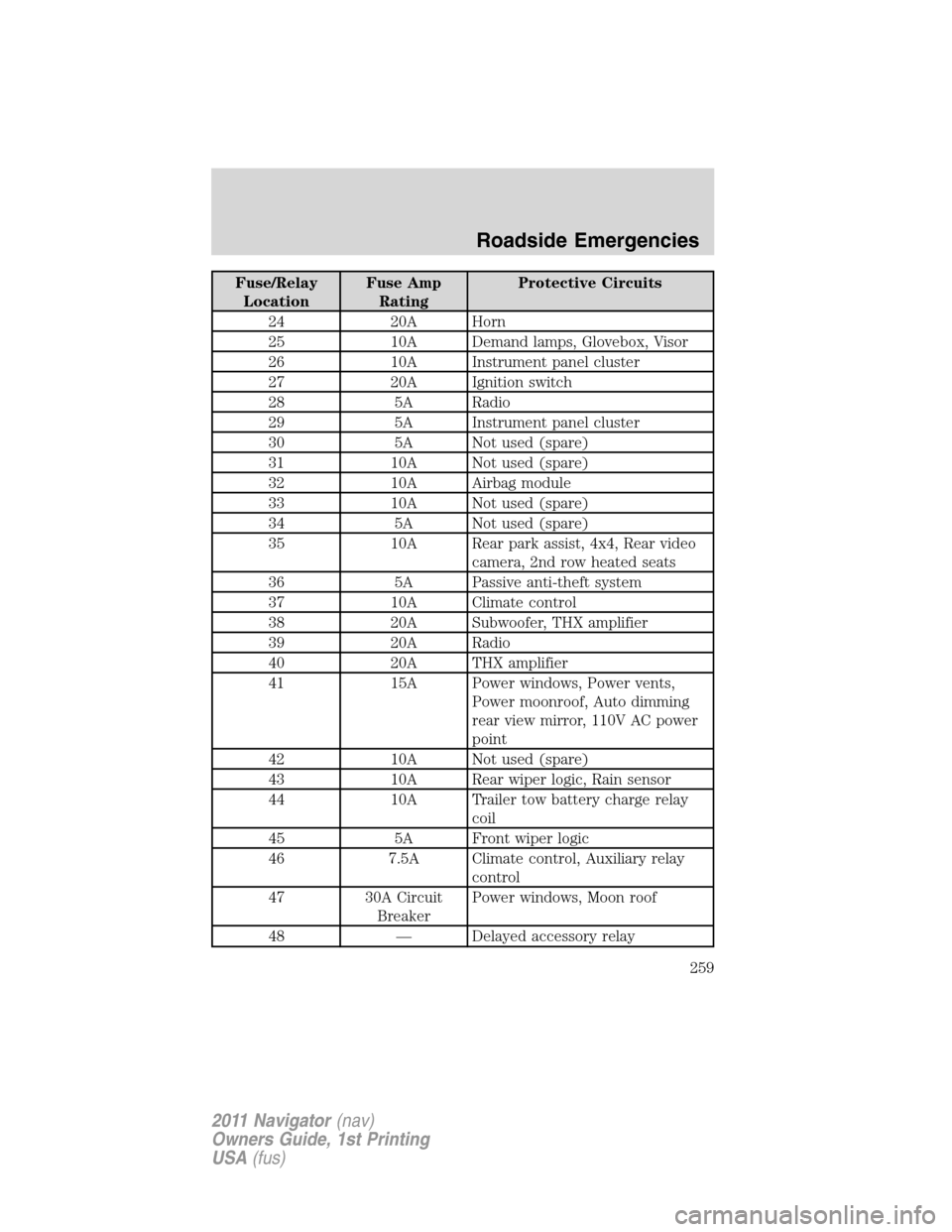
Fuse/Relay
LocationFuse Amp
RatingProtective Circuits
24 20A Horn
25 10A Demand lamps, Glovebox, Visor
26 10A Instrument panel cluster
27 20A Ignition switch
28 5A Radio
29 5A Instrument panel cluster
30 5A Not used (spare)
31 10A Not used (spare)
32 10A Airbag module
33 10A Not used (spare)
34 5A Not used (spare)
35 10A Rear park assist, 4x4, Rear video
camera, 2nd row heated seats
36 5A Passive anti-theft system
37 10A Climate control
38 20A Subwoofer, THX amplifier
39 20A Radio
40 20A THX amplifier
41 15A Power windows, Power vents,
Power moonroof, Auto dimming
rear view mirror, 110V AC power
point
42 10A Not used (spare)
43 10A Rear wiper logic, Rain sensor
44 10A Trailer tow battery charge relay
coil
45 5A Front wiper logic
46 7.5A Climate control, Auxiliary relay
control
47 30A Circuit
BreakerPower windows, Moon roof
48 — Delayed accessory relay
Roadside Emergencies
259
2011 Navigator(nav)
Owners Guide, 1st Printing
USA(fus)