Radio stations LINCOLN NAVIGATOR 2013 User Guide
[x] Cancel search | Manufacturer: LINCOLN, Model Year: 2013, Model line: NAVIGATOR, Model: LINCOLN NAVIGATOR 2013Pages: 481, PDF Size: 5.29 MB
Page 429 of 481
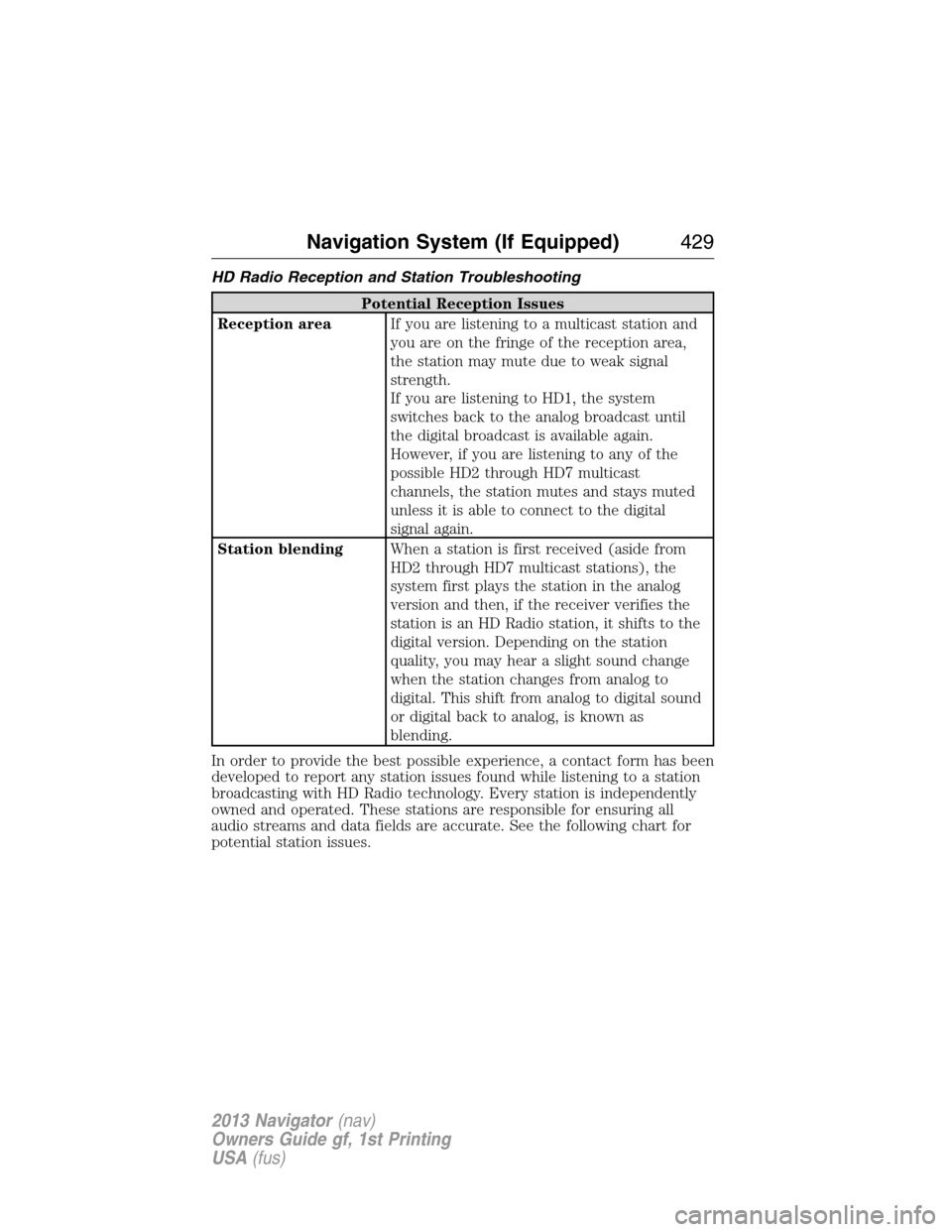
HD Radio Reception and Station Troubleshooting
Potential Reception Issues
Reception areaIf you are listening to a multicast station and
you are on the fringe of the reception area,
the station may mute due to weak signal
strength.
If you are listening to HD1, the system
switches back to the analog broadcast until
the digital broadcast is available again.
However, if you are listening to any of the
possible HD2 through HD7 multicast
channels, the station mutes and stays muted
unless it is able to connect to the digital
signal again.
Station blendingWhen a station is first received (aside from
HD2 through HD7 multicast stations), the
system first plays the station in the analog
version and then, if the receiver verifies the
station is an HD Radio station, it shifts to the
digital version. Depending on the station
quality, you may hear a slight sound change
when the station changes from analog to
digital. This shift from analog to digital sound
or digital back to analog, is known as
blending.
In order to provide the best possible experience, a contact form has been
developed to report any station issues found while listening to a station
broadcasting with HD Radio technology. Every station is independently
owned and operated. These stations are responsible for ensuring all
audio streams and data fields are accurate. See the following chart for
potential station issues.
Navigation System (If Equipped)429
2013 Navigator(nav)
Owners Guide gf, 1st Printing
USA(fus)
Page 430 of 481
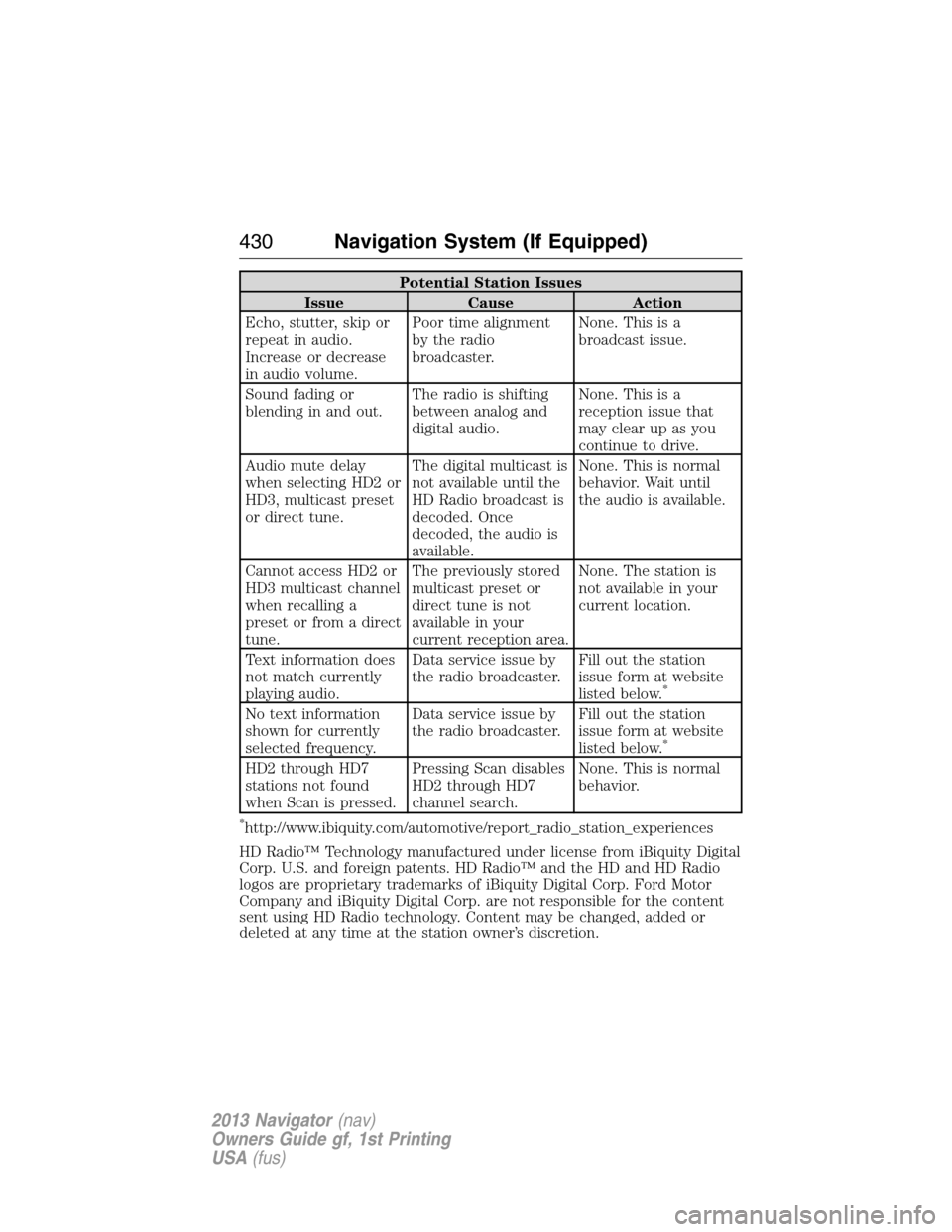
Potential Station Issues
Issue Cause Action
Echo, stutter, skip or
repeat in audio.
Increase or decrease
in audio volume.Poor time alignment
by the radio
broadcaster.None. This is a
broadcast issue.
Sound fading or
blending in and out.The radio is shifting
between analog and
digital audio.None. This is a
reception issue that
may clear up as you
continue to drive.
Audio mute delay
when selecting HD2 or
HD3, multicast preset
or direct tune.The digital multicast is
not available until the
HD Radio broadcast is
decoded. Once
decoded, the audio is
available.None. This is normal
behavior. Wait until
the audio is available.
Cannot access HD2 or
HD3 multicast channel
when recalling a
preset or from a direct
tune.The previously stored
multicast preset or
direct tune is not
available in your
current reception area.None. The station is
not available in your
current location.
Text information does
not match currently
playing audio.Data service issue by
the radio broadcaster.Fill out the station
issue form at website
listed below.
*
No text information
shown for currently
selected frequency.Data service issue by
the radio broadcaster.Fill out the station
issue form at website
listed below.
*
HD2 through HD7
stations not found
when Scan is pressed.Pressing Scan disables
HD2 through HD7
channel search.None. This is normal
behavior.
*http://www.ibiquity.com/automotive/report_radio_station_experiences
HD Radio™ Technology manufactured under license from iBiquity Digital
Corp. U.S. and foreign patents. HD Radio™ and the HD and HD Radio
logos are proprietary trademarks of iBiquity Digital Corp. Ford Motor
Company and iBiquity Digital Corp. are not responsible for the content
sent using HD Radio technology. Content may be changed, added or
deleted at any time at the station owner’s discretion.
430Navigation System (If Equipped)
2013 Navigator(nav)
Owners Guide gf, 1st Printing
USA(fus)