ignition LINCOLN NAVIGATOR 2013 Owner's Manual
[x] Cancel search | Manufacturer: LINCOLN, Model Year: 2013, Model line: NAVIGATOR, Model: LINCOLN NAVIGATOR 2013Pages: 481, PDF Size: 5.29 MB
Page 79 of 481
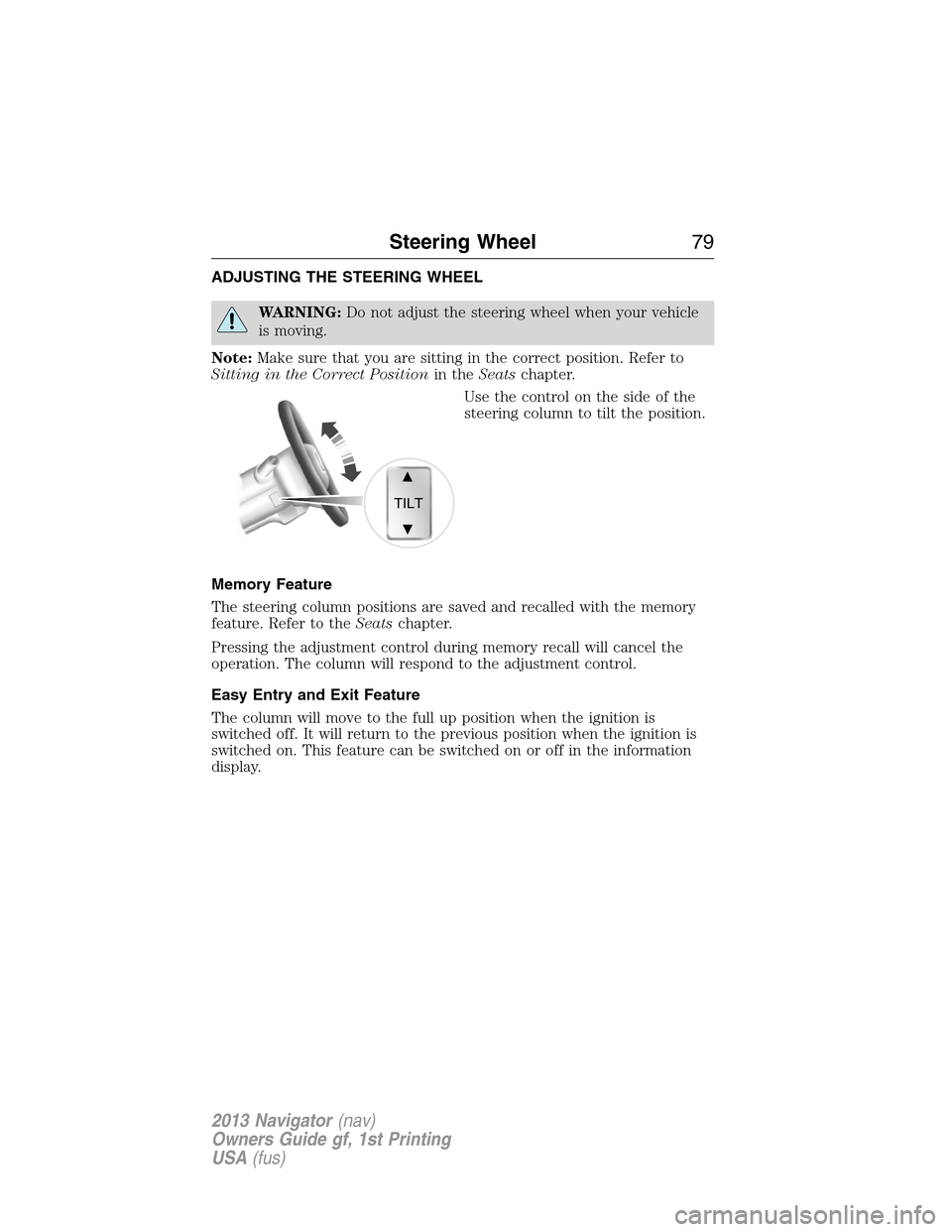
ADJUSTING THE STEERING WHEEL
WARNING:Do not adjust the steering wheel when your vehicle
is moving.
Note:Make sure that you are sitting in the correct position. Refer to
Sitting in the Correct Positionin theSeatschapter.
Use the control on the side of the
steering column to tilt the position.
Memory Feature
The steering column positions are saved and recalled with the memory
feature. Refer to theSeatschapter.
Pressing the adjustment control during memory recall will cancel the
operation. The column will respond to the adjustment control.
Easy Entry and Exit Feature
The column will move to the full up position when the ignition is
switched off. It will return to the previous position when the ignition is
switched on. This feature can be switched on or off in the information
display.
TILT
Steering Wheel79
2013 Navigator(nav)
Owners Guide gf, 1st Printing
USA(fus)
Page 86 of 481
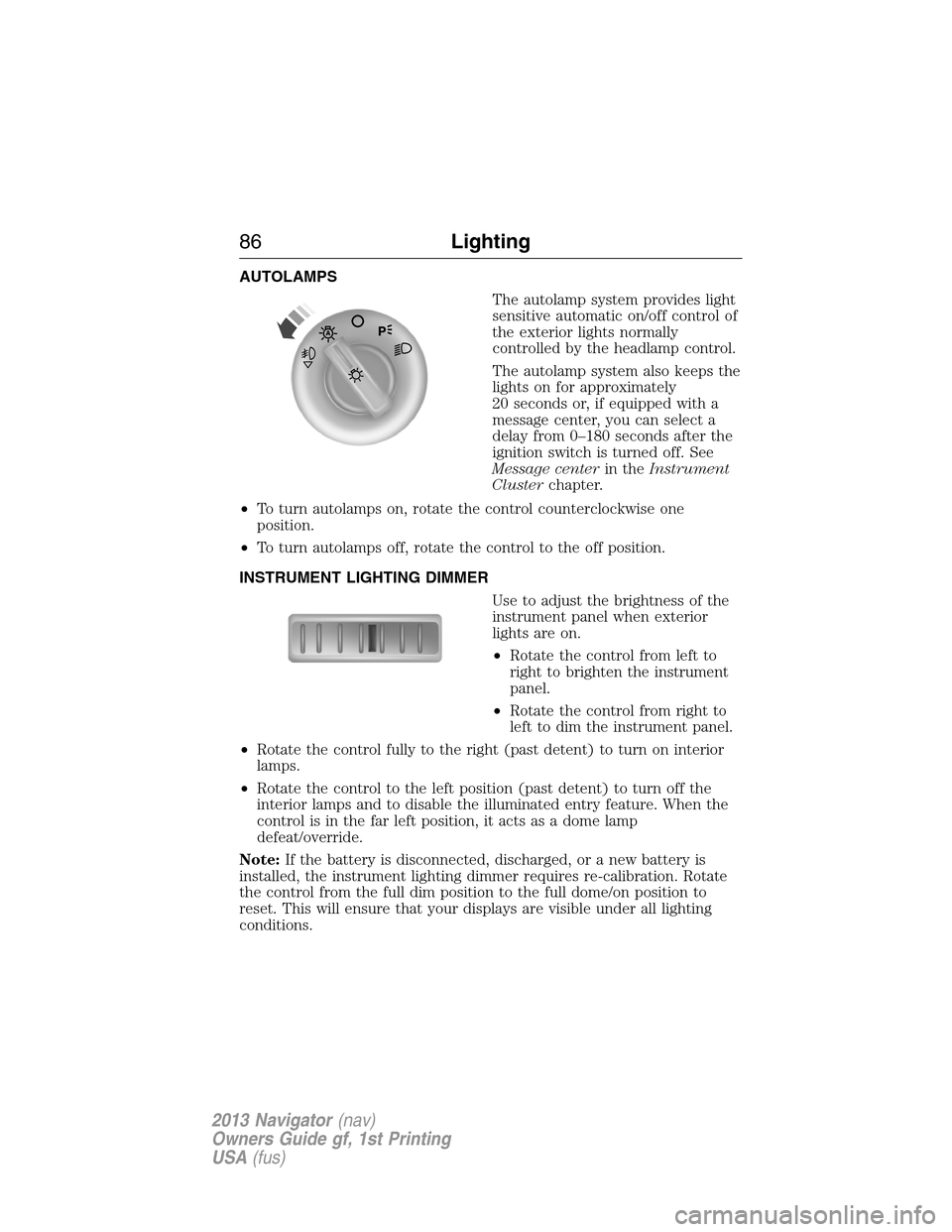
AUTOLAMPS
The autolamp system provides light
sensitive automatic on/off control of
the exterior lights normally
controlled by the headlamp control.
The autolamp system also keeps the
lights on for approximately
20 seconds or, if equipped with a
message center, you can select a
delay from 0–180 seconds after the
ignition switch is turned off. See
Message centerin theInstrument
Clusterchapter.
•To turn autolamps on, rotate the control counterclockwise one
position.
•To turn autolamps off, rotate the control to the off position.
INSTRUMENT LIGHTING DIMMER
Use to adjust the brightness of the
instrument panel when exterior
lights are on.
•Rotate the control from left to
right to brighten the instrument
panel.
•Rotate the control from right to
left to dim the instrument panel.
•Rotate the control fully to the right (past detent) to turn on interior
lamps.
•Rotate the control to the left position (past detent) to turn off the
interior lamps and to disable the illuminated entry feature. When the
control is in the far left position, it acts as a dome lamp
defeat/override.
Note:If the battery is disconnected, discharged, or a new battery is
installed, the instrument lighting dimmer requires re-calibration. Rotate
the control from the full dim position to the full dome/on position to
reset. This will ensure that your displays are visible under all lighting
conditions.
86Lighting
2013 Navigator(nav)
Owners Guide gf, 1st Printing
USA(fus)
Page 87 of 481
DAYTIME RUNNING LAMPS (DRL) (IF EQUIPPED)
WARNING:Always remember to turn on your headlamps at
dusk or during inclement weather. The Daytime Running Lamp
(DRL) system does not activate the tail lamps and generally may not
provide adequate lighting during these conditions. Failure to activate
your headlamps under these conditions may result in a collision.
Turns the fog lamps on at full intensity output. To activate:
•the ignition must be in the on position and
•the headlamp control must be in the off, parking lamps or autolamp
position.
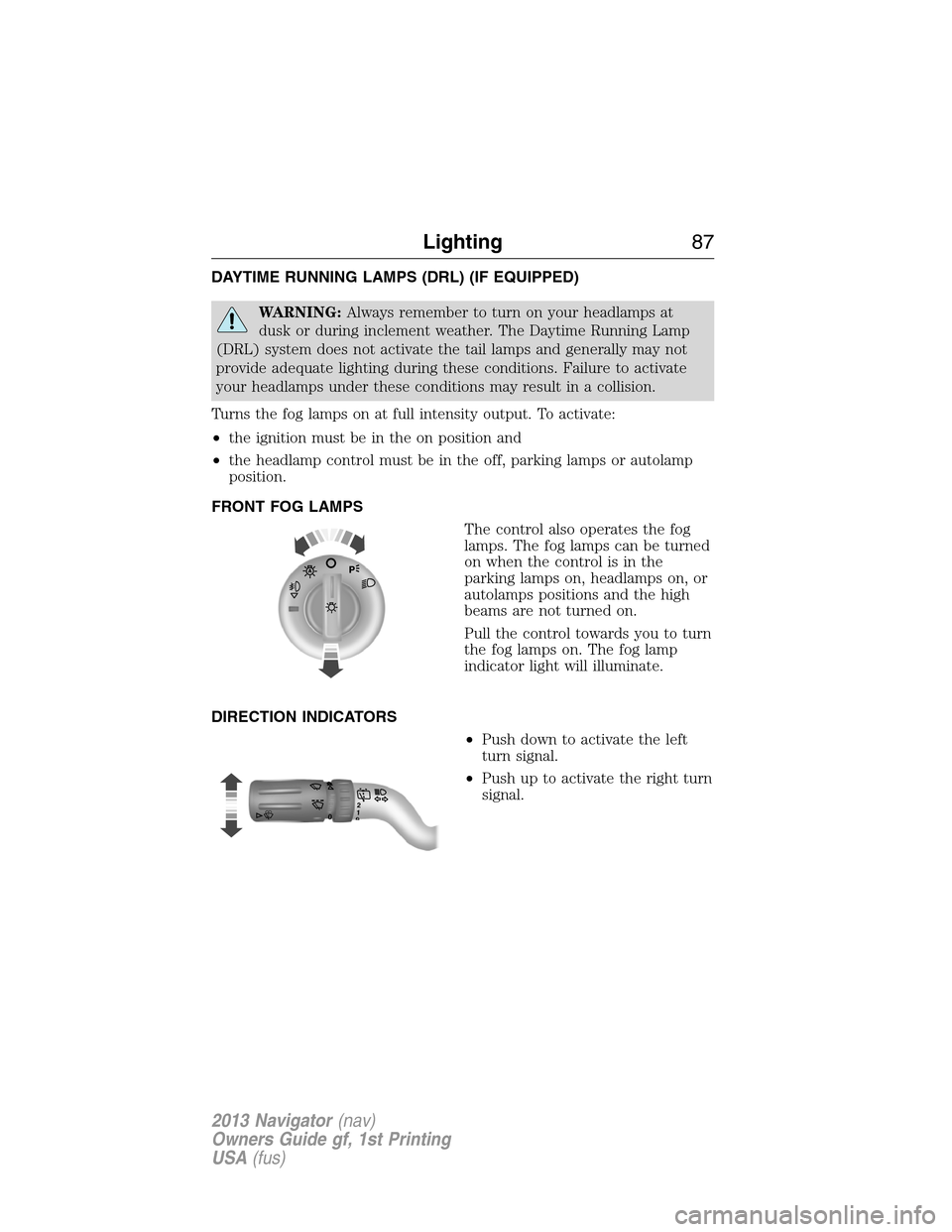
FRONT FOG LAMPS
The control also operates the fog
lamps. The fog lamps can be turned
on when the control is in the
parking lamps on, headlamps on, or
autolamps positions and the high
beams are not turned on.
Pull the control towards you to turn
the fog lamps on. The fog lamp
indicator light will illuminate.
DIRECTION INDICATORS
•Push down to activate the left
turn signal.
•Push up to activate the right turn
signal.
120
Lighting87
2013 Navigator(nav)
Owners Guide gf, 1st Printing
USA(fus)
Page 88 of 481
INTERIOR LAMPS
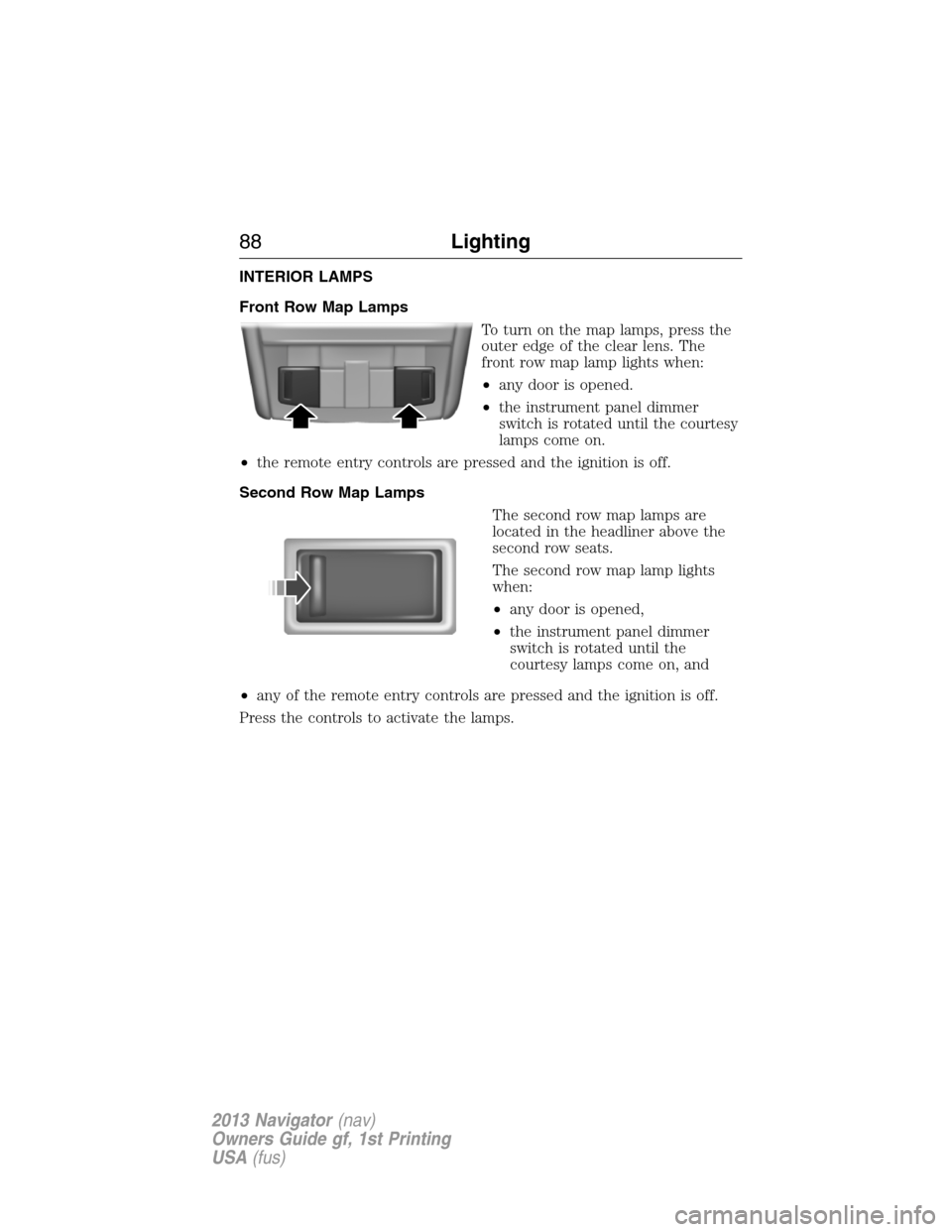
Front Row Map Lamps
To turn on the map lamps, press the
outer edge of the clear lens. The
front row map lamp lights when:
•any door is opened.
•the instrument panel dimmer
switch is rotated until the courtesy
lamps come on.
•the remote entry controls are pressed and the ignition is off.
Second Row Map Lamps
The second row map lamps are
located in the headliner above the
second row seats.
The second row map lamp lights
when:
•any door is opened,
•the instrument panel dimmer
switch is rotated until the
courtesy lamps come on, and
•any of the remote entry controls are pressed and the ignition is off.
Press the controls to activate the lamps.
88Lighting
2013 Navigator(nav)
Owners Guide gf, 1st Printing
USA(fus)
Page 89 of 481
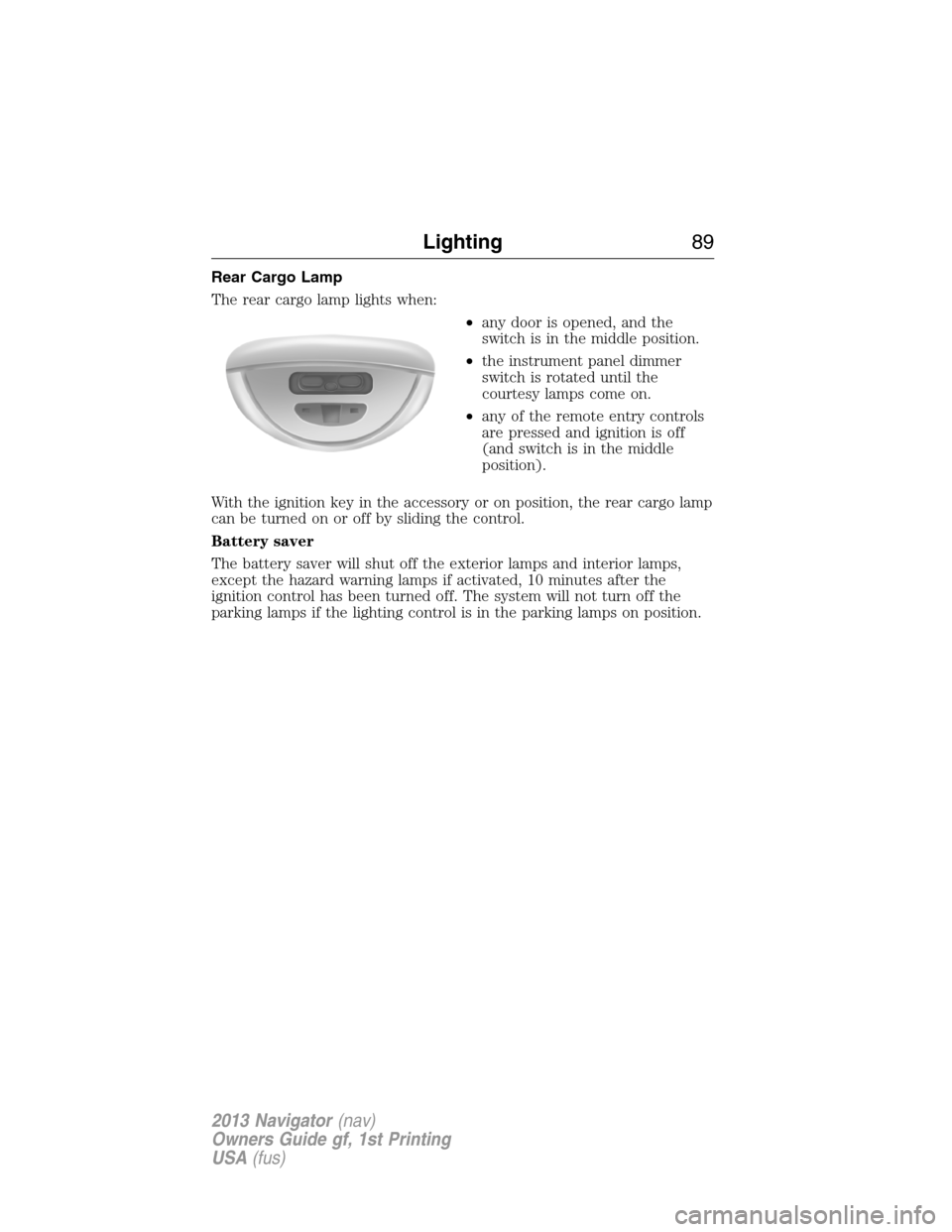
Rear Cargo Lamp
The rear cargo lamp lights when:
•any door is opened, and the
switch is in the middle position.
•the instrument panel dimmer
switch is rotated until the
courtesy lamps come on.
•any of the remote entry controls
are pressed and ignition is off
(and switch is in the middle
position).
With the ignition key in the accessory or on position, the rear cargo lamp
can be turned on or off by sliding the control.
Battery saver
The battery saver will shut off the exterior lamps and interior lamps,
except the hazard warning lamps if activated, 10 minutes after the
ignition control has been turned off. The system will not turn off the
parking lamps if the lighting control is in the parking lamps on position.
Lighting89
2013 Navigator(nav)
Owners Guide gf, 1st Printing
USA(fus)
Page 91 of 481
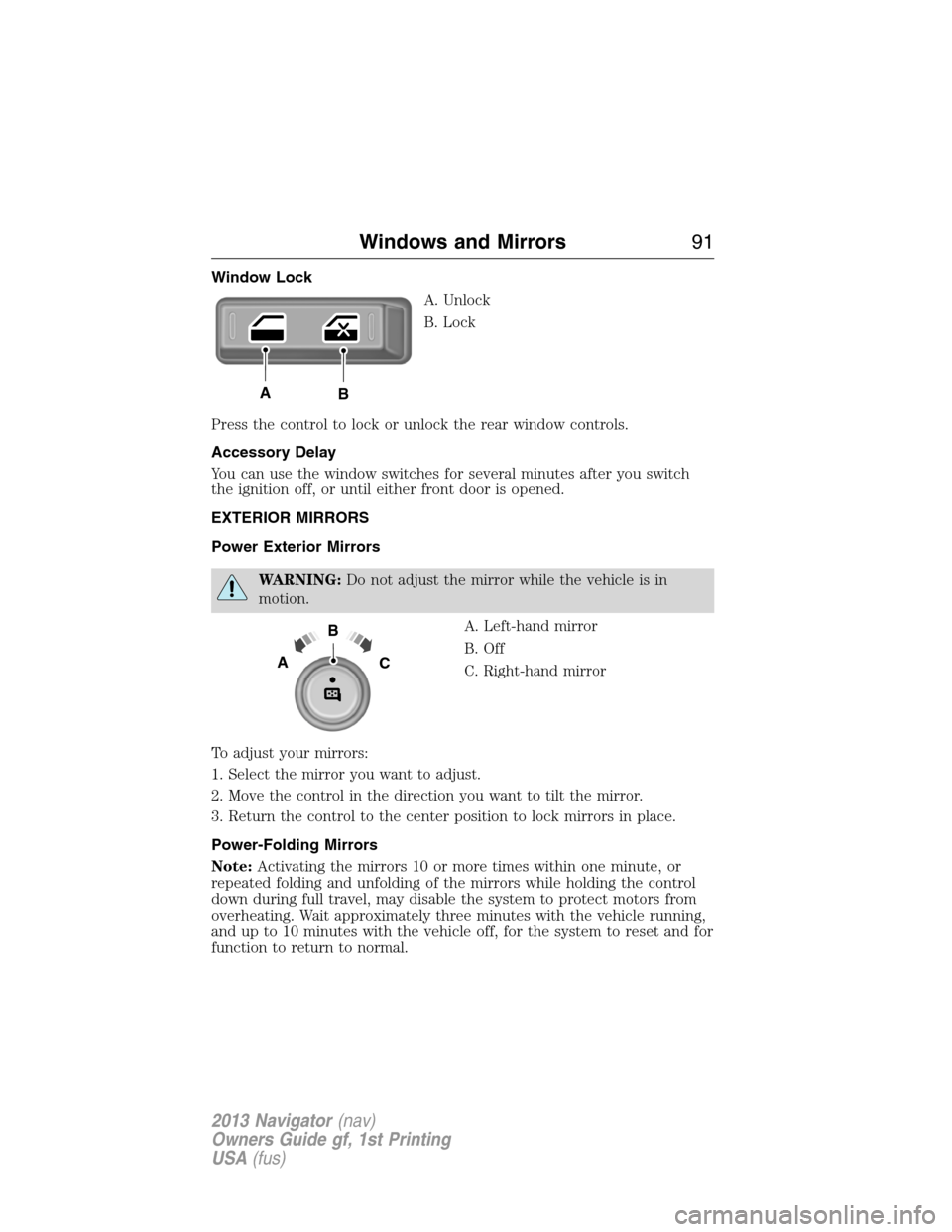
Window Lock
A. Unlock
B. Lock
Press the control to lock or unlock the rear window controls.
Accessory Delay
You can use the window switches for several minutes after you switch
the ignition off, or until either front door is opened.
EXTERIOR MIRRORS
Power Exterior Mirrors
WARNING:Do not adjust the mirror while the vehicle is in
motion.
A. Left-hand mirror
B. Off
C. Right-hand mirror
To adjust your mirrors:
1. Select the mirror you want to adjust.
2. Move the control in the direction you want to tilt the mirror.
3. Return the control to the center position to lock mirrors in place.
Power-Folding Mirrors
Note:Activating the mirrors 10 or more times within one minute, or
repeated folding and unfolding of the mirrors while holding the control
down during full travel, may disable the system to protect motors from
overheating. Wait approximately three minutes with the vehicle running,
and up to 10 minutes with the vehicle off, for the system to reset and for
function to return to normal.
AB
B
AC
Windows and Mirrors91
2013 Navigator(nav)
Owners Guide gf, 1st Printing
USA(fus)
Page 97 of 481
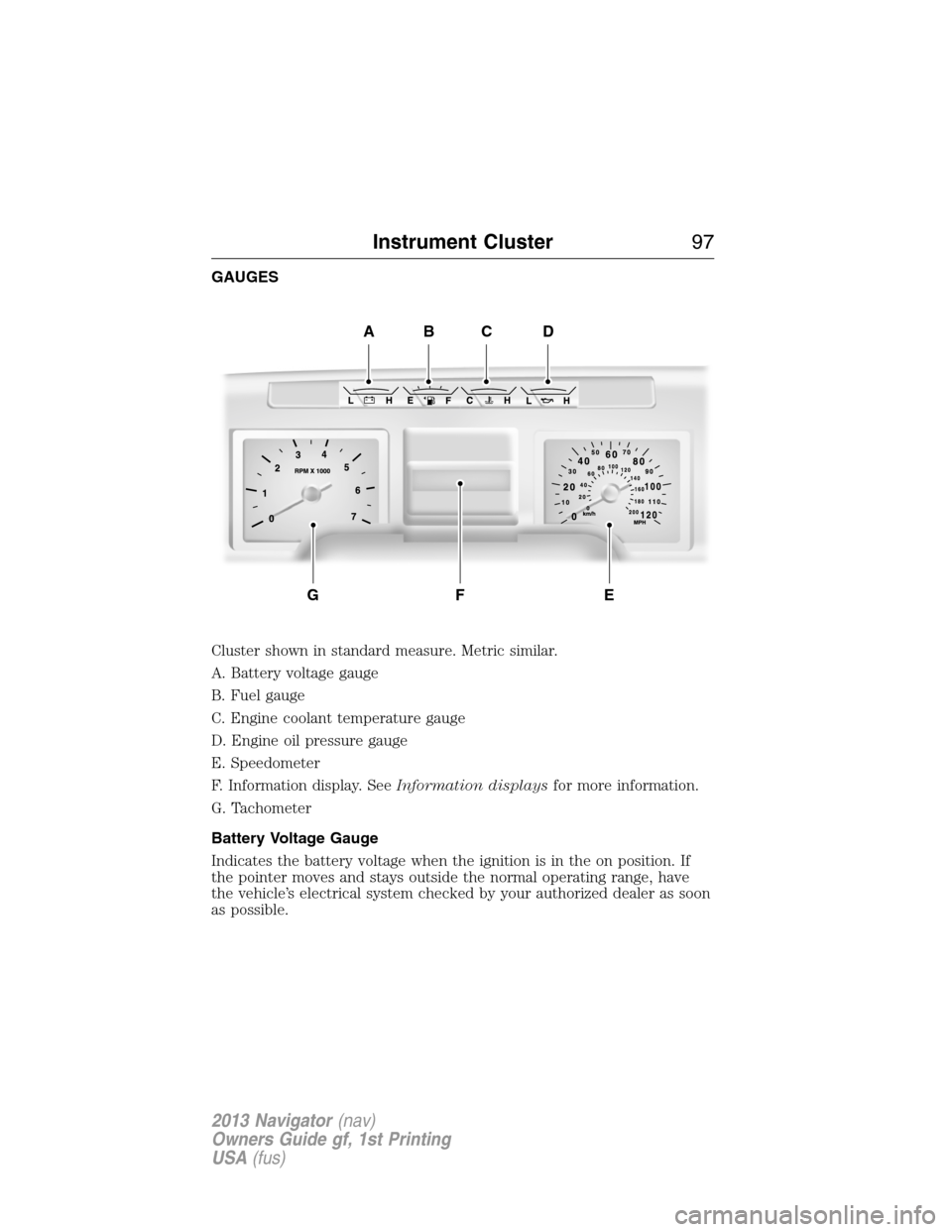
GAUGES
Cluster shown in standard measure. Metric similar.
A. Battery voltage gauge
B. Fuel gauge
C. Engine coolant temperature gauge
D. Engine oil pressure gauge
E. Speedometer
F. Information display. SeeInformation displaysfor more information.
G. Tachometer
Battery Voltage Gauge
Indicates the battery voltage when the ignition is in the on position. If
the pointer moves and stays outside the normal operating range, have
the vehicle’s electrical system checked by your authorized dealer as soon
as possible.
ABCD
EFG
Instrument Cluster97
2013 Navigator(nav)
Owners Guide gf, 1st Printing
USA(fus)
Page 98 of 481
Fuel Gauge
Indicates approximately how much fuel is left in the fuel tank (when the
ignition is on). The fuel gauge may vary slightly when the vehicle is in
motion or on a grade. The fuel icon and arrow indicates which side of
the vehicle the fuel filler door is located.
Engine Coolant Temperature Gauge
Indicates engine coolant temperature. At normal operating temperature,
the level indicator will be in the normal range. If the engine coolant
temperature exceeds the normal range, stop the vehicle as soon as safely
possible, switch off the engine and let the engine cool.
WARNING:Never remove the coolant reservoir cap while the
engine is running or hot.
Engine Oil Pressure Gauge
Indicates engine oil pressure. The needle should stay in the normal
operating range. If the needle falls below the normal range, stop the
vehicle, turn off the engine and check the engine oil level. Add oil if
needed. If the oil level is correct, have your vehicle checked at your
authorized dealer.
Information Display
Odometer
Located in the bottom of the information display Registers the
accumulated distance your vehicle has travelled.
Trip Computer
SeeTrip A/BinInformation Displays.
Vehicle Settings and Personalization
SeeInformation Displays.
98Instrument Cluster
2013 Navigator(nav)
Owners Guide gf, 1st Printing
USA(fus)
Page 99 of 481
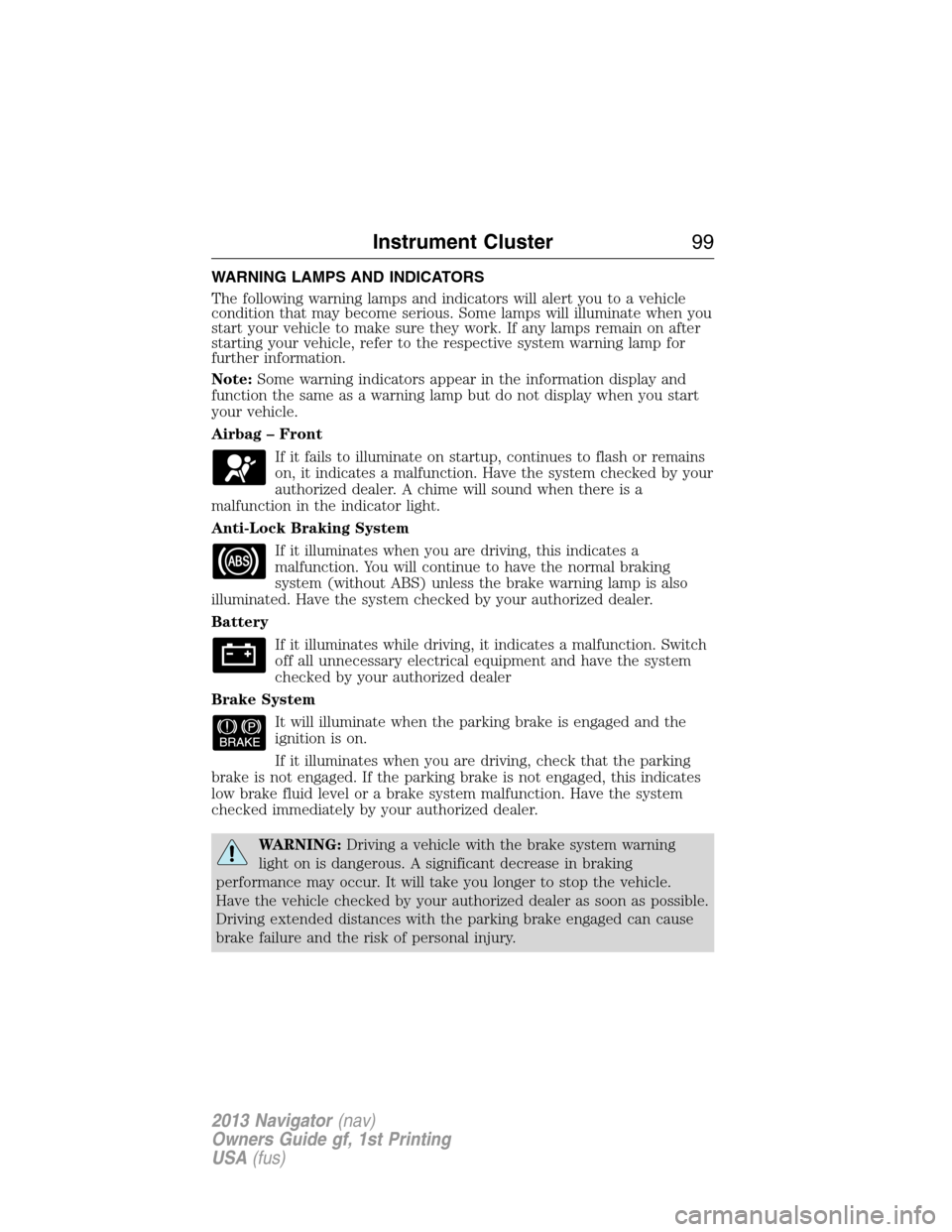
WARNING LAMPS AND INDICATORS
The following warning lamps and indicators will alert you to a vehicle
condition that may become serious. Some lamps will illuminate when you
start your vehicle to make sure they work. If any lamps remain on after
starting your vehicle, refer to the respective system warning lamp for
further information.
Note:Some warning indicators appear in the information display and
function the same as a warning lamp but do not display when you start
your vehicle.
Airbag – Front
If it fails to illuminate on startup, continues to flash or remains
on, it indicates a malfunction. Have the system checked by your
authorized dealer. A chime will sound when there is a
malfunction in the indicator light.
Anti-Lock Braking System
If it illuminates when you are driving, this indicates a
malfunction. You will continue to have the normal braking
system (without ABS) unless the brake warning lamp is also
illuminated. Have the system checked by your authorized dealer.
Battery
If it illuminates while driving, it indicates a malfunction. Switch
off all unnecessary electrical equipment and have the system
checked by your authorized dealer
Brake System
It will illuminate when the parking brake is engaged and the
ignition is on.
If it illuminates when you are driving, check that the parking
brake is not engaged. If the parking brake is not engaged, this indicates
low brake fluid level or a brake system malfunction. Have the system
checked immediately by your authorized dealer.
WARNING:Driving a vehicle with the brake system warning
light on is dangerous. A significant decrease in braking
performance may occur. It will take you longer to stop the vehicle.
Have the vehicle checked by your authorized dealer as soon as possible.
Driving extended distances with the parking brake engaged can cause
brake failure and the risk of personal injury.
Instrument Cluster99
2013 Navigator(nav)
Owners Guide gf, 1st Printing
USA(fus)
Page 100 of 481
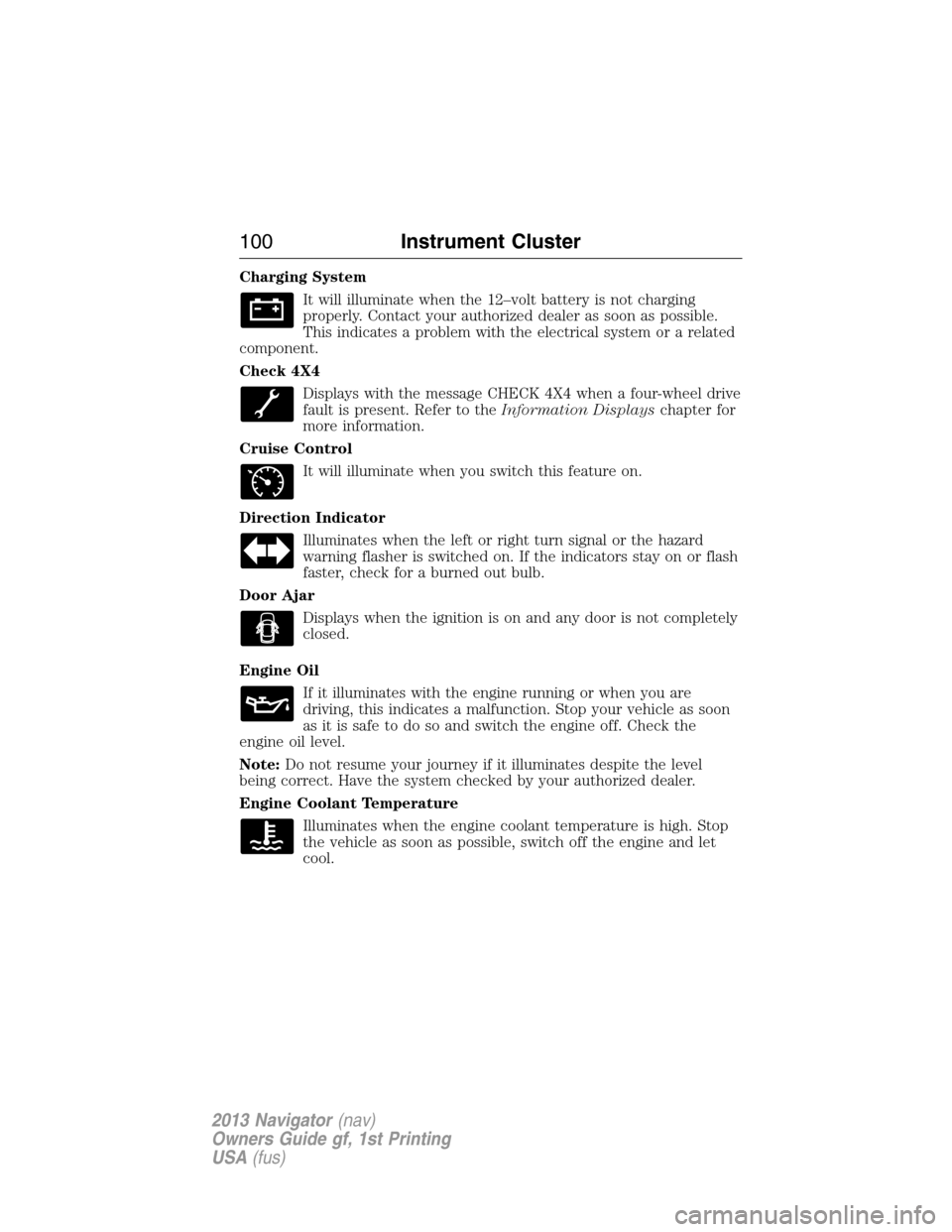
Charging System
It will illuminate when the 12–volt battery is not charging
properly. Contact your authorized dealer as soon as possible.
This indicates a problem with the electrical system or a related
component.
Check 4X4
Displays with the message CHECK 4X4 when a four-wheel drive
fault is present. Refer to theInformation Displayschapter for
more information.
Cruise Control
It will illuminate when you switch this feature on.
Direction Indicator
Illuminates when the left or right turn signal or the hazard
warning flasher is switched on. If the indicators stay on or flash
faster, check for a burned out bulb.
Door Ajar
Displays when the ignition is on and any door is not completely
closed.
Engine Oil
If it illuminates with the engine running or when you are
driving, this indicates a malfunction. Stop your vehicle as soon
as it is safe to do so and switch the engine off. Check the
engine oil level.
Note:Do not resume your journey if it illuminates despite the level
being correct. Have the system checked by your authorized dealer.
Engine Coolant Temperature
Illuminates when the engine coolant temperature is high. Stop
the vehicle as soon as possible, switch off the engine and let
cool.
100Instrument Cluster
2013 Navigator(nav)
Owners Guide gf, 1st Printing
USA(fus)