seats LINCOLN NAVIGATOR 2013 Service Manual
[x] Cancel search | Manufacturer: LINCOLN, Model Year: 2013, Model line: NAVIGATOR, Model: LINCOLN NAVIGATOR 2013Pages: 481, PDF Size: 5.29 MB
Page 156 of 481
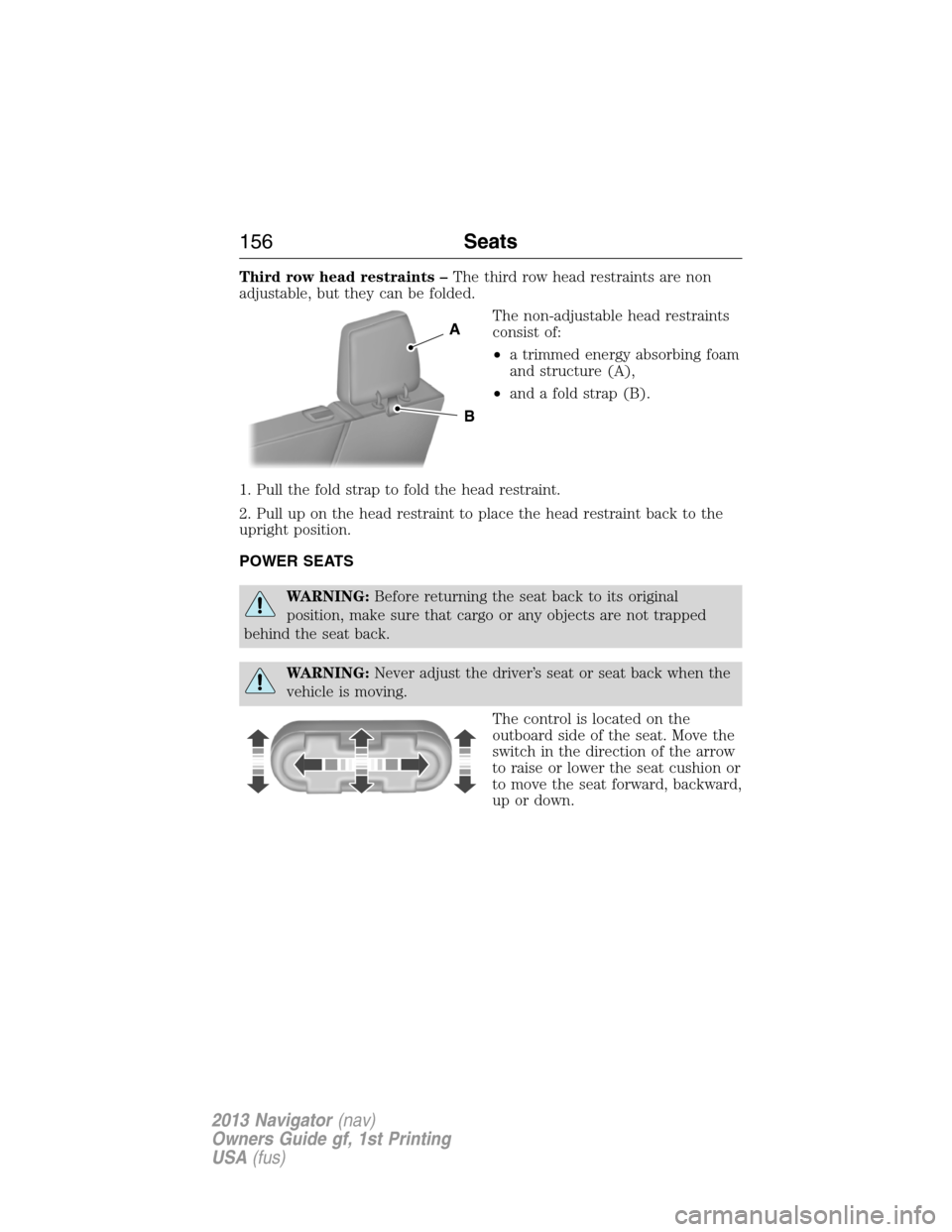
Third row head restraints –The third row head restraints are non
adjustable, but they can be folded.
The non-adjustable head restraints
consist of:
•a trimmed energy absorbing foam
and structure (A),
•and a fold strap (B).
1. Pull the fold strap to fold the head restraint.
2. Pull up on the head restraint to place the head restraint back to the
upright position.
POWER SEATS
WARNING:Before returning the seat back to its original
position, make sure that cargo or any objects are not trapped
behind the seat back.
WARNING:Never adjust the driver’s seat or seat back when the
vehicle is moving.
The control is located on the
outboard side of the seat. Move the
switch in the direction of the arrow
to raise or lower the seat cushion or
to move the seat forward, backward,
up or down.
A
B
156Seats
2013 Navigator(nav)
Owners Guide gf, 1st Printing
USA(fus)
Page 157 of 481
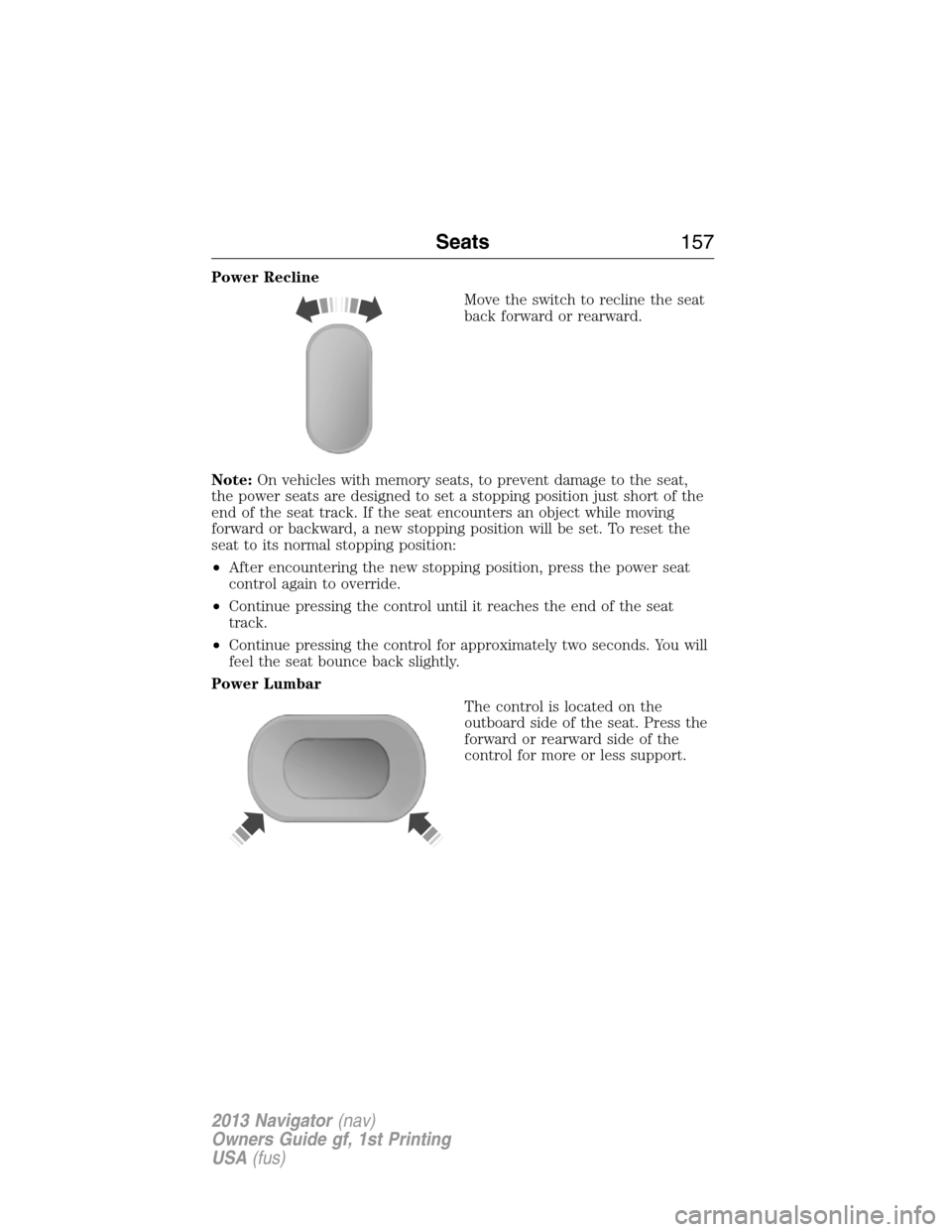
Power Recline
Move the switch to recline the seat
back forward or rearward.
Note:On vehicles with memory seats, to prevent damage to the seat,
the power seats are designed to set a stopping position just short of the
end of the seat track. If the seat encounters an object while moving
forward or backward, a new stopping position will be set. To reset the
seat to its normal stopping position:
•After encountering the new stopping position, press the power seat
control again to override.
•Continue pressing the control until it reaches the end of the seat
track.
•Continue pressing the control for approximately two seconds. You will
feel the seat bounce back slightly.
Power Lumbar
The control is located on the
outboard side of the seat. Press the
forward or rearward side of the
control for more or less support.
Seats157
2013 Navigator(nav)
Owners Guide gf, 1st Printing
USA(fus)
Page 158 of 481
MEMORY FUNCTION
This feature will save and recall the positions of the driver seat, power
mirrors, adjustable pedals, and steering column.
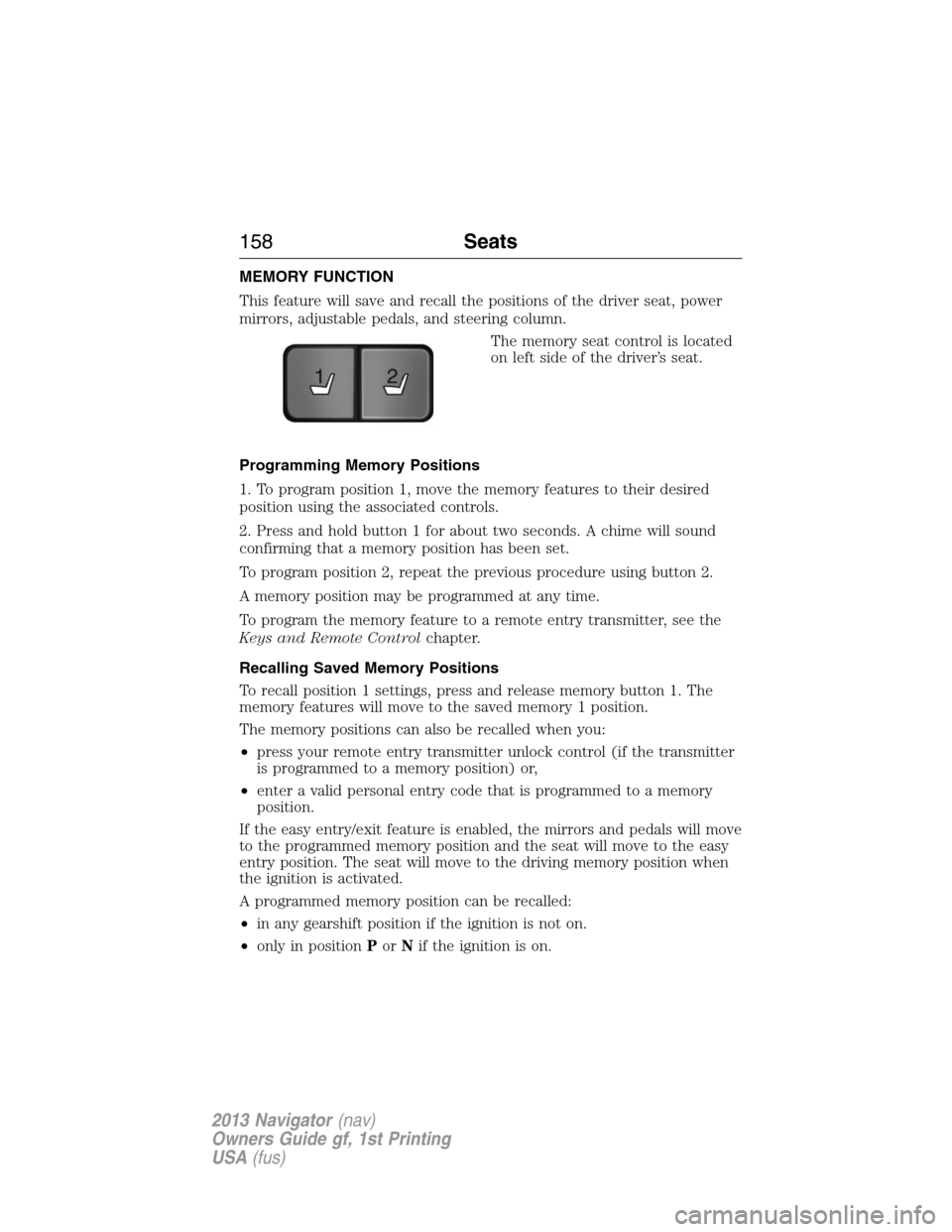
The memory seat control is located
on left side of the driver’s seat.
Programming Memory Positions
1. To program position 1, move the memory features to their desired
position using the associated controls.
2. Press and hold button 1 for about two seconds. A chime will sound
confirming that a memory position has been set.
To program position 2, repeat the previous procedure using button 2.
A memory position may be programmed at any time.
To program the memory feature to a remote entry transmitter, see the
Keys and Remote Controlchapter.
Recalling Saved Memory Positions
To recall position 1 settings, press and release memory button 1. The
memory features will move to the saved memory 1 position.
The memory positions can also be recalled when you:
•press your remote entry transmitter unlock control (if the transmitter
is programmed to a memory position) or,
•enter a valid personal entry code that is programmed to a memory
position.
If the easy entry/exit feature is enabled, the mirrors and pedals will move
to the programmed memory position and the seat will move to the easy
entry position. The seat will move to the driving memory position when
the ignition is activated.
A programmed memory position can be recalled:
•in any gearshift position if the ignition is not on.
•only in positionPorNif the ignition is on.
21
158Seats
2013 Navigator(nav)
Owners Guide gf, 1st Printing
USA(fus)
Page 159 of 481
Easy-Entry/Exit Feature (If Equipped)
If the easy entry/exit feature is enabled, this feature automatically moves
the driver’s seat rearward 2 inches (5 centimeters) when the transmission
selector lever is in positionPand the key is removed from the ignition.
If the seat is located less than 2 inches (5 centimeters) from the rear of
the seat track, the seat travel will be less than 2 inches (5 centimeters)
rearward.
The driver’s seat will return to the previous position when the key is put
in the ignition.
This feature is enabled or disabled through the information display. See
theInformation Displayschapter for more information.
Climate Controlled Seats (If Equipped)
Heated Seats
WARNING:Persons who are unable to feel pain to the skin
because of advanced age, chronic illness, diabetes, spinal cord
injury, medication, alcohol use, exhaustion, or other physical conditions,
must exercise care when using the seat heater. The seat heater may
cause burns even at low temperatures, especially if used for long
periods of time. Do not place anything on the seat that insulates against
heat, such as a blanket or cushion, because this may cause the seat
heater to overheat. Do not puncture the seat with pins, needles, or
other pointed objects because this may damage the heating element
which may cause the seat heater to overheat. An overheated seat may
cause serious personal injury.
Note:Do not do the following:
•Place heavy objects on the seat
•Operate the seat heater if water or any other liquid is spilled on the
seat. Allow the seat to dry thoroughly.
The heated seats will only function when the engine is running.
To operate the heated seats:
Press the heated seat symbol to cycle through the various
heat settings and off. Warmer settings are indicated by
more indicator lights.
Seats159
2013 Navigator(nav)
Owners Guide gf, 1st Printing
USA(fus)
Page 160 of 481
Cooled Seats
The cooled seats will only function when the engine is running.
To operate the cooled seats:
Press the cooled seat symbol to cycle through the various
cooling settings and off. Cooler settings are indicated by
more indicator lights.
If the engine falls below 350 RPMs while the cooled seats are on, the
feature will turn itself off and will need to be reactivated.
Heated and Cooled Seats Air Filter Replacement (If Equipped)
The heated and cooled seat system includes air filters that must be
replaced periodically. Seescheduled maintenance informationfor
more information.
There is a filter located under each front seat. The filter can be accessed
from the second row seat. Move the front seats all the way forward and
up to ease access.
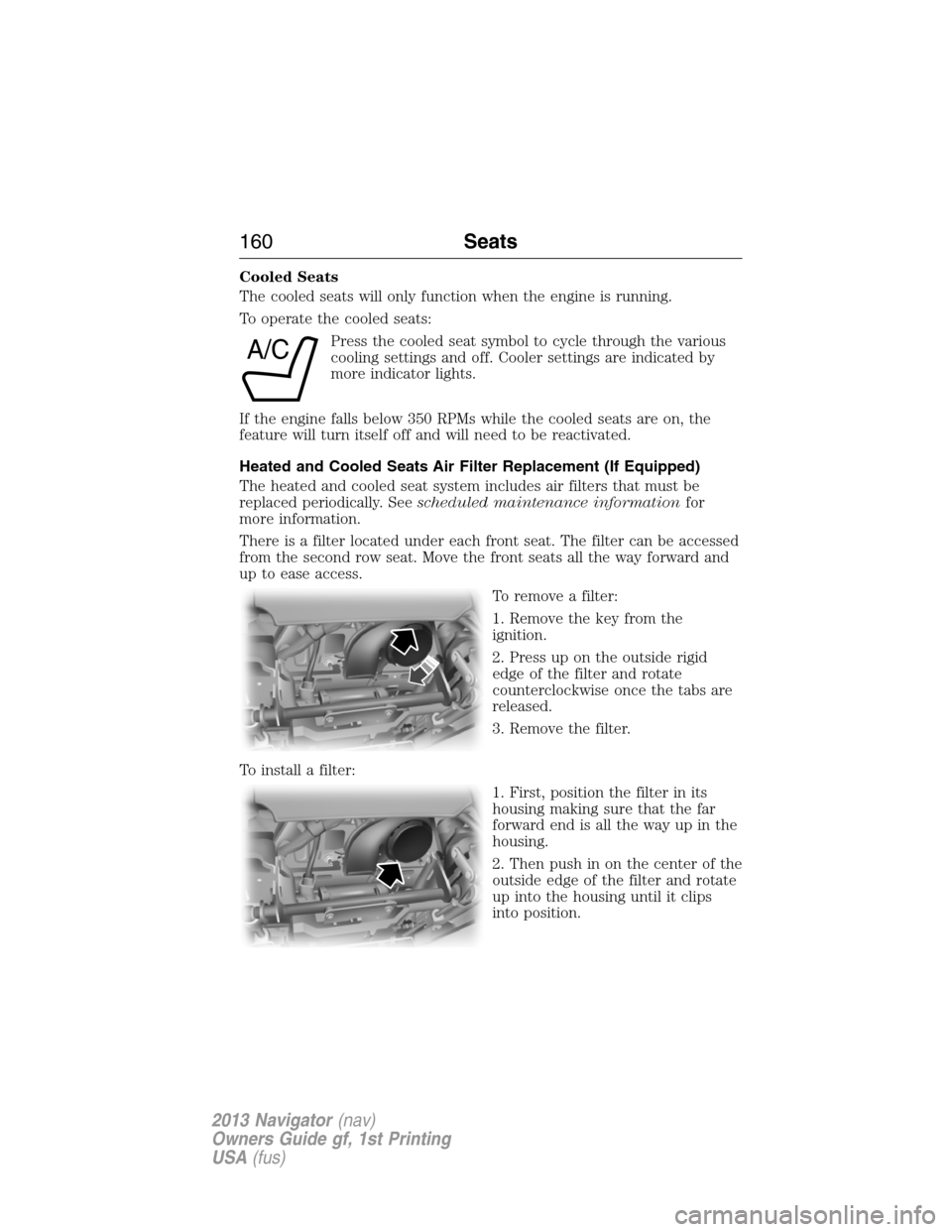
To remove a filter:
1. Remove the key from the
ignition.
2. Press up on the outside rigid
edge of the filter and rotate
counterclockwise once the tabs are
released.
3. Remove the filter.
To install a filter:
1. First, position the filter in its
housing making sure that the far
forward end is all the way up in the
housing.
2. Then push in on the center of the
outside edge of the filter and rotate
up into the housing until it clips
into position.
A/C
160Seats
2013 Navigator(nav)
Owners Guide gf, 1st Printing
USA(fus)
Page 161 of 481
REAR SEATS
Folding Down the 2nd Row 40% Seat System
WARNING:Use caution when folding the seat back to the flat
back position as the system will move forward when you lift the
release handle.
WARNING:Before returning the seat back to its original
position, make sure that cargo or any objects are not trapped
behind the seat back. After returning the seat back to its original
position, pull on the seat back to ensure that it has fully latched. An
unlatched seat may become dangerous in the event of a sudden stop or
collision.
Make sure that the head restraint is in the down position and no objects
such as books, purses or briefcases are on the floor in front of the
second row seats before folding them down.
Move the front passenger seat forward so that the second row seat
headrest clears the front seat.
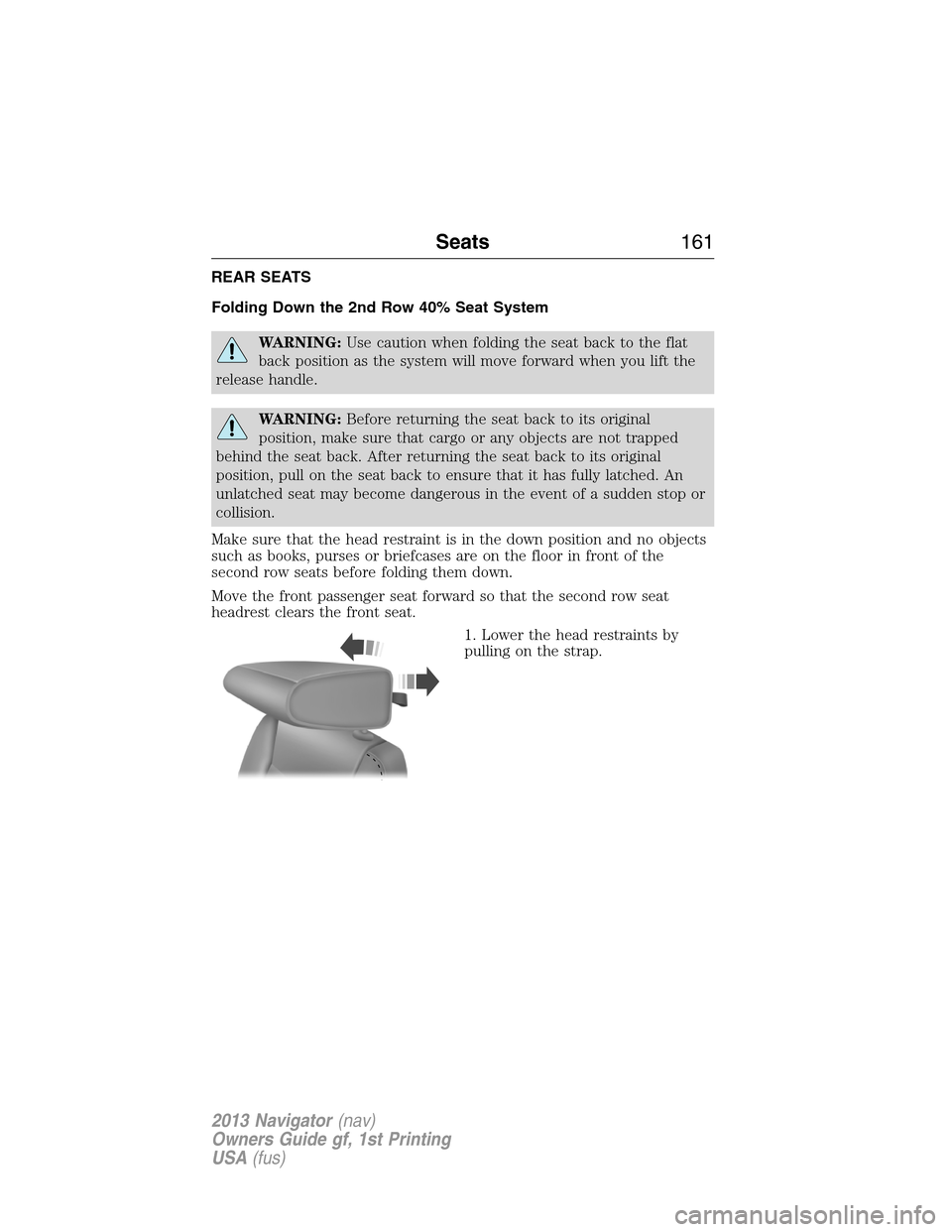
1. Lower the head restraints by
pulling on the strap.
Seats161
2013 Navigator(nav)
Owners Guide gf, 1st Printing
USA(fus)
Page 162 of 481
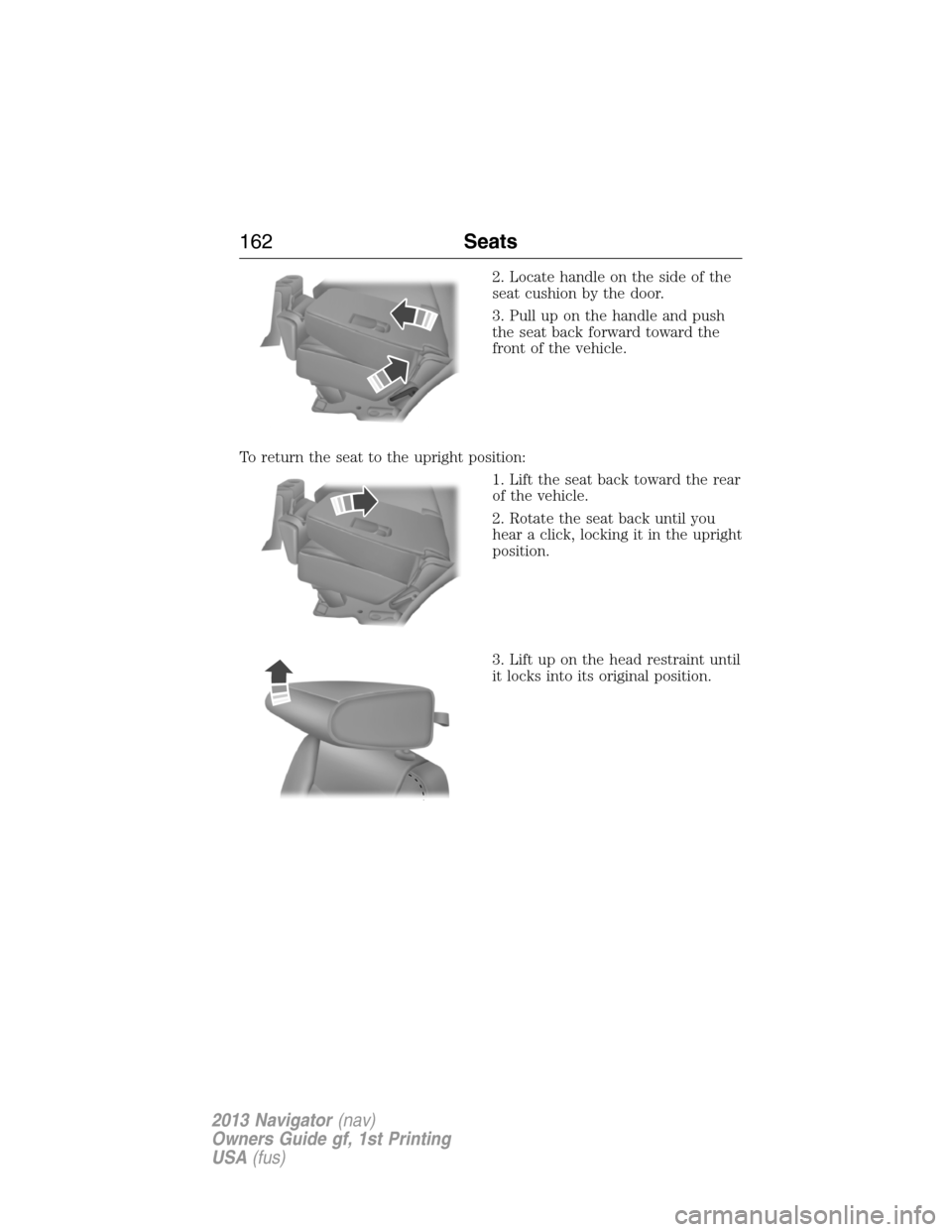
2. Locate handle on the side of the
seat cushion by the door.
3. Pull up on the handle and push
the seat back forward toward the
front of the vehicle.
To return the seat to the upright position:
1. Lift the seat back toward the rear
of the vehicle.
2. Rotate the seat back until you
hear a click, locking it in the upright
position.
3. Lift up on the head restraint until
it locks into its original position.
162Seats
2013 Navigator(nav)
Owners Guide gf, 1st Printing
USA(fus)
Page 163 of 481
Placing the 2nd Row Outboard 40% Seats in Cargo Mode
WARNING:Use caution when folding the seat back to the flat
back position as the system will move forward when you lift the
release handle.
WARNING:Always return the seat from the kneel position prior to
raising the seat back. Failure to do so could result in personal injury.
The 2nd row seats can be placed in a kneel down load floor position to
allow more cargo space.
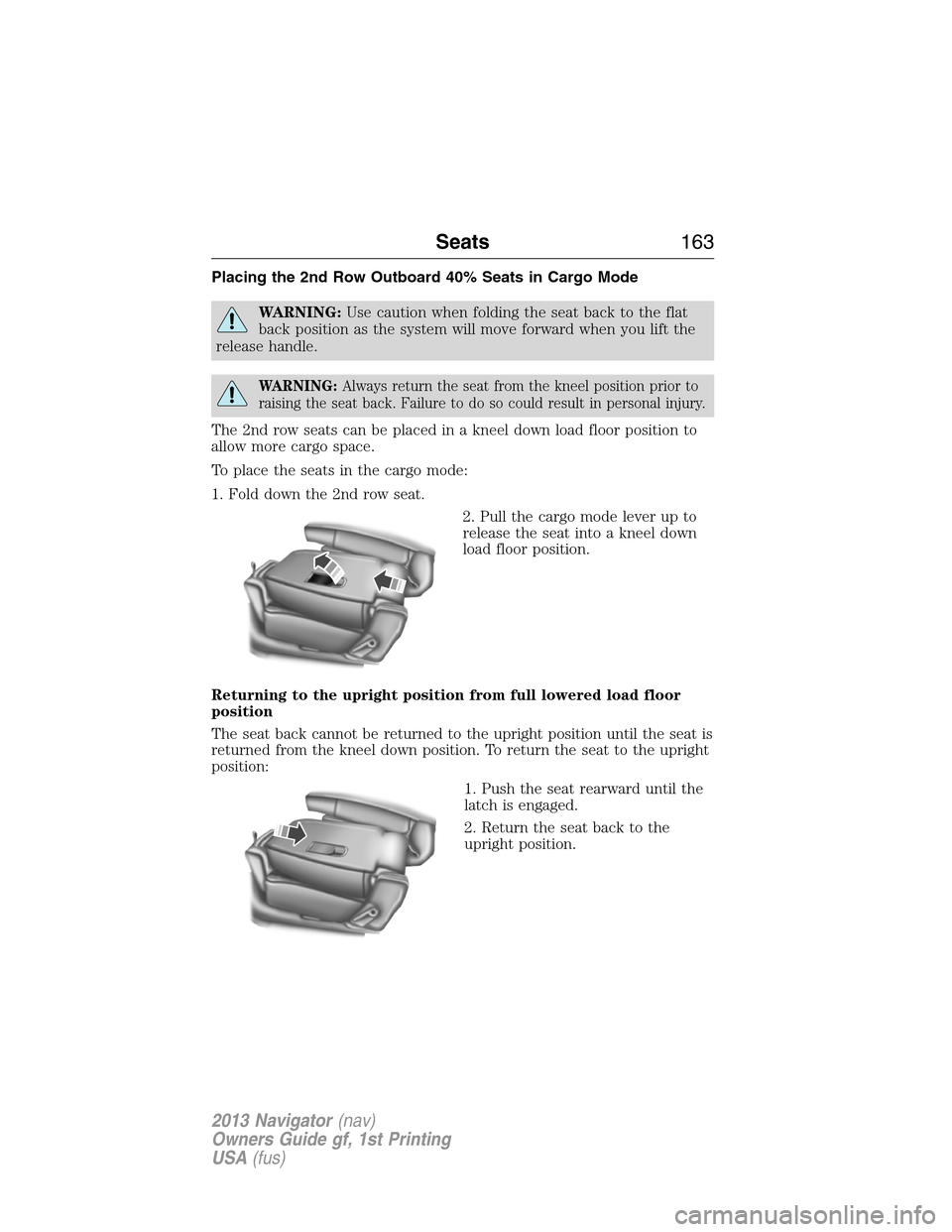
To place the seats in the cargo mode:
1. Fold down the 2nd row seat.
2. Pull the cargo mode lever up to
release the seat into a kneel down
load floor position.
Returning to the upright position from full lowered load floor
position
The seat back cannot be returned to the upright position until the seat is
returned from the kneel down position. To return the seat to the upright
position:
1. Push the seat rearward until the
latch is engaged.
2. Return the seat back to the
upright position.
Seats163
2013 Navigator(nav)
Owners Guide gf, 1st Printing
USA(fus)
Page 164 of 481
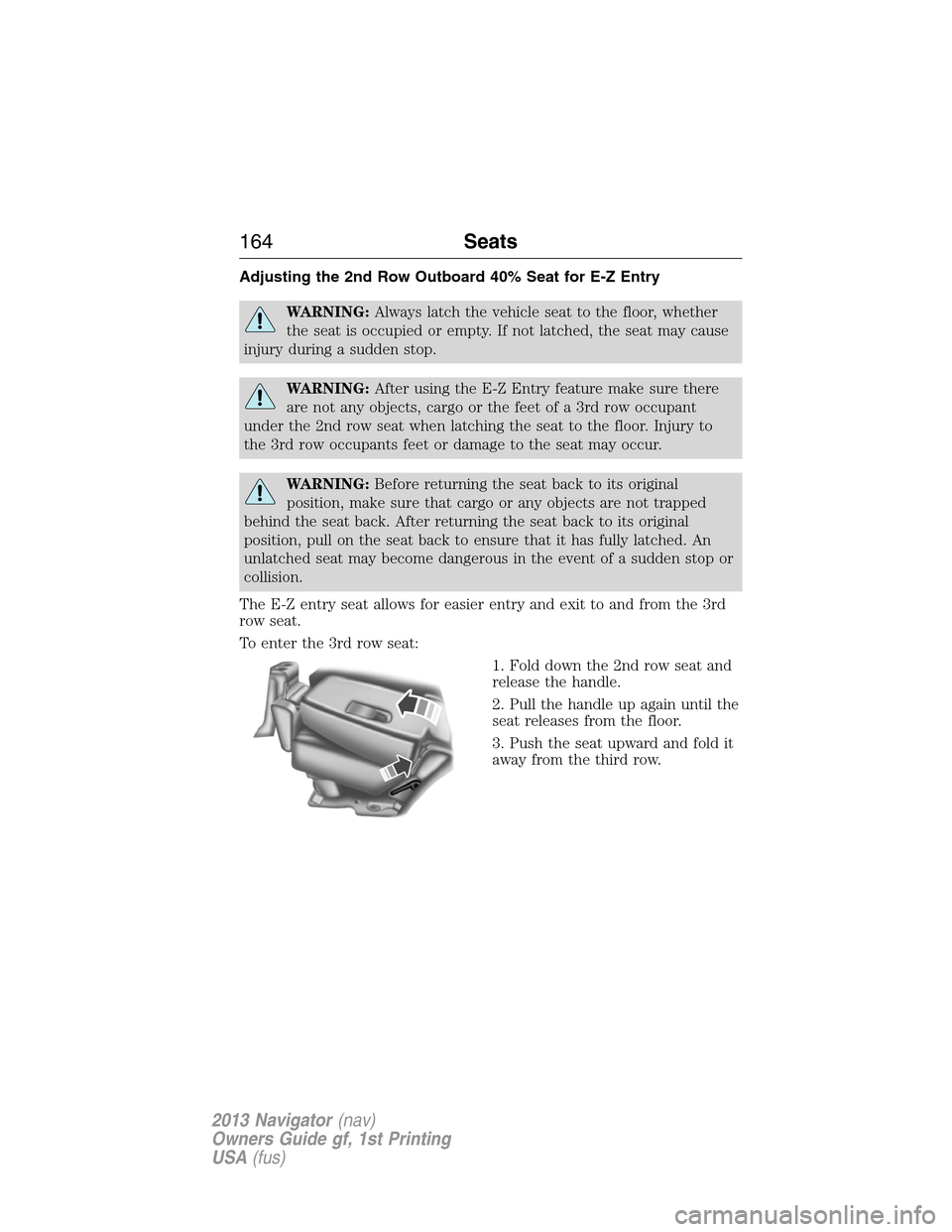
Adjusting the 2nd Row Outboard 40% Seat for E-Z Entry
WARNING:Always latch the vehicle seat to the floor, whether
the seat is occupied or empty. If not latched, the seat may cause
injury during a sudden stop.
WARNING:After using the E-Z Entry feature make sure there
are not any objects, cargo or the feet of a 3rd row occupant
under the 2nd row seat when latching the seat to the floor. Injury to
the 3rd row occupants feet or damage to the seat may occur.
WARNING:Before returning the seat back to its original
position, make sure that cargo or any objects are not trapped
behind the seat back. After returning the seat back to its original
position, pull on the seat back to ensure that it has fully latched. An
unlatched seat may become dangerous in the event of a sudden stop or
collision.
The E-Z entry seat allows for easier entry and exit to and from the 3rd
row seat.
To enter the 3rd row seat:
1. Fold down the 2nd row seat and
release the handle.
2. Pull the handle up again until the
seat releases from the floor.
3. Push the seat upward and fold it
away from the third row.
164Seats
2013 Navigator(nav)
Owners Guide gf, 1st Printing
USA(fus)
Page 165 of 481
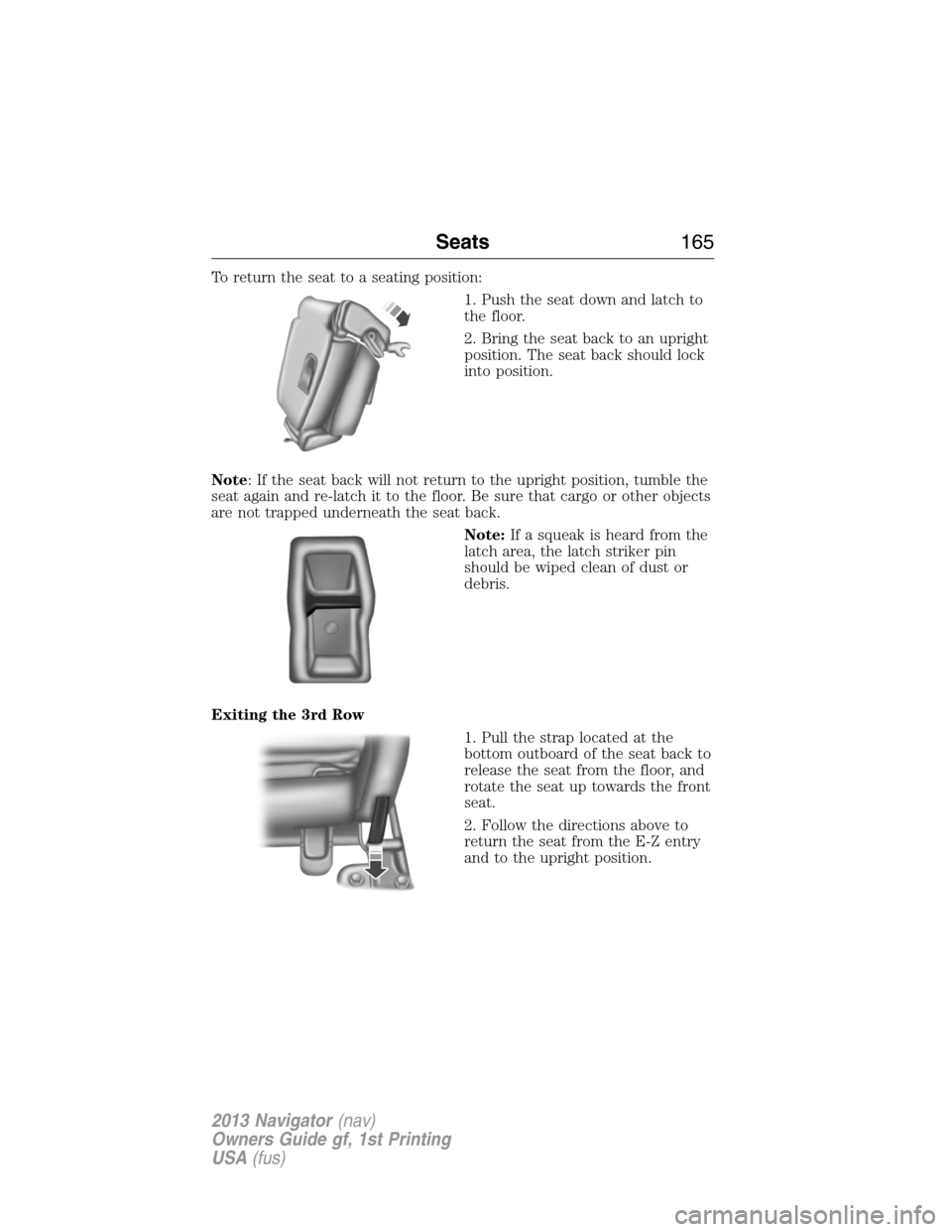
To return the seat to a seating position:
1. Push the seat down and latch to
the floor.
2. Bring the seat back to an upright
position. The seat back should lock
into position.
Note: If the seat back will not return to the upright position, tumble the
seat again and re-latch it to the floor. Be sure that cargo or other objects
are not trapped underneath the seat back.
Note:If a squeak is heard from the
latch area, the latch striker pin
should be wiped clean of dust or
debris.
Exiting the 3rd Row
1. Pull the strap located at the
bottom outboard of the seat back to
release the seat from the floor, and
rotate the seat up towards the front
seat.
2. Follow the directions above to
return the seat from the E-Z entry
and to the upright position.
Seats165
2013 Navigator(nav)
Owners Guide gf, 1st Printing
USA(fus)