suspension LINCOLN NAVIGATOR 2016 User Guide
[x] Cancel search | Manufacturer: LINCOLN, Model Year: 2016, Model line: NAVIGATOR, Model: LINCOLN NAVIGATOR 2016Pages: 419, PDF Size: 3.59 MB
Page 232 of 419
5. Install and adjust the tension in the
weight-distributing bars so that the height
of your vehicle's front wheel opening on
the fender is approximately half the way
down from H2, toward H1.
6. Check that the trailer is level or slightly nose down toward your vehicle. If not,
adjust the ball height accordingly and
repeat Steps 2-6.
When the trailer is level or slightly nose down
toward the vehicle:
• Lock the bar tension adjuster in place.
• Check that the trailer tongue securely
attaches and locks onto the hitch.
• Install safety chains, lighting, and trailer
brake controls as required by law or the
trailer manufacturer. Weight-distributing Hitch - Vehicles with
Automatic Leveling Suspension WARNING
Do not adjust a weight-distributing
hitch to any position where the rear
bumper of the vehicle is higher than it was
before attaching the trailer. Doing so will
defeat the function of the weight-distributing
hitch, which may cause unpredictable
handling, and could result in serious personal
injury. Note:
If you do not move the loaded vehicle
for approximately 12 hours, the leveling
system may bleed down to a lower height.
This can be especially apparent if you leave
a trailer attached to the parked vehicle for
long periods. You must drive your vehicle in
order to re-level the suspension.
When hooking-up a trailer using a
weight-distributing hitch, always use the
following procedure: 1. Load the interior of the vehicle to a
weight similar to that which you intend
to carry when towing. This includes
things such as passenger weight and
cargo.
2. Drive the vehicle for approximately 2 miles (3 kilometers) to re-level the
suspension.
3. Park the loaded vehicle, without the trailer, on a level surface.
4. Measure the height to the top of your vehicle's front wheel opening on the
fender. This is H1.
5. Attach the loaded trailer to your vehicle without the weight-distributing bars
connected.
6. Make sure you securely attach and lock the trailer tongue to the hitch.
7. Install safety chains, lighting, and trailer brake controls as required by law or the
trailer manufacturer.
8. Drive the vehicle and trailer at 20–25 mph (32–40 km/h) for approximately 2
miles (3 kilometers) to re-level the
suspension.
229
Navigator (TB5) Canada/United States of America, enUSA, First Printing Towing
Page 234 of 419
Before Towing a Trailer
Practice turning, stopping and backing up to
get the feel of your vehicle-trailer
combination before starting on a trip. When
turning, make wider turns so the trailer
wheels clear curbs and other obstacles.
When Towing a Trailer
•
Do not drive faster than 70 mph (113
km/h) during the first 500 miles (800
kilometers).
• Do not make full-throttle starts.
• Check your hitch, electrical connections
and trailer wheel lug nuts thoroughly after
you have traveled 50 miles (80
kilometers).
• When stopped in congested or heavy
traffic during hot weather, place the
gearshift in position P to aid engine and
transmission cooling and to help A/C
performance.
• Turn off the speed control with heavy
loads or in hilly terrain. The speed control
may turn off automatically when you are
towing on long, steep grades. •
Shift to a lower gear when driving down
a long or steep hill. Do not apply the
brakes continuously, as they may
overheat and become less effective.
• If your transmission is equipped with a
Grade Assist or Tow/Haul feature, use
this feature when towing. This provides
engine braking and helps eliminate
excessive transmission shifting for
optimum fuel economy and transmission
cooling.
• If your vehicle is equipped with
AdvanceTrac with RSC, this system may
turn on during typical cornering
maneuvers with a heavily loaded trailer.
This is normal. Turning the corner at a
slower speed while towing may reduce
this tendency.
• If your vehicle is equipped with
Continuous Controlled Damping
Suspension (CCD Suspension), you can
select NORMAL or SPORT drive control
modes for better experience while towing
a trailer. See Information Displays (page
105
). •
If you are towing a trailer frequently in
hot weather, hilly conditions, at the gross
combined weight rating (or any
combination of these factors), consider
refilling your rear axle with synthetic gear
lubricant (if the axle is not already filled
with it).
See Capacities and
Specifications (page 328).
• Allow more distance for stopping with a
trailer attached. Anticipate stops and
brake gradually.
• Avoid parking on a grade. However, if
you must park on a grade:
1. Turn the steering wheel to point your vehicle tires away from traffic flow.
2. Set your vehicle parking brake.
3. Place the automatic transmission in position
P.
4. Place wheel chocks in front and back of the trailer wheels. (Chocks not included
with vehicle.)
231
Navigator (TB5) Canada/United States of America, enUSA, First Printing Towing
Page 264 of 419
Protected components
Fuse amp rating
Fuse or relay number
Liftgate release decklid.
15A
25
Liftglass release motor.
Push to start switch.
5A
26
Passive entry/start module.
20A
27
Ignition switch.
15A
28
Key inhibit switch.
Radio.
20A
29
GPS.
Front park lamps.
15A
30
Trailer brake on/off.
5A
31
Power vent.
15A
32
Rear windows.
Power inverter.
CCD suspension module.
10A
33
Rear park assist.
10A
34
Rear camera.
BLIS.
Heated seat.
Climate module.
5A
35
261
Navigator (TB5) Canada/United States of America, enUSA, First Printing Fuses
Page 312 of 419
U.S. DOT Tire Identification Number
Both United States and Canada Federal
regulations require tire manufacturers
to place standardized information on the
sidewall of all tires. This information
identifies and describes the fundamental
characteristics of the tire and also
provides a U.S. DOT Tire Identification
Number for safety standard certification
and in case of a recall.
This begins with the letters DOT and
indicates that the tire meets all federal
standards. The next two numbers or
letters are the plant code designating
where it was manufactured, the next two
are the tire size code and the last four
numbers represent the week and year
the tire was built. For example, the
numbers 317 mean the 31st week of
1997. After 2000 the numbers go to four
digits. For example, 2501 means the
25th week of 2001. The numbers in
between are identification codes used
for traceability. This information is used
to contact customers if a tire defect
requires a recall.
Tire Replacement Requirements
Your vehicle is equipped with tires
designed to provide a safe ride and
handling capability.
WARNINGS
Only use replacement tires and
wheels that are the same size, load
index, speed rating and type (such as
P-metric versus LT-metric or all-season
versus all-terrain) as those originally
provided by Ford. The recommended
tire and wheel size may be found on
either the Safety Compliance
Certification Label or the Tire Label. If
this information is not found on these
labels then you should contact your
authorized dealer as soon as possible.
Use of any tire or wheel not
recommended by Ford can affect the
safety and performance of your vehicle,
which could result in an increased risk
of loss of vehicle control, vehicle
rollover, personal injury and death.
Additionally the use of WARNINGS
non-recommended tires and wheels
could cause steering, suspension, axle,
transfer case or power transfer unit
failure. If you have questions regarding
tire replacement, contact your
authorized dealer as soon as possible. To reduce the risk of serious injury,
when mounting replacement tires
and wheels, you should not exceed the
maximum pressure indicated on the
sidewall of the tire to set the beads
without additional precautions listed
below. If the beads do not seat at the
maximum pressure indicated,
re-lubricate and try again.
When inflating the tire for mounting
pressures up to 20 psi (1.38 bar) greater
than the maximum pressure on the tire
sidewall, the following precautions must
be taken to protect the person mounting
the tire:
1. Make sure that you have the correct
tire and wheel size.
309
Navigator (TB5) Canada/United States of America, enUSA, First Printing Wheels and Tires
Page 314 of 419
If you feel a sudden vibration or ride
disturbance while driving, or you suspect
your tire or vehicle has been damaged,
immediately reduce your speed. Drive
with caution until you can safely pull off
the road. Stop and inspect the tires for
damage. If a tire is under-inflated or
damaged, deflate it, remove wheel and
replace it with your spare tire and wheel.
If you cannot detect a cause, have the
vehicle towed to the nearest repair
facility or tire dealer to have the vehicle
inspected.
Tire and Wheel Alignment
A bad jolt from hitting a curb or pothole
can cause the front end of your vehicle
to become misaligned or cause damage
to your tires. If your vehicle seems to
pull to one side when you’re driving, the
wheels may be out of alignment. Have
an authorized dealer check the wheel
alignment periodically.
Wheel misalignment in the front or the
rear can cause uneven and rapid
treadwear of your tires and should be
corrected by an authorized dealer.
Front-wheel drive vehicles and those
with an independent rear suspension
may require alignment of all four wheels.
The tires should also be balanced
periodically. An unbalanced tire and
wheel assembly may result in irregular
tire wear.
Tire Rotation
WARNING
If the tire label shows different tire
pressures for the front and rear
tires and the vehicle is equipped with a
tire pressure monitoring system, then
the settings for the system sensors need
to be updated. Always perform the
system reset procedure after tire
rotation. If the system is not reset, it may
not provide a low tire pressure warning
when necessary. See the tire pressure
monitoring system reset procedure in
this chapter. Note:
If your tires show uneven wear
ask an authorized dealer to check for
and correct any wheel misalignment,
tire imbalance or mechanical problem
involved before tire rotation.
Note: Your vehicle may be equipped
with a dissimilar spare wheel and tire
assembly. A dissimilar spare wheel and
tire assembly is defined as a spare
wheel and tire assembly that is different
in brand, size or appearance from the
road tires and wheels. If you have a
dissimilar spare wheel and tire assembly
it is intended for temporary use only and
should not be used in a tire rotation.
Note: After having your tires rotated,
inflation pressure must be checked and
adjusted to the vehicle requirements.
Rotating your tires at the recommended
interval (as indicated in the Scheduled
Maintenance chapter) will help your tires
wear more evenly, providing better tire
performance and longer tire life.
Rear-wheel drive vehicles and
four-wheel drive vehicles (front tires at
left of diagram)
311
Navigator (TB5) Canada/United States of America, enUSA, First Printing Wheels and Tires
Page 315 of 419
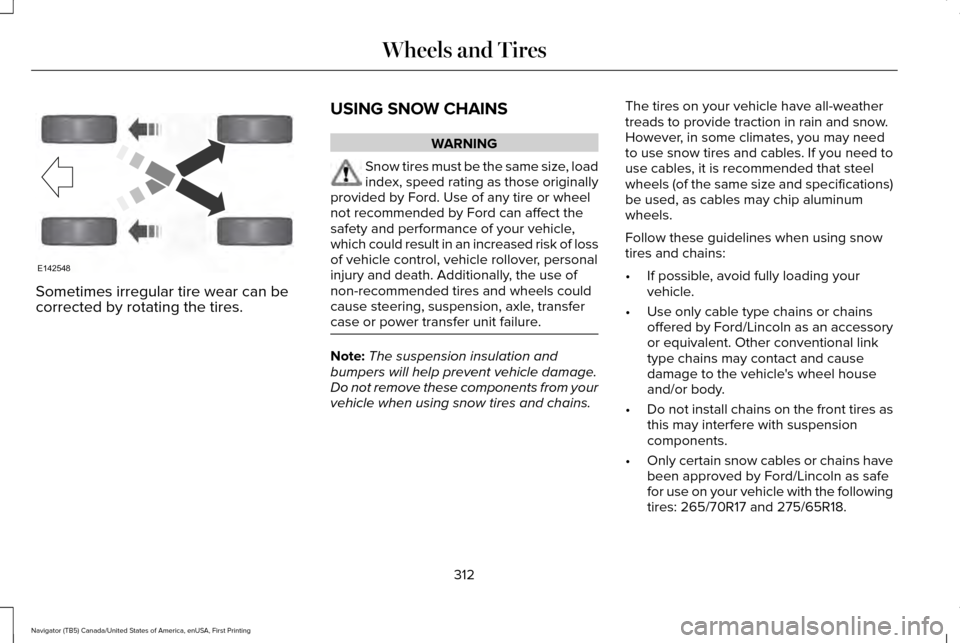
Sometimes irregular tire wear can be
corrected by rotating the tires.
USING SNOW CHAINS WARNING
Snow tires must be the same size, load
index, speed rating as those originally
provided by Ford. Use of any tire or wheel
not recommended by Ford can affect the
safety and performance of your vehicle,
which could result in an increased risk of loss
of vehicle control, vehicle rollover, personal
injury and death. Additionally, the use of
non-recommended tires and wheels could
cause steering, suspension, axle, transfer
case or power transfer unit failure. Note:
The suspension insulation and
bumpers will help prevent vehicle damage.
Do not remove these components from your
vehicle when using snow tires and chains. The tires on your vehicle have all-weather
treads to provide traction in rain and snow.
However, in some climates, you may need
to use snow tires and cables. If you need to
use cables, it is recommended that steel
wheels (of the same size and specifications)
be used, as cables may chip aluminum
wheels.
Follow these guidelines when using snow
tires and chains:
•
If possible, avoid fully loading your
vehicle.
• Use only cable type chains or chains
offered by Ford/Lincoln as an accessory
or equivalent. Other conventional link
type chains may contact and cause
damage to the vehicle's wheel house
and/or body.
• Do not install chains on the front tires as
this may interfere with suspension
components.
• Only certain snow cables or chains have
been approved by Ford/Lincoln as safe
for use on your vehicle with the following
tires: 265/70R17 and 275/65R18.
312
Navigator (TB5) Canada/United States of America, enUSA, First Printing Wheels and TiresE142548
Page 359 of 419
Check every six months
Safety belts and seat latches for wear and function.
Safety warning lamps (brake, ABS, airbag and safety belt) for operation.
Washer spray and wiper operation. Clean or replace blades as necessary.
Multi-Point Inspection
In order to keep your vehicle running right,
it is important to have the systems on your
vehicle checked regularly. This can help
identify potential issues and prevent major
problems. We recommend having the
following multi-point inspection performed
at every scheduled maintenance interval to
help make sure your vehicle keeps running
great. Multi-Point inspection
Hazard warning system operation
Accessory drive belt(s)
Horn operation
Battery performance
Radiator, cooler, heater and air conditioning hoses
Engine air filter
Suspension components for leaks or damage
Exhaust system
356
Navigator (TB5) Canada/United States of America, enUSA, First Printing Scheduled Maintenance
Page 362 of 419
Normal Maintenance Intervals
At every oil change interval as indicated by the information display
*
Change engine oil and filter. **
Rotate tires, inspect tire wear and measure tread depth.
Perform a multi-point inspection (recommended).
Inspect the automatic transmission fluid level (if equipped with dipsti\
ck). Consult your dealer for requirements.
Inspect the brake pads, rotors, hoses and parking brake.
Inspect the engine cooling system strength and hoses.
Inspect the exhaust system and heat shields.
Inspect front axle and U-joints.
Inspect the half-shaft boots.
Inspect the steering linkage, ball joints, suspension, tire-rod ends, driveshaft and U-joints.
Inspect the wheels and related components for abnormal noise, wear, looseness or drag.
* Do not exceed one year or 10000 miles (16000 kilometers) between service interv\
als.
** Reset the Intelligent Oil-Life Monitor after engine oil and filter change\
s.
359
Navigator (TB5) Canada/United States of America, enUSA, First Printing Scheduled Maintenance
Page 412 of 419
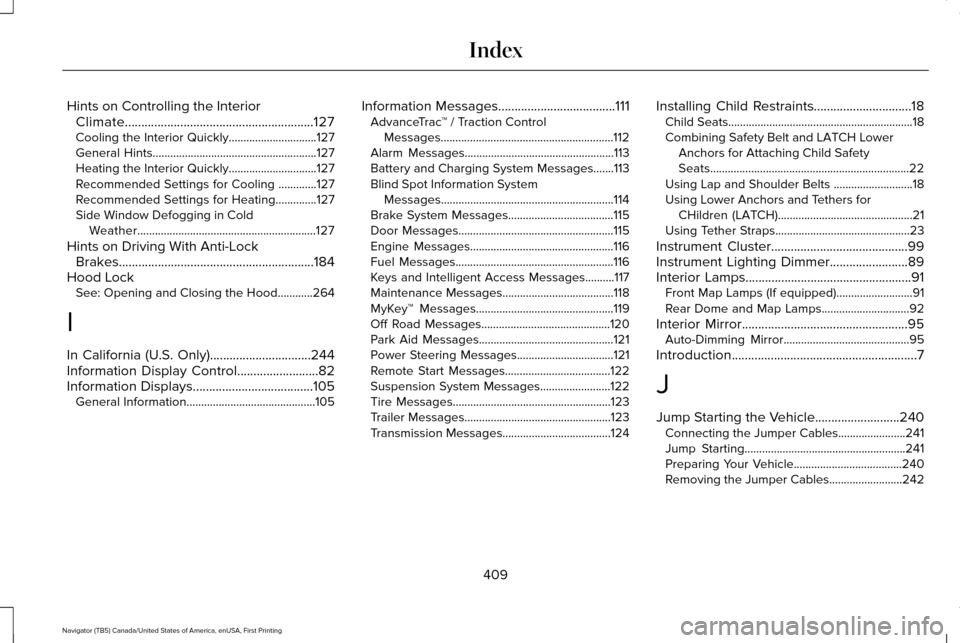
Hints on Controlling the Interior
Climate..........................................................127
Cooling the Interior Quickly..............................127
General Hints........................................................127
Heating the Interior Quickly..............................127
Recommended Settings for Cooling .............127
Recommended Settings for Heating..............127
Side Window Defogging in Cold Weather.............................................................127
Hints on Driving With Anti-Lock Brakes............................................................184
Hood Lock See: Opening and Closing the Hood............264
I
In California (U.S. Only)...............................244
Information Display Control
.........................82
Information Displays.....................................105
General Information............................................105 Information Messages....................................111
AdvanceTrac ™ / Traction Control
Messages...........................................................112
Alarm Messages...................................................113
Battery and Charging System Messages.......113
Blind Spot Information System Messages...........................................................114
Brake System Messages....................................115
Door Messages.....................................................115
Engine Messages.................................................116
Fuel Messages......................................................116
Keys and Intelligent Access Messages..........
117
Maintenance Messages......................................118
MyKey™ Messages...............................................119
Off Road Messages............................................120
Park Aid Messages..............................................121
Power Steering Messages.................................
121
Remote Start Messages....................................122
Suspension System Messages........................122
Tire Messages......................................................123
Trailer Messages..................................................123
Transmission Messages.....................................124 Installing Child Restraints
..............................18
Child Seats...............................................................18
Combining Safety Belt and LATCH Lower
Anchors for Attaching Child Safety
Seats....................................................................22
Using Lap and Shoulder Belts ...........................18
Using Lower Anchors and Tethers for CHildren (LATCH)..............................................21
Using Tether Straps..............................................23
Instrument Cluster
..........................................99
Instrument Lighting Dimmer........................89
Interior Lamps
...................................................91
Front Map Lamps (If equipped)..........................91
Rear Dome and Map Lamps..............................92
Interior Mirror...................................................95 Auto-Dimming Mirror...........................................95
Introduction
.........................................................7
J
Jump Starting the Vehicle..........................240 Connecting the Jumper Cables.......................241
Jump Starting.......................................................241
Preparing Your Vehicle.....................................240
Removing the Jumper Cables.........................242
409
Navigator (TB5) Canada/United States of America, enUSA, First Printing Index
Page 415 of 419
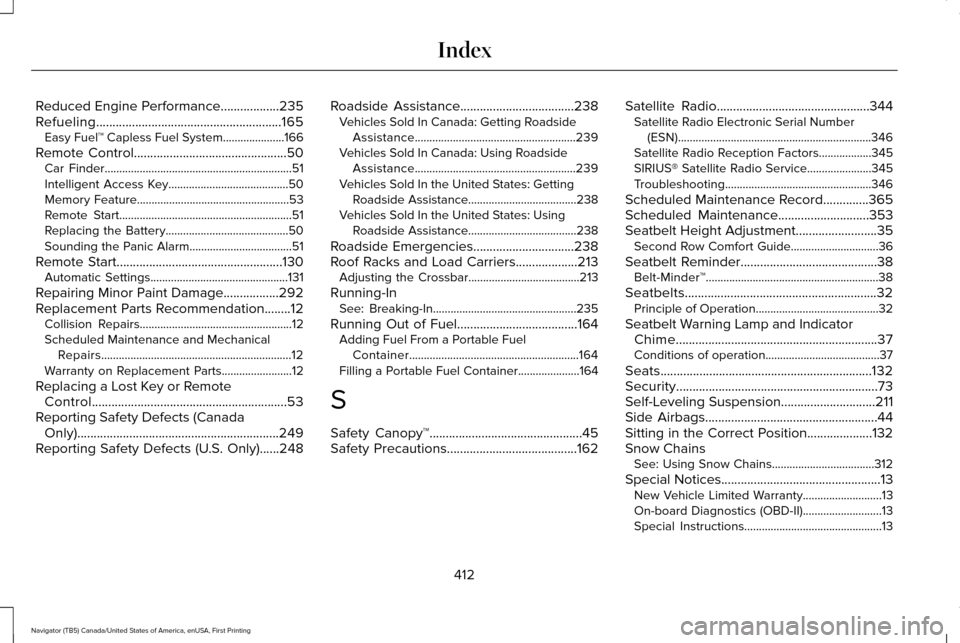
Reduced Engine Performance..................235
Refueling.........................................................165
Easy Fuel™ Capless Fuel System.....................166
Remote Control...............................................50
Car Finder................................................................51
Intelligent Access Key.........................................50
Memory Feature....................................................53
Remote Start...........................................................51
Replacing the Battery..........................................50
Sounding the Panic Alarm...................................51
Remote Start
...................................................130
Automatic Settings...............................................131
Repairing Minor Paint Damage
.................292
Replacement Parts Recommendation........12 Collision Repairs....................................................12
Scheduled Maintenance and Mechanical
Repairs.................................................................12
Warranty on Replacement Parts........................12
Replacing a Lost Key or Remote Control............................................................53
Reporting Safety Defects (Canada Only)..............................................................249
Reporting Safety Defects (U.S. Only)......248 Roadside Assistance
...................................238
Vehicles Sold In Canada: Getting Roadside
Assistance.......................................................239
Vehicles Sold In Canada: Using Roadside Assistance.......................................................239
Vehicles Sold In the United States: Getting Roadside Assistance.....................................238
Vehicles Sold In the United States: Using Roadside Assistance.....................................238
Roadside Emergencies
...............................238
Roof Racks and Load Carriers...................213 Adjusting the Crossbar......................................213
Running-In See: Breaking-In.................................................235
Running Out of Fuel
.....................................164
Adding Fuel From a Portable Fuel
Container..........................................................164
Filling a Portable Fuel Container.....................
164
S
Safety Canopy™...............................................45
Safety Precautions
........................................162 Satellite Radio
...............................................344
Satellite Radio Electronic Serial Number
(ESN)..................................................................346
Satellite Radio Reception Factors..................345
SIRIUS® Satellite Radio Service......................345
Troubleshooting..................................................346
Scheduled Maintenance Record
..............365
Scheduled Maintenance............................353
Seatbelt Height Adjustment.........................35 Second Row Comfort Guide..............................36
Seatbelt Reminder
..........................................38
Belt-Minder™...........................................................38
Seatbelts...........................................................32 Principle of Operation..........................................32
Seatbelt Warning Lamp and Indicator Chime..............................................................37
Conditions of operation.......................................37
Seats
.................................................................132
Security..............................................................73
Self-Leveling Suspension.............................211
Side Airbags
.....................................................44
Sitting in the Correct Position....................132
Snow Chains See: Using Snow Chains...................................312
Special Notices
.................................................13
New Vehicle Limited Warranty...........................13
On-board Diagnostics (OBD-II)...........................13
Special Instructions...............................................13
412
Navigator (TB5) Canada/United States of America, enUSA, First Printing Index