brakes LINCOLN NAVIGATOR 2016 Owner's Manual
[x] Cancel search | Manufacturer: LINCOLN, Model Year: 2016, Model line: NAVIGATOR, Model: LINCOLN NAVIGATOR 2016Pages: 419, PDF Size: 3.59 MB
Page 233 of 419
9. Park your vehicle and trailer on a level
surface.
10. Measure the height to the top of your vehicle's front wheel opening on the
fender a second time. This is H2.
11. Install and adjust the tension in the weight-distributing bars so that the
height of your vehicle's front wheel
opening on the fender is approximately
half the way down from H2, toward H1.
12. Check that the trailer is level or slightly
nose down toward your vehicle. If not,
remove the trailer, adjust the ball height
accordingly and repeat Steps 5-11.
When the trailer is level or slightly nose down
toward the vehicle:
• Lock the bar tension adjuster in place.
• Check that the trailer tongue securely
attaches and locks onto the hitch.
• Install safety chains, lighting, and trailer
brake controls as required by law or the
trailer manufacturer. Safety Chains
Note:
Never attach safety chains to the
bumper.
Always connect the safety chains to the hook
retainers of your vehicle hitch.
To connect the trailer’ s safety chains, cross
them under the trailer tongue and allow
enough slack for turning tight corners. Do
not allow the chains to drag on the ground.
Trailer Brakes (If Equipped) WARNING
Do not connect a trailer's hydraulic
brake system directly to your vehicle's
brake system. Your vehicle may not have
enough braking power and your chances of
having a collision greatly increase. Electric brakes and manual, automatic or
surge-type trailer brakes are safe if you install
them properly and adjust them to the
manufacturer's specifications. The trailer
brakes must meet local and federal
regulations.The rating for the tow vehicle's braking
system operation is at the gross vehicle
weight rating, not the gross combined
weight rating.
Separate functioning brake systems are
required for safe control of towed vehicles
and trailers weighing more than 1500
pounds (680 kilograms) when loaded.
Trailer Lamps
WARNING
Never connect any trailer lamp wiring
to the vehicle's tail lamp wiring; this
may damage the electrical system resulting
in fire. Contact your authorized dealer as
soon as possible for assistance in proper
trailer tow wiring installation. Additional
electrical equipment may be required. Trailer lamps are required on most towed
vehicles. Make sure all running lights, brake
lights, turn signals and hazard lights are
working.
230
Navigator (TB5) Canada/United States of America, enUSA, First Printing Towing
Page 234 of 419
Before Towing a Trailer
Practice turning, stopping and backing up to
get the feel of your vehicle-trailer
combination before starting on a trip. When
turning, make wider turns so the trailer
wheels clear curbs and other obstacles.
When Towing a Trailer
•
Do not drive faster than 70 mph (113
km/h) during the first 500 miles (800
kilometers).
• Do not make full-throttle starts.
• Check your hitch, electrical connections
and trailer wheel lug nuts thoroughly after
you have traveled 50 miles (80
kilometers).
• When stopped in congested or heavy
traffic during hot weather, place the
gearshift in position P to aid engine and
transmission cooling and to help A/C
performance.
• Turn off the speed control with heavy
loads or in hilly terrain. The speed control
may turn off automatically when you are
towing on long, steep grades. •
Shift to a lower gear when driving down
a long or steep hill. Do not apply the
brakes continuously, as they may
overheat and become less effective.
• If your transmission is equipped with a
Grade Assist or Tow/Haul feature, use
this feature when towing. This provides
engine braking and helps eliminate
excessive transmission shifting for
optimum fuel economy and transmission
cooling.
• If your vehicle is equipped with
AdvanceTrac with RSC, this system may
turn on during typical cornering
maneuvers with a heavily loaded trailer.
This is normal. Turning the corner at a
slower speed while towing may reduce
this tendency.
• If your vehicle is equipped with
Continuous Controlled Damping
Suspension (CCD Suspension), you can
select NORMAL or SPORT drive control
modes for better experience while towing
a trailer. See Information Displays (page
105
). •
If you are towing a trailer frequently in
hot weather, hilly conditions, at the gross
combined weight rating (or any
combination of these factors), consider
refilling your rear axle with synthetic gear
lubricant (if the axle is not already filled
with it).
See Capacities and
Specifications (page 328).
• Allow more distance for stopping with a
trailer attached. Anticipate stops and
brake gradually.
• Avoid parking on a grade. However, if
you must park on a grade:
1. Turn the steering wheel to point your vehicle tires away from traffic flow.
2. Set your vehicle parking brake.
3. Place the automatic transmission in position
P.
4. Place wheel chocks in front and back of the trailer wheels. (Chocks not included
with vehicle.)
231
Navigator (TB5) Canada/United States of America, enUSA, First Printing Towing
Page 239 of 419
There are also some things you may want to
avoid doing because they reduce your fuel
economy:
•
Avoid sudden or hard accelerations.
• Avoid revving the engine before turning
off the car.
• Avoid long idle periods.
• Do not warm up your vehicle on cold
mornings.
• Reduce the use of air conditioning and
heat.
• Avoid using speed control in hilly terrain.
• Do not rest your foot on the brake pedal
while driving.
• Avoid carrying unnecessary weight.
• Avoid adding particular accessories to
your vehicle (e.g. bug deflectors,
rollbars/light bars, running boards, ski
racks).
• Avoid driving with the wheels out of
alignment. DRIVING THROUGH WATER WARNING
Do not drive through flowing or deep
water as you may lose control of your
vehicle. Note:
Driving through standing water can
cause vehicle damage.
Note: Engine damage can occur if water
enters the air filter.
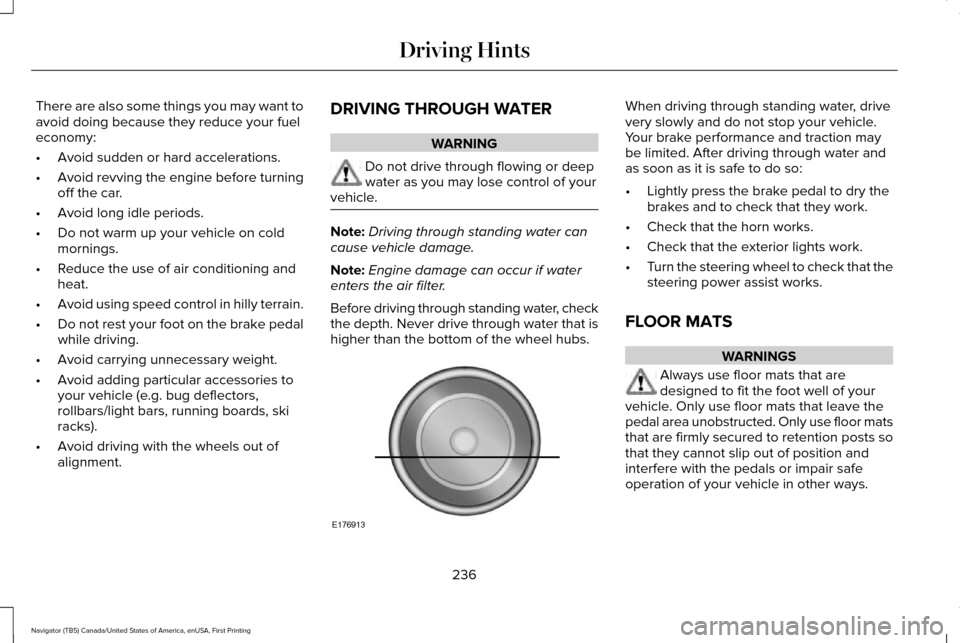
Before driving through standing water, check
the depth. Never drive through water that is
higher than the bottom of the wheel hubs. When driving through standing water, drive
very slowly and do not stop your vehicle.
Your brake performance and traction may
be limited. After driving through water and
as soon as it is safe to do so:
•
Lightly press the brake pedal to dry the
brakes and to check that they work.
• Check that the horn works.
• Check that the exterior lights work.
• Turn the steering wheel to check that the
steering power assist works.
FLOOR MATS WARNINGS
Always use floor mats that are
designed to fit the foot well of your
vehicle. Only use floor mats that leave the
pedal area unobstructed. Only use floor mats
that are firmly secured to retention posts so
that they cannot slip out of position and
interfere with the pedals or impair safe
operation of your vehicle in other ways.
236
Navigator (TB5) Canada/United States of America, enUSA, First Printing Driving HintsE176913
Page 297 of 419
Cooling system
•
Protect against freezing temperatures.
• When removing your vehicle from
storage, check coolant fluid level.
Confirm that there are no cooling system
leaks and that fluid is at the
recommended level.
Battery
• Check and recharge as necessary. Keep
connections clean.
• If storing your vehicle for more than 30
days without recharging the battery, we
recommend that you disconnect the
battery cables to maintain battery charge
for quick starting.
Note: It is necessary to reset memory
features if battery cables are disconnected.
Brakes
• Make sure the brakes and parking brake
release fully.
Tires
• Maintain recommended air pressure. Miscellaneous
•
Make sure all linkages, cables, levers and
pins under your vehicle are covered with
grease to prevent rust.
• Move vehicles at least 25 ft (7.5 m) every
15 days to lubricate working parts and
prevent corrosion.
Removing Vehicle From Storage
When your vehicle is ready to come out of
storage, do the following:
• Wash your vehicle to remove any dirt or
grease film build-up on window surfaces.
• Check windshield wipers for any
deterioration.
• Check under the hood for any foreign
material that may have collected during
storage such as mice or squirrel nests.
• Check the exhaust for any foreign
material that may have collected during
storage.
• Check tire pressures and set tire inflation
per the Tire Label. •
Check brake pedal operation. Drive your
vehicle 15 ft (4.5 m) back and forth to
remove rust build-up.
• Check fluid levels (including coolant, oil
and gas) to make sure there are no leaks,
and fluids are at recommended levels.
• If you remove the battery, clean the
battery cable ends and check for
damage.
Contact an authorized dealer if you have any
concerns or issues.
294
Navigator (TB5) Canada/United States of America, enUSA, First Printing Vehicle Care
Page 309 of 419
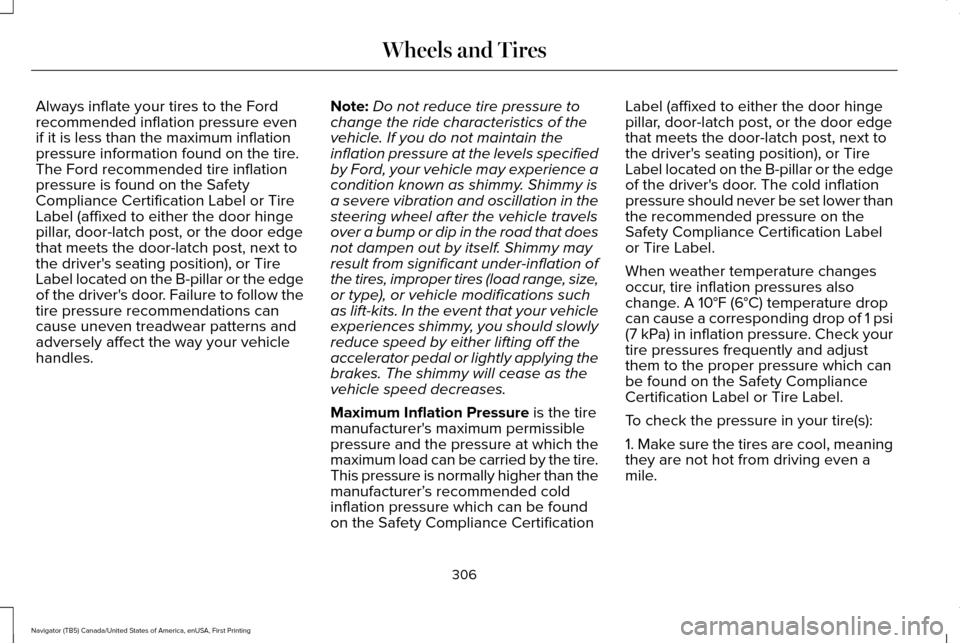
Always inflate your tires to the Ford
recommended inflation pressure even
if it is less than the maximum inflation
pressure information found on the tire.
The Ford recommended tire inflation
pressure is found on the Safety
Compliance Certification Label or Tire
Label (affixed to either the door hinge
pillar, door-latch post, or the door edge
that meets the door-latch post, next to
the driver's seating position), or Tire
Label located on the B-pillar or the edge
of the driver's door. Failure to follow the
tire pressure recommendations can
cause uneven treadwear patterns and
adversely affect the way your vehicle
handles.
Note:
Do not reduce tire pressure to
change the ride characteristics of the
vehicle. If you do not maintain the
inflation pressure at the levels specified
by Ford, your vehicle may experience a
condition known as shimmy. Shimmy is
a severe vibration and oscillation in the
steering wheel after the vehicle travels
over a bump or dip in the road that does
not dampen out by itself. Shimmy may
result from significant under-inflation of
the tires, improper tires (load range, size,
or type), or vehicle modifications such
as lift-kits. In the event that your vehicle
experiences shimmy, you should slowly
reduce speed by either lifting off the
accelerator pedal or lightly applying the
brakes. The shimmy will cease as the
vehicle speed decreases.
Maximum Inflation Pressure is the tire
manufacturer's maximum permissible
pressure and the pressure at which the
maximum load can be carried by the tire.
This pressure is normally higher than the
manufacturer’ s recommended cold
inflation pressure which can be found
on the Safety Compliance Certification Label (affixed to either the door hinge
pillar, door-latch post, or the door edge
that meets the door-latch post, next to
the driver's seating position), or Tire
Label located on the B-pillar or the edge
of the driver's door. The cold inflation
pressure should never be set lower than
the recommended pressure on the
Safety Compliance Certification Label
or Tire Label.
When weather temperature changes
occur, tire inflation pressures also
change. A 10°F (6°C) temperature drop
can cause a corresponding drop of 1 psi
(7 kPa) in inflation pressure. Check your
tire pressures frequently and adjust
them to the proper pressure which can
be found on the Safety Compliance
Certification Label or Tire Label.
To check the pressure in your tire(s):
1. Make sure the tires are cool, meaning
they are not hot from driving even a
mile.
306
Navigator (TB5) Canada/United States of America, enUSA, First Printing Wheels and Tires
Page 408 of 419
4
4WD
See: Four-Wheel Drive.......................................176
A
A/C See: Climate Control..........................................125
About This Manual............................................7
Protecting the Environment..................................7
ABS See: Brakes...........................................................184
ABS driving hints See: Hints on Driving With Anti-Lock
Brakes................................................................184
Accessories....................................................348 Exterior Style........................................................348
Interior Style.........................................................348
Lifestyle.................................................................348
Peace of Mind.....................................................348
Accessories See: Replacement Parts Recommendation.....12
Adaptive Headlamps
.....................................90
Adjusting the Headlamps...........................279 Horizontal Aim Adjustment..............................280
Vertical Aim Adjustment...................................279
Adjusting the Pedals
......................................83 Adjusting the Steering Wheel......................77
Easy Entry and Exit Feature................................77
End of Travel Position...........................................77
Memory Feature....................................................77
AFS See: Adaptive Headlamps..................................90
Airbag Disposal...............................................48
Air Conditioning See: Climate Control..........................................125
Air Filter See: Changing the Engine Air Filter..............284
Alarm See: Anti-Theft Alarm...........................................74
Ambient Lighting
............................................92
Anti-Theft Alarm..............................................74 Arming the Alarm..................................................74
Disarming the Alarm.............................................74
Appendices....................................................385
Audible Warnings and Indicators
..............104
Direction Indicator Chime.................................104
Headlamps On Warning Chime.......................104
Key in Ignition Warning Chime.........................104
Parking Brake On Warning Chime..................104
Audio Control
...................................................78
Media.......................................................................80
Seek, Next or Previous........................................80
Type One.................................................................79
Type Two.................................................................80 Audio System................................................340
General Information...........................................340
Audio Unit........................................................341 Rear Seat Audio Controls.................................343
Autolamps.........................................................88 Windshield Wiper Activated Headlamps........89
Automatic Climate Control
.........................125
Automatic Transmission................................171 Brake-Shift Interlock...........................................174
If Your Vehicle Gets Stuck In Mud or
Snow...................................................................175
Selector Lever Positions.....................................171
Understanding your SelectShift Automatic ™
Transmission.....................................................173
Automatic Transmission Fluid Check............................................................274
Autowipers.......................................................84
Auxiliary Power Points.................................153 110 Volt AC Power Point.....................................153
12 Volt DC Power Point......................................153
Locations...............................................................153
B
Battery See: Changing the 12V Battery.......................276
405
Navigator (TB5) Canada/United States of America, enUSA, First Printing Index
Page 409 of 419
Blind Spot Information System.................202
Switching the System Off and On..................204
System Errors......................................................204
Using the System...............................................202
Bonnet Lock See: Opening and Closing the Hood............264
Booster Seats..................................................26
Types of Booster Seats.......................................26
Brake Fluid Check........................................274
Brakes..............................................................184 General Information............................................184
Breaking-In.....................................................235
Bulb Specification Chart
.............................282
C
California Proposition 65................................11
Capacities and Specifications - 3.5L Ecoboost™....................................................332
Specifications......................................................334
Capacities and Specifications...................328
Car Wash See: Cleaning the Exterior...............................286
Center Console.............................................155 Changing a Bulb...........................................280
Central High-mounted Brake Lamp...............
281
HID Headlamp Bulbs.........................................280
LED Lamps............................................................281
License Plate Lamp Bulbs.................................281
Changing a Fuse..........................................263 Fuses.....................................................................263
Changing a Road Wheel............................320 Dissimilar Spare Wheel and Tire Assembly
Information......................................................320
Location of the Spare Tire and Tools.............321
Tire Change Procedure....................................
322
Changing the 12V Battery..........................276 Battery Management System..........................277
Changing the Engine Air Filter.................284
Changing the Wiper Blades.......................278
Checking MyKey System Status.................58
Checking the Wiper Blades.......................278
Childminder Mirror
.........................................95
Child Restraint and Seatbelt Maintenance..................................................39
Child Restraint Positioning
...........................29
Child Safety.......................................................16
General Information..............................................16
Child Safety Locks..........................................30
Cleaning Leather Seats...............................291
Cleaning Products.......................................286
Cleaning the Alloy Wheels........................292 Cleaning the Engine....................................288
Cleaning the Exterior..................................286
Exterior Chrome Parts.......................................287
Exterior Plastic Parts..........................................287
Stripes or Graphics.............................................287
Underbody...........................................................287
Cleaning the Instrument Panel and Instrument Cluster Lens............................291
Cleaning the Interior...................................289 Cleaning Black Label or Presidential
Interior..............................................................289
Cleaning the Windows and Wiper Blades...........................................................288
Clearing All MyKeys.......................................56
Climate Control
..............................................125
Climate Controlled Seats............................145
Cooled Seats........................................................146
Coolant Check See: Engine Coolant Check............................269
Crash Sensors and Airbag Indicator..........47
Creating a MyKey...........................................55 Programming/Changing Configurable
Settings...............................................................55
406
Navigator (TB5) Canada/United States of America, enUSA, First Printing Index
Page 410 of 419
Cross Traffic Alert.........................................204
False Alerts..........................................................208
Switching the System Off and On..................208
System Errors......................................................208
System Lights, Messages and Audible
Alerts.................................................................207
System Limitations.............................................207
Using the System...............................................204
Cruise Control.................................................82 Principle of Operation.......................................200
Cruise control See: Using Cruise Control...............................200
Customer Assistance
..................................243
D
Data Recording
..................................................9
Event Data Recording...........................................10
Service Data Recording.........................................9
Daytime Running Lamps...............................89 Type 1 - Conventional
(Non-Configurable)..........................................90
Type 2 - Configurable..........................................90
Direction Indicators.........................................91 Lane Change...........................................................91
Drive Control.................................................209 LINCOLN DRIVE CONTROL............................209 Driver and Passenger Airbags....................43
Children and Airbags...........................................44
Proper Driver and Front Passenger Seating
Adjustment.........................................................43
Driving Aids
...................................................202
Driving Hints..................................................235
Driving Through Water...............................236
DRL See: Daytime Running Lamps...........................89
E
Economical Driving
......................................235
Emission Control System............................168
On-Board Diagnostics (OBD-II)........................169
Readiness for Inspection/Maintenance (I/M)
Testing...............................................................170
End User License Agreement...................385 VEHICLE SOFTWARE END USER LICENSE
AGREEMENT (EULA) ....................................385
Engine Block Heater....................................160 Using the Engine Block Heater........................161 Engine Coolant Check
................................269
Adding Engine Coolant.....................................270
Checking the Engine Coolant.........................270
Recycled Engine Coolant..................................271
Severe Climates...................................................271
What You Should Know About Fail-Safe
Cooling.............................................................272
Engine Immobilizer See: Passive Anti-Theft System
.........................73
Engine Oil Check.........................................268 Adding Engine Oil..............................................268
Engine Oil Dipstick......................................268
Engine Specifications..................................328 Drivebelt Routing................................................328
Environment......................................................15
Essential Towing Checks...........................226 Before Towing a Trailer......................................
231
Hitches..................................................................227
Launching or Retrieving a Boat or Personal Watercraft (PWC)............................................232
Safety Chains......................................................230
Trailer Brakes......................................................230
Trailer Hitch Cover.............................................226
Trailer Lamps.......................................................230
Trailer Towing Connector (Vehicles with a Trailer Towing Package and 7–Pin
Connector).......................................................226
When Towing a Trailer........................................231
407
Navigator (TB5) Canada/United States of America, enUSA, First Printing Index
Page 412 of 419
Hints on Controlling the Interior
Climate..........................................................127
Cooling the Interior Quickly..............................127
General Hints........................................................127
Heating the Interior Quickly..............................127
Recommended Settings for Cooling .............127
Recommended Settings for Heating..............127
Side Window Defogging in Cold Weather.............................................................127
Hints on Driving With Anti-Lock Brakes............................................................184
Hood Lock See: Opening and Closing the Hood............264
I
In California (U.S. Only)...............................244
Information Display Control
.........................82
Information Displays.....................................105
General Information............................................105 Information Messages....................................111
AdvanceTrac ™ / Traction Control
Messages...........................................................112
Alarm Messages...................................................113
Battery and Charging System Messages.......113
Blind Spot Information System Messages...........................................................114
Brake System Messages....................................115
Door Messages.....................................................115
Engine Messages.................................................116
Fuel Messages......................................................116
Keys and Intelligent Access Messages..........
117
Maintenance Messages......................................118
MyKey™ Messages...............................................119
Off Road Messages............................................120
Park Aid Messages..............................................121
Power Steering Messages.................................
121
Remote Start Messages....................................122
Suspension System Messages........................122
Tire Messages......................................................123
Trailer Messages..................................................123
Transmission Messages.....................................124 Installing Child Restraints
..............................18
Child Seats...............................................................18
Combining Safety Belt and LATCH Lower
Anchors for Attaching Child Safety
Seats....................................................................22
Using Lap and Shoulder Belts ...........................18
Using Lower Anchors and Tethers for CHildren (LATCH)..............................................21
Using Tether Straps..............................................23
Instrument Cluster
..........................................99
Instrument Lighting Dimmer........................89
Interior Lamps
...................................................91
Front Map Lamps (If equipped)..........................91
Rear Dome and Map Lamps..............................92
Interior Mirror...................................................95 Auto-Dimming Mirror...........................................95
Introduction
.........................................................7
J
Jump Starting the Vehicle..........................240 Connecting the Jumper Cables.......................241
Jump Starting.......................................................241
Preparing Your Vehicle.....................................240
Removing the Jumper Cables.........................242
409
Navigator (TB5) Canada/United States of America, enUSA, First Printing Index
Page 417 of 419
Using Four-Wheel Drive..............................176
4WD Indicator Lights..........................................176
4WD Switch Positions.........................................176
Driving Off-Road With Truck and Utility
Vehicles.............................................................178
How Your Vehicle Differs From Other Vehicles.............................................................178
Using Hill Descent Control.........................193 Principle of Operation........................................193
Using Hill Descent Control...............................193
Using MyKey With Remote Start Systems..........................................................59
Vehicles With Ford-Approved Aftermarket Remote Start Systems.....................................59
Vehicles With Non-Ford-Approved Aftermarket Remote Start Systems.............59
Using Power Running Boards......................75
Automatic Power Deploy....................................75
Automatic Power Stow........................................75
Bounce-back..........................................................76
Enabling and Disabling........................................75
Manual Power Deploy.........................................75
Using Snow Chains.......................................312
Using Stability Control.................................190 Stability Control and Traction Control with Roll
Stability Control™ (RSC™)...............................190 Using Traction Control
.................................187
Switching the System Off .................................187
System Indicator Lights and Messages.........188
Utilizing the Mediation/Arbitration Program (Canada Only)
.............................................246
V
Vehicle Care..................................................286 General Information...........................................286
Vehicle Certification Label
.........................330
Vehicle Identification Number..................330
Vehicle Storage............................................293
Battery...................................................................294
Body.......................................................................293
Brakes...................................................................294
Cooling system...................................................294
Engine...................................................................293
Fuel system..........................................................293
General.................................................................293
Miscellaneous.....................................................294
Removing Vehicle From Storage...................294
Tires.......................................................................294
Ventilation See: Climate Control..........................................125
VIN See: Vehicle Identification Number...............330 Voice Control
....................................................81
Type One.................................................................81
Type Two.................................................................82
414
Navigator (TB5) Canada/United States of America, enUSA, First Printing Index