steering wheel LINCOLN NAVIGATOR 2016 Owner's Guide
[x] Cancel search | Manufacturer: LINCOLN, Model Year: 2016, Model line: NAVIGATOR, Model: LINCOLN NAVIGATOR 2016Pages: 419, PDF Size: 3.59 MB
Page 294 of 419
CLEANING THE INSTRUMENT
PANEL AND INSTRUMENT
CLUSTER LENS
WARNING
Do not use chemical solvents or strong
detergents when cleaning the steering
wheel or instrument panel to avoid
contamination of the airbag system. Note:
Follow the same procedure as
cleaning leather seats for cleaning leather
instrument panels and leather interior trim
surfaces. See Cleaning Leather Seats (page
291).
Clean the instrument panel and cluster lens
with a clean, damp and soft cloth, then use
a clean, dry and soft cloth to dry these areas. •
Avoid cleaners or polishes that increase
the gloss of the upper portion of the
instrument panel. The dull finish in this
area helps protect you from undesirable
windshield reflection.
• Do not use any household cleaning
products or glass cleaners as these may
damage the finish of the instrument
panel, interior trim and cluster lens.
• Wash or wipe your hands clean if you
have been in contact with certain
products such as insect repellent and
suntan lotion to avoid possible damage
to the interior painted surfaces.
• Do not allow air fresheners and hand
sanitizers to spill onto interior surfaces.
If a spill occurs, wipe off immediately.
Your warranty may not cover these
damages.
If a staining liquid like coffee or juice has
been spilled on the instrument panel or on
interior trim surfaces:
1. Wipe up spilled liquid using a clean, soft
cloth as quickly as possible. 2. Use Motorcraft Premium Leather and
Vinyl Cleaner or a commercially available
leather cleaning product for automotive
interiors. Test any cleaner or stain
remover on an inconspicuous area.
3. Alternatively, wipe the surface with a clean, soft cloth and a mild soap and
water solution. Dry the area with a clean,
soft cloth.
4. If necessary, apply more soap and water
solution or cleaning product to a clean,
soft cloth and press it onto the soiled
area. Allow this to set at room
temperature for 30 minutes.
5. Remove the soaked cloth, then with a clean, damp cloth, use a rubbing motion
for 60 seconds on the soiled area.
6. Dry the area with a clean, soft cloth.
CLEANING LEATHER SEATS
Note: Follow the same procedure as
cleaning leather seats for cleaning leather
instrument panels and leather interior trim
surfaces.
291
Navigator (TB5) Canada/United States of America, enUSA, First Printing Vehicle Care
Page 300 of 419
How your vehicle differs from other
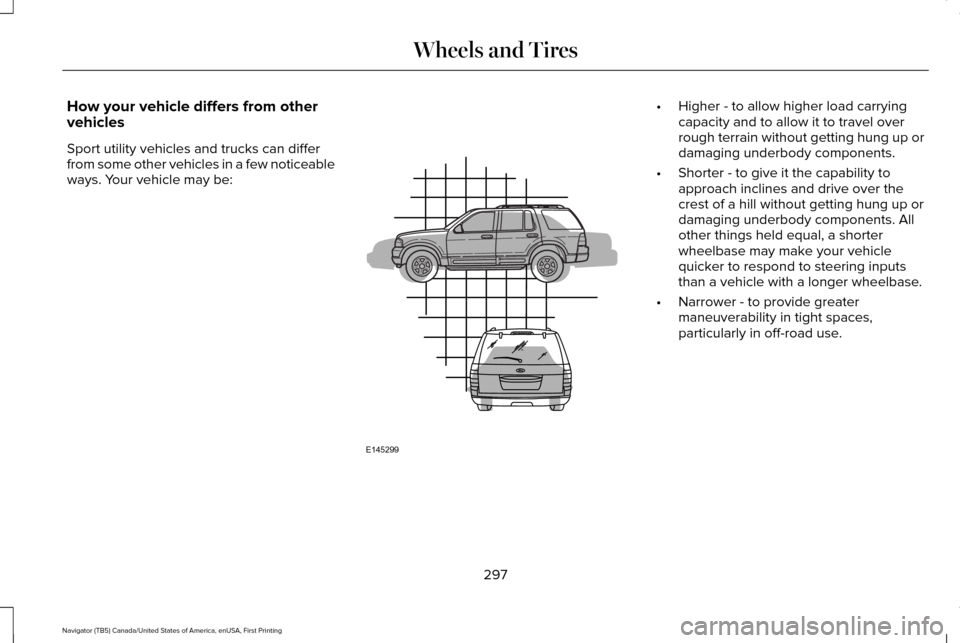
vehicles
Sport utility vehicles and trucks can differ
from some other vehicles in a few noticeable
ways. Your vehicle may be: •
Higher - to allow higher load carrying
capacity and to allow it to travel over
rough terrain without getting hung up or
damaging underbody components.
• Shorter - to give it the capability to
approach inclines and drive over the
crest of a hill without getting hung up or
damaging underbody components. All
other things held equal, a shorter
wheelbase may make your vehicle
quicker to respond to steering inputs
than a vehicle with a longer wheelbase.
• Narrower - to provide greater
maneuverability in tight spaces,
particularly in off-road use.
297
Navigator (TB5) Canada/United States of America, enUSA, First Printing Wheels and TiresE145299
Page 309 of 419
Always inflate your tires to the Ford
recommended inflation pressure even
if it is less than the maximum inflation
pressure information found on the tire.
The Ford recommended tire inflation
pressure is found on the Safety
Compliance Certification Label or Tire
Label (affixed to either the door hinge
pillar, door-latch post, or the door edge
that meets the door-latch post, next to
the driver's seating position), or Tire
Label located on the B-pillar or the edge
of the driver's door. Failure to follow the
tire pressure recommendations can
cause uneven treadwear patterns and
adversely affect the way your vehicle
handles.
Note:
Do not reduce tire pressure to
change the ride characteristics of the
vehicle. If you do not maintain the
inflation pressure at the levels specified
by Ford, your vehicle may experience a
condition known as shimmy. Shimmy is
a severe vibration and oscillation in the
steering wheel after the vehicle travels
over a bump or dip in the road that does
not dampen out by itself. Shimmy may
result from significant under-inflation of
the tires, improper tires (load range, size,
or type), or vehicle modifications such
as lift-kits. In the event that your vehicle
experiences shimmy, you should slowly
reduce speed by either lifting off the
accelerator pedal or lightly applying the
brakes. The shimmy will cease as the
vehicle speed decreases.
Maximum Inflation Pressure is the tire
manufacturer's maximum permissible
pressure and the pressure at which the
maximum load can be carried by the tire.
This pressure is normally higher than the
manufacturer’ s recommended cold
inflation pressure which can be found
on the Safety Compliance Certification Label (affixed to either the door hinge
pillar, door-latch post, or the door edge
that meets the door-latch post, next to
the driver's seating position), or Tire
Label located on the B-pillar or the edge
of the driver's door. The cold inflation
pressure should never be set lower than
the recommended pressure on the
Safety Compliance Certification Label
or Tire Label.
When weather temperature changes
occur, tire inflation pressures also
change. A 10°F (6°C) temperature drop
can cause a corresponding drop of 1 psi
(7 kPa) in inflation pressure. Check your
tire pressures frequently and adjust
them to the proper pressure which can
be found on the Safety Compliance
Certification Label or Tire Label.
To check the pressure in your tire(s):
1. Make sure the tires are cool, meaning
they are not hot from driving even a
mile.
306
Navigator (TB5) Canada/United States of America, enUSA, First Printing Wheels and Tires
Page 312 of 419
U.S. DOT Tire Identification Number
Both United States and Canada Federal
regulations require tire manufacturers
to place standardized information on the
sidewall of all tires. This information
identifies and describes the fundamental
characteristics of the tire and also
provides a U.S. DOT Tire Identification
Number for safety standard certification
and in case of a recall.
This begins with the letters DOT and
indicates that the tire meets all federal
standards. The next two numbers or
letters are the plant code designating
where it was manufactured, the next two
are the tire size code and the last four
numbers represent the week and year
the tire was built. For example, the
numbers 317 mean the 31st week of
1997. After 2000 the numbers go to four
digits. For example, 2501 means the
25th week of 2001. The numbers in
between are identification codes used
for traceability. This information is used
to contact customers if a tire defect
requires a recall.
Tire Replacement Requirements
Your vehicle is equipped with tires
designed to provide a safe ride and
handling capability.
WARNINGS
Only use replacement tires and
wheels that are the same size, load
index, speed rating and type (such as
P-metric versus LT-metric or all-season
versus all-terrain) as those originally
provided by Ford. The recommended
tire and wheel size may be found on
either the Safety Compliance
Certification Label or the Tire Label. If
this information is not found on these
labels then you should contact your
authorized dealer as soon as possible.
Use of any tire or wheel not
recommended by Ford can affect the
safety and performance of your vehicle,
which could result in an increased risk
of loss of vehicle control, vehicle
rollover, personal injury and death.
Additionally the use of WARNINGS
non-recommended tires and wheels
could cause steering, suspension, axle,
transfer case or power transfer unit
failure. If you have questions regarding
tire replacement, contact your
authorized dealer as soon as possible. To reduce the risk of serious injury,
when mounting replacement tires
and wheels, you should not exceed the
maximum pressure indicated on the
sidewall of the tire to set the beads
without additional precautions listed
below. If the beads do not seat at the
maximum pressure indicated,
re-lubricate and try again.
When inflating the tire for mounting
pressures up to 20 psi (1.38 bar) greater
than the maximum pressure on the tire
sidewall, the following precautions must
be taken to protect the person mounting
the tire:
1. Make sure that you have the correct
tire and wheel size.
309
Navigator (TB5) Canada/United States of America, enUSA, First Printing Wheels and Tires
Page 315 of 419
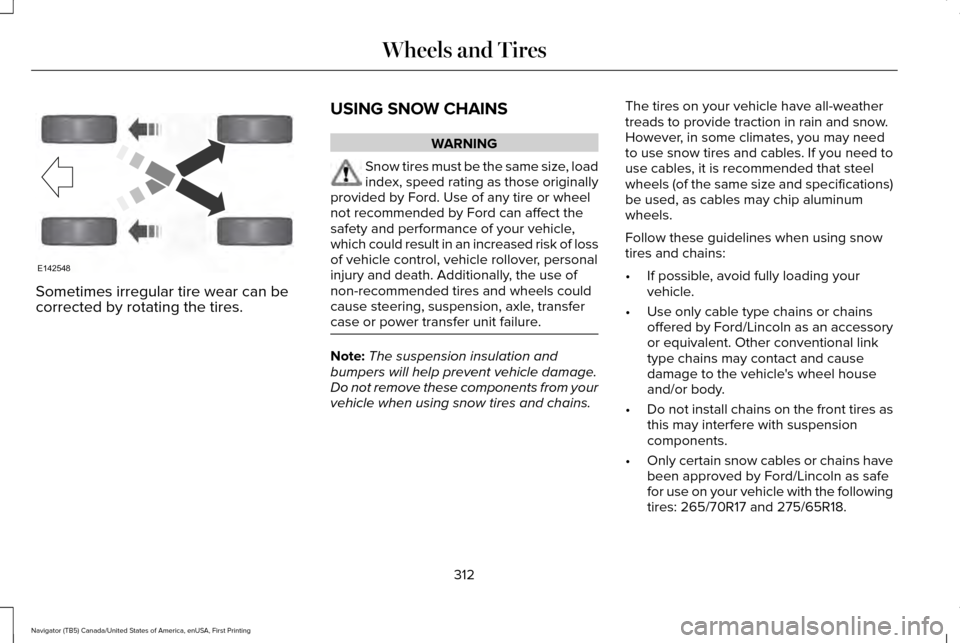
Sometimes irregular tire wear can be
corrected by rotating the tires.
USING SNOW CHAINS WARNING
Snow tires must be the same size, load
index, speed rating as those originally
provided by Ford. Use of any tire or wheel
not recommended by Ford can affect the
safety and performance of your vehicle,
which could result in an increased risk of loss
of vehicle control, vehicle rollover, personal
injury and death. Additionally, the use of
non-recommended tires and wheels could
cause steering, suspension, axle, transfer
case or power transfer unit failure. Note:
The suspension insulation and
bumpers will help prevent vehicle damage.
Do not remove these components from your
vehicle when using snow tires and chains. The tires on your vehicle have all-weather
treads to provide traction in rain and snow.
However, in some climates, you may need
to use snow tires and cables. If you need to
use cables, it is recommended that steel
wheels (of the same size and specifications)
be used, as cables may chip aluminum
wheels.
Follow these guidelines when using snow
tires and chains:
•
If possible, avoid fully loading your
vehicle.
• Use only cable type chains or chains
offered by Ford/Lincoln as an accessory
or equivalent. Other conventional link
type chains may contact and cause
damage to the vehicle's wheel house
and/or body.
• Do not install chains on the front tires as
this may interfere with suspension
components.
• Only certain snow cables or chains have
been approved by Ford/Lincoln as safe
for use on your vehicle with the following
tires: 265/70R17 and 275/65R18.
312
Navigator (TB5) Canada/United States of America, enUSA, First Printing Wheels and TiresE142548
Page 323 of 419
CHANGING A ROAD WHEEL
WARNINGS
The use of tire sealant may damage
your tire pressure monitoring system
and should only be used in roadside
emergencies. If you must use a sealant, the
Ford Tire Mobility Kit sealant should be used.
The tire pressure monitoring system sensor
and valve stem on the wheel must be
replaced by an authorized dealer after use
of the sealant. If the tire pressure monitor sensor
becomes damaged, it will no longer
function. See Tire Pressure Monitoring
System (page 313). Note:
The tire pressure monitoring system
indicator light will illuminate when the spare
tire is in use. To restore the full function of
the monitoring system, all road wheels
equipped with tire pressure monitoring
sensors must be mounted on this vehicle. If you get a flat tire while driving, do not apply
the brake heavily. Instead, gradually
decrease your speed. Hold the steering
wheel firmly and slowly move to a safe place
on the side of the road.
Have a flat serviced by an authorized dealer
in order to prevent damage to the system
sensors
See Tire Pressure Monitoring
System (page 313). Replace the spare tire
with a road tire as soon as possible. During
repairing or replacing of the flat tire, have
the authorized dealer inspect the system
sensor for damage.
Dissimilar Spare Wheel and Tire
Assembly Information WARNING
Failure to follow these guidelines could
result in an increased risk of loss of
vehicle control, injury or death. If you have a dissimilar spare wheel and tire,
then it is intended for temporary use only.
This means that if you need to use it, you
should replace it as soon as possible with a
road wheel and tire assembly that is the
same size and type as the road tires and
wheels that were originally provided by Ford.
If the dissimilar spare tire or wheel is
damaged, it should be replaced rather than
repaired.
A dissimilar spare wheel and tire assembly
is defined as a spare wheel and tire assembly
that is different in brand, size or appearance
from the road tires and wheels and can be
one of three types:
1.
T-type mini-spare: This spare tire begins
with the letter T for tire size and may have
Temporary Use Only molded in the sidewall.
2.
Full-size dissimilar spare with label on
wheel: This spare tire has a label on the
wheel that states: THIS WHEEL AND TIRE
ASSEMBLY FOR TEMPORARY USE ONLY
320
Navigator (TB5) Canada/United States of America, enUSA, First Printing Wheels and Tires
Page 362 of 419
Normal Maintenance Intervals
At every oil change interval as indicated by the information display
*
Change engine oil and filter. **
Rotate tires, inspect tire wear and measure tread depth.
Perform a multi-point inspection (recommended).
Inspect the automatic transmission fluid level (if equipped with dipsti\
ck). Consult your dealer for requirements.
Inspect the brake pads, rotors, hoses and parking brake.
Inspect the engine cooling system strength and hoses.
Inspect the exhaust system and heat shields.
Inspect front axle and U-joints.
Inspect the half-shaft boots.
Inspect the steering linkage, ball joints, suspension, tire-rod ends, driveshaft and U-joints.
Inspect the wheels and related components for abnormal noise, wear, looseness or drag.
* Do not exceed one year or 10000 miles (16000 kilometers) between service interv\
als.
** Reset the Intelligent Oil-Life Monitor after engine oil and filter change\
s.
359
Navigator (TB5) Canada/United States of America, enUSA, First Printing Scheduled Maintenance
Page 366 of 419
Off-road operation
Inspect steering linkage, ball joints and U-joints. Lubricate if equipped with grease fittings.
Inspect frequently, service
as required
Replace engine air filter.
Change engine oil and filter.*
Every 5,000 mi (8,000 km)
or six months
Inspect the wheels and related components for abnormal noise, wear, looseness or drag.
Rotate tires, inspect tires for wear and measure tread depth.
Replace front wheel bearing grease and grease seals if non-sealed bearing\
s are used (Two-wheel drive
vehicles).
Every
30,000 mi
(48,000 km)
Change transfer case fluid (Four-wheel drive vehicles).
Every
60,000 mi
(96,000 km)
* Reset your Intelligent Oil-Life Monitor after each engine oil and filter \
change.
Exceptions
There are several exceptions to the Normal
Schedule. Normal Vehicle Axle Maintenance
Rear axles and power take-off units with
synthetic fluid and light-duty trucks equipped
with Ford-design axles are lubricated for life;
do not check or change fluid unless a leak
is suspected, service is required or the
assembly has been submerged in water.
During long periods of trailer towing with
363
Navigator (TB5) Canada/United States of America, enUSA, First Printing Scheduled Maintenance
Page 408 of 419
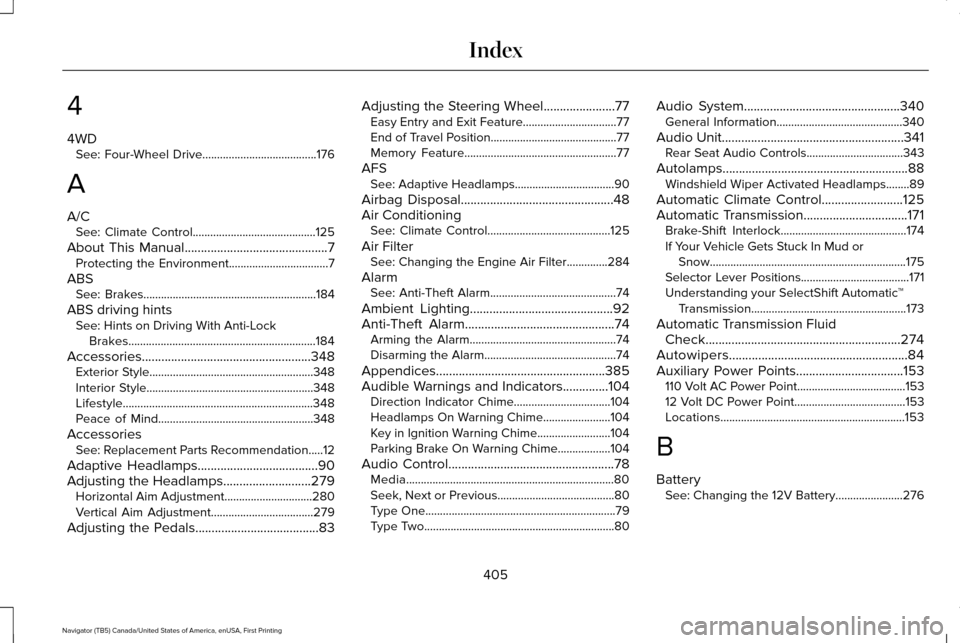
4
4WD
See: Four-Wheel Drive.......................................176
A
A/C See: Climate Control..........................................125
About This Manual............................................7
Protecting the Environment..................................7
ABS See: Brakes...........................................................184
ABS driving hints See: Hints on Driving With Anti-Lock
Brakes................................................................184
Accessories....................................................348 Exterior Style........................................................348
Interior Style.........................................................348
Lifestyle.................................................................348
Peace of Mind.....................................................348
Accessories See: Replacement Parts Recommendation.....12
Adaptive Headlamps
.....................................90
Adjusting the Headlamps...........................279 Horizontal Aim Adjustment..............................280
Vertical Aim Adjustment...................................279
Adjusting the Pedals
......................................83 Adjusting the Steering Wheel......................77
Easy Entry and Exit Feature................................77
End of Travel Position...........................................77
Memory Feature....................................................77
AFS See: Adaptive Headlamps..................................90
Airbag Disposal...............................................48
Air Conditioning See: Climate Control..........................................125
Air Filter See: Changing the Engine Air Filter..............284
Alarm See: Anti-Theft Alarm...........................................74
Ambient Lighting
............................................92
Anti-Theft Alarm..............................................74 Arming the Alarm..................................................74
Disarming the Alarm.............................................74
Appendices....................................................385
Audible Warnings and Indicators
..............104
Direction Indicator Chime.................................104
Headlamps On Warning Chime.......................104
Key in Ignition Warning Chime.........................104
Parking Brake On Warning Chime..................104
Audio Control
...................................................78
Media.......................................................................80
Seek, Next or Previous........................................80
Type One.................................................................79
Type Two.................................................................80 Audio System................................................340
General Information...........................................340
Audio Unit........................................................341 Rear Seat Audio Controls.................................343
Autolamps.........................................................88 Windshield Wiper Activated Headlamps........89
Automatic Climate Control
.........................125
Automatic Transmission................................171 Brake-Shift Interlock...........................................174
If Your Vehicle Gets Stuck In Mud or
Snow...................................................................175
Selector Lever Positions.....................................171
Understanding your SelectShift Automatic ™
Transmission.....................................................173
Automatic Transmission Fluid Check............................................................274
Autowipers.......................................................84
Auxiliary Power Points.................................153 110 Volt AC Power Point.....................................153
12 Volt DC Power Point......................................153
Locations...............................................................153
B
Battery See: Changing the 12V Battery.......................276
405
Navigator (TB5) Canada/United States of America, enUSA, First Printing Index
Page 411 of 419
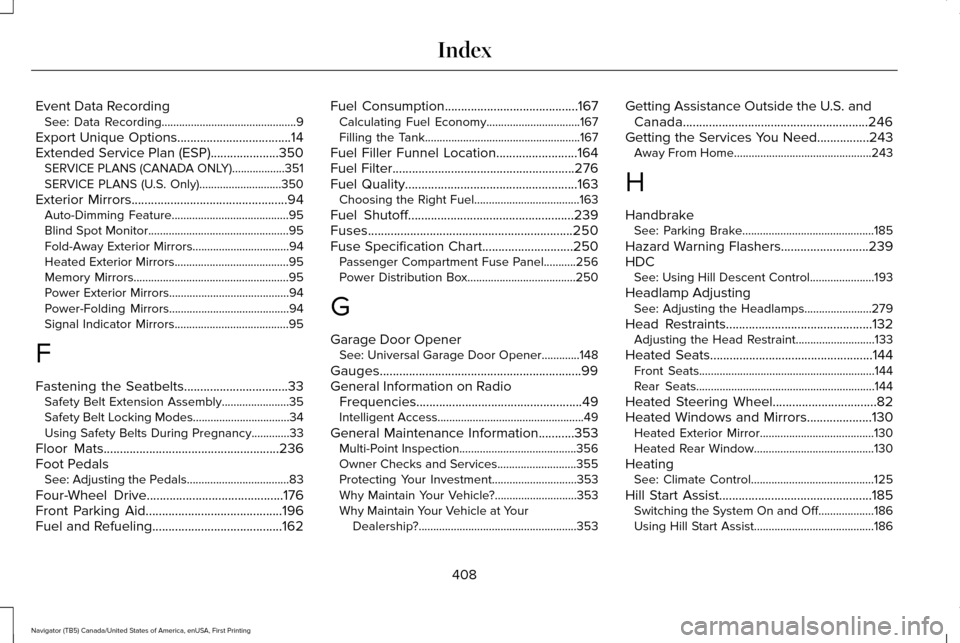
Event Data Recording
See: Data Recording..............................................9
Export Unique Options...................................14
Extended Service Plan (ESP).....................350 SERVICE PLANS (CANADA ONLY)..................351
SERVICE PLANS (U.S. Only)............................350
Exterior Mirrors................................................94
Auto-Dimming Feature........................................95
Blind Spot Monitor................................................95
Fold-Away Exterior Mirrors.................................94
Heated Exterior Mirrors.......................................
95
Memory Mirrors.....................................................95
Power Exterior Mirrors.........................................94
Power-Folding Mirrors.........................................94
Signal Indicator Mirrors.......................................95
F
Fastening the Seatbelts
................................33
Safety Belt Extension Assembly.......................35
Safety Belt Locking Modes.................................34
Using Safety Belts During Pregnancy.............33
Floor Mats
......................................................236
Foot Pedals See: Adjusting the Pedals...................................83
Four-Wheel Drive..........................................176
Front Parking Aid..........................................196
Fuel and Refueling........................................162 Fuel Consumption
.........................................167
Calculating Fuel Economy................................167
Filling the Tank.....................................................167
Fuel Filler Funnel Location.........................164
Fuel Filter........................................................276
Fuel Quality
.....................................................163
Choosing the Right Fuel....................................163
Fuel Shutoff
...................................................239
Fuses...............................................................250
Fuse Specification Chart............................250 Passenger Compartment Fuse Panel...........256
Power Distribution Box.....................................250
G
Garage Door Opener See: Universal Garage Door Opener.............
148
Gauges..............................................................99
General Information on Radio Frequencies...................................................49
Intelligent Access..................................................49
General Maintenance Information...........353 Multi-Point Inspection........................................356
Owner Checks and Services...........................355
Protecting Your Investment.............................353
Why Maintain Your Vehicle?............................353
Why Maintain Your Vehicle at Your
Dealership?......................................................353 Getting Assistance Outside the U.S. and
Canada.........................................................246
Getting the Services You Need................243 Away From Home...............................................243
H
Handbrake See: Parking Brake.............................................185
Hazard Warning Flashers...........................239
HDC See: Using Hill Descent Control......................193
Headlamp Adjusting See: Adjusting the Headlamps.......................279
Head Restraints.............................................132 Adjusting the Head Restraint...........................133
Heated Seats..................................................144
Front Seats............................................................144
Rear Seats.............................................................144
Heated Steering Wheel
................................82
Heated Windows and Mirrors....................130 Heated Exterior Mirror.......................................130
Heated Rear Window.........................................130
Heating See: Climate Control..........................................125
Hill Start Assist...............................................185 Switching the System On and Off...................186
Using Hill Start Assist.........................................186
408
Navigator (TB5) Canada/United States of America, enUSA, First Printing Index