display LINCOLN NAVIGATOR 2016 Service Manual
[x] Cancel search | Manufacturer: LINCOLN, Model Year: 2016, Model line: NAVIGATOR, Model: LINCOLN NAVIGATOR 2016Pages: 419, PDF Size: 3.59 MB
Page 122 of 419
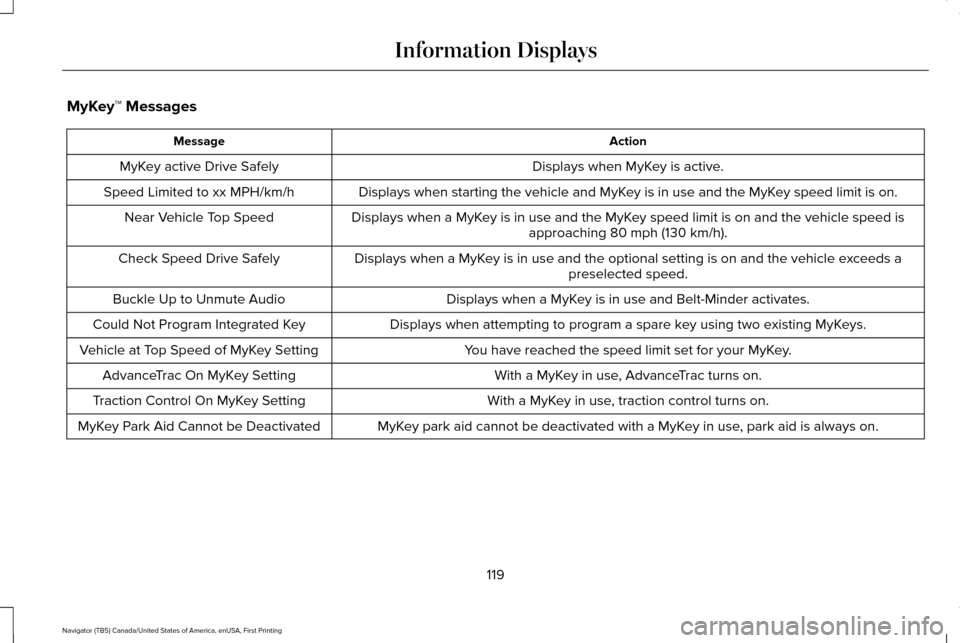
MyKey™ Messages
Action
Message
Displays when MyKey is active.
MyKey active Drive Safely
Displays when starting the vehicle and MyKey is in use and the MyKey speed limit is on.
Speed Limited to xx MPH/km/h
Displays when a MyKey is in use and the MyKey speed limit is on and the vehicle speed isapproaching 80 mph (130 km/h).
Near Vehicle Top Speed
Displays when a MyKey is in use and the optional setting is on and the vehicle exceeds apreselected speed.
Check Speed Drive Safely
Displays when a MyKey is in use and Belt-Minder activates.
Buckle Up to Unmute Audio
Displays when attempting to program a spare key using two existing MyKeys.
Could Not Program Integrated Key
You have reached the speed limit set for your MyKey.
Vehicle at Top Speed of MyKey Setting
With a MyKey in use, AdvanceTrac turns on.
AdvanceTrac On MyKey Setting
With a MyKey in use, traction control turns on.
Traction Control On MyKey Setting
MyKey park aid cannot be deactivated with a MyKey in use, park aid is always on.
MyKey Park Aid Cannot be Deactivated
119
Navigator (TB5) Canada/United States of America, enUSA, First Printing Information Displays
Page 123 of 419

Off Road Messages
Action
Message
Displays when your vehicle speed requirement for off road mode entry has\
notbeen met.
For Off Road Slow to 5MPH
Displays when off road mode becomes active.
Enter Off Road Mode Enabled
Displays when off road mode becomes inactive.
Exiting Off Road Mode
Displays when hill descent control mode deactivates.
Hill Descent Control Off
Displays when hill descent speed exceeds 20 MPH (32 KM/H).
For Hill Descent Reduce Speed
Displays when hill descent control mode requires driver shift transmissi\
on intogear.
For Hill Descent Select Gear
Displays when the hill control mode requires the driver to resume contro\
l.
Hill Descent Driver Resume Control
Displays when a hill descent system fault is present.
Hill Descent Control FAULT
Displays when hill descent control mode disables to cool the brake system.
Hill Descent Control OFF System Cooling
Displays when hill descent control mode activates.
Hill Descent Control Ready
120
Navigator (TB5) Canada/United States of America, enUSA, First Printing Information Displays
Page 124 of 419
 and the park aid disa\
bles.
Check Park Aid
Displays the park aid status.
Rear Park Aid On Off
Displays when the trans")
Park Aid Messages
Action
Message
Displays when the transmission is in reverse (R) and the park aid disa\
bles.
Check Park Aid
Displays the park aid status.
Rear Park Aid On Off
Displays when the transmission is in reverse (R) and the park aid disa\
bles.
Check Rear Park Aid
Displays when the system detects a condition that requires service. See Parking Aids (page
195).
Check Front Park Aid
Displays the park aid status.
Front Park Aid On Off
Power Steering Messages Action
Message
The power steering system detects a condition that requires service. Contact an authorized dealer.
Steering loss Stop safely
The power steering system detects a condition within the power steering \
system that requiresservice immediately. Contact an authorized dealer.
Steering fault Service now
The power steering system disables power steering assist due to a system\
error. Contact an authorized dealer.
Steering assist fault Service required
121
Navigator (TB5) Canada/United States of America, enUSA, First Printing Information Displays
Page 125 of 419
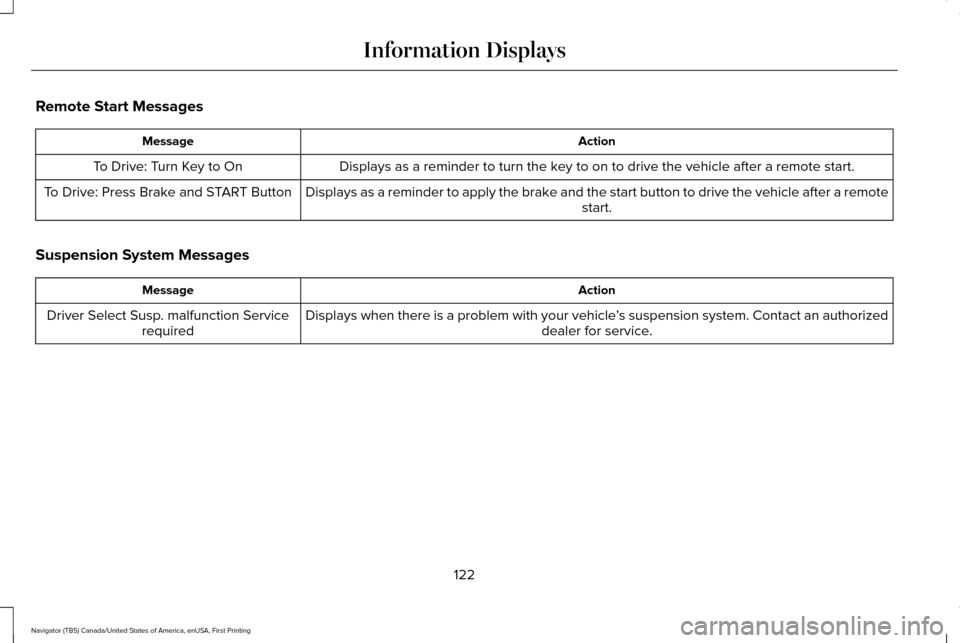
Remote Start Messages
Action
Message
Displays as a reminder to turn the key to on to drive the vehicle after a remote start.
To Drive: Turn Key to On
Displays as a reminder to apply the brake and the start button to drive the vehicle after a remote start.
To Drive: Press Brake and START Button
Suspension System Messages Action
Message
Displays when there is a problem with your vehicle ’s suspension system. Contact an authorized
dealer for service.
Driver Select Susp. malfunction Service
required
122
Navigator (TB5) Canada/United States of America, enUSA, First Printing Information Displays
Page 126 of 419

Tire Messages
Action
Message
Displays when one or more tires on your vehicle have low tire pressure.
Tire Pressure LOW
Displays when the tire pressure monitoring system is malfunctioning. If \
the warning stays on orcontinues to come on, contact an authorized dealer.
Tire Pressure Monitor Fault
Displays when a tire pressure sensor is malfunctioning or your spare tir\
e is in use. See Wheelsand Tires (page 295). If the warning stays on or continues to come on, contact an authorized dealer.
Tire Pressure Sensor Fault
Trailer Messages Action
Message
Displays the current gain setting for the trailer brake when a trailer is notconnected.
Trailer Brake Gain: XX.X No Trailer
Displays and a chime sounds in response to faults sensed by the TBC.
Trailer Brake Module Fault
Displays when a correct trailer connection is sensed during a given igni\
tion cycle.
Trailer Connected
Displays when a trailer connection becomes disconnected, either intentio\
nallyor unintentionally, and the system senses it during a given ignition cycle.
Disregard this status if your vehicle is not equipped with a factory ins\
talled trailer brake controller. This message may appear when an aftermarket TBC is used even when the trailer is connected.
Trailer Disconnected
123
Navigator (TB5) Canada/United States of America, enUSA, First Printing Information Displays
Page 127 of 419

Action
Message
Displays when the trailer sway control detects trailer sway.
Trailer Sway Reduce Speed
Displays if there are certain faults in your vehicle wiring and the trai\
ler wiring orbrake system.
Wiring Fault On Trailer
Displays the current gain setting from the trailer brake.
Trailer Brake Gain XX.X
There is a fault with your vehicle trailer lighting module. See Towing a Trailer
(page 222).
Trailer Lighting Module Fault See Manual
There is a fault with your trailer stop lamp. Check your lamp.
Trailer Stop Lamps Fault Check Lamps
There is a fault with your trailer turn lamp. Check your lamp.
Trailer Left Turn Lamps Fault Check Lamps
There is a fault with your trailer turn lamp. Check your lamp.
Trailer Right Turn Lamps Fault Check Lamps
There is a fault with your trailer park lamp. Check your lamp.
Trailer Park Lamps Fault Check Lamps
There is a fault with your trailer battery.
See Towing a Trailer (page 222).
Trailer Battery Not Charging See Manual
Transmission Messages Action
Message
Displays as a reminder to shift into park (P).
Transmission not in Park
124
Navigator (TB5) Canada/United States of America, enUSA, First Printing Information Displays
Page 134 of 419
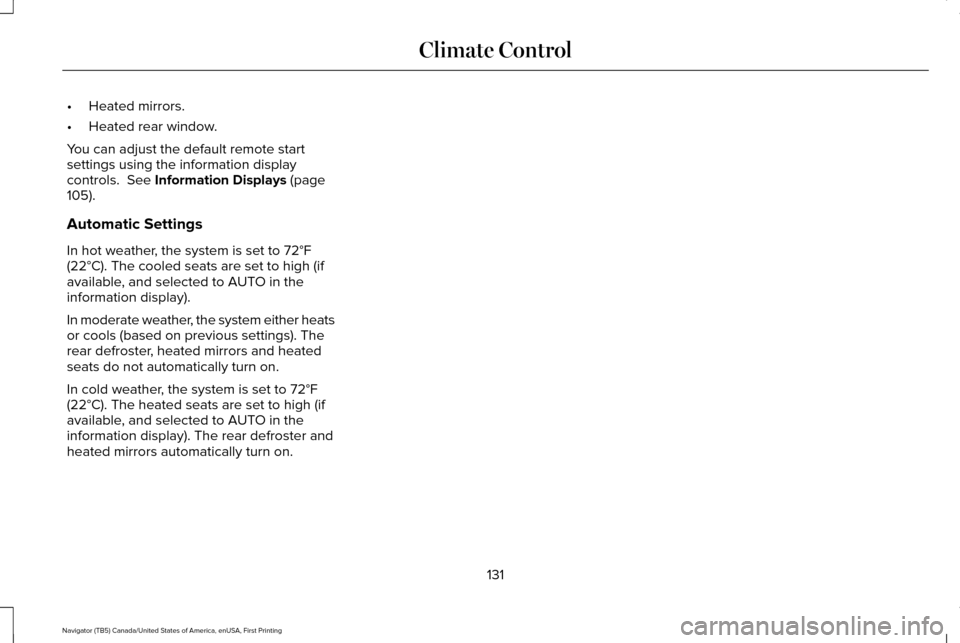
•
Heated mirrors.
• Heated rear window.
You can adjust the default remote start
settings using the information display
controls. See Information Displays (page
105).
Automatic Settings
In hot weather, the system is set to
72°F
(22°C). The cooled seats are set to high (if
available, and selected to AUTO in the
information display).
In moderate weather, the system either heats
or cools (based on previous settings). The
rear defroster, heated mirrors and heated
seats do not automatically turn on.
In cold weather, the system is set to
72°F
(22°C). The heated seats are set to high (if
available, and selected to AUTO in the
information display). The rear defroster and
heated mirrors automatically turn on.
131
Navigator (TB5) Canada/United States of America, enUSA, First Printing Climate Control
Page 140 of 419
1. With the ignition on, move the memory
positions to the desired positions.
2. Press and hold the desired preset button
for about five seconds. A tone will sound
after about two seconds. Continue
holding until a second tone is heard.
3. Within three seconds, press the lock button on the remote control you are
linking.
To unlink a remote control, follow the same
procedure – except in step 3, press the
unlock button on the remote control.
Note: If more than one linked remote control
or intelligent access key is in range, the
memory function moves to the settings of
the first key to initiate a memory recall.
Easy Entry and Exit Feature (If Equipped)
This feature adjusts the position of the seat
and steering column to allow easier exit and
entry to the vehicle. The driver seat automatically moves 2 inches
(5 centimeters) rearward when the
transmission is in park (P) and you remove
the key from the ignition or you switch the
ignition off.
The driver seat returns to the previous
position when you put the key in the ignition
or switch the ignition on.
You can enable or disable this feature in the
information display.
See Information
Displays (page 105).
REAR SEATS
Folding Down the Second Row 40%
Seat WARNINGS
Use caution when folding the seatback
to the flat back position as the system
will move forward when you lift the release
handle. WARNINGS
Before returning the seatback to its
original position, make sure that cargo
or any objects are not trapped behind the
seatback. After returning the seatback to its
original position, pull on the seatback to
make sure that it has fully latched. An
unlatched seat may become dangerous in
the event of a sudden stop or crash. Make sure that the head restraint is in the
down position and no objects such as books,
purses or briefcases are on the floor in front
of the second row seats before folding them
down.
Move the front passenger seat forward so
that the second row seat head restraint
clears the front seat.
137
Navigator (TB5) Canada/United States of America, enUSA, First Printing Seats
Page 154 of 419
2.
The indicator light will begin to flash after
20 seconds. Without releasing the
button, follow Step 1 in the Programming
section.
For questions or comments, contact
HomeLink at www.homelink.com,
www.youtube.com/HomeLinkGentex or
1-800-355-3515.
Programming to a Genie Intellicode 2
Garage Door Opener
Note: The Genie Intellicode 2 transmitter
must already be programmed to operate
with the garage door opener.
Note: To program HomeLink to the
transmitter you must first put the transmitter
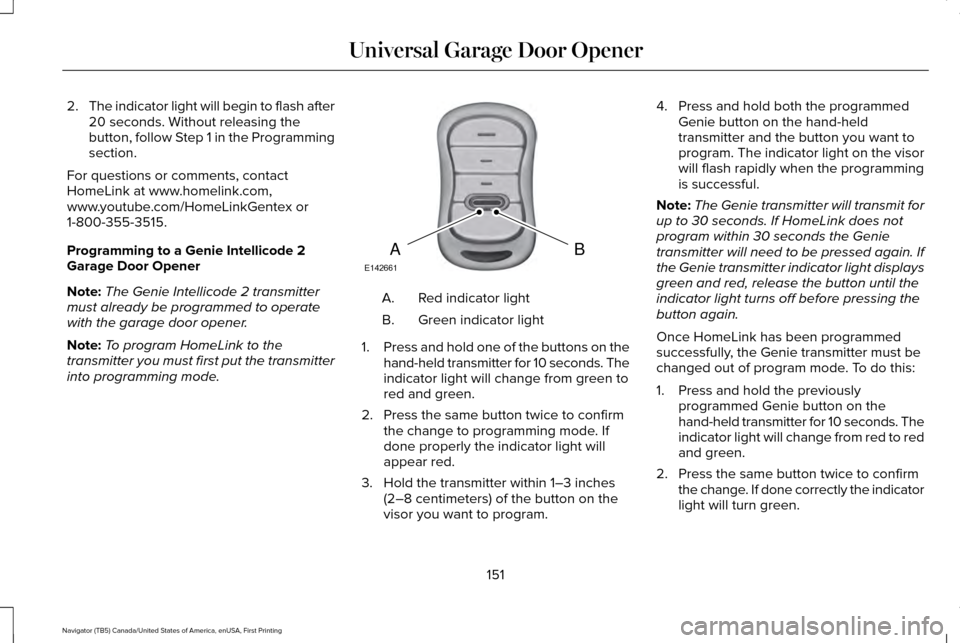
into programming mode. Red indicator light
A.
Green indicator light
B.
1. Press and hold one of the buttons on the
hand-held transmitter for 10 seconds. The
indicator light will change from green to
red and green.
2. Press the same button twice to confirm the change to programming mode. If
done properly the indicator light will
appear red.
3. Hold the transmitter within 1–3 inches (2–8 centimeters) of the button on the
visor you want to program. 4. Press and hold both the programmed
Genie button on the hand-held
transmitter and the button you want to
program. The indicator light on the visor
will flash rapidly when the programming
is successful.
Note: The Genie transmitter will transmit for
up to 30 seconds. If HomeLink does not
program within 30 seconds the Genie
transmitter will need to be pressed again. If
the Genie transmitter indicator light displays
green and red, release the button until the
indicator light turns off before pressing the
button again.
Once HomeLink has been programmed
successfully, the Genie transmitter must be
changed out of program mode. To do this:
1. Press and hold the previously programmed Genie button on the
hand-held transmitter for 10 seconds. The
indicator light will change from red to red
and green.
2. Press the same button twice to confirm the change. If done correctly the indicator
light will turn green.
151
Navigator (TB5) Canada/United States of America, enUSA, First Printing Universal Garage Door OpenerBAE142661
Page 160 of 419
Note:
You may have to press the push
button ignition switch twice to switch the
ignition on.
Start: Starts the engine.
• Press the brake pedal, and then press
the button for any length of time. An
indicator light on the button illuminates
when then ignition is on and when the
engine starts.
STARTING A GASOLINE ENGINE
When you start the engine, the idle speed
increases. This helps to warm up the engine.
If the engine idle speed does not slow down
automatically, have your vehicle checked by
an authorized dealer. Note:
You can crank the engine for a total
of 60 seconds without the engine starting
before the starting system temporarily
disables. The 60 seconds does not have to
be all at once. For example, if you crank the
engine three times for 20 seconds each time,
without the engine starting, you reached the
60-second time limit. A message appears
in the information display alerting you that
you exceeded the cranking time. You
cannot attempt to start the engine for at
least 15 minutes. After 15 minutes, you are
limited to a 15-second engine cranking time.
You need to wait 60 minutes before you can
crank the engine for 60 seconds again.
Before starting your vehicle, check the
following:
• Make sure all occupants have fastened
their safety belts.
• Make sure the headlamps and electrical
accessories are off.
• Make sure the parking brake is on.
• Make sure the transmission is in park (P).
Note: Do not touch the accelerator pedal. Note:
You must have your intelligent access
key in your vehicle to shift the transmission
out of park (P).
1. Fully depress the brake pedal.
2. Press the push button ignition switch.
The system does not function if:
• The passive key frequencies are jammed.
• The key battery has no charge.
If you are unable to start your vehicle, do the
following:
157
Navigator (TB5) Canada/United States of America, enUSA, First Printing Starting and Stopping the Engine