warning light LINCOLN NAVIGATOR 2017 Owner's Manual
[x] Cancel search | Manufacturer: LINCOLN, Model Year: 2017, Model line: NAVIGATOR, Model: LINCOLN NAVIGATOR 2017Pages: 532, PDF Size: 3.9 MB
Page 135 of 532
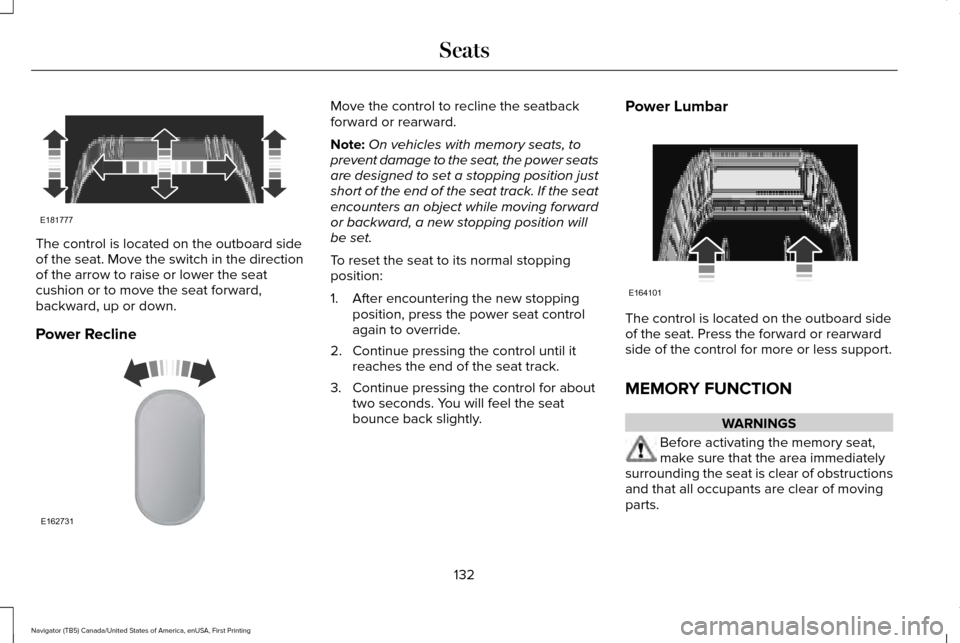
The control is located on the outboard side
of the seat. Move the switch in the direction
of the arrow to raise or lower the seat
cushion or to move the seat forward,
backward, up or down.
Power Recline Move the control to recline the seatback
forward or rearward.
Note:
On vehicles with memory seats, to
prevent damage to the seat, the power seats
are designed to set a stopping position just
short of the end of the seat track. If the seat
encounters an object while moving forward
or backward, a new stopping position will
be set.
To reset the seat to its normal stopping
position:
1. After encountering the new stopping position, press the power seat control
again to override.
2. Continue pressing the control until it reaches the end of the seat track.
3. Continue pressing the control for about two seconds. You will feel the seat
bounce back slightly. Power Lumbar
The control is located on the outboard side
of the seat. Press the forward or rearward
side of the control for more or less support.
MEMORY FUNCTION
WARNINGS
Before activating the memory seat,
make sure that the area immediately
surrounding the seat is clear of obstructions
and that all occupants are clear of moving
parts.
132
Navigator (TB5) Canada/United States of America, enUSA, First Printing SeatsE181777 E162731 E164101
Page 144 of 532
HEATED SEATS
Front Seats
WARNING
People who are unable to feel pain to
their skin because of advanced age,
chronic illness, diabetes, spinal cord injury,
medication, alcohol use, exhaustion or other
physical conditions, must exercise care when
using the heated seat. The heated seat may
cause burns even at low temperatures,
especially if used for long periods of time.
Do not place anything on the seat that
insulates against heat, such as a blanket or
cushion. This may cause the heated seat to
overheat. Do not puncture the seat with pins,
needles or other pointed objects. This may
damage the heating element which may
cause the heated seat to overheat. An
overheated seat may cause serious personal
injury. Do not do the following:
•
Place heavy objects on the seat.
• Operate the heated seat if water or any
other liquid spills on the seat. Allow the
seat to dry thoroughly.
• Operate the heated seats unless the
engine is running. Doing so can cause
the battery to lose charge. Press the heated seat symbol to cycle
through the various heat settings and off.
More indicator lights indicate warmer
settings.Rear Seats WARNING
Persons who are unable to feel pain to
the skin because of advanced age,
chronic illness, diabetes, spinal cord injury,
medication, alcohol use, exhaustion, or other
physical conditions, must exercise care when
using the seat heater. The seat heater may
cause burns even at low temperatures,
especially if used for long periods of time.
Do not place anything on the seat that
insulates against heat, such as a blanket or
cushion, because this may cause the seat
heater to overheat. Do not puncture the seat
with pins, needles, or other pointed objects
because this may damage the heating
element which may cause the seat heater to
overheat. An overheated seat may cause
serious personal injury. 141
Navigator (TB5) Canada/United States of America, enUSA, First Printing SeatsE146322
Page 145 of 532
Do not do the following:
•
Place heavy objects on the seat.
• Operate the seat heater if water or any
other liquid is spilled on the seat. Allow
the seat to dry thoroughly.
• Operate the heated seats unless the
engine is running. Doing so can cause
the battery to lose charge.
The rear seat heat controls are located on
the rear of the center console. Press the heated seat symbol to cycle
through the various heat settings and off.
More indicator lights indicate warmer
settings. The heated seat module resets at every
ignition run cycle. While the ignition is on,
press the high or low heated seat switch to
enable heating mode. When activated, they
will turn off automatically when you turn the
engine off.
CLIMATE CONTROLLED SEATS
Heated Seats WARNING
Persons who are unable to feel pain to
the skin because of advanced age,
chronic illness, diabetes, spinal cord injury,
medication, alcohol use, exhaustion, or other
physical conditions, must exercise care when
using the seat heater. The seat heater may
cause burns even at low temperatures,
especially if used for long periods of time.
Do not place anything on the seat that
insulates against heat, such as a blanket or
cushion, because this may cause the seat
heater to overheat. Do not puncture the seat
with pins, needles, or other pointed objects
because this may damage the heating
element which may cause the seat heater to
overheat. An overheated seat may cause
serious personal injury. Note:
Do not do the following:
• Place heavy objects on the seat.
• Operate the seat heater if water or any
other liquid spill on the seat. Allow the
seat to dry thoroughly.
The heated seats will only function when the
engine is running.
142
Navigator (TB5) Canada/United States of America, enUSA, First Printing SeatsE146322
Page 148 of 532
HomeLink Wireless Control System
WARNINGS
Make sure that the garage door and
security device are free from
obstruction when you are programming. Do
not program the system with the vehicle in
the garage. Do not use the system with any garage
door opener that does not have the
safety stop and reverse feature as required
by U.S. Federal Safety Standards (this
includes any garage door opener
manufactured before April 1, 1982). A garage
door opener which cannot detect an object,
signaling the door to stop and reverse, does
not meet current federal safety standards.
Using a garage door opener without these
features increases the risk of serious injury
or death. Note:
Make sure you keep the original
remote control transmitter for use in other
vehicles as well as for future system
programming. Note:
We recommend that upon the sale or
lease termination of your vehicle, you erase
the programmed function buttons for security
reasons. See Erasing the Function Button
Codes.
Note: You can program a maximum of three
devices. To change or replace any of the
three devices after it has been initially
programmed, you must first erase the current
settings. See
Erasing the Function Button
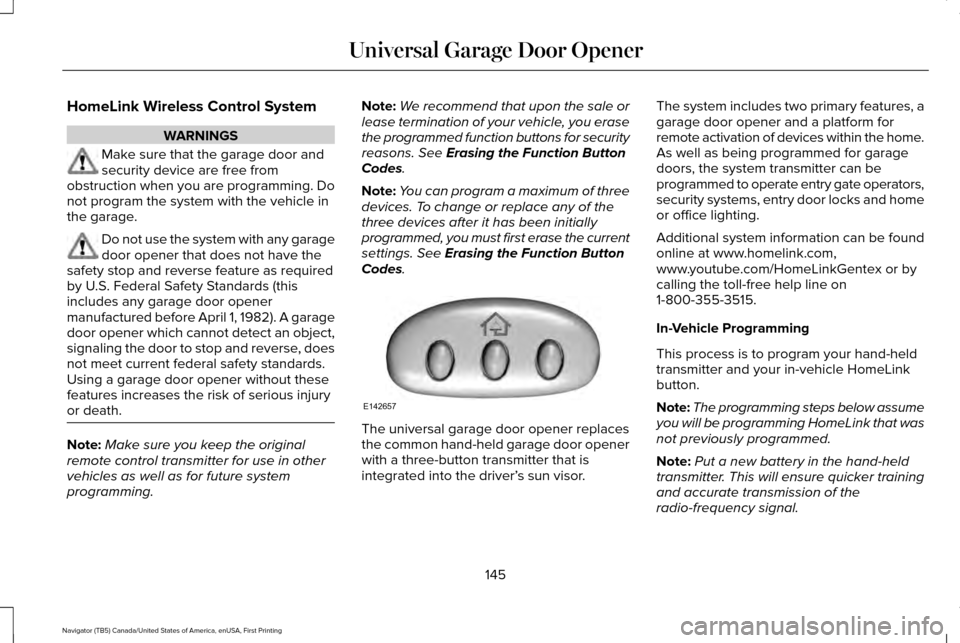
Codes. The universal garage door opener replaces
the common hand-held garage door opener
with a three-button transmitter that is
integrated into the driver’
s sun visor.The system includes two primary features, a
garage door opener and a platform for
remote activation of devices within the home.
As well as being programmed for garage
doors, the system transmitter can be
programmed to operate entry gate operators,
security systems, entry door locks and home
or office lighting.
Additional system information can be found
online at www.homelink.com,
www.youtube.com/HomeLinkGentex or by
calling the toll-free help line on
1-800-355-3515.
In-Vehicle Programming
This process is to program your hand-held
transmitter and your in-vehicle HomeLink
button.
Note:
The programming steps below assume
you will be programming HomeLink that was
not previously programmed.
Note: Put a new battery in the hand-held
transmitter. This will ensure quicker training
and accurate transmission of the
radio-frequency signal.
145
Navigator (TB5) Canada/United States of America, enUSA, First Printing Universal Garage Door OpenerE142657
Page 153 of 532
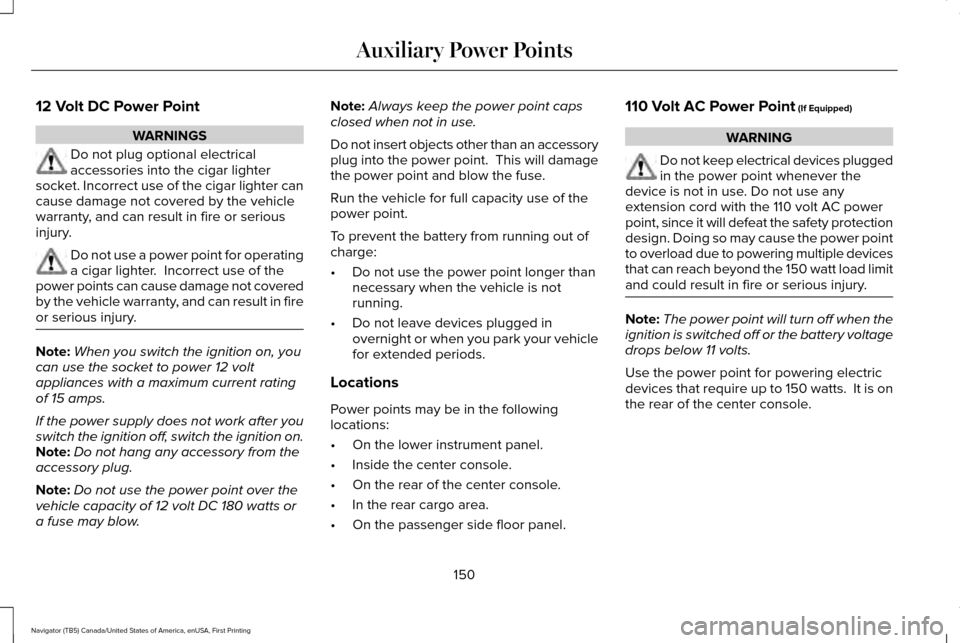
12 Volt DC Power Point
WARNINGS
Do not plug optional electrical
accessories into the cigar lighter
socket. Incorrect use of the cigar lighter can
cause damage not covered by the vehicle
warranty, and can result in fire or serious
injury. Do not use a power point for operating
a cigar lighter. Incorrect use of the
power points can cause damage not covered
by the vehicle warranty, and can result in fire
or serious injury. Note:
When you switch the ignition on, you
can use the socket to power 12 volt
appliances with a maximum current rating
of 15 amps.
If the power supply does not work after you
switch the ignition off, switch the ignition on.
Note: Do not hang any accessory from the
accessory plug.
Note: Do not use the power point over the
vehicle capacity of 12 volt DC 180 watts or
a fuse may blow. Note:
Always keep the power point caps
closed when not in use.
Do not insert objects other than an accessory
plug into the power point. This will damage
the power point and blow the fuse.
Run the vehicle for full capacity use of the
power point.
To prevent the battery from running out of
charge:
• Do not use the power point longer than
necessary when the vehicle is not
running.
• Do not leave devices plugged in
overnight or when you park your vehicle
for extended periods.
Locations
Power points may be in the following
locations:
• On the lower instrument panel.
• Inside the center console.
• On the rear of the center console.
• In the rear cargo area.
• On the passenger side floor panel. 110 Volt AC Power Point (If Equipped) WARNING
Do not keep electrical devices plugged
in the power point whenever the
device is not in use. Do not use any
extension cord with the 110 volt AC power
point, since it will defeat the safety protection
design. Doing so may cause the power point
to overload due to powering multiple devices
that can reach beyond the 150 watt load limit
and could result in fire or serious injury. Note:
The power point will turn off when the
ignition is switched off or the battery voltage
drops below 11 volts.
Use the power point for powering electric
devices that require up to 150 watts. It is on
the rear of the center console.
150
Navigator (TB5) Canada/United States of America, enUSA, First Printing Auxiliary Power Points
Page 156 of 532
GENERAL INFORMATION
WARNINGS
Extended idling at high engine speeds
can produce very high temperatures
in the engine and exhaust system, creating
the risk of fire or other damage. Do not park, idle or drive your vehicle
on dry grass or other dry ground cover.
The emission system heats up the engine
compartment and exhaust system, creating
the risk of fire. Do not start the engine in a closed
garage or in other enclosed areas.
Exhaust fumes can be toxic. Always open
the garage door before you start the engine. If you smell exhaust fumes inside your
vehicle, have your vehicle checked by
an authorized dealer immediately. Do not
drive your vehicle if you smell exhaust fumes. If you disconnect the battery, your vehicle
may exhibit some unusual driving
characteristics for approximately 5 miles (8
kilometers) after you reconnect it. This is
because the engine management system
must realign itself with the engine. You can
disregard any unusual driving characteristics
during this period.
The powertrain control system meets all
Canadian interference-causing equipment
standard requirements regulating the
impulse electrical field or radio noise.
When you start the engine, avoid pressing
the accelerator pedal before and during
operation. Only use the accelerator pedal
when you have difficulty starting the engine.
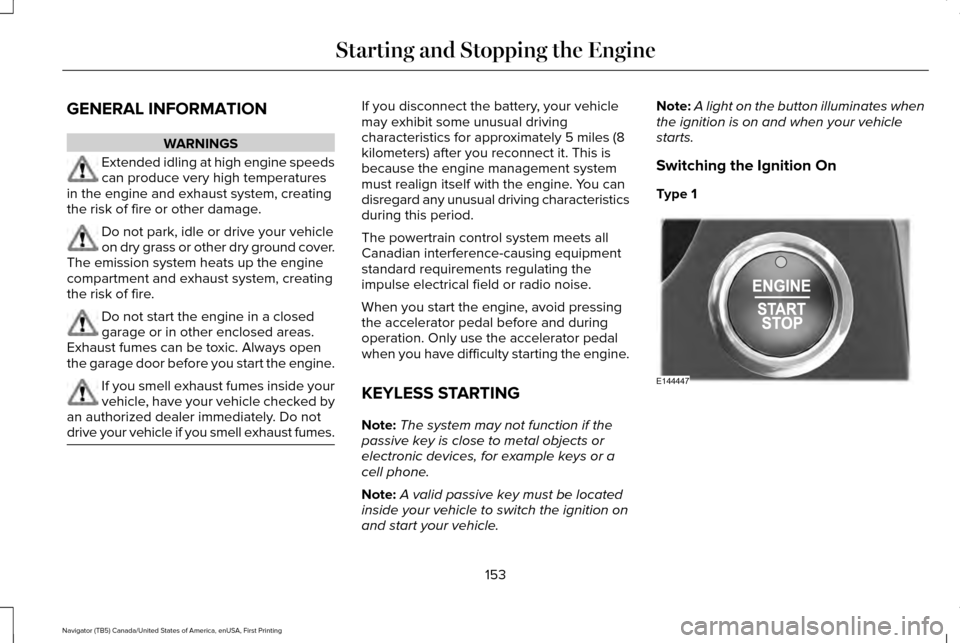
KEYLESS STARTING
Note:
The system may not function if the
passive key is close to metal objects or
electronic devices, for example keys or a
cell phone.
Note: A valid passive key must be located
inside your vehicle to switch the ignition on
and start your vehicle. Note:
A light on the button illuminates when
the ignition is on and when your vehicle
starts.
Switching the Ignition On
Type 1 153
Navigator (TB5) Canada/United States of America, enUSA, First Printing Starting and Stopping the EngineE144447
Page 164 of 532
The use of fuels with metallic compounds
such as methylcyclopentadienyl manganese
tricarbonyl (commonly known as MMT), which
is a manganese-based fuel additive, will
impair engine performance and affect the
emission control system.
Do not be concerned if the engine
sometimes knocks lightly. However, if the
engine knocks heavily while using fuel with
the recommended octane rating, contact an
authorized dealer to prevent any engine
damage.
FUEL FILLER FUNNEL LOCATION
The fuel filler funnel is located in the spare
wheel storage tray.
RUNNING OUT OF FUEL
Running out of fuel can cause damage not
covered by the vehicle Warranty.
If your vehicle runs out of fuel:
•
Add a minimum of 1.3 gal (5 L) of fuel to
restart the engine. If your vehicle is out
of fuel and on a steep slope, more fuel
may be required.
• You may need to switch the ignition from
off to on several times after refueling to
allow the fuel system to pump the fuel
from the tank to the engine. When
restarting, cranking time takes a few
seconds longer than normal.
Filling a Portable Fuel Container
Use the following guidelines to avoid
electrostatic charge build-up, which can
produce a spark, when filling an ungrounded
fuel container:
• Only use an approved fuel container to
transfer fuel to your vehicle. Place the
container on the ground when filling it.
• Do not fill a fuel container when it is
inside your vehicle (including the cargo
area). •
Keep the fuel pump nozzle in contact
with the fuel container when filling it.
• Do not use a device that holds the fuel
pump nozzle lever in the fill position.
Adding Fuel From a Portable Fuel
Container WARNINGS
Do not insert the nozzle of a fuel
container or an aftermarket funnel into
the fuel system filler neck. This may damage
the fuel system filler neck or its seal and
cause fuel to run onto the ground. Do not try to pry open or push open
the capless fuel system with foreign
objects. This could damage the fuel system
and its seal and cause injury to you or others. Do not dispose of fuel in the household
refuse or the public sewage system.
Use an authorized waste disposal facility. When refueling the vehicle fuel tank from a
fuel container, use the plastic funnel included
with your vehicle.
See Fuel Filler Funnel
Location (page 161).
161
Navigator (TB5) Canada/United States of America, enUSA, First Printing Fuel and Refueling
Page 167 of 532
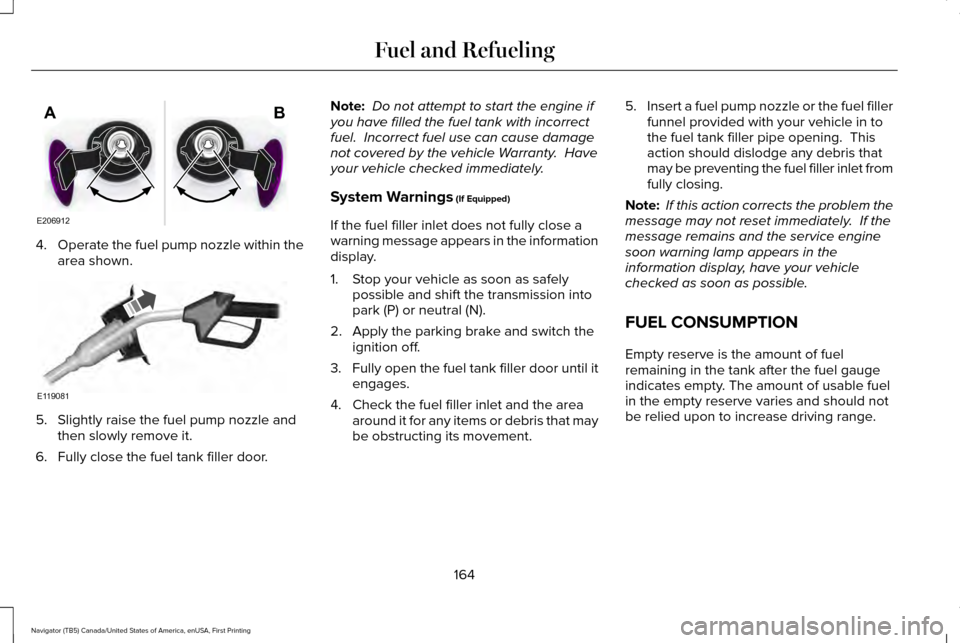
4.
Operate the fuel pump nozzle within the
area shown. 5. Slightly raise the fuel pump nozzle and
then slowly remove it.
6. Fully close the fuel tank filler door. Note:
Do not attempt to start the engine if
you have filled the fuel tank with incorrect
fuel. Incorrect fuel use can cause damage
not covered by the vehicle Warranty. Have
your vehicle checked immediately.
System Warnings (If Equipped)
If the fuel filler inlet does not fully close a
warning message appears in the information
display.
1. Stop your vehicle as soon as safely possible and shift the transmission into
park (P) or neutral (N).
2. Apply the parking brake and switch the ignition off.
3. Fully open the fuel tank filler door until it
engages.
4. Check the fuel filler inlet and the area around it for any items or debris that may
be obstructing its movement. 5.
Insert a fuel pump nozzle or the fuel filler
funnel provided with your vehicle in to
the fuel tank filler pipe opening. This
action should dislodge any debris that
may be preventing the fuel filler inlet from
fully closing.
Note: If this action corrects the problem the
message may not reset immediately. If the
message remains and the service engine
soon warning lamp appears in the
information display, have your vehicle
checked as soon as possible.
FUEL CONSUMPTION
Empty reserve is the amount of fuel
remaining in the tank after the fuel gauge
indicates empty. The amount of usable fuel
in the empty reserve varies and should not
be relied upon to increase driving range.
164
Navigator (TB5) Canada/United States of America, enUSA, First Printing Fuel and RefuelingE206912
AB E119081
Page 169 of 532
Conditions
•
Heavily loading your vehicle reduces fuel
economy.
• Carrying unnecessary weight in your
vehicle may reduce fuel economy.
• Adding certain accessories to your
vehicle such as bug deflectors, rollbars
or light bars, running boards and ski
racks may reduce fuel economy.
• Using fuel blended with alcohol may
lower fuel economy.
• Fuel economy may decrease with lower
temperatures.
• Fuel economy may decrease when
driving short distances.
• You will get better fuel economy when
driving on flat terrain than when driving
on hilly terrain. EMISSION CONTROL SYSTEM WARNINGS
Do not park, idle, or drive your vehicle
in dry grass or other dry ground cover.
The emission system heats up the engine
compartment and exhaust system, which can
start a fire. Exhaust leaks may result in entry of
harmful and potentially lethal fumes
into the passenger compartment. If you smell
exhaust fumes inside your vehicle, have your
dealer inspect your vehicle immediately. Do
not drive if you smell exhaust fumes. Your vehicle is equipped with various
emission control components and a catalytic
converter that will enable your vehicle to
comply with applicable exhaust emission
standards.
To make sure that the catalytic converter and
other emission control components continue
to work properly:
•
Use only the specified fuel listed.
• Avoid running out of fuel. •
Do not turn off the ignition while your
vehicle is moving, especially at high
speeds.
• Have the items listed in scheduled
maintenance information performed
according to the specified schedule.
The scheduled maintenance items listed in
scheduled maintenance information are
essential to the life and performance of your
vehicle and to its emissions system.
If you use anything other than Ford,
Motorcraft or Ford-authorized parts for
maintenance replacements or for service of
components affecting emission control, such
non-Ford parts should be equivalent to
genuine Ford Motor Company parts in
performance and durability.
Illumination of the service engine soon
indicator, charging system warning light or
the temperature warning light, fluid leaks,
strange odors, smoke or loss of engine
power could indicate that the emission
control system is not working properly.
166
Navigator (TB5) Canada/United States of America, enUSA, First Printing Fuel and Refueling
Page 173 of 532
Second (2)
Transmission operates in second (2) gear
only. Use second (2) gear to start-up on
slippery roads.
First (1)
•
Transmission operates in first (1) gear
only.
• Provides maximum engine braking.
• Allows upshifts by moving gearshift lever.
• Will not downshift into first (1) gear at high
speeds; allows for first (1) gear when
vehicle reaches slower speeds.
Tow/Haul Mode WARNING
Do not use the tow/haul feature when
driving in icy or slippery conditions as
the increased engine braking can cause the
rear wheels to slide and your vehicle to
swing around with the possible loss of
vehicle control. To activate tow/haul, press the
button on the gearshift lever once.
The TOW HAUL indicator light will
illuminate in the instrument cluster.
The tow/haul feature:
• Delays upshifts to reduce the frequency
of transmission shifting.
• Provides engine braking in all forward
gears, which will slow your vehicle and
assist you in controlling your vehicle
when descending a grade.
• Depending on driving conditions and
load conditions, may downshift the
transmission, slow your vehicle and
control your vehicle speed when
descending a hill, without pressing the
accelerator pedal. The amount of
downshift braking provided will vary
based upon the amount the brake pedal
is pressed.
The tow/haul feature improves transmission
operation when towing a trailer or a heavy
load. All transmission gear ranges are
available when using tow/haul. To deactivate the tow/haul feature and return
to normal driving mode, press the button on
the gearshift lever twice. The TOW HAUL
light will deactivate. Tow/haul will also
deactivate when you power down your
vehicle.
Forced Downshifts
•
Allowed in drive (D) with the tow/haul
feature on or off.
• Press the accelerator to the floor.
• Allows transmission to select an
appropriate gear.
Automatic Transmission Adaptive Learning
This feature may increase durability and
provide consistent shift feel over the life of
your vehicle. A new vehicle or transmission
may have firm shifts, soft shifts or both. This
operation is considered normal and will not
affect function or durability of the
transmission. Over time, the adaptive
learning process will fully update
transmission operation.
170
Navigator (TB5) Canada/United States of America, enUSA, First Printing TransmissionE161509