radio LINCOLN NAVIGATOR 2017 Owner's Guide
[x] Cancel search | Manufacturer: LINCOLN, Model Year: 2017, Model line: NAVIGATOR, Model: LINCOLN NAVIGATOR 2017Pages: 532, PDF Size: 3.9 MB
Page 394 of 532
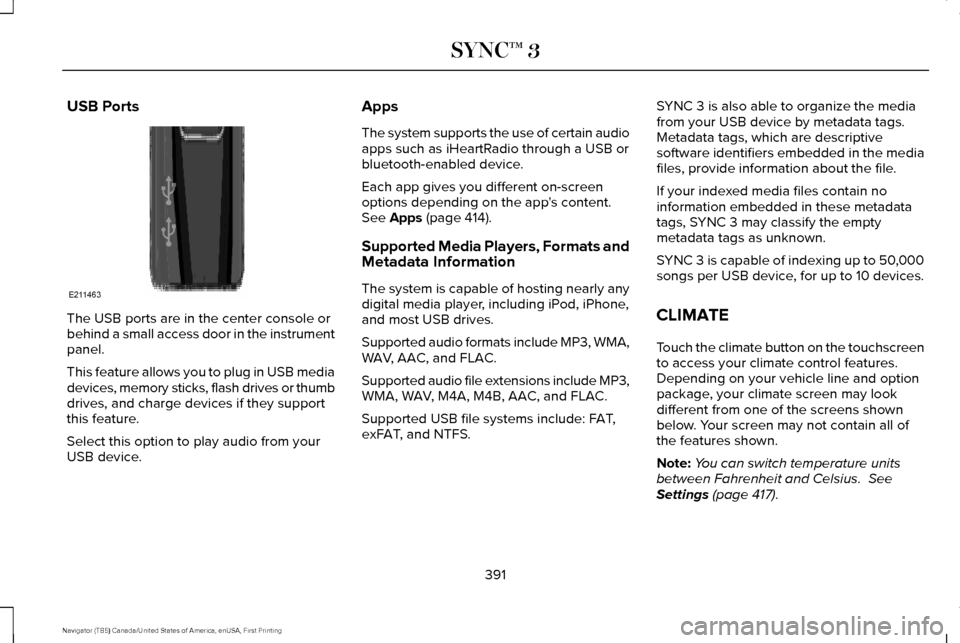
USB Ports
The USB ports are in the center console or
behind a small access door in the instrument
panel.
This feature allows you to plug in USB media
devices, memory sticks, flash drives or thumb
drives, and charge devices if they support
this feature.
Select this option to play audio from your
USB device. Apps
The system supports the use of certain audio
apps such as iHeartRadio through a USB or
bluetooth-enabled device.
Each app gives you different on-screen
options depending on the app's content.
See Apps (page 414).
Supported Media Players, Formats and
Metadata Information
The system is capable of hosting nearly any
digital media player, including iPod, iPhone,
and most USB drives.
Supported audio formats include MP3, WMA,
WAV, AAC, and FLAC.
Supported audio file extensions include MP3,
WMA, WAV, M4A, M4B, AAC, and FLAC.
Supported USB file systems include: FAT,
exFAT, and NTFS. SYNC 3 is also able to organize the media
from your USB device by metadata tags.
Metadata tags, which are descriptive
software identifiers embedded in the media
files, provide information about the file.
If your indexed media files contain no
information embedded in these metadata
tags, SYNC 3 may classify the empty
metadata tags as unknown.
SYNC 3 is capable of indexing up to 50,000
songs per USB device, for up to 10 devices.
CLIMATE
Touch the climate button on the touchscreen
to access your climate control features.
Depending on your vehicle line and option
package, your climate screen may look
different from one of the screens shown
below. Your screen may not contain all of
the features shown.
Note:
You can switch temperature units
between Fahrenheit and Celsius.
See
Settings (page 417).
391
Navigator (TB5) Canada/United States of America, enUSA, First Printing SYNC™ 3E211463
Page 427 of 532
Action and Description
Menu Item
Text Messaging
You can then select: No sound plays when a message comes to your phone.
No Alert (Silence)
You can select one of the three available notification sounds.
When enabled, a voice prompt alerts you when you receive a new message.
Voice Readout
You can enable and disable the following options as well: Action and Description
Menu Item
When enabled, vehicle audio (such as radio or apps) is muted for the d\
uration of the phone call even when
the phone call is in privacy.
Mute Audio in Privacy
When enabled, an alert displays that your phone is roaming when you atte\
mpt to place a call.
Roaming Warning
When enabled, a message displays when the battery on your phone is runni\
ng low.
Low Battery Notification
911 Assist
Note: This service is only available in the
United States and Canada. Select this button to modify the on or off
setting for this feature. If the mobile phone
’s
contacts have been downloaded, you can
adjust the following option:
424
Navigator (TB5) Canada/United States of America, enUSA, First Printing SYNC™ 3
Page 428 of 532
Action and Description
Menu Item
You can select up to two numbers from your mobile device's phonebook as emergency contacts for quick
access at the end of the 911 Assist call process.
Set Emergency Contacts
Radio
This button is available if a Radio source such
as AM or FM is the active media source.
Pressing the button allows you to access the
following features: Action and Description
Menu Item
Activation of this feature allows you to listen to HD radio broadcasts.
FM HD Radio
AM HD Radio
(Dependent on current
radio source, If Available)
This feature is available when FM Radio is your active media source. Activate this feature to have the system
display radio text.
Radio Text
Refresh
Autoset Presets (AST)
Selecting this option stores the six strongest stations in your current \
location to the last preset bank of the
currently tuned source.
425
Navigator (TB5) Canada/United States of America, enUSA, First Printing SYNC™ 3
Page 436 of 532
Onboard Modem Serial Number (ESN)
Selecting this button on the settings menu
shows you the ESN number for your system.
You need this number for certain
registrations such as Satellite Radio.
Display
To make adjustments using the touchscreen, select: Action and Description
Menu Item
Make the screen display brighter or dimmer.
Brightness
You can select:
Mode
The screen automatically switches between day and night modes based on t\
he outside
light level.
Auto
The screen displays with a light background to enhance daytime viewing.
Day
The screen displays with a darker background to make nighttime viewing easier.
Night
The screen goes black and does not display anything. To switch the screen back on,
simply tap the screen.
Off
Enable this option to automatically dim the display brightness based on \
ambient lighting conditions.
Auto Dim
Voice Control
You can adjust the voice control settings by
selecting the following options.
433
Navigator (TB5) Canada/United States of America, enUSA, First Printing SYNC™ 3
Page 452 of 532
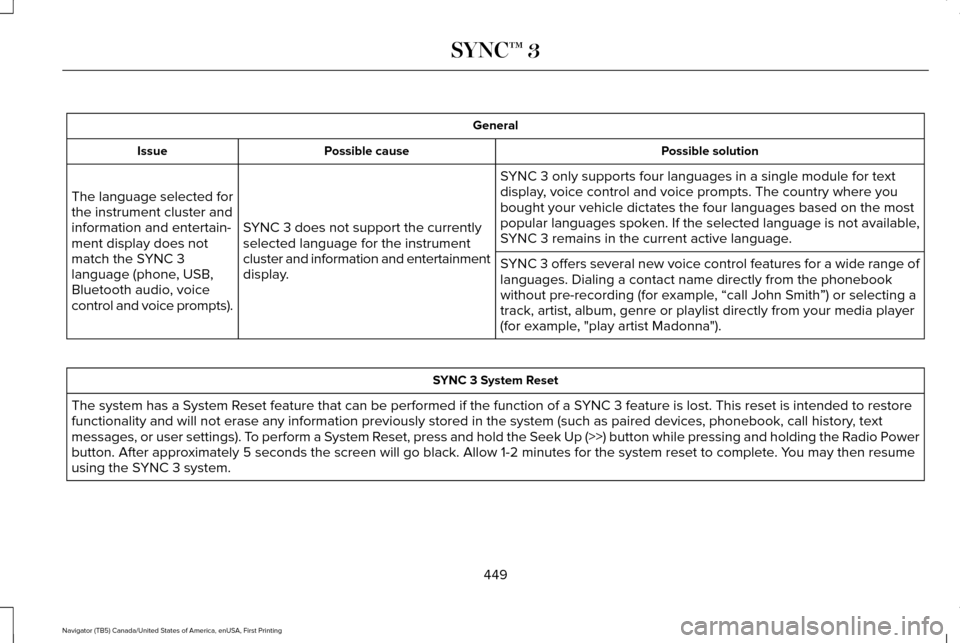
General
Possible solution
Possible cause
Issue
SYNC 3 only supports four languages in a single module for text
display, voice control and voice prompts. The country where you
bought your vehicle dictates the four languages based on the most
popular languages spoken. If the selected language is not available,
SYNC 3 remains in the current active language.
SYNC 3 does not support the currently
selected language for the instrument
cluster and information and entertainment
display.
The language selected for
the instrument cluster and
information and entertain-
ment display does not
match the SYNC 3
language (phone, USB,
Bluetooth audio, voice
control and voice prompts).
SYNC 3 offers several new voice control features for a wide range of
languages. Dialing a contact name directly from the phonebook
without pre-recording (for example, “call John Smith
”) or selecting a
track, artist, album, genre or playlist directly from your media player
(for example, "play artist Madonna"). SYNC 3 System Reset
The system has a System Reset feature that can be performed if the function of a SYNC 3 feature is lost. This reset is intended to restore
functionality and will not erase any information previously stored in th\
e system (such as paired devices, phonebook, call history , text
messages, or user settings). To perform a System Reset, press and hold the Seek Up (>>) button while pressing and holdin\
g the Radio Power
button. After approximately 5 seconds the screen will go black. Allow 1-2 minutes for the s\
ystem reset to complete. You may then resume
using the SYNC 3 system.
449
Navigator (TB5) Canada/United States of America, enUSA, First Printing SYNC™ 3
Page 455 of 532
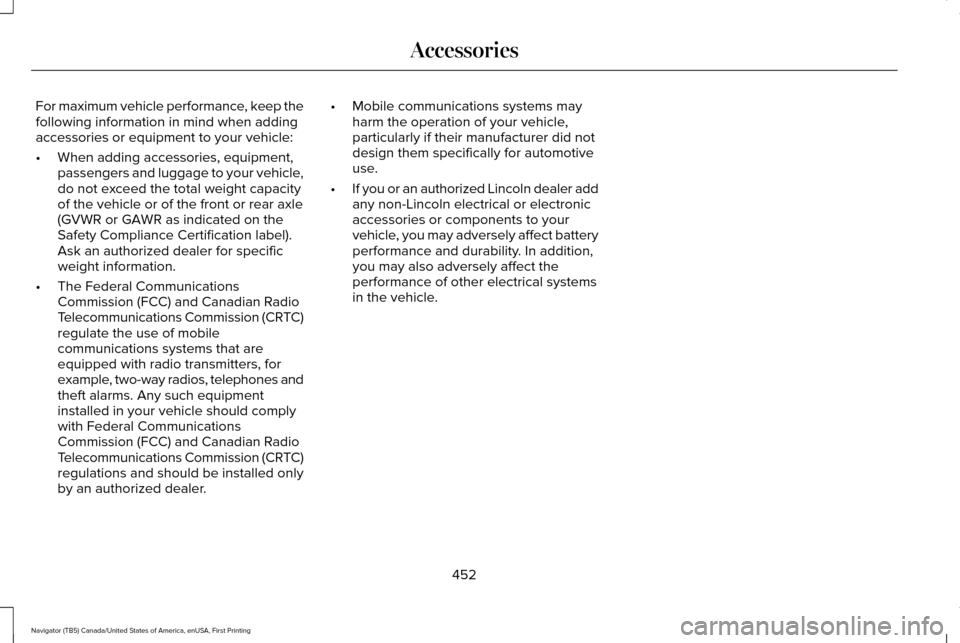
For maximum vehicle performance, keep the
following information in mind when adding
accessories or equipment to your vehicle:
•
When adding accessories, equipment,
passengers and luggage to your vehicle,
do not exceed the total weight capacity
of the vehicle or of the front or rear axle
(GVWR or GAWR as indicated on the
Safety Compliance Certification label).
Ask an authorized dealer for specific
weight information.
• The Federal Communications
Commission (FCC) and Canadian Radio
Telecommunications Commission (CRTC)
regulate the use of mobile
communications systems that are
equipped with radio transmitters, for
example, two-way radios, telephones and
theft alarms. Any such equipment
installed in your vehicle should comply
with Federal Communications
Commission (FCC) and Canadian Radio
Telecommunications Commission (CRTC)
regulations and should be installed only
by an authorized dealer. •
Mobile communications systems may
harm the operation of your vehicle,
particularly if their manufacturer did not
design them specifically for automotive
use.
• If you or an authorized Lincoln dealer add
any non-Lincoln electrical or electronic
accessories or components to your
vehicle, you may adversely affect battery
performance and durability. In addition,
you may also adversely affect the
performance of other electrical systems
in the vehicle.
452
Navigator (TB5) Canada/United States of America, enUSA, First Printing Accessories
Page 518 of 532
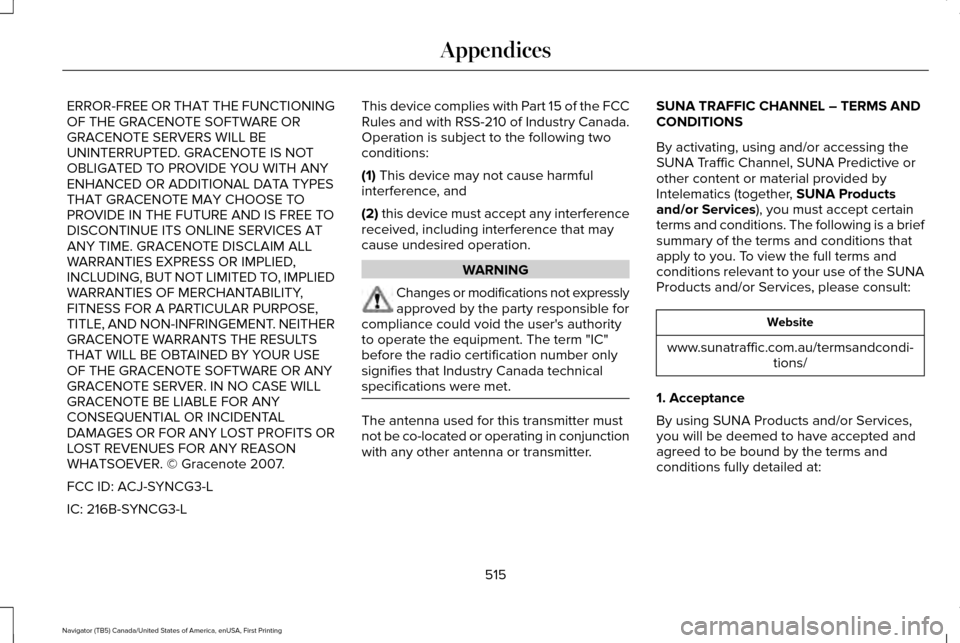
ERROR-FREE OR THAT THE FUNCTIONING
OF THE GRACENOTE SOFTWARE OR
GRACENOTE SERVERS WILL BE
UNINTERRUPTED. GRACENOTE IS NOT
OBLIGATED TO PROVIDE YOU WITH ANY
ENHANCED OR ADDITIONAL DATA TYPES
THAT GRACENOTE MAY CHOOSE TO
PROVIDE IN THE FUTURE AND IS FREE TO
DISCONTINUE ITS ONLINE SERVICES AT
ANY TIME. GRACENOTE DISCLAIM ALL
WARRANTIES EXPRESS OR IMPLIED,
INCLUDING, BUT NOT LIMITED TO, IMPLIED
WARRANTIES OF MERCHANTABILITY,
FITNESS FOR A PARTICULAR PURPOSE,
TITLE, AND NON-INFRINGEMENT. NEITHER
GRACENOTE WARRANTS THE RESULTS
THAT WILL BE OBTAINED BY YOUR USE
OF THE GRACENOTE SOFTWARE OR ANY
GRACENOTE SERVER. IN NO CASE WILL
GRACENOTE BE LIABLE FOR ANY
CONSEQUENTIAL OR INCIDENTAL
DAMAGES OR FOR ANY LOST PROFITS OR
LOST REVENUES FOR ANY REASON
WHATSOEVER. © Gracenote 2007.
FCC ID: ACJ-SYNCG3-L
IC: 216B-SYNCG3-L
This device complies with Part 15 of the FCC
Rules and with RSS-210 of Industry Canada.
Operation is subject to the following two
conditions:
(1) This device may not cause harmful
interference, and
(2)
this device must accept any interference
received, including interference that may
cause undesired operation. WARNING
Changes or modifications not expressly
approved by the party responsible for
compliance could void the user's authority
to operate the equipment. The term "IC"
before the radio certification number only
signifies that Industry Canada technical
specifications were met. The antenna used for this transmitter must
not be co-located or operating in conjunction
with any other antenna or transmitter.SUNA TRAFFIC CHANNEL – TERMS AND
CONDITIONS
By activating, using and/or accessing the
SUNA Traffic Channel, SUNA Predictive or
other content or material provided by
Intelematics (together,
SUNA Products
and/or Services), you must accept certain
terms and conditions. The following is a brief
summary of the terms and conditions that
apply to you. To view the full terms and
conditions relevant to your use of the SUNA
Products and/or Services, please consult: Website
www.sunatraffic.com.au/termsandcondi- tions/
1. Acceptance
By using SUNA Products and/or Services,
you will be deemed to have accepted and
agreed to be bound by the terms and
conditions fully detailed at:
515
Navigator (TB5) Canada/United States of America, enUSA, First Printing Appendices
Page 524 of 532
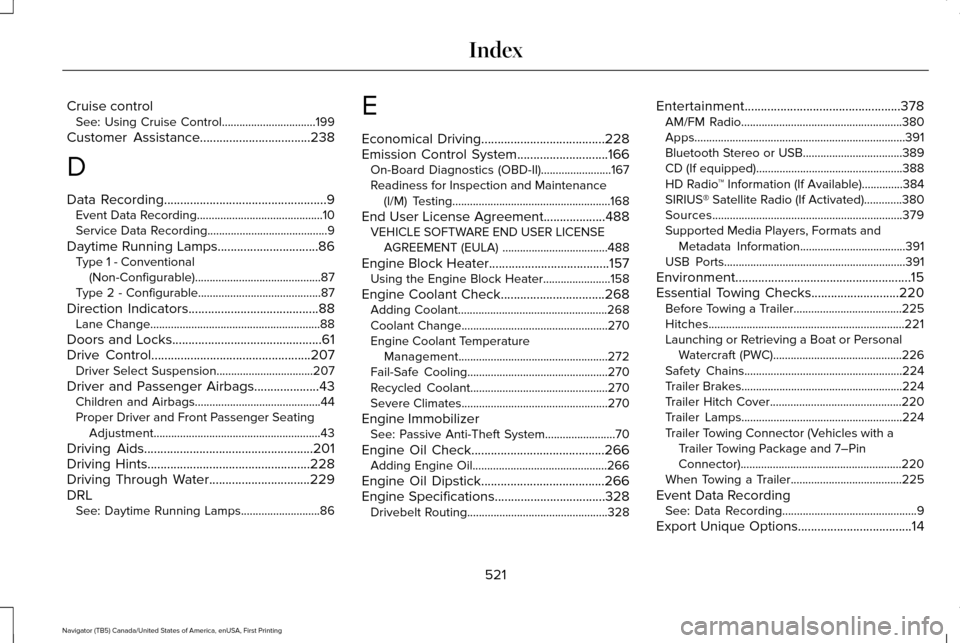
Cruise control
See: Using Cruise Control................................199
Customer Assistance
..................................238
D
Data Recording
..................................................9
Event Data Recording...........................................10
Service Data Recording.........................................9
Daytime Running Lamps...............................86 Type 1 - Conventional
(Non-Configurable)...........................................87
Type 2 - Configurable..........................................87
Direction Indicators
........................................88
Lane Change..........................................................88
Doors and Locks..............................................61
Drive Control
.................................................207
Driver Select Suspension.................................207
Driver and Passenger Airbags....................43 Children and Airbags...........................................44
Proper Driver and Front Passenger Seating
Adjustment.........................................................43
Driving Aids
....................................................201
Driving Hints..................................................228
Driving Through Water...............................229
DRL See: Daytime Running Lamps...........................86 E
Economical Driving
......................................228
Emission Control System............................166
On-Board Diagnostics (OBD-II)........................167
Readiness for Inspection and Maintenance
(I/M) Testing......................................................168
End User License Agreement...................488 VEHICLE SOFTWARE END USER LICENSE
AGREEMENT (EULA) ....................................488
Engine Block Heater
.....................................157
Using the Engine Block Heater.......................158
Engine Coolant Check................................268 Adding Coolant...................................................268
Coolant Change..................................................270
Engine Coolant Temperature
Management...................................................272
Fail-Safe Cooling................................................270
Recycled Coolant...............................................270
Severe Climates..................................................270
Engine Immobilizer See: Passive Anti-Theft System
........................70
Engine Oil Check.........................................266 Adding Engine Oil..............................................266
Engine Oil Dipstick......................................266
Engine Specifications..................................328 Drivebelt Routing................................................328 Entertainment................................................378
AM/FM Radio.......................................................380
Apps........................................................................\
391
Bluetooth Stereo or USB..................................389
CD (If equipped)..................................................388
HD Radio ™ Information (If Available)..............
384
SIRIUS® Satellite Radio (If Activated).............380
Sources.................................................................379
Supported Media Players, Formats and Metadata Information....................................
391
USB Ports..............................................................391
Environment......................................................15
Essential Towing Checks...........................220 Before Towing a Trailer.....................................225
Hitches...................................................................221
Launching or Retrieving a Boat or Personal
Watercraft (PWC)............................................226
Safety Chains......................................................224
Trailer Brakes.......................................................224
Trailer Hitch Cover.............................................220
Trailer Lamps.......................................................224
Trailer Towing Connector (Vehicles with a Trailer Towing Package and 7–Pin
Connector).......................................................220
When Towing a Trailer......................................225
Event Data Recording See: Data Recording..............................................9
Export Unique Options...................................14
521
Navigator (TB5) Canada/United States of America, enUSA, First Printing Index
Page 525 of 532
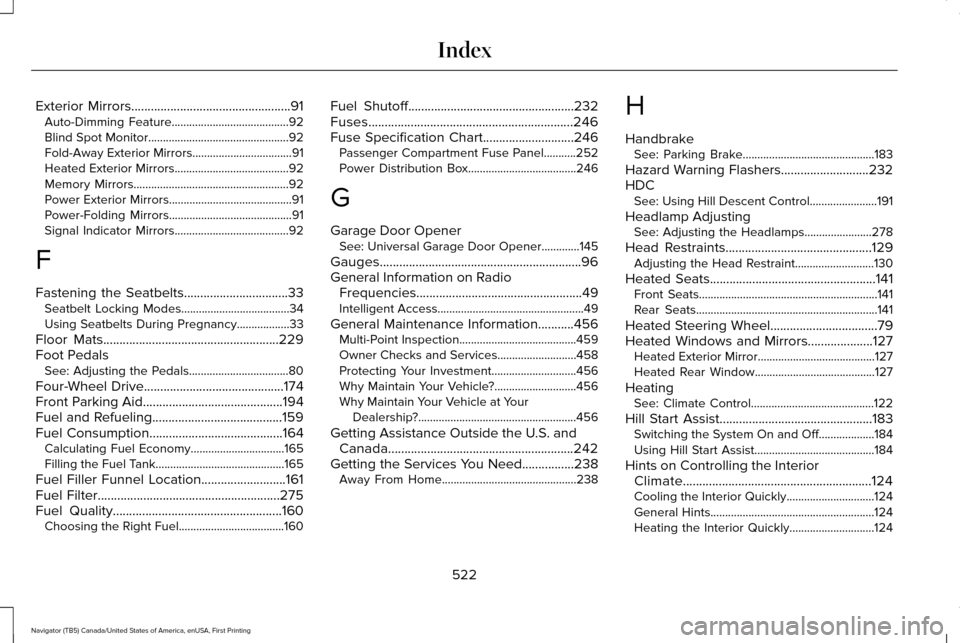
Exterior Mirrors.................................................91
Auto-Dimming Feature........................................92
Blind Spot Monitor................................................92
Fold-Away Exterior Mirrors..................................91
Heated Exterior Mirrors.......................................92
Memory Mirrors.....................................................92
Power Exterior Mirrors..........................................91
Power-Folding Mirrors..........................................91
Signal Indicator Mirrors.......................................92
F
Fastening the Seatbelts
................................33
Seatbelt Locking Modes.....................................34
Using Seatbelts During Pregnancy..................
33
Floor Mats......................................................229
Foot Pedals See: Adjusting the Pedals..................................80
Four-Wheel Drive
...........................................174
Front Parking Aid...........................................194
Fuel and Refueling........................................159
Fuel Consumption.........................................164
Calculating Fuel Economy................................165
Filling the Fuel Tank............................................165
Fuel Filler Funnel Location..........................161
Fuel Filter
........................................................275
Fuel Quality....................................................160
Choosing the Right Fuel....................................160 Fuel Shutoff
...................................................232
Fuses...............................................................246
Fuse Specification Chart............................246
Passenger Compartment Fuse Panel...........252
Power Distribution Box.....................................246
G
Garage Door Opener See: Universal Garage Door Opener.............145
Gauges..............................................................96
General Information on Radio Frequencies...................................................49
Intelligent Access..................................................49
General Maintenance Information...........456 Multi-Point Inspection........................................459
Owner Checks and Services...........................458
Protecting Your Investment.............................
456
Why Maintain Your Vehicle?............................456
Why Maintain Your Vehicle at Your Dealership?......................................................456
Getting Assistance Outside the U.S. and Canada.........................................................242
Getting the Services You Need................238 Away From Home..............................................238 H
Handbrake
See: Parking Brake.............................................183
Hazard Warning Flashers...........................232
HDC See: Using Hill Descent Control.......................191
Headlamp Adjusting See: Adjusting the Headlamps.......................278
Head Restraints.............................................129 Adjusting the Head Restraint...........................130
Heated Seats
...................................................141
Front Seats.............................................................141
Rear Seats..............................................................141
Heated Steering Wheel.................................79
Heated Windows and Mirrors....................127 Heated Exterior Mirror........................................127
Heated Rear Window.........................................
127
Heating See: Climate Control..........................................122
Hill Start Assist...............................................183 Switching the System On and Off...................
184
Using Hill Start Assist.........................................184
Hints on Controlling the Interior Climate..........................................................124
Cooling the Interior Quickly..............................
124
General Hints........................................................124
Heating the Interior Quickly.............................
124
522
Navigator (TB5) Canada/United States of America, enUSA, First Printing Index
Page 529 of 532
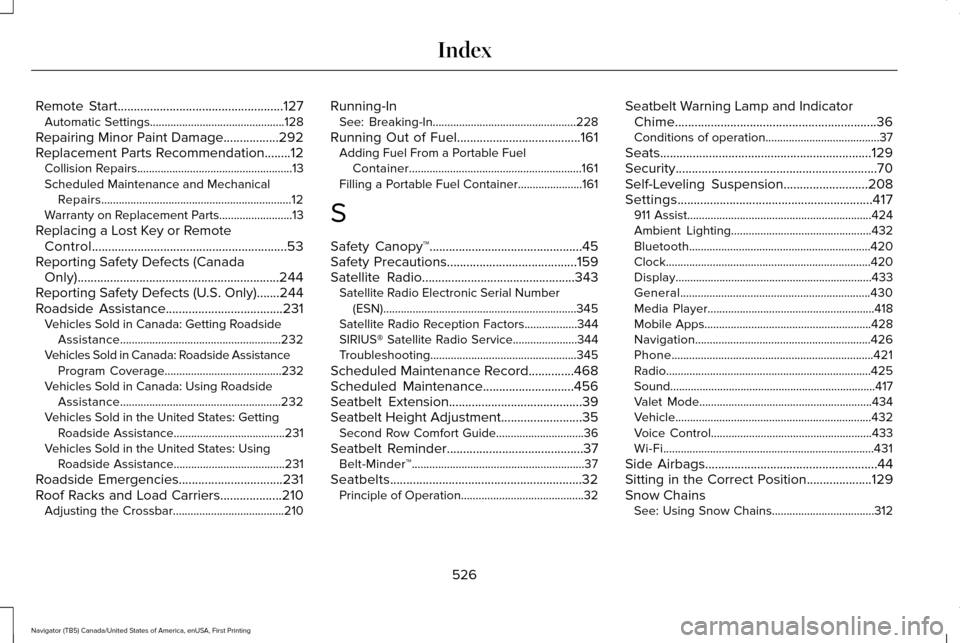
Remote Start...................................................127
Automatic Settings..............................................128
Repairing Minor Paint Damage
.................292
Replacement Parts Recommendation........12 Collision Repairs.....................................................13
Scheduled Maintenance and Mechanical
Repairs.................................................................12
Warranty on Replacement Parts.........................
13
Replacing a Lost Key or Remote Control............................................................53
Reporting Safety Defects (Canada Only)..............................................................244
Reporting Safety Defects (U.S. Only).......244
Roadside Assistance
....................................231
Vehicles Sold in Canada: Getting Roadside
Assistance.......................................................232
Vehicles Sold in Canada: Roadside Assistance Program Coverage........................................232
Vehicles Sold in Canada: Using Roadside Assistance.......................................................232
Vehicles Sold in the United States: Getting Roadside Assistance......................................231
Vehicles Sold in the United States: Using Roadside Assistance......................................231
Roadside Emergencies
................................231
Roof Racks and Load Carriers...................210 Adjusting the Crossbar......................................210 Running-In
See: Breaking-In.................................................228
Running Out of Fuel......................................161 Adding Fuel From a Portable Fuel
Container...........................................................161
Filling a Portable Fuel Container......................161
S
Safety Canopy™...............................................45
Safety Precautions........................................159
Satellite Radio
...............................................343
Satellite Radio Electronic Serial Number
(ESN)..................................................................345
Satellite Radio Reception Factors..................344
SIRIUS® Satellite Radio Service......................344
Troubleshooting..................................................345
Scheduled Maintenance Record..............468
Scheduled Maintenance............................456
Seatbelt Extension.........................................39
Seatbelt Height Adjustment.........................35 Second Row Comfort Guide..............................36
Seatbelt Reminder
..........................................37
Belt-Minder™...........................................................37
Seatbelts...........................................................32 Principle of Operation..........................................32 Seatbelt Warning Lamp and Indicator
Chime..............................................................36
Conditions of operation.......................................37
Seats.................................................................129
Security..............................................................70
Self-Leveling Suspension
..........................208
Settings............................................................417 911 Assist...............................................................424
Ambient Lighting................................................432
Bluetooth..............................................................420
Clock......................................................................420
Display...................................................................433
General.................................................................430
Media Player.........................................................418
Mobile Apps.........................................................428
Navigation............................................................426
Phone.....................................................................421
Radio......................................................................425
Sound......................................................................417
Valet Mode...........................................................434
Vehicle...................................................................432
Voice Control.......................................................433
Wi-Fi........................................................................\
431
Side Airbags
.....................................................44
Sitting in the Correct Position....................129
Snow Chains See: Using Snow Chains...................................312
526
Navigator (TB5) Canada/United States of America, enUSA, First Printing Index