fuel LINCOLN NAVIGATOR 2017 Repair Manual
[x] Cancel search | Manufacturer: LINCOLN, Model Year: 2017, Model line: NAVIGATOR, Model: LINCOLN NAVIGATOR 2017Pages: 532, PDF Size: 3.9 MB
Page 412 of 532
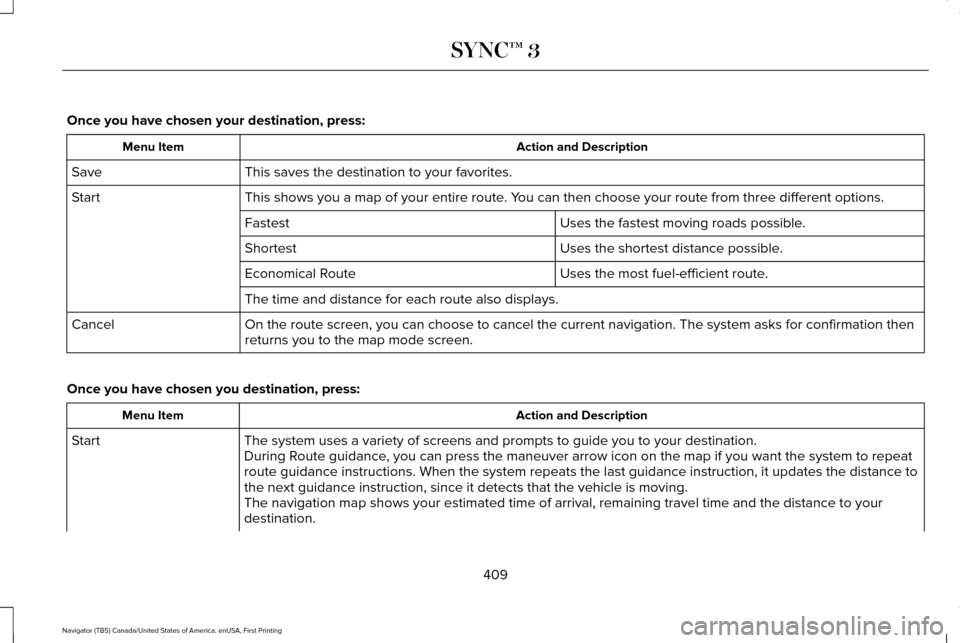
Once you have chosen your destination, press:
Action and Description
Menu Item
This saves the destination to your favorites.
Save
This shows you a map of your entire route. You can then choose your route from three different options.
Start
Uses the fastest moving roads possible.
Fastest
Uses the shortest distance possible.
Shortest
Uses the most fuel-efficient route.
Economical Route
The time and distance for each route also displays.
On the route screen, you can choose to cancel the current navigation. Th\
e system asks for confirmation then
returns you to the map mode screen.
Cancel
Once you have chosen you destination, press: Action and Description
Menu Item
The system uses a variety of screens and prompts to guide you to your de\
stination.
Start
During Route guidance, you can press the maneuver arrow icon on the map if you want the syste\
m to repeat
route guidance instructions. When the system repeats the last guidance i\
nstruction, it updates the distance to
the next guidance instruction, since it detects that the vehicle is movi\
ng.
The navigation map shows your estimated time of arrival, remaining trave\
l time and the distance to your
destination.
409
Navigator (TB5) Canada/United States of America, enUSA, First Printing SYNC™ 3
Page 413 of 532

Action and Description
Menu Item
SYNC 3 may not always announce vehicle arrival at the exact point of your\
destination and you may have to
cancel a route manually.
Navigation Menu
In map mode and during active navigation
you can access the navigation menu. During active navigation, touch the bottom
of the screen to view the menu and other
buttons.
To access the Navigation menu, press: Button
Menu
You can then select: A full screen map displays during navigation.
Full Map
Screen View
Highway exit information displays on the right hand side of the screen d\
uring navigation.
Highway Exit Info
Points of interest icons display for restaurants, hotels, fuel stations a\
nd ATMs when they
are present at the exit. You can select the POI icons to receive a listing of specific locations.
You can select the POI location as a waypoint or destination if desired.
Only available during an active route. Displays all of the turns on the current route.
Turn List
You can choose to avoid any road on the turn list by selecting the road f\
rom the list. A
screen then appears and you can press:
410
Navigator (TB5) Canada/United States of America, enUSA, First Printing SYNC™ 3
Page 419 of 532
SiriusXM Traffic and Travel Link (If
Equipped) WARNING
Driving while distracted can result in
loss of vehicle control, crash and injury.
We strongly recommend that you use
extreme caution when using any device that
may take your focus off the road. Your
primary responsibility is the safe operation
of your vehicle. We recommend against the
use of any hand-held device while driving
and encourage the use of voice-operated
systems when possible. Make sure you are
aware of all applicable local laws that may
affect the use of electronic devices while
driving. Note:
SiriusXM Traffic and Travel Link may
not be available in all markets.
Note: In order to use SiriusXM Traffic and
Travel Link, your vehicle must have
navigation.
Note: A paid subscription is required to
access and use these features. Go to
www.siriusxm.com/travellink for more
information.
Note: Visit www.siriusxm.com/traffic and click
on Coverage map and details for a complete
listing of all traffic areas covered by SiriusXM
Traffic and Travel Link. Note:
Neither Sirius nor Ford is responsible
for any errors or inaccuracies in the SiriusXM
Traffic and Travel Link services or its use in
vehicles.
When you subscribe to SiriusXM Traffic and
Travel Link, it can help you locate the best
gas prices, find movie listings, get current
traffic alerts, view the current weather map,
get accurate ski conditions and see scores
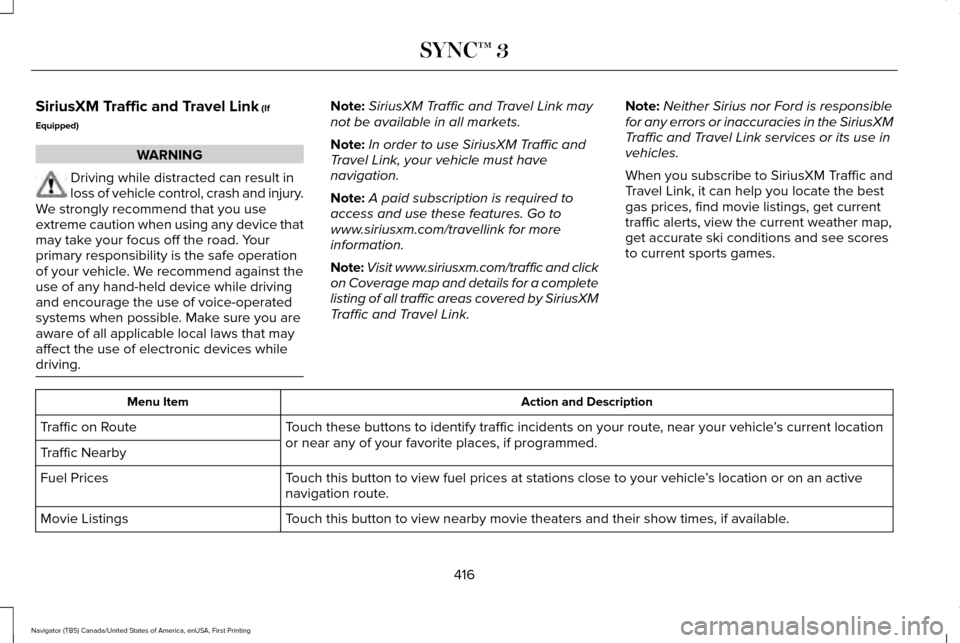
to current sports games. Action and Description
Menu Item
Touch these buttons to identify traffic incidents on your route, near your vehicle ’s current location
or near any of your favorite places, if programmed.
Traffic on Route
Traffic Nearby
Touch this button to view fuel prices at stations close to your vehicle ’s location or on an active
navigation route.
Fuel Prices
Touch this button to view nearby movie theaters and their show times, if \
available.
Movie Listings
416
Navigator (TB5) Canada/United States of America, enUSA, First Printing SYNC™ 3
Page 454 of 532
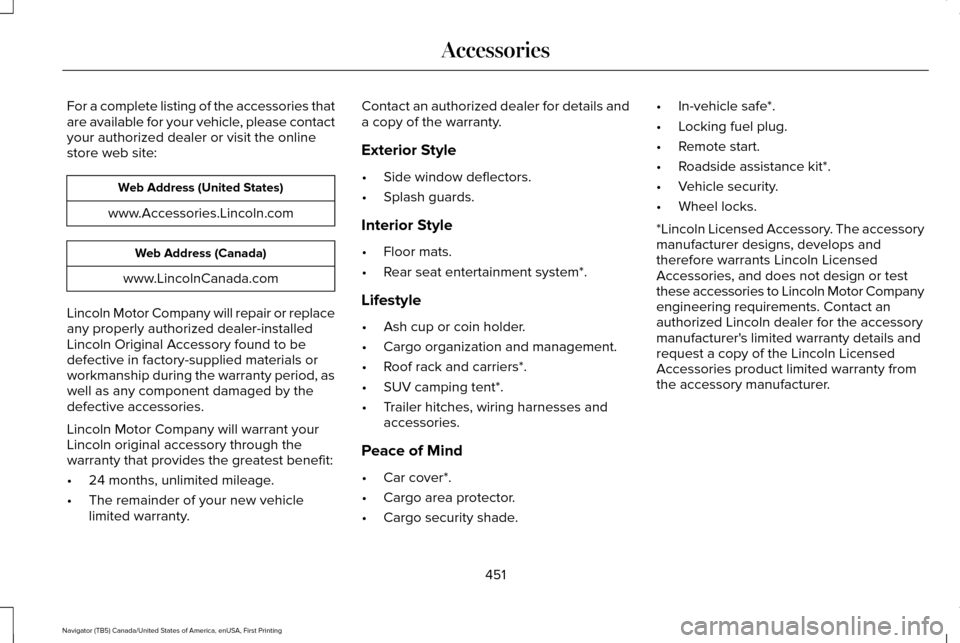
For a complete listing of the accessories that
are available for your vehicle, please contact
your authorized dealer or visit the online
store web site:
Web Address (United States)
www.Accessories.Lincoln.com Web Address (Canada)
www.LincolnCanada.com
Lincoln Motor Company will repair or replace
any properly authorized dealer-installed
Lincoln Original Accessory found to be
defective in factory-supplied materials or
workmanship during the warranty period, as
well as any component damaged by the
defective accessories.
Lincoln Motor Company will warrant your
Lincoln original accessory through the
warranty that provides the greatest benefit:
• 24 months, unlimited mileage.
• The remainder of your new vehicle
limited warranty. Contact an authorized dealer for details and
a copy of the warranty.
Exterior Style
•
Side window deflectors.
• Splash guards.
Interior Style
• Floor mats.
• Rear seat entertainment system*.
Lifestyle
• Ash cup or coin holder.
• Cargo organization and management.
• Roof rack and carriers*.
• SUV camping tent*.
• Trailer hitches, wiring harnesses and
accessories.
Peace of Mind
• Car cover*.
• Cargo area protector.
• Cargo security shade. •
In-vehicle safe*.
• Locking fuel plug.
• Remote start.
• Roadside assistance kit*.
• Vehicle security.
• Wheel locks.
*Lincoln Licensed Accessory. The accessory
manufacturer designs, develops and
therefore warrants Lincoln Licensed
Accessories, and does not design or test
these accessories to Lincoln Motor Company
engineering requirements. Contact an
authorized Lincoln dealer for the accessory
manufacturer's limited warranty details and
request a copy of the Lincoln Licensed
Accessories product limited warranty from
the accessory manufacturer.
451
Navigator (TB5) Canada/United States of America, enUSA, First Printing Accessories
Page 456 of 532
PROTECT YOURSELF FROM THE RISING
COST OF VEHICLE REPAIRS WITH
LINCOLN PROTECT EXTENDED SERVICE
PLAN.
Lincoln Protect Extended Service Plans
(U.S. Only)
Lincoln Protect means peace of mind. It’
s the
extended service plan backed by the Lincoln
Motor Company, and provides more
protection beyond the New Vehicle Limited
Warranty coverage. When you visit your
Lincoln Dealer, insist on genuine Lincoln
Protect extended service plans!
Lincoln Protect Can Quickly Pay for Itself
One trip to the Service Center could easily
exceed the price of your Lincoln Protect
Extended Service Plan. With Lincoln Protect
you minimize your risk for unexpected repair
bills and rising repair costs.
Up to 1000+ Covered Vehicle Components
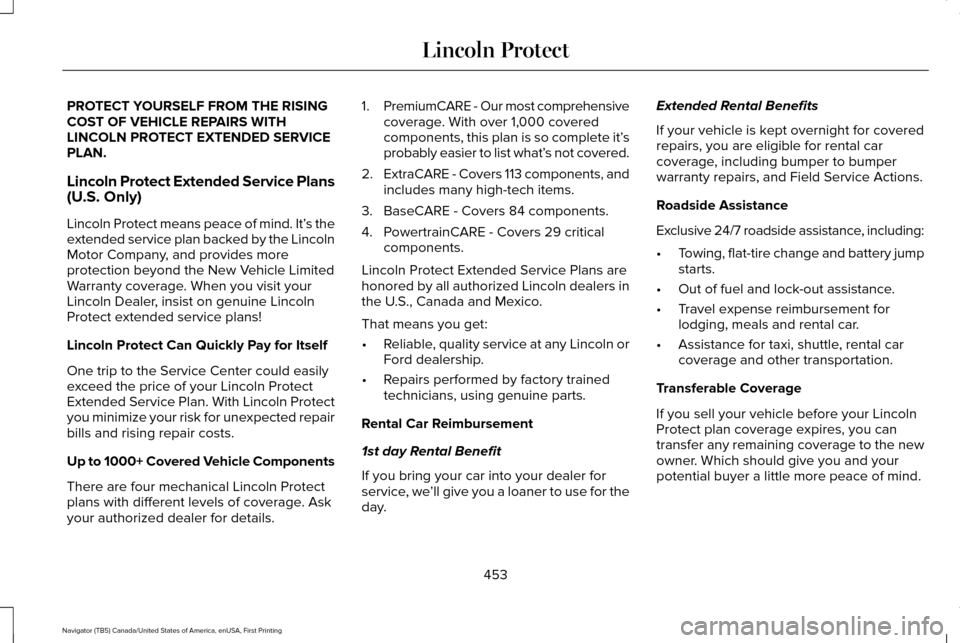
There are four mechanical Lincoln Protect
plans with different levels of coverage. Ask
your authorized dealer for details. 1.
PremiumCARE - Our most comprehensive
coverage. With over 1,000 covered
components, this plan is so complete it’ s
probably easier to list what’ s not covered.
2. ExtraCARE - Covers 113 components, and
includes many high-tech items.
3. BaseCARE - Covers 84 components.
4. PowertrainCARE - Covers 29 critical components.
Lincoln Protect Extended Service Plans are
honored by all authorized Lincoln dealers in
the U.S., Canada and Mexico.
That means you get:
• Reliable, quality service at any Lincoln or
Ford dealership.
• Repairs performed by factory trained
technicians, using genuine parts.
Rental Car Reimbursement
1st day Rental Benefit
If you bring your car into your dealer for
service, we ’ll give you a loaner to use for the
day. Extended Rental Benefits
If your vehicle is kept overnight for covered
repairs, you are eligible for rental car
coverage, including bumper to bumper
warranty repairs, and Field Service Actions.
Roadside Assistance
Exclusive 24/7 roadside assistance, including:
•
Towing, flat-tire change and battery jump
starts.
• Out of fuel and lock-out assistance.
• Travel expense reimbursement for
lodging, meals and rental car.
• Assistance for taxi, shuttle, rental car
coverage and other transportation.
Transferable Coverage
If you sell your vehicle before your Lincoln
Protect plan coverage expires, you can
transfer any remaining coverage to the new
owner. Which should give you and your
potential buyer a little more peace of mind.
453
Navigator (TB5) Canada/United States of America, enUSA, First Printing Lincoln Protect
Page 470 of 532
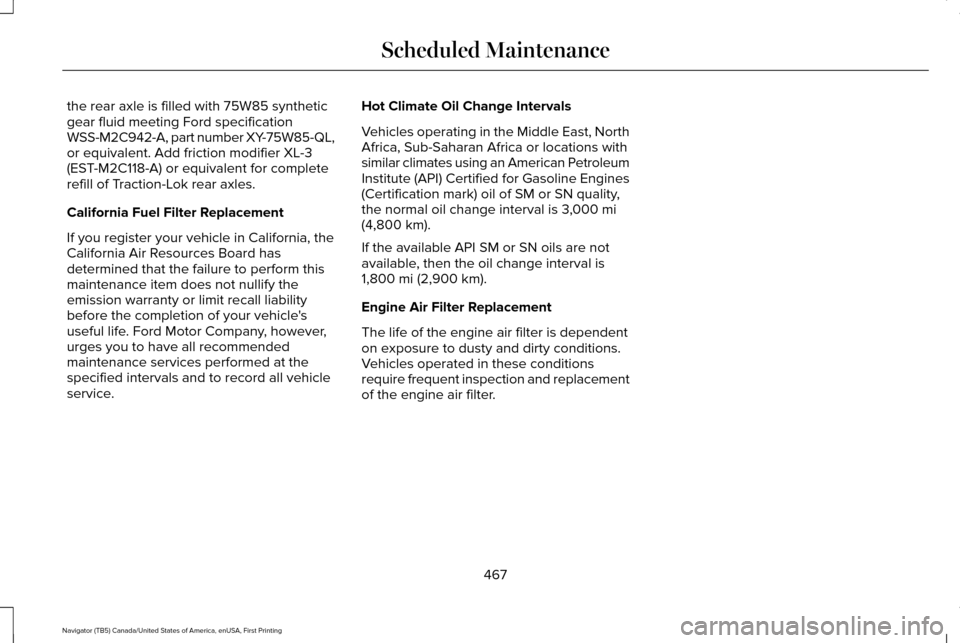
the rear axle is filled with 75W85 synthetic
gear fluid meeting Ford specification
WSS-M2C942-A, part number XY-75W85-QL,
or equivalent. Add friction modifier XL-3
(EST-M2C118-A) or equivalent for complete
refill of Traction-Lok rear axles.
California Fuel Filter Replacement
If you register your vehicle in California, the
California Air Resources Board has
determined that the failure to perform this
maintenance item does not nullify the
emission warranty or limit recall liability
before the completion of your vehicle's
useful life. Ford Motor Company, however,
urges you to have all recommended
maintenance services performed at the
specified intervals and to record all vehicle
service.
Hot Climate Oil Change Intervals
Vehicles operating in the Middle East, North
Africa, Sub-Saharan Africa or locations with
similar climates using an American Petroleum
Institute (API) Certified for Gasoline Engines
(Certification mark) oil of SM or SN quality,
the normal oil change interval is 3,000 mi
(4,800 km).
If the available API SM or SN oils are not
available, then the oil change interval is
1,800 mi (2,900 km)
.
Engine Air Filter Replacement
The life of the engine air filter is dependent
on exposure to dusty and dirty conditions.
Vehicles operated in these conditions
require frequent inspection and replacement
of the engine air filter.
467
Navigator (TB5) Canada/United States of America, enUSA, First Printing Scheduled Maintenance
Page 525 of 532
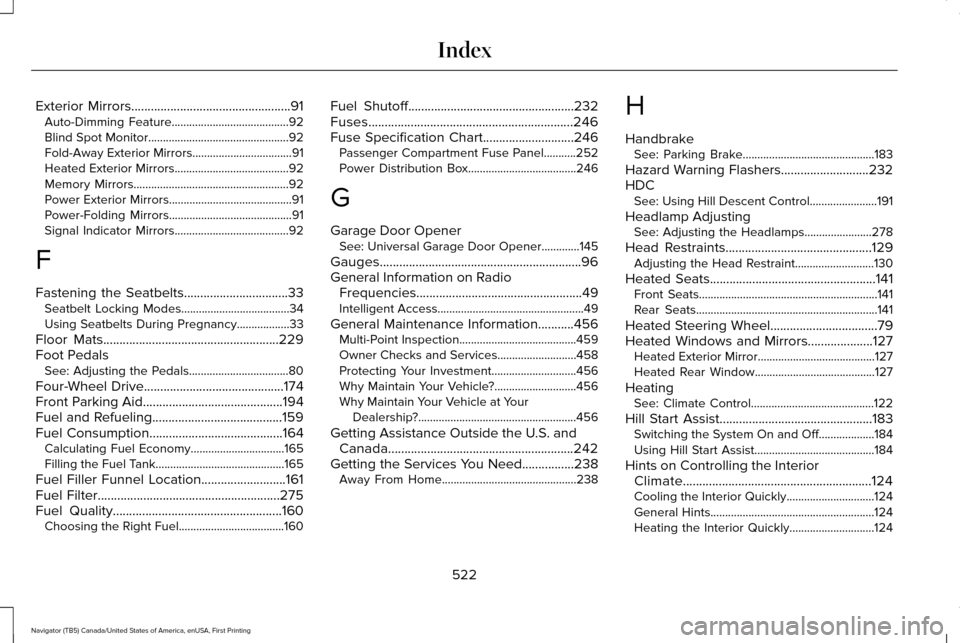
Exterior Mirrors.................................................91
Auto-Dimming Feature........................................92
Blind Spot Monitor................................................92
Fold-Away Exterior Mirrors..................................91
Heated Exterior Mirrors.......................................92
Memory Mirrors.....................................................92
Power Exterior Mirrors..........................................91
Power-Folding Mirrors..........................................91
Signal Indicator Mirrors.......................................92
F
Fastening the Seatbelts
................................33
Seatbelt Locking Modes.....................................34
Using Seatbelts During Pregnancy..................
33
Floor Mats......................................................229
Foot Pedals See: Adjusting the Pedals..................................80
Four-Wheel Drive
...........................................174
Front Parking Aid...........................................194
Fuel and Refueling........................................159
Fuel Consumption.........................................164
Calculating Fuel Economy................................165
Filling the Fuel Tank............................................165
Fuel Filler Funnel Location..........................161
Fuel Filter
........................................................275
Fuel Quality....................................................160
Choosing the Right Fuel....................................160 Fuel Shutoff
...................................................232
Fuses...............................................................246
Fuse Specification Chart............................246
Passenger Compartment Fuse Panel...........252
Power Distribution Box.....................................246
G
Garage Door Opener See: Universal Garage Door Opener.............145
Gauges..............................................................96
General Information on Radio Frequencies...................................................49
Intelligent Access..................................................49
General Maintenance Information...........456 Multi-Point Inspection........................................459
Owner Checks and Services...........................458
Protecting Your Investment.............................
456
Why Maintain Your Vehicle?............................456
Why Maintain Your Vehicle at Your Dealership?......................................................456
Getting Assistance Outside the U.S. and Canada.........................................................242
Getting the Services You Need................238 Away From Home..............................................238 H
Handbrake
See: Parking Brake.............................................183
Hazard Warning Flashers...........................232
HDC See: Using Hill Descent Control.......................191
Headlamp Adjusting See: Adjusting the Headlamps.......................278
Head Restraints.............................................129 Adjusting the Head Restraint...........................130
Heated Seats
...................................................141
Front Seats.............................................................141
Rear Seats..............................................................141
Heated Steering Wheel.................................79
Heated Windows and Mirrors....................127 Heated Exterior Mirror........................................127
Heated Rear Window.........................................
127
Heating See: Climate Control..........................................122
Hill Start Assist...............................................183 Switching the System On and Off...................
184
Using Hill Start Assist.........................................184
Hints on Controlling the Interior Climate..........................................................124
Cooling the Interior Quickly..............................
124
General Hints........................................................124
Heating the Interior Quickly.............................
124
522
Navigator (TB5) Canada/United States of America, enUSA, First Printing Index
Page 526 of 532
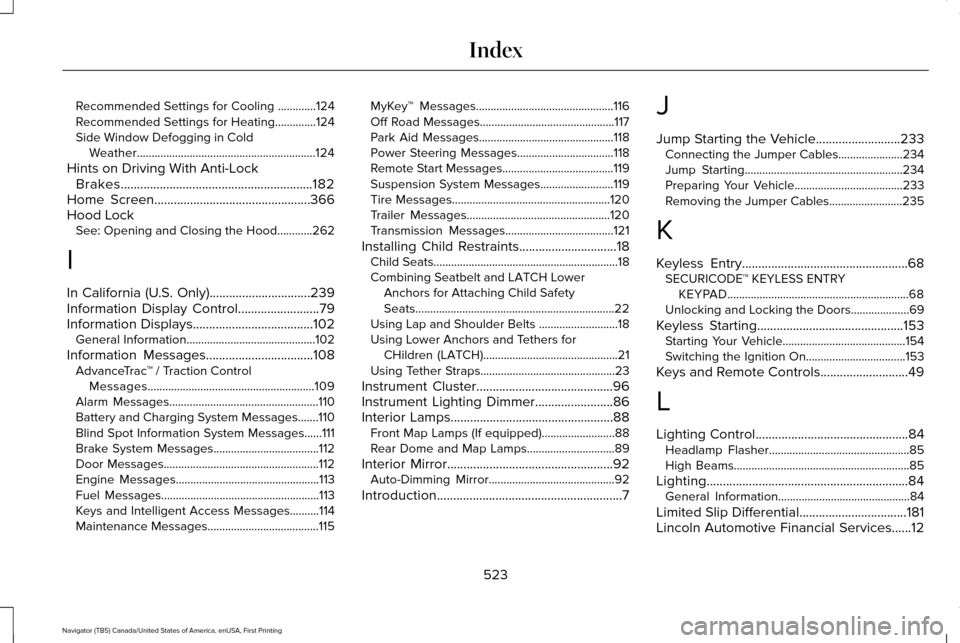
Recommended Settings for Cooling .............124
Recommended Settings for Heating..............124
Side Window Defogging in Cold Weather.............................................................124
Hints on Driving With Anti-Lock Brakes
...........................................................182
Home Screen................................................366
Hood Lock See: Opening and Closing the Hood............262
I
In California (U.S. Only)...............................239
Information Display Control
.........................79
Information Displays.....................................102
General Information............................................102
Information Messages
.................................108
AdvanceTrac ™ / Traction Control
Messages.........................................................109
Alarm Messages...................................................110
Battery and Charging System Messages.......110
Blind Spot Information System Messages......
111
Brake System Messages....................................112
Door Messages.....................................................112
Engine Messages.................................................113
Fuel Messages......................................................113
Keys and Intelligent Access Messages..........114
Maintenance Messages......................................115 MyKey™ Messages...............................................116
Off Road Messages..............................................117
Park Aid Messages..............................................118
Power Steering Messages.................................
118
Remote Start Messages......................................119
Suspension System Messages.........................119
Tire Messages......................................................120
Trailer Messages.................................................120
Transmission Messages.....................................121
Installing Child Restraints
..............................18
Child Seats...............................................................18
Combining Seatbelt and LATCH Lower
Anchors for Attaching Child Safety
Seats....................................................................22
Using Lap and Shoulder Belts ...........................18
Using Lower Anchors and Tethers for CHildren (LATCH)..............................................21
Using Tether Straps..............................................23
Instrument Cluster
..........................................96
Instrument Lighting Dimmer........................86
Interior Lamps..................................................88 Front Map Lamps (If equipped).........................88
Rear Dome and Map Lamps..............................89
Interior Mirror
...................................................92
Auto-Dimming Mirror...........................................92
Introduction
.........................................................7 J
Jump Starting the Vehicle..........................233
Connecting the Jumper Cables......................
234
Jump Starting......................................................234
Preparing Your Vehicle.....................................233
Removing the Jumper Cables.........................
235
K
Keyless Entry...................................................68 SECURICODE™ KEYLESS ENTRY
KEYPAD..............................................................68
Unlocking and Locking the Doors....................69
Keyless Starting.............................................153 Starting Your Vehicle..........................................154
Switching the Ignition On..................................153
Keys and Remote Controls...........................49
L
Lighting Control...............................................84 Headlamp Flasher................................................85
High Beams............................................................85
Lighting..............................................................84 General Information.............................................84
Limited Slip Differential
.................................181
Lincoln Automotive Financial Services......12
523
Navigator (TB5) Canada/United States of America, enUSA, First Printing Index
Page 528 of 532
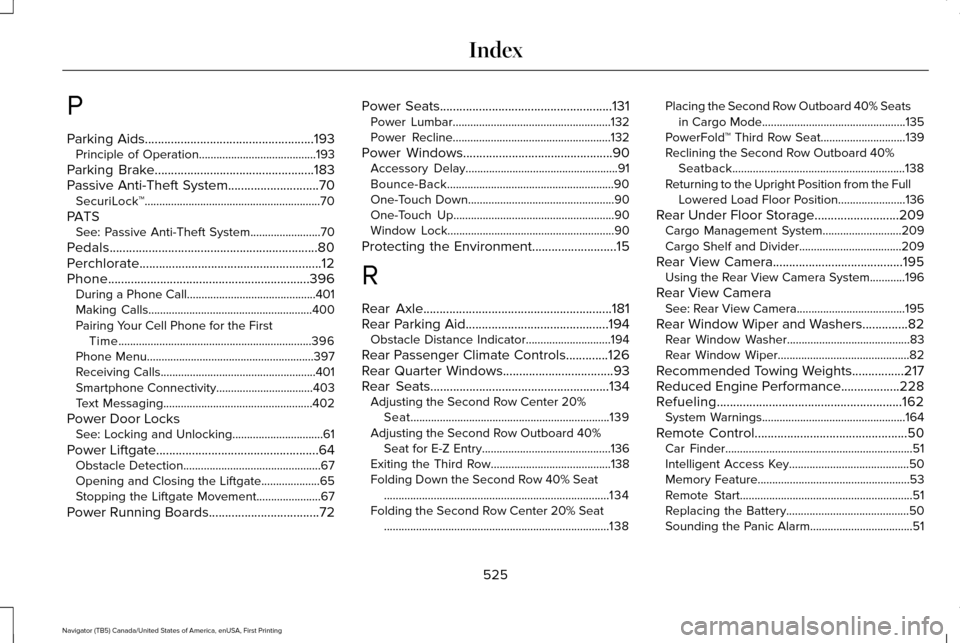
P
Parking Aids....................................................193
Principle of Operation........................................193
Parking Brake.................................................183
Passive Anti-Theft System............................70 SecuriLock™............................................................70
PATS See: Passive Anti-Theft System
........................70
Pedals................................................................80
Perchlorate........................................................12
Phone..............................................................396 During a Phone Call............................................401
Making Calls........................................................400
Pairing Your Cell Phone for the First
Time..................................................................396
Phone Menu.........................................................397
Receiving Calls.....................................................401
Smartphone Connectivity.................................403
Text Messaging...................................................402
Power Door Locks See: Locking and Unlocking...............................61
Power Liftgate
..................................................64
Obstacle Detection...............................................67
Opening and Closing the Liftgate....................
65
Stopping the Liftgate Movement......................67
Power Running Boards..................................72 Power Seats.....................................................131
Power Lumbar......................................................132
Power Recline......................................................132
Power Windows..............................................90 Accessory Delay....................................................91
Bounce-Back.........................................................90
One-Touch Down..................................................90
One-Touch Up.......................................................90
Window Lock.........................................................90
Protecting the Environment
..........................15
R
Rear Axle
..........................................................181
Rear Parking Aid............................................194 Obstacle Distance Indicator.............................
194
Rear Passenger Climate Controls.............126
Rear Quarter Windows
..................................93
Rear Seats.......................................................134 Adjusting the Second Row Center 20%
Seat....................................................................139
Adjusting the Second Row Outboard 40% Seat for E-Z Entry............................................136
Exiting the Third Row.........................................138
Folding Down the Second Row 40% Seat ........................................................................\
.....134
Folding the Second Row Center 20% Seat ........................................................................\
.....138 Placing the Second Row Outboard 40% Seats
in Cargo Mode.................................................135
PowerFold™ Third Row Seat.............................139
Reclining the Second Row Outboard 40% Seatback...........................................................138
Returning to the Upright Position from the Full Lowered Load Floor Position.......................136
Rear Under Floor Storage..........................209 Cargo Management System...........................
209
Cargo Shelf and Divider...................................209
Rear View Camera
........................................195
Using the Rear View Camera System............196
Rear View Camera See: Rear View Camera.....................................195
Rear Window Wiper and Washers..............82 Rear Window Washer..........................................83
Rear Window Wiper.............................................82
Recommended Towing Weights
................217
Reduced Engine Performance..................228
Refueling.........................................................162 System Warnings.................................................164
Remote Control
...............................................50
Car Finder................................................................51
Intelligent Access Key.........................................50
Memory Feature....................................................53
Remote Start...........................................................51
Replacing the Battery..........................................50
Sounding the Panic Alarm...................................51
525
Navigator (TB5) Canada/United States of America, enUSA, First Printing Index
Page 529 of 532
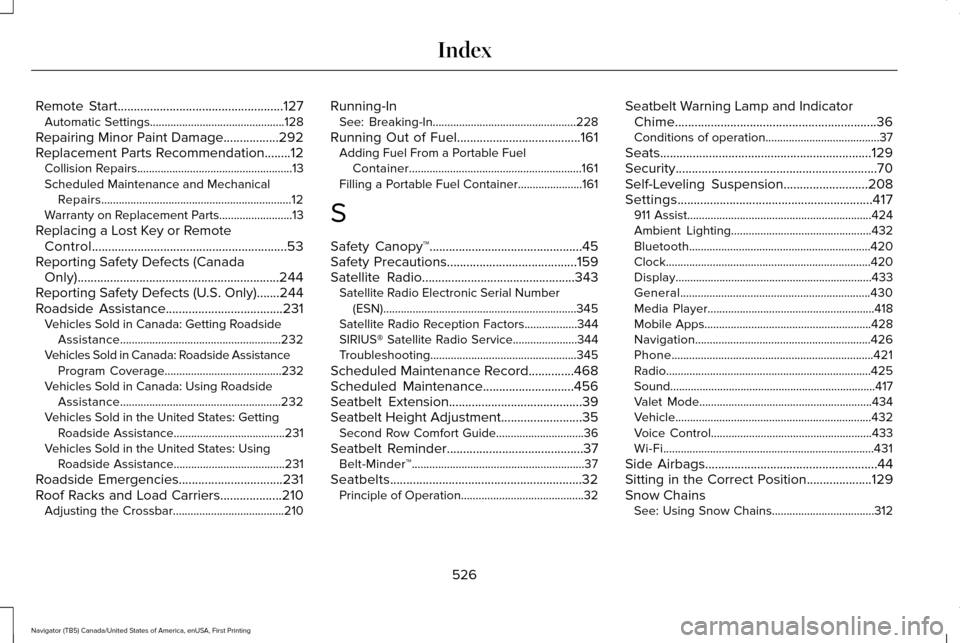
Remote Start...................................................127
Automatic Settings..............................................128
Repairing Minor Paint Damage
.................292
Replacement Parts Recommendation........12 Collision Repairs.....................................................13
Scheduled Maintenance and Mechanical
Repairs.................................................................12
Warranty on Replacement Parts.........................
13
Replacing a Lost Key or Remote Control............................................................53
Reporting Safety Defects (Canada Only)..............................................................244
Reporting Safety Defects (U.S. Only).......244
Roadside Assistance
....................................231
Vehicles Sold in Canada: Getting Roadside
Assistance.......................................................232
Vehicles Sold in Canada: Roadside Assistance Program Coverage........................................232
Vehicles Sold in Canada: Using Roadside Assistance.......................................................232
Vehicles Sold in the United States: Getting Roadside Assistance......................................231
Vehicles Sold in the United States: Using Roadside Assistance......................................231
Roadside Emergencies
................................231
Roof Racks and Load Carriers...................210 Adjusting the Crossbar......................................210 Running-In
See: Breaking-In.................................................228
Running Out of Fuel......................................161 Adding Fuel From a Portable Fuel
Container...........................................................161
Filling a Portable Fuel Container......................161
S
Safety Canopy™...............................................45
Safety Precautions........................................159
Satellite Radio
...............................................343
Satellite Radio Electronic Serial Number
(ESN)..................................................................345
Satellite Radio Reception Factors..................344
SIRIUS® Satellite Radio Service......................344
Troubleshooting..................................................345
Scheduled Maintenance Record..............468
Scheduled Maintenance............................456
Seatbelt Extension.........................................39
Seatbelt Height Adjustment.........................35 Second Row Comfort Guide..............................36
Seatbelt Reminder
..........................................37
Belt-Minder™...........................................................37
Seatbelts...........................................................32 Principle of Operation..........................................32 Seatbelt Warning Lamp and Indicator
Chime..............................................................36
Conditions of operation.......................................37
Seats.................................................................129
Security..............................................................70
Self-Leveling Suspension
..........................208
Settings............................................................417 911 Assist...............................................................424
Ambient Lighting................................................432
Bluetooth..............................................................420
Clock......................................................................420
Display...................................................................433
General.................................................................430
Media Player.........................................................418
Mobile Apps.........................................................428
Navigation............................................................426
Phone.....................................................................421
Radio......................................................................425
Sound......................................................................417
Valet Mode...........................................................434
Vehicle...................................................................432
Voice Control.......................................................433
Wi-Fi........................................................................\
431
Side Airbags
.....................................................44
Sitting in the Correct Position....................129
Snow Chains See: Using Snow Chains...................................312
526
Navigator (TB5) Canada/United States of America, enUSA, First Printing Index