automatic transmission LINCOLN NAVIGATOR 2017 Owners Manual
[x] Cancel search | Manufacturer: LINCOLN, Model Year: 2017, Model line: NAVIGATOR, Model: LINCOLN NAVIGATOR 2017Pages: 532, PDF Size: 3.9 MB
Page 6 of 532
Auxiliary Power Points
Auxiliary Power Points.................................150
Storage Compartments
Center Console.............................................152
Overhead Console
.......................................152
Starting and Stopping the Engine
General Information......................................153
Keyless Starting.............................................153
Starting a Gasoline Engine.........................154
Engine Block Heater
.....................................157
Fuel and Refueling
Safety Precautions........................................159
Fuel Quality
....................................................160
Fuel Filler Funnel Location..........................161
Running Out of Fuel......................................161
Refueling.........................................................162
Fuel Consumption
.........................................164
Emission Control System
............................166 Transmission
Automatic Transmission..............................169
Four-Wheel Drive
Using Four-Wheel Drive
...............................174
Rear Axle
Limited Slip Differential
.................................181
Brakes
General Information
......................................182
Hints on Driving With Anti-Lock Brakes
..........................................................182
Parking Brake.................................................183
Hill Start Assist...............................................183
Traction Control
Principle of Operation..................................185
Using Traction Control.................................185
Stability Control
Principle of Operation..................................187
Using Stability Control.................................188 Terrain Response
Using Hill Descent Control..........................191
Parking Aids
Principle of Operation
..................................193
Rear Parking Aid............................................194
Front Parking Aid
...........................................194
Rear View Camera
........................................195
Cruise Control
Principle of Operation
..................................199
Using Cruise Control
....................................199
Driving Aids
Blind Spot Information System
..................201
Steering..........................................................206
Drive Control
.................................................207
Self-Leveling Suspension
..........................208
Load Carrying
Rear Under Floor Storage..........................209
Roof Racks and Load Carriers...................210
Load Limit
.........................................................211
3
Navigator (TB5) Canada/United States of America, enUSA, First Printing Table of Contents
Page 7 of 532
Towing
Towing a Trailer..............................................216
Trailer Sway Control
......................................217
Recommended Towing Weights
................217
Essential Towing Checks...........................220
Towing Points................................................226
Towing the Vehicle on Four Wheels........227
Driving Hints
Breaking-In.....................................................228
Reduced Engine Performance
..................228
Economical Driving
......................................228
Driving Through Water...............................229
Floor Mats......................................................229
Roadside Emergencies
Roadside Assistance
....................................231
Hazard Warning Flashers...........................232
Fuel Shutoff
...................................................232
Jump Starting the Vehicle..........................233
Transporting the Vehicle............................236
Towing Points
................................................236 Customer Assistance
Getting the Services You Need................238
In California (U.S. Only)...............................239
The Better Business Bureau (BBB) Auto
Line Program (U.S. Only)
........................240
Utilizing the Mediation/Arbitration Program (Canada Only)............................................241
Getting Assistance Outside the U.S. and Canada.......................................................242
Ordering Additional Owner's Literature....................................................243
Reporting Safety Defects (U.S. Only).......244
Reporting Safety Defects (Canada Only)............................................................244
Fuses
Fuse Specification Chart
............................246
Changing a Fuse..........................................259
Maintenance
General Information
....................................262
Opening and Closing the Hood...............262
Under Hood Overview................................264
Engine Oil Dipstick......................................266 Engine Oil Check.........................................266
Oil Change Indicator Reset........................267
Engine Coolant Check................................268
Automatic Transmission Fluid Check......272
Transfer Case Fluid Check.........................273
Brake Fluid Check
........................................273
Washer Fluid Check
.....................................274
Fuel Filter
........................................................275
Changing the 12V Battery
..........................275
Checking the Wiper Blades
.......................277
Changing the Wiper Blades.......................277
Adjusting the Headlamps...........................278
Changing a Bulb
...........................................279
Bulb Specification Chart
..............................281
Changing the Engine Air Filter.................283
Vehicle Care
General Information
.....................................285
Cleaning Products
.......................................285
Cleaning the Exterior..................................286
Waxing............................................................288
Cleaning the Engine....................................288
4
Navigator (TB5) Canada/United States of America, enUSA, First Printing Table of Contents
Page 54 of 532
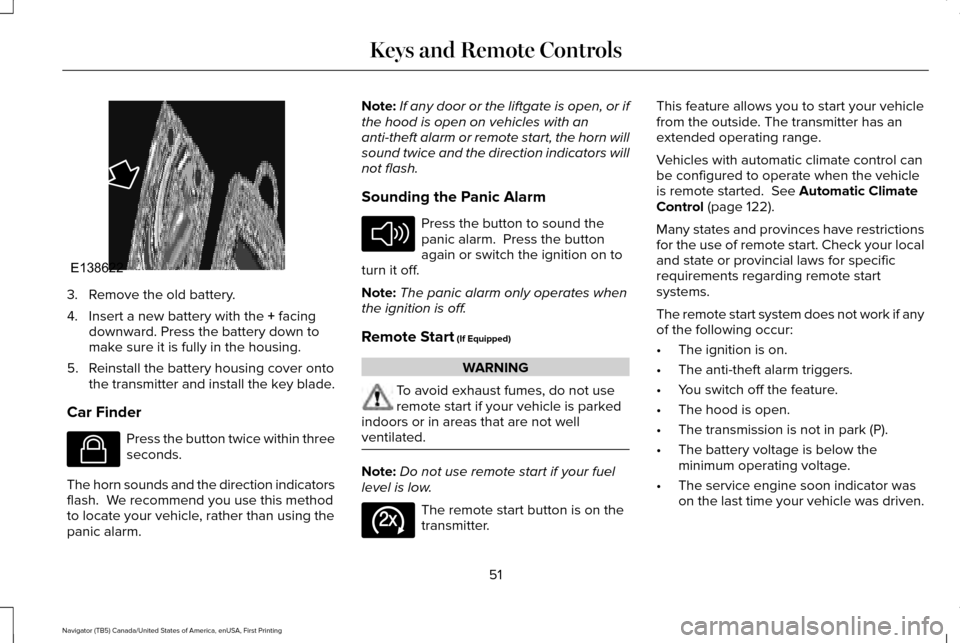
3. Remove the old battery.
4. Insert a new battery with the + facing
downward. Press the battery down to
make sure it is fully in the housing.
5. Reinstall the battery housing cover onto the transmitter and install the key blade.
Car Finder Press the button twice within three
seconds.
The horn sounds and the direction indicators
flash. We recommend you use this method
to locate your vehicle, rather than using the
panic alarm. Note:
If any door or the liftgate is open, or if
the hood is open on vehicles with an
anti-theft alarm or remote start, the horn will
sound twice and the direction indicators will
not flash.
Sounding the Panic Alarm Press the button to sound the
panic alarm. Press the button
again or switch the ignition on to
turn it off.
Note: The panic alarm only operates when
the ignition is off.
Remote Start
(If Equipped) WARNING
To avoid exhaust fumes, do not use
remote start if your vehicle is parked
indoors or in areas that are not well
ventilated. Note:
Do not use remote start if your fuel
level is low. The remote start button is on the
transmitter.This feature allows you to start your vehicle
from the outside. The transmitter has an
extended operating range.
Vehicles with automatic climate control can
be configured to operate when the vehicle
is remote started.
See Automatic Climate
Control (page 122).
Many states and provinces have restrictions
for the use of remote start. Check your local
and state or provincial laws for specific
requirements regarding remote start
systems.
The remote start system does not work if any
of the following occur:
• The ignition is on.
• The anti-theft alarm triggers.
• You switch off the feature.
• The hood is open.
• The transmission is not in park (P).
• The battery voltage is below the
minimum operating voltage.
• The service engine soon indicator was
on the last time your vehicle was driven.
51
Navigator (TB5) Canada/United States of America, enUSA, First Printing Keys and Remote ControlsE138622 E138623 E138624 E138625
Page 65 of 532
Press and hold the unlock and lock buttons
on the remote control simultaneously for at
least four seconds with the ignition off. The
direction indicators flash twice to confirm the
change.
To return to the original unlocking function,
repeat the process.
Locking the Doors
Press the button to lock all doors.
The direction indicators will flash.
Press the button again within three seconds
to confirm that all the doors are closed. The
doors will lock again, the horn will sound and
the direction indicators will flash if all the
doors and the liftgate are closed.
Note: If the system does not function, use
the key blade to lock and unlock your
vehicle. Mislock
If any door or the liftgate is open, or if the
hood is open on vehicles with an anti-theft
alarm or remote start, the horn sounds twice
and the direction indicators do not flash. You
can switch this feature on or off in the
information display. See Information
Displays (page 102).
Opening the Liftgate Press twice within three seconds
to open the liftgate.
Activating Intelligent Access
The intelligent access key must be within 3 ft
(1 m)
of the driver door or liftgate.
At a Door
You can use the keyless entry keypad to lock
and unlock the doors.
See Keyless Entry
(page 68). At the Liftgate
The liftgate unlocks and opens automatically
when you press the liftgate release button.
See
Power Liftgate (page 64).
Smart Unlocks for Intelligent Access
Keys
This helps to prevent you from locking your
key inside the passenger compartment or
rear cargo area.
When you electronically lock your vehicle
with any door open, the transmission is in
park (P) and the ignition is off, the system
searches for an intelligent access key inside
your vehicle after you close the last door. If
the system finds a key, all of the doors will
immediately unlock and the horn will sound
twice, indicating that a key is inside.
You can override the smart unlock feature
and intentionally lock the intelligent access
key inside your vehicle.
62
Navigator (TB5) Canada/United States of America, enUSA, First Printing Doors and LocksE138623 E138630
Page 90 of 532
Type 1 - Conventional (Non-
Configurable)
The daytime running lamps turn on when:
1. The ignition is switched to the on
position.
2. The transmission is not in park (P) for vehicles with automatic transmissions or
the parking brake is released for vehicles
with manual transmissions.
3. The lighting control is in the off, parking lamp or autolamps positions.
4. The headlamps are off.
Type 2 - Configurable
Switch the daytime running lamps on or off
using the information display controls. See
Information Displays (page 102).
The daytime running lamps turn on when:
1. They are switched on in the information display. See Information Displays (page
102
).
2. The ignition is switched to the on position. 3. The transmission is not in park (P) for
vehicles with automatic transmissions or
the parking brake is released for vehicles
with manual transmissions.
4. The lighting control is in the autolamps position.
5. The headlamps are off.
The other lighting control switch positions
do not activate the daytime running lamps,
and you can use them to temporarily override
autolamp control.
When switched off in the information display,
the daytime running lamps are off in all
lighting control switch positions.
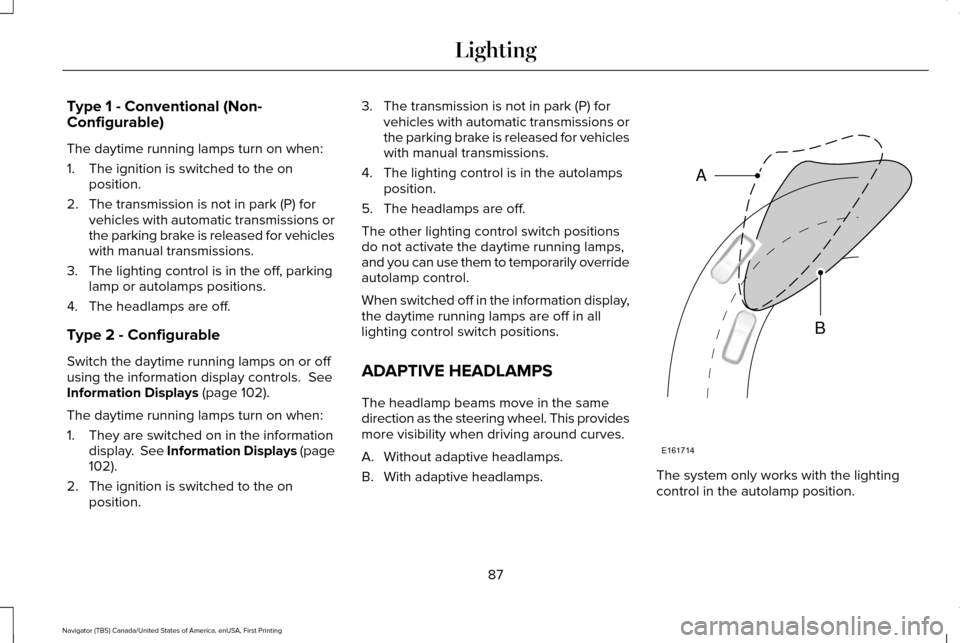
ADAPTIVE HEADLAMPS
The headlamp beams move in the same
direction as the steering wheel. This provides
more visibility when driving around curves.
A. Without adaptive headlamps.
B. With adaptive headlamps. The system only works with the lighting
control in the autolamp position.
87
Navigator (TB5) Canada/United States of America, enUSA, First Printing LightingE161714
B
A
Page 104 of 532
Transmission Tow/Haul (If Equipped)
Illuminates when you activate the
tow/haul feature. If the light flashes
steadily, have the system serviced
immediately. Damage to the transmission
could occur.
See Automatic Transmission
(page 169).
4X2 Illuminates momentarily when you
engage two-wheel drive high. If the
light fails to display or remains on
when the ignition is on, have the system
serviced immediately by an authorized
dealer.
4X4 Auto Illuminates when you engage the
four-wheel drive system. If the light
fails to display or remains on when
the ignition is on, have the system serviced
immediately by an authorized dealer. 4X4 HIGH Illuminates when you engage
four-wheel drive high. If the light
fails to display or remains on when
the ignition is on, have the system serviced
immediately by an authorized dealer.
AUDIBLE WARNINGS AND
INDICATORS
Key in Ignition Warning Chime
Sounds when you leave the key in the
ignition and the driver door open.
Headlamps On Warning Chime
Sounds when the headlamps or parking
lamps are on, the ignition is off (the key is
not in the ignition) and the driver door is
open. Parking Brake On Warning Chime
Sounds when you have left the parking brake
on and drive your vehicle. If the warning
chime remains on after you have released
the parking brake, have the system checked
by an authorized dealer immediately.
Direction Indicator Chime
Sounds when you leave the direction
indicator on after signaling a turn and driving
the vehicle more than 1.5 miles (2.4 km).
101
Navigator (TB5) Canada/United States of America, enUSA, First Printing Instrument ClusterE161509 E163173 E181781 E207351
Page 136 of 532
WARNINGS
Do not use the memory function when
your vehicle is moving.
This feature automatically recalls the position
of the following:
•
Driver seat.
• Power mirrors.
• Power steering column.
• Power adjustable foot pedals.
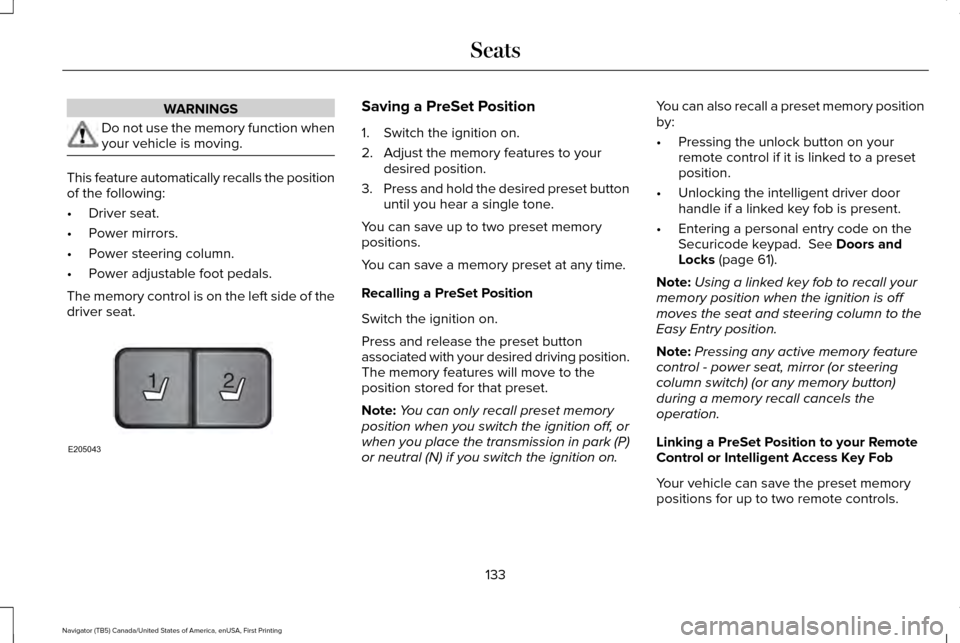
The memory control is on the left side of the
driver seat. Saving a PreSet Position
1. Switch the ignition on.
2. Adjust the memory features to your
desired position.
3. Press and hold the desired preset button
until you hear a single tone.
You can save up to two preset memory
positions.
You can save a memory preset at any time.
Recalling a PreSet Position
Switch the ignition on.
Press and release the preset button
associated with your desired driving position.
The memory features will move to the
position stored for that preset.
Note: You can only recall preset memory
position when you switch the ignition off, or
when you place the transmission in park (P)
or neutral (N) if you switch the ignition on. You can also recall a preset memory position
by:
•
Pressing the unlock button on your
remote control if it is linked to a preset
position.
• Unlocking the intelligent driver door
handle if a linked key fob is present.
• Entering a personal entry code on the
Securicode keypad. See Doors and
Locks (page 61).
Note: Using a linked key fob to recall your
memory position when the ignition is off
moves the seat and steering column to the
Easy Entry position.
Note: Pressing any active memory feature
control - power seat, mirror (or steering
column switch) (or any memory button)
during a memory recall cancels the
operation.
Linking a PreSet Position to your Remote
Control or Intelligent Access Key Fob
Your vehicle can save the preset memory
positions for up to two remote controls.
133
Navigator (TB5) Canada/United States of America, enUSA, First Printing Seats21
E205043
Page 137 of 532
1. With the ignition on, move the memory
positions to the desired positions.
2. Press and hold the desired preset button
for about five seconds. A tone sounds
after about two seconds. Continue
holding until you hear a second tone.
3. Within three seconds, press the lock button on the remote control you are
linking.
To unlink a remote control, follow the same
procedure – except in step 3, press the
unlock button on the remote control.
Note: If more than one linked remote control
or intelligent access key is in range, the
memory function moves to the settings of
the first key to initiate a memory recall.
Easy Entry and Exit Feature (If Equipped)
This feature adjusts the position of the seat
and steering column to allow easier exit and
entry to the vehicle. The driver seat automatically moves 2 inches
(5 centimeters) rearward when the
transmission is in park (P) and you remove
the key from the ignition or you switch the
ignition off.
The driver seat returns to the previous
position when you put the key in the ignition
or switch the ignition on.
You can enable or disable this feature in the
information display.
See Information
Displays (page 102).
REAR SEATS
Folding Down the Second Row 40%
Seat WARNINGS
Use caution when folding the seatback
to the flat back position as the system
will move forward when you lift the release
handle. WARNINGS
Before returning the seatback to its
original position, make sure that cargo
or any objects are not trapped behind the
seatback. After returning the seatback to its
original position, pull on the seatback to
make sure that it has fully latched. An
unlatched seat may become dangerous in
the event of a sudden stop or crash. Make sure that the head restraint is in the
down position and no objects such as books,
purses or briefcases are on the floor in front
of the second row seats before folding them
down.
Move the front passenger seat forward so
that the second row seat head restraint
clears the front seat.
134
Navigator (TB5) Canada/United States of America, enUSA, First Printing Seats
Page 157 of 532
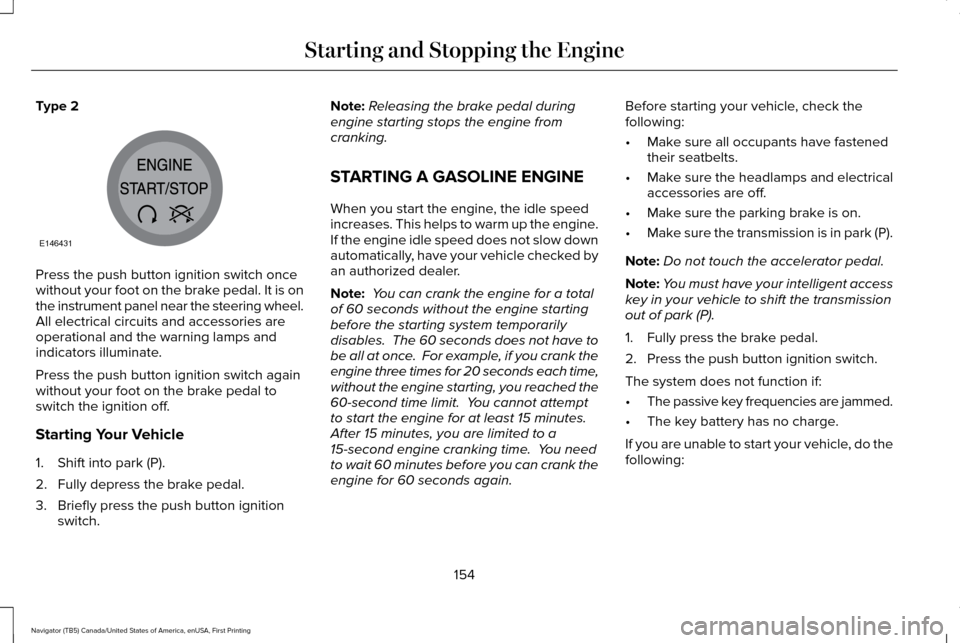
Type 2
Press the push button ignition switch once
without your foot on the brake pedal. It is on
the instrument panel near the steering wheel.
All electrical circuits and accessories are
operational and the warning lamps and
indicators illuminate.
Press the push button ignition switch again
without your foot on the brake pedal to
switch the ignition off.
Starting Your Vehicle
1. Shift into park (P).
2. Fully depress the brake pedal.
3. Briefly press the push button ignition
switch. Note:
Releasing the brake pedal during
engine starting stops the engine from
cranking.
STARTING A GASOLINE ENGINE
When you start the engine, the idle speed
increases. This helps to warm up the engine.
If the engine idle speed does not slow down
automatically, have your vehicle checked by
an authorized dealer.
Note: You can crank the engine for a total
of 60 seconds without the engine starting
before the starting system temporarily
disables. The 60 seconds does not have to
be all at once. For example, if you crank the
engine three times for 20 seconds each time,
without the engine starting, you reached the
60-second time limit. You cannot attempt
to start the engine for at least 15 minutes.
After 15 minutes, you are limited to a
15-second engine cranking time. You need
to wait 60 minutes before you can crank the
engine for 60 seconds again. Before starting your vehicle, check the
following:
•
Make sure all occupants have fastened
their seatbelts.
• Make sure the headlamps and electrical
accessories are off.
• Make sure the parking brake is on.
• Make sure the transmission is in park (P).
Note: Do not touch the accelerator pedal.
Note: You must have your intelligent access
key in your vehicle to shift the transmission
out of park (P).
1. Fully press the brake pedal.
2. Press the push button ignition switch.
The system does not function if:
• The passive key frequencies are jammed.
• The key battery has no charge.
If you are unable to start your vehicle, do the
following:
154
Navigator (TB5) Canada/United States of America, enUSA, First Printing Starting and Stopping the EngineE146431
Page 172 of 532
AUTOMATIC TRANSMISSION
WARNINGS
Always set the parking brake fully and
make sure you shift the gearshift lever
to park (P). Switch the ignition off and remove
the key whenever you leave your vehicle. Do not use the tow/haul feature when
driving in icy or slippery conditions as
the increased engine braking can cause the
rear wheels to slide and your vehicle to
swing around with the possible loss of
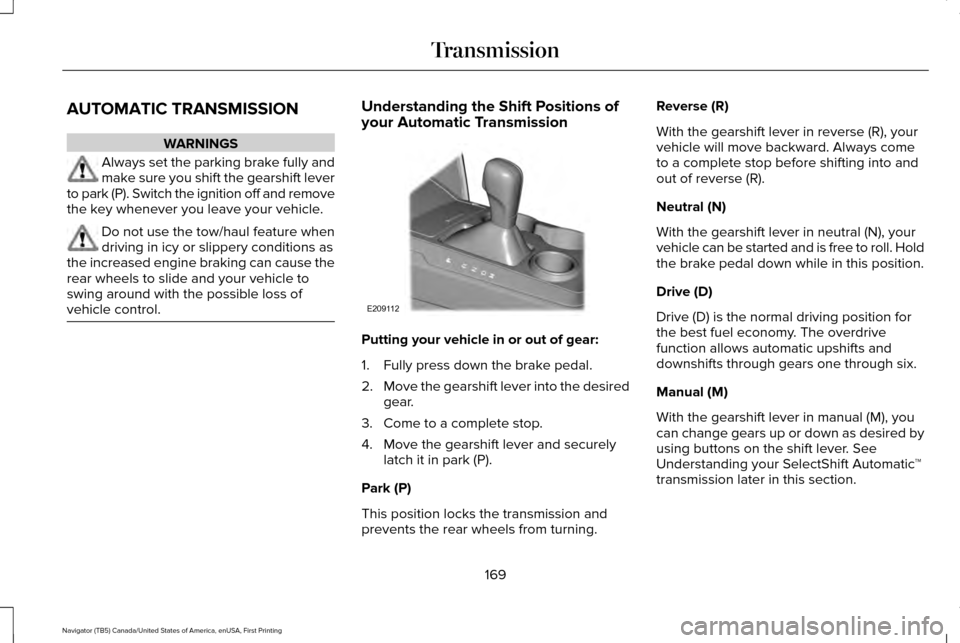
vehicle control. Understanding the Shift Positions of
your Automatic Transmission
Putting your vehicle in or out of gear:
1. Fully press down the brake pedal.
2.
Move the gearshift lever into the desired
gear.
3. Come to a complete stop.
4. Move the gearshift lever and securely latch it in park (P).
Park (P)
This position locks the transmission and
prevents the rear wheels from turning. Reverse (R)
With the gearshift lever in reverse (R), your
vehicle will move backward. Always come
to a complete stop before shifting into and
out of reverse (R).
Neutral (N)
With the gearshift lever in neutral (N), your
vehicle can be started and is free to roll. Hold
the brake pedal down while in this position.
Drive (D)
Drive (D) is the normal driving position for
the best fuel economy. The overdrive
function allows automatic upshifts and
downshifts through gears one through six.
Manual (M)
With the gearshift lever in manual (M), you
can change gears up or down as desired by
using buttons on the shift lever. See
Understanding your SelectShift Automatic
™
transmission later in this section.
169
Navigator (TB5) Canada/United States of America, enUSA, First Printing TransmissionE209112