parking brake LINCOLN NAVIGATOR 2017 Owners Manual
[x] Cancel search | Manufacturer: LINCOLN, Model Year: 2017, Model line: NAVIGATOR, Model: LINCOLN NAVIGATOR 2017Pages: 532, PDF Size: 3.9 MB
Page 6 of 532
Auxiliary Power Points
Auxiliary Power Points.................................150
Storage Compartments
Center Console.............................................152
Overhead Console
.......................................152
Starting and Stopping the Engine
General Information......................................153
Keyless Starting.............................................153
Starting a Gasoline Engine.........................154
Engine Block Heater
.....................................157
Fuel and Refueling
Safety Precautions........................................159
Fuel Quality
....................................................160
Fuel Filler Funnel Location..........................161
Running Out of Fuel......................................161
Refueling.........................................................162
Fuel Consumption
.........................................164
Emission Control System
............................166 Transmission
Automatic Transmission..............................169
Four-Wheel Drive
Using Four-Wheel Drive
...............................174
Rear Axle
Limited Slip Differential
.................................181
Brakes
General Information
......................................182
Hints on Driving With Anti-Lock Brakes
..........................................................182
Parking Brake.................................................183
Hill Start Assist...............................................183
Traction Control
Principle of Operation..................................185
Using Traction Control.................................185
Stability Control
Principle of Operation..................................187
Using Stability Control.................................188 Terrain Response
Using Hill Descent Control..........................191
Parking Aids
Principle of Operation
..................................193
Rear Parking Aid............................................194
Front Parking Aid
...........................................194
Rear View Camera
........................................195
Cruise Control
Principle of Operation
..................................199
Using Cruise Control
....................................199
Driving Aids
Blind Spot Information System
..................201
Steering..........................................................206
Drive Control
.................................................207
Self-Leveling Suspension
..........................208
Load Carrying
Rear Under Floor Storage..........................209
Roof Racks and Load Carriers...................210
Load Limit
.........................................................211
3
Navigator (TB5) Canada/United States of America, enUSA, First Printing Table of Contents
Page 12 of 532
Heated windshield
Interior luggage compartment
release
Jack
Keep out of reach of children
Lighting control
Low tire pressure warning
Maintain correct fluid level
Note operating instructions
Panic alarm Parking aid
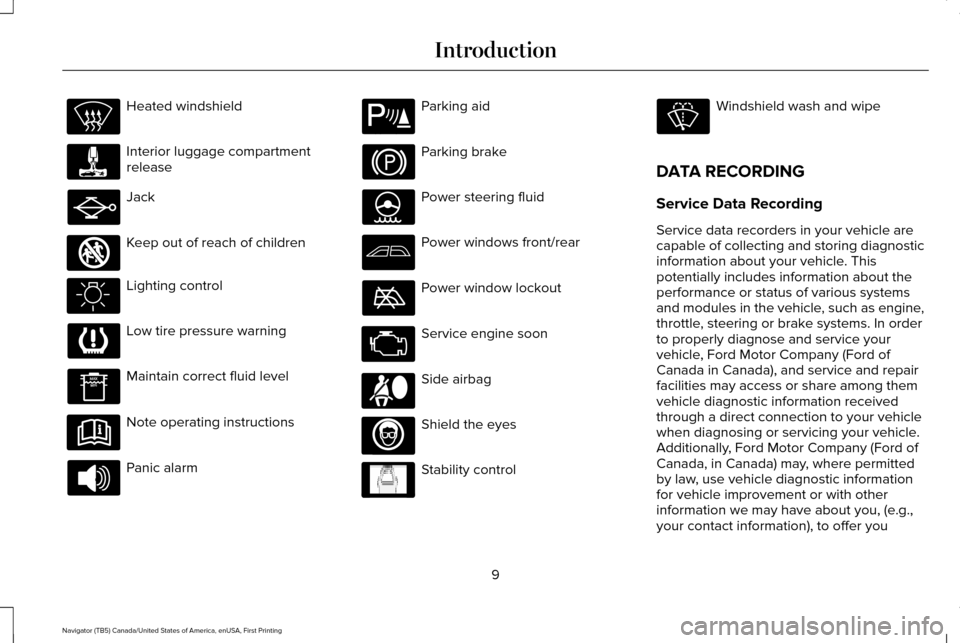
Parking brake
Power steering fluid
Power windows front/rear
Power window lockout
Service engine soon
Side airbag
Shield the eyes
Stability control Windshield wash and wipe
DATA RECORDING
Service Data Recording
Service data recorders in your vehicle are
capable of collecting and storing diagnostic
information about your vehicle. This
potentially includes information about the
performance or status of various systems
and modules in the vehicle, such as engine,
throttle, steering or brake systems. In order
to properly diagnose and service your
vehicle, Ford Motor Company (Ford of
Canada in Canada), and service and repair
facilities may access or share among them
vehicle diagnostic information received
through a direct connection to your vehicle
when diagnosing or servicing your vehicle.
Additionally, Ford Motor Company (Ford of
Canada, in Canada) may, where permitted
by law, use vehicle diagnostic information
for vehicle improvement or with other
information we may have about you, (e.g.,
your contact information), to offer you
9
Navigator (TB5) Canada/United States of America, enUSA, First Printing Introduction E161353 E139213 E167012 E138639
Page 41 of 532
Then...
If...
The Belt-Minder feature will not activate.
You buckle your safety belt before you switch the ignition on or less
than 1-2 minutes elapse after you switch the ignition on...
The Belt-Minder feature activates, the safety belt warning light illumin\
-ates and a warning tone sounds for 6 seconds every 25 seconds,
repeating for about 5 minutes or until you buckle your safety belt.
You do not buckle your safety belt before your vehicle reaches at
least 6 mph (9.7 km/h) and 1-2 minutes elapse after you switch the ignition on...
The Belt-Minder feature activates, the safety belt warning light illumin\
-ates and a warning tone sounds for 6 seconds every 25 seconds,
repeating for about 5 minutes or until you buckle your safety belt.
The driver safety belt is unbuckled for about 1 minute while the vehicle\
is traveling at least 6 mph (9.7 km/h) and more than 1-2 minutes elapse
after you switch the ignition on...
Deactivating and Activating the Belt-Minder
Feature WARNING
While the system allows you to
deactivate it, this system is designed
to improve your chances of being safely
belted and surviving an accident. We
recommend you leave the system activated
for yourself and others who may use the
vehicle. Read Steps 1 - 4 thoroughly before
proceeding with the programming
procedure.
Before following the procedure, make sure
that:
•
The parking brake is set.
• The transmission is in park (P).
• The ignition is off.
• All vehicle doors are closed.
• The driver safety belt is unbuckled.
1. Switch the ignition on. Do not start the engine. 2. Wait until the safety belt warning light
turns off (about one minute). After Step
2, wait an additional 5 seconds before
proceeding with Step 3. Once you start
Step 3, you must complete the procedure
within 60 seconds.
3. Buckle then unbuckle the safety belt three times at a moderate speed, ending
in the unbuckled state. After Step 3, the
safety belt warning light turns on.
4. While the safety belt warning light is on, buckle then unbuckle the safety belt.
After Step 4, the safety belt warning light
flashes for confirmation.
38
Navigator (TB5) Canada/United States of America, enUSA, First Printing Seatbelts
Page 55 of 532
Remote Starting your Vehicle
Note:
You must press each button within
three seconds of each other. If you do not
follow this sequence, your vehicle does not
start remotely, the direction indicators do
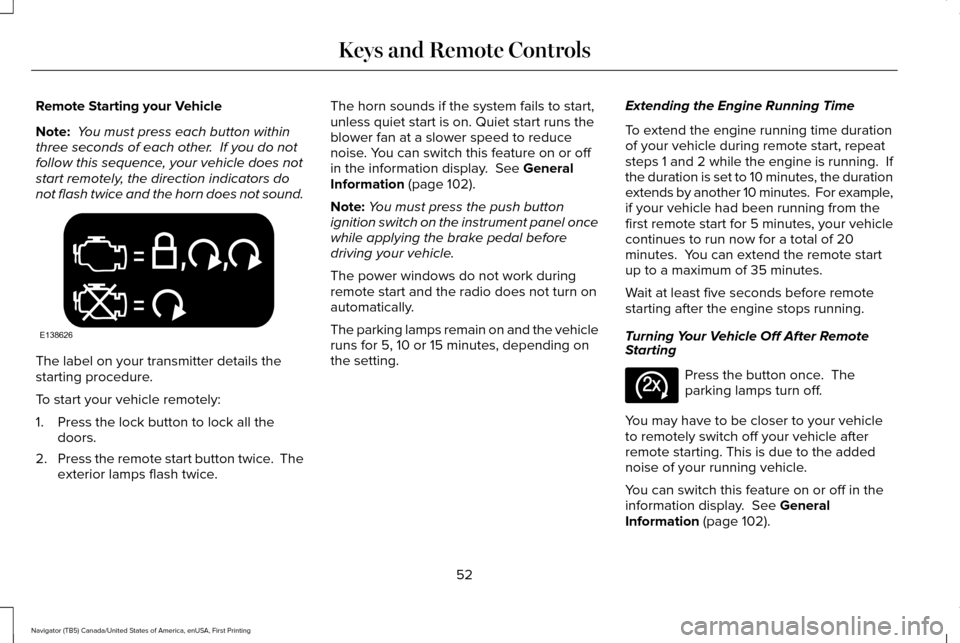
not flash twice and the horn does not sound. The label on your transmitter details the
starting procedure.
To start your vehicle remotely:
1. Press the lock button to lock all the
doors.
2. Press the remote start button twice. The
exterior lamps flash twice. The horn sounds if the system fails to start,
unless quiet start is on. Quiet start runs the
blower fan at a slower speed to reduce
noise. You can switch this feature on or off
in the information display. See General
Information (page 102).
Note: You must press the push button
ignition switch on the instrument panel once
while applying the brake pedal before
driving your vehicle.
The power windows do not work during
remote start and the radio does not turn on
automatically.
The parking lamps remain on and the vehicle
runs for 5, 10 or 15 minutes, depending on
the setting. Extending the Engine Running Time
To extend the engine running time duration
of your vehicle during remote start, repeat
steps 1 and 2 while the engine is running. If
the duration is set to 10 minutes, the duration
extends by another 10 minutes. For example,
if your vehicle had been running from the
first remote start for 5 minutes, your vehicle
continues to run now for a total of 20
minutes. You can extend the remote start
up to a maximum of 35 minutes.
Wait at least five seconds before remote
starting after the engine stops running.
Turning Your Vehicle Off After Remote
Starting
Press the button once. The
parking lamps turn off.
You may have to be closer to your vehicle
to remotely switch off your vehicle after
remote starting. This is due to the added
noise of your running vehicle.
You can switch this feature on or off in the
information display.
See General
Information (page 102).
52
Navigator (TB5) Canada/United States of America, enUSA, First Printing Keys and Remote ControlsE138626 E138625
Page 90 of 532
Type 1 - Conventional (Non-
Configurable)
The daytime running lamps turn on when:
1. The ignition is switched to the on
position.
2. The transmission is not in park (P) for vehicles with automatic transmissions or
the parking brake is released for vehicles
with manual transmissions.
3. The lighting control is in the off, parking lamp or autolamps positions.
4. The headlamps are off.
Type 2 - Configurable
Switch the daytime running lamps on or off
using the information display controls. See
Information Displays (page 102).
The daytime running lamps turn on when:
1. They are switched on in the information display. See Information Displays (page
102
).
2. The ignition is switched to the on position. 3. The transmission is not in park (P) for
vehicles with automatic transmissions or
the parking brake is released for vehicles
with manual transmissions.
4. The lighting control is in the autolamps position.
5. The headlamps are off.
The other lighting control switch positions
do not activate the daytime running lamps,
and you can use them to temporarily override
autolamp control.
When switched off in the information display,
the daytime running lamps are off in all
lighting control switch positions.
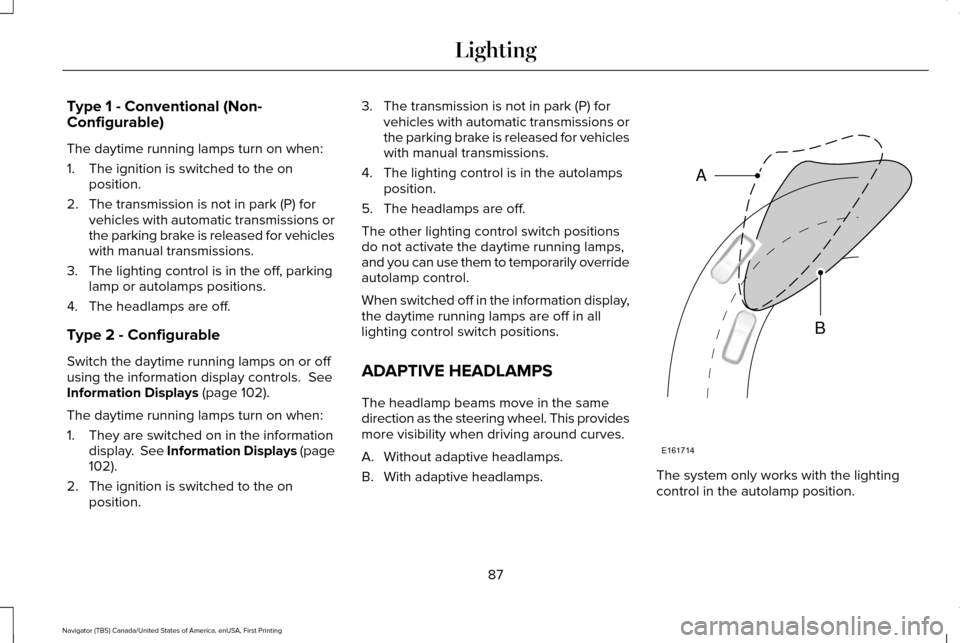
ADAPTIVE HEADLAMPS
The headlamp beams move in the same
direction as the steering wheel. This provides
more visibility when driving around curves.
A. Without adaptive headlamps.
B. With adaptive headlamps. The system only works with the lighting
control in the autolamp position.
87
Navigator (TB5) Canada/United States of America, enUSA, First Printing LightingE161714
B
A
Page 101 of 532
WARNING LAMPS AND
INDICATORS
The following warning lamps and indicators
alert you to a vehicle condition that may
become serious. Some lamps illuminate
when you start your vehicle to make sure
they work. If any lamps remain on after
starting your vehicle, refer to the respective
system warning lamp for further information.
Note:
Some warning indicators appear in
the information display and function the
same as a warning lamp but do not display
when you start your vehicle.
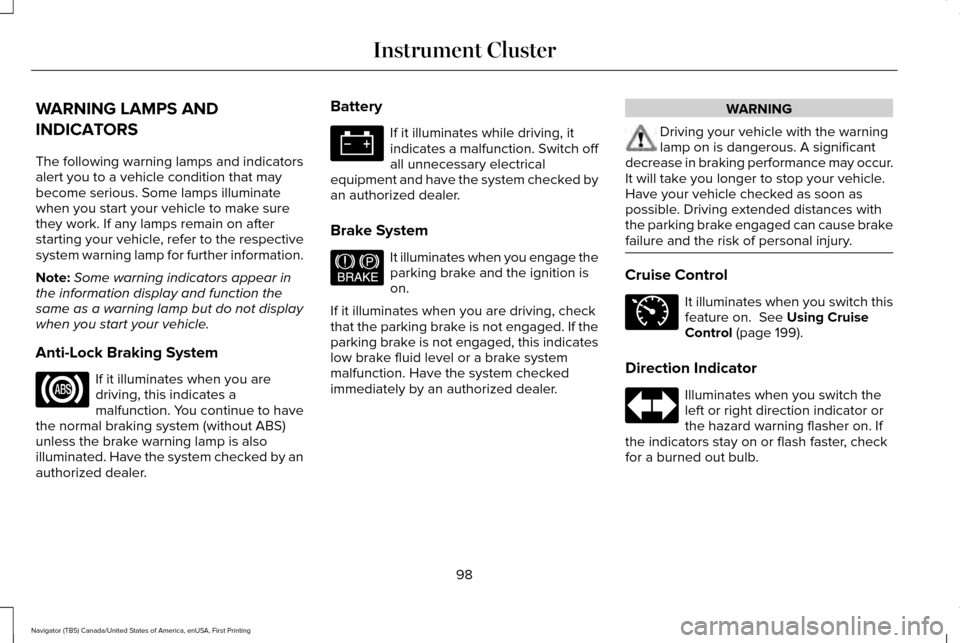
Anti-Lock Braking System If it illuminates when you are
driving, this indicates a
malfunction. You continue to have
the normal braking system (without ABS)
unless the brake warning lamp is also
illuminated. Have the system checked by an
authorized dealer. Battery If it illuminates while driving, it
indicates a malfunction. Switch off
all unnecessary electrical
equipment and have the system checked by
an authorized dealer.
Brake System It illuminates when you engage the
parking brake and the ignition is
on.
If it illuminates when you are driving, check
that the parking brake is not engaged. If the
parking brake is not engaged, this indicates
low brake fluid level or a brake system
malfunction. Have the system checked
immediately by an authorized dealer. WARNING
Driving your vehicle with the warning
lamp on is dangerous. A significant
decrease in braking performance may occur.
It will take you longer to stop your vehicle.
Have your vehicle checked as soon as
possible. Driving extended distances with
the parking brake engaged can cause brake
failure and the risk of personal injury. Cruise Control
It illuminates when you switch this
feature on. See Using Cruise
Control (page 199).
Direction Indicator Illuminates when you switch the
left or right direction indicator or
the hazard warning flasher on. If
the indicators stay on or flash faster, check
for a burned out bulb.
98
Navigator (TB5) Canada/United States of America, enUSA, First Printing Instrument Cluster E144522 E71340
Page 104 of 532
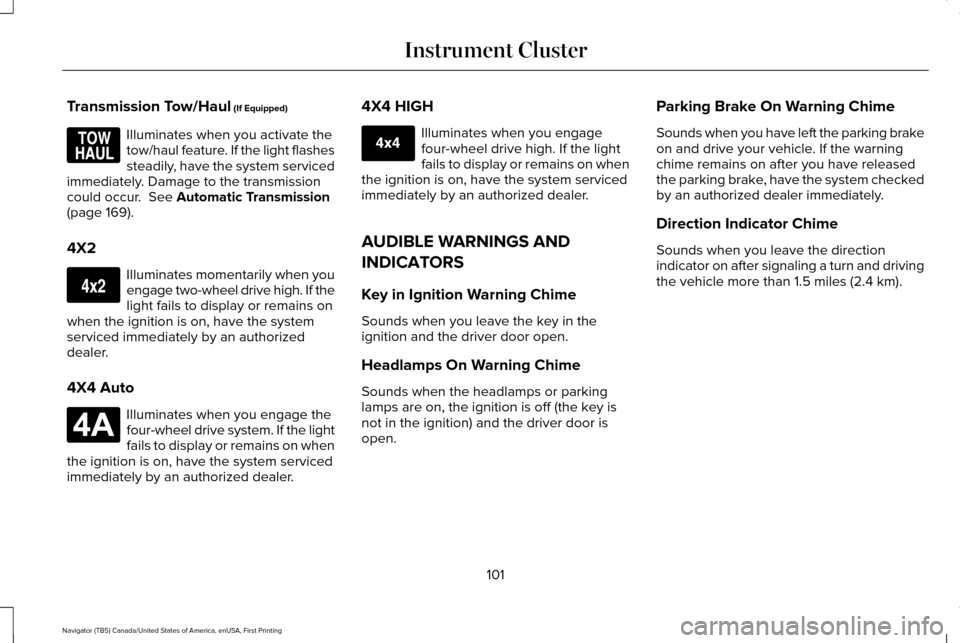
Transmission Tow/Haul (If Equipped)
Illuminates when you activate the
tow/haul feature. If the light flashes
steadily, have the system serviced
immediately. Damage to the transmission
could occur.
See Automatic Transmission
(page 169).
4X2 Illuminates momentarily when you
engage two-wheel drive high. If the
light fails to display or remains on
when the ignition is on, have the system
serviced immediately by an authorized
dealer.
4X4 Auto Illuminates when you engage the
four-wheel drive system. If the light
fails to display or remains on when
the ignition is on, have the system serviced
immediately by an authorized dealer. 4X4 HIGH Illuminates when you engage
four-wheel drive high. If the light
fails to display or remains on when
the ignition is on, have the system serviced
immediately by an authorized dealer.
AUDIBLE WARNINGS AND
INDICATORS
Key in Ignition Warning Chime
Sounds when you leave the key in the
ignition and the driver door open.
Headlamps On Warning Chime
Sounds when the headlamps or parking
lamps are on, the ignition is off (the key is
not in the ignition) and the driver door is
open. Parking Brake On Warning Chime
Sounds when you have left the parking brake
on and drive your vehicle. If the warning
chime remains on after you have released
the parking brake, have the system checked
by an authorized dealer immediately.
Direction Indicator Chime
Sounds when you leave the direction
indicator on after signaling a turn and driving
the vehicle more than 1.5 miles (2.4 km).
101
Navigator (TB5) Canada/United States of America, enUSA, First Printing Instrument ClusterE161509 E163173 E181781 E207351
Page 115 of 532
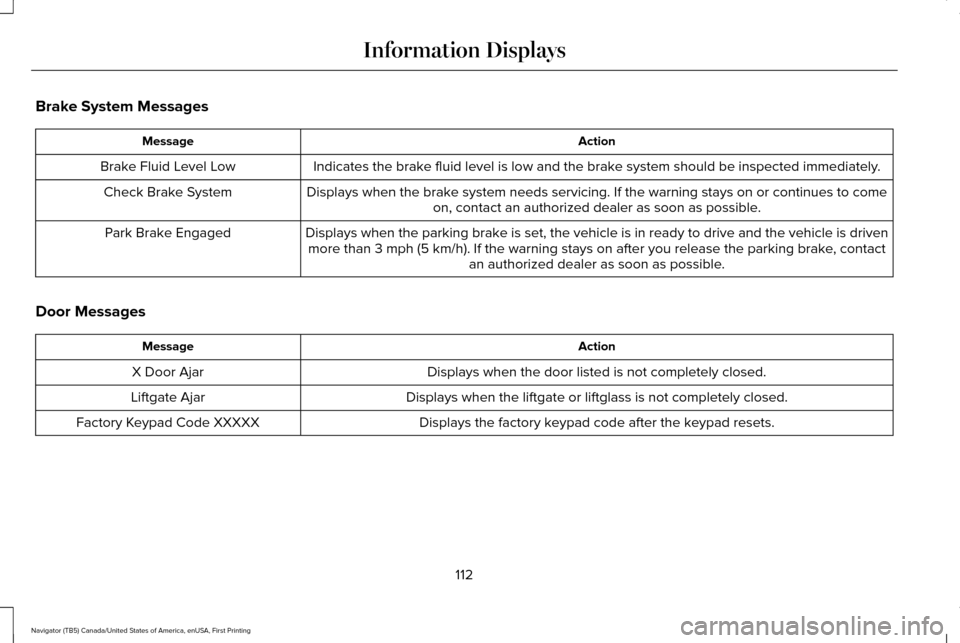
Brake System Messages
Action
Message
Indicates the brake fluid level is low and the brake system should be inspected immediately.
Brake Fluid Level Low
Displays when the brake system needs servicing. If the warning stays on or continues to comeon, contact an authorized dealer as soon as possible.
Check Brake System
Displays when the parking brake is set, the vehicle is in ready to drive and the vehicle is drivenmore than 3 mph (5 km/h). If the warning stays on after you release th\
e parking brake, contact an authorized dealer as soon as possible.
Park Brake Engaged
Door Messages Action
Message
Displays when the door listed is not completely closed.
X Door Ajar
Displays when the liftgate or liftglass is not completely closed.
Liftgate Ajar
Displays the factory keypad code after the keypad resets.
Factory Keypad Code XXXXX
112
Navigator (TB5) Canada/United States of America, enUSA, First Printing Information Displays
Page 157 of 532
Type 2
Press the push button ignition switch once
without your foot on the brake pedal. It is on
the instrument panel near the steering wheel.
All electrical circuits and accessories are
operational and the warning lamps and
indicators illuminate.
Press the push button ignition switch again
without your foot on the brake pedal to
switch the ignition off.
Starting Your Vehicle
1. Shift into park (P).
2. Fully depress the brake pedal.
3. Briefly press the push button ignition
switch. Note:
Releasing the brake pedal during
engine starting stops the engine from
cranking.
STARTING A GASOLINE ENGINE
When you start the engine, the idle speed
increases. This helps to warm up the engine.
If the engine idle speed does not slow down
automatically, have your vehicle checked by
an authorized dealer.
Note: You can crank the engine for a total
of 60 seconds without the engine starting
before the starting system temporarily
disables. The 60 seconds does not have to
be all at once. For example, if you crank the
engine three times for 20 seconds each time,
without the engine starting, you reached the
60-second time limit. You cannot attempt
to start the engine for at least 15 minutes.
After 15 minutes, you are limited to a
15-second engine cranking time. You need
to wait 60 minutes before you can crank the
engine for 60 seconds again. Before starting your vehicle, check the
following:
•
Make sure all occupants have fastened
their seatbelts.
• Make sure the headlamps and electrical
accessories are off.
• Make sure the parking brake is on.
• Make sure the transmission is in park (P).
Note: Do not touch the accelerator pedal.
Note: You must have your intelligent access
key in your vehicle to shift the transmission
out of park (P).
1. Fully press the brake pedal.
2. Press the push button ignition switch.
The system does not function if:
• The passive key frequencies are jammed.
• The key battery has no charge.
If you are unable to start your vehicle, do the
following:
154
Navigator (TB5) Canada/United States of America, enUSA, First Printing Starting and Stopping the EngineE146431
Page 159 of 532
Automatic Engine Shutdown
For vehicles with a keyless ignition, this
automatically shuts down your vehicle if it
has been idling for an extended period. The
ignition also turns off to save battery power.
Before your vehicle shuts down, a message
appears in the information display showing
a timer counting down. If you do not
intervene within 30 seconds, your vehicle
shuts down. Another message appears in
the information display to inform you that
your vehicle has shut down to save fuel.
Start your vehicle as normal.
Automatic Engine Shutdown Override
Note:
You cannot permanently switch off
the automatic shutdown. When you switch
it off temporarily, it turns on at the next
ignition cycle. You can stop the shutdown, or reset the
timer, at any point before the 30-second
countdown has expired by doing any of the
following:
•
Interacting with your vehicle, for example
pressing the brake or accelerator pedal.
• You can temporarily switch off the
shutdown feature any time the ignition is
on using the information display. See
Information Displays (page 102). The
feature only remains off for the current
ignition cycle.
• During the 30-second countdown, the
system prompts you to press OK or
RESET to temporarily switch the feature
off for the current ignition cycle only.
Stopping the Engine When Your
Vehicle is Stationary
1. Shift into park (P).
2. Press the push button ignition switch.
3. Apply the parking brake.
Note: The ignition, all electrical circuits and
all warning lamps and indicators will be
turned off. Note:
If the engine is idling for 30 minutes,
the ignition and engine automatically shuts
down.
Stopping the Engine When Your
Vehicle is Moving WARNING
Switching off the engine when the
vehicle is still moving will result in a
loss of brake and steering assistance. The
steering will not lock, but higher effort will
be required. When the ignition is switched
off, some electrical circuits, including air
bags, warning lamps and indicators may also
be off. If the ignition was turned off
accidentally, you can shift into neutral (N) and
re-start the engine. 1. Shift into neutral and use the brakes to
bring your vehicle to a safe stop.
2. When your vehicle has stopped, shift into
park (P).
3. Press and hold the push button ignition switch, or press it three times within two
seconds.
156
Navigator (TB5) Canada/United States of America, enUSA, First Printing Starting and Stopping the Engine