oil dipstick LINCOLN NAVIGATOR 2018 Owners Manual
[x] Cancel search | Manufacturer: LINCOLN, Model Year: 2018, Model line: NAVIGATOR, Model: LINCOLN NAVIGATOR 2018Pages: 649, PDF Size: 4.96 MB
Page 8 of 649
Reporting Safety Defects (U.S. Only)......340
Reporting Safety Defects (Canada Only).......................................................................341
Fuses
Fuse Specification Chart...........................342
Changing a Fuse.........................................358
Maintenance
General Information.....................................361
Opening and Closing the Hood...............361
Under Hood Overview...............................362
Engine Oil Dipstick.....................................364
Engine Oil Check........................................364
Oil Change Indicator Reset......................365
Engine Coolant Check...............................366
Automatic Transmission Fluid Check......371
Transfer Case Fluid Check.........................371
Brake Fluid Check.......................................372
Washer Fluid Check....................................373
Fuel Filter.......................................................373
Changing the 12V Battery.........................373
Checking the Wiper Blades......................375
Changing the Wiper Blades......................376
Adjusting the Headlamps..........................376
Changing a Bulb..........................................378
Bulb Specification Chart............................378
Changing the Engine Air Filter.................381
Vehicle Care
General Information....................................382
Cleaning Products......................................382
Cleaning the Exterior.................................383
Waxing...........................................................384
Cleaning the Engine...................................385
Cleaning the Windows and Wiper Blades......................................................................385
Cleaning the Interior..................................386
Cleaning the Instrument Panel andInstrument Cluster Lens........................388
Cleaning Leather Seats.............................388
Repairing Minor Paint Damage................389
Cleaning the Wheels..................................389
Vehicle Storage...........................................390
Body Styling Kits...........................................391
Wheels and Tires
General Information...................................392
Tire Care........................................................394
Using Snow Chains....................................408
Tire Pressure Monitoring System...........409
Changing a Road Wheel.............................414
Technical Specifications............................420
Capacities and Specifications
Engine Specifications.................................422
Motorcraft Parts...........................................423
Vehicle Identification Number.................424
Vehicle Certification Label........................424
Transmission Code Designation.............425
Capacities and Specifications..................426
Audio System
General Information....................................434
Audio Unit.....................................................436
Satellite Radio..............................................442
USB Port........................................................445
5
Navigator (TB9) Canada/United States of America, enUSA, Edition date: 201708, Third-Printing-
Table of Contents
Page 367 of 649
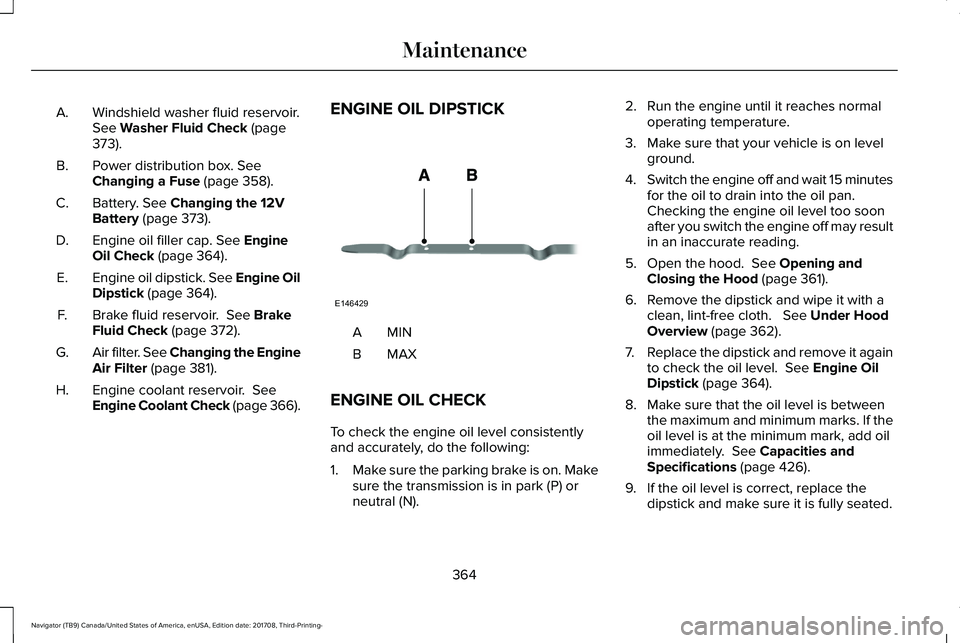
Windshield washer fluid reservoir.See Washer Fluid Check (page373).
A.
Power distribution box. SeeChanging a Fuse (page 358).B.
Battery. See Changing the 12VBattery (page 373).C.
Engine oil filler cap. See EngineOil Check (page 364).D.
Engine oil dipstick. See Engine OilDipstick (page 364).E.
Brake fluid reservoir. See BrakeFluid Check (page 372).F.
Air filter. See Changing the EngineAir Filter (page 381).G.
Engine coolant reservoir. SeeEngine Coolant Check (page 366).H.
ENGINE OIL DIPSTICK
MINA
MAXB
ENGINE OIL CHECK
To check the engine oil level consistentlyand accurately, do the following:
1.Make sure the parking brake is on. Makesure the transmission is in park (P) orneutral (N).
2. Run the engine until it reaches normaloperating temperature.
3. Make sure that your vehicle is on levelground.
4.Switch the engine off and wait 15 minutesfor the oil to drain into the oil pan. Checking the engine oil level too soonafter you switch the engine off may resultin an inaccurate reading.
5. Open the hood. See Opening andClosing the Hood (page 361).
6. Remove the dipstick and wipe it with aclean, lint-free cloth. See Under HoodOverview (page 362).
7.Replace the dipstick and remove it againto check the oil level. See Engine OilDipstick (page 364).
8. Make sure that the oil level is betweenthe maximum and minimum marks. If theoil level is at the minimum mark, add oilimmediately. See Capacities andSpecifications (page 426).
9. If the oil level is correct, replace thedipstick and make sure it is fully seated.
364
Navigator (TB9) Canada/United States of America, enUSA, Edition date: 201708, Third-Printing-
MaintenanceE146429
Page 368 of 649
Note:Do not remove the dipstick when theengine is running.
Note: If the oil level is between themaximum and minimum marks, the oil levelis acceptable. Do not add oil.
Note:The oil consumption of new enginesreaches its normal level after approximately3,000 mi (5,000 km).
Adding Engine Oil
WARNING: Do not remove the fillercap when the engine is running.
Do not use supplemental engine oil additivesbecause they are unnecessary and couldlead to engine damage that may not becovered by the vehicle Warranty.
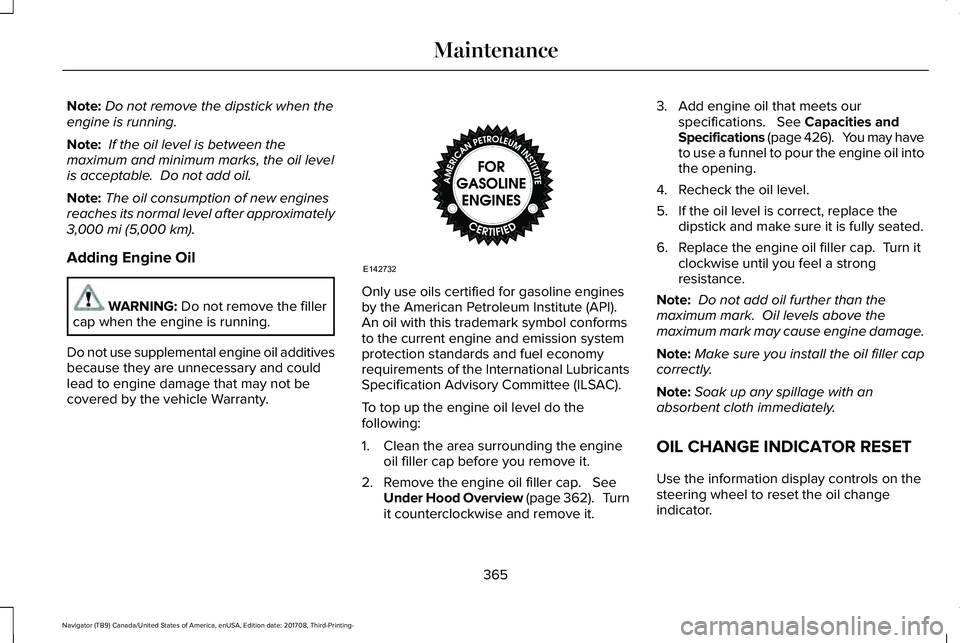
Only use oils certified for gasoline enginesby the American Petroleum Institute (API). An oil with this trademark symbol conformsto the current engine and emission systemprotection standards and fuel economyrequirements of the International LubricantsSpecification Advisory Committee (ILSAC).
To top up the engine oil level do thefollowing:
1. Clean the area surrounding the engineoil filler cap before you remove it.
2. Remove the engine oil filler cap. SeeUnder Hood Overview (page 362). Turnit counterclockwise and remove it.
3. Add engine oil that meets ourspecifications. See Capacities andSpecifications (page 426). You may haveto use a funnel to pour the engine oil intothe opening.
4. Recheck the oil level.
5. If the oil level is correct, replace thedipstick and make sure it is fully seated.
6. Replace the engine oil filler cap. Turn itclockwise until you feel a strongresistance.
Note: Do not add oil further than themaximum mark. Oil levels above themaximum mark may cause engine damage.
Note:Make sure you install the oil filler capcorrectly.
Note:Soak up any spillage with anabsorbent cloth immediately.
OIL CHANGE INDICATOR RESET
Use the information display controls on thesteering wheel to reset the oil changeindicator.
365
Navigator (TB9) Canada/United States of America, enUSA, Edition date: 201708, Third-Printing-
MaintenanceE142732
Page 561 of 649
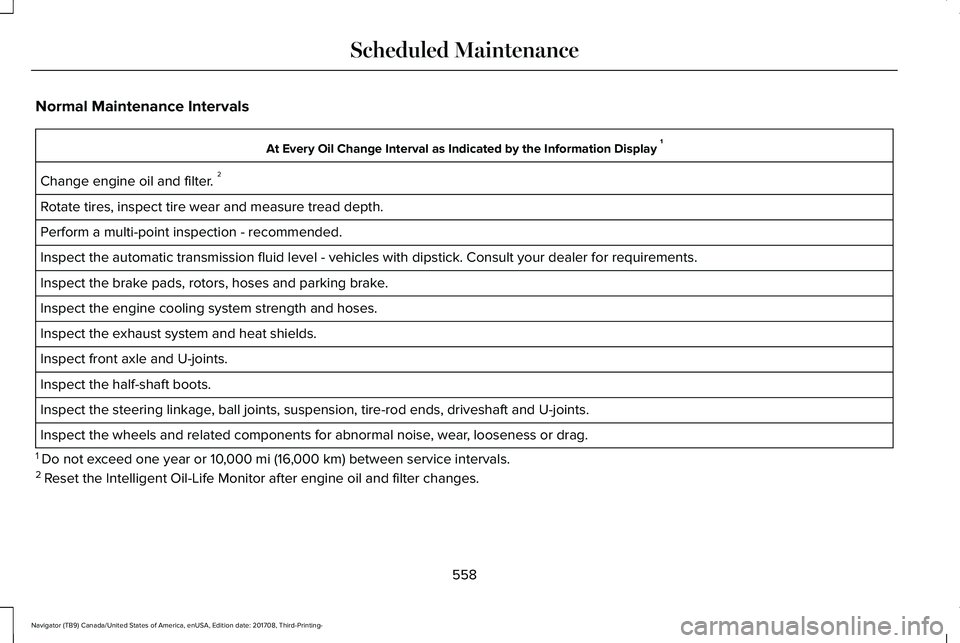
Normal Maintenance Intervals
At Every Oil Change Interval as Indicated by the Information Display 1
Change engine oil and filter. 2
Rotate tires, inspect tire wear and measure tread depth.
Perform a multi-point inspection - recommended.
Inspect the automatic transmission fluid level - vehicles with dipstick. Consult your dealer for requirements.
Inspect the brake pads, rotors, hoses and parking brake.
Inspect the engine cooling system strength and hoses.
Inspect the exhaust system and heat shields.
Inspect front axle and U-joints.
Inspect the half-shaft boots.
Inspect the steering linkage, ball joints, suspension, tire-rod ends, driveshaft and U-joints.
Inspect the wheels and related components for abnormal noise, wear, looseness or drag.
1 Do not exceed one year or 10,000 mi (16,000 km) between service intervals.2 Reset the Intelligent Oil-Life Monitor after engine oil and filter changes.
558
Navigator (TB9) Canada/United States of America, enUSA, Edition date: 201708, Third-Printing-
Scheduled Maintenance
Page 639 of 649
Proper Driver and Front Passenger SeatingAdjustment.........................................................54
Driving Aids...................................................265Driving Hints..................................................324Driving Through Water...............................325DRLSee: Daytime Running Lamps...........................98
E
Economical Driving......................................324Electric Parking Brake.................................226Applying the Electric Parking Brake..............226Battery With No Charge...................................228Releasing the Electric Parking Brake............227Using the Electric Parking Brake In AnEmergency.......................................................227
Electromagnetic Compatibility..................584Emission Law................................................206Noise Emissions Warranty, ProhibitedTampering Acts and Maintenance............207Tampering With a Noise ControlSystem..............................................................206
End User License Agreement...................589VEHICLE SOFTWARE END USER LICENSEAGREEMENT (EULA) ....................................589
Engine Block Heater....................................194Using the Engine Block Heater.......................195
Engine Coolant Check................................366Adding Coolant...................................................367Coolant Change..................................................369Engine Coolant TemperatureManagement...................................................370Fail-Safe Cooling................................................369Recycled Coolant...............................................368Severe Climates.................................................368
Engine Emission Control............................206Engine ImmobilizerSee: Passive Anti-Theft System........................83
Engine Oil Check..........................................364Adding Engine Oil..............................................365
Engine Oil Dipstick.......................................364Engine Specifications..................................422Drivebelt Routing................................................422
Entertainment................................................473AM/FM Radio.......................................................476Apps.......................................................................487Bluetooth Stereo or USB..................................484CD...........................................................................484HD Radio™ Information (If Available)..............480SiriusXM® Satellite Radio (If Activated).........476Sources.................................................................475Supported Media Players, Formats andMetadata Information....................................487USB Ports..............................................................487
Environment......................................................16
EPBSee: Electric Parking Brake.............................226
Essential Towing Checks.............................312Before Towing a Trailer......................................319Hitches...................................................................313Integrated Trailer Brake Controller.................315Launching or Retrieving a Boat or PersonalWatercraft (PWC)............................................320Safety Chains........................................................314Trailer Brakes........................................................315Trailer Hitch Cover..............................................312Trailer Lamps........................................................318Trailer Towing Connector (Vehicles with aTrailer Towing Package and 7–PinConnector)........................................................312When Towing a Trailer........................................319
Event Data RecordingSee: Data Recording.............................................10
Export Unique Options...................................14Exterior Mirrors..............................................105360-Degree Camera..........................................107Auto-Dimming Feature.......................................107Auto-Folding Mirrors..........................................106Blind Spot Monitor..............................................107Fold-Away Exterior Mirrors...............................106Heated Exterior Mirrors.....................................107Lincoln Welcome Mat.........................................107Memory Mirrors....................................................107
636
Navigator (TB9) Canada/United States of America, enUSA, Edition date: 201708, Third-Printing-
Index