fuel LINCOLN NAVIGATOR 2020 User Guide
[x] Cancel search | Manufacturer: LINCOLN, Model Year: 2020, Model line: NAVIGATOR, Model: LINCOLN NAVIGATOR 2020Pages: 622, PDF Size: 6.47 MB
Page 130 of 622
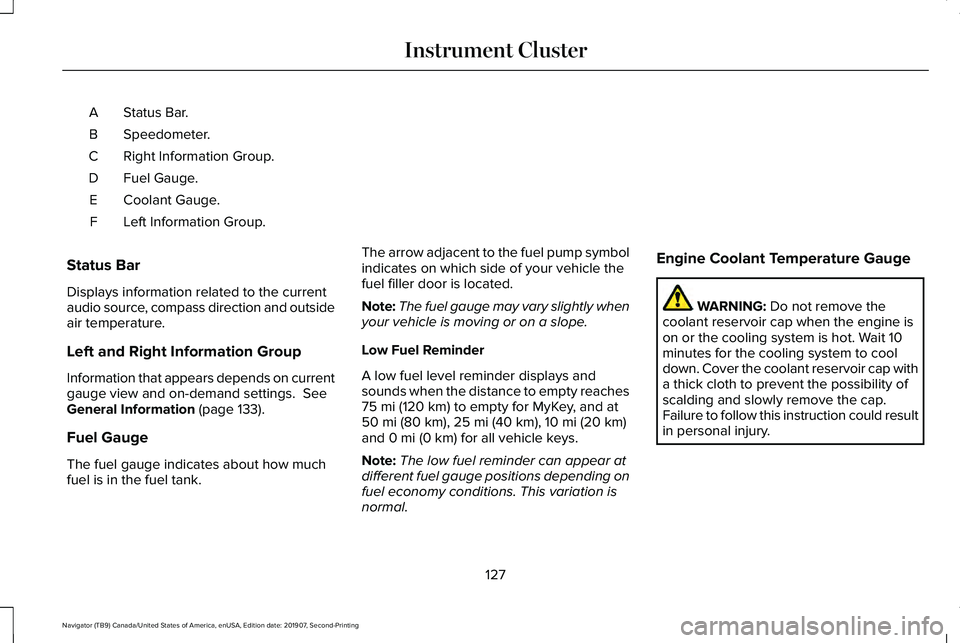
Status Bar.
A
Speedometer.
B
Right Information Group.
C
Fuel Gauge.
D
Coolant Gauge.
E
Left Information Group.
F
Status Bar
Displays information related to the current
audio source, compass direction and outside
air temperature.
Left and Right Information Group
Information that appears depends on current
gauge view and on-demand settings. See
General Information (page 133).
Fuel Gauge
The fuel gauge indicates about how much
fuel is in the fuel tank. The arrow adjacent to the fuel pump symbol
indicates on which side of your vehicle the
fuel filler door is located.
Note:
The fuel gauge may vary slightly when
your vehicle is moving or on a slope.
Low Fuel Reminder
A low fuel level reminder displays and
sounds when the distance to empty reaches
75 mi (120 km) to empty for MyKey, and at
50 mi (80 km), 25 mi (40 km), 10 mi (20 km)
and 0 mi (0 km) for all vehicle keys.
Note: The low fuel reminder can appear at
different fuel gauge positions depending on
fuel economy conditions. This variation is
normal. Engine Coolant Temperature Gauge WARNING:
Do not remove the
coolant reservoir cap when the engine is
on or the cooling system is hot. Wait 10
minutes for the cooling system to cool
down. Cover the coolant reservoir cap with
a thick cloth to prevent the possibility of
scalding and slowly remove the cap.
Failure to follow this instruction could result
in personal injury.
127
Navigator (TB9) Canada/United States of America, enUSA, Edition date: 201907, Second-Printing Instrument Cluster
Page 134 of 622
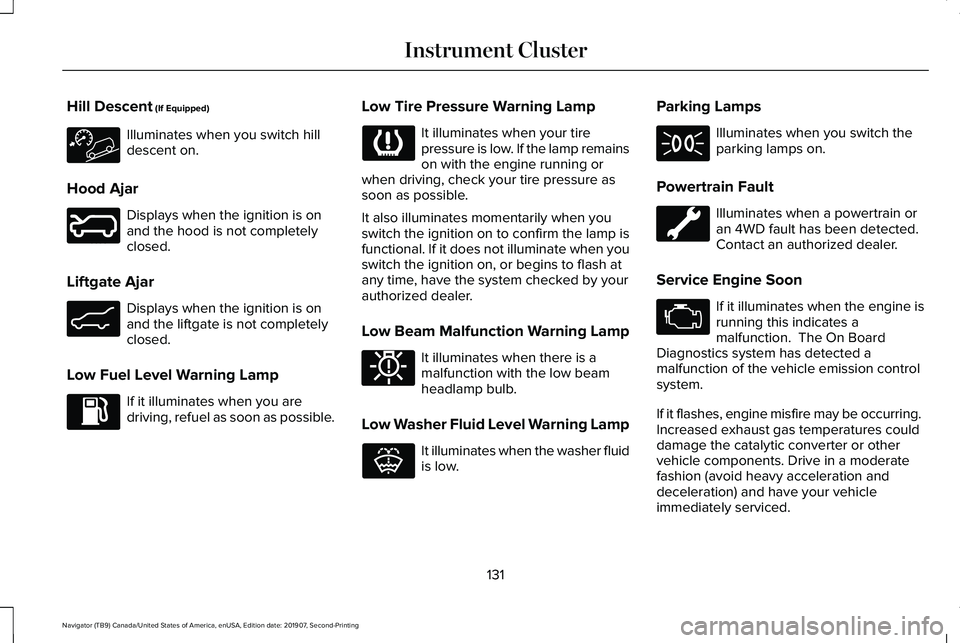
Hill Descent (If Equipped)
Illuminates when you switch hill
descent on.
Hood Ajar Displays when the ignition is on
and the hood is not completely
closed.
Liftgate Ajar Displays when the ignition is on
and the liftgate is not completely
closed.
Low Fuel Level Warning Lamp If it illuminates when you are
driving, refuel as soon as possible. Low Tire Pressure Warning Lamp It illuminates when your tire
pressure is low. If the lamp remains
on with the engine running or
when driving, check your tire pressure as
soon as possible.
It also illuminates momentarily when you
switch the ignition on to confirm the lamp is
functional. If it does not illuminate when you
switch the ignition on, or begins to flash at
any time, have the system checked by your
authorized dealer.
Low Beam Malfunction Warning Lamp It illuminates when there is a
malfunction with the low beam
headlamp bulb.
Low Washer Fluid Level Warning Lamp It illuminates when the washer fluid
is low.Parking Lamps Illuminates when you switch the
parking lamps on.
Powertrain Fault Illuminates when a powertrain or
an 4WD fault has been detected.
Contact an authorized dealer.
Service Engine Soon If it illuminates when the engine is
running this indicates a
malfunction. The On Board
Diagnostics system has detected a
malfunction of the vehicle emission control
system.
If it flashes, engine misfire may be occurring.
Increased exhaust gas temperatures could
damage the catalytic converter or other
vehicle components. Drive in a moderate
fashion (avoid heavy acceleration and
deceleration) and have your vehicle
immediately serviced.
131
Navigator (TB9) Canada/United States of America, enUSA, Edition date: 201907, Second-Printing Instrument Cluster E246598 E162453 E181350 E132353
Page 140 of 622
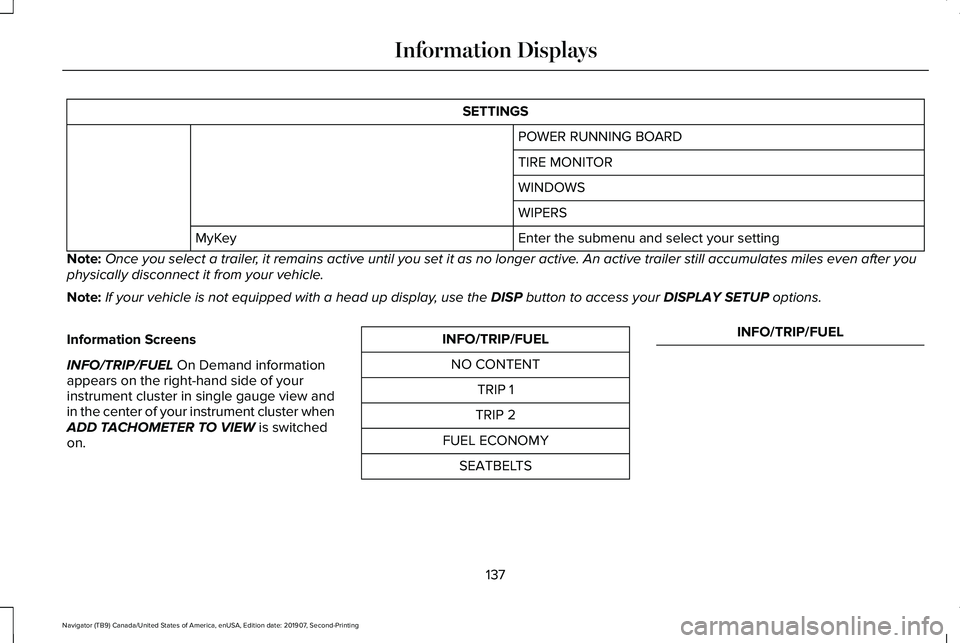
SETTINGS
POWER RUNNING BOARD
TIRE MONITOR
WINDOWS
WIPERS
Enter the submenu and select your setting
MyKey
Note: Once you select a trailer, it remains active until you set it as no longer active. An active trailer still accumulates miles even after you
physically disconnect it from your vehicle.
Note: If your vehicle is not equipped with a head up display, use the DISP button to access your DISPLAY SETUP options.
Information Screens
INFO/TRIP/FUEL
On Demand information
appears on the right-hand side of your
instrument cluster in single gauge view and
in the center of your instrument cluster when
ADD TACHOMETER TO VIEW
is switched
on. INFO/TRIP/FUEL
NO CONTENT TRIP 1
TRIP 2
FUEL ECONOMY SEATBELTS INFO/TRIP/FUEL
137
Navigator (TB9) Canada/United States of America, enUSA, Edition date: 201907, Second-Printing Information Displays
Page 141 of 622
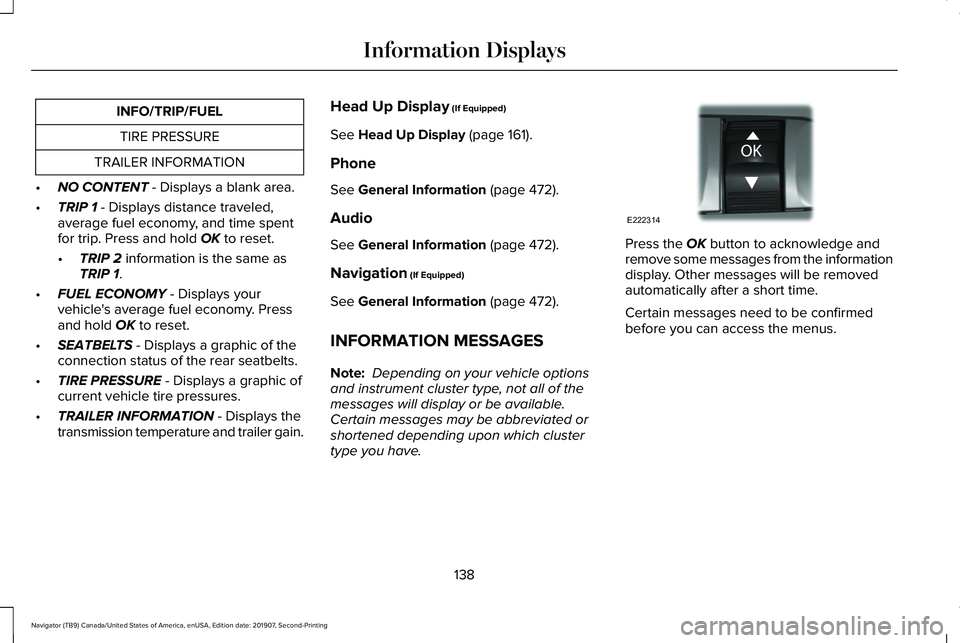
INFO/TRIP/FUEL
TIRE PRESSURE
TRAILER INFORMATION
• NO CONTENT - Displays a blank area.
• TRIP 1
- Displays distance traveled,
average fuel economy, and time spent
for trip. Press and hold
OK to reset.
• TRIP 2
information is the same as
TRIP 1.
• FUEL ECONOMY
- Displays your
vehicle's average fuel economy. Press
and hold
OK to reset.
• SEATBELTS
- Displays a graphic of the
connection status of the rear seatbelts.
• TIRE PRESSURE
- Displays a graphic of
current vehicle tire pressures.
• TRAILER INFORMATION
- Displays the
transmission temperature and trailer gain. Head Up Display
(If Equipped)
See
Head Up Display (page 161).
Phone
See
General Information (page 472).
Audio
See
General Information (page 472).
Navigation
(If Equipped)
See
General Information (page 472).
INFORMATION MESSAGES
Note: Depending on your vehicle options
and instrument cluster type, not all of the
messages will display or be available.
Certain messages may be abbreviated or
shortened depending upon which cluster
type you have. Press the
OK button to acknowledge and
remove some messages from the information
display. Other messages will be removed
automatically after a short time.
Certain messages need to be confirmed
before you can access the menus.
138
Navigator (TB9) Canada/United States of America, enUSA, Edition date: 201907, Second-Printing Information DisplaysE222314
Page 143 of 622

Adaptive Headlamps
Action
Message
Displays when a fault with the system has occurred. Contact an authorize\
d dealer as soon as possible.
Check Headlamp System See Manual
Alarm Action
Message
The alarm has been triggered due to unauthorized entry.
Vehicle Alarm To Stop Alarm, Start Vehicle.
Automatic Engine Shutdown Action
Message
The engine is getting ready to shut off.
Vehicle Shuts Off In {seconds:#0} Seconds
The engine has shut off to help increase fuel economy.
Vehicle Shut Off to Save Energy
The engine is getting ready to shut off. You can press OK on the left steering wheel button tooverride the shut down.
Vehicle Shuts Off in {seconds:#0} Seconds
Press Ok to Override
140
Navigator (TB9) Canada/United States of America, enUSA, Edition date: 201907, Second-Printing Information Displays
Page 149 of 622
Action
Message
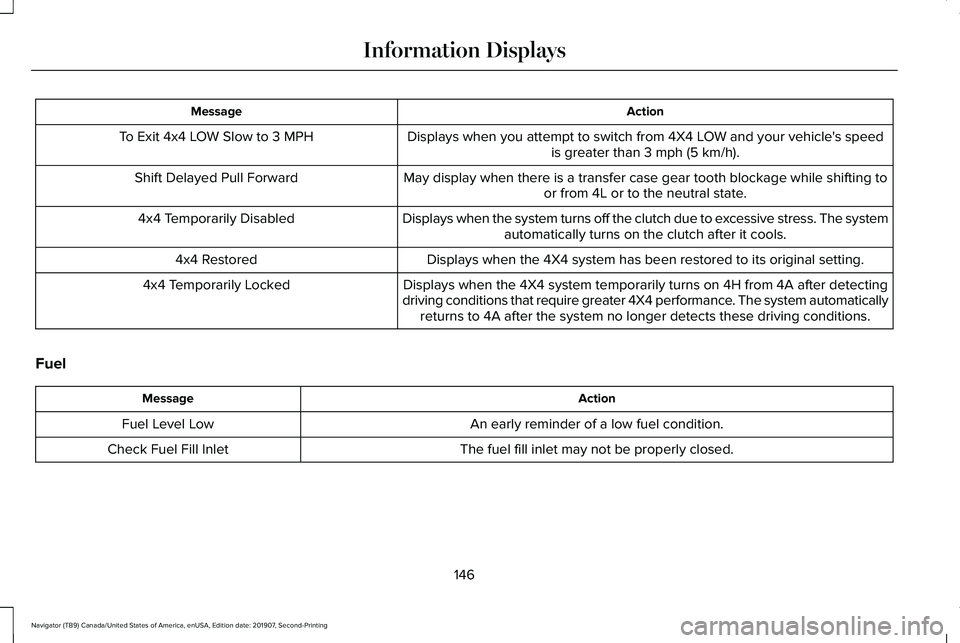
Displays when you attempt to switch from 4X4 LOW and your vehicle's speedis greater than 3 mph (5 km/h).
To Exit 4x4 LOW Slow to 3 MPH
May display when there is a transfer case gear tooth blockage while shif\
ting toor from 4L or to the neutral state.
Shift Delayed Pull Forward
Displays when the system turns off the clutch due to excessive stress. The systemautomatically turns on the clutch after it cools.
4x4 Temporarily Disabled
Displays when the 4X4 system has been restored to its original setting.
4x4 Restored
Displays when the 4X4 system temporarily turns on 4H from 4A after detec\
ting
driving conditions that require greater 4X4 performance. The system automatically returns to 4A after the system no longer detects these driving condition\
s.
4x4 Temporarily Locked
Fuel Action
Message
An early reminder of a low fuel condition.
Fuel Level Low
The fuel fill inlet may not be properly closed.
Check Fuel Fill Inlet
146
Navigator (TB9) Canada/United States of America, enUSA, Edition date: 201907, Second-Printing Information Displays
Page 165 of 622
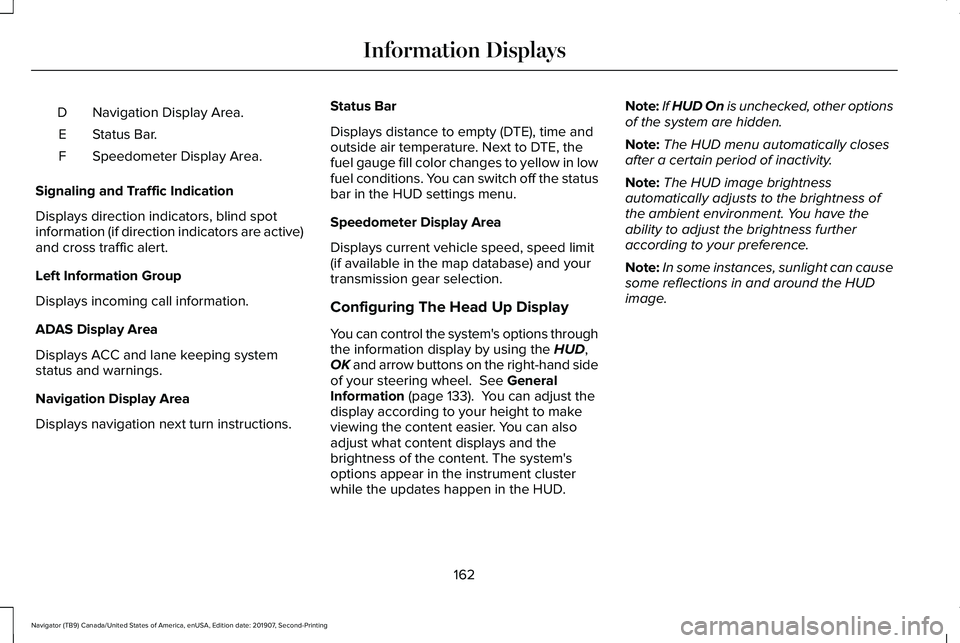
Navigation Display Area.
D
Status Bar.
E
Speedometer Display Area.
F
Signaling and Traffic Indication
Displays direction indicators, blind spot
information (if direction indicators are active)
and cross traffic alert.
Left Information Group
Displays incoming call information.
ADAS Display Area
Displays ACC and lane keeping system
status and warnings.
Navigation Display Area
Displays navigation next turn instructions. Status Bar
Displays distance to empty (DTE), time and
outside air temperature. Next to DTE, the
fuel gauge fill color changes to yellow in low
fuel conditions. You can switch off the status
bar in the HUD settings menu.
Speedometer Display Area
Displays current vehicle speed, speed limit
(if available in the map database) and your
transmission gear selection.
Configuring The Head Up Display
You can control the system's options through
the information display by using the HUD,
OK and arrow buttons on the right-hand side
of your steering wheel.
See General
Information (page 133). You can adjust the
display according to your height to make
viewing the content easier. You can also
adjust what content displays and the
brightness of the content. The system's
options appear in the instrument cluster
while the updates happen in the HUD. Note:
If HUD On is unchecked, other options
of the system are hidden.
Note: The HUD menu automatically closes
after a certain period of inactivity.
Note: The HUD image brightness
automatically adjusts to the brightness of
the ambient environment. You have the
ability to adjust the brightness further
according to your preference.
Note: In some instances, sunlight can cause
some reflections in and around the HUD
image.
162
Navigator (TB9) Canada/United States of America, enUSA, Edition date: 201907, Second-Printing Information Displays
Page 173 of 622
The system adjusts the blower motor speed,
air distribution, air conditioning operation to
reach and maintain the temperature you
have set.
Switching the Rear Climate Control On
and Off
Press and release the button to
switch the rear climate control on
or off.
Note: If the system is on and Max Defrost is
switched on through the front climate
controls, the system turns off. It turns back
on when Max Defrost is switched off.
Note: If Max Defrost is switched on, the
system can be turned on at the same time.
Switching the Rear Heated Seats On
and Off (If Equipped) See
Heated Seats (page 191).Switching the Rear Ventilated Seats
On and Off
(If Equipped) See
Ventilated Seats (page 191).
HEATED WINDSHIELD
Windshield Wiper De-Icer
The windshield wiper de-icer turns on in low
temperatures.
HEATED REAR WINDOW Press the button to clear the rear
window of thin ice and fog. The
heated rear window turns off after
a short period of time.
Note: Make sure the engine is on before
operating the heated windows. Note:
Do not use harsh chemicals, razor
blades or other sharp objects to clean or
remove decals from the inside of the heated
rear window. The vehicle warranty may not
cover damage to the heated rear window
grid lines.
HEATED EXTERIOR MIRRORS
When you switch the heated rear window
on, the heated exterior mirrors turn on.
Note: Do not remove ice from the mirrors
with a scraper or adjust the mirror glass
when it is frozen in place.
Note: Do not clean the mirror housing or
glass with harsh abrasives, fuel or other
petroleum-based cleaning products. The
vehicle warranty may not cover damage
caused to the mirror housing or glass.
170
Navigator (TB9) Canada/United States of America, enUSA, Edition date: 201907, Second-Printing Climate Control E268558
Page 208 of 622
1. Open the floor console storage
compartment lid.
2. Insert the passive key into the backup slot.
3. With the passive key in this position, you
can use the push button ignition switch
to switch the ignition on and start your
vehicle.
Fast Restart
The fast restart feature allows you to restart
your vehicle within 20 seconds of switching
it off, even if it does not detect a valid
passive key.
Within 20 seconds of switching the engine
off, press the brake pedal and press the push
button ignition switch. After 20 seconds, you
can no longer start your vehicle if it does not
detect a valid passive key. Once your vehicle starts, it remains running
until you press the push button ignition
switch, even if your vehicle does not detect
a valid passive key. If you open and close a
door while your vehicle is running, the
system searches for a valid passive key. You
cannot start your vehicle if the system does
not detect a valid passive key within 20
seconds.
Failure to Start
If you cannot start the engine after three
attempts, wait 10 seconds and follow this
procedure:
1. Fully depress the brake pedal.
2. Shift into park (P).
3. Fully press the accelerator pedal and
hold it there.
4. Start the engine. Automatic Engine Shutdown
For vehicles with a keyless ignition, this
automatically shuts down your vehicle if it
has been idling for an extended period. The
ignition also turns off to save battery power.
Before your vehicle shuts down, a message
appears in the information display showing
a timer counting down. If you do not
intervene within 30 seconds, your vehicle
shuts down. Another message appears in
the information display to inform you that
your vehicle has shut down to save fuel.
Start your vehicle as normal.
Automatic Engine Shutdown Override
Note:
You cannot permanently switch off
the automatic shutdown. When you switch
it off temporarily, it turns on at the next
ignition cycle.
205
Navigator (TB9) Canada/United States of America, enUSA, Edition date: 201907, Second-Printing Starting and Stopping the Engine
Page 211 of 622
AUTO-START-STOP
The system helps reduce fuel consumption
by automatically stopping and restarting the
engine when your vehicle has stopped. The
engine restarts automatically when you
release the brake pedal.
In some situations, your vehicle may restart
automatically, for example:
•
To maintain interior comfort.
• To recharge the battery.
Note: Power assist steering turns off when
the engine is off.
Note: If your vehicle is flex fuel capable,
Auto-Start-Stop is inhibited for a short time
after a refuel event when the system is
verifying the fuel type being used. WARNING: Always fully apply the
parking brake. Make sure you shift into
park (P) for vehicles with an automatic
transmission. Switch the ignition off and
remove the key whenever you leave your
vehicle. WARNING: Before opening the hood
or performing any maintenance, fully apply
the parking brake, shift into park (P) or
neutral (N) and switch the ignition off. WARNING: Always switch the ignition
off before leaving the vehicle. If the ignition
is switched on an automatic restart may
occur at any time. WARNING:
The system may require
the engine to automatically restart when
the auto-start-stop indicator illuminates
green or flashes amber. Failure to follow
this instruction could result in personal
injury.
The Auto-Start-Stop system status is
available at a glance within the information
display.
See Information Displays (page
133).
Enabling Auto-Start-Stop
The system automatically enables every time
you start your vehicle if: •
You do not press the Auto-Start-Stop
button (not illuminated).
• Your vehicle exceeds an initial speed of
3 mph (5 km/h)
after you have initially
started your vehicle.
• You have stopped your vehicle.
• Your foot is on the brake pedal.
• The transmission is in drive.
• Not in Excite mode (enable by pressing
the Auto-Start-Stop button).
• The driver door is closed.
• There is adequate brake vacuum.
• The interior compartment has cooled or
warmed to an acceptable level.
• The front windshield defroster is off.
• You have not turned the steering wheel
rapidly or you do not have it at a sharp
angle.
• The vehicle is not on a steep road grade.
• The battery is within optimal operating
conditions, (with the battery state of
charge and temperature in range).
• The engine coolant is at operating
temperature.
208
Navigator (TB9) Canada/United States of America, enUSA, Edition date: 201907, Second-Printing Unique Driving Characteristics