brake light LINCOLN NAVIGATOR 2020 Owner's Guide
[x] Cancel search | Manufacturer: LINCOLN, Model Year: 2020, Model line: NAVIGATOR, Model: LINCOLN NAVIGATOR 2020Pages: 622, PDF Size: 6.47 MB
Page 404 of 622
Alloy wheels and wheel covers are coated
with a clear coat paint finish. To maintain
their condition we recommend that you:
•
Clean them weekly with the
recommended wheel and tire cleaner.
• Use a sponge to remove heavy deposits
of dirt and brake dust accumulation.
• Rinse them thoroughly with a pressurized
stream of water when you complete the
cleaning process.
We recommend that you use our surface
wheel cleaner. Make sure that you read and
follow the manufacturer’ s instructions.
Using other non-recommended cleaning
products can result in severe and permanent
damage.
VEHICLE STORAGE
If you plan on storing your vehicle for 30
days or more, read the following
maintenance recommendations to make sure
your vehicle stays in good operating
condition. We engineer and test all motor vehicles and
their components for reliable, regular driving.
Under various conditions, long-term storage
may lead to degraded engine performance
or failure unless you use specific precautions
to preserve engine components.
General
•
Store all vehicles in a dry, ventilated
place.
• Protect from sunlight, if possible.
• If vehicles are stored outside, they
require regular maintenance to protect
against rust and damage.
Body
• Wash your vehicle thoroughly to remove
dirt, grease, oil, tar or mud from exterior
surfaces, rear-wheel housing and the
underside of front fenders.
• Periodically wash your vehicle if it is
stored in exposed locations.
• Touch-up exposed or primed metal to
prevent rust. •
Cover chrome and stainless steel parts
with a thick coat of auto wax to prevent
discoloration. Re-wax as necessary when
you wash your vehicle.
• Lubricate all hood, door and luggage
compartment hinges and latches with a
light grade oil.
• Cover interior trim to prevent fading.
• Keep all rubber parts free from oil and
solvents.
Engine
• Change the engine oil and filter prior to
storage because used engine oil contains
contaminates which may cause engine
damage.
• Start the engine every 15 days for a
minimum of 15 minutes. Run at fast idle
with the climate controls set to defrost
until the engine reaches normal
operating temperature.
• With your foot on the brake, shift through
all the gears while the engine is running.
• We recommend that you change the
engine oil before you use your vehicle
again.
401
Navigator (TB9) Canada/United States of America, enUSA, Edition date: 201907, Second-Printing Vehicle Care
Page 417 of 622
and internal damage to the tire. It also
may result in unnecessary tire stress,
irregular wear, loss of vehicle control
and accidents. A tire can lose up to
half of its air pressure and not appear
to be flat!
Always inflate your tires to the our
recommended inflation pressure even
if it is less than the maximum inflation
pressure information found on the tire.
Our recommended tire inflation pressure
is found on the Safety Compliance
Certification Label or Tire Label (affixed
to either the door hinge pillar, door-latch
post, or the door edge that meets the
door-latch post, next to the driver's
seating position), or Tire Label located
on the B-pillar or the edge of the driver's
door. Failure to follow the tire pressure
recommendations can cause uneven
treadwear patterns and adversely affect
the way your vehicle handles. Note:
Do not reduce tire pressure to
change the ride characteristics of the
vehicle. If you do not maintain the
inflation pressure at the levels specified
by us, your vehicle may experience a
condition known as shimmy. Shimmy is
a severe vibration and oscillation in the
steering wheel after the vehicle travels
over a bump or dip in the road that does
not dampen out by itself. Shimmy may
result from significant under-inflation of
the tires, improper tires (load range, size,
or type), or vehicle modifications such
as lift-kits. In the event that your vehicle
experiences shimmy, you should slowly
reduce speed by either lifting off the
accelerator pedal or lightly applying the
brakes. The shimmy will cease as the
vehicle speed decreases.
Maximum Inflation Pressure is the tire
manufacturer's maximum permissible
pressure and the pressure at which the
maximum load can be carried by the tire.
This pressure is normally higher than the
manufacturer’ s recommended cold
inflation pressure which can be found
on the Safety Compliance Certification Label (affixed to either the door hinge
pillar, door-latch post, or the door edge
that meets the door-latch post, next to
the driver's seating position), or Tire
Label located on the B-pillar or the edge
of the driver's door. The cold inflation
pressure should never be set lower than
the recommended pressure on the
Safety Compliance Certification Label
or Tire Label.
When weather temperature changes
occur, tire inflation pressures also
change. A 10°F (6°C) temperature drop
can cause a corresponding drop of 1 psi
(7 kPa) in inflation pressure. Check your
tire pressures frequently and adjust
them to the proper pressure which can
be found on the Safety Compliance
Certification Label or Tire Label.
To check the pressure in your tire(s):
1. Make sure the tires are cool, meaning
they are not hot from driving even a
mile.
414
Navigator (TB9) Canada/United States of America, enUSA, Edition date: 201907, Second-Printing Wheels and Tires
Page 429 of 622
When Inflating Your Tires
WARNING: Do not use the tire
pressure displayed in the information
display as a tire pressure gauge. Failure to
follow this instruction could result in
personal injury or death.
When putting air into your tires (such as at a
gas station or in your garage), the tire
pressure monitoring system will not respond
immediately to the air added to your tires.
It could take up to two minutes of driving
over
20 mph (32 km/h) for the light to turn
off after you have filled your tires to the
recommended inflation pressure.
How Temperature Affects Your Tire
Pressure
The tire pressure monitoring system monitors
tire pressure in each pneumatic tire. While
driving in a normal manner, a typical
passenger tire inflation pressure could
increase about
2–4 psi (14–28 kPa) from a
cold start situation. If the vehicle is stationary
overnight with the outside temperature significantly lower than the daytime
temperature, the tire pressure could
decrease about
3 psi (21 kPa) for a drop of
30°F (17°C) in ambient temperature. This
lower pressure value could be detected by
the tire pressure monitoring system as being
significantly lower than the recommended
inflation pressure and activate the system
warning light for low tire pressure. If the low
tire pressure warning light is on, visually
check each tire to verify that no tire is flat. If
one or more tires are flat, repair as
necessary. Check the air pressure in the road
tires. If any tire is under-inflated, carefully
drive the vehicle to the nearest location
where air can be added to the tires. Inflate
all the tires to the recommended inflation
pressure.
CHANGING A ROAD WHEEL WARNING:
If the tire pressure
monitor sensor becomes damaged it may
not function. Note:
You should only use tire sealants in
roadside emergencies as they may cause
damage to the tire pressure monitoring
system sensor.
Note: The tire pressure monitoring system
indicator light illuminates when the spare
tire is in use. To restore the full function of
the monitoring system, all road wheels
equipped with tire pressure monitoring
sensors must be mounted on this vehicle.
If you get a flat tire when driving, do not
apply the brake heavily. Instead, gradually
decrease your speed. Hold the steering
wheel firmly and slowly move to a safe place
on the side of the road.
Have a flat serviced by an authorized dealer
in order to prevent damage to the system
sensors.
See Tire Pressure Monitoring
System (page 421). Replace the spare tire
with a road tire as soon as possible. During
repairing or replacing of the flat tire, have
the authorized dealer inspect the system
sensor for damage.
426
Navigator (TB9) Canada/United States of America, enUSA, Edition date: 201907, Second-Printing Wheels and Tires
Page 432 of 622
WARNING: Switch off the running
boards before jacking or placing any object
under your vehicle. Never place your hand
between the extended running board and
your vehicle. A moving running board may
cause injury. WARNING: Only use the spare wheel
carrier to stow the wheel provided with
your vehicle. Other wheel sizes could
cause the spare wheel carrier to fail if it
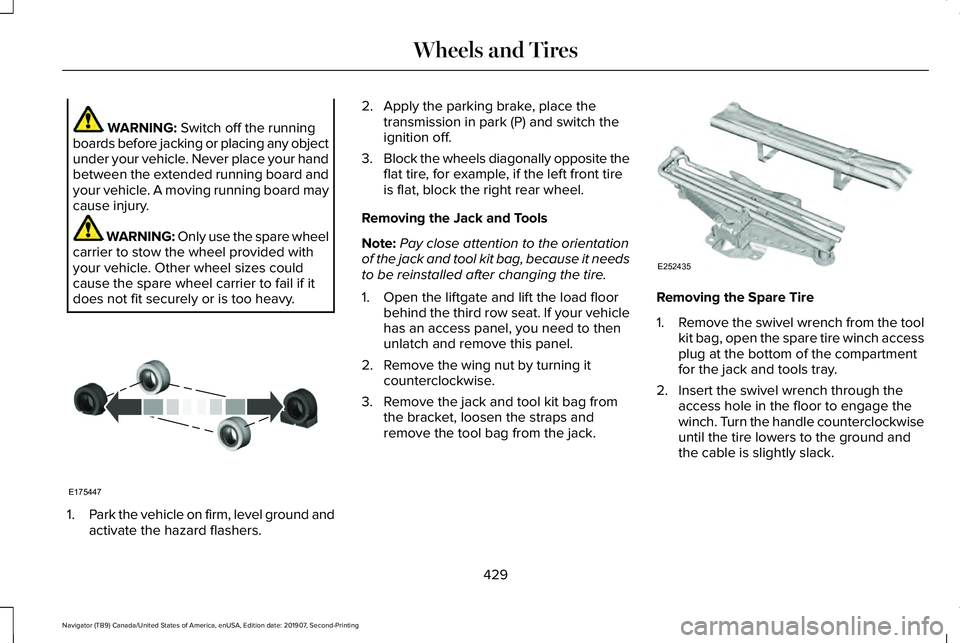
does not fit securely or is too heavy. 1.
Park the vehicle on firm, level ground and
activate the hazard flashers. 2. Apply the parking brake, place the
transmission in park (P) and switch the
ignition off.
3. Block the wheels diagonally opposite the
flat tire, for example, if the left front tire
is flat, block the right rear wheel.
Removing the Jack and Tools
Note: Pay close attention to the orientation
of the jack and tool kit bag, because it needs
to be reinstalled after changing the tire.
1. Open the liftgate and lift the load floor behind the third row seat. If your vehicle
has an access panel, you need to then
unlatch and remove this panel.
2. Remove the wing nut by turning it counterclockwise.
3. Remove the jack and tool kit bag from the bracket, loosen the straps and
remove the tool bag from the jack. Removing the Spare Tire
1.
Remove the swivel wrench from the tool
kit bag, open the spare tire winch access
plug at the bottom of the compartment
for the jack and tools tray.
2. Insert the swivel wrench through the access hole in the floor to engage the
winch. Turn the handle counterclockwise
until the tire lowers to the ground and
the cable is slightly slack.
429
Navigator (TB9) Canada/United States of America, enUSA, Edition date: 201907, Second-Printing Wheels and TiresE175447 E252435
Page 454 of 622
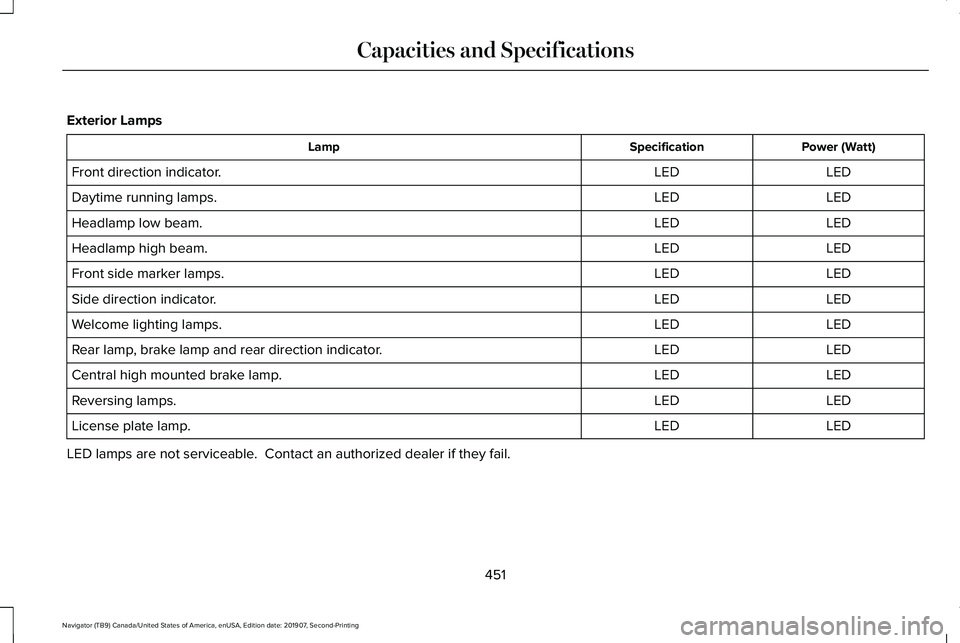
Exterior Lamps
Power (Watt)
Specification
Lamp
LED
LED
Front direction indicator.
LED
LED
Daytime running lamps.
LED
LED
Headlamp low beam.
LED
LED
Headlamp high beam.
LED
LED
Front side marker lamps.
LED
LED
Side direction indicator.
LED
LED
Welcome lighting lamps.
LED
LED
Rear lamp, brake lamp and rear direction indicator.
LED
LED
Central high mounted brake lamp.
LED
LED
Reversing lamps.
LED
LED
License plate lamp.
LED lamps are not serviceable. Contact an authorized dealer if they fail.
451
Navigator (TB9) Canada/United States of America, enUSA, Edition date: 201907, Second-Printing Capacities and Specifications
Page 542 of 622
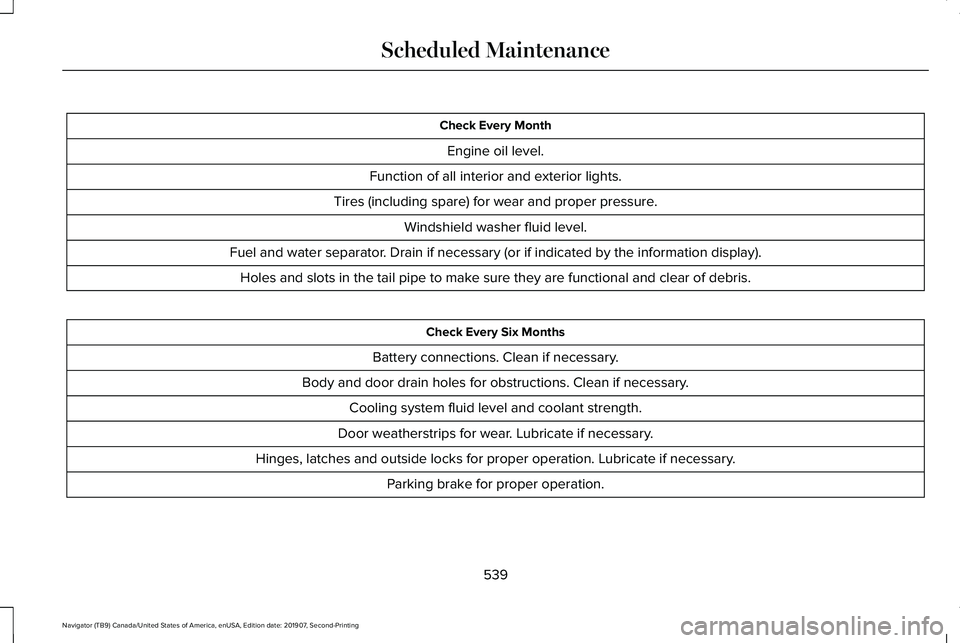
Check Every Month
Engine oil level.
Function of all interior and exterior lights.
Tires (including spare) for wear and proper pressure. Windshield washer fluid level.
Fuel and water separator. Drain if necessary (or if indicated by the information display). Holes and slots in the tail pipe to make sure they are functional and clear of debris. Check Every Six Months
Battery connections. Clean if necessary.
Body and door drain holes for obstructions. Clean if necessary. Cooling system fluid level and coolant strength.
Door weatherstrips for wear. Lubricate if necessary.
Hinges, latches and outside locks for proper operation. Lubricate if necessary. Parking brake for proper operation.
539
Navigator (TB9) Canada/United States of America, enUSA, Edition date: 201907, Second-Printing Scheduled Maintenance
Page 608 of 622
3
360 Degree Camera...................................264
Advanced Camera Views................................266
Automatic 360 Degree Camera
Activation.........................................................265
Camera Views.....................................................265
Front Camera......................................................266
Keep Out Zone...................................................266
Side Camera........................................................267
4
4WD See: Four-Wheel Drive......................................228
9
911 Assist...........................................................67
A
A/C See: Climate Control..........................................165
About This Manual
............................................9
ABS See: Brakes..........................................................237 ABS driving hints
See: Hints on Driving With Anti-Lock
Brakes...............................................................238
Accessories...................................................532
Accessories See: Replacement Parts Recommendation......17
ACC See: Using Adaptive Cruise Control.............269
Active Park Assist
.........................................253
Using Active Park Assist...................................255
Adaptive Headlamps
.....................................112
Speed Dependent Lamps..................................112
Adjustable Pedals.........................................104
Adjusting the Headlamps
..........................389
Horizontal Aim Adjustment..............................390
Vertical Aim Adjustment...................................389
Adjusting the Pedals....................................104
Adjusting the Steering Wheel....................100 End of Travel Position........................................100
Memory Feature..................................................100
AFS See: Adaptive Headlamps.................................112
Airbag Disposal
...............................................66
Air Conditioning See: Climate Control..........................................165
Air Filter See: Changing the Engine Air Filter..............
379 Alarm
See: Anti-Theft Alarm..........................................96
Ambient Lighting
............................................114
Adjusting the Brightness....................................115
Changing the Color.............................................115
Switching Ambient Lighting Off........................115
Switching Ambient Lighting On........................115
Anti-Theft Alarm..............................................96 Arming the Alarm..................................................96
Disarming the Alarm.............................................97
Using the System..................................................96
Appendices...................................................569
Apps.................................................................510 SiriusXM Traffic and Travel Link........................511
Using Apps on an Android Device..................
511
Using Apps on an iOS Device.........................510
Using Mobile Navigation on an Android Device.................................................................511
At a Glance........................................................21
Audible Warnings and Indicators..............132 Headlamps On Warning Chime
.......................132
Keyless Warning Alert........................................132
Parking Brake On Warning Chime..................132
Audio Control
..................................................101
You can operate the following functions with
the control:........................................................101
Audio System................................................460 General Information...........................................460
605
Navigator (TB9) Canada/United States of America, enUSA, Edition date: 201907, Second-Printing Index
Page 615 of 622
Drivetrain...............................................................144
Four-Wheel Drive................................................145
Fuel........................................................................\
.146
Hill Start Assist......................................................147
Keys and Intelligent Access..............................147
Lane Keeping System........................................148
Maintenance.........................................................149
MyKey.....................................................................150
Off Road..................................................................151
Park Aid...................................................................151
Park Brake.............................................................152
Power Steering....................................................153
Pre-Collision Assist.............................................154
Pro Trailer Backup Assist™.................................154
Remote Start.........................................................156
Seats.......................................................................156
Stability Control...................................................156
Starting System ...................................................157
Tire Pressure Monitoring System....................157
Trailer......................................................................158
Transmission.........................................................159
Installing Child Restraints.............................26 Child Seats.............................................................26
Combining Seatbelt and LATCH Lower
Anchors for Attaching Child Safety
Seats....................................................................34
Using Lap and Shoulder Belts...........................26 Using Lower Anchors and Tethers for
CHildren (LATCH).............................................32
Using Tether Straps..............................................34
Installing the Vehicle Identification Card...............................................................453
Instrument Cluster........................................126
Instrument Lighting Dimmer.........................111
Instrument Panel
..............................................21
Interior Lamps.................................................113
Front Interior Lamp..............................................114
Rear Interior Lamps..............................................114
Interior Mirror...................................................121 Auto-Dimming Mirror..........................................122
Introduction.........................................................9
J
Jump Starting the Vehicle..........................342 Connecting the Jumper Cables......................
343
Jump Starting.......................................................343
Preparing Your Vehicle.....................................342
Removing the Jumper Cables.........................
344
K
Keyless Entry....................................................87 Displaying the Factory-Set Code......................89
Locking and Unlocking........................................88 SECURICODE™ KEYLESS ENTRY
KEYPAD...............................................................87
Keyless Starting
............................................203
Switching the Ignition On.................................203
Keys and Remote Controls
..........................69
L
Lane Keeping System.................................278 Switching the System On and Off..................279
System Display.....................................................281
System Settings..................................................280
Troubleshooting.................................................282
Liftgate..............................................................90
Liftgate Window.............................................124 Opening the Liftgate Window..........................124
Lighting Control.............................................109 Flashing the Headlamp High Beam................110
Headlamp High Beam.........................................110
Lighting............................................................109 General Information............................................109
Limited Slip Differential..............................236 Spare Tire.............................................................236
Trailer Towing......................................................236
Lincoln Automotive Financial Services......16
Lincoln Protect..............................................534 Lincoln Protect (CANADA ONLY)...................535
612
Navigator (TB9) Canada/United States of America, enUSA, Edition date: 201907, Second-Printing Index
Page 621 of 622
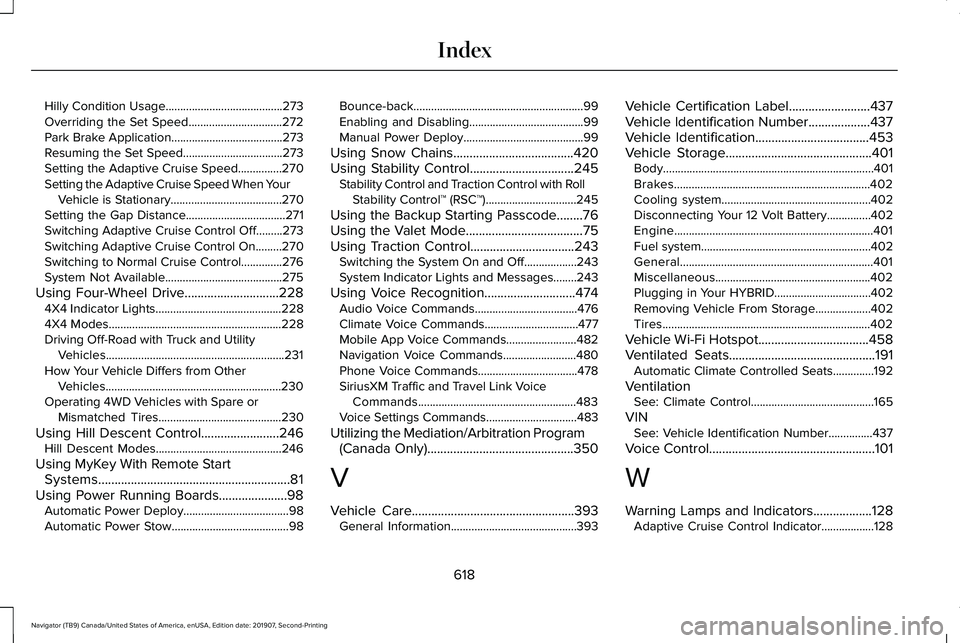
Hilly Condition Usage........................................273
Overriding the Set Speed................................272
Park Brake Application......................................273
Resuming the Set Speed..................................273
Setting the Adaptive Cruise Speed...............270
Setting the Adaptive Cruise Speed When Your
Vehicle is Stationary......................................270
Setting the Gap Distance..................................271
Switching Adaptive Cruise Control Off.........273
Switching Adaptive Cruise Control On.........270
Switching to Normal Cruise Control..............276
System Not Available........................................275
Using Four-Wheel Drive.............................228 4X4 Indicator Lights ...........................................228
4X4 Modes...........................................................228
Driving Off-Road with Truck and Utility Vehicles.............................................................231
How Your Vehicle Differs from Other Vehicles............................................................230
Operating 4WD Vehicles with Spare or Mismatched Tires..........................................230
Using Hill Descent Control........................246 Hill Descent Modes...........................................246
Using MyKey With Remote Start Systems...........................................................81
Using Power Running Boards.....................98 Automatic Power Deploy....................................98
Automatic Power Stow........................................98 Bounce-back..........................................................99
Enabling and Disabling.......................................99
Manual Power Deploy.........................................99
Using Snow Chains.....................................420
Using Stability Control................................245 Stability Control and Traction Control with Roll
Stability Control™ (RSC™)...............................245
Using the Backup Starting Passcode........76
Using the Valet Mode....................................75
Using Traction Control................................243 Switching the System On and Off..................243
System Indicator Lights and Messages........243
Using Voice Recognition
............................474
Audio Voice Commands...................................476
Climate Voice Commands................................477
Mobile App Voice Commands........................482
Navigation Voice Commands.........................480
Phone Voice Commands..................................478
SiriusXM Traffic and Travel Link Voice
Commands......................................................483
Voice Settings Commands...............................483
Utilizing the Mediation/Arbitration Program (Canada Only)
.............................................350
V
Vehicle Care
..................................................393
General Information...........................................393 Vehicle Certification Label.........................437
Vehicle Identification Number
...................437
Vehicle Identification...................................453
Vehicle Storage.............................................401 Body........................................................................\
401
Brakes...................................................................402
Cooling system...................................................402
Disconnecting Your 12 Volt Battery...............402
Engine....................................................................401
Fuel system..........................................................402
General..................................................................401
Miscellaneous.....................................................402
Plugging in Your HYBRID.................................
402
Removing Vehicle From Storage...................402
Tires.......................................................................402
Vehicle Wi-Fi Hotspot
..................................458
Ventilated Seats.............................................191 Automatic Climate Controlled Seats..............192
Ventilation See: Climate Control..........................................165
VIN See: Vehicle Identification Number...............437
Voice Control
...................................................101
W
Warning Lamps and Indicators..................128 Adaptive Cruise Control Indicator..................128
618
Navigator (TB9) Canada/United States of America, enUSA, Edition date: 201907, Second-Printing Index
Page 622 of 622
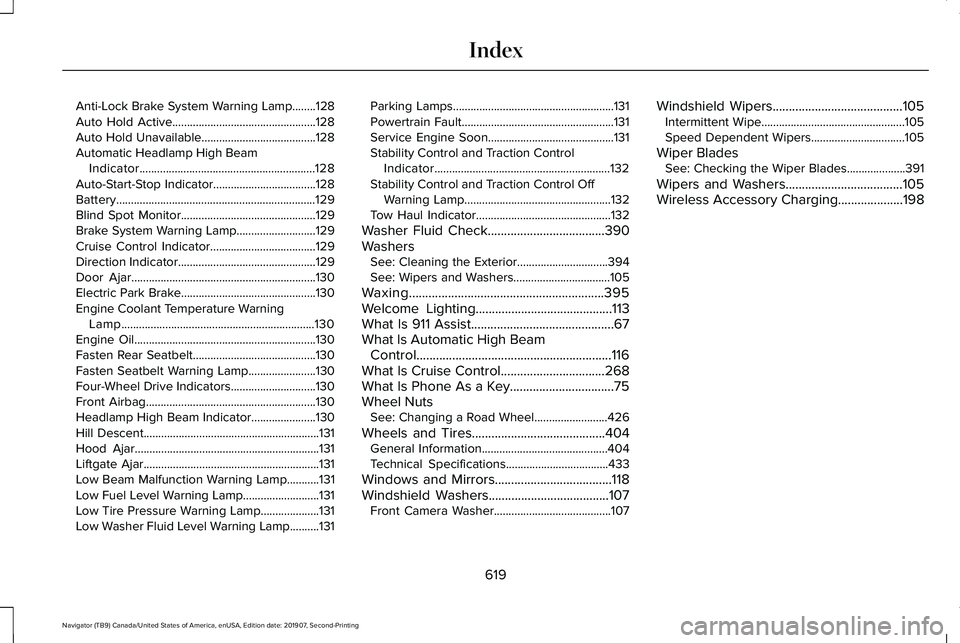
Anti-Lock Brake System Warning Lamp........128
Auto Hold Active.................................................128
Auto Hold Unavailable.......................................128
Automatic Headlamp High Beam Indicator............................................................128
Auto-Start-Stop Indicator...................................128
Battery....................................................................129
Blind Spot Monitor..............................................129
Brake System Warning Lamp...........................129
Cruise Control Indicator....................................129
Direction Indicator...............................................129
Door Ajar...............................................................130
Electric Park Brake..............................................130
Engine Coolant Temperature Warning Lamp..................................................................130
Engine Oil..............................................................130
Fasten Rear Seatbelt..........................................130
Fasten Seatbelt Warning Lamp.......................
130
Four-Wheel Drive Indicators.............................130
Front Airbag..........................................................130
Headlamp High Beam Indicator......................
130
Hill Descent............................................................131
Hood Ajar...............................................................131
Liftgate Ajar............................................................131
Low Beam Malfunction Warning Lamp...........
131
Low Fuel Level Warning Lamp..........................131
Low Tire Pressure Warning Lamp....................131
Low Washer Fluid Level Warning Lamp..........131 Parking Lamps.......................................................131
Powertrain Fault....................................................131
Service Engine Soon...........................................131
Stability Control and Traction Control
Indicator............................................................132
Stability Control and Traction Control Off Warning Lamp..................................................132
Tow Haul Indicator..............................................132
Washer Fluid Check....................................390
Washers See: Cleaning the Exterior...............................394
See: Wipers and Washers.................................105
Waxing............................................................395
Welcome Lighting..........................................113
What Is 911 Assist............................................67
What Is Automatic High Beam Control............................................................116
What Is Cruise Control................................268
What Is Phone As a Key................................75
Wheel Nuts See: Changing a Road Wheel.........................
426
Wheels and Tires.........................................404 General Information...........................................404
Technical Specifications...................................433
Windows and Mirrors....................................118
Windshield Washers.....................................107 Front Camera Washer........................................107 Windshield Wipers
........................................105
Intermittent Wipe.................................................105
Speed Dependent Wipers................................105
Wiper Blades See: Checking the Wiper Blades....................391
Wipers and Washers....................................105
Wireless Accessory Charging....................198
619
Navigator (TB9) Canada/United States of America, enUSA, Edition date: 201907, Second-Printing Index