power steering LINCOLN NAVIGATOR 2021 Owners Manual
[x] Cancel search | Manufacturer: LINCOLN, Model Year: 2021, Model line: NAVIGATOR, Model: LINCOLN NAVIGATOR 2021Pages: 639, PDF Size: 6.09 MB
Page 5 of 639
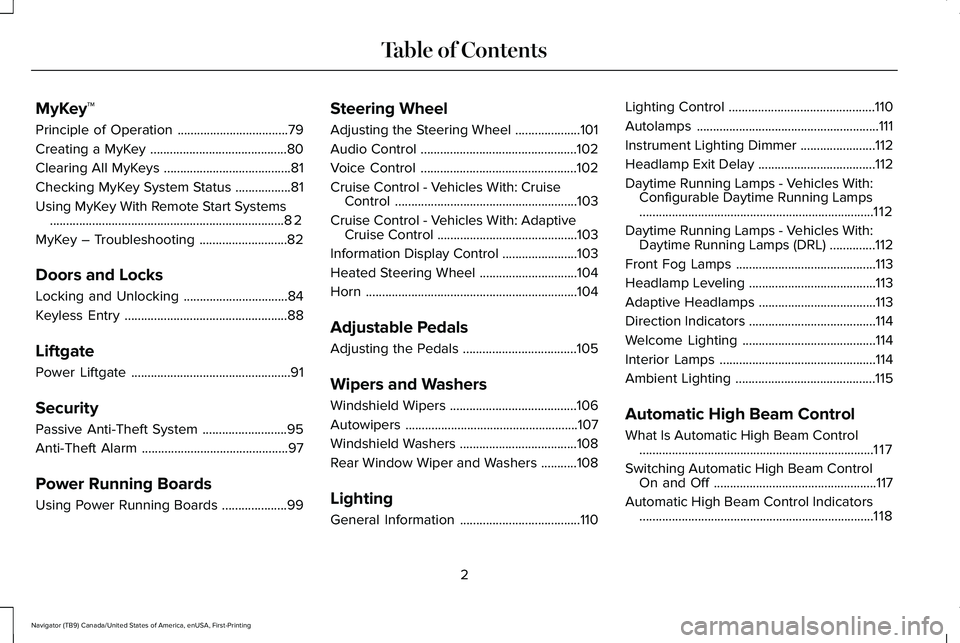
MyKey™
Principle of Operation
..................................79
Creating a MyKey ..........................................
80
Clearing All MyKeys .......................................
81
Checking MyKey System Status .................
81
Using MyKey With Remote Start Systems ........................................................................\
82
MyKey – Troubleshooting ...........................
82
Doors and Locks
Locking and Unlocking ................................
84
Keyless Entry ..................................................
88
Liftgate
Power Liftgate .................................................
91
Security
Passive Anti-Theft System ..........................
95
Anti-Theft Alarm .............................................
97
Power Running Boards
Using Power Running Boards ....................
99Steering Wheel
Adjusting the Steering Wheel
....................
101
Audio Control ................................................
102
Voice Control ................................................
102
Cruise Control - Vehicles With: Cruise Control ........................................................
103
Cruise Control - Vehicles With: Adaptive Cruise Control ...........................................
103
Information Display Control .......................
103
Heated Steering Wheel ..............................
104
Horn .................................................................
104
Adjustable Pedals
Adjusting the Pedals ...................................
105
Wipers and Washers
Windshield Wipers .......................................
106
Autowipers .....................................................
107
Windshield Washers ....................................
108
Rear Window Wiper and Washers ...........
108
Lighting
General Information .....................................
110Lighting Control
.............................................
110
Autolamps ........................................................
111
Instrument Lighting Dimmer .......................
112
Headlamp Exit Delay ....................................
112
Daytime Running Lamps - Vehicles With: Configurable Daytime Running Lamps
........................................................................\
112
Daytime Running Lamps - Vehicles With: Daytime Running Lamps (DRL) ..............
112
Front Fog Lamps ...........................................
113
Headlamp Leveling .......................................
113
Adaptive Headlamps ....................................
113
Direction Indicators .......................................
114
Welcome Lighting .........................................
114
Interior Lamps ................................................
114
Ambient Lighting ...........................................
115
Automatic High Beam Control
What Is Automatic High Beam Control ........................................................................\
117
Switching Automatic High Beam Control On and Off ..................................................
117
Automatic High Beam Control Indicators ........................................................................\
118
2
Navigator (TB9) Canada/United States of America, enUSA, First-Printing Table of Contents
Page 9 of 639
Reporting Safety Defects (Canada Only)
......................................................................358
Fuses
Fuse Specification Chart ...........................
360
Changing a Fuse ..........................................
374
Maintenance
General Information ....................................
377
Opening and Closing the Hood ...............
377
Under Hood Overview ...............................
379
Engine Oil Dipstick .....................................
380
Engine Oil Check ........................................
380
Oil Change Indicator Reset .......................
381
Changing the Engine Air Filter ................
382
Engine Coolant Check ...............................
383
Automatic Transmission Fluid Check ......
388
Transfer Case Fluid Check .......................
388
Brake Fluid Check ......................................
389
Power Steering Fluid Check ....................
390
Changing the 12V Battery .........................
390
Adjusting the Headlamps .........................
392
Washer Fluid Check ...................................
394Fuel Filter
.......................................................
394
Checking the Wiper Blades ......................
394
Changing the Wiper Blades .....................
394
Changing a Bulb ..........................................
395
Vehicle Care
General Information ...................................
396
Cleaning Products ......................................
396
Cleaning the Exterior ..................................
397
Waxing ...........................................................
398
Cleaning the Engine ...................................
399
Cleaning the Windows and Wiper Blades ......................................................................
399
Cleaning the Interior ..................................
400
Cleaning the Instrument Panel and Instrument Cluster Lens ........................
402
Cleaning Leather Seats .............................
403
Repairing Minor Paint Damage ................
403
Cleaning the Wheels ..................................
403
Vehicle Storage ...........................................
404
Body Styling Kits .........................................
406Wheels and Tires
General Information
....................................
407
Tire Care ........................................................
409
Using Snow Chains .....................................
423
Tire Pressure Monitoring System ............
424
Changing a Road Wheel ...........................
429
Technical Specifications ............................
436
Capacities and Specifications
Engine Specifications .................................
438
Motorcraft Parts ...........................................
439
Vehicle Identification Number .................
440
Capacities and Specifications ..................
440
Bulb Specification Chart .............................
451
Vehicle Identification
Installing the Vehicle Identification Card ......................................................................
454
Connected Vehicle
Connected Vehicle Requirements ..........
455
Connected Vehicle Limitations ................
455
6
Navigator (TB9) Canada/United States of America, enUSA, First-Printing Table of Contents
Page 14 of 639
Windshield defrosting system
Interior luggage compartment
release
Jack
Keep out of reach of children
Lighting control
Low tire pressure warning
Maintain correct fluid level
Note operating instructions
Horn control Panic alarm
Parking aid
Parking brake
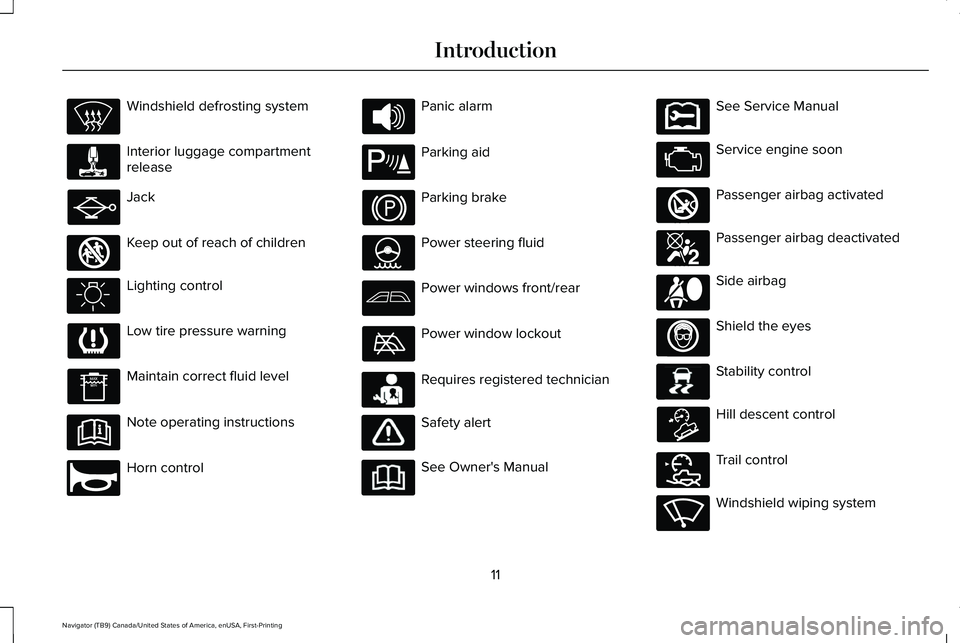
Power steering fluid
Power windows front/rear
Power window lockout
Requires registered technician
Safety alert
See Owner's Manual See Service Manual
Service engine soon
Passenger airbag activated
Passenger airbag deactivated
Side airbag
Shield the eyes
Stability control
Hill descent control
Trail control
Windshield wiping system
11
Navigator (TB9) Canada/United States of America, enUSA, First-Printing Introduction E161353 E270945 E139213 E231159 E231158 E270849 E270850 E167012 E138639 E163957 E272858 E270969
Page 157 of 639
Action
Message
The electric parking brake system has been put into a special mode that is used to allowservice of the rear brakes. Have the system checked as soon as possible.
Park Brake Maintenance Mode
Displays when the system requires service. Some functionality may still be available. Havethe system checked as soon as possible.
Park Brake Limited Function Service Required
Displays when the system requires service. Have the system checked as soon as possible.
Park Brake Malfunction Service Now
Numerous park brake applies have overheated the system. Wait 2 minutes before attemptingto apply again.
Park Brake System Overheated
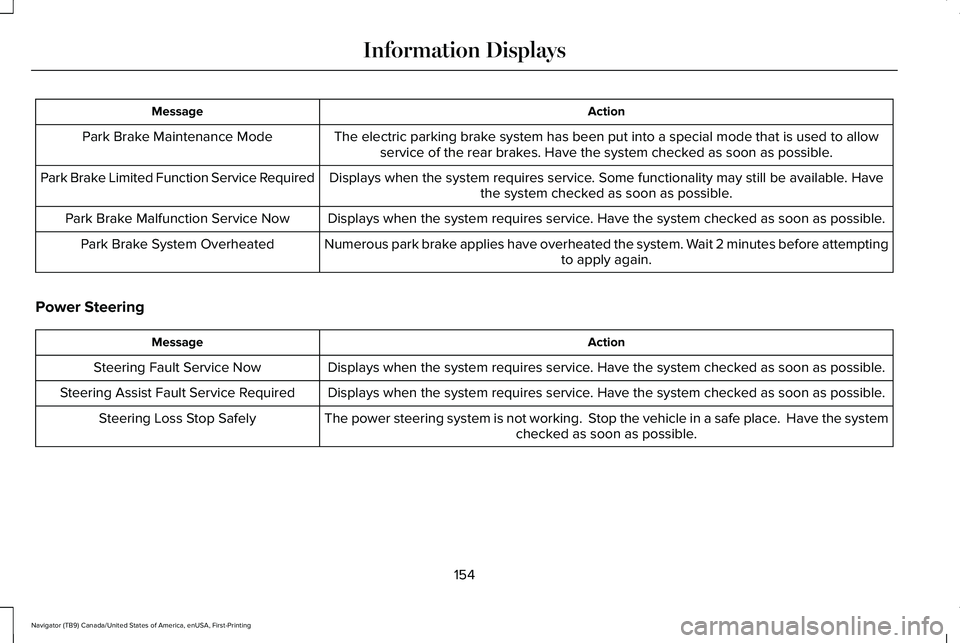
Power Steering Action
Message
Displays when the system requires service. Have the system checked as soon as possible.
Steering Fault Service Now
Displays when the system requires service. Have the system checked as soon as possible.
Steering Assist Fault Service Required
The power steering system is not working. Stop the vehicle in a safe place. Have the systemchecked as soon as possible.
Steering Loss Stop Safely
154
Navigator (TB9) Canada/United States of America, enUSA, First-Printing Information Displays
Page 186 of 639
You can also adjust this feature through the
touchscreen.
Press the Menu Settings icon, then
Vehicle. Choose Multi-Contour
Seats.
When switched on, the system displays
directions for you to adjust the lumbar
settings in your seat or to set the massage
function.
To access and make adjustments to the
lumbar setting:
1. Choose the seat you would like to adjust.
2. Press the + or - to adjust the lumbar intensity.
To access and make adjustments to the
massage setting:
1. Press the Menu Settings icon, then Vehicle. Choose Multi-Contour Seats.
2. Choose the seat you would like to adjust.
3. Press OFF, Low or High. MEMORY FUNCTION WARNING: Before activating the
memory seat, make sure that the area
immediately surrounding the seat is clear
of obstructions and that all occupants are
clear of moving parts. WARNING:
Do not use the memory
function when your vehicle is moving.
Driver Seat Memory
This feature automatically recalls the position
of the following:
• Driver seat.
• Power mirrors.
• Power adjustable foot pedals.
• Power steering column.
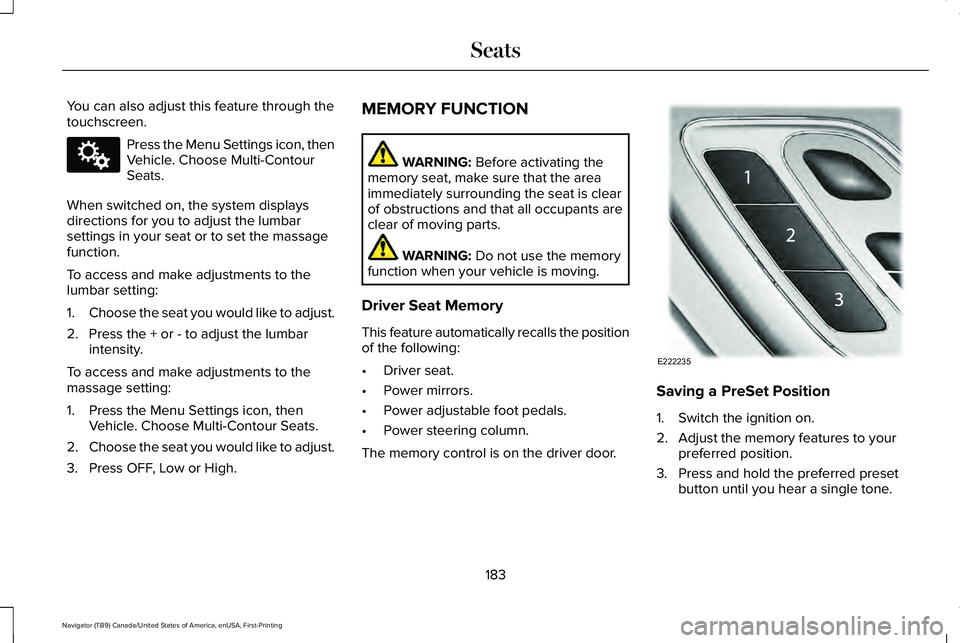
The memory control is on the driver door. Saving a PreSet Position
1. Switch the ignition on.
2. Adjust the memory features to your
preferred position.
3. Press and hold the preferred preset button until you hear a single tone.
183
Navigator (TB9) Canada/United States of America, enUSA, First-Printing SeatsE142607 E222235
Page 215 of 639
AUTO-START-STOP
The system helps reduce fuel consumption
by automatically stopping and restarting the
engine when your vehicle has stopped. The
engine restarts automatically when you
release the brake pedal.
In some situations, your vehicle may restart
automatically, for example:
•
To maintain interior comfort.
• To recharge the battery.
Note: Power assist steering turns off when
the engine is off.
Note: If your vehicle is flex fuel capable,
Auto-Start-Stop is inhibited for a short time
after a refuel event when the system is
verifying the fuel type being used. WARNING: Always fully apply the
parking brake. Make sure you shift into
park (P) for vehicles with an automatic
transmission. Switch the ignition off and
remove the key whenever you leave your
vehicle. WARNING: Before opening the hood
or performing any maintenance, fully apply
the parking brake, shift into park (P) or
neutral (N) and switch the ignition off. WARNING: Always switch the ignition
off before leaving the vehicle. If the ignition
is switched on an automatic restart may
occur at any time. WARNING:
The system may require
the engine to automatically restart when
the auto-start-stop indicator illuminates
green or flashes amber. Failure to follow
this instruction could result in personal
injury.
The Auto-Start-Stop system status is
available at a glance within the information
display.
See Information Displays (page
134).
Enabling Auto-Start-Stop
The system automatically enables every time
you start your vehicle if: •
You do not press the Auto-Start-Stop
button (not illuminated).
• Your vehicle exceeds an initial speed of
3 mph (5 km/h)
after you have initially
started your vehicle.
• You have stopped your vehicle.
• Your foot is on the brake pedal.
• The transmission is in drive.
• Not in Excite mode (enable by pressing
the Auto-Start-Stop button).
• The driver door is closed.
• There is adequate brake vacuum.
• The interior compartment has cooled or
warmed to an acceptable level.
• The front windshield defroster is off.
• You have not turned the steering wheel
rapidly or you do not have it at a sharp
angle.
• The vehicle is not on a steep road grade.
• The battery is within optimal operating
conditions, (with the battery state of
charge and temperature in range).
• The engine coolant is at operating
temperature.
212
Navigator (TB9) Canada/United States of America, enUSA, First-Printing Unique Driving Characteristics
Page 239 of 639
Always maintain steering wheel control,
especially in rough terrain. Since sudden
changes in terrain can result in abrupt
steering wheel motion, make sure you grip
the steering wheel from the outside. Do not
grip the spokes.
Drive cautiously to avoid vehicle damage
from concealed objects such as rocks and
stumps.
You should either know the terrain or
examine maps of the area before driving.
Map out your route before driving in the area.
To maintain steering and braking control of
your vehicle, you must have all four wheels
on the ground and they must be rolling, not
sliding or spinning.
Driving Off-Road with Truck and Utility
Vehicles
Four-wheel drive vehicles are specially
equipped for driving on sand, snow, mud and
rough terrain and have operating
characteristics that are different from
conventional vehicles, both on and off the
road.
Power is supplied to all four wheels through
a transfer case. On four-wheel drive vehicles,
the transfer case allows you to utilize
different four-wheel drive modes when
necessary.
Four-wheel drive, when you select a
4X4-capable drive mode uses all four wheels
to power the vehicle. This increases traction,
enabling you to drive over terrain and road
conditions that a conventional two-wheel
drive vehicle cannot.
Note:
On some models, the initial shift from
two-wheel drive to four-wheel drive when
the vehicle is moving can cause some
momentary clunk and ratcheting sounds.
This is the front drivetrain coming up to
speed and is not a cause for concern.
Note: Your vehicle may have a front air dam.
Due to low ground clearance, you can
damage it when taking your vehicle off-road.
You can take the air dam off by removing
the bolts that secure it. Basic Operating Principles
•
Do not use slippery, deep conditions, or
slow climb, on dry, hard surfaced roads.
Doing so produces excessive noise,
increases tire wear and may damage
drive components. The four-wheel drive
system in these modes is only intended
for consistently slippery or loose
surfaces.
• Drive slower in strong crosswinds which
can affect the normal steering
characteristics of your vehicle.
• When driving your vehicle on surfaces
made slippery by loose sand, water,
gravel, snow or ice, proceed with care.
If Your Vehicle Leaves the Road
If your vehicle leaves the road, reduce your
vehicle speed and avoid severe braking.
When your vehicle speed has been reduced
ease your vehicle back onto the road. Do
not turn the steering wheel sharply when
returning your vehicle to the road.
236
Navigator (TB9) Canada/United States of America, enUSA, First-Printing Four-Wheel Drive (If Equipped)
Page 242 of 639
Note:
Avoid driving crosswise or turning on
steep slopes or hills.
Note: Avoid turning on steep slopes or hills.
A danger lies in losing traction, slipping
sideways and possible vehicle roll over.
Whenever driving on a hill, determine
beforehand the route you will use. Do not
drive over the crest of a hill without seeing
what conditions are on the other side. Do
not drive in reverse over a hill without the
aid of an observer.
Driving on Snow and Ice WARNING: If you are driving in
slippery conditions that require tire chains
or cables, then it is critical that you drive
cautiously. Keep speeds down, allow for
longer stopping distances and avoid
aggressive steering to reduce the chances
of a loss of vehicle control which can lead
to serious injury or death. If the rear end
of your vehicle slides while cornering, steer
in the direction of the slide until you regain
control of your vehicle. Four-wheel drive vehicles have advantages
over two-wheel drive vehicles in snow and
ice but can skid like any other vehicle.
Should you start to slide when driving on
snowy or icy roads, turn the steering wheel
in the direction of the slide until you regain
control.
Avoid sudden applications of power and
quick changes of direction on snow and ice.
Apply the accelerator slowly and steadily
when starting from a full stop.
Avoid sudden braking. Although a four-wheel
drive vehicle may accelerate better than a
two-wheel drive vehicle in snow and ice, it
does not stop any faster as braking occurs
at all four wheels. Do not become
overconfident in any road condition.
Make sure you allow sufficient distance
between you and other vehicles for stopping.
Drive slower than usual and consider using
one of the lower gears. In emergency
stopping situations, apply the brake steadily.
Do not pump the brake pedal. See Hints on
Driving With Anti-Lock Brakes
(page 242).
Note: Excessive tire slippage can cause
transmission damage. Maintenance and Modifications
The suspension and steering systems on
your vehicle have been designed and tested
to provide predictable performance whether
loaded or empty. For this reason, we strongly
recommend that you do not make
modifications such as adding or removing
parts, for example, lift kits or stabilizer bars,
or by using replacement parts not equivalent
to the original factory equipment.
We recommend that you use caution when
your vehicle has either a high load or device
such as a ladder or luggage racks. Any
modifications to your vehicle that raise the
center of gravity could cause your vehicle to
roll over when there is a loss of vehicle
control.
Failure to maintain your vehicle correctly
could void the warranty, increase your repair
cost, reduce vehicle performance and
operational capabilities and adversely affect
you and your passenger's safety. We
recommend you frequently inspect your
vehicle's chassis components when your
vehicle is subject to off-road usage.
239
Navigator (TB9) Canada/United States of America, enUSA, First-Printing Four-Wheel Drive
(If Equipped)
Page 244 of 639
GENERAL INFORMATION
Note:
Occasional brake noise is normal. If
a metal-to-metal, continuous grinding or
continuous squeal sound is present, the
brake linings could be worn-out, you should
have them checked. If the vehicle has
continuous vibration or shudder in the
steering wheel while braking, you should
have the system checked.
Note: Brake dust may accumulate on the
wheels, even under normal driving
conditions. Some dust is inevitable as the
brakes wear and does not contribute to
brake noise. See Cleaning the Wheels
(page 403). See
Warning Lamps and
Indicators (page 129).
Wet brakes result in reduced braking
efficiency. Gently press the brake pedal a
few times when driving from a car wash or
standing water to dry the brakes. Brake Over Accelerator
In the event the accelerator pedal becomes
stuck or entrapped, apply steady and firm
pressure to the brake pedal to slow the
vehicle and reduce engine power. If you
experience this condition, apply the brakes
and bring your vehicle to a safe stop. Switch
the engine off, move the transmission to park
(P) and apply the parking brake. Inspect the
accelerator pedal and the area around it for
any items or debris that may be obstructing
its movement. If none are found and the
condition persists, do not drive your vehicle.
Have your vehicle towed to the location you
are having it checked.
Emergency Brake Assist
Emergency brake assist detects when you
brake heavily by measuring the rate at which
you press the brake pedal. It provides
maximum braking efficiency as long as you
press the pedal. Emergency brake assist
can reduce stopping distances in critical
situations.Anti-lock Brake System
This system helps you maintain steering
control during emergency stops by keeping
the brakes from locking. This lamp momentarily illuminates
when you switch the ignition on.
If the light does not illuminate
during start up, remains on or flashes, the
anti-lock braking system may be disabled.
Have the system checked. If the anti-lock
brake system is disabled, normal braking is
still effective. If the brake warning lamp
illuminates with the parking brake
released, have your brake system
serviced immediately.
It also illuminates momentarily when you
switch the ignition on to confirm the lamp is
functional. If it does not illuminate when you
switch the ignition on, or begins to flash at
any time, have the system checked.
241
Navigator (TB9) Canada/United States of America, enUSA, First-Printing BrakesE138644 E138644
Page 251 of 639
PRINCIPLE OF OPERATION
WARNING: Vehicle modifications
involving braking system, aftermarket roof
racks, suspension, steering system, tire
construction and wheel and tire size may
change the handling characteristics of your
vehicle and may adversely affect the
performance of the electronic stability
control system. In addition, installing any
stereo loudspeakers may interfere with
and adversely affect the electronic stability
control system. Install any aftermarket
stereo loudspeaker as far as possible from
the front center console, the tunnel, and
the front seats in order to minimize the risk
of interfering with the electronic stability
control sensors. Reducing the
effectiveness of the electronic stability
control system could lead to an increased
risk of loss of vehicle control, vehicle
rollover, personal injury and death. WARNING:
Remember that even
advanced technology cannot defy the laws
of physics. It’ s always possible to lose
control of a vehicle due to inappropriate
driver input for the conditions. Aggressive
driving on any road condition can cause
you to lose control of your vehicle
increasing the risk of personal injury or
property damage. Activation of the
electronic stability control system is an
indication that at least some of the tires
have exceeded their ability to grip the
road; this could reduce the operator’ s
ability to control the vehicle potentially
resulting in a loss of vehicle control, vehicle
rollover, personal injury and death. If your
electronic stability control system activates,
SLOW DOWN.
The system automatically turns on each time
you switch the ignition on.
If a fault occurs in either the stability control
or the traction control system, you may
experience the following conditions: •
The stability and traction control light
illuminates steadily.
• The stability control and traction control
systems do not enhance your vehicle's
ability to maintain traction of the wheels.
If a driving condition activates either the
stability control or the traction control system
you may experience the following conditions:
• The stability and traction control light
flashes.
• Your vehicle slows down.
• Reduced engine power.
• A vibration in the brake pedal.
• The brake pedal is stiffer than usual.
• If the driving condition is severe and your
foot is not on the brake, the brake pedal
may move as the system applies higher
brake force.
The stability control system has several
features built into it to help you maintain
control of your vehicle:
248
Navigator (TB9) Canada/United States of America, enUSA, First-Printing Stability Control