roof LINCOLN NAVIGATOR 2023 Owners Manual
[x] Cancel search | Manufacturer: LINCOLN, Model Year: 2023, Model line: NAVIGATOR, Model: LINCOLN NAVIGATOR 2023Pages: 660, PDF Size: 14.04 MB
Page 8 of 660
Interior Lamp Function................................133
Adjusting the Instrument Panel LightingBrightness..................................................133
Ambient Lighting..........................................133
Interior Lighting – Troubleshooting.........133
Windows
Opening and Closing the Windows........134
Global Opening............................................134
Window Bounce-Back................................135
Locking the Rear Window Controls.........135
Interior Mirror
Interior Mirror Precautions.........................136
Auto-Dimming Interior Mirror....................136
Childminder Mirror.......................................136
Exterior Mirrors
Adjusting the Exterior Mirrors...................138
Folding the Exterior Mirrors.......................138
Auto-Dimming Exterior Mirror...................139
Moonroof
Opening and Closing the Sunshade.......140
Opening and Closing the Moonroof.......140
Venting the Moonroof..................................141
Moonroof Bounce-Back..............................141
Instrument Cluster
Instrument Cluster Overview....................142
Tachometer....................................................143
Speedometer................................................143
Fuel Gauge....................................................143
Engine Coolant Temperature Gauge......144
Engine Oil Pressure Gauge.......................144
Transmission Fluid Temperature Gauge.......................................................................144
What Are the Instrument Cluster WarningLamps..........................................................144
Instrument Cluster Warning Lamps.........144
What Are the Instrument Cluster Indicators.......................................................................146
Instrument Cluster Indicators....................146
Instrument Cluster Display
Using the Instrument Cluster DisplayControls......................................................148
Instrument Cluster Display Main Menu.......................................................................148
Trip Computer...............................................149
Customizing the Instrument Cluster Display.......................................................................150
Personalized Settings
Changing the Language..............................151
Changing the Measurement Unit..............151
Changing the Temperature Unit................151
Changing the Tire Pressure Unit..............151
Head Up Display
What Is the Head Up Display....................152
Switching the Head Up Display On and Off.......................................................................152
Head Up Display Settings..........................152
Head Up Display Indicators.......................154
Head Up Display – Troubleshooting......155
4
2023 Navigator (TB9) Canada/United States of America, enUSA, Edition date: 202207, DOMTable of Contents
Page 15 of 660
Driver Alert
What Is Driver Alert.....................................330
How Does Driver Alert Work....................330
Driver Alert Precautions............................330
Driver Alert Limitations...............................331
Switching Driver Alert On and Off...........331
Driver Alert – Troubleshooting.................331
Speed Sign Recognition
What Is Speed Sign Recognition.............332
How Does Speed Sign Recognition Work......................................................................332
Speed Sign Recognition Precautions.....332
Speed Sign Recognition Limitations......332
Speed Sign Recognition Indicators........333
Setting the Speed Sign Recognition SpeedWarning......................................................333
Setting the Speed Sign Recognition SpeedTolerance...................................................333
Speed Sign Recognition – Troubleshooting......................................................................334
Load Carrying
Load Carrying Precautions.......................336
Locating the Safety ComplianceCertification Labels.................................337
What Is the Gross Axle Weight Rating......................................................................337
What Is the Gross Vehicle Weight Rating......................................................................337
What Is the Gross Combined WeightRating.........................................................337
Calculating Payload....................................338
Calculating the Load Limit........................338
Roof Rack......................................................340
Luggage Compartment
Luggage Compartment Precautions.......341
Installing and Removing the LuggageCompartment Cargo Net.......................341
Adjusting the Luggage Compartment LoadFloor...........................................................342
Adjusting the Luggage CompartmentDivider........................................................343
Connecting a Trailer
Connecting a Trailer Precautions............345
Hitches...........................................................345
Connecting a Trailer...................................346
Connecting a Trailer – Troubleshooting......................................................................348
Towing a Trailer
Towing a Trailer Precautions....................349
Trailer Brake Precautions..........................349
Towing a Trailer Limitations......................350
Loading Your Trailer...................................350
Trailer Towing Hints....................................350
Launching or Retrieving a Boat or PersonalWatercraft..................................................351
Towing Weights and Dimensions............352
Towing a Trailer – Troubleshooting........354
Integrated Trailer Brake
Controller
What Is the Integrated Trailer BrakeController..................................................356
Integrated Trailer Brake ControllerPrecautions..............................................356
Using the Integrated Trailer BrakeController..................................................356
Adjusting the Integrated Trailer BrakeController Mode......................................358
11
2023 Navigator (TB9) Canada/United States of America, enUSA, Edition date: 202207, DOMTable of Contents
Page 58 of 660
The retractor for the third row center seatbeltis in the roof.
To fasten the seatbelt:
1.Pull the belt out steadily. It may lock ifyou pull it sharply or if the vehicle is ona slope.
2.Insert the smaller tongue into the smallerbuckle to the left of the center seat.
3.Pull the larger tongue across the lap andinsert it into the buckle to the right of thecenter seat.
Note:If in constant use, you can leave thebelt buckled in the smaller buckle. When itis not in use, or when you fold or move therear seats, you should release the belt fromthe smaller buckle. Using the tongue of theadjacent seatbelt, press the red button onthe smaller buckle.
SENSITIVE LOCKING MODE
WHAT IS SENSITIVE LOCKING MODE
Sensitive locking mode is a seatbelt retractorfeature that allows shoulder belt lengthadjustment according to your movementsand locking in response to vehiclemovement.
HOW DOES SENSITIVE LOCKINGMODE WORK
If the driver suddenly brakes, turns a cornersharply, or the vehicle receives an impact ofabout 5 mph (8 km/h) or more, the seatbeltslock to help reduce forward movement ofthe driver and passengers.
In addition, the seatbelt retractor locks if youpull the seatbelt webbing out too quickly. Ifthe retractor locks, slowly lower the heightadjuster to allow the seatbelt to retract.
If the retractor does not unlock, pull theseatbelt out slowly then feed a small lengthof webbing back toward the stowed position.
For rear seatbelts, recline the rear seatbackrest or push the seat backrest cushionaway from the seatbelt. Feed a small lengthof webbing back toward the stowed position.
AUTOMATIC LOCKING MODE
WHAT IS AUTOMATIC LOCKINGMODE
This feature keeps the seatbelts pre-locked.The belt still retracts to remove any slack inthe shoulder belt.
WHEN TO USE AUTOMATIC LOCKINGMODE
Use this mode any time you install a childrestraint in the front passenger seatingposition or any rear seating position. Properlyrestrain children 12 years old and under in arear seat whenever possible.
Note:Automatic locking mode is notavailable on the driver seatbelt.
54
2023 Navigator (TB9) Canada/United States of America, enUSA, Edition date: 202207, DOMSeatbelts
Page 66 of 660
WARNING: Accessory seat coversnot released by Ford Motor Companycould prevent the deployment of theairbags and increase the risk of injuries ina crash.
WARNING: Do not lean your headon the door. The side airbag could injureyou as it deploys from the side of theseatback.
The side airbags are on the outermost sideof the seat backrests of the front seats. Incertain sideways crashes or rollovers, theairbags will be inflated. The airbag wasdesigned to inflate between the door paneland occupant to further enhance theprotection provided to occupants in sideimpact crashes.
The system consists of the following:
•A label or embossed side panelindicating that side airbags are fitted toyour vehicle.
•Side airbags inside the driver and frontpassenger seat backrests.
•Crash sensors and monitoring systemwith readiness indicator. See CrashSensors and Airbag Indicator (page 68).
HOW DOES THE SAFETY CANOPY™
WORK
WARNING: Do not place objects ormount equipment on or near the headlinerat the siderail that may come into contactwith a deploying curtain airbag. Failure tofollow these instructions may increase therisk of personal injury in the event of acrash.
WARNING: Do not lean your headon the door. The curtain airbag could injureyou as it deploys from the headliner.
WARNING: To reduce risk of injury,do not obstruct or place objects in thedeployment path of the airbag.
The Safety Canopy deploys during significantside crashes or when a certain likelihood ofa rollover event is detected by the rolloversensor. The Safety Canopy is mounted tothe roof side-rail sheet metal, behind theheadliner, above each row of seats. In certainsideways crashes or rollover events, the
62
2023 Navigator (TB9) Canada/United States of America, enUSA, Edition date: 202207, DOMAirbagsE152533
Page 67 of 660
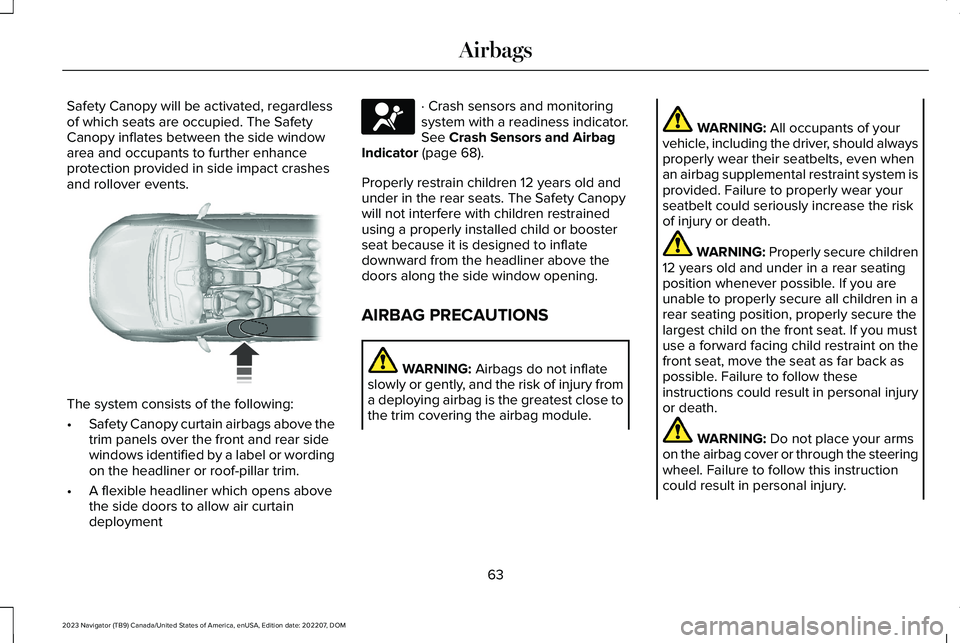
Safety Canopy will be activated, regardlessof which seats are occupied. The SafetyCanopy inflates between the side windowarea and occupants to further enhanceprotection provided in side impact crashesand rollover events.
The system consists of the following:
•Safety Canopy curtain airbags above thetrim panels over the front and rear sidewindows identified by a label or wordingon the headliner or roof-pillar trim.
•A flexible headliner which opens abovethe side doors to allow air curtaindeployment
· Crash sensors and monitoringsystem with a readiness indicator.See Crash Sensors and AirbagIndicator (page 68).
Properly restrain children 12 years old andunder in the rear seats. The Safety Canopywill not interfere with children restrainedusing a properly installed child or boosterseat because it is designed to inflatedownward from the headliner above thedoors along the side window opening.
AIRBAG PRECAUTIONS
WARNING: Airbags do not inflateslowly or gently, and the risk of injury froma deploying airbag is the greatest close tothe trim covering the airbag module.
WARNING: All occupants of yourvehicle, including the driver, should alwaysproperly wear their seatbelts, even whenan airbag supplemental restraint system isprovided. Failure to properly wear yourseatbelt could seriously increase the riskof injury or death.
WARNING: Properly secure children12 years old and under in a rear seatingposition whenever possible. If you areunable to properly secure all children in arear seating position, properly secure thelargest child on the front seat. If you mustuse a forward facing child restraint on thefront seat, move the seat as far back aspossible. Failure to follow theseinstructions could result in personal injuryor death.
WARNING: Do not place your armson the airbag cover or through the steeringwheel. Failure to follow this instructioncould result in personal injury.
63
2023 Navigator (TB9) Canada/United States of America, enUSA, Edition date: 202207, DOMAirbags E75004 E67017
Page 144 of 660
OPENING AND CLOSING THE
SUNSHADE
WARNING: Do not leave childrenunattended in your vehicle and do not letthem play with the sun shades. Failure tofollow this instruction could result inpersonal injury.
The controls are on the overhead console.
Opening the Sun Shade
Press and release the switch toactivate the one-touch openfeature. To stop movement, pressthe switch a second time. The sun shade alsoopens when you open the moonroof.
Note:The sun shade stops short of its fullyopened position for the comfort of rearpassengers. To fully open the sun shade,press the switch again.
Closing the Sun Shade
Press and release the switch toactivate the one-touch closefeature. To stop movement, pressthe switch a second time.
Note:If fully open, the sun shade stops aftercovering the rear glass panel. Press andrelease again to fully close the sun shade.
Note:The sun shade does not fully closeunless the moonroof glass is fully closed.
OPENING AND CLOSING THE
MOONROOF
WARNING: Do not leave childrenunattended in your vehicle and do not letthem play with the moonroof. Failure tofollow this instruction could result inpersonal injury.
WARNING: When closing themoonroof, verify that it is free ofobstruction and make sure that childrenand pets are not in the proximity of the roofopening.
The moonroof controls are located on theoverhead console.
Opening the Moonroof
Press and release the switch toactivate the one-touch openfeature. To stop movement, pressthe switch a second time.
Note:The moonroof stops short of the fullyopened position to reduce wind noise orrumbling that may happen with the moonrooffully open.
Press and release the switch again to fullyopen the moonroof.
140
2023 Navigator (TB9) Canada/United States of America, enUSA, Edition date: 202207, DOMMoonroof (If Equipped)E312249 E312250 E340663
Page 145 of 660
Closing the Moonroof
Press and release the switch toactivate the one-touch closefeature, from either the open orvent positions. To stop movement, press theswitch a second time.
VENTING THE MOONROOF
WARNING: Do not leave childrenunattended in your vehicle and do not letthem play with the moonroof. Failure tofollow this instruction could result inpersonal injury.
The moonroof controls are on the overheadconsole.
With the moonroof in the closedposition, press and release theswitch to vent the moonroof.
To close the moonroof from thevent position, press and releasethe moonroof close switch.
MOONROOF BOUNCE-BACK
WHAT IS MOONROOF BOUNCE-BACK
The moonroof stops and reverses somedistance if it detects an obstacle whenclosing.
OVERRIDING MOONROOF BOUNCE-BACK
Press and hold the close switch within twoseconds after the moonroof comes to a stop.
141
2023 Navigator (TB9) Canada/United States of America, enUSA, Edition date: 202207, DOMMoonroof (If Equipped)E340636 E340635 E340636
Page 251 of 660
HOW DOES STABILITY CONTROL
WORK
WARNING: Vehicle modificationsinvolving braking system, aftermarket roofracks, suspension, steering system, tireconstruction and wheel and tire size maychange the handling characteristics of yourvehicle and may adversely affect theperformance of the electronic stabilitycontrol system. In addition, installing anystereo speakers may interfere with andadversely affect the electronic stabilitycontrol system. Reducing the effectivenessof the electronic stability control systemcould lead to an increased risk of loss ofvehicle control, vehicle rollover, personalinjury and death.
WARNING: Remember that evenadvanced technology cannot defy the lawsof physics. It's always possible to losecontrol of a vehicle due to inappropriatedriver input for the conditions. Aggressivedriving on any road condition can causeyou to lose control of your vehicle
increasing the risk of personal injury orproperty damage. Activation of theelectronic stability control system is anindication that at least some of the tireshave exceeded their ability to grip theroad; this could reduce the operator'sability to control the vehicle potentiallyresulting in a loss of vehicle control, vehiclerollover, personal injury and death.
WARNING: You are responsible forcontrolling your vehicle at all times. Thesystem is designed to be an aid and doesnot relieve you of your responsibility todrive with due care and attention. Failureto follow this instruction could result in theloss of control of your vehicle, personalinjury or death.
If a driving condition activates either thestability control or traction control you mayexperience the following conditions:
•The stability and traction control lightflashes.
•Your vehicle slows down.
•Reduced engine power.
The stability control system has severalfeatures built into it to help you maintaincontrol of your vehicle:
Electronic Stability Control
Electronic stability control enhances yourvehicle’s ability to prevent skids or lateralslides by applying brakes to one or more ofthe wheels individually and, if necessary,reducing engine power.
Roll Stability Control
Roll stability control enhances your vehicle’sability to prevent rollovers by detecting yourvehicle’s roll motion and the rate at which itchanges by applying the brakes to one ormore wheels individually.
Curve Control
Curve control enhances your vehicle’s abilityto follow the road when cornering severelyor avoiding objects in the roadway. Curvecontrol operates by reducing engine powerand, if necessary, applying brakes to one ormore of the wheels individually.
247
2023 Navigator (TB9) Canada/United States of America, enUSA, Edition date: 202207, DOMStability Control
Page 340 of 660
LOAD CARRYING PRECAUTIONS
Keep your loaded vehicle weight withinits design rating capability, with orwithout a trailer. Properly loading yourvehicle provides maximum return ofvehicle design performance. Before youload your vehicle, become familiar withthe following terms for determining yourvehicle’s weight rating, with or withouta trailer, from the vehicle’s Tire andLoading Information label or SafetyCompliance Certification label.
WARNING: The appropriateloading capacity of your vehicle canbe limited either by volume capacity(how much space is available) or by
payload capacity (how much weightthe vehicle should carry). Once youhave reached the maximum payloadof your vehicle, do not add morecargo, even if there is space available.Overloading or improperly loadingyour vehicle can contribute to loss ofvehicle control and vehicle rollover.
WARNING: Exceeding the SafetyCompliance Certification label vehicleweight limits can adversely affect theperformance and handling of yourvehicle, cause vehicle damage andcan result in the loss of control of yourvehicle, serious personal injury ordeath.
WARNING: Do not usereplacement tires with lower loadcarrying capacities than the originaltires because they may lower yourvehicle's GVWR and GAWR limitations.Replacement tires with a higher limitthan the original tires do not increasethe GVWR and GAWR limitations.
WARNING: Do not exceed theGVWR or the GAWR specified on thecertification label.
WARNING: Exceeding anyvehicle weight rating can adverselyaffect the performance and handlingof your vehicle, cause vehicle damageand can result in the loss of control ofyour vehicle, serious personal injuryor death.
WARNING: When loading theroof racks, we recommend you evenlydistribute the load, as well as maintaina low center of gravity. Loadedvehicles, with higher centers of gravity,may handle differently than unloadedvehicles. Take extra precautions, suchas slower speeds and increasedstopping distance, when driving aheavily loaded vehicle.
The gross combined weight must neverexceed the Gross Combined WeightRating.
336
2023 Navigator (TB9) Canada/United States of America, enUSA, Edition date: 202207, DOMLoad Carrying
Page 344 of 660
ROOF RACK
ROOF RACK PRECAUTIONS
WARNING: Read and follow themanufacturer's instructions when you arefitting a roof rack.
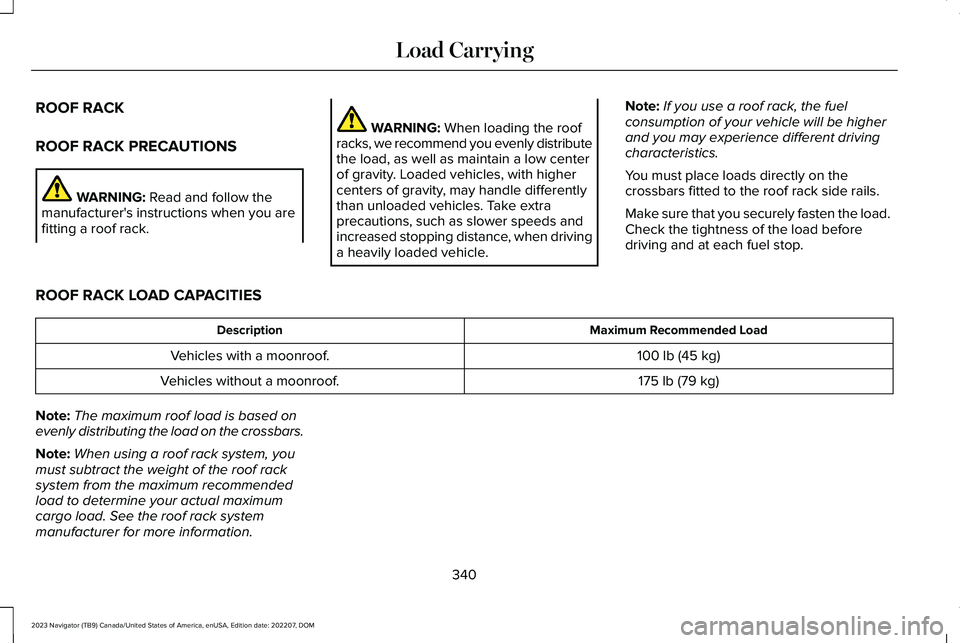
WARNING: When loading the roofracks, we recommend you evenly distributethe load, as well as maintain a low centerof gravity. Loaded vehicles, with highercenters of gravity, may handle differentlythan unloaded vehicles. Take extraprecautions, such as slower speeds andincreased stopping distance, when drivinga heavily loaded vehicle.
Note:If you use a roof rack, the fuelconsumption of your vehicle will be higherand you may experience different drivingcharacteristics.
You must place loads directly on thecrossbars fitted to the roof rack side rails.
Make sure that you securely fasten the load. Check the tightness of the load beforedriving and at each fuel stop.
ROOF RACK LOAD CAPACITIES
Maximum Recommended LoadDescription
100 lb (45 kg)Vehicles with a moonroof.
175 lb (79 kg)Vehicles without a moonroof.
Note:The maximum roof load is based onevenly distributing the load on the crossbars.
Note:When using a roof rack system, youmust subtract the weight of the roof racksystem from the maximum recommendedload to determine your actual maximumcargo load. See the roof rack systemmanufacturer for more information.
340
2023 Navigator (TB9) Canada/United States of America, enUSA, Edition date: 202207, DOMLoad Carrying