roof rack LINCOLN NAVIGATOR 2023 Owners Manual
[x] Cancel search | Manufacturer: LINCOLN, Model Year: 2023, Model line: NAVIGATOR, Model: LINCOLN NAVIGATOR 2023Pages: 660, PDF Size: 14.04 MB
Page 15 of 660
Driver Alert
What Is Driver Alert.....................................330
How Does Driver Alert Work....................330
Driver Alert Precautions............................330
Driver Alert Limitations...............................331
Switching Driver Alert On and Off...........331
Driver Alert – Troubleshooting.................331
Speed Sign Recognition
What Is Speed Sign Recognition.............332
How Does Speed Sign Recognition Work......................................................................332
Speed Sign Recognition Precautions.....332
Speed Sign Recognition Limitations......332
Speed Sign Recognition Indicators........333
Setting the Speed Sign Recognition SpeedWarning......................................................333
Setting the Speed Sign Recognition SpeedTolerance...................................................333
Speed Sign Recognition – Troubleshooting......................................................................334
Load Carrying
Load Carrying Precautions.......................336
Locating the Safety ComplianceCertification Labels.................................337
What Is the Gross Axle Weight Rating......................................................................337
What Is the Gross Vehicle Weight Rating......................................................................337
What Is the Gross Combined WeightRating.........................................................337
Calculating Payload....................................338
Calculating the Load Limit........................338
Roof Rack......................................................340
Luggage Compartment
Luggage Compartment Precautions.......341
Installing and Removing the LuggageCompartment Cargo Net.......................341
Adjusting the Luggage Compartment LoadFloor...........................................................342
Adjusting the Luggage CompartmentDivider........................................................343
Connecting a Trailer
Connecting a Trailer Precautions............345
Hitches...........................................................345
Connecting a Trailer...................................346
Connecting a Trailer – Troubleshooting......................................................................348
Towing a Trailer
Towing a Trailer Precautions....................349
Trailer Brake Precautions..........................349
Towing a Trailer Limitations......................350
Loading Your Trailer...................................350
Trailer Towing Hints....................................350
Launching or Retrieving a Boat or PersonalWatercraft..................................................351
Towing Weights and Dimensions............352
Towing a Trailer – Troubleshooting........354
Integrated Trailer Brake
Controller
What Is the Integrated Trailer BrakeController..................................................356
Integrated Trailer Brake ControllerPrecautions..............................................356
Using the Integrated Trailer BrakeController..................................................356
Adjusting the Integrated Trailer BrakeController Mode......................................358
11
2023 Navigator (TB9) Canada/United States of America, enUSA, Edition date: 202207, DOMTable of Contents
Page 251 of 660
HOW DOES STABILITY CONTROL
WORK
WARNING: Vehicle modificationsinvolving braking system, aftermarket roofracks, suspension, steering system, tireconstruction and wheel and tire size maychange the handling characteristics of yourvehicle and may adversely affect theperformance of the electronic stabilitycontrol system. In addition, installing anystereo speakers may interfere with andadversely affect the electronic stabilitycontrol system. Reducing the effectivenessof the electronic stability control systemcould lead to an increased risk of loss ofvehicle control, vehicle rollover, personalinjury and death.
WARNING: Remember that evenadvanced technology cannot defy the lawsof physics. It's always possible to losecontrol of a vehicle due to inappropriatedriver input for the conditions. Aggressivedriving on any road condition can causeyou to lose control of your vehicle
increasing the risk of personal injury orproperty damage. Activation of theelectronic stability control system is anindication that at least some of the tireshave exceeded their ability to grip theroad; this could reduce the operator'sability to control the vehicle potentiallyresulting in a loss of vehicle control, vehiclerollover, personal injury and death.
WARNING: You are responsible forcontrolling your vehicle at all times. Thesystem is designed to be an aid and doesnot relieve you of your responsibility todrive with due care and attention. Failureto follow this instruction could result in theloss of control of your vehicle, personalinjury or death.
If a driving condition activates either thestability control or traction control you mayexperience the following conditions:
•The stability and traction control lightflashes.
•Your vehicle slows down.
•Reduced engine power.
The stability control system has severalfeatures built into it to help you maintaincontrol of your vehicle:
Electronic Stability Control
Electronic stability control enhances yourvehicle’s ability to prevent skids or lateralslides by applying brakes to one or more ofthe wheels individually and, if necessary,reducing engine power.
Roll Stability Control
Roll stability control enhances your vehicle’sability to prevent rollovers by detecting yourvehicle’s roll motion and the rate at which itchanges by applying the brakes to one ormore wheels individually.
Curve Control
Curve control enhances your vehicle’s abilityto follow the road when cornering severelyor avoiding objects in the roadway. Curvecontrol operates by reducing engine powerand, if necessary, applying brakes to one ormore of the wheels individually.
247
2023 Navigator (TB9) Canada/United States of America, enUSA, Edition date: 202207, DOMStability Control
Page 340 of 660
LOAD CARRYING PRECAUTIONS
Keep your loaded vehicle weight withinits design rating capability, with orwithout a trailer. Properly loading yourvehicle provides maximum return ofvehicle design performance. Before youload your vehicle, become familiar withthe following terms for determining yourvehicle’s weight rating, with or withouta trailer, from the vehicle’s Tire andLoading Information label or SafetyCompliance Certification label.
WARNING: The appropriateloading capacity of your vehicle canbe limited either by volume capacity(how much space is available) or by
payload capacity (how much weightthe vehicle should carry). Once youhave reached the maximum payloadof your vehicle, do not add morecargo, even if there is space available.Overloading or improperly loadingyour vehicle can contribute to loss ofvehicle control and vehicle rollover.
WARNING: Exceeding the SafetyCompliance Certification label vehicleweight limits can adversely affect theperformance and handling of yourvehicle, cause vehicle damage andcan result in the loss of control of yourvehicle, serious personal injury ordeath.
WARNING: Do not usereplacement tires with lower loadcarrying capacities than the originaltires because they may lower yourvehicle's GVWR and GAWR limitations.Replacement tires with a higher limitthan the original tires do not increasethe GVWR and GAWR limitations.
WARNING: Do not exceed theGVWR or the GAWR specified on thecertification label.
WARNING: Exceeding anyvehicle weight rating can adverselyaffect the performance and handlingof your vehicle, cause vehicle damageand can result in the loss of control ofyour vehicle, serious personal injuryor death.
WARNING: When loading theroof racks, we recommend you evenlydistribute the load, as well as maintaina low center of gravity. Loadedvehicles, with higher centers of gravity,may handle differently than unloadedvehicles. Take extra precautions, suchas slower speeds and increasedstopping distance, when driving aheavily loaded vehicle.
The gross combined weight must neverexceed the Gross Combined WeightRating.
336
2023 Navigator (TB9) Canada/United States of America, enUSA, Edition date: 202207, DOMLoad Carrying
Page 344 of 660
ROOF RACK
ROOF RACK PRECAUTIONS
WARNING: Read and follow themanufacturer's instructions when you arefitting a roof rack.
WARNING: When loading the roofracks, we recommend you evenly distributethe load, as well as maintain a low centerof gravity. Loaded vehicles, with highercenters of gravity, may handle differentlythan unloaded vehicles. Take extraprecautions, such as slower speeds andincreased stopping distance, when drivinga heavily loaded vehicle.
Note:If you use a roof rack, the fuelconsumption of your vehicle will be higherand you may experience different drivingcharacteristics.
You must place loads directly on thecrossbars fitted to the roof rack side rails.
Make sure that you securely fasten the load. Check the tightness of the load beforedriving and at each fuel stop.
ROOF RACK LOAD CAPACITIES
Maximum Recommended LoadDescription
100 lb (45 kg)Vehicles with a moonroof.
175 lb (79 kg)Vehicles without a moonroof.
Note:The maximum roof load is based onevenly distributing the load on the crossbars.
Note:When using a roof rack system, youmust subtract the weight of the roof racksystem from the maximum recommendedload to determine your actual maximumcargo load. See the roof rack systemmanufacturer for more information.
340
2023 Navigator (TB9) Canada/United States of America, enUSA, Edition date: 202207, DOMLoad Carrying
Page 388 of 660
COLD WEATHER PRECAUTIONS
The functional operation of somecomponents and systems can be affected attemperatures below approximately -13°F(-25°C).
DRIVING ON SNOW AND ICE
WARNING: If you are driving inslippery conditions that require tire chainsor cables, then it is critical that you drivecautiously. Keep speeds down, allow forlonger stopping distances and avoidaggressive steering to reduce the chancesof a loss of vehicle control which can leadto serious injury or death. If the rear endof your vehicle slides while cornering, steerin the direction of the slide until you regaincontrol of your vehicle.
On ice and snow, you should drive moreslowly than usual. Your vehicle has a fourwheel anti-lock brake system, do not pumpthe brake pedal. See Anti-Lock BrakingSystem Limitations (page 232).
BREAKING-IN
Your vehicle requires a break-in period. Forthe first 1,000 mi (1,600 km), avoid driving athigh speeds, heavy braking, aggressiveshifting or using your vehicle to tow. Duringthis time, your vehicle may exhibit someunusual driving characteristics.
DRIVING ECONOMICALLY
The following helps to improve fuelconsumption:
•Drive smoothly, accelerate gently andanticipate the road ahead to avoid heavybraking.
•Regularly check your tire pressures andmake sure that they are inflated to thecorrect pressure.
•Follow the recommended maintenanceschedule and carry out therecommended checks.
•Plan your journey and check the trafficbefore you set off. It is more efficient tocombine errands into a single tripwhenever possible.
•Avoid idling the engine in cold weatheror for extended periods. Start the engineonly when you are ready to set off.
•Do not carry unnecessary weight in yourvehicle as extra weight wastes fuel.
•Do not add unnecessary accessories tothe exterior of your vehicle, for examplerunning boards. If you use a roof rack,remember to fold it down or remove itwhen not in use.
•Do not shift into neutral when you arebraking or when your vehicle is slowingdown.
•Shut all windows when driving at highspeeds.
•Switch off all electric systems when notin use, for example air conditioning. Makesure that you unplug any accessoriesfrom the auxiliary power points when notin use.
384
2023 Navigator (TB9) Canada/United States of America, enUSA, Edition date: 202207, DOMDriving Hints
Page 438 of 660
CLEANING SEATBELTS
WARNING: Do not use cleaningsolvents, bleach or dye on the vehicle'sseatbelts, as these actions may weakenthe belt webbing.
1.Wipe the surface with a soft, damp clothand a mild soap and water solution. Drythe area with a clean, soft cloth.
CLEANING MOONROOF TRACKS
1.Remove debris from the tracks with avacuum cleaner.
2.Wipe the bulb seal and mating paintedroof metal surface with a soft, damp clothand a mild soap and water solution.
Note:The moonroof rail tracks are greasedto maintain proper functionality. Do not wipeoff the grease.
REPAIRING MINOR PAINT
DAMAGE
We recommend that you contact anauthorized dealer to identify your vehiclecolor code. Authorized dealers havetouch-up paint to match your vehicle's color.
Before repairing minor paint damage, use acleaner to remove particles such as birddroppings, tree sap, insect deposits, tarspots, road salt and industrial fallout.
Read the instructions before using cleaningproducts.
WAXING YOUR VEHICLE
Wax the high-gloss painted surface of yourprewashed vehicle once or twice a year.
We recommend that you only use anapproved quality wax that does not containabrasives. Follow the manufacturer'sinstructions to apply and remove the wax.For additional information and assistance,we recommend that you contact anauthorized dealer.
When washing and waxing, park your vehiclein a shaded area out of direct sunlight.
Note:Avoid waxing unpainted or low-glossblack colored parts, they discolor over time.
434
2023 Navigator (TB9) Canada/United States of America, enUSA, Edition date: 202207, DOMVehicle Care
Page 495 of 660
Gray indicates the system is acquiring adigital station.
Orange indicates digital audio is playing.
Multicast Indicator
The multicast indicator appears if the currentstation is broadcasting multiple digitalbroadcasts. The highlighted numbersindicate additional digital channels available.
Note:For stations that have more than oneHD multicast, the HD indicator and radio textappears as a button. Press the button tocycle through all of the HD stations on thatspecific frequency.
SATELLITE RADIO (IF EQUIPPED)
WHAT IS SATELLITE RADIO
Your factory-installed SiriusXM radio systemincludes a limited subscription term, whichbegins on the date of sale or lease of yourvehicle. See an authorized dealer foravailability.
For additional information about extendedsubscription terms, visit www.SiriusXM.comin the United States, www.SiriusXM.ca inCanada, or call SiriusXM at 1-888-539-7474.
Note:SiriusXM reserves the unrestrictedright to change, rearrange, add or deleteprogramming including canceling, movingor adding particular channels, and its prices,at any time, with or without notice to you.Neither SiriusXM and its affiliates nor FordMotor Company and its affiliates will beliable to you or any third party for any suchmodification, suspension or termination.
SATELLITE RADIO LIMITATIONS
For optimal reception performance, keep theantenna clear of snow and ice build-up andkeep luggage and other material as far awayfrom the antenna as possible. Placingluggage over the antenna may reduceperformance. Factory-installed andaftermarket vehicle structures including, butnot limited to, roof racks and soft top roofsin a partially open position could reducereception performance.
Hills, mountains, tall buildings, bridges,tunnels, freeway overpasses, parkinggarages, dense tree foliage andthunderstorms can interfere with yourreception.
When you pass a ground-basedbroadcast-repeating tower, a stronger signalmay overtake a weaker one and could resultin the audio system muting. Your displaycould show an error message to indicate theinterference.
LOCATING THE SATELLITE RADIOIDENTIFICATION NUMBER
1.Select SiriusXM as the audio source.
2.Tune to channel 0.
SELECTING A CHANNEL
Manually Selecting a Channel
Press the button to find theprevious or next available radiochannel.
491
2023 Navigator (TB9) Canada/United States of America, enUSA, Edition date: 202207, DOMAudio SystemE328569 E328570
Page 639 of 660
Catalytic Converter.......................................218Catalytic Converter – Troubleshooting.........219
Catalytic Converter Precautions...............218Catalytic Converter –Troubleshooting..........................................219Catalytic Converter – Warning Lamps...........219
Center Console............................................200Opening the Center Console.........................200
Center Display Limitations.........................498Center Display Overview...........................498Center Display Precautions.......................498Changing a Flat Tire....................................459Changing a Road Wheel............................459Changing the 12V Battery..........................424Changing the Fuel Filter.............................424Changing the Language...............................151Changing the Measurement Unit...............151Changing the Radio Station.......................497Changing the Remote Control Battery......73Changing the Temperature Unit.................151Changing the Tire Pressure Unit................151Changing the Vehicle Wi-Fi Hotspot Nameor Password................................................484Charging a Device........................................194Charging a Wireless Device.......................198Checking MyKey System Status.................84Checking the Brake Fluid..........................232Checking the Coolant..................................418
Checking the Seatbelts.................................58Checking the Tire Pressures.....................449Checking the Wiper Blades.........................116Childminder Mirror........................................136Childminder Mirror Precautions.......................136Locating the Childminder Mirror......................136
Children and Airbags.....................................65Child Restraint Anchor Points......................40Locating the Child Restraint Lower AnchorPoints...................................................................40Locating the Child Restraint Top TetherAnchor Points.....................................................41What Are the Child Restraint AnchorPoints...................................................................40
Child Restraints................................................41Child Restraint Position Information..................41Child Restraints Recommendation...................43
Child Safety......................................................39Child Restraint Anchor Points............................40Child Restraints.......................................................41Installing Child Restraints....................................44
Child Safety Locks...........................................51Child Safety Precautions...............................39Cleaning Products.......................................429Cleaning the Exterior..................................430Cleaning Camera Lenses and Sensors........432Cleaning Chrome, Aluminium or StainlessSteel..................................................................430
Cleaning Headlamps and Rear Lamps.........430Cleaning Stripes or Graphics............................431Cleaning the Engine Compartment................431Cleaning the Exterior Precautions.................430Cleaning the Underbody..................................432Cleaning Wheels..................................................431Cleaning Windows and Wiper Blades..........430
Cleaning the Interior....................................432Cleaning Carpets and Floor Mats..................433Cleaning Displays and Screens......................432Cleaning Fabric Seats and Headliners.........433Cleaning Leather and Vinyl..............................433Cleaning Moonroof Tracks...............................434Cleaning Plastic..................................................432Cleaning Seatbelts.............................................434Cleaning the Instrument Panel.......................432
Clearing All MyKeys.......................................84Climate Control..............................................159Auto Mode.............................................................161
Climate Control Hints...................................162Closing the Liftgate......................................100Closing the Hands-Free Liftgate.....................102Closing the Liftgate From Inside YourVehicle...............................................................100Closing the Liftgate From Outside YourVehicle................................................................101Closing the Liftgate Using the RemoteControl................................................................101
635
2023 Navigator (TB9) Canada/United States of America, enUSA, Edition date: 202207, DOMIndex
Page 647 of 660
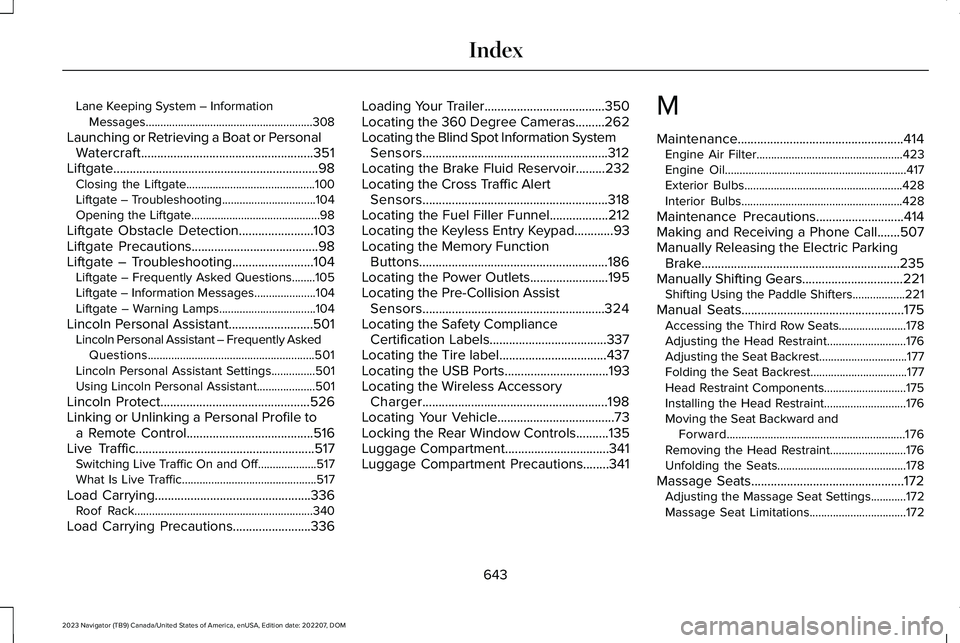
Lane Keeping System – InformationMessages.........................................................308
Launching or Retrieving a Boat or PersonalWatercraft.....................................................351Liftgate...............................................................98Closing the Liftgate............................................100Liftgate – Troubleshooting................................104Opening the Liftgate............................................98
Liftgate Obstacle Detection.......................103Liftgate Precautions.......................................98Liftgate – Troubleshooting.........................104Liftgate – Frequently Asked Questions........105Liftgate – Information Messages.....................104Liftgate – Warning Lamps.................................104
Lincoln Personal Assistant..........................501Lincoln Personal Assistant – Frequently AskedQuestions.........................................................501Lincoln Personal Assistant Settings...............501Using Lincoln Personal Assistant....................501
Lincoln Protect..............................................526Linking or Unlinking a Personal Profile toa Remote Control.......................................516Live Traffic.......................................................517Switching Live Traffic On and Off....................517What Is Live Traffic..............................................517
Load Carrying................................................336Roof Rack.............................................................340
Load Carrying Precautions........................336
Loading Your Trailer.....................................350Locating the 360 Degree Cameras.........262Locating the Blind Spot Information SystemSensors.........................................................312Locating the Brake Fluid Reservoir.........232Locating the Cross Traffic AlertSensors.........................................................318Locating the Fuel Filler Funnel..................212Locating the Keyless Entry Keypad............93Locating the Memory FunctionButtons..........................................................186Locating the Power Outlets........................195Locating the Pre-Collision AssistSensors........................................................324Locating the Safety ComplianceCertification Labels....................................337Locating the Tire label.................................437Locating the USB Ports................................193Locating the Wireless AccessoryCharger.........................................................198Locating Your Vehicle....................................73Locking the Rear Window Controls..........135Luggage Compartment................................341Luggage Compartment Precautions........341
M
Maintenance...................................................414Engine Air Filter..................................................423Engine Oil..............................................................417Exterior Bulbs......................................................428Interior Bulbs.......................................................428
Maintenance Precautions...........................414Making and Receiving a Phone Call.......507Manually Releasing the Electric ParkingBrake.............................................................235Manually Shifting Gears...............................221Shifting Using the Paddle Shifters..................221
Manual Seats..................................................175Accessing the Third Row Seats.......................178Adjusting the Head Restraint...........................176Adjusting the Seat Backrest..............................177Folding the Seat Backrest.................................177Head Restraint Components............................175Installing the Head Restraint............................176Moving the Seat Backward andForward.............................................................176Removing the Head Restraint..........................176Unfolding the Seats............................................178
Massage Seats...............................................172Adjusting the Massage Seat Settings............172Massage Seat Limitations.................................172
643
2023 Navigator (TB9) Canada/United States of America, enUSA, Edition date: 202207, DOMIndex
Page 651 of 660
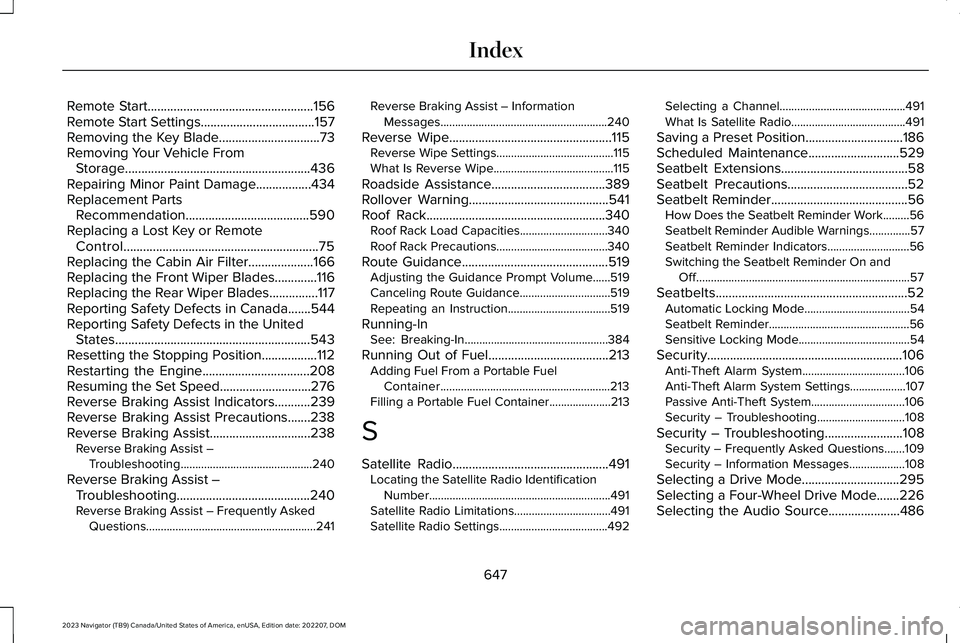
Remote Start...................................................156Remote Start Settings...................................157Removing the Key Blade...............................73Removing Your Vehicle FromStorage.........................................................436Repairing Minor Paint Damage.................434Replacement PartsRecommendation......................................590Replacing a Lost Key or RemoteControl............................................................75Replacing the Cabin Air Filter....................166Replacing the Front Wiper Blades.............116Replacing the Rear Wiper Blades...............117Reporting Safety Defects in Canada.......544Reporting Safety Defects in the UnitedStates............................................................543Resetting the Stopping Position.................112Restarting the Engine.................................208Resuming the Set Speed............................276Reverse Braking Assist Indicators...........239Reverse Braking Assist Precautions.......238Reverse Braking Assist...............................238Reverse Braking Assist –Troubleshooting.............................................240
Reverse Braking Assist –Troubleshooting.........................................240Reverse Braking Assist – Frequently AskedQuestions..........................................................241
Reverse Braking Assist – InformationMessages.........................................................240
Reverse Wipe..................................................115Reverse Wipe Settings........................................115What Is Reverse Wipe.........................................115
Roadside Assistance...................................389Rollover Warning...........................................541Roof Rack.......................................................340Roof Rack Load Capacities..............................340Roof Rack Precautions......................................340
Route Guidance.............................................519Adjusting the Guidance Prompt Volume......519Canceling Route Guidance...............................519Repeating an Instruction...................................519
Running-InSee: Breaking-In.................................................384
Running Out of Fuel.....................................213Adding Fuel From a Portable FuelContainer..........................................................213Filling a Portable Fuel Container.....................213
S
Satellite Radio................................................491Locating the Satellite Radio IdentificationNumber..............................................................491Satellite Radio Limitations.................................491Satellite Radio Settings.....................................492
Selecting a Channel...........................................491What Is Satellite Radio.......................................491
Saving a Preset Position..............................186Scheduled Maintenance............................529Seatbelt Extensions.......................................58Seatbelt Precautions.....................................52Seatbelt Reminder..........................................56How Does the Seatbelt Reminder Work.........56Seatbelt Reminder Audible Warnings..............57Seatbelt Reminder Indicators............................56Switching the Seatbelt Reminder On andOff.........................................................................57
Seatbelts...........................................................52Automatic Locking Mode....................................54Seatbelt Reminder................................................56Sensitive Locking Mode......................................54
Security............................................................106Anti-Theft Alarm System...................................106Anti-Theft Alarm System Settings...................107Passive Anti-Theft System................................106Security – Troubleshooting..............................108
Security – Troubleshooting........................108Security – Frequently Asked Questions.......109Security – Information Messages...................108
Selecting a Drive Mode..............................295Selecting a Four-Wheel Drive Mode.......226Selecting the Audio Source......................486
647
2023 Navigator (TB9) Canada/United States of America, enUSA, Edition date: 202207, DOMIndex