instrument panel LINCOLN TOWN CAR 1997 Owners Manual
[x] Cancel search | Manufacturer: LINCOLN, Model Year: 1997, Model line: TOWN CAR, Model: LINCOLN TOWN CAR 1997Pages: 305, PDF Size: 2.68 MB
Page 12 of 305

7
InstrumentationThe instrument panel (dashboard) on your vehicle is
divided into several different sections. The
illustrations on the following pages show the major
parts of the instrument panel that are described in
this chapter. Some items shown may not be on all
vehicles.
The main controls for the climate control system,
clock, and radio are on the instrument panel.
If you have radio transmitting equipment in your
vehicle, be aware that it can interfere with your
vehicle's electrical system and may cause the
instrumentation and/or convenience products to
have temporary, abnormal operation.NOTE:Any cleaner or polish that increases the
gloss (shine) of the upper part of the instrument
panel should be avoided. The dull finish in this area
is to help protect the driver from undesirable
windshield reflection
In your vehicle, the warning lights and gauges are
grouped together on the instrument panel. We call
this grouping a cluster. Your vehicle has an
electronic cluster.
File:03fnist.ex
Update:Mon Jun 17 13:46:47 1996
Page 19 of 305
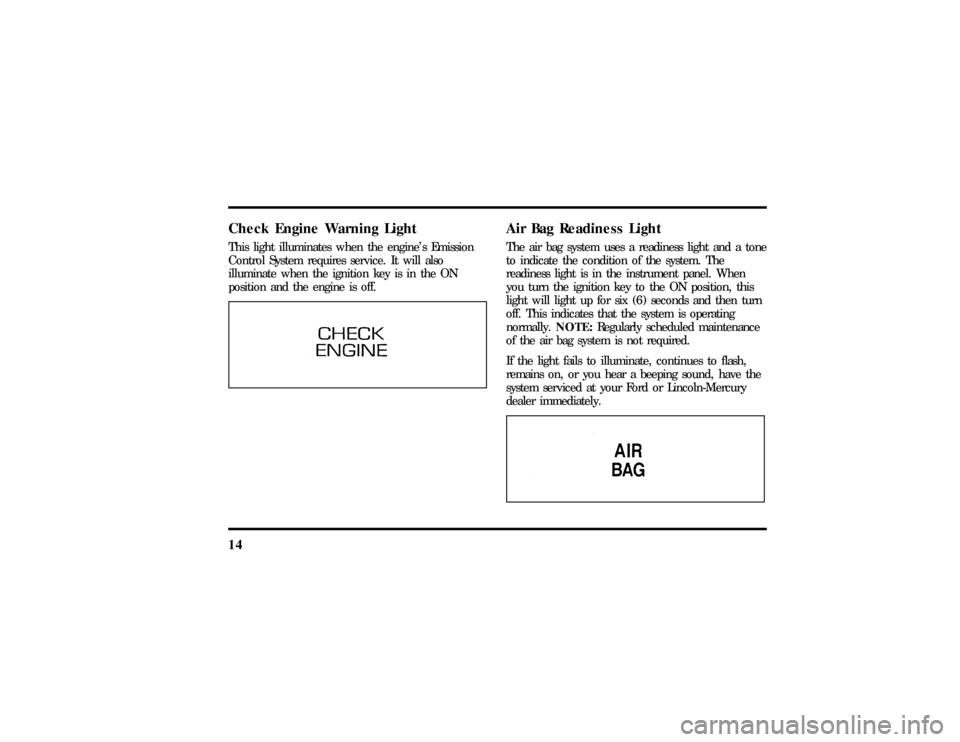
14Check Engine Warning LightThis light illuminates when the engine's Emission
Control System requires service. It will also
illuminate when the ignition key is in the ON
position and the engine is off.
Air Bag Readiness LightThe air bag system uses a readiness light and a tone
to indicate the condition of the system. The
readiness light is in the instrument panel. When
you turn the ignition key to the ON position, this
light will light up for six (6) seconds and then turn
off. This indicates that the system is operating
normally.NOTE:Regularly scheduled maintenance
of the air bag system is not required.
If the light fails to illuminate, continues to flash,
remains on, or you hear a beeping sound, have the
system serviced at your Ford or Lincoln-Mercury
dealer immediately.
File:03fnist.ex
Update:Mon Jun 17 13:46:47 1996
Page 21 of 305
16If you lose engine oil pressure:
1. Pull off the road as soon as safely possible.
2. Shut off the engine immediately. If you do not
stop the engine as soon as safely possible,
severe engine damage could result.
3. Check the engine's oil level, following the
instructions on checking and adding engine oil,
seeEngine Oilin the Index. If you do not
follow these instructions, you or others could
be injured. To assure an accurate reading, your
car should be on level ground.
4. If the level is low, add only as much oil as
necessary before you start the engine again. Do
not overfill. Do not operate the engine if the
light is on, regardless of the oil level. Contact
your nearest dealer for further service actions.
For more information about adding oil, seeAdding
engine oilin theMaintenance and Carechapter of
this guide.
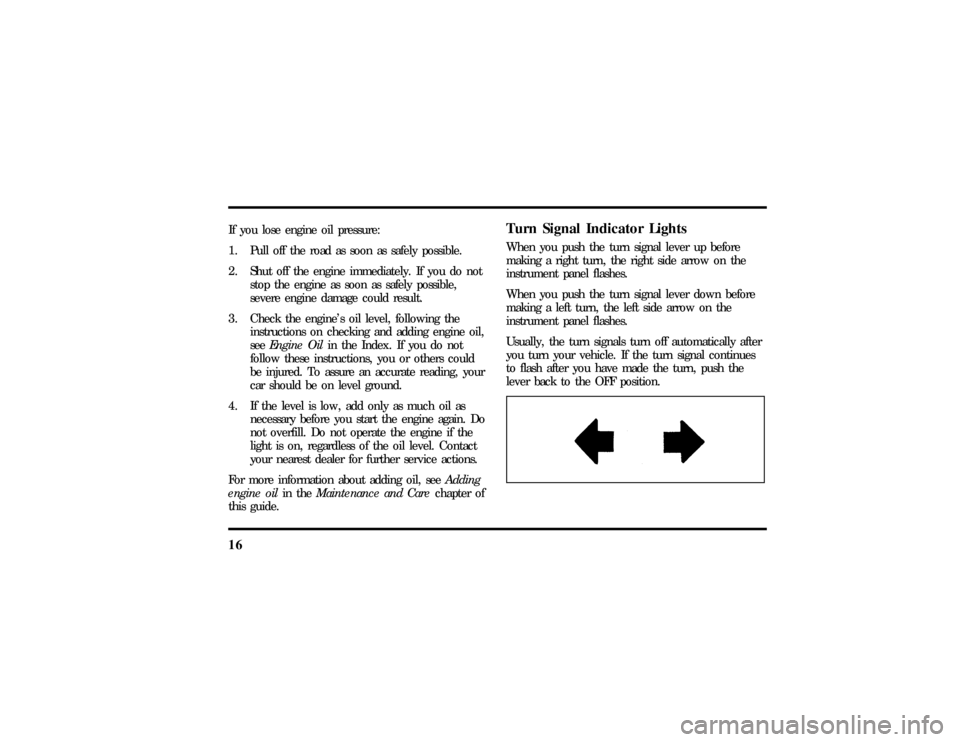
Turn Signal Indicator LightsWhen you push the turn signal lever up before
making a right turn, the right side arrow on the
instrument panel flashes.
When you push the turn signal lever down before
making a left turn, the left side arrow on the
instrument panel flashes.
Usually, the turn signals turn off automatically after
you turn your vehicle. If the turn signal continues
to flash after you have made the turn, push the
lever back to the OFF position.
File:03fnist.ex
Update:Mon Jun 17 13:46:47 1996
Page 27 of 305
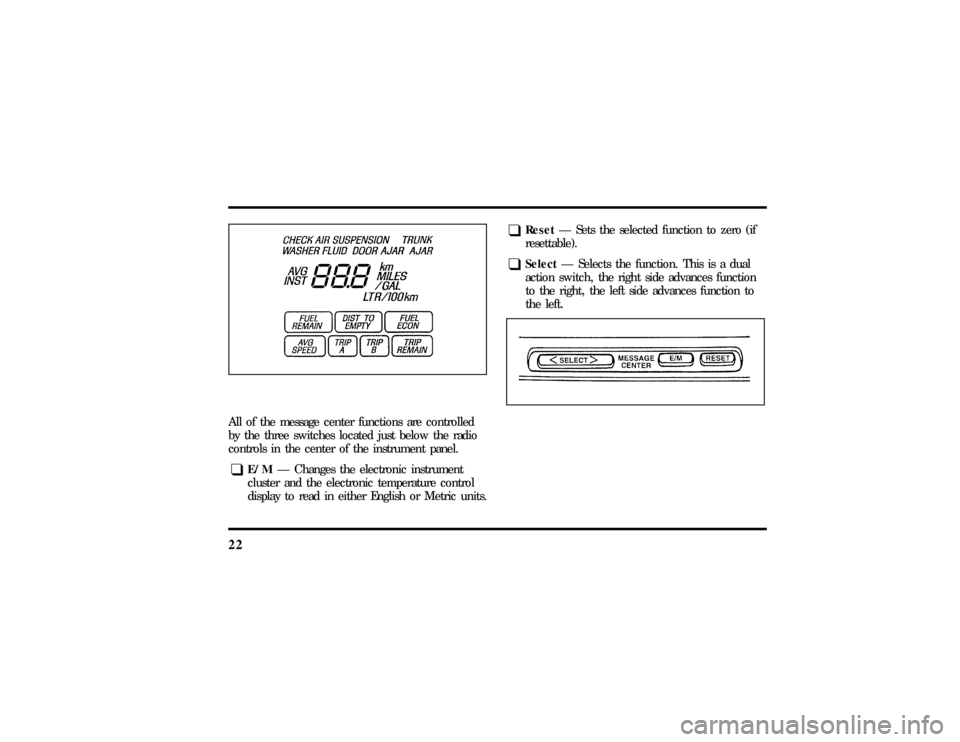
22All of the message center functions are controlled
by the three switches located just below the radio
controls in the center of the instrument panel.q
E/MÐ Changes the electronic instrument
cluster and the electronic temperature control
display to read in either English or Metric units.
q
ResetÐ Sets the selected function to zero (if
resettable).
q
SelectÐ Selects the function. This is a dual
action switch, the right side advances function
to the right, the left side advances function to
the left.
File:03fnist.ex
Update:Mon Jun 17 13:46:47 1996
Page 59 of 305

55
Controls and FeaturesThe Climate Control SystemElectronic Automatic Temperature
Control SystemThe Electronic Automatic Temperature Control
(EATC) module is located at the center of the
instrument panel and operates only when the key is
in the ON position.The EATC feature maintains the temperature you
select and automatically controls the airflow for
your comfort. It also allows you to override the
automatic operation with manual override buttons.
File:05fncft.ex
Update:Mon Jun 17 13:49:49 1996
Page 66 of 305

62MAX A/C, etc.), automatic fan control will
continue unless you rotate the fan thumbwheel. To
return to automatic fan control, press the
AUTOMATIC button. The EATC will return to
Automatic operation. If you want to return to any
override function, press the button for that function.
The fan speed will continue to be automatically
controlled.Steering wheel remote control buttonsSome cars have control buttons to the right side of
the center of the steering wheel which allow you to
control some radio and climate control features.
Refer to theSteering Column Controlschapter later
in this owner guide for further information.Manual override buttonsYour EATC has six buttons which allow you to
make special selections. The buttons are located
along the bottom edge of the EATC control and
allow you to determine where the air will be
discharged. Pressing any override button changesthe air discharge location only. It does not affect
the ability of the system to control temperature or
the fan speed. Return to fully Automatic operation
by pushing the AUTOMATIC button.
MAX A/C button
The MAX A/C feature allows for faster cooling
because air is drawn from inside the vehicle. Using
inside air causes the fan to sound louder which is
normal for this selection. The Display window will
change to indicate60ÊF(16ÊC) and MAXA/C. The
fan will run and the airflow will be from the
instrument panel registers. To exit and return to the
previous temperature, push AUTOMATIC or any of
the other five override buttons.
NORM A/C button
When you push this button, you select air
conditioning using outside air. The Display window
will indicate A/C under the selected temperature.
The cooled air will flow from the instrument panel
registers. The fan speed will continue on automatic.
File:05fncft.ex
Update:Mon Jun 17 13:49:49 1996
Page 67 of 305

63
VENT button
Push this button to select outside air through the
instrument panel registers. The display window will
show the set temperature and VENT to the lower
right of the temperature. Your EATC will heat the
air if the temperature you have selected is warmer
than the outside air coming into the vehicle.
However, the air will NOT be cooled regardless of
the temperature setting.
FLOOR button
Airflow will be to the floor when the FLOOR
button is pressed. The display window will show
the set temperature and FLR to the left of the
temperature. The air cannot be cooled in the FLR
position, only heated. Fan speed will be automatic
unless manually controlled. If you override the fan
speed and wish to return to automatic fan control,
push AUTOMATIC. Then, again select FLOOR for
airflow to the floor.FLR & DEF button
Push this button to get air to the floor and
windshield defrosters at the same time. The display
will show the set temperature, FLR and the Defrost
symbol. If the outside temperature is about50ÊF
(10ÊC) andabove, the air will be dehumidified to
remove moisture. This will help to prevent fogging
in humid weather.
DEF button
Press the Defrost Button to obtain maximum airflow
to the windshield. Adjust the temperature setting as
required for defrosting. The Display window will
show the temperature setting with the Defrost
symbol to the left of the temperature. When the
outside temperature is about50ÊF(10ÊC) and
above, the air will be dehumidified to remove
moisture. This will help prevent fogging in humid
weather.
File:05fncft.ex
Update:Mon Jun 17 13:49:49 1996
Page 75 of 305

71
3. Rotate the headlamp switch counterclockwise
from the OFF position.
4. The autolamp will automatically turn the lamps
on and off for you.
Do not put any articles on top of the photocell that
is located in the top left corner of the instrument
panel. This photocell controls the autolamp. If you
cover it, the photocell reacts as if it is nighttime,
and the lamps turn on.
To turn the autolamp off, rotate the headlamp
switch clockwise to the OFF position.You can set the autolamp so the headlamps stay on
for up to three minutes after you turn your vehicle
off.
q
The further you rotate the headlamp switch
counterclockwise, the longer the lamps will stay
on after you leave your vehicle. Similarly, if you
rotate the switch only slightly, the headlamps
stay on for only a short time after you turn
your vehicle off.
Turning On Interior LightsTo turn on the interior lights, push the headlamp
switch in.Instrument Panel IlluminationWith the light knob in the parking lamps or the
headlamps position, you can brighten or dim the
lights in the instrument panel with the rocker
switch.
File:05fncft.ex
Update:Mon Jun 17 13:49:49 1996
Page 76 of 305
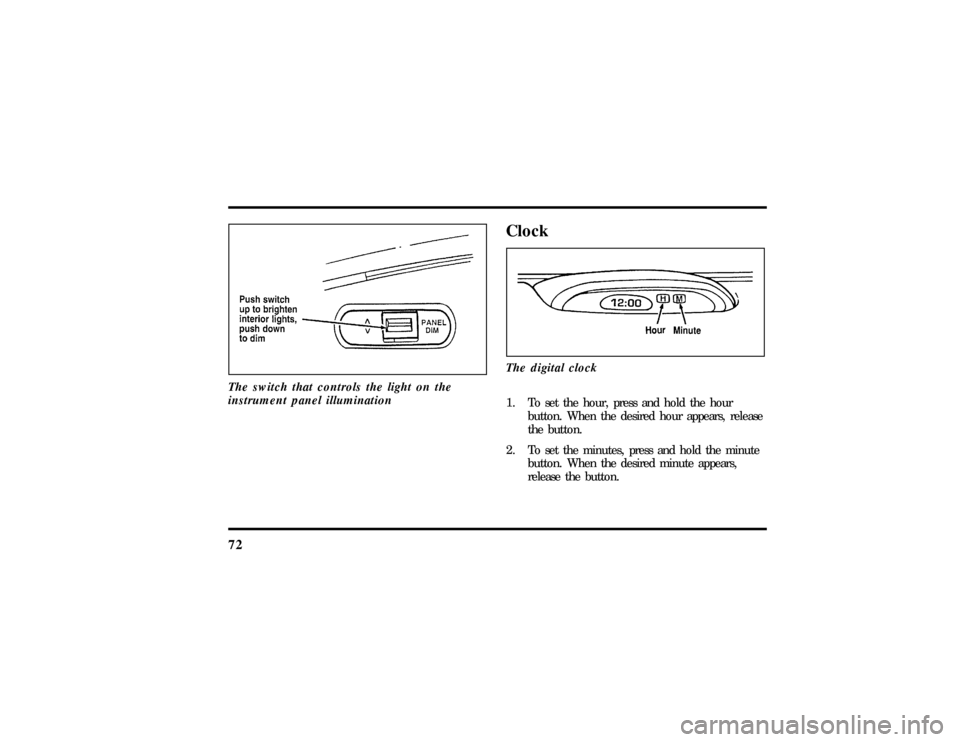
72The switch that controls the light on the
instrument panel illumination
ClockThe digital clock1. To set the hour, press and hold the hour
button. When the desired hour appears, release
the button.
2. To set the minutes, press and hold the minute
button. When the desired minute appears,
release the button.
File:05fncft.ex
Update:Mon Jun 17 13:49:49 1996
Page 77 of 305
73
Ashtray and CupholderYour vehicle has an ashtray/cupholder mounted to
the lower center of the instrument panel.
To open the ashtray, pull out the bottom edge of
the drawer until it stops.
To close, remove cup(s) and push drawer forward
until closed.Power Point Electrical OutletThe power point outlet is located under the
instrument panel to the right of the ashtray. This
outlet should be used in place of the cigarette
lighter for optional electrical accessories.
NOTE:Do not plug optional electrical accessories
into the cigarette lighter. Electrical system damage
could occur.
To access the outlet, pull the cap off.
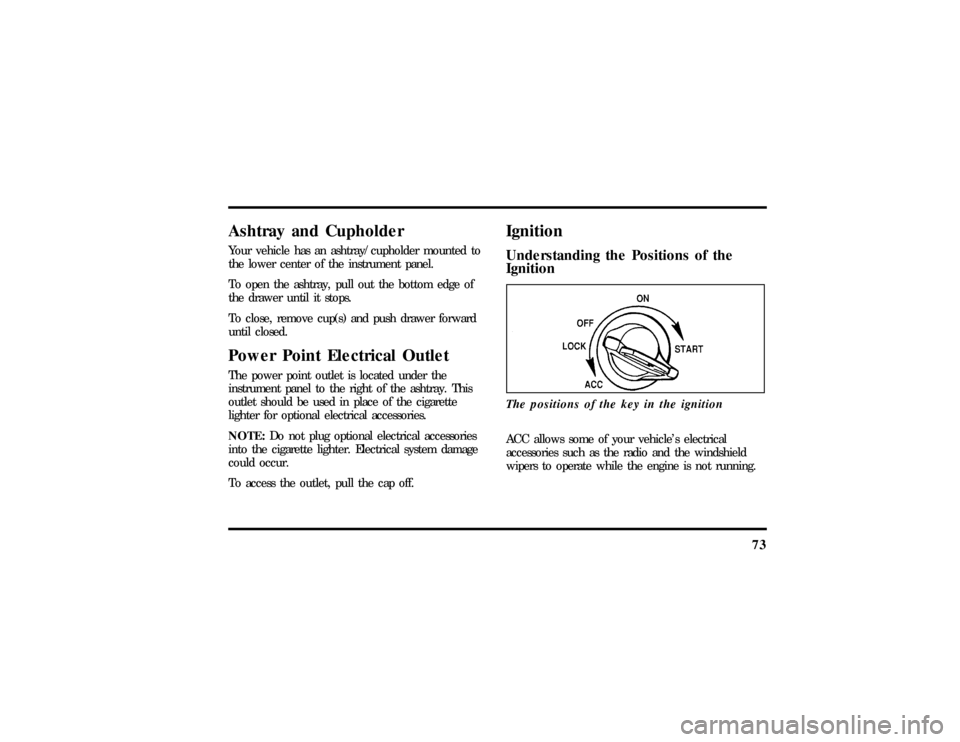
IgnitionUnderstanding the Positions of the
IgnitionThe positions of the key in the ignitionACC allows some of your vehicle's electrical
accessories such as the radio and the windshield
wipers to operate while the engine is not running.
File:05fncft.ex
Update:Mon Jun 17 13:49:49 1996