message center LINCOLN TOWN CAR 2000 Owners Manual
[x] Cancel search | Manufacturer: LINCOLN, Model Year: 2000, Model line: TOWN CAR, Model: LINCOLN TOWN CAR 2000Pages: 224, PDF Size: 1.73 MB
Page 16 of 224
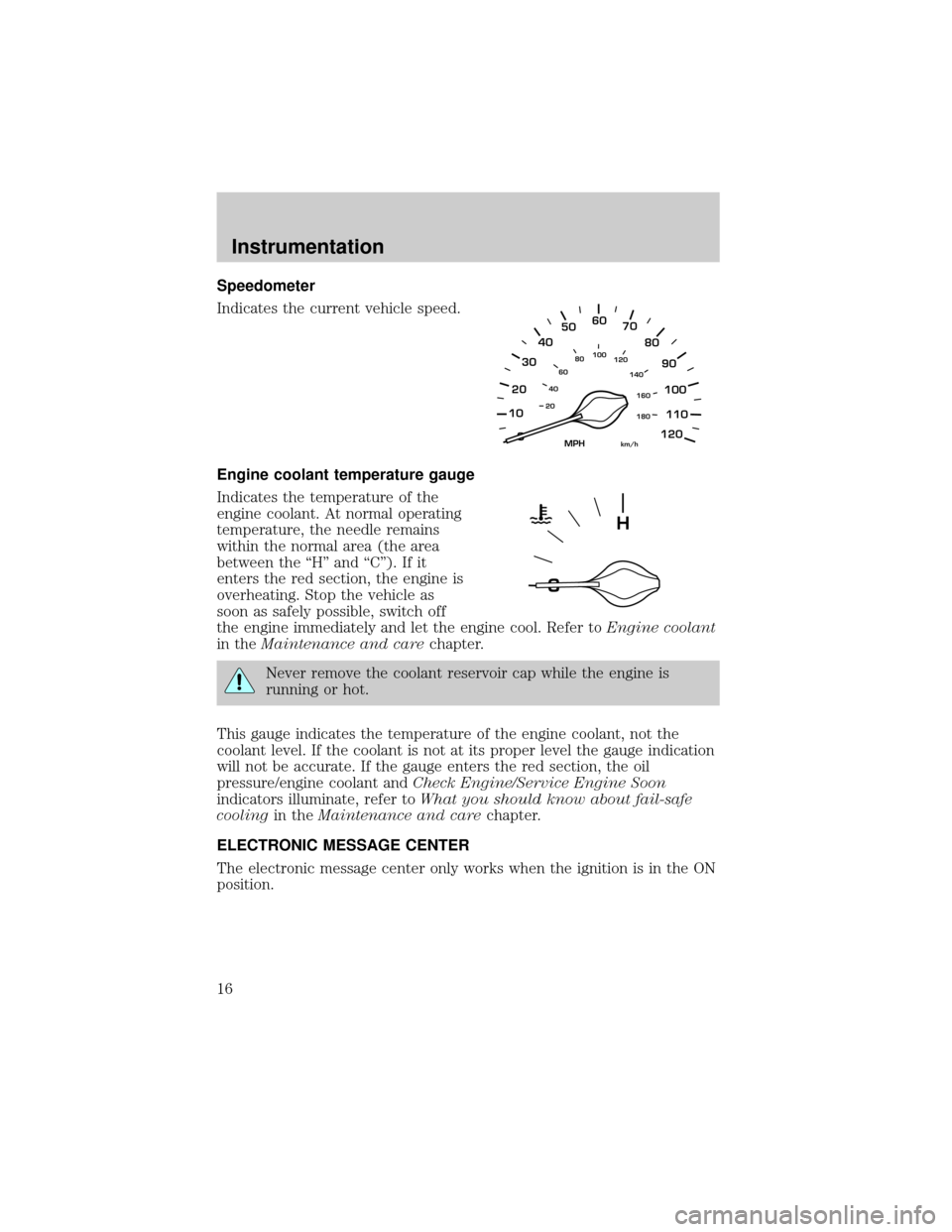
Speedometer
Indicates the current vehicle speed.
Engine coolant temperature gauge
Indicates the temperature of the
engine coolant. At normal operating
temperature, the needle remains
within the normal area (the area
between the ªHº and ªCº). If it
enters the red section, the engine is
overheating. Stop the vehicle as
soon as safely possible, switch off
the engine immediately and let the engine cool. Refer toEngine coolant
in theMaintenance and carechapter.
Never remove the coolant reservoir cap while the engine is
running or hot.
This gauge indicates the temperature of the engine coolant, not the
coolant level. If the coolant is not at its proper level the gauge indication
will not be accurate. If the gauge enters the red section, the oil
pressure/engine coolant andCheck Engine/Service Engine Soon
indicators illuminate, refer toWhat you should know about fail-safe
coolingin theMaintenance and carechapter.
ELECTRONIC MESSAGE CENTER
The electronic message center only works when the ignition is in the ON
position.
10
2030405060
70
80
90
100
120206080
40100
120
160 140
180
MPHkm/h
110
H
Instrumentation
16
Page 17 of 224
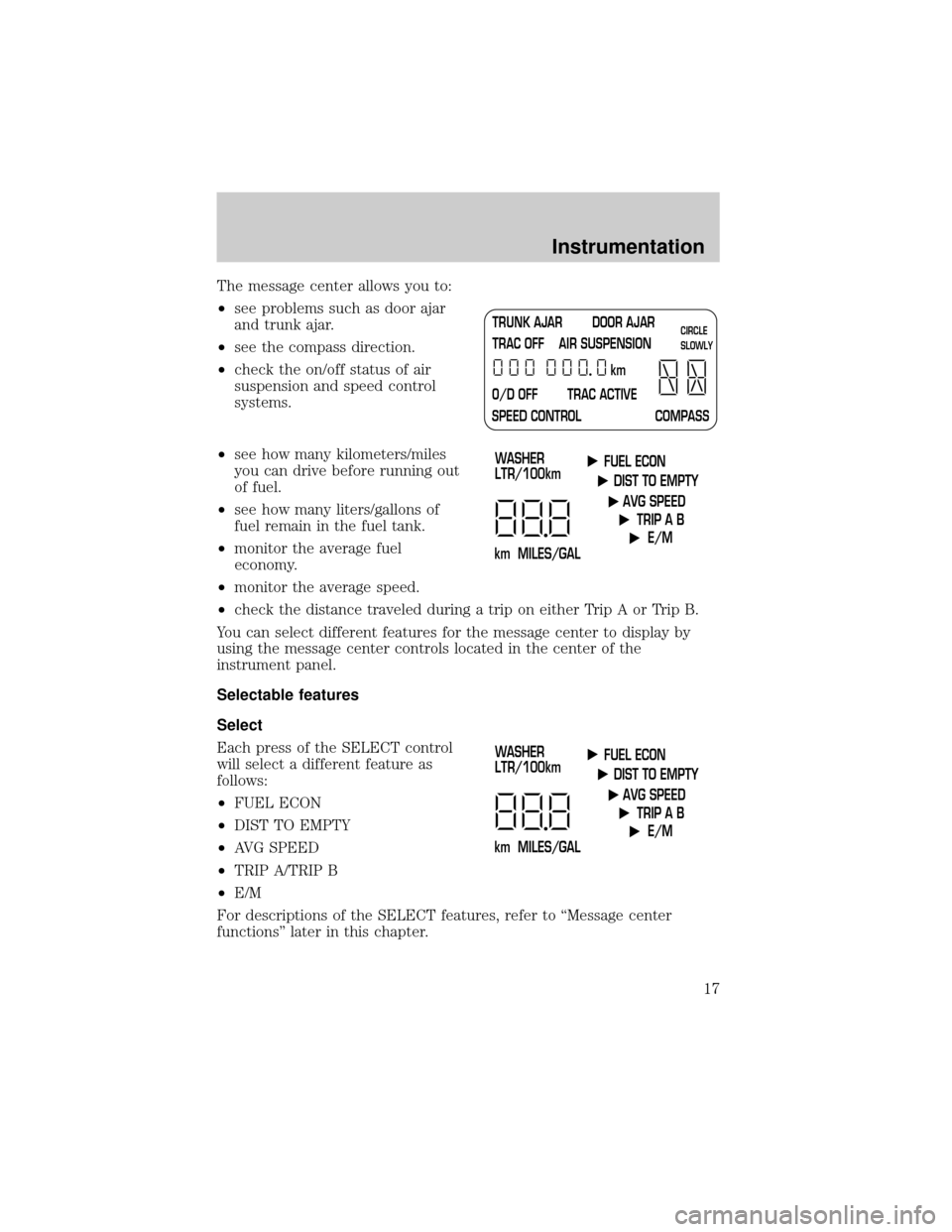
The message center allows you to:
²see problems such as door ajar
and trunk ajar.
²see the compass direction.
²check the on/off status of air
suspension and speed control
systems.
²see how many kilometers/miles
you can drive before running out
of fuel.
²see how many liters/gallons of
fuel remain in the fuel tank.
²monitor the average fuel
economy.
²monitor the average speed.
²check the distance traveled during a trip on either Trip A or Trip B.
You can select different features for the message center to display by
using the message center controls located in the center of the
instrument panel.
Selectable features
Select
Each press of the SELECT control
will select a different feature as
follows:
²FUEL ECON
²DIST TO EMPTY
²AVG SPEED
²TRIP A/TRIP B
²E/M
For descriptions of the SELECT features, refer to ªMessage center
functionsº later in this chapter.
TRUNK AJAR DOOR AJAR
TRAC OFF AIR SUSPENSION
O/D OFF TRAC ACTIVE
SPEED CONTROL COMPASSkmCIRCLE
SLOWLY
FUEL ECON
DIST TO EMPTY
AVG SPEED
TRIP A B
E/M
km MILES/GALWASHER
LTR/100km
FUEL ECON
DIST TO EMPTY
AVG SPEED
TRIP A B
E/M
km MILES/GALWASHER
LTR/100km
Instrumentation
17
Page 18 of 224
Reset
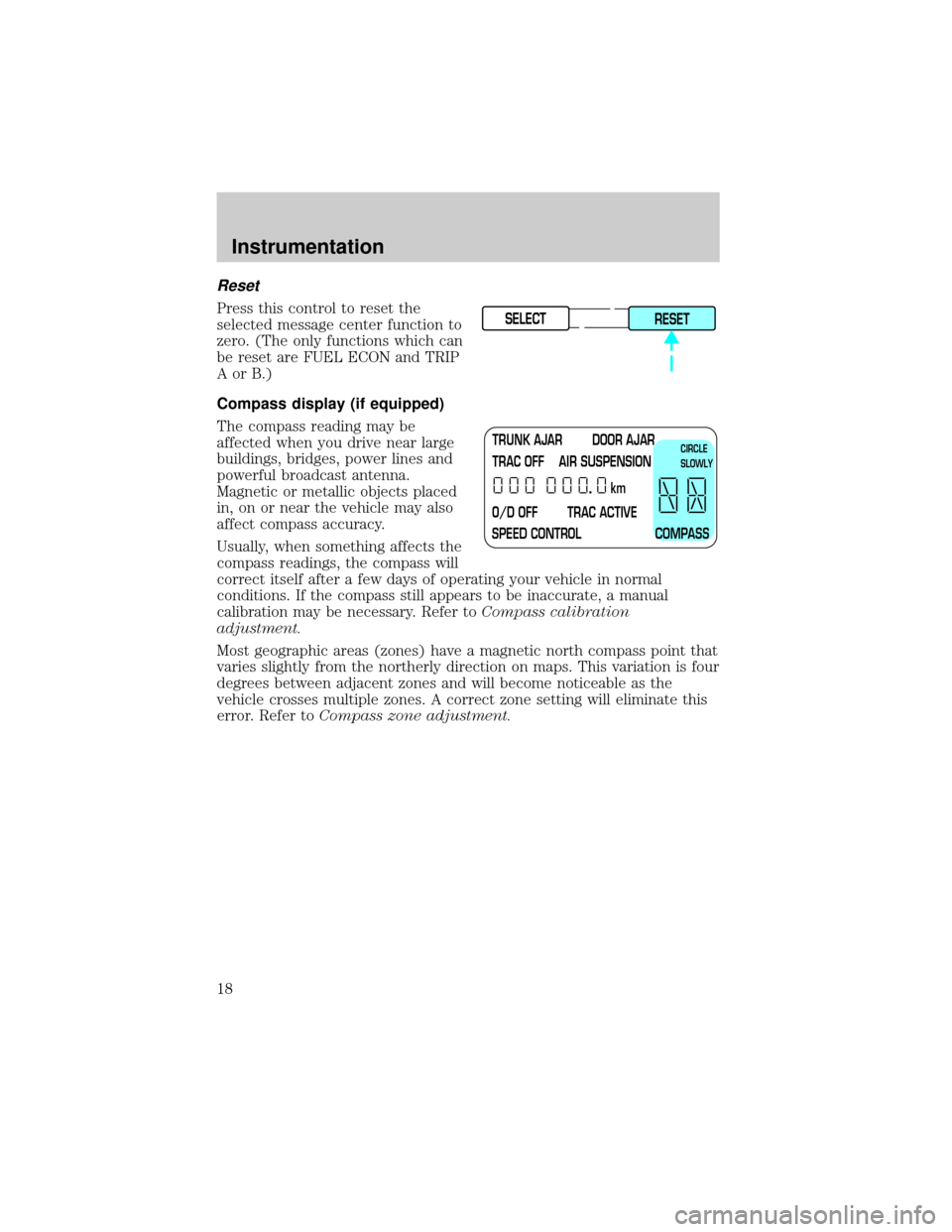
Press this control to reset the
selected message center function to
zero. (The only functions which can
be reset are FUEL ECON and TRIP
AorB.)
Compass display (if equipped)
The compass reading may be
affected when you drive near large
buildings, bridges, power lines and
powerful broadcast antenna.
Magnetic or metallic objects placed
in, on or near the vehicle may also
affect compass accuracy.
Usually, when something affects the
compass readings, the compass will
correct itself after a few days of operating your vehicle in normal
conditions. If the compass still appears to be inaccurate, a manual
calibration may be necessary. Refer toCompass calibration
adjustment.
Most geographic areas (zones) have a magnetic north compass point that
varies slightly from the northerly direction on maps. This variation is four
degrees between adjacent zones and will become noticeable as the
vehicle crosses multiple zones. A correct zone setting will eliminate this
error. Refer toCompass zone adjustment.SELECT
RESET
TRUNK AJAR DOOR AJAR
TRAC OFF AIR SUSPENSION
O/D OFF TRAC ACTIVE
SPEED CONTROL COMPASSkmCIRCLE
SLOWLY
Instrumentation
18
Page 19 of 224
Compass zone adjustment
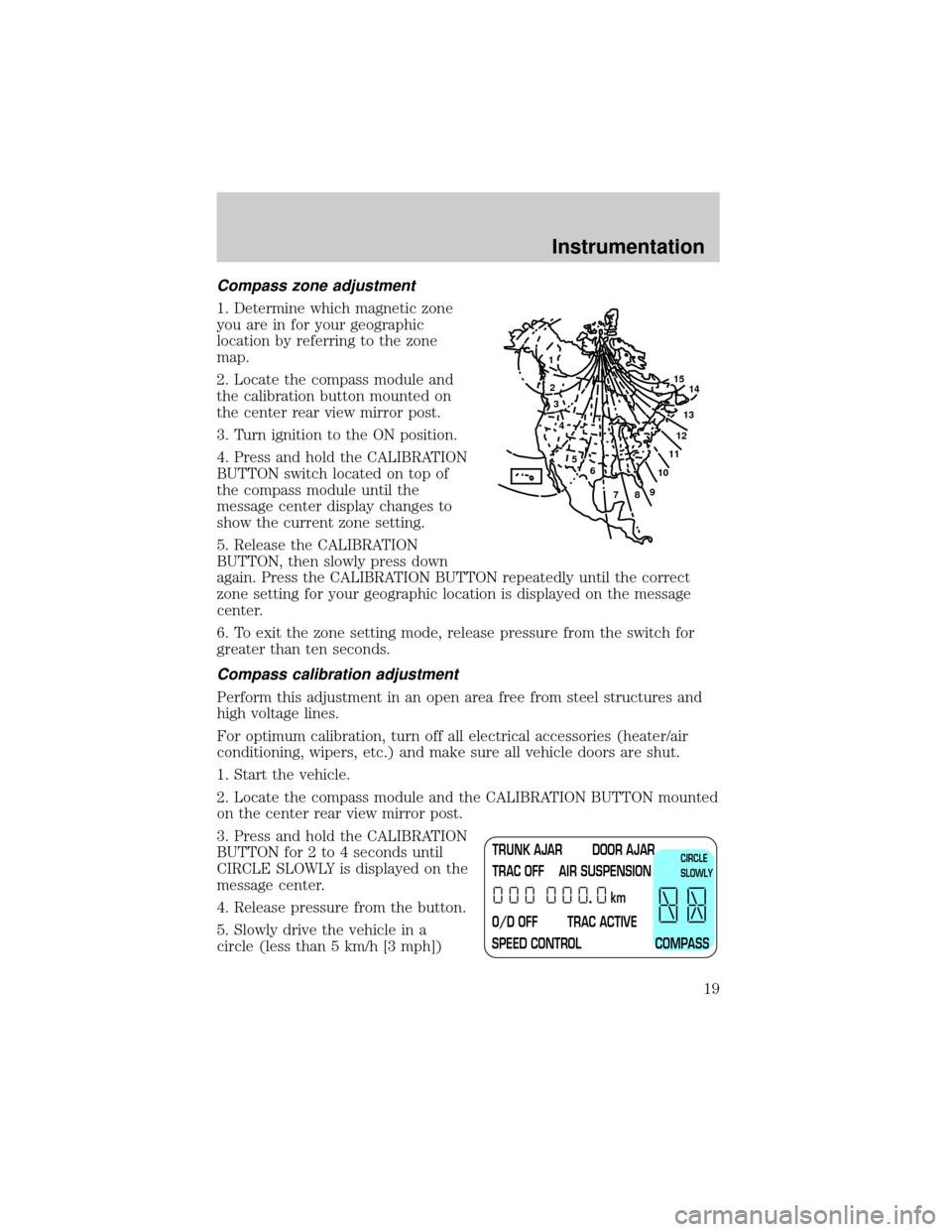
1. Determine which magnetic zone
you are in for your geographic
location by referring to the zone
map.
2. Locate the compass module and
the calibration button mounted on
the center rear view mirror post.
3. Turn ignition to the ON position.
4. Press and hold the CALIBRATION
BUTTON switch located on top of
the compass module until the
message center display changes to
show the current zone setting.
5. Release the CALIBRATION
BUTTON, then slowly press down
again. Press the CALIBRATION BUTTON repeatedly until the correct
zone setting for your geographic location is displayed on the message
center.
6. To exit the zone setting mode, release pressure from the switch for
greater than ten seconds.
Compass calibration adjustment
Perform this adjustment in an open area free from steel structures and
high voltage lines.
For optimum calibration, turn off all electrical accessories (heater/air
conditioning, wipers, etc.) and make sure all vehicle doors are shut.
1. Start the vehicle.
2. Locate the compass module and the CALIBRATION BUTTON mounted
on the center rear view mirror post.
3. Press and hold the CALIBRATION
BUTTON for 2 to 4 seconds until
CIRCLE SLOWLY is displayed on the
message center.
4. Release pressure from the button.
5. Slowly drive the vehicle in a
circle (less than 5 km/h [3 mph])
1
2
3
4
5
6
7891011121314 15
TRUNK AJAR DOOR AJAR
TRAC OFF AIR SUSPENSION
O/D OFF TRAC ACTIVE
SPEED CONTROL COMPASSkmCIRCLE
SLOWLY
Instrumentation
19
Page 20 of 224
until the CIRCLE SLOWLY indicator turns off. This will take up to five
circles to complete calibration.
6. The compass is now calibrated.
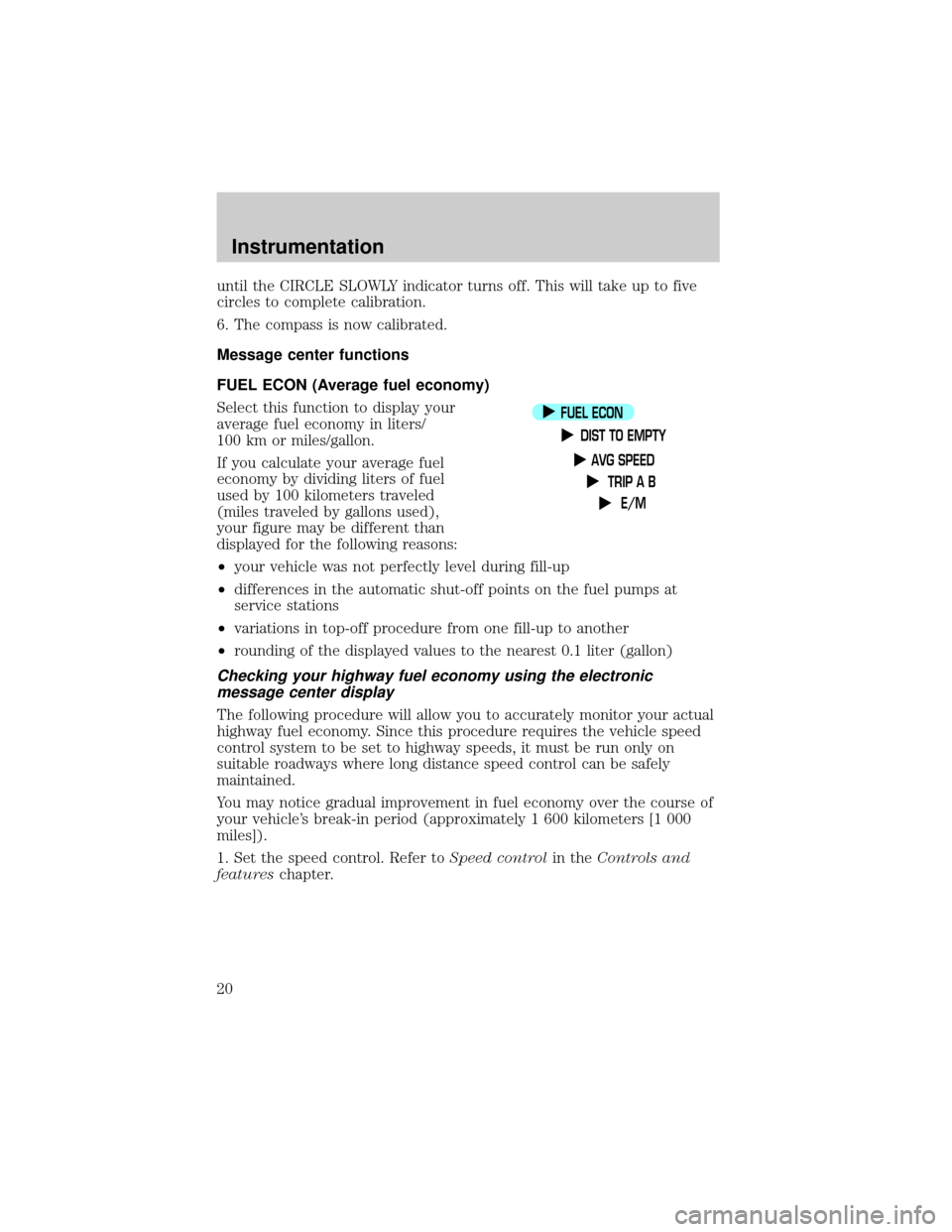
Message center functions
FUEL ECON (Average fuel economy)
Select this function to display your
average fuel economy in liters/
100 km or miles/gallon.
If you calculate your average fuel
economy by dividing liters of fuel
used by 100 kilometers traveled
(miles traveled by gallons used),
your figure may be different than
displayed for the following reasons:
²your vehicle was not perfectly level during fill-up
²differences in the automatic shut-off points on the fuel pumps at
service stations
²variations in top-off procedure from one fill-up to another
²rounding of the displayed values to the nearest 0.1 liter (gallon)
Checking your highway fuel economy using the electronic
message center display
The following procedure will allow you to accurately monitor your actual
highway fuel economy. Since this procedure requires the vehicle speed
control system to be set to highway speeds, it must be run only on
suitable roadways where long distance speed control can be safely
maintained.
You may notice gradual improvement in fuel economy over the course of
your vehicle's break-in period (approximately 1 600 kilometers [1 000
miles]).
1. Set the speed control. Refer toSpeed controlin theControls and
featureschapter.
FUEL ECON
DIST TO EMPTY
AVG SPEED
TRIP A B
E/M
Instrumentation
20
Page 22 of 224
If ªCOº or ªCSº is displayed, there is a problem with the fuel indication
system and you should contact your dealer for service as soon as
possible.
AVG SPEED
To use this function, select AVG
SPEED and press the RESET
control. Your average speed from
that point will be displayed until
RESET is pressed again.
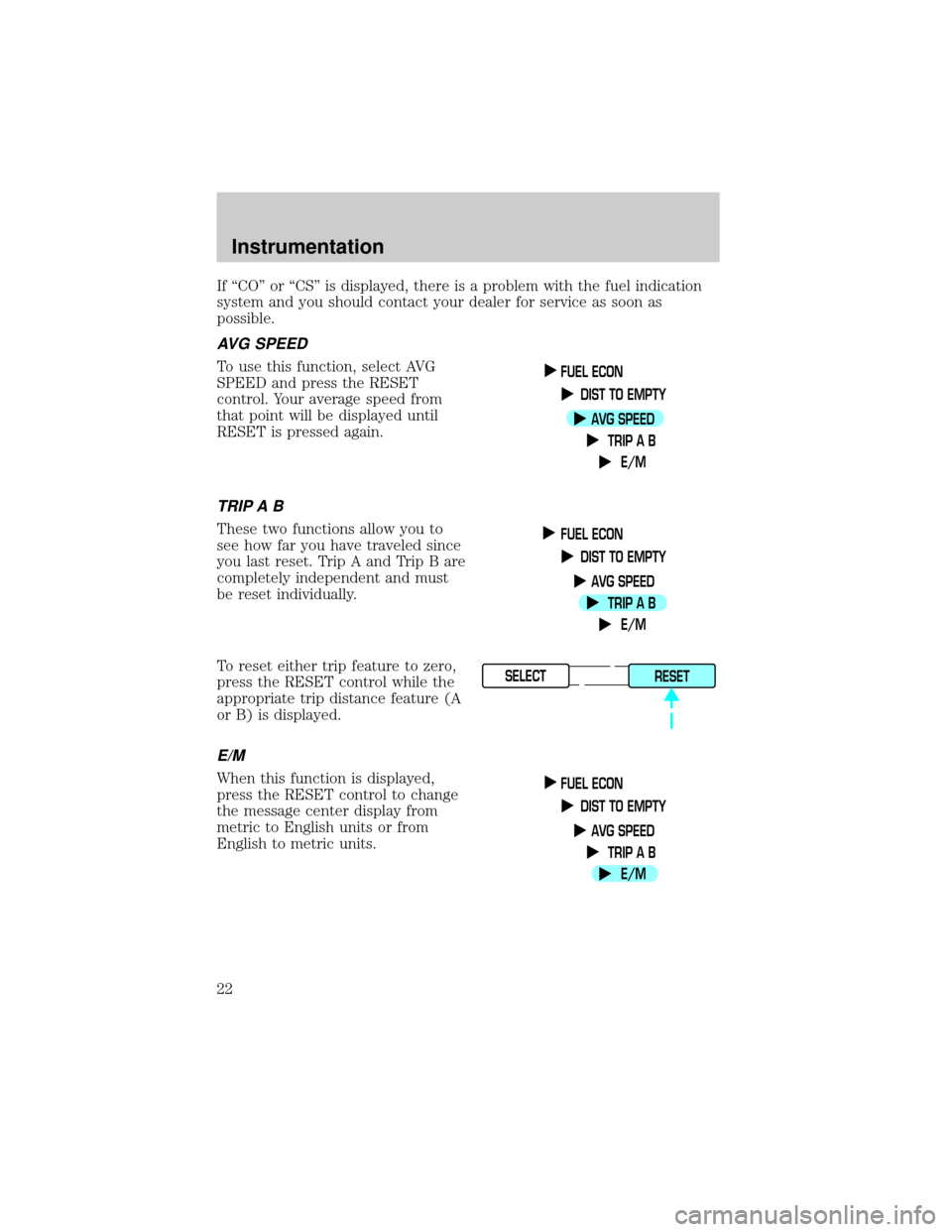
TRIP A B
These two functions allow you to
see how far you have traveled since
you last reset. Trip A and Trip B are
completely independent and must
be reset individually.
To reset either trip feature to zero,
press the RESET control while the
appropriate trip distance feature (A
or B) is displayed.
E/M
When this function is displayed,
press the RESET control to change
the message center display from
metric to English units or from
English to metric units.
FUEL ECON
DIST TO EMPTY
AVG SPEED
TRIP A B
E/M
FUEL ECON
DIST TO EMPTY
AVG SPEED
TRIP A B
E/M
SELECT
RESET
FUEL ECON
DIST TO EMPTY
AVG SPEED
TRIP A B
E/M
Instrumentation
22
Page 26 of 224
Temperature selection
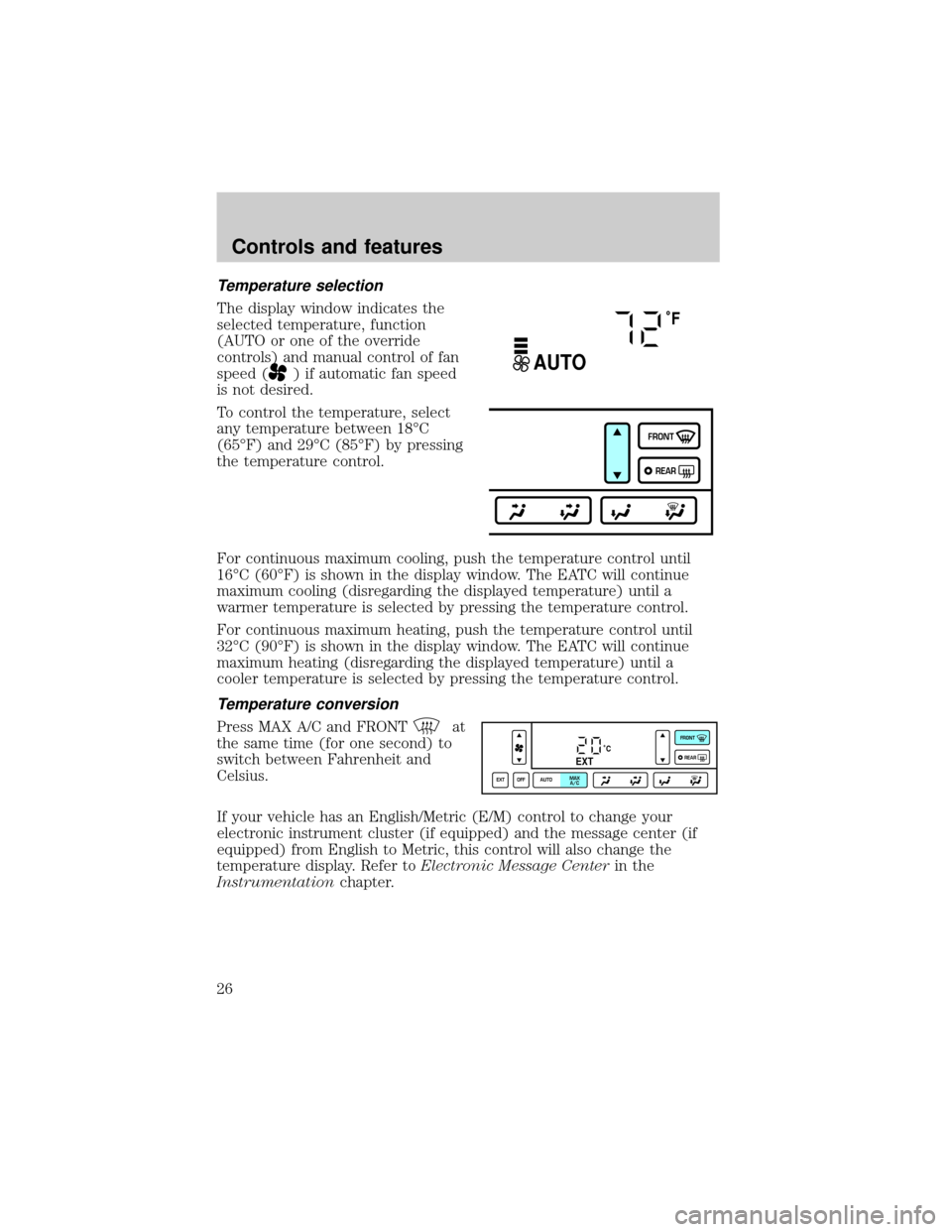
The display window indicates the
selected temperature, function
(AUTO or one of the override
controls) and manual control of fan
speed (
) if automatic fan speed
is not desired.
To control the temperature, select
any temperature between 18ÉC
(65ÉF) and 29ÉC (85ÉF) by pressing
the temperature control.
For continuous maximum cooling, push the temperature control until
16ÉC (60ÉF) is shown in the display window. The EATC will continue
maximum cooling (disregarding the displayed temperature) until a
warmer temperature is selected by pressing the temperature control.
For continuous maximum heating, push the temperature control until
32ÉC (90ÉF) is shown in the display window. The EATC will continue
maximum heating (disregarding the displayed temperature) until a
cooler temperature is selected by pressing the temperature control.
Temperature conversion
Press MAX A/C and FRONTat
the same time (for one second) to
switch between Fahrenheit and
Celsius.
If your vehicle has an English/Metric (E/M) control to change your
electronic instrument cluster (if equipped) and the message center (if
equipped) from English to Metric, this control will also change the
temperature display. Refer toElectronic Message Centerin the
Instrumentationchapter.
˚F
AUTO
FRONT
REAR
˚CEXT
EXT OFF AUTOMAX
A/CFRONT
REAR
Controls and features
26
Page 59 of 224
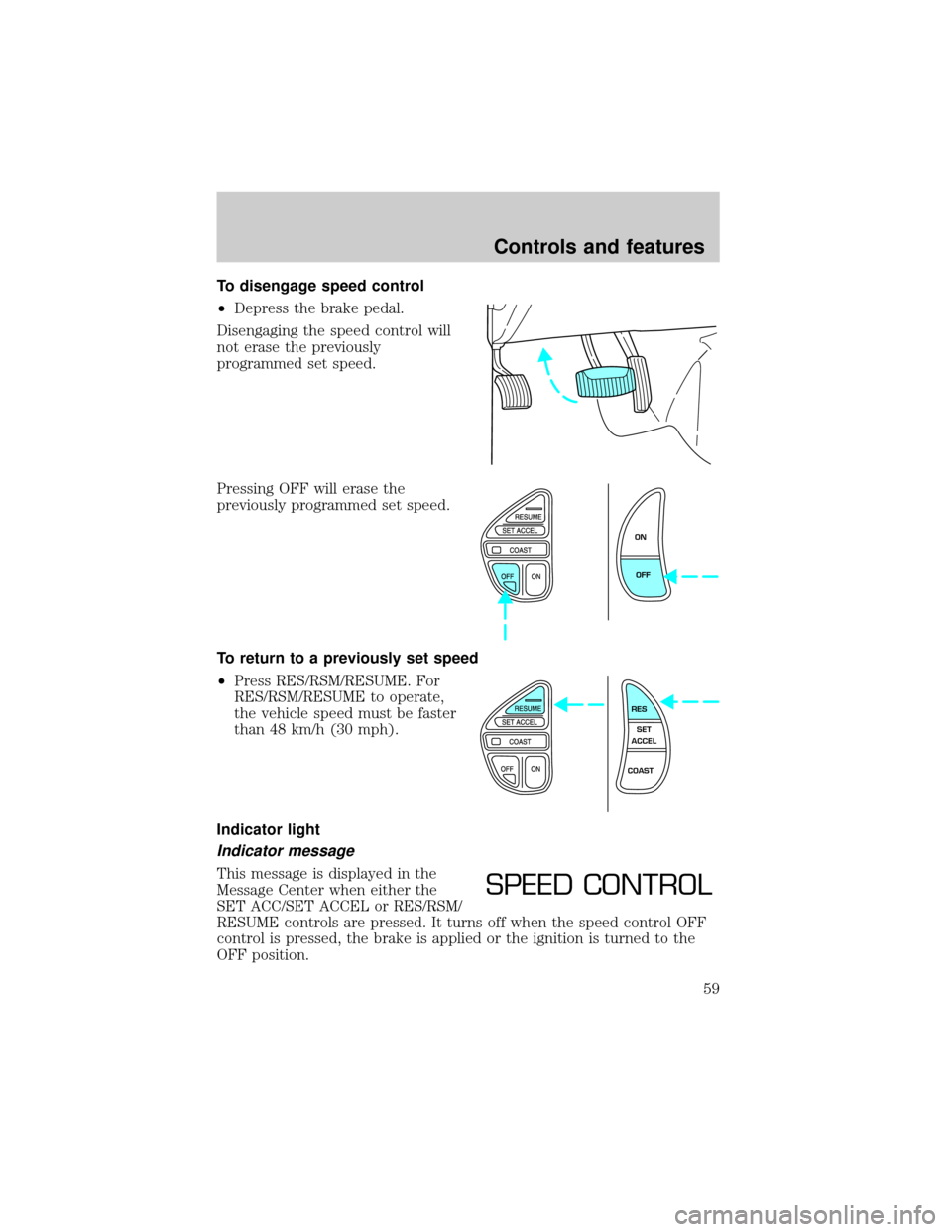
To disengage speed control
²Depress the brake pedal.
Disengaging the speed control will
not erase the previously
programmed set speed.
Pressing OFF will erase the
previously programmed set speed.
To return to a previously set speed
²Press RES/RSM/RESUME. For
RES/RSM/RESUME to operate,
the vehicle speed must be faster
than 48 km/h (30 mph).
Indicator light
Indicator message
This message is displayed in the
Message Center when either the
SET ACC/SET ACCEL or RES/RSM/
RESUME controls are pressed. It turns off when the speed control OFF
control is pressed, the brake is applied or the ignition is turned to the
OFF position.
ON
OFF
RES
SET
ACCEL
COAST
SPEED CONTROL
Controls and features
59
Page 215 of 224

Compass, electronic
calibration .................................19
set zone adjustment ............18,19
Console
rear ............................................70
Controls
power seat ............................84,86
steering column ........................60
Coolant
checking and adding ..............157
coolant temperature light ........11
refill capacities .................160,195
specifications ...................197,198
Cruise control
(see Speed control) ....................56
Customer Assistance ................132
Ford accessories
for your vehicle ......................209
Ford Extended
Service Plan ............................202
Getting assistance outside
the U.S. and Canada ..............208
Getting roadside assistance ...132
Getting the
service you need ....................203
Ordering additional
owner's literature ...................212
The Dispute
Settlement Board ...................205
Utilizing the Mediation/
Arbitration Program ...............208
Daytime running lamps
(see Lamps) ................................23
Defrost
rear window ..............................53
Dipstick
automatic
transmission fluid ...................164
engine oil .................................153
Doors
door ajar warning .....................12
lubricant specifications ..........197Driving under special
conditions
through water .........................131
Emergencies, roadside
jump-starting ..........................144
Emission control system ..........182
Engine ........................................198
check engine/service engine
soon light ....................................8
cleaning ...................................193
coolant .....................................157
fail-safe coolant ......................161
idle speed control ...................166
lubrication
specifications ...................197,198
refill capacities ........................195
service points ..........................152
starting after a collision .........133
Engine block heater .................116
Engine oil ..................................153
change oil soon warning,
message center .......................153
checking and adding ..............153
dipstick ....................................153
filter, specifications .........155,195
recommendations ...................155
refill capacities ........................195
specifications ...................197,198
Exhaust fumes ..........................117
Fail safe cooling ........................161
Floor mats ...................................71
Fluid capacities .........................195
Fuel ............................................174
calculating fuel economy ..20,179
cap ...........................................176
capacity ...................................195
choosing the right fuel ...........177
comparisons with EPA fuel
economy estimates .................182
detergent in fuel .....................178
filling your
vehicle with fuel .......174,176,179
Index
215
Page 217 of 224

air bag ..........................................9
air suspension ...........................12
anti-lock brakes (ABS) .....10,119
brake ..........................................10
charging system ........................11
cruise indicator .........................13
door ajar ....................................12
high beam .................................10
liftgate ajar ................................12
low coolant ................................11
low washer fluid .......................14
oil pressure ...............................11
safety belt ...................................9
service engine soon ....................8
speed control ............................59
traction control system .......11,13
turn signal indicator .................10
Load limits .................................127
GAWR ......................................127
GVWR ......................................127
trailer towing ..........................127
Locks
autolock .....................................75
childproof ..................................69
doors ..........................................68
Lubricant specifications ....197,198
Lug nuts, anti-theft ...................144
Lumbar support, seats ...............87
Message center ...........................16
english/metric button ...............22
reset button ..............................18
Mirrors
automatic dimming
rearview mirror .........................65
cleaning ...................................192
heated ........................................69
programmable memory ............76
side view mirrors (power) .......68
Moon roof ....................................65
Motorcraft parts .................178,195
Octane rating ............................177
Odometer .....................................15Oil (see Engine oil) ..................153
Overdrive ..............................60,125
Panic alarm feature,
remote entry system ..................73
Parking brake ............................119
Parts (see Motorcraft parts) ....195
Power distribution box
(see Fuses) ...............................138
Power door locks ........................68
Power steering ..........................122
fluid, checking and adding ....163
fluid, refill capacity ................195
fluid, specifications ..........197,198
Radio ............................................30
Relays ........................................134
Remote entry system ............72,73
illuminated entry ......................75
locking/unlocking doors ...........72
opening the trunk .....................73
panic alarm ...............................73
replacement/additional
transmitters ...............................75
replacing the batteries .............74
Safety belts (see Safety
restraints) ................14,89,90,91,92
Safety defects, reporting ..........213
Safety restraints ...........89,90,91,92
belt minder ...............................94
cleaning the safety belts ...98,194
extension assembly ..................94
for adults .........................90,91,92
for children .............................106
lap belt ......................................93
warning light and chime ..9,14,94
Safety seats for children ..........107
Seat belts
(see Safety restraints) ...............89
Seats ............................................84
child safety seats ....................107
cleaning ...................................194
easy access/easyout feature ....88
heated ........................................86
Index
217