audio LINCOLN TOWN CAR 2002 User Guide
[x] Cancel search | Manufacturer: LINCOLN, Model Year: 2002, Model line: TOWN CAR, Model: LINCOLN TOWN CAR 2002Pages: 248, PDF Size: 1.9 MB
Page 75 of 248
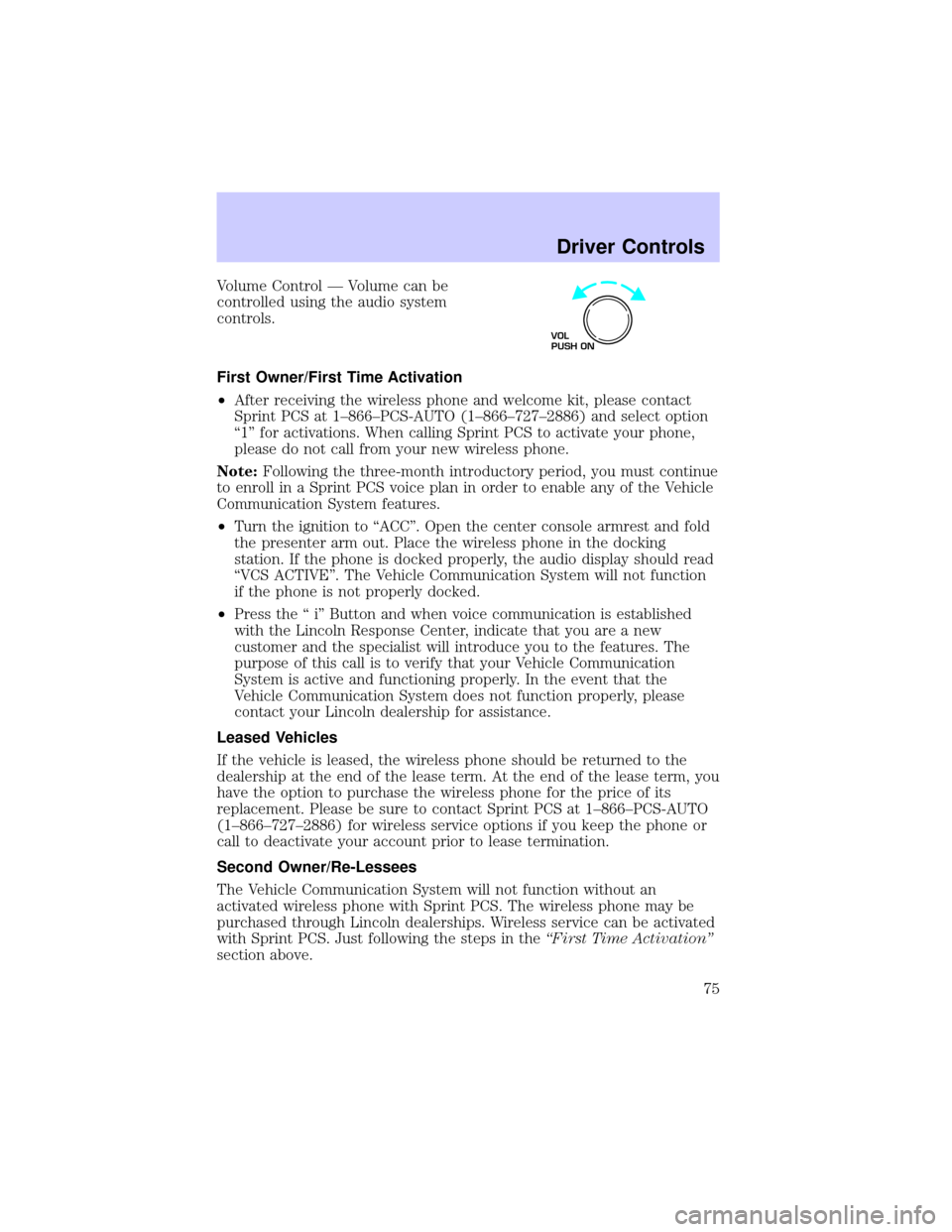
Volume Control Ð Volume can be
controlled using the audio system
controls.
First Owner/First Time Activation
²After receiving the wireless phone and welcome kit, please contact
Sprint PCS at 1±866±PCS-AUTO (1±866±727±2886) and select option
ª1º for activations. When calling Sprint PCS to activate your phone,
please do not call from your new wireless phone.
Note:Following the three-month introductory period, you must continue
to enroll in a Sprint PCS voice plan in order to enable any of the Vehicle
Communication System features.
²Turn the ignition to ªACCº. Open the center console armrest and fold
the presenter arm out. Place the wireless phone in the docking
station. If the phone is docked properly, the audio display should read
ªVCS ACTIVEº. The Vehicle Communication System will not function
if the phone is not properly docked.
²Press the ª iº Button and when voice communication is established
with the Lincoln Response Center, indicate that you are a new
customer and the specialist will introduce you to the features. The
purpose of this call is to verify that your Vehicle Communication
System is active and functioning properly. In the event that the
Vehicle Communication System does not function properly, please
contact your Lincoln dealership for assistance.
Leased Vehicles
If the vehicle is leased, the wireless phone should be returned to the
dealership at the end of the lease term. At the end of the lease term, you
have the option to purchase the wireless phone for the price of its
replacement. Please be sure to contact Sprint PCS at 1±866±PCS-AUTO
(1±866±727±2886) for wireless service options if you keep the phone or
call to deactivate your account prior to lease termination.
Second Owner/Re-Lessees
The Vehicle Communication System will not function without an
activated wireless phone with Sprint PCS. The wireless phone may be
purchased through Lincoln dealerships. Wireless service can be activated
with Sprint PCS. Just following the steps in theªFirst Time Activationº
section above.
VOL
PUSH ON
Driver Controls
75
Page 161 of 248
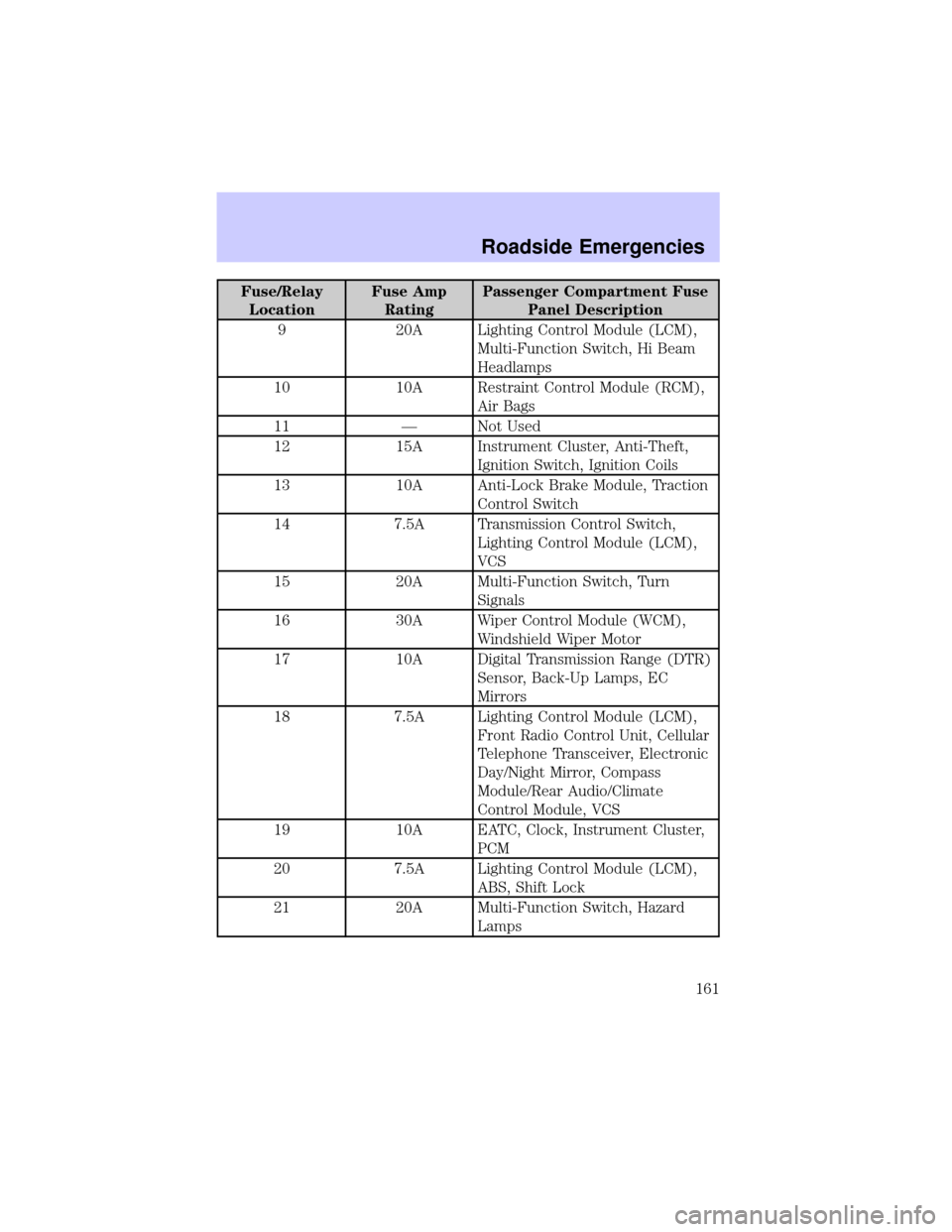
Fuse/Relay
LocationFuse Amp
RatingPassenger Compartment Fuse
Panel Description
9 20A Lighting Control Module (LCM),
Multi-Function Switch, Hi Beam
Headlamps
10 10A Restraint Control Module (RCM),
Air Bags
11 Ð Not Used
12 15A Instrument Cluster, Anti-Theft,
Ignition Switch, Ignition Coils
13 10A Anti-Lock Brake Module, Traction
Control Switch
14 7.5A Transmission Control Switch,
Lighting Control Module (LCM),
VCS
15 20A Multi-Function Switch, Turn
Signals
16 30A Wiper Control Module (WCM),
Windshield Wiper Motor
17 10A Digital Transmission Range (DTR)
Sensor, Back-Up Lamps, EC
Mirrors
18 7.5A Lighting Control Module (LCM),
Front Radio Control Unit, Cellular
Telephone Transceiver, Electronic
Day/Night Mirror, Compass
Module/Rear Audio/Climate
Control Module, VCS
19 10A EATC, Clock, Instrument Cluster,
PCM
20 7.5A Lighting Control Module (LCM),
ABS, Shift Lock
21 20A Multi-Function Switch, Hazard
Lamps
Roadside Emergencies
161