phone LINCOLN TOWN CAR 2002 Owners Manual
[x] Cancel search | Manufacturer: LINCOLN, Model Year: 2002, Model line: TOWN CAR, Model: LINCOLN TOWN CAR 2002Pages: 248, PDF Size: 1.9 MB
Page 6 of 248
BREAKING-IN YOUR VEHICLE
There are no particular guidelines for breaking-in your vehicle. During
the first 1 600 km (1 000 miles) of driving, vary speeds frequently. This is
recommended to give the moving parts a chance to break in.
SPECIAL NOTICES
Emission warranty
The New Vehicle Limited Warranty includes Bumper-to-Bumper
Coverage, Safety Restraint Coverage, Corrosion Coverage, and 7.3L
Power Stroke Diesel Engine Coverage. In addition, your vehicle is eligible
for Emissions Defect and Emissions Performance Warranties. For a
detailed description of what is covered and what is not covered, refer to
theWarranty Guidethat is provided to you along with your Owner's
Guide.
Special instructions
For your safety, your vehicle is fitted with sophisticated electronic
controls.
By operating other electronic equipment (e.g. mobile telephone
without exterior aerial) electromagnetic fields can occur which
can cause malfunctions of the vehicle electronics. Therefore you should
observe the instructions of the equipment manufacturers.
Please read the sectionAir bagin theSeating and safety
restraintschapter. Failure to follow the specific warnings and
instructions could result in personal injury.
Rear facing child or baby seats shouldNEVERbe used in front
of a passenger side air bag.
Introduction
6
Page 34 of 248
DolbyTnoise reduction
Dolbytnoise reduction operates
only in tape mode. Dolbytnoise
reduction reduces the amount of
hiss and static during tape playback.
Press the
control to activate
(and deactivate) Dolbytnoise reduction.
The Dolbytnoise reduction system is manufactured under license from
Dolby Laboratories Licensing Corporation. Dolbytand the double-D
symbol are registered trademarks of DolbytLabratories Licensing
Corporation.
Compression feature
Compression adjust brings soft and
loud CD passages together for a
more consistent listening level.
Press the COMP control to activate
and deactivate compression adjust.
The effect of the feature varies with the music content.
Shuffle feature
The shuffle feature operates in CD
mode and plays all tracks on the
current disc in random order. If
equipped with the CD changer, the
shuffle feature continues to the next
disc after all tracks are played.
Press the SHUFFLE control to start this feature. Random order play will
continue until the SHUFFLE control is pressed again.
Phone mode
This feature allows you to control
the factory-installed cellular phone
(if equipped) through the radio
controls.
²Press the phone/mute control to enter phone mode. The playing media
will mute.
4
COMP
5
SHUFF
6
MUTE
Entertainment Systems
34
Page 35 of 248
²Use SEEK, TUNE or radio presets 1 through 6 to select a phone
number previously programmed in the phone.
²Press the phone/mute control again to send and end calls.
This control will mute the playing media even if your vehicle is not
equipped with a factory-installed cellular phone.
Press the control again to return to the playing media.
Mute mode
Press the control to mute the
playing media. Press the control
again to return to the playing media.
Digital signal processing (if equipped)
The digital signal processing (DSP)
feature allows you to change the
signal mode to suit your listening
tastes.
These effects will change the sound quality and may need to be adjusted
based upon the program material to suit your listening needs.
Press the control to turn the feature on or off.
Use the SEL control to select the
desired signal mode (the selected
mode will appear in the display).
The following signal modes can be
selected:
²JAZZ CLUBÐjazz club with
clearly reflected sounds.
²HALLÐrectangular concert hall capacity of about 2 000
²CHURCHÐchurch with a high vault.
²STADIUMÐoutdoor stadium with a capacity of about 30 000.
²NEWSЪvoice-onlyº type of sound with a limited audio band.
MUTE
RDSDSP
SEL
Entertainment Systems
35
Page 73 of 248
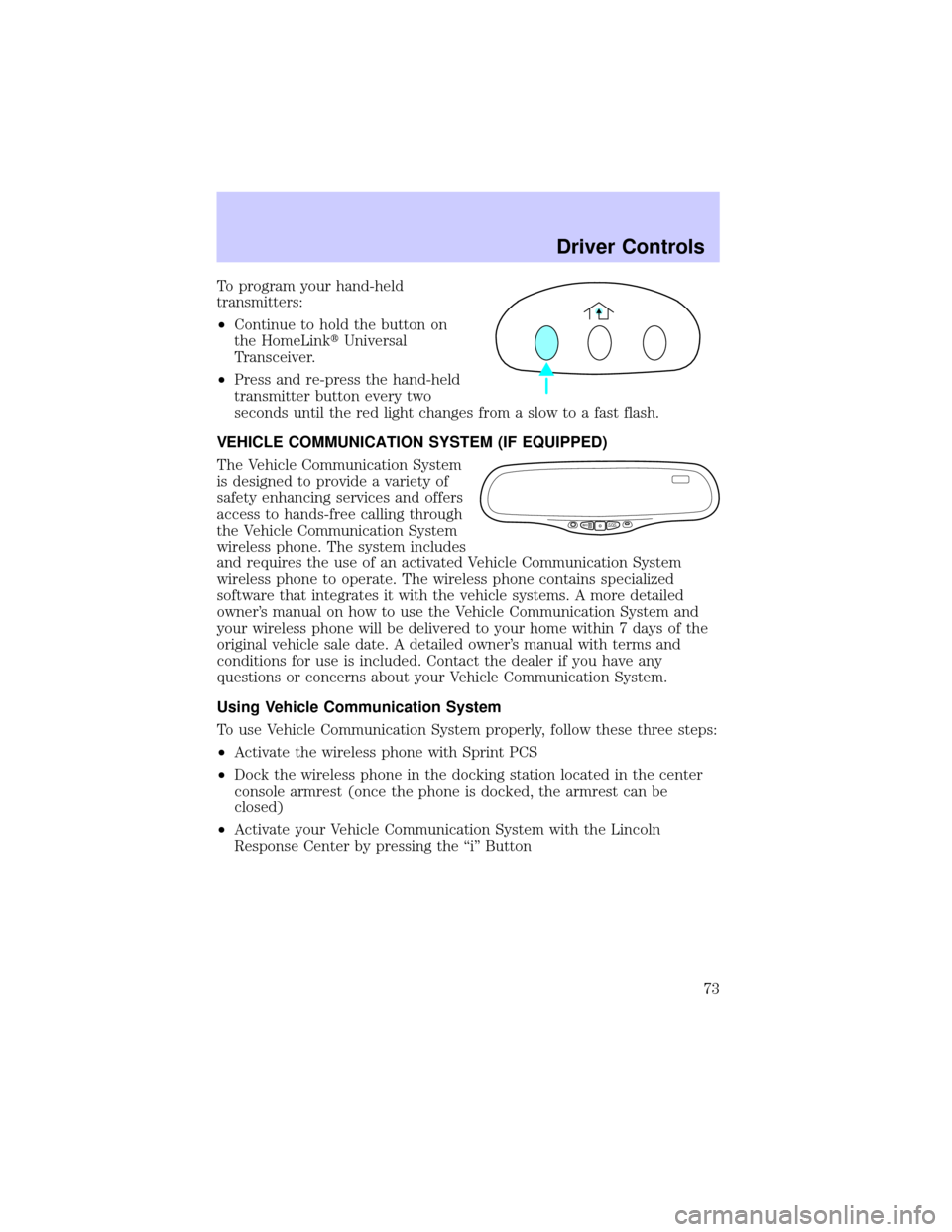
To program your hand-held
transmitters:
²Continue to hold the button on
the HomeLinktUniversal
Transceiver.
²Press and re-press the hand-held
transmitter button every two
seconds until the red light changes from a slow to a fast flash.
VEHICLE COMMUNICATION SYSTEM (IF EQUIPPED)
The Vehicle Communication System
is designed to provide a variety of
safety enhancing services and offers
access to hands-free calling through
the Vehicle Communication System
wireless phone. The system includes
and requires the use of an activated Vehicle Communication System
wireless phone to operate. The wireless phone contains specialized
software that integrates it with the vehicle systems. A more detailed
owner's manual on how to use the Vehicle Communication System and
your wireless phone will be delivered to your home within 7 days of the
original vehicle sale date. A detailed owner's manual with terms and
conditions for use is included. Contact the dealer if you have any
questions or concerns about your Vehicle Communication System.
Using Vehicle Communication System
To use Vehicle Communication System properly, follow these three steps:
²Activate the wireless phone with Sprint PCS
²Dock the wireless phone in the docking station located in the center
console armrest (once the phone is docked, the armrest can be
closed)
²Activate your Vehicle Communication System with the Lincoln
Response Center by pressing the ªiº Button
SSINFOO
...
Driver Controls
73
Page 74 of 248
1. SOS BUTTON Ð In an
emergency situation or for roadside
assistance, press this button to
contact the Lincoln Response
Center. A response center
representative will locate your
vehicle and dispatch assistance if needed. Once a connection is made to
the Lincoln Response Center, only the response center representative
will be able to disconnect the call.
Vehicle Communication System will redial for roadside assistance 3 times
before showing on the audio display ªCALL FAILEDº because of network
capacity or lack of analog coverage.
2. AUTOMATIC AIR BAG NOTIFICATION Ð If the air bag deploys, the
Vehicle Communication system automatically places a call to the Lincoln
Response Center and a representative will dispatch help to your location
immediately if requested. If the specialist is unable to reach you, the
emergency service provider will be contacted and dispatched to your
location.
Vehicle Communication System will redial for automatic airbag
notification 5 times before showing on the audio display ªCALL FAILEDº
because of network capacity or lack of analog coverage.
3. INFO BUTTON Ð Press this
button for route guidance and
information regarding the points of
interest such as ATM's, restaurants,
etc. The Lincoln Response Center
will receive your request and help
you find your way.
4. PHONE BUTTON Ð Place or
receive a call by pressing this
button. When making or receiving a
call the audio system will mute
automatically. To make or receive a call, just press the phone button.
Your Vehicle Communication System service includes the Sprint PCS
Voice Command (SM) service. You can place voice-activated calls using
names programmed in your web-address book or simply speak the phone
number.
ss
. . .o
INFO
MUTE
Driver Controls
74
Page 75 of 248
Volume Control Ð Volume can be
controlled using the audio system
controls.
First Owner/First Time Activation
²After receiving the wireless phone and welcome kit, please contact
Sprint PCS at 1±866±PCS-AUTO (1±866±727±2886) and select option
ª1º for activations. When calling Sprint PCS to activate your phone,
please do not call from your new wireless phone.
Note:Following the three-month introductory period, you must continue
to enroll in a Sprint PCS voice plan in order to enable any of the Vehicle
Communication System features.
²Turn the ignition to ªACCº. Open the center console armrest and fold
the presenter arm out. Place the wireless phone in the docking
station. If the phone is docked properly, the audio display should read
ªVCS ACTIVEº. The Vehicle Communication System will not function
if the phone is not properly docked.
²Press the ª iº Button and when voice communication is established
with the Lincoln Response Center, indicate that you are a new
customer and the specialist will introduce you to the features. The
purpose of this call is to verify that your Vehicle Communication
System is active and functioning properly. In the event that the
Vehicle Communication System does not function properly, please
contact your Lincoln dealership for assistance.
Leased Vehicles
If the vehicle is leased, the wireless phone should be returned to the
dealership at the end of the lease term. At the end of the lease term, you
have the option to purchase the wireless phone for the price of its
replacement. Please be sure to contact Sprint PCS at 1±866±PCS-AUTO
(1±866±727±2886) for wireless service options if you keep the phone or
call to deactivate your account prior to lease termination.
Second Owner/Re-Lessees
The Vehicle Communication System will not function without an
activated wireless phone with Sprint PCS. The wireless phone may be
purchased through Lincoln dealerships. Wireless service can be activated
with Sprint PCS. Just following the steps in theªFirst Time Activationº
section above.
VOL
PUSH ON
Driver Controls
75
Page 76 of 248

Vehicle Communication System Limitations
²Vehicle Communication System services are available in the 48
contiguous states and Hawaii
²Vehicle Communication System services are not available in Alaska
²Only available within range of the cellular systems
²Connection limited by atmospheric and topographical conditions
²Connection limited by cellular network capabilities and infrastructure
²The wireless phone must have an active wireless service plan with
Sprint PCS and docked in the docking station located in the center
console for Vehicle Communication System to function properly
²The vehicle must be running or the ignition must be turned to either
ªACCº or ªRUN/ONº position
²May become inoperative if the vehicle is involved in an accident,
damaging one or more components
²Sprint PCS Voice Command (SM) services are only available on the
Sprint PCS network
Global Positioning Satellites are used to deliver location information
(only at the request of the vehicle occupants or in the event an airbag
deploys) and may not be available if signal is obstructed. (If a signal is
unavailable, the last valid position obtained before the signal was
obstructed will be sent.)
Vehicle Communication System is powered by the vehicle's battery and
will not operate if the battery is discharged or disconnected.
Vehicle Communication System specialist will make all reasonable efforts
to contact the Public Safety service providers but cannot be held
responsible for their response time or their activities.
Drivers have the responsibility to pay primary attention to the road and
drive safely. A driver may want to pull over to a safe parking spot before
using Vehicle Communication System services. Drivers who allow
themselves to become distracted may cause an accident. Please use this
technology responsibly.
Due to the specialized Lincoln software contained within the phone, your
local Sprint PCS store is unable to provide service or replacement units.
Issues or questions about equipment including the wireless phone should
be directed to your Lincoln dealer.
Driver Controls
76
Page 77 of 248
Phone accessories can be purchased at Sprint PCS stores. Billing or
services issues should be directed to Sprint PCS at 1±866±PCS-AUTO
(1±866±727±2886). Select ª2º for Client Services.
ELECTRONIC MESSAGE CENTER
The electronic message center only works when the ignition is in the ON
position.
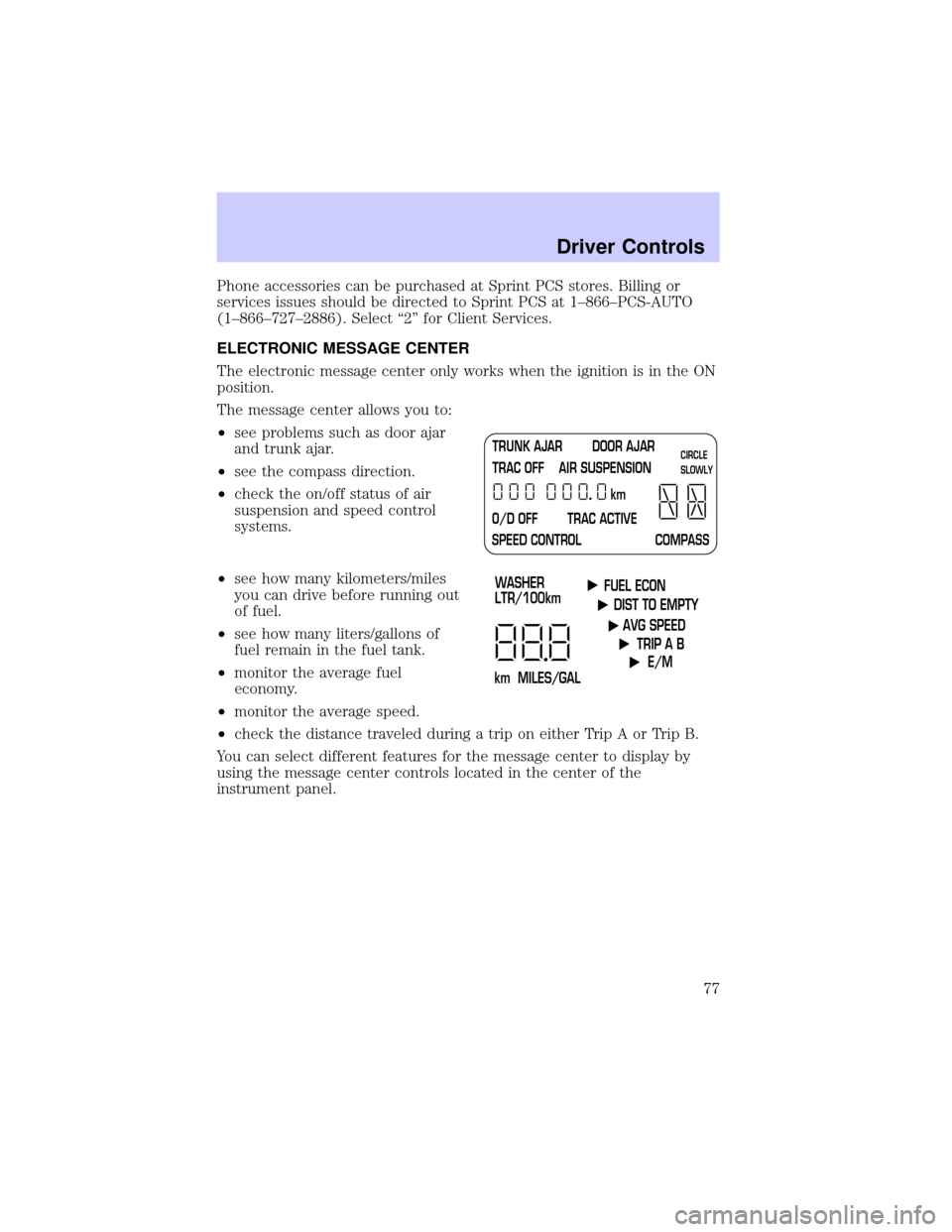
The message center allows you to:
²see problems such as door ajar
and trunk ajar.
²see the compass direction.
²check the on/off status of air
suspension and speed control
systems.
²see how many kilometers/miles
you can drive before running out
of fuel.
²see how many liters/gallons of
fuel remain in the fuel tank.
²monitor the average fuel
economy.
²monitor the average speed.
²check the distance traveled during a trip on either Trip A or Trip B.
You can select different features for the message center to display by
using the message center controls located in the center of the
instrument panel.
TRUNK AJAR DOOR AJAR
TRAC OFF AIR SUSPENSION
O/D OFF TRAC ACTIVE
SPEED CONTROL COMPASSkmCIRCLE
SLOWLY
FUEL ECON
DIST TO EMPTY
AVG SPEED
TRIP A B
E/M
km MILES/GALWASHER
LTR/100km
Driver Controls
77
Page 161 of 248
Fuse/Relay
LocationFuse Amp
RatingPassenger Compartment Fuse
Panel Description
9 20A Lighting Control Module (LCM),
Multi-Function Switch, Hi Beam
Headlamps
10 10A Restraint Control Module (RCM),
Air Bags
11 Ð Not Used
12 15A Instrument Cluster, Anti-Theft,
Ignition Switch, Ignition Coils
13 10A Anti-Lock Brake Module, Traction
Control Switch
14 7.5A Transmission Control Switch,
Lighting Control Module (LCM),
VCS
15 20A Multi-Function Switch, Turn
Signals
16 30A Wiper Control Module (WCM),
Windshield Wiper Motor
17 10A Digital Transmission Range (DTR)
Sensor, Back-Up Lamps, EC
Mirrors
18 7.5A Lighting Control Module (LCM),
Front Radio Control Unit, Cellular
Telephone Transceiver, Electronic
Day/Night Mirror, Compass
Module/Rear Audio/Climate
Control Module, VCS
19 10A EATC, Clock, Instrument Cluster,
PCM
20 7.5A Lighting Control Module (LCM),
ABS, Shift Lock
21 20A Multi-Function Switch, Hazard
Lamps
Roadside Emergencies
161
Page 162 of 248
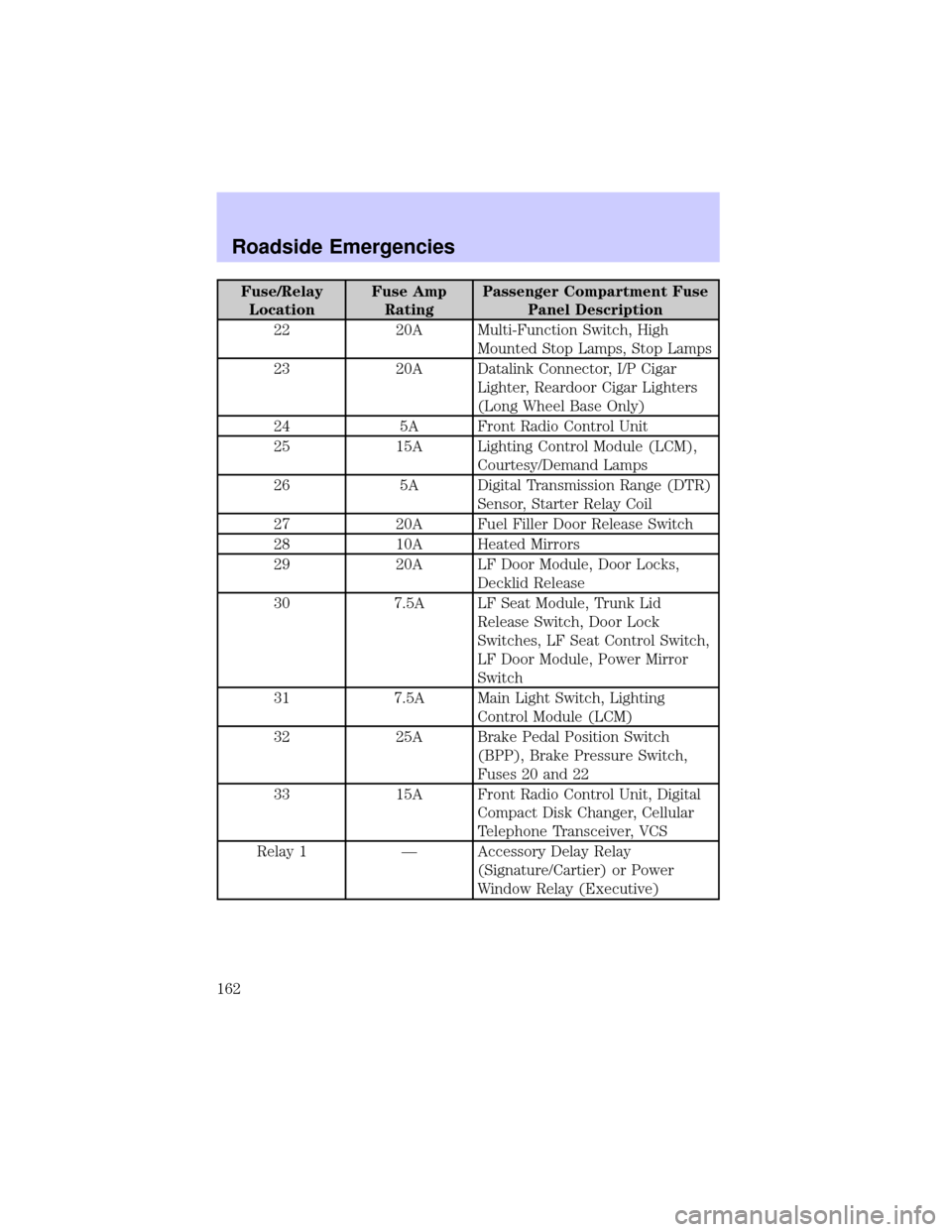
Fuse/Relay
LocationFuse Amp
RatingPassenger Compartment Fuse
Panel Description
22 20A Multi-Function Switch, High
Mounted Stop Lamps, Stop Lamps
23 20A Datalink Connector, I/P Cigar
Lighter, Reardoor Cigar Lighters
(Long Wheel Base Only)
24 5A Front Radio Control Unit
25 15A Lighting Control Module (LCM),
Courtesy/Demand Lamps
26 5A Digital Transmission Range (DTR)
Sensor, Starter Relay Coil
27 20A Fuel Filler Door Release Switch
28 10A Heated Mirrors
29 20A LF Door Module, Door Locks,
Decklid Release
30 7.5A LF Seat Module, Trunk Lid
Release Switch, Door Lock
Switches, LF Seat Control Switch,
LF Door Module, Power Mirror
Switch
31 7.5A Main Light Switch, Lighting
Control Module (LCM)
32 25A Brake Pedal Position Switch
(BPP), Brake Pressure Switch,
Fuses 20 and 22
33 15A Front Radio Control Unit, Digital
Compact Disk Changer, Cellular
Telephone Transceiver, VCS
Relay 1 Ð Accessory Delay Relay
(Signature/Cartier) or Power
Window Relay (Executive)
Roadside Emergencies
162