ignition LINCOLN TOWN CAR 2003 User Guide
[x] Cancel search | Manufacturer: LINCOLN, Model Year: 2003, Model line: TOWN CAR, Model: LINCOLN TOWN CAR 2003Pages: 272, PDF Size: 2.19 MB
Page 75 of 272
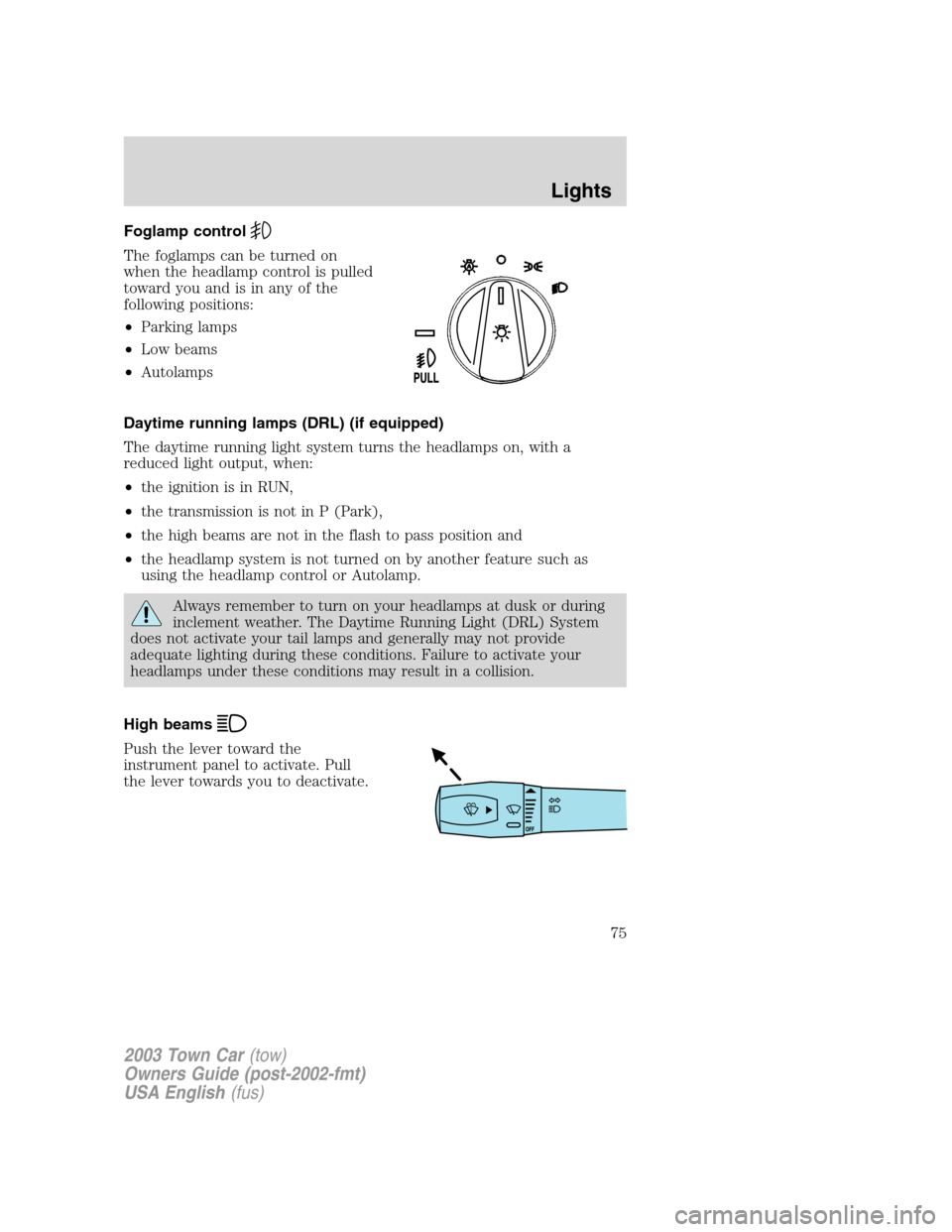
Foglamp control
The foglamps can be turned on
when the headlamp control is pulled
toward you and is in any of the
following positions:
•Parking lamps
•Low beams
•Autolamps
Daytime running lamps (DRL) (if equipped)
The daytime running light system turns the headlamps on, with a
reduced light output, when:
•the ignition is in RUN,
•the transmission is not in P (Park),
•the high beams are not in the flash to pass position and
•the headlamp system is not turned on by another feature such as
using the headlamp control or Autolamp.
Always remember to turn on your headlamps at dusk or during
inclement weather. The Daytime Running Light (DRL) System
does not activate your tail lamps and generally may not provide
adequate lighting during these conditions. Failure to activate your
headlamps under these conditions may result in a collision.
High beams
Push the lever toward the
instrument panel to activate. Pull
the lever towards you to deactivate.
2003 Town Car(tow)
Owners Guide (post-2002-fmt)
USA English(fus)
Lights
75
Page 78 of 272
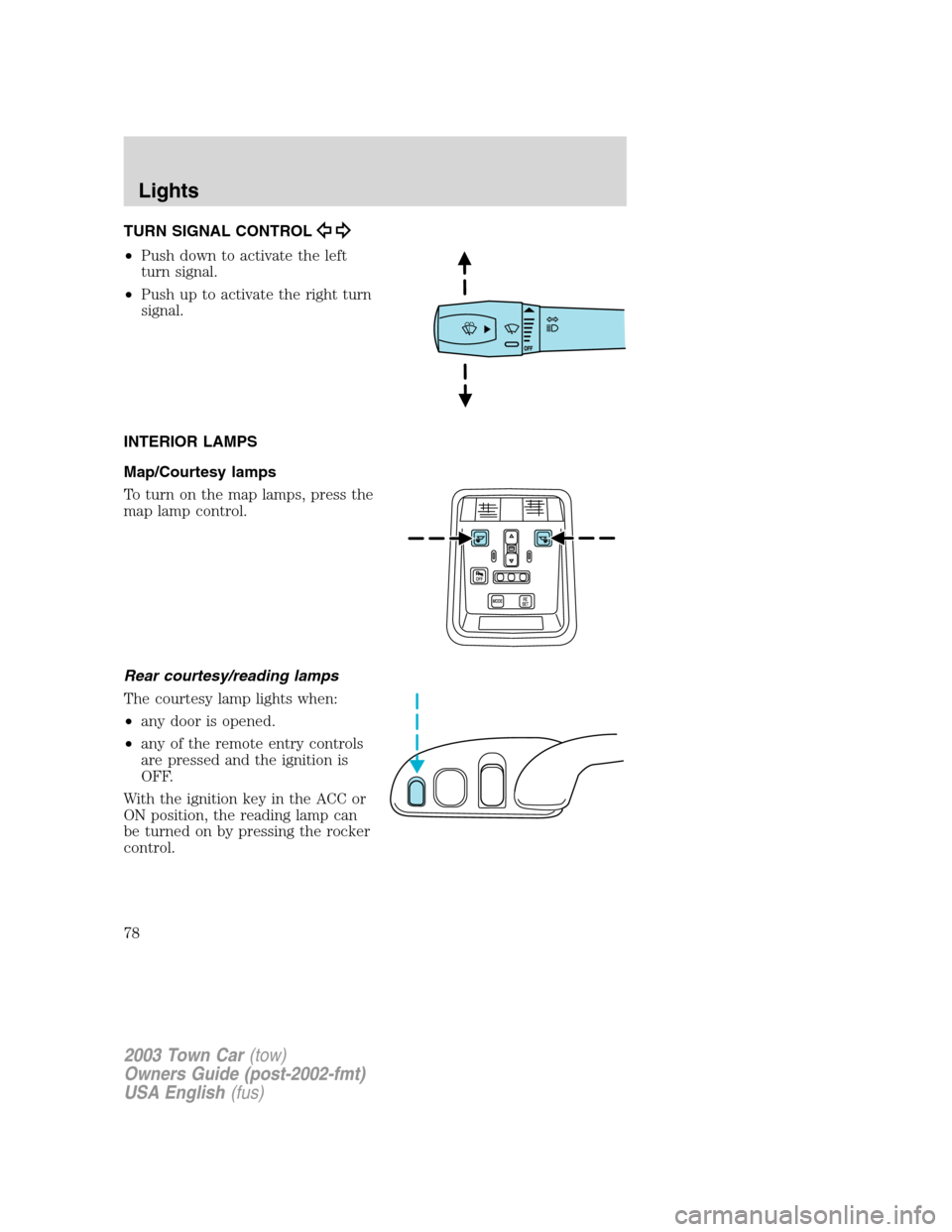
TURN SIGNAL CONTROL
•Push down to activate the left
turn signal.
•Push up to activate the right turn
signal.
INTERIOR LAMPS
Map/Courtesy lamps
To turn on the map lamps, press the
map lamp control.
Rear courtesy/reading lamps
The courtesy lamp lights when:
•any door is opened.
•any of the remote entry controls
are pressed and the ignition is
OFF.
With the ignition key in the ACC or
ON position, the reading lamp can
be turned on by pressing the rocker
control.
2003 Town Car(tow)
Owners Guide (post-2002-fmt)
USA English(fus)
Lights
78
Page 83 of 272
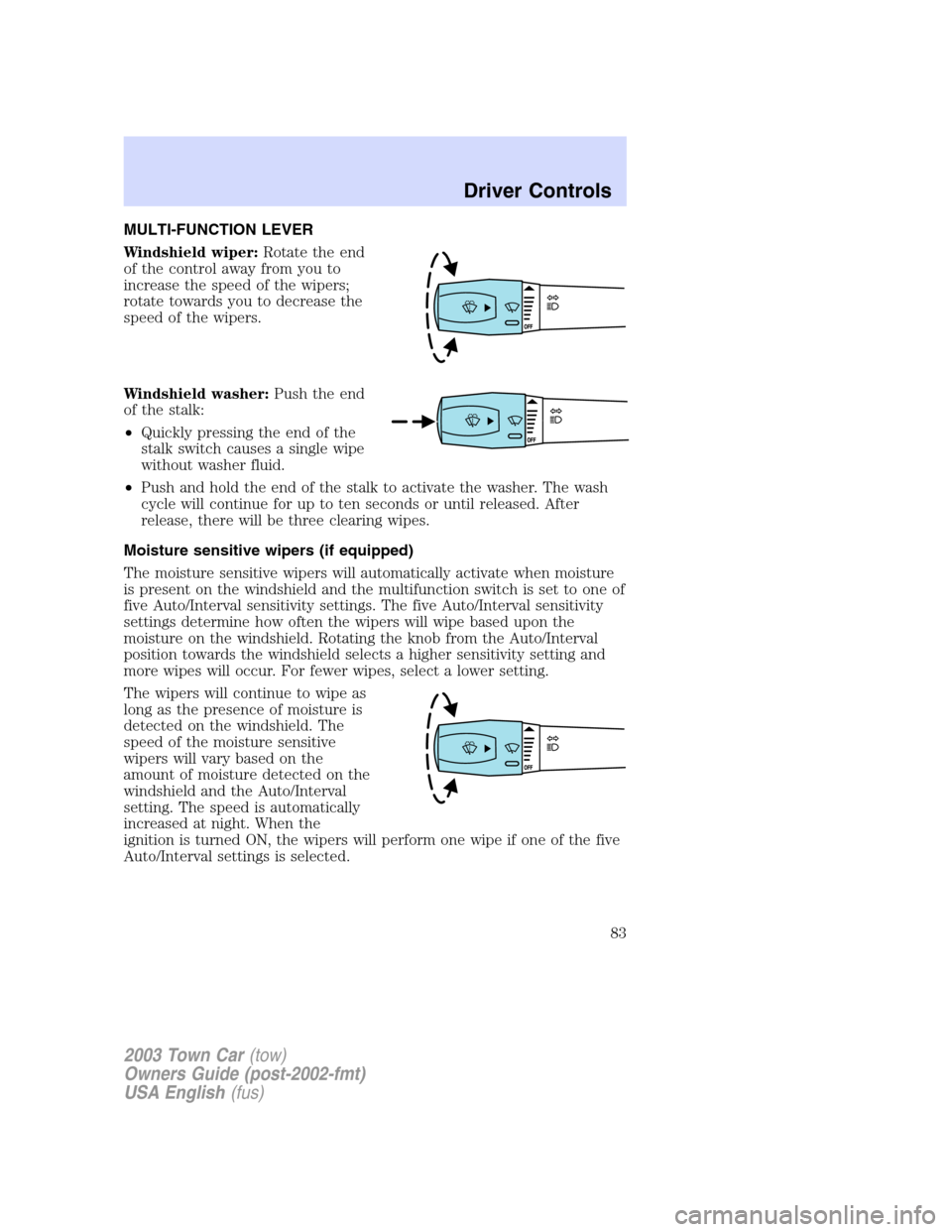
MULTI-FUNCTION LEVER
Windshield wiper:Rotate the end
of the control away from you to
increase the speed of the wipers;
rotate towards you to decrease the
speed of the wipers.
Windshield washer:Push the end
of the stalk:
•Quickly pressing the end of the
stalk switch causes a single wipe
without washer fluid.
•Push and hold the end of the stalk to activate the washer. The wash
cycle will continue for up to ten seconds or until released. After
release, there will be three clearing wipes.
Moisture sensitive wipers (if equipped)
The moisture sensitive wipers will automatically activate when moisture
is present on the windshield and the multifunction switch is set to one of
five Auto/Interval sensitivity settings. The five Auto/Interval sensitivity
settings determine how often the wipers will wipe based upon the
moisture on the windshield. Rotating the knob from the Auto/Interval
position towards the windshield selects a higher sensitivity setting and
more wipes will occur. For fewer wipes, select a lower setting.
The wipers will continue to wipe as
long as the presence of moisture is
detected on the windshield. The
speed of the moisture sensitive
wipers will vary based on the
amount of moisture detected on the
windshield and the Auto/Interval
setting. The speed is automatically
increased at night. When the
ignition is turned ON, the wipers will perform one wipe if one of the five
Auto/Interval settings is selected.
2003 Town Car(tow)
Owners Guide (post-2002-fmt)
USA English(fus)
Driver Controls
Driver Controls
83
Page 84 of 272
More or less wiping may occur under the following conditions:
•on cool mornings with high humidity
•in very light mist or rain
•salty water/mist
•hydrophobic coating applied to the windshield such as Rain-X or wax
(use of these types of coating is not recommended)
You can override the moisture sensitive wiper function by selecting
HIGH, LOW and OFF.
The moisture sensitive wiper feature should be turned OFF before
entering a car wash.
Windshield wiper/washer features
The exterior lamps will illuminate after 10–20 second delay when the
ignition is ON and the windshield wiper control is in the LO or HI
position.
The lights will remain on for 30 seconds after the wipers are turned off.
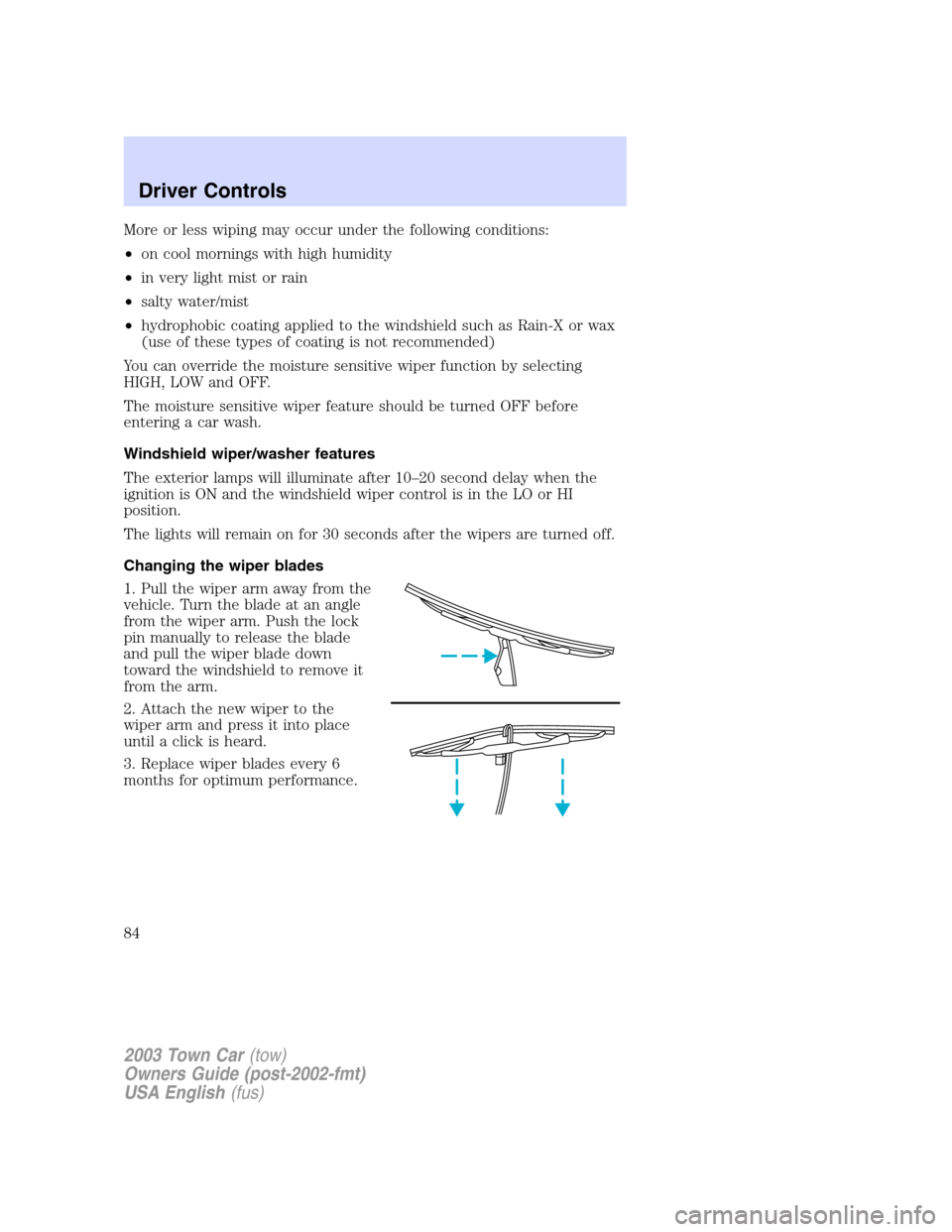
Changing the wiper blades
1. Pull the wiper arm away from the
vehicle. Turn the blade at an angle
from the wiper arm. Push the lock
pin manually to release the blade
and pull the wiper blade down
toward the windshield to remove it
from the arm.
2. Attach the new wiper to the
wiper arm and press it into place
until a click is heard.
3. Replace wiper blades every 6
months for optimum performance.
2003 Town Car(tow)
Owners Guide (post-2002-fmt)
USA English(fus)
Driver Controls
84
Page 86 of 272
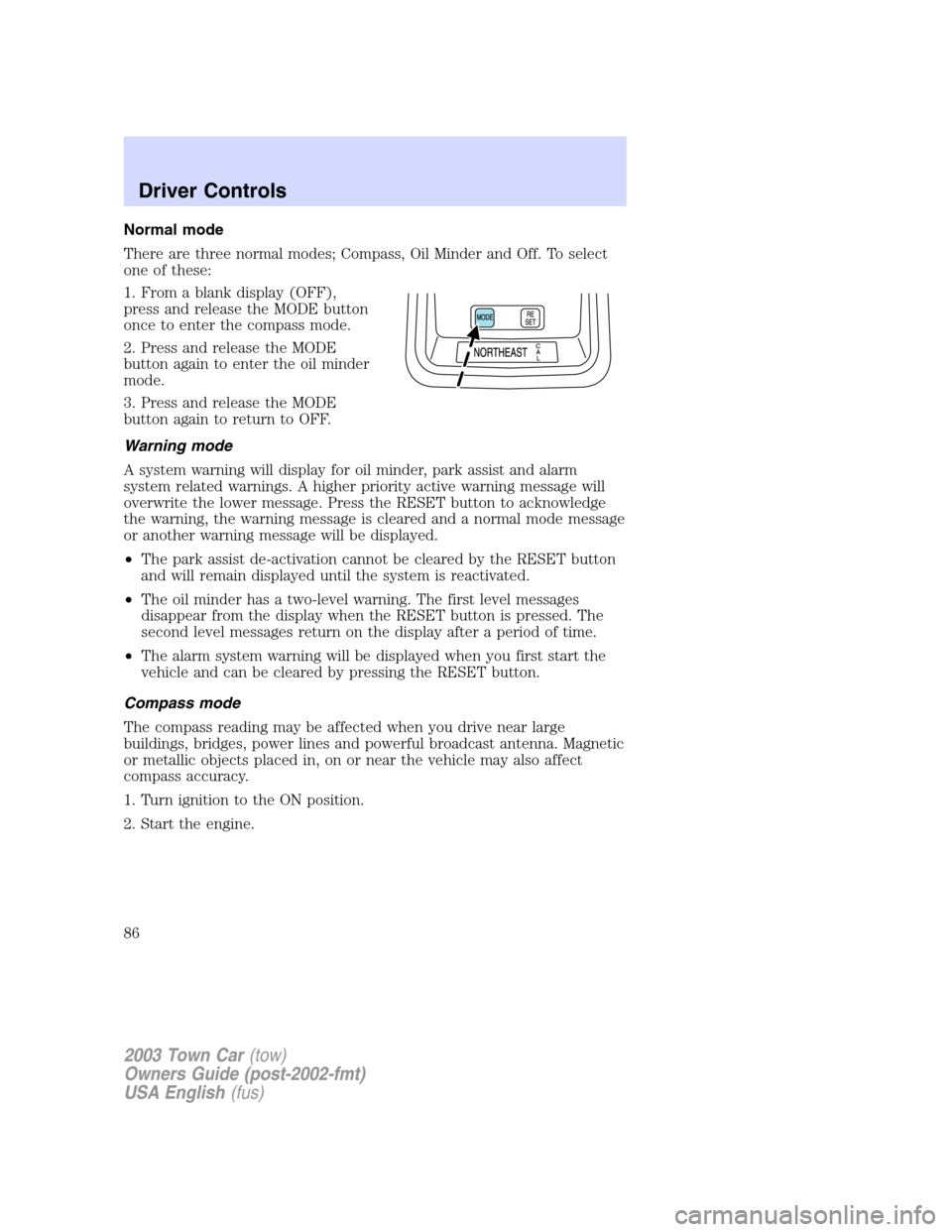
Normal mode
There are three normal modes; Compass, Oil Minder and Off. To select
one of these:
1. From a blank display (OFF),
press and release the MODE button
once to enter the compass mode.
2. Press and release the MODE
button again to enter the oil minder
mode.
3. Press and release the MODE
button again to return to OFF.
Warning mode
A system warning will display for oil minder, park assist and alarm
system related warnings. A higher priority active warning message will
overwrite the lower message. Press the RESET button to acknowledge
the warning, the warning message is cleared and a normal mode message
or another warning message will be displayed.
•The park assist de-activation cannot be cleared by the RESET button
and will remain displayed until the system is reactivated.
•The oil minder has a two-level warning. The first level messages
disappear from the display when the RESET button is pressed. The
second level messages return on the display after a period of time.
•The alarm system warning will be displayed when you first start the
vehicle and can be cleared by pressing the RESET button.
Compass mode
The compass reading may be affected when you drive near large
buildings, bridges, power lines and powerful broadcast antenna. Magnetic
or metallic objects placed in, on or near the vehicle may also affect
compass accuracy.
1. Turn ignition to the ON position.
2. Start the engine.
2003 Town Car(tow)
Owners Guide (post-2002-fmt)
USA English(fus)
Driver Controls
86
Page 95 of 272
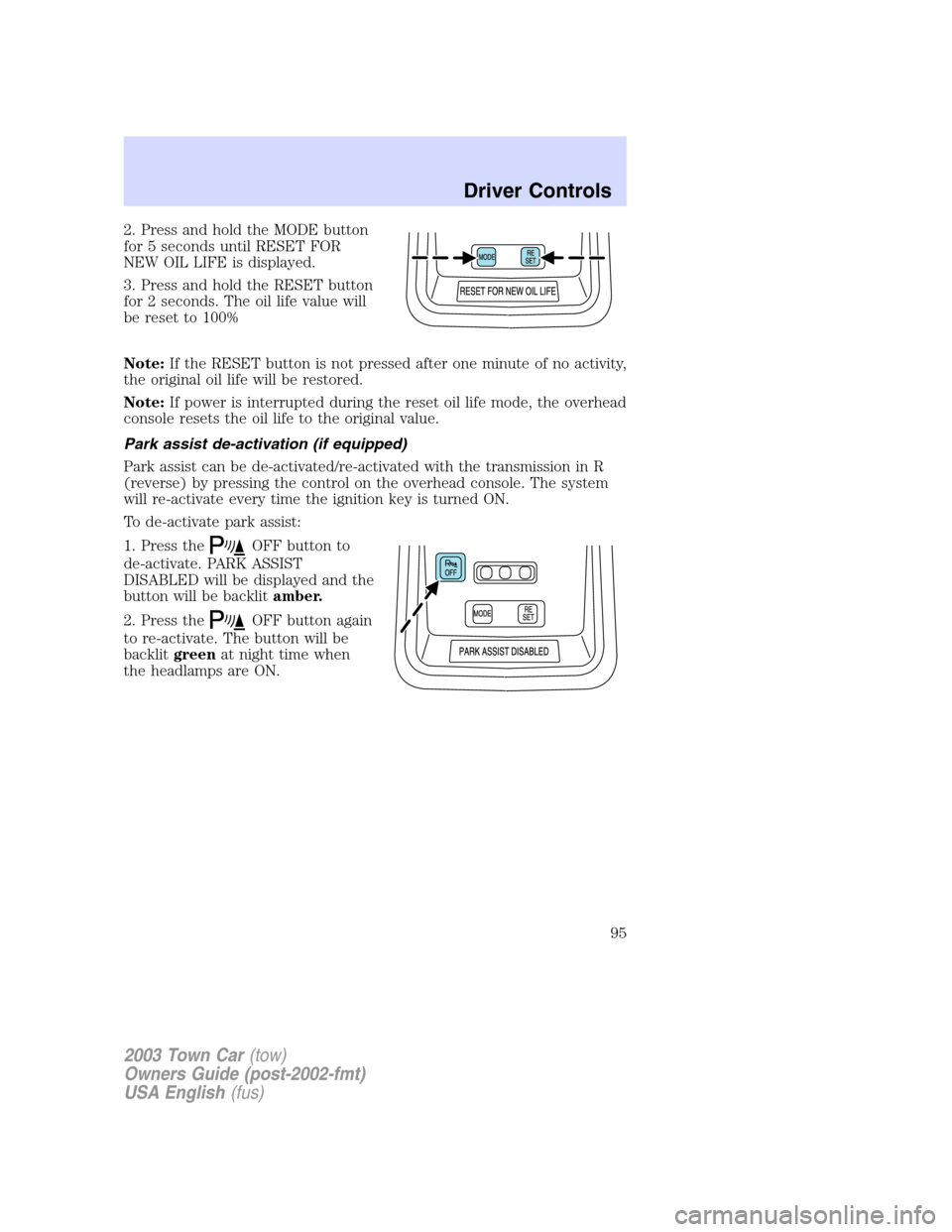
2. Press and hold the MODE button
for 5 seconds until RESET FOR
NEW OIL LIFE is displayed.
3. Press and hold the RESET button
for 2 seconds. The oil life value will
be reset to 100%
Note:If the RESET button is not pressed after one minute of no activity,
the original oil life will be restored.
Note:If power is interrupted during the reset oil life mode, the overhead
console resets the oil life to the original value.
Park assist de-activation (if equipped)
Park assist can be de-activated/re-activated with the transmission in R
(reverse) by pressing the control on the overhead console. The system
will re-activate every time the ignition key is turned ON.
To de-activate park assist:
1. Press the
OFF button to
de-activate. PARK ASSIST
DISABLED will be displayed and the
button will be backlitamber.
2. Press the
OFF button again
to re-activate. The button will be
backlitgreenat night time when
the headlamps are ON.
2003 Town Car(tow)
Owners Guide (post-2002-fmt)
USA English(fus)
Driver Controls
95
Page 97 of 272
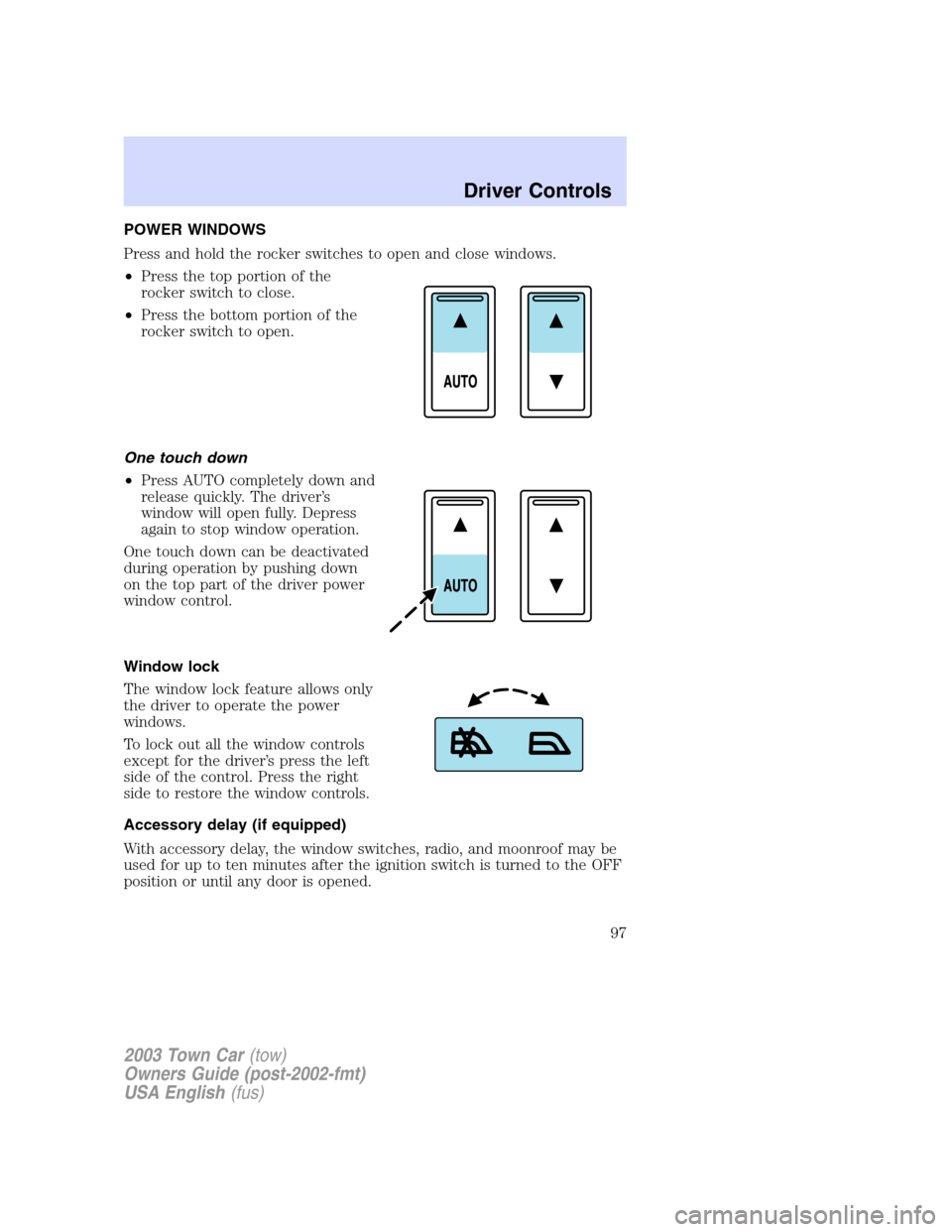
POWER WINDOWS
Press and hold the rocker switches to open and close windows.
•Press the top portion of the
rocker switch to close.
•Press the bottom portion of the
rocker switch to open.
One touch down
•Press AUTO completely down and
release quickly. The driver’s
window will open fully. Depress
again to stop window operation.
One touch down can be deactivated
during operation by pushing down
on the top part of the driver power
window control.
Window lock
The window lock feature allows only
the driver to operate the power
windows.
To lock out all the window controls
except for the driver’s press the left
side of the control. Press the right
side to restore the window controls.
Accessory delay (if equipped)
With accessory delay, the window switches, radio, and moonroof may be
used for up to ten minutes after the ignition switch is turned to the OFF
position or until any door is opened.
2003 Town Car(tow)
Owners Guide (post-2002-fmt)
USA English(fus)
Driver Controls
97
Page 102 of 272
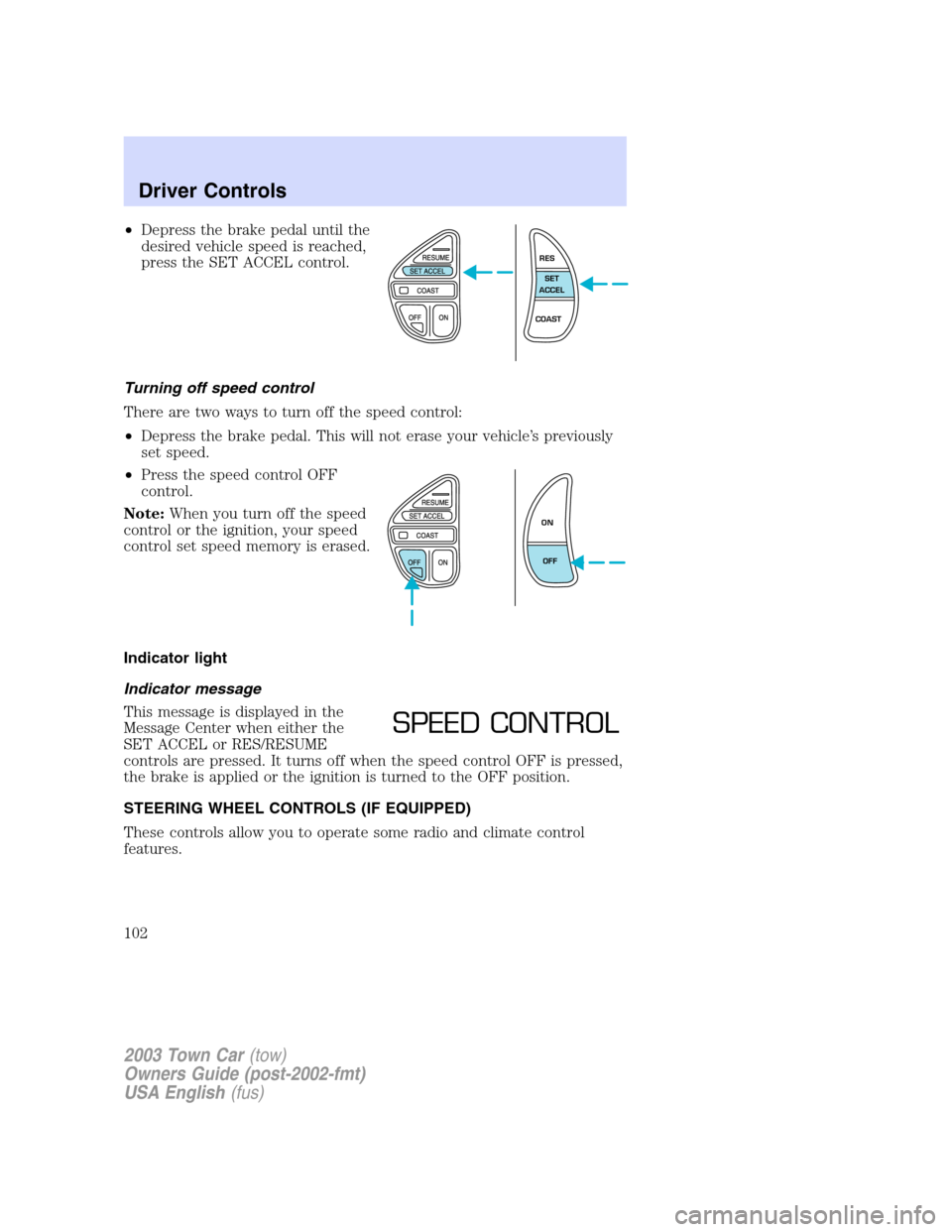
•Depress the brake pedal until the
desired vehicle speed is reached,
press the SET ACCEL control.
Turning off speed control
There are two ways to turn off the speed control:
•Depress the brake pedal. This will not erase your vehicle’s previously
set speed.
•Press the speed control OFF
control.
Note:When you turn off the speed
control or the ignition, your speed
control set speed memory is erased.
Indicator light
Indicator message
This message is displayed in the
Message Center when either the
SET ACCEL or RES/RESUME
controls are pressed. It turns off when the speed control OFF is pressed,
the brake is applied or the ignition is turned to the OFF position.
STEERING WHEEL CONTROLS (IF EQUIPPED)
These controls allow you to operate some radio and climate control
features.
RES
SET
ACCEL
COAST
ON
OFF
SPEED CONTROL
2003 Town Car(tow)
Owners Guide (post-2002-fmt)
USA English(fus)
Driver Controls
102
Page 104 of 272
Do not let children play with the moon roof. They may seriously
hurt themselves.
CELL PHONE USE
The use of Mobile Communications Equipment has become increasingly
important in the conduct of business and personal affairs. However,
drivers must not compromise their own or others’safety when using
such equipment. Mobile Communications can enhance personal safety
and security when appropriately used, particularly in emergency
situations. Safety must be paramount when using mobile communications
equipment to avoid negating these benefits.
Mobile Communication Equipment includes, but is not limited to cellular
phones, pagers, portable email devices, in vehicle communications
systems, telematics devices and portable two-way radios.
A driver’s first responsibility is the safe operation of the vehicle.
The most important thing you can do to prevent a crash is to
avoid distractions and pay attention to the road. Wait until it is safe to
operate Mobile Communications Equipment.
ELECTRONIC MESSAGE CENTER
The electronic message center only works when the ignition is in the ON
position.
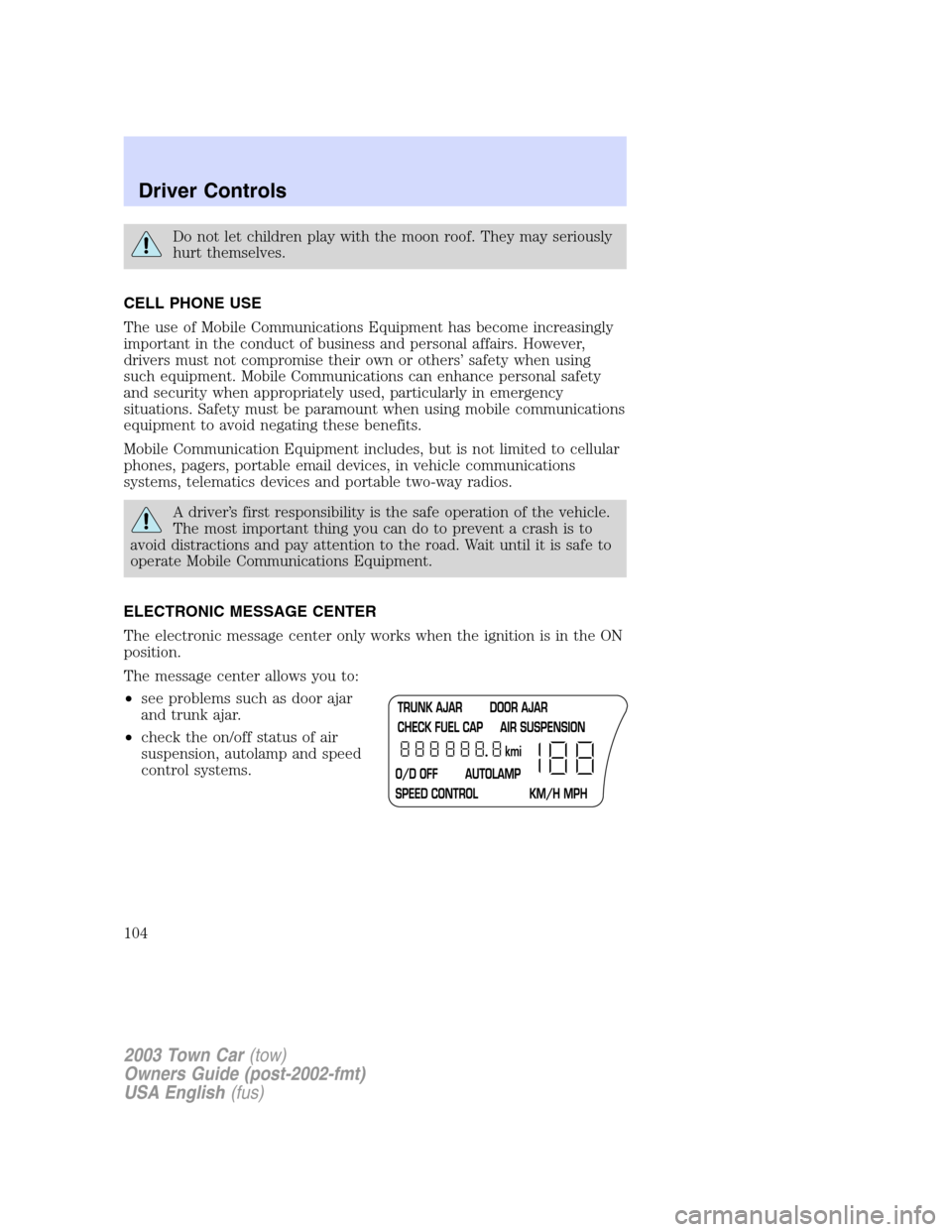
The message center allows you to:
•see problems such as door ajar
and trunk ajar.
•check the on/off status of air
suspension, autolamp and speed
control systems.
2003 Town Car(tow)
Owners Guide (post-2002-fmt)
USA English(fus)
Driver Controls
104
Page 107 of 272
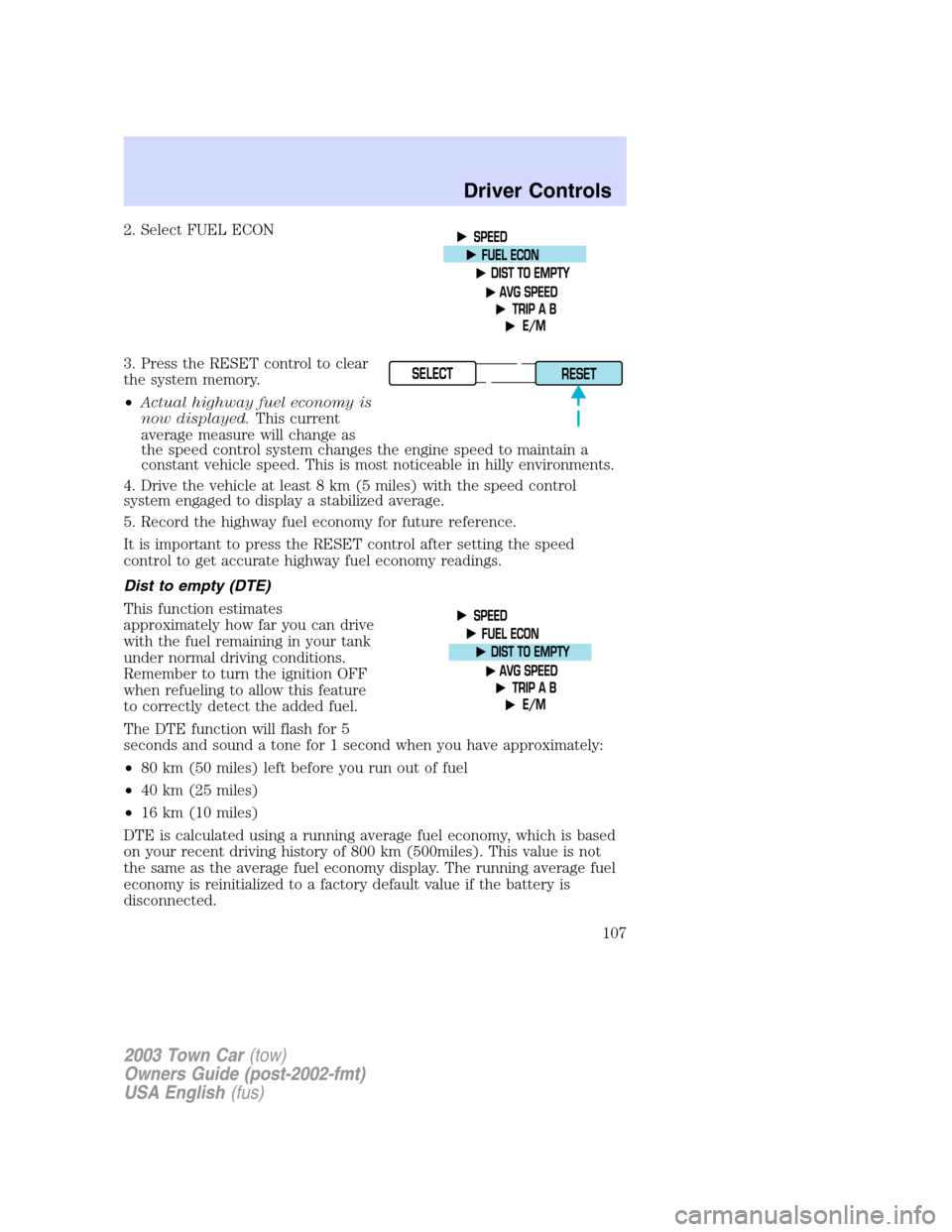
2. Select FUEL ECON
3. Press the RESET control to clear
the system memory.
•Actual highway fuel economy is
now displayed.This current
average measure will change as
the speed control system changes the engine speed to maintain a
constant vehicle speed. This is most noticeable in hilly environments.
4. Drive the vehicle at least 8 km (5 miles) with the speed control
system engaged to display a stabilized average.
5. Record the highway fuel economy for future reference.
It is important to press the RESET control after setting the speed
control to get accurate highway fuel economy readings.
Dist to empty (DTE)
This function estimates
approximately how far you can drive
with the fuel remaining in your tank
under normal driving conditions.
Remember to turn the ignition OFF
when refueling to allow this feature
to correctly detect the added fuel.
The DTE function will flash for 5
seconds and sound a tone for 1 second when you have approximately:
•80 km (50 miles) left before you run out of fuel
•40 km (25 miles)
•16 km (10 miles)
DTE is calculated using a running average fuel economy, which is based
on your recent driving history of 800 km (500miles). This value is not
the same as the average fuel economy display. The running average fuel
economy is reinitialized to a factory default value if the battery is
disconnected.
SELECT
RESET
2003 Town Car(tow)
Owners Guide (post-2002-fmt)
USA English(fus)
Driver Controls
107