warning LINCOLN TOWN CAR 2003 User Guide
[x] Cancel search | Manufacturer: LINCOLN, Model Year: 2003, Model line: TOWN CAR, Model: LINCOLN TOWN CAR 2003Pages: 272, PDF Size: 2.19 MB
Page 27 of 272
To play a previously loaded CD:
1. Ensure that the vehicle ignition is on.
2. Press AUDIO.
3. Press CD to select a CD which is already loaded. (NO CD will appear
in the display if there are not CDs loaded into the system). Use the
memory presets (1–6) to select the desired CD.
4. CD will begin to play.
To load CDs:
1. Press CD OPEN CLOSE at the
bottom of the screen to load a CD.
(The screen will open).
2. Press LOAD and select the desired slot. Or, press and hold LOAD to
auto load all available slots. The slot indicator lights blink rate will
increase when the system is ready to accept a disc. Push CD OPEN
CLOSE to close the screen. Once closed, the CD will begin to play.
3. Use the touch controls to advance tracks, scan, pause, etc. The small
red lights below the CD slot will blink faster when the system is ready to
accept a disc.
To use the Navigation system:
1. Ensure that the vehicle ignition is on, and the navigation DVD is
loaded into the navigation DVD player. Refer toLoading the map DVD
for navigation DVD locations.
2. Press DEST. The warning screen will appear. After reading, press
AGREE. The screen will show a map with your current location. Press
DEST again.
2003 Town Car(tow)
Owners Guide (post-2002-fmt)
USA English(fus)
Entertainment Systems
27
Page 28 of 272
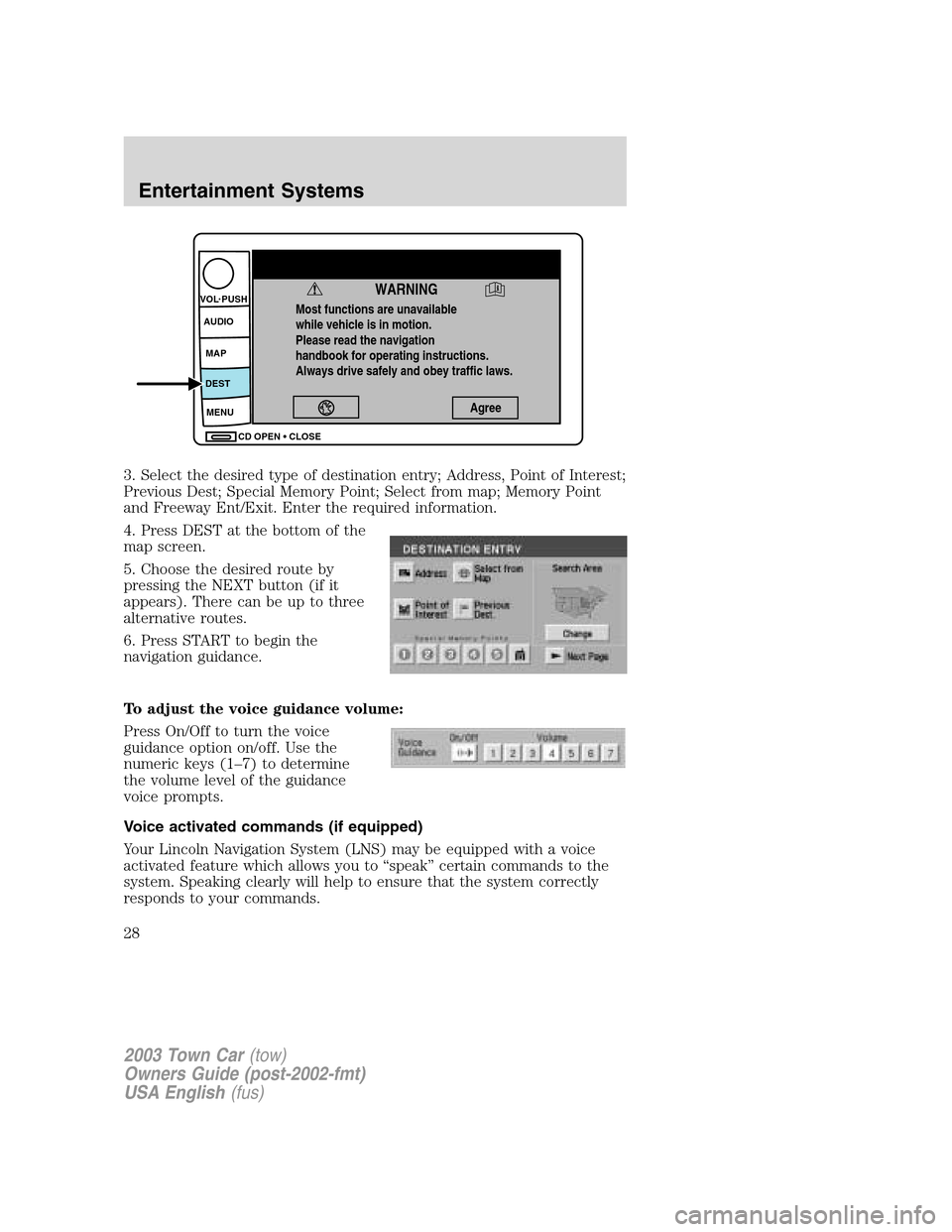
3. Select the desired type of destination entry; Address, Point of Interest;
Previous Dest; Special Memory Point; Select from map; Memory Point
and Freeway Ent/Exit. Enter the required information.
4. Press DEST at the bottom of the
map screen.
5. Choose the desired route by
pressing the NEXT button (if it
appears). There can be up to three
alternative routes.
6. Press START to begin the
navigation guidance.
To adjust the voice guidance volume:
Press On/Off to turn the voice
guidance option on/off. Use the
numeric keys (1–7) to determine
the volume level of the guidance
voice prompts.
Voice activated commands (if equipped)
Your Lincoln Navigation System (LNS) may be equipped with a voice
activated feature which allows you to“speak”certain commands to the
system. Speaking clearly will help to ensure that the system correctly
responds to your commands.
Most functions are unavailable
while vehicle is in motion.
Please read the navigation
handbook for operating instructions.
Always drive safely and obey traffic laws.
WARNING
Agree
CD OPEN CLOSE MENU DESTMAP AUDIO VOL PUSH
2003 Town Car(tow)
Owners Guide (post-2002-fmt)
USA English(fus)
Entertainment Systems
28
Page 50 of 272
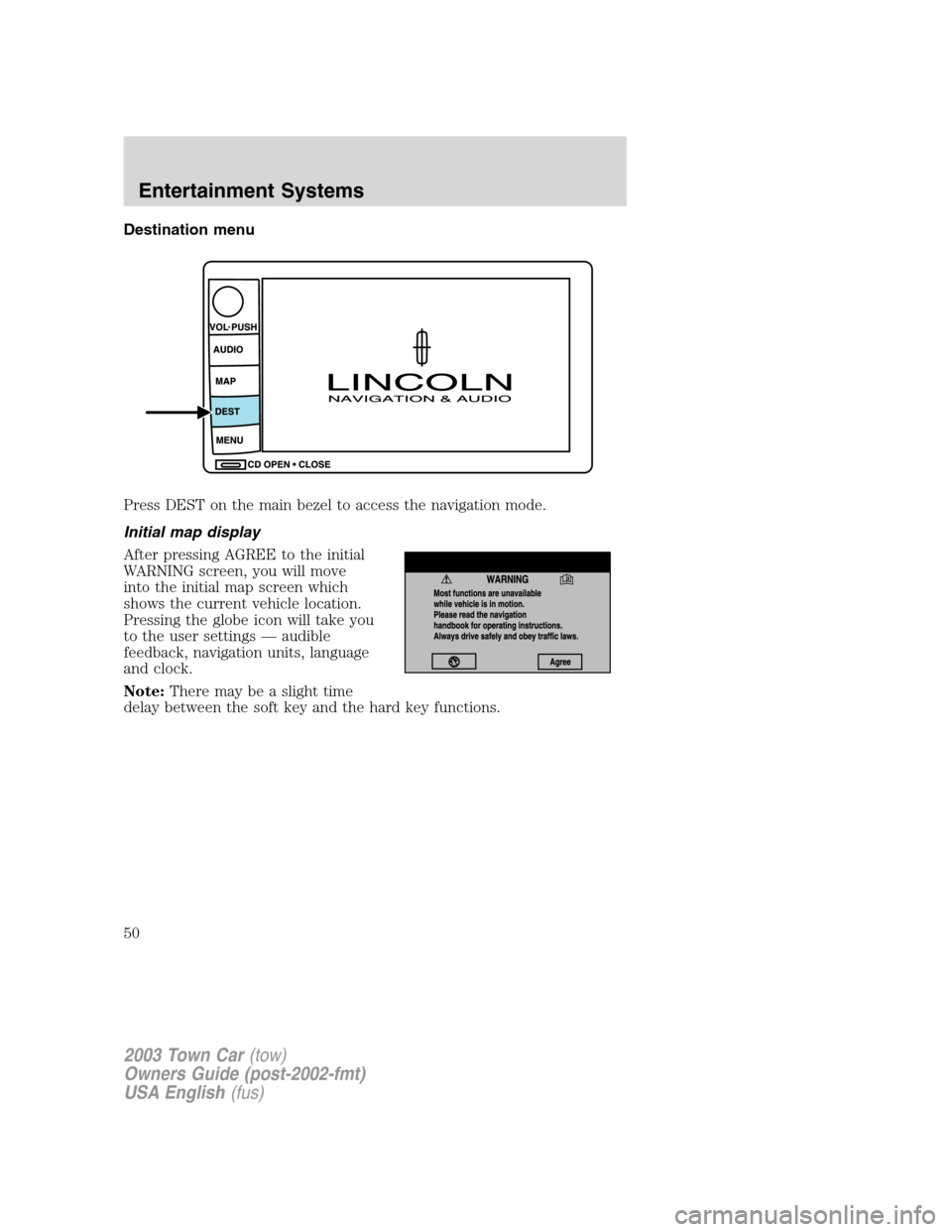
Destination menu
Press DEST on the main bezel to access the navigation mode.
Initial map display
After pressing AGREE to the initial
WARNING screen, you will move
into the initial map screen which
shows the current vehicle location.
Pressing the globe icon will take you
to the user settings—audible
feedback, navigation units, language
and clock.
Note:There may be a slight time
delay between the soft key and the hard key functions.
2003 Town Car(tow)
Owners Guide (post-2002-fmt)
USA English(fus)
Entertainment Systems
50
Page 62 of 272
Route interruptions
In the course of your destination, you may decide to temporarily leave
your planned route for gas, food, etc. If you turn off the ignition, the
option to continue the route guidance will be displayed when the ignition
is turned on again. The route can be accessed once again after you press
“Agree”on the warning screen.
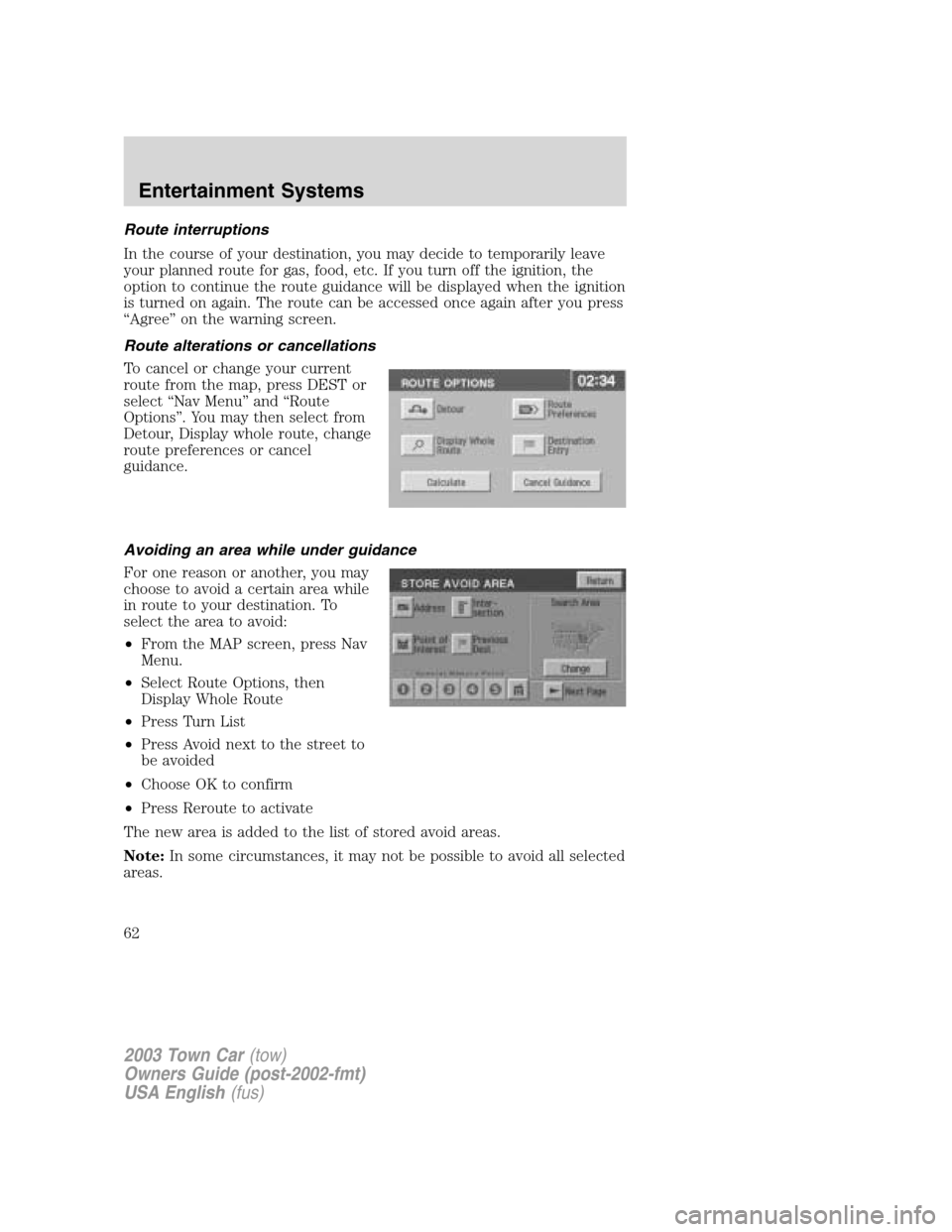
Route alterations or cancellations
To cancel or change your current
route from the map, press DEST or
select“Nav Menu”and“Route
Options”. You may then select from
Detour, Display whole route, change
route preferences or cancel
guidance.
Avoiding an area while under guidance
For one reason or another, you may
choose to avoid a certain area while
in route to your destination. To
select the area to avoid:
•From the MAP screen, press Nav
Menu.
•Select Route Options, then
Display Whole Route
•Press Turn List
•Press Avoid next to the street to
be avoided
•Choose OK to confirm
•Press Reroute to activate
The new area is added to the list of stored avoid areas.
Note:In some circumstances, it may not be possible to avoid all selected
areas.
2003 Town Car(tow)
Owners Guide (post-2002-fmt)
USA English(fus)
Entertainment Systems
62
Page 86 of 272
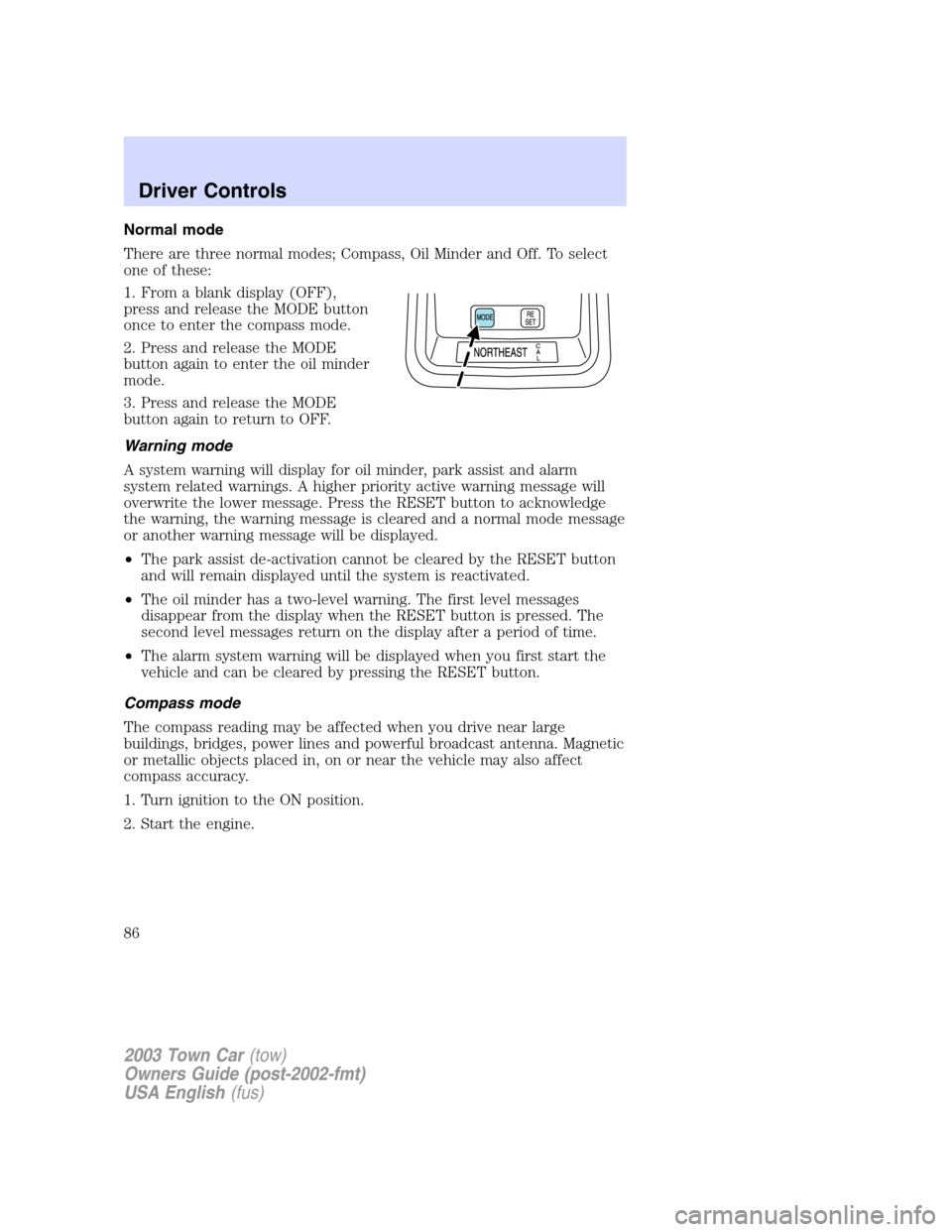
Normal mode
There are three normal modes; Compass, Oil Minder and Off. To select
one of these:
1. From a blank display (OFF),
press and release the MODE button
once to enter the compass mode.
2. Press and release the MODE
button again to enter the oil minder
mode.
3. Press and release the MODE
button again to return to OFF.
Warning mode
A system warning will display for oil minder, park assist and alarm
system related warnings. A higher priority active warning message will
overwrite the lower message. Press the RESET button to acknowledge
the warning, the warning message is cleared and a normal mode message
or another warning message will be displayed.
•The park assist de-activation cannot be cleared by the RESET button
and will remain displayed until the system is reactivated.
•The oil minder has a two-level warning. The first level messages
disappear from the display when the RESET button is pressed. The
second level messages return on the display after a period of time.
•The alarm system warning will be displayed when you first start the
vehicle and can be cleared by pressing the RESET button.
Compass mode
The compass reading may be affected when you drive near large
buildings, bridges, power lines and powerful broadcast antenna. Magnetic
or metallic objects placed in, on or near the vehicle may also affect
compass accuracy.
1. Turn ignition to the ON position.
2. Start the engine.
2003 Town Car(tow)
Owners Guide (post-2002-fmt)
USA English(fus)
Driver Controls
86
Page 94 of 272
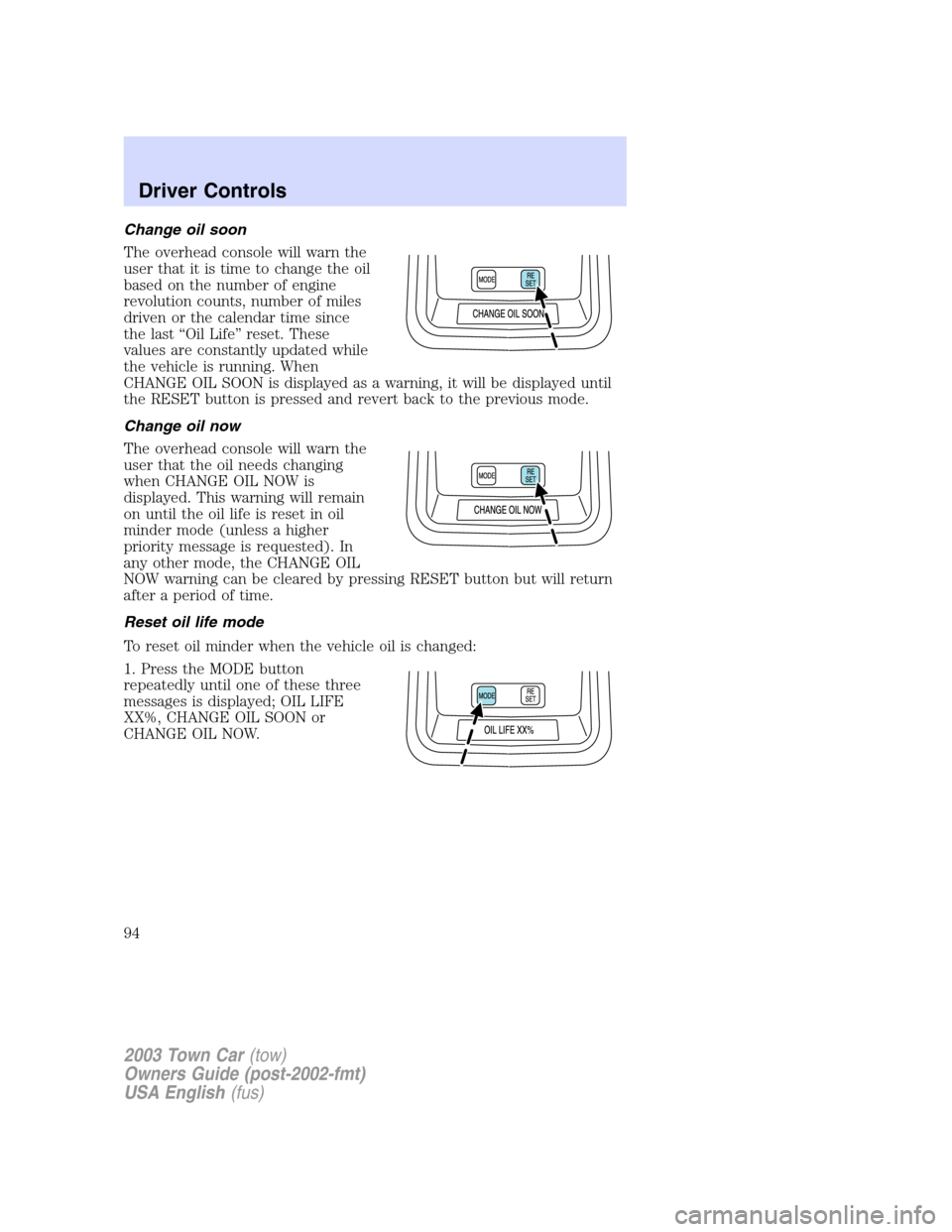
Change oil soon
The overhead console will warn the
user that it is time to change the oil
based on the number of engine
revolution counts, number of miles
driven or the calendar time since
the last“Oil Life”reset. These
values are constantly updated while
the vehicle is running. When
CHANGE OIL SOON is displayed as a warning, it will be displayed until
the RESET button is pressed and revert back to the previous mode.
Change oil now
The overhead console will warn the
user that the oil needs changing
when CHANGE OIL NOW is
displayed. This warning will remain
on until the oil life is reset in oil
minder mode (unless a higher
priority message is requested). In
any other mode, the CHANGE OIL
NOW warning can be cleared by pressing RESET button but will return
after a period of time.
Reset oil life mode
To reset oil minder when the vehicle oil is changed:
1. Press the MODE button
repeatedly until one of these three
messages is displayed; OIL LIFE
XX%, CHANGE OIL SOON or
CHANGE OIL NOW.
2003 Town Car(tow)
Owners Guide (post-2002-fmt)
USA English(fus)
Driver Controls
94
Page 133 of 272
SAFETY RESTRAINTS
Personal Safety System
The Personal Safety System provides an improved overall level of frontal
crash protection to front seat occupants and is designed to help further
reduce the risk of air bag-related injuries. The system is able to analyze
different occupant conditions and crash severity before activating the
appropriate safety devices to help better protect a range of occupants in
a variety of frontal crash situations.
Your vehicle’s Personal Safety System consists of the following items:
•Driver and passenger dual-stage air bag supplemental restraints
•Driver and front passenger side air bags
•Front safety belts with pretensioners, energy management retractors,
and safety belt usage sensors
•Driver’s seat position sensor
•Passenger occupant classification sensor
•Front crash severity sensor
•Restraints Control Module (RCM) with impact and safing sensors
•Restraint system warning light and back-up tone
•The electrical wiring for the air bags, crash sensor(s), safety belt
pretensioners, front safety belt usage sensors, driver seat position
sensor, passenger occupant classification sensor, and indicator lights
How does the personal safety system work?
The Personal safety system can adapt the deployment strategy of your
vehicle’s safety devices according to crash severity and occupant
conditions. A collection of crash and occupant sensors provides
information to the Restraints control module (RCM). During a crash, the
RCM activates the safety belt pretensioners and/or either one or both
stages of the dual-stage air bag supplemental restraints based on crash
severity and occupant conditions.
The fact that the pretensioners or air bags did not activate for both front
seat occupants in a collision does not mean that something is wrong with
the system. Rather, it means the Personal safety system determined the
accident conditions (crash severity, belt usage, etc.) were not
appropriate to activate these safety devices. Front air bags and
pretensioners are designed to activate only in frontal and near-frontal
collisions, not rollovers, side-impacts, or rear-impacts unless the collision
causes sufficient longitudinal deceleration.
2003 Town Car(tow)
Owners Guide (post-2002-fmt)
USA English(fus)
Seating and Safety Restraints
133
Page 135 of 272
designed to help protect small (child size) occupants from air bag
deployments when they are improperly seated or restrained in the front
passenger seat contrary to proper child-seating or restraint usage
recommendations. Even with this technology, parents areSTRONGLY
encouraged to always properly restrain children in the rear seat. The
sensor also turns off the air bag(s) when the passenger seat is empty to
prevent unnecessary replacement of the air bag(s) after a collision.
Front safety belt usage sensors
The front safety belt usage sensors detect whether or not the driver and
front outboard passenger safety belts are fastened. This information
allows your Personal safety system to tailor the air bag deployment and
safety belt pretensioner activation depending upon safety belt usage.
Refer toSafety beltsection in this chapter.
Front safety belt pretensioners
The safety belt pretensioners at the front outboard seating positions are
designed to tighten the safety belts firmly against the occupant’s body
during a frontal or near-frontal collision. This maximizes the effectiveness
of the safety belts and helps properly position the occupant relative to
the air bag to improve protection. The safety belt pretensioners can be
either activated alone or, if the collision is of sufficient severity, together
with the air bags.
Front safety belt energy management retractors
The front safety belt energy management retractors allow webbing to be
pulled out of the retractor in a gradual and controlled manner in
response to the occupant’s forward momentum. This helps reduce the
risk of force-related injuries to the occupant’s chest by limiting the load
on the occupant. Refer toEnergy management featuresection in this
chapter.
Determining if the Personal safety system is operational
The Personal safety system uses a warning light in the instrument cluster
or a back-up tone to indicate the condition of the system. Refer to the
Warning lightsection in theInstrument clusterchapter. Routine
maintenance of the Personal safety system is not required.
The Restraints control module (RCM) monitors its own internal circuits
and the circuits for the air bag supplemental restraints, crash sensor(s),
safety belt pretensioners, front safety belt buckle sensors, driver seat
position sensor, and passenger occupant classification sensor. In addition,
the RCM also monitors the restraints warning light in the instrument
cluster. A difficulty with the system is indicated by one or more of the
following.
2003 Town Car(tow)
Owners Guide (post-2002-fmt)
USA English(fus)
Seating and Safety Restraints
135
Page 136 of 272
•The warning light will either flash or stay lit.
•The warning light will not illuminate immediately after ignition is
turned on.
•A series of five beeps will be heard. The tone pattern will repeat
periodically until the problem and warning light are repaired.
If any of these things happen, even intermittently, have the Personal
safety system serviced at your dealership or by a qualified technician
immediately. Unless serviced, the system may not function properly in
the event of a collision.
Safety restraints precautions
Always drive and ride with your seatback upright and the lap
belt snug and low across the hips.
To reduce the risk of injury, make sure children sit where they
can be properly restrained.
Never let a passenger hold a child on his or her lap while the
vehicle is moving. The passenger cannot protect the child from
injury in a collision.
All occupants of the vehicle, including the driver, should always
properly wear their safety belts, even when an air bag (SRS) is
provided.
It is extremely dangerous to ride in a cargo area, inside or
outside of a vehicle. In a collision, people riding in these areas
are more likely to be seriously injured or killed. Do not allow people to
ride in any area of your vehicle that is not equipped with seats and
safety belts. Be sure everyone in your vehicle is in a seat and using a
safety belt properly.
In a rollover crash, an unbelted person is significantly more likely
to die than a person wearing a safety belt.
2003 Town Car(tow)
Owners Guide (post-2002-fmt)
USA English(fus)
Seating and Safety Restraints
136
Page 141 of 272
Lap belts
Adjusting the front center seat lap belt
The lap belt should fit snugly and as low as possible around the
hips, not across the waist.
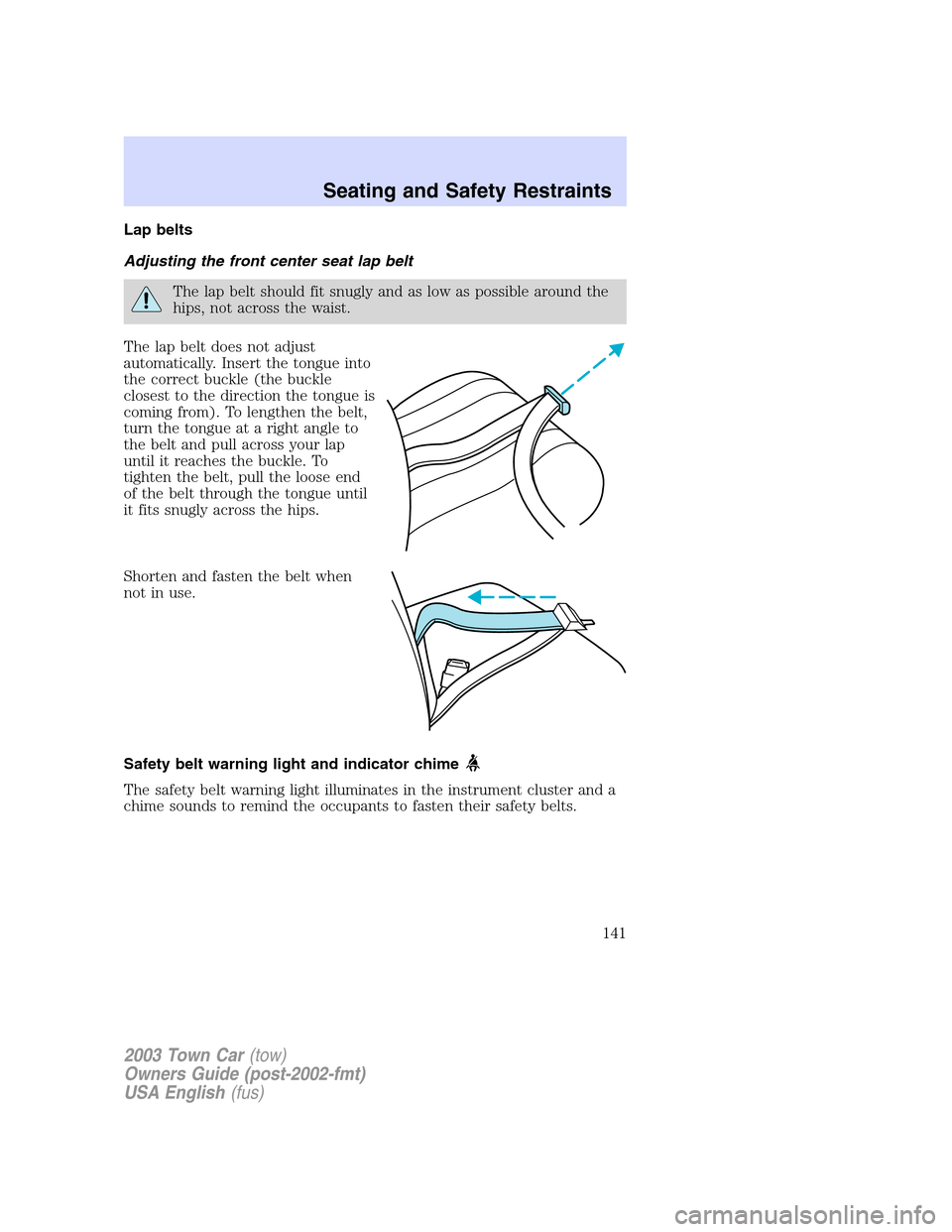
The lap belt does not adjust
automatically. Insert the tongue into
the correct buckle (the buckle
closest to the direction the tongue is
coming from). To lengthen the belt,
turn the tongue at a right angle to
the belt and pull across your lap
until it reaches the buckle. To
tighten the belt, pull the loose end
of the belt through the tongue until
it fits snugly across the hips.
Shorten and fasten the belt when
not in use.
Safety belt warning light and indicator chime
The safety belt warning light illuminates in the instrument cluster and a
chime sounds to remind the occupants to fasten their safety belts.
2003 Town Car(tow)
Owners Guide (post-2002-fmt)
USA English(fus)
Seating and Safety Restraints
141